stable diffusion.cpp
master-b5f4932

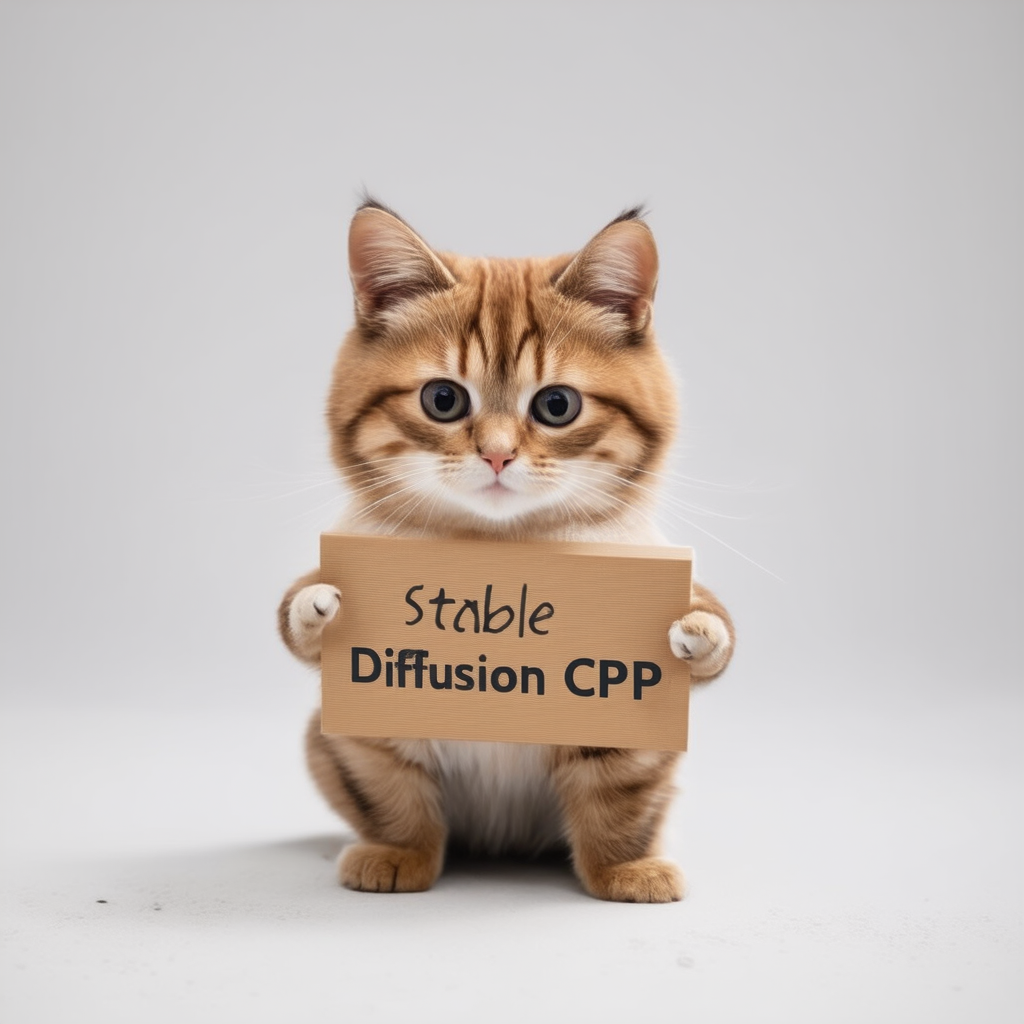
Kesimpulan difusi dan fluks yang stabil dalam C/C ++ murni
Implementasi C/C ++ biasa berdasarkan GGML, bekerja dengan cara yang sama seperti llama.cpp
Super ringan dan tanpa dependensi eksternal
SD1.X, SD2.X, SDXL dan SD3/SD3.5 Dukungan
Dukungan Flux-Dev/Flux-Schnell
Dukungan SD-TURBO dan SDXL-TURBO
Dukungan Photomaker.
Dukungan pelampung 16-bit, 32-bit
2-bit, 3-bit, 4-bit, 5-bit dan 8-bit integer kuantisasi dukungan
Inferensi CPU yang efisien memori dipercepat
Dukungan AVX, AVX2 dan AVX512 untuk Arsitektur X86
Backend Cuda, Metal, Vulkan, dan SYCL penuh untuk akselerasi GPU.
Dapat memuat CKPT, Safetensors, dan Model/Pos Pemeriksaan CKPT. Model VAES mandiri
.ggml atau .gguf lagi!Perhatian Flash untuk Optimalisasi Penggunaan Memori
Mode txt2img dan img2img Asli
Prompt negatif
Tokenizer gaya stabil-difusi-webui (tidak semua fitur, hanya bobot token untuk saat ini)
Dukungan Lora, sama seperti stabil-difusi-webui
Dukungan Model Konsistensi Laten (LCM/LCM-LORA)
Decoding laten yang lebih cepat dan memori dengan taesd
Gambar kelas atas yang dihasilkan dengan Esrgan
Pemrosesan ubin vae untuk mengurangi penggunaan memori
Kontrol dukungan bersih dengan SD 1.5
Metode pengambilan sampel
Euler AEulerHeunDPM2DPM++ 2MDPM++ 2M v2DPM++ 2S aLCM Reproduksibilitas lintas platform ( --rng cuda , konsisten dengan stable-diffusion-webui GPU RNG )
Parameter pembuatan Embedds ke dalam output PNG sebagai string teks yang kompatibel dengan webui
Platform yang didukung
Untuk sebagian besar pengguna, Anda dapat mengunduh program yang dapat dieksekusi dari rilis terbaru. Jika produk yang dibangun tidak memenuhi kebutuhan Anda, Anda dapat memilih untuk membangunnya secara manual.
 git clone --recursive https://github.com/leejet/stable-diffusion.cpp
cd stable-diffusion.cpp
 cd stable-diffusion.cpp
git pull origin master
git submodule init
git submodule update
Unduh bobot asli (.ckpt atau .safetensors). Misalnya
curl -L -O https://huggingface.co/CompVis/stable-diffusion-v-1-4-original/resolve/main/sd-v1-4.ckpt
# curl -L -O https://huggingface.co/runwayml/stable-diffusion-v1-5/resolve/main/v1-5-pruned-emaonly.safetensors
# curl -L -O https://huggingface.co/stabilityai/stable-diffusion-2-1/resolve/main/v2-1_768-nonema-pruned.safetensors
# curl -L -O https://huggingface.co/stabilityai/stable-diffusion-3-medium/resolve/main/sd3_medium_incl_clips_t5xxlfp16.safetensorsmkdir build
cd build
cmake ..
cmake --build . --config Release cmake .. -DGGML_OPENBLAS=ON
cmake --build . --config Release
Ini memberikan akselerasi BLAS menggunakan inti CUDA dari GPU NVIDIA Anda. Pastikan untuk menginstal toolkit CUDA. Anda dapat mengunduhnya dari paket paket Linux Distro Anda ( apt install nvidia-cuda-toolkit ) atau dari sini: CUDA Toolkit. Disarankan untuk memiliki setidaknya 4 GB VRAM.
 cmake .. -DSD_CUBLAS=ON
cmake --build . --config Release
Ini memberikan akselerasi BLAS menggunakan inti ROCM dari GPU AMD Anda. Pastikan untuk menginstal toolkit ROCM.
Pengguna Windows merujuk ke dokumen/hipblas_on_windows.md untuk panduan komprehensif.
 cmake .. -G "Ninja" -DCMAKE_C_COMPILER=clang -DCMAKE_CXX_COMPILER=clang++ -DSD_HIPBLAS=ON -DCMAKE_BUILD_TYPE=Release -DAMDGPU_TARGETS=gfx1100
cmake --build . --config Release
Menggunakan logam membuat perhitungan berjalan pada GPU. Saat ini, ada beberapa masalah dengan logam saat melakukan operasi pada matriks yang sangat besar, membuatnya sangat tidak efisien saat ini. Peningkatan kinerja diharapkan dalam waktu dekat.
 cmake .. -DSD_METAL=ON
cmake --build . --config Release
Instal Vulkan SDK dari https://www.lunarg.com/vulkan-sdk/.
 cmake .. -DSD_VULKAN=ON
cmake --build . --config Release
Menggunakan SYCL membuat perhitungan berjalan pada GPU Intel. Pastikan Anda telah menginstal driver terkait dan Intel® OneAPI Base Toolkit sebelum mulai. Rincian dan langkah lebih lanjut dapat merujuk ke llama.cpp SYCL backend.
 # Export relevant ENV variables
source /opt/intel/oneapi/setvars.sh

# Option 1: Use FP32 (recommended for better performance in most cases)
cmake .. -DSD_SYCL=ON -DCMAKE_C_COMPILER=icx -DCMAKE_CXX_COMPILER=icpx

# Option 2: Use FP16
cmake .. -DSD_SYCL=ON -DCMAKE_C_COMPILER=icx -DCMAKE_CXX_COMPILER=icpx -DGGML_SYCL_F16=ON

cmake --build . --config Release
Contoh text2img dengan menggunakan backend sycl:
Unduh berat model stable-diffusion , lihat unduh-weight.
Jalankan ./bin/sd -m ../models/sd3_medium_incl_clips_t5xxlfp16.safetensors --cfg-scale 5 --steps 30 --sampling-method euler -H 1024 -W 1024 --seed 42 -p "fantasy medieval village world inside a glass sphere , high detail, fantasy, realistic, light effect, hyper detail, volumetric lighting, cinematic, macro, depth of field, blur, red light and clouds from the back, highly detailed epic cinematic concept art cg render made in maya, blender and photoshop, octane render, excellent composition, dynamic dramatic cinematic lighting, aesthetic, very inspirational, world inside a glass sphere by james gurney by artgerm with james jean, joe fenton and tristan eaton by ross tran, fine details, 4k resolution"

Mengaktifkan perhatian flash untuk model difusi mengurangi penggunaan memori dengan berbagai jumlah MB. misalnya.:
Untuk sebagian besar backends, itu memperlambat segalanya, tetapi untuk Cuda umumnya mempercepatnya juga. Saat ini, hanya didukung untuk beberapa model dan beberapa backend (seperti CPU, CUDA/ROCM, logam).
Dijalankan dengan menambahkan --diffusion-fa ke argumen dan menonton:
[INFO ] stable-diffusion.cpp:312 - Using flash attention in the diffusion model
Dan penyangga komputasi menyusut di log debug:
[DEBUG] ggml_extend.hpp:1004 - flux compute buffer size: 650.00 MB(VRAM)
 usage: ./bin/sd [arguments]

arguments:
  -h, --help                         show this help message and exit
  -M, --mode [MODEL]                 run mode (txt2img or img2img or convert, default: txt2img)
  -t, --threads N                    number of threads to use during computation (default: -1)
                                     If threads <= 0, then threads will be set to the number of CPU physical cores
  -m, --model [MODEL]                path to full model
  --diffusion-model                  path to the standalone diffusion model
  --clip_l                           path to the clip-l text encoder
  --clip_g                           path to the clip-l text encoder
  --t5xxl                            path to the the t5xxl text encoder
  --vae [VAE]                        path to vae
  --taesd [TAESD_PATH]               path to taesd. Using Tiny AutoEncoder for fast decoding (low quality)
  --control-net [CONTROL_PATH]       path to control net model
  --embd-dir [EMBEDDING_PATH]        path to embeddings
  --stacked-id-embd-dir [DIR]        path to PHOTOMAKER stacked id embeddings
  --input-id-images-dir [DIR]        path to PHOTOMAKER input id images dir
  --normalize-input                  normalize PHOTOMAKER input id images
  --upscale-model [ESRGAN_PATH]      path to esrgan model. Upscale images after generate, just RealESRGAN_x4plus_anime_6B supported by now
  --upscale-repeats                  Run the ESRGAN upscaler this many times (default 1)
  --type [TYPE]                      weight type (f32, f16, q4_0, q4_1, q5_0, q5_1, q8_0, q2_k, q3_k, q4_k)
                                     If not specified, the default is the type of the weight file
  --lora-model-dir [DIR]             lora model directory
  -i, --init-img [IMAGE]             path to the input image, required by img2img
  --control-image [IMAGE]            path to image condition, control net
  -o, --output OUTPUT                path to write result image to (default: ./output.png)
  -p, --prompt [PROMPT]              the prompt to render
  -n, --negative-prompt PROMPT       the negative prompt (default: "")
  --cfg-scale SCALE                  unconditional guidance scale: (default: 7.0)
  --strength STRENGTH                strength for noising/unnoising (default: 0.75)
  --style-ratio STYLE-RATIO          strength for keeping input identity (default: 20%)
  --control-strength STRENGTH        strength to apply Control Net (default: 0.9)
                                     1.0 corresponds to full destruction of information in init image
  -H, --height H                     image height, in pixel space (default: 512)
  -W, --width W                      image width, in pixel space (default: 512)
  --sampling-method {euler, euler_a, heun, dpm2, dpm++2s_a, dpm++2m, dpm++2mv2, ipndm, ipndm_v, lcm}
                                     sampling method (default: "euler_a")
  --steps  STEPS                     number of sample steps (default: 20)
  --rng {std_default, cuda}          RNG (default: cuda)
  -s SEED, --seed SEED               RNG seed (default: 42, use random seed for < 0)
  -b, --batch-count COUNT            number of images to generate
  --schedule {discrete, karras, exponential, ays, gits} Denoiser sigma schedule (default: discrete)
  --clip-skip N                      ignore last layers of CLIP network; 1 ignores none, 2 ignores one layer (default: -1)
                                     <= 0 represents unspecified, will be 1 for SD1.x, 2 for SD2.x
  --vae-tiling                       process vae in tiles to reduce memory usage
  --vae-on-cpu                       keep vae in cpu (for low vram)
  --clip-on-cpu                      keep clip in cpu (for low vram)
  --diffusion-fa                     use flash attention in the diffusion model (for low vram)
                                     Might lower quality, since it implies converting k and v to f16.
                                     This might crash if it is not supported by the backend.
  --control-net-cpu                  keep controlnet in cpu (for low vram)
  --canny                            apply canny preprocessor (edge detection)
  --color                            Colors the logging tags according to level
  -v, --verbose                      print extra info
./bin/sd -m ../models/sd-v1-4.ckpt -p " a lovely cat "
# ./bin/sd -m ../models/v1-5-pruned-emaonly.safetensors -p "a lovely cat"
# ./bin/sd -m ../models/sd_xl_base_1.0.safetensors --vae ../models/sdxl_vae-fp16-fix.safetensors -H 1024 -W 1024 -p "a lovely cat" -v
# ./bin/sd -m ../models/sd3_medium_incl_clips_t5xxlfp16.safetensors -H 1024 -W 1024 -p 'a lovely cat holding a sign says "Stable Diffusion CPP"' --cfg-scale 4.5 --sampling-method euler -v
# ./bin/sd --diffusion-model  ../models/flux1-dev-q3_k.gguf --vae ../models/ae.sft --clip_l ../models/clip_l.safetensors --t5xxl ../models/t5xxl_fp16.safetensors  -p "a lovely cat holding a sign says 'flux.cpp'" --cfg-scale 1.0 --sampling-method euler -v
# ./bin/sd -m  ..modelssd3.5_large.safetensors --clip_l ..modelsclip_l.safetensors --clip_g ..modelsclip_g.safetensors --t5xxl ..modelst5xxl_fp16.safetensors  -H 1024 -W 1024 -p 'a lovely cat holding a sign says "Stable diffusion 3.5 Large"' --cfg-scale 4.5 --sampling-method euler -v
Menggunakan format presisi yang berbeda akan menghasilkan hasil dari berbagai kualitas.
| F32 | F16 | Q8_0 | Q5_0 | Q5_1 | Q4_0 | Q4_1 |
|---|---|---|---|---|---|---|
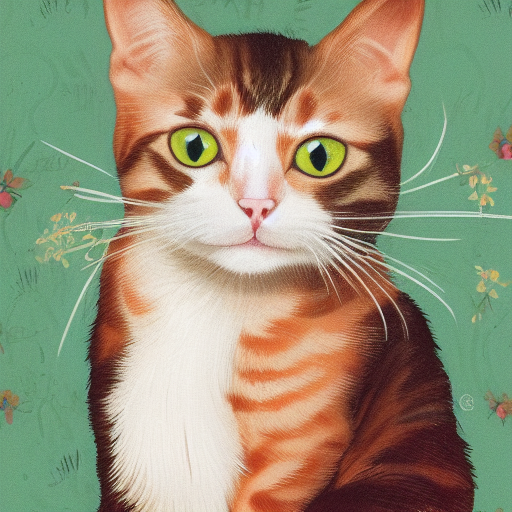 | 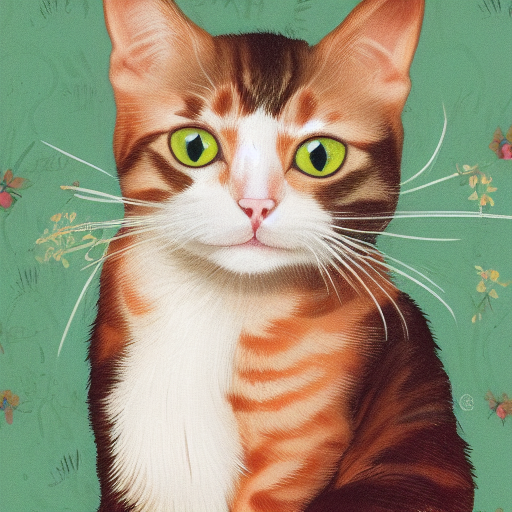 | 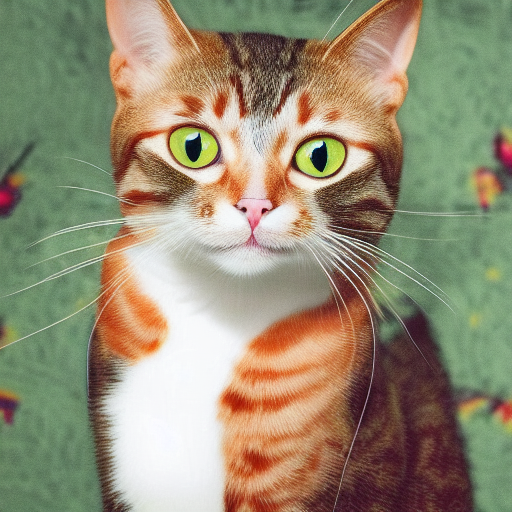 | 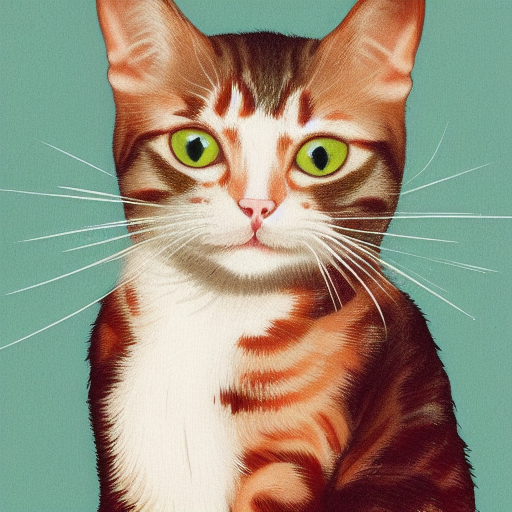 | 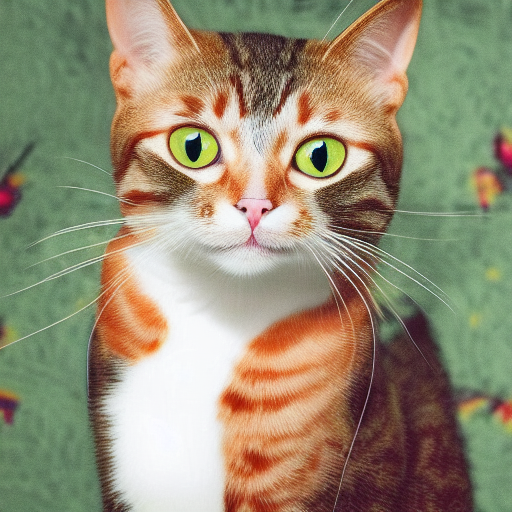 | 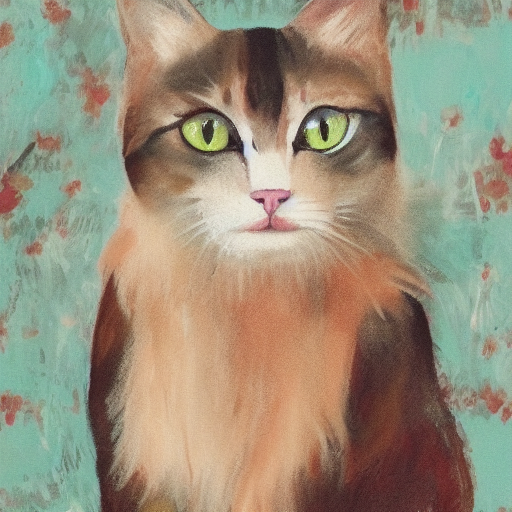 | 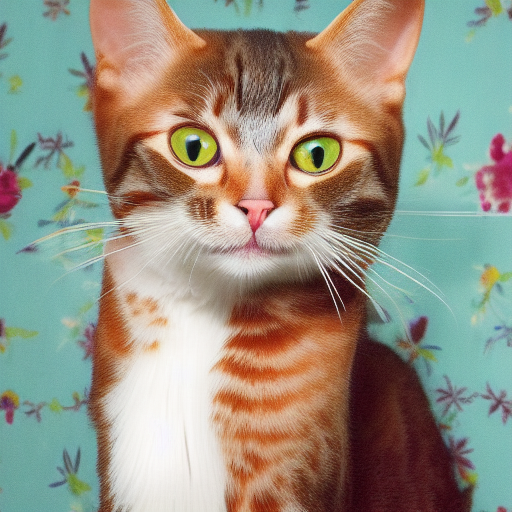 |
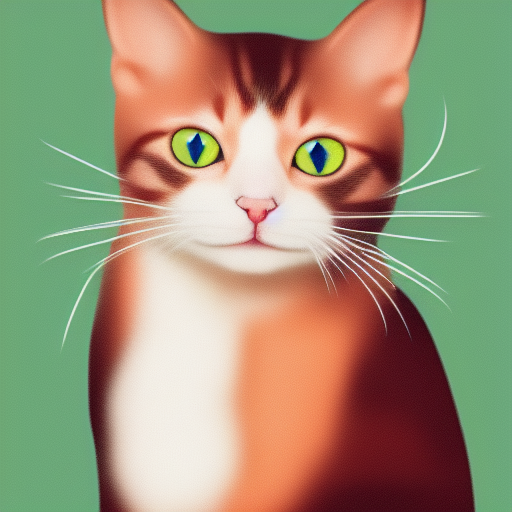
./output.png adalah gambar yang dihasilkan dari pipa TXT2IMG di atas ./bin/sd --mode img2img -m ../models/sd-v1-4.ckpt -p "cat with blue eyes" -i ./output.png -o ./img2img_output.png --strength 0.4
Proyek-proyek ini membungkus stable-diffusion.cpp untuk lebih mudah digunakan dalam bahasa/kerangka kerja lain.
Proyek-proyek ini menggunakan stable-diffusion.cpp sebagai backend untuk generasi gambar mereka.
Terima kasih untuk semua orang yang telah berkontribusi pada stabil-difusi.cpp!





