stable diffusion.cpp
master-b5f4932

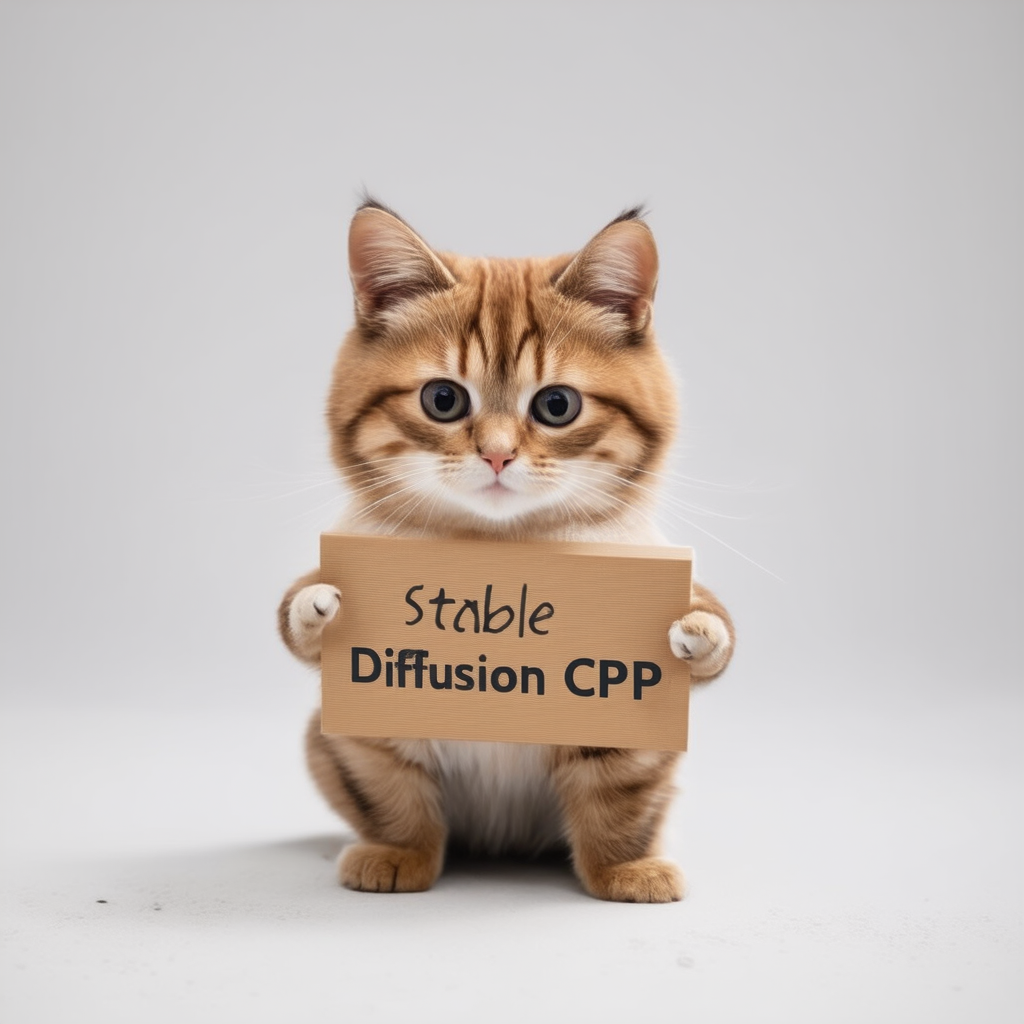
Inferenz stabiler Diffusion und Fluss in reinem C/C ++
Einfacher C/C ++ -Implementierung basierend auf GGML, die auf die gleiche Weise wie lama.cpp arbeitet
Super leicht und ohne externe Abhängigkeiten
SD1.x, SD2.X, SDXL und SD3/SD3.5 Support
FLUX-DEV/FLUX-SCHNELL-Unterstützung
SD-Turbo- und SDXL-Turbo-Unterstützung
Support für Fotomacher.
16-Bit, 32-Bit-Float-Unterstützung
2-Bit-, 3-Bit-, 4-Bit-, 5-Bit- und 8-Bit-Quantisierungsunterstützung
Beschleunigte, speichereffiziente CPU-Inferenz
AVX-, AVX2- und AVX512 -Unterstützung für X86 -Architekturen
Full Cuda, Metall, Vulkan und SYCL -Backend für die GPU -Beschleunigung.
Kann CKPT, SafeTensors und Diffusors -Modelle/Kontrollpunkte laden. Eigenständige Vaes -Modelle
.ggml oder .gguf konvertieren!Flash -Aufmerksamkeit für die Optimierung der Speichernutzung
Original txt2img und img2img -Modus
Negative Aufforderung
Stable-Diffusion-Webui-Tokenizer (nicht alle Funktionen, nur Token-Gewichtung)
LORA-Unterstützung, wie stabil-diffusion-Webui
Latente Konsistenzmodelle unterstützen (LCM/LCM-LORA)
Schneller und speichereffizientes latentes Decodieren mit Taesd
Hufte Bilder, die mit Esrgan erzeugt werden
VAE -Fliesenverarbeitung zur Reduzierung des Speicherverbrauchs
Kontrollnetzunterstützung mit SD 1.5
Stichprobenmethode
Euler AEulerHeunDPM2DPM++ 2MDPM++ 2M v2DPM++ 2S aLCM Die plattformübergreifende Reproduzierbarkeit ( --rng cuda , im Einklang mit der stable-diffusion-webui GPU RNG )
Einbetten der Erzeugungsparameter in die PNG-Ausgabe als Webui-kompatible Textzeichenfolge
Unterstützte Plattformen
Für die meisten Benutzer können Sie das erstellte ausführbare Programm aus der neuesten Version herunterladen. Wenn das gebaute Produkt Ihren Anforderungen nicht entspricht, können Sie es manuell erstellen.
 git clone --recursive https://github.com/leejet/stable-diffusion.cpp
cd stable-diffusion.cpp
 cd stable-diffusion.cpp
git pull origin master
git submodule init
git submodule update
Laden Sie die Originalgewichte herunter (.ckpt oder .Safetensoren). Zum Beispiel
curl -L -O https://huggingface.co/CompVis/stable-diffusion-v-1-4-original/resolve/main/sd-v1-4.ckpt
# curl -L -O https://huggingface.co/runwayml/stable-diffusion-v1-5/resolve/main/v1-5-pruned-emaonly.safetensors
# curl -L -O https://huggingface.co/stabilityai/stable-diffusion-2-1/resolve/main/v2-1_768-nonema-pruned.safetensors
# curl -L -O https://huggingface.co/stabilityai/stable-diffusion-3-medium/resolve/main/sd3_medium_incl_clips_t5xxlfp16.safetensorsmkdir build
cd build
cmake ..
cmake --build . --config Release cmake .. -DGGML_OPENBLAS=ON
cmake --build . --config Release
Dies liefert Bla -Beschleunigung mit den Cuda -Kernen Ihrer Nvidia -GPU. Stellen Sie sicher, dass das CUDA -Toolkit installiert ist. Sie können es aus dem Paketmanager Ihrer Linux-Distribose (z. B. apt install nvidia-cuda-toolkit ) oder aus hier herunterladen: CUDA Toolkit. Empfohlen, mindestens 4 GB VRAM zu haben.
 cmake .. -DSD_CUBLAS=ON
cmake --build . --config Release
Dies liefert Bla -Beschleunigung mit den ROCM -Kernen Ihrer AMD -GPU. Stellen Sie sicher, dass das ROCM -Toolkit installiert ist.
Windows -Benutzer finden Sie unter DOCS/hipblas_on_windows.md für eine umfassende Anleitung.
 cmake .. -G "Ninja" -DCMAKE_C_COMPILER=clang -DCMAKE_CXX_COMPILER=clang++ -DSD_HIPBLAS=ON -DCMAKE_BUILD_TYPE=Release -DAMDGPU_TARGETS=gfx1100
cmake --build . --config Release
Durch die Verwendung von Metall wird die Berechnung auf der GPU ausgeführt. Derzeit gibt es einige Probleme mit Metall bei der Durchführung von Operationen auf sehr großen Matrizen, was es momentan sehr ineffizient macht. Leistungsverbesserungen werden in naher Zukunft erwartet.
 cmake .. -DSD_METAL=ON
cmake --build . --config Release
Installieren Sie Vulkan SDK von https://www.lunarg.com/vulkan-sdk/.
 cmake .. -DSD_VULKAN=ON
cmake --build . --config Release
Durch die Verwendung von SYCL wird die Berechnung auf der Intel -GPU ausgeführt. Bitte stellen Sie sicher, dass Sie vor Beginn das zugehörige Treiber und das Intel® Oneapi -Basis -Toolkit installiert haben. Weitere Details und Schritte finden Sie im Backend von LLAMA.CPP SYCL.
 # Export relevant ENV variables
source /opt/intel/oneapi/setvars.sh

# Option 1: Use FP32 (recommended for better performance in most cases)
cmake .. -DSD_SYCL=ON -DCMAKE_C_COMPILER=icx -DCMAKE_CXX_COMPILER=icpx

# Option 2: Use FP16
cmake .. -DSD_SYCL=ON -DCMAKE_C_COMPILER=icx -DCMAKE_CXX_COMPILER=icpx -DGGML_SYCL_F16=ON

cmake --build . --config Release
Beispiel von text2Img mithilfe von SYCL -Backend:
Download stable-diffusion -Modellgewicht, siehe Download-Gewicht.
run ./bin/sd -m ../models/sd3_medium_incl_clips_t5xxlfp16.safetensors --cfg-scale 5 --steps 30 --sampling-method euler -H 1024 -W 1024 --seed 42 -p "fantasy medieval village world inside a glass sphere , high detail, fantasy, realistic, light effect, hyper detail, volumetric lighting, cinematic, macro, depth of field, blur, red light and clouds from the back, highly detailed epic cinematic concept art cg render made in maya, blender and photoshop, octane render, excellent composition, dynamic dramatic cinematic lighting, aesthetic, very inspirational, world inside a glass sphere by james gurney by artgerm with james jean, joe fenton and tristan eaton by ross tran, fine details, 4k resolution"

Durch die Aktivierung der Flash -Aufmerksamkeit für das Diffusionsmodell wird die Speicherverwendung durch unterschiedliche Mengen an MB reduziert. z.B.:
Für die meisten Backends verlangsamt es die Dinge, aber für Cuda beschleunigt es es im Allgemeinen auch. Im Moment wird es nur für einige Modelle und einige Backends (wie CPU, CUDA/ROCM, Metall) unterstützt.
Durch Hinzufügen --diffusion-fa zu den Argumenten ausgeführt und achten Sie auf:
[INFO ] stable-diffusion.cpp:312 - Using flash attention in the diffusion model
und der Berechnungspuffer schrumpfen im Debug -Protokoll:
[DEBUG] ggml_extend.hpp:1004 - flux compute buffer size: 650.00 MB(VRAM)
 usage: ./bin/sd [arguments]

arguments:
  -h, --help                         show this help message and exit
  -M, --mode [MODEL]                 run mode (txt2img or img2img or convert, default: txt2img)
  -t, --threads N                    number of threads to use during computation (default: -1)
                                     If threads <= 0, then threads will be set to the number of CPU physical cores
  -m, --model [MODEL]                path to full model
  --diffusion-model                  path to the standalone diffusion model
  --clip_l                           path to the clip-l text encoder
  --clip_g                           path to the clip-l text encoder
  --t5xxl                            path to the the t5xxl text encoder
  --vae [VAE]                        path to vae
  --taesd [TAESD_PATH]               path to taesd. Using Tiny AutoEncoder for fast decoding (low quality)
  --control-net [CONTROL_PATH]       path to control net model
  --embd-dir [EMBEDDING_PATH]        path to embeddings
  --stacked-id-embd-dir [DIR]        path to PHOTOMAKER stacked id embeddings
  --input-id-images-dir [DIR]        path to PHOTOMAKER input id images dir
  --normalize-input                  normalize PHOTOMAKER input id images
  --upscale-model [ESRGAN_PATH]      path to esrgan model. Upscale images after generate, just RealESRGAN_x4plus_anime_6B supported by now
  --upscale-repeats                  Run the ESRGAN upscaler this many times (default 1)
  --type [TYPE]                      weight type (f32, f16, q4_0, q4_1, q5_0, q5_1, q8_0, q2_k, q3_k, q4_k)
                                     If not specified, the default is the type of the weight file
  --lora-model-dir [DIR]             lora model directory
  -i, --init-img [IMAGE]             path to the input image, required by img2img
  --control-image [IMAGE]            path to image condition, control net
  -o, --output OUTPUT                path to write result image to (default: ./output.png)
  -p, --prompt [PROMPT]              the prompt to render
  -n, --negative-prompt PROMPT       the negative prompt (default: "")
  --cfg-scale SCALE                  unconditional guidance scale: (default: 7.0)
  --strength STRENGTH                strength for noising/unnoising (default: 0.75)
  --style-ratio STYLE-RATIO          strength for keeping input identity (default: 20%)
  --control-strength STRENGTH        strength to apply Control Net (default: 0.9)
                                     1.0 corresponds to full destruction of information in init image
  -H, --height H                     image height, in pixel space (default: 512)
  -W, --width W                      image width, in pixel space (default: 512)
  --sampling-method {euler, euler_a, heun, dpm2, dpm++2s_a, dpm++2m, dpm++2mv2, ipndm, ipndm_v, lcm}
                                     sampling method (default: "euler_a")
  --steps  STEPS                     number of sample steps (default: 20)
  --rng {std_default, cuda}          RNG (default: cuda)
  -s SEED, --seed SEED               RNG seed (default: 42, use random seed for < 0)
  -b, --batch-count COUNT            number of images to generate
  --schedule {discrete, karras, exponential, ays, gits} Denoiser sigma schedule (default: discrete)
  --clip-skip N                      ignore last layers of CLIP network; 1 ignores none, 2 ignores one layer (default: -1)
                                     <= 0 represents unspecified, will be 1 for SD1.x, 2 for SD2.x
  --vae-tiling                       process vae in tiles to reduce memory usage
  --vae-on-cpu                       keep vae in cpu (for low vram)
  --clip-on-cpu                      keep clip in cpu (for low vram)
  --diffusion-fa                     use flash attention in the diffusion model (for low vram)
                                     Might lower quality, since it implies converting k and v to f16.
                                     This might crash if it is not supported by the backend.
  --control-net-cpu                  keep controlnet in cpu (for low vram)
  --canny                            apply canny preprocessor (edge detection)
  --color                            Colors the logging tags according to level
  -v, --verbose                      print extra info
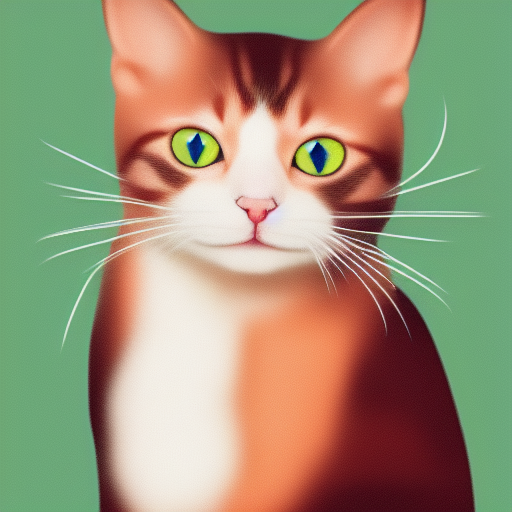
./bin/sd -m ../models/sd-v1-4.ckpt -p " a lovely cat "
# ./bin/sd -m ../models/v1-5-pruned-emaonly.safetensors -p "a lovely cat"
# ./bin/sd -m ../models/sd_xl_base_1.0.safetensors --vae ../models/sdxl_vae-fp16-fix.safetensors -H 1024 -W 1024 -p "a lovely cat" -v
# ./bin/sd -m ../models/sd3_medium_incl_clips_t5xxlfp16.safetensors -H 1024 -W 1024 -p 'a lovely cat holding a sign says "Stable Diffusion CPP"' --cfg-scale 4.5 --sampling-method euler -v
# ./bin/sd --diffusion-model  ../models/flux1-dev-q3_k.gguf --vae ../models/ae.sft --clip_l ../models/clip_l.safetensors --t5xxl ../models/t5xxl_fp16.safetensors  -p "a lovely cat holding a sign says 'flux.cpp'" --cfg-scale 1.0 --sampling-method euler -v
# ./bin/sd -m  ..modelssd3.5_large.safetensors --clip_l ..modelsclip_l.safetensors --clip_g ..modelsclip_g.safetensors --t5xxl ..modelst5xxl_fp16.safetensors  -H 1024 -W 1024 -p 'a lovely cat holding a sign says "Stable diffusion 3.5 Large"' --cfg-scale 4.5 --sampling-method euler -v
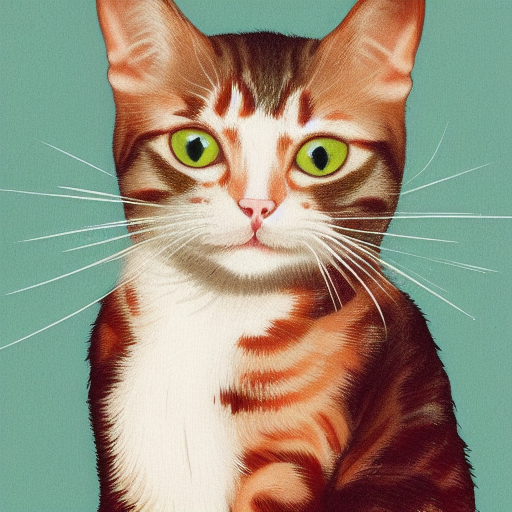
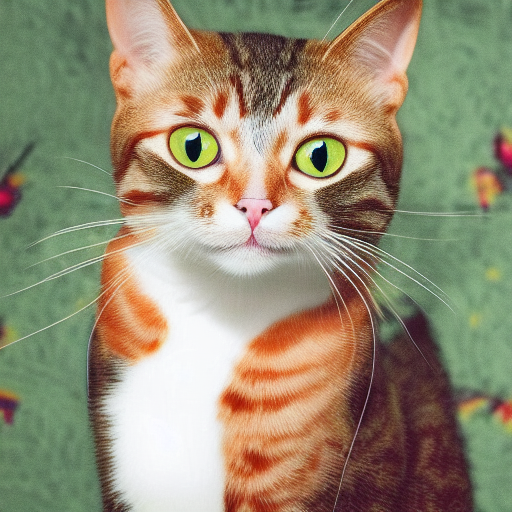
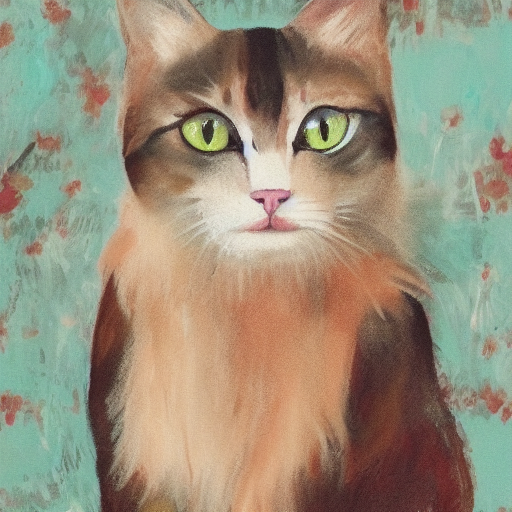
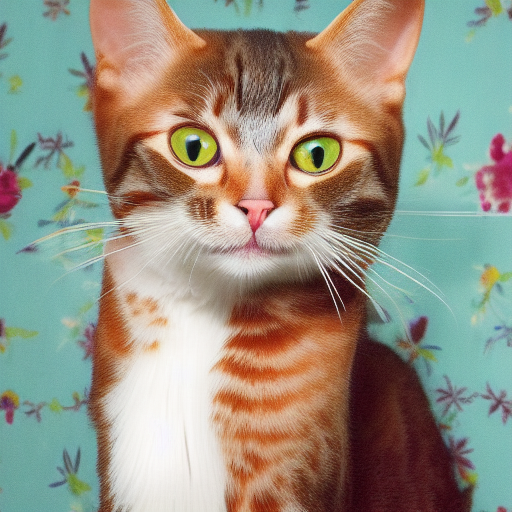
Die Verwendung von Formaten verschiedener Präzisions führt zu Ergebnissen unterschiedlicher Qualität.
| F32 | F16 | Q8_0 | Q5_0 | Q5_1 | Q4_0 | Q4_1 |
|---|---|---|---|---|---|---|
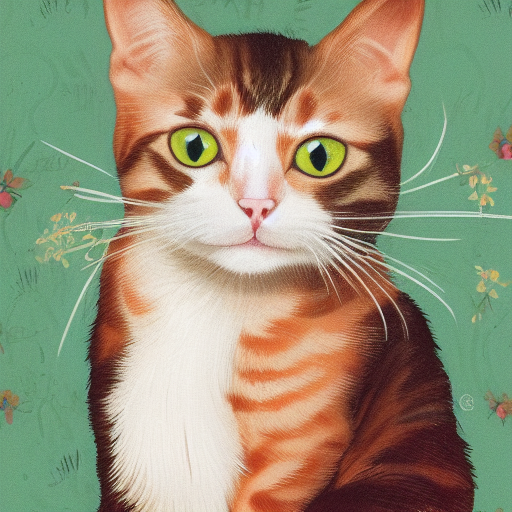 | 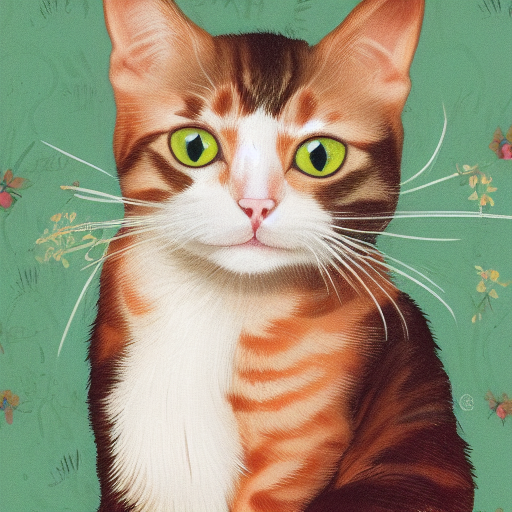 | 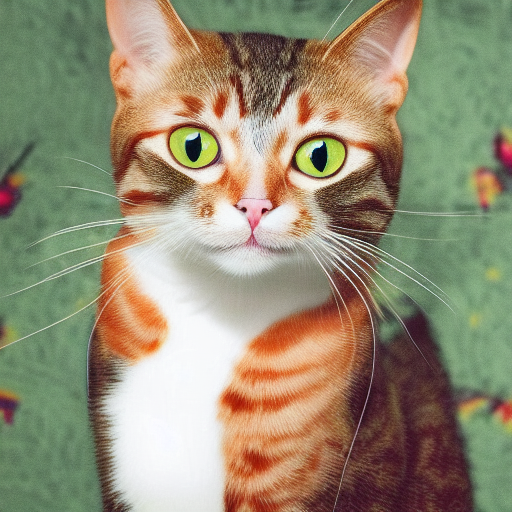 |  |  |  |  |
./output.png ist das Bild, das aus der obigen TXT2IMG -Pipeline erzeugt wurde ./bin/sd --mode img2img -m ../models/sd-v1-4.ckpt -p "cat with blue eyes" -i ./output.png -o ./img2img_output.png --strength 0.4
Diese Projekte wickeln stable-diffusion.cpp für die einfachere Verwendung in anderen Sprachen/Frameworks ein.
Diese Projekte verwenden stable-diffusion.cpp als Backend für ihre Bildgenerierung.
Vielen Dank an alle Personen, die bereits zur stabilen diffusion.cpp beigetragen haben!





