react native appsync s3
1.0.0

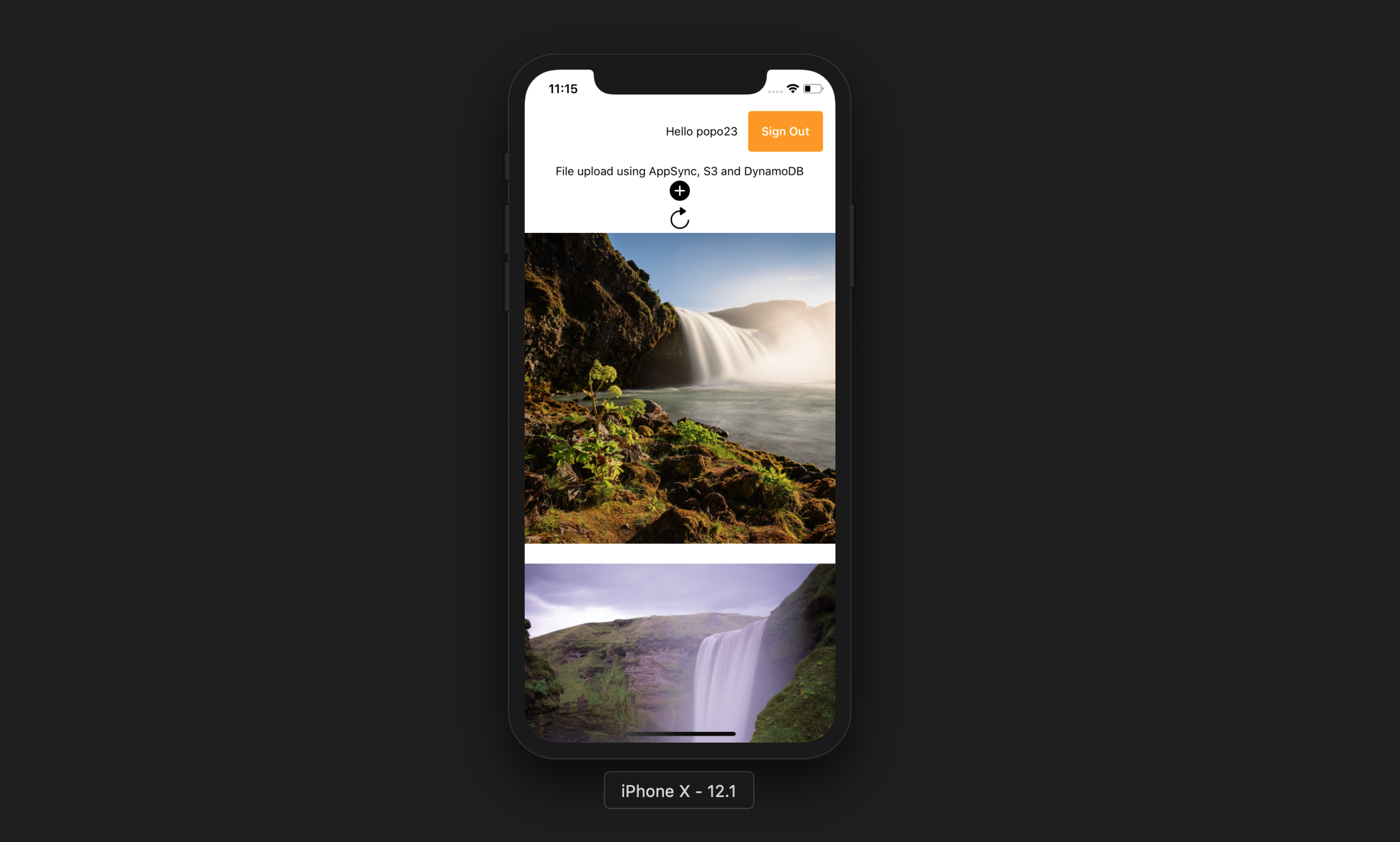
แอพนี้อนุญาตให้ผู้ใช้ทำสิ่งต่อไปนี้:
Expo CLI
npm install -g expo-cliบัญชี AWS
โหนด JS กับ NPM
AWS ขยาย CLI
npm install -g @aws-amplify/cliamplify configure (ลิงก์สำหรับวิดีโอทีละขั้นตอน) git clone https://github.com/yhenni1989/react-native-appsync-s3.git
cd react-native-appsync-s3
 yarn add aws-amplify aws-amplify-react-native

# or

npm install aws-amplify aws-amplify-react-native
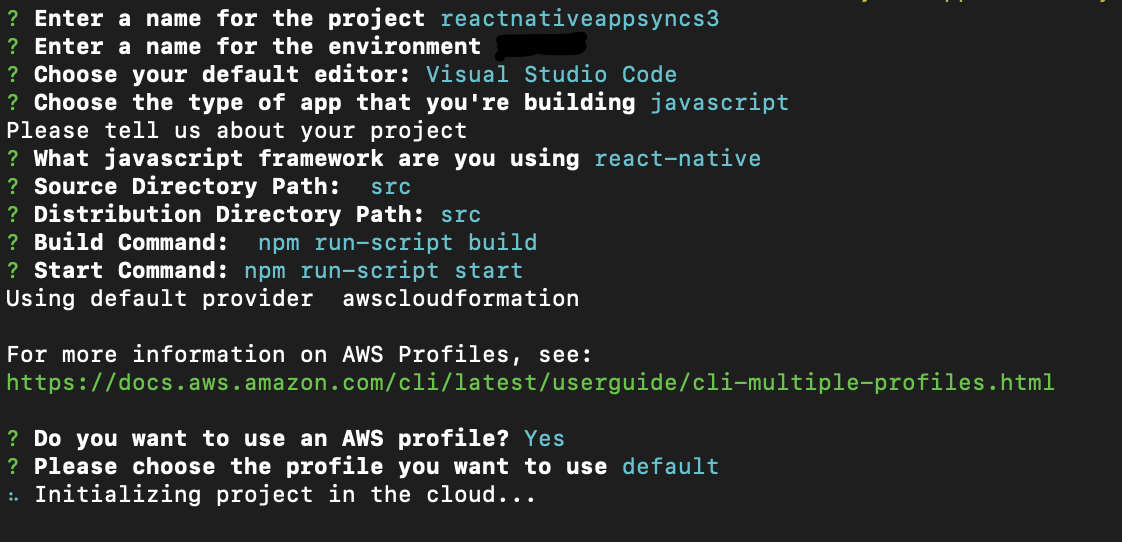
amplify init
ทำตามคำแนะนำเดียวกันด้านล่าง
 amplify add auth

# When prompt, choose: Yes, use the default configuration.
 amplify add storage

# Choose: Content (Images, audio, video, etc.)
# Give access to only authenticated users.
# Give users read/write acces.
 amplify add api

# Choose GraphQL as the API service.
# Choose an authorization type for the API: Amazon Cognito User Pool
# Do you have an annotated GraphQL schema? Yes
# Provide your schema file path: src/graphQL/schema.graphql
amplify push
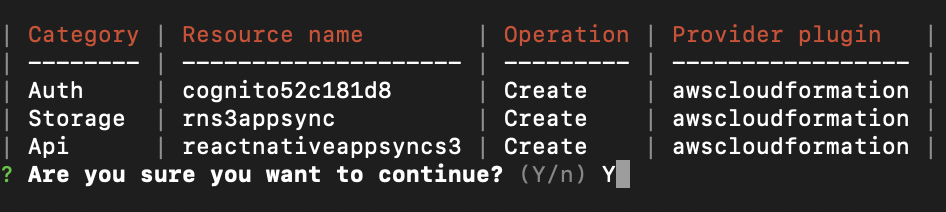
Do you want to generate code for your newly created GraphQL API: No.
AWS Amplify CLI จะสร้างกลุ่มผู้ใช้ Amazon Cognito และ Pool Identity Pool ซึ่งเป็นถัง Amazon S3 เพื่อจัดเก็บภาพถ่ายผู้ใช้แต่ละคนและ AWS AppSync GraphQL API ที่ใช้ Amazon DynamoDB เพื่อจัดเก็บข้อมูล
 yarn

# or

npm install
src/myKeys.js ของโครงการของคุณ const keys = {
accessKey : 'blablabla' ,
secretKey : 'blablabla' ,
}
export default keys ; expo start --ios
# or
expo start --android
หากแอปพลิเคชันทำงานสำเร็จคุณควรกดปุ่มเพิ่มอนุญาตให้เข้าถึงไลบรารีอุปกรณ์และเลือกรูปภาพจากอุปกรณ์ของคุณ สิ่งนี้จะอัปโหลดรูปภาพไปยัง S3 จากนั้นทำการเรียก graphQL เพื่อป้อนบันทึกลงใน DynamoDB
จากนั้นคุณสามารถกดปุ่มรีเฟรชเพื่อแสดงภาพบนหน้าจอ





