computer_science
1.0.0

Inglês | Italiano | Español | Français | বাংলা | தமிழ் | ગુજરાતી | Português | हिंदी | తెలుగు | Român. العربية | Nepali | 简体中文
Se você estiver interessado em contribuir para este projeto, reserve um momento para revisar contribuindo.md para obter instruções detalhadas sobre como começar. Suas contribuições são muito apreciadas!
A ciência da computação é o estudo de computadores e computação e suas aplicações teóricas e práticas. A ciência da computação aplica os princípios de matemática, engenharia e lógica a uma infinidade de problemas. Isso inclui formulação de algoritmo, desenvolvimento de software/hardware e inteligência artificial.
Um computador é um dispositivo projetado para executar operações matemáticas, lógicas ou de processamento de dados de alta velocidade. É uma máquina eletrônica programável que pode montar, armazenar, correlacionar e processar informações com eficiência.
A lógica booleana é um ramo da matemática focada nos valores da verdade, especificamente verdadeiros e falsos. Ele opera com um sistema binário em que 0 representa falso e 1 representa verdadeiro. Conhecida como álgebra booleana, este sistema foi introduzido pela primeira vez por George Boole em 1854.
| Operador | Nome | Descrição |
|---|---|---|
| ! | NÃO | Nega (inverte) o valor do operando. |
| && | E | Retorna true se ambos os operando forem verdadeiros. |
| || | OU | Retorna true se pelo menos um operando for verdadeiro. |
| Operador | Nome | Descrição |
|---|---|---|
| () | Parênteses | Permite agrupar palavras -chave e controlar a ordem em que os termos serão pesquisados. |
| "" | Aspas | Fornece resultados com a frase exata. |
| * | Asterisco | Fornece resultados contendo uma variação de palavras -chave. |
| ⊕ | Xor | Retorna verdadeiro se os operandos forem diferentes |
| ⊽ | NEM | Retorna true se todos os operando forem falsos. |
| ⊼ | Nand | Retorna falsa apenas se ambos os valores de suas duas entradas forem verdadeiros. |
Os circuitos digitais lidam com sinais booleanos (1 e 0). Eles são os blocos de construção fundamentais de um computador. Eles são os componentes e circuitos usados para criar unidades de processador e unidades de memória essenciais para um sistema de computador.
As tabelas da verdade são tabelas matemáticas usadas no design de lógica e circuito digital. Eles ajudam a mapear a funcionalidade de um circuito. Podemos usá -los para ajudar a projetar circuitos digitais complexos.
As tabelas da verdade têm 1 coluna para cada variável de entrada e 1 coluna final mostrando todos os resultados possíveis da operação lógica que a tabela representa.
Existem 2 tipos de circuitos digitais: Combinacional e seqüencial
Ao projetar um circuito digital, especialmente os complexos. É importante utilizar ferramentas de álgebra booleanas para ajudar no processo de design (exemplo: mapa Karnaugh). Também é importante dividir tudo em circuitos menores e examinar a tabela de verdade necessária para esse circuito menor. Não tente enfrentar o circuito inteiro de uma só vez, quebre -o e junte gradualmente as peças.
Os sistemas numéricos são sistemas matemáticos para expressar números. Um sistema numérico consiste em um conjunto de símbolos usados para representar números e um conjunto de regras para manipular esses símbolos. Os símbolos usados em um sistema numérico são chamados de numerais.
O binário é um sistema de números base-2, inventado por Gottfried Leibniz, composto por apenas dois dígitos: 0 e 1. Este sistema é fundamental para todo o código binário, usado para codificar dados digitais, incluindo instruções do processador de computador. Em binário, os dígitos representam estados: 0 corresponde a "Off" e 1 corresponde a "ON".
Nos transistores, um "0" indica nenhum fluxo de eletricidade, enquanto um "1" significa que a eletricidade está fluindo. Essa representação física dos números permite que os computadores realizem cálculos e operações com eficiência.
O binário continua sendo a linguagem central dos computadores e é usado em eletrônicos e hardware por vários motivos importantes:
Uma unidade de processamento central (CPU) é a parte mais importante de qualquer computador. A CPU envia sinais para controlar as outras partes do computador, quase como como um cérebro controla um corpo. A CPU é uma máquina eletrônica que funciona em uma lista de coisas para fazer, chamadas instruções. Ele lê a lista de instruções e execuções (executa) cada uma em ordem. Uma lista de instruções que uma CPU pode executar é um programa de computador. Uma CPU pode processar mais de uma instrução por vez em seções chamadas "núcleos". Uma CPU com quatro núcleos pode processar quatro programas de uma só vez. A própria CPU é feita de três componentes principais. Eles são:
Os registros são pequenas quantidades de memória de alta velocidade contidas na CPU. Os registros são uma coleção de "flip-flops" (um circuito usado para armazenar 1 bit de memória). Eles são usados pelo processador para armazenar pequenas quantidades de dados necessários durante o processamento. Uma CPU pode ter vários conjuntos de registros chamados "núcleos". O registro também ajuda as operações aritméticas e lógicas.
As operações aritméticas são cálculos matemáticos realizados pela CPU em dados numéricos armazenados nos registros. Essas operações incluem adição, subtração, multiplicação e divisão. As operações lógicas são cálculos booleanos realizados pela CPU em dados binários armazenados nos registros. Essas operações incluem comparações (por exemplo, testes se dois valores são iguais) e operações lógicas (por exemplo, ou, ou não).
Os registros são essenciais para a execução dessas operações porque permitem que a CPU acesse rapidamente e manipule pequenas quantidades de dados. Ao armazenar dados frequentemente acessados nos registros, a CPU pode evitar o processo mais lento de recuperar dados da memória.
Quantidades maiores de dados podem ser armazenadas no cache (pronunciado como "dinheiro"), uma memória muito rápida localizada no mesmo circuito integrado que os registros. O cache é usado para dados frequentemente acessados à medida que o programa é executado. Quantidades ainda maiores de dados podem ser armazenadas na RAM. RAM significa memória de acesso aleatório, que é um tipo de memória que contém dados e instruções que foram movidas do armazenamento em disco até que o processador precise.
A memória de cache é um componente de computador baseado em chip que torna a recuperação de dados da memória do computador mais eficiente. Ele atua como uma área de armazenamento temporário para que o processador do computador possa recuperar dados facilmente. Essa área de armazenamento temporária, conhecida como cache, está mais prontamente disponível para o processador do que a principal fonte de memória do computador, normalmente alguma forma de DRAM.
Às vezes, a memória do cache é chamada de memória CPU (unidade de processamento central), porque normalmente é integrada diretamente no chip da CPU ou colocada em um chip separado que possui um barramento separado interconecte -se com a CPU. Portanto, é mais acessível ao processador e capaz de aumentar a eficiência porque está fisicamente próximo ao processador.
Para estar perto do processador, a memória de cache precisa ser muito menor que a memória principal. Consequentemente, possui menos espaço de armazenamento. Também é mais caro que a memória principal, pois é um chip mais complexo que gera maior desempenho.
O que sacrifica em tamanho e preço, compensa em velocidade. A memória de cache opera 10 a 100 vezes mais rápida que a RAM, exigindo apenas alguns nanossegundos para responder a uma solicitação de CPU.
O nome do hardware real usado para a memória de cache é a memória de acesso aleatório estático de alta velocidade (SRAM). O nome do hardware usado na memória principal de um computador é a memória dinâmica de acesso aleatório (DRAM).
A memória do cache não deve ser confundida com o cache de termo mais amplo. Os caches são lojas de dados temporárias que podem existir em hardware e software. A memória de cache refere -se ao componente de hardware específico que permite aos computadores criar caches em vários níveis da rede. Um cache é um hardware ou software usado para armazenar algo, normalmente dados, temporariamente em um ambiente de computação.
RAM (Random Access Memory) é uma forma de memória do computador que pode ser lida e alterada em qualquer ordem, normalmente usada para armazenar dados de trabalho e código da máquina. A random access memory device allows data items to be read or written in almost the same amount of time regardless of the physical location of data inside the memory, in contrast with other direct-access data storage media (such as hard disks, CD-RWS, DVD-RWs and the older magnetic tapes and drum memory), where the time required to read and write data items varies significantly depending on their physical locations on the recording medium, due to mechanical limitations such as media rotation speeds and arm movimento.
Na ciência da computação, uma instrução é uma única operação de um processador definido pelo conjunto de instruções do processador. Um programa de computador é uma lista de instruções que dizem a um computador o que fazer. Tudo o que um computador faz é realizado usando um programa de computador. Programas armazenados na memória de um computador ("programação interna") permitem que o computador faça uma coisa após a outra, mesmo com intervalos intermediários.
Uma linguagem de programação é qualquer conjunto de regras que convertem strings ou elementos gráficos do programa no caso de linguagens de programação visual, em vários tipos de saída do código da máquina. As linguagens de programação são um tipo de linguagem de computador usada na programação do computador para implementar algoritmos.
As linguagens de programação são frequentemente divididas em duas categorias amplas:
Existem também vários paradigmas de programação diferentes. Os paradigmas de programação são maneiras ou estilos diferentes nos quais um determinado programa ou linguagem de programação pode ser organizado. Cada paradigma consiste em certas estruturas, características e opiniões sobre como os problemas comuns de programação devem ser abordados.
Os paradigmas de programação não são idiomas ou ferramentas. Você não pode "construir" nada com um paradigma. Eles são mais como um conjunto de ideais e diretrizes com as quais muitas pessoas concordaram, seguiram e expandiram. As linguagens de programação nem sempre são vinculadas a um paradigma específico. Existem idiomas que foram construídos com um certo paradigma em mente e têm recursos que facilitam esse tipo de programação mais do que outros (Haskell e programação funcional é um bom exemplo). Mas também existem idiomas "multi-paradigma" nos quais você pode adaptar seu código para se adequar a um certo paradigma ou outro (JavaScript e Python são bons exemplos).
Um tipo de dados, na programação, é uma classificação que especifica qual tipo de valor uma variável possui e que tipo de operações matemáticas, relacionais ou lógicas pode ser aplicado a ele sem causar um erro.
Os tipos de dados primitivos são os tipos de dados mais básicos em uma linguagem de programação. Eles são os blocos de construção de tipos de dados mais complexos. Os tipos de dados primitivos são predefinidos pela linguagem de programação e são nomeados por uma palavra -chave reservada.
Os tipos de dados não primitivos também são conhecidos como tipos de dados de referência. Eles são criados pelo programador e não são definidos pela linguagem de programação. Os tipos de dados não primitivos também são chamados de tipos de dados compostos porque são compostos de outros tipos.
Na programação de computadores, uma declaração é uma unidade sintática de uma linguagem de programação imperativa que expressa alguma ação a ser realizada. Um programa escrito nesse idioma é formado por uma sequência de uma ou mais declarações. Uma declaração pode ter componentes internos (por exemplo, expressões). Existem dois tipos principais de instruções em qualquer linguagem de programação necessária para criar a lógica de um código.
Existem dois tipos de declarações condicionais principalmente:
Existem três tipos de loops principalmente:
Uma função é um bloco de instruções que executa uma tarefa específica. As funções aceitam dados, processam e retornam um resultado ou executam -os. As funções são escritas principalmente para apoiar o conceito de reutilização. Depois que uma função é gravada, ela pode ser chamada facilmente sem precisar repetir o mesmo código.
Diferentes linguagens funcionais usam diferentes sintaxes para escrever funções.
Leia mais sobre funções aqui
Na ciência da computação, uma estrutura de dados é uma organização de dados, gerenciamento e formato de armazenamento que permite acesso e modificação eficientes. Mais precisamente, uma estrutura de dados é uma coleção de valores de dados, os relacionamentos entre eles e as funções ou operações que podem ser aplicadas aos dados.
Os algoritmos são os conjuntos de etapas necessárias para concluir a computação. Eles estão no centro do que nossos dispositivos fazem, e este não é um conceito novo. Desde o desenvolvimento da própria matemática, foram necessários algoritmos para nos ajudar a concluir as tarefas com mais eficiência, mas hoje vamos dar uma olhada em alguns problemas de computação modernos, como classificar, pesquisar gráficos e mostrar como os tornamos mais eficientes para que você possa encontrar mais facilmente passagens aéreas baratas ou mapear instruções para Winterfell ou um restaurante ou algo.
A complexidade do tempo de um algoritmo estima quanto tempo o algoritmo usará para alguma entrada. A idéia é representar a eficiência como uma função cujo parâmetro é o tamanho da entrada. Ao calcular a complexidade do tempo, podemos determinar se o algoritmo é rápido o suficiente sem implementá -lo.
A complexidade do espaço refere -se à quantidade total de espaço de memória que um algoritmo/programa usa, incluindo o espaço dos valores de entrada para execução. Calcule o espaço ocupado por variáveis em um algoritmo/programa para determinar a complexidade do espaço.
Classificação é o processo de organização de uma lista de itens em uma ordem específica. Por exemplo, se você tiver uma lista de nomes, poderá classificá -los em ordem alfabética. Como alternativa, se você tivesse uma lista de números, poderá colocá -los em ordem do menor para o maior. A classificação é uma tarefa comum, e é uma que podemos fazer de muitas maneiras diferentes.
A pesquisa é um algoritmo para encontrar um determinado elemento de destino dentro de um contêiner. Os algoritmos de pesquisa são projetados para verificar um elemento ou recuperar um elemento de qualquer estrutura de dados onde seja armazenado.
As strings são uma das estruturas de dados mais usadas e mais importantes na programação, este repositório contém alguns dos algoritmos mais usados que ajudam a pesquisar um tempo mais rápido para melhorar nosso código.
A pesquisa de gráficos é o processo de pesquisa através de um gráfico para encontrar um nó específico. Um gráfico é uma estrutura de dados que consiste em um conjunto finito (e possivelmente mutável) de vértices ou nós ou pontos, juntamente com um conjunto de pares não ordenados desses vértices para um gráfico não direcionado ou um conjunto de pares ordenados para um gráfico direcionado. Esses pares são conhecidos como arestas, arcos ou linhas para um gráfico não direcionado e como setas, bordas direcionadas, arcos direcionados ou linhas direcionadas para um gráfico direcionado. Os vértices podem fazer parte da estrutura do gráfico ou podem ser entidades externas representadas por índices ou referências inteiras. Os gráficos são uma das estruturas de dados mais úteis para muitos aplicativos do mundo real. Os gráficos são usados para modelar as relações pareadas entre objetos. Por exemplo, a rede de rota aérea é um gráfico no qual as cidades são os vértices e as rotas de vôo são as bordas. Os gráficos também são usados para representar redes. A Internet pode ser modelada como um gráfico no qual os computadores são os vértices, e os links entre os computadores são as bordas. Os gráficos também são usados em redes sociais como o LinkedIn e o Facebook. Os gráficos são usados para representar muitos aplicativos do mundo real: redes de computadores, design de circuitos e programação aeronáutica para citar apenas alguns.
A programação dinâmica é um método de otimização matemática e um método de programação de computador. Richard Bellman desenvolveu o método na década de 1950 e encontrou aplicações em vários campos, da engenharia aeroespacial à economia. Nos dois contextos, refere-se à simplificação de um problema complicado, dividindo-o em subproblemas mais simples de maneira recursiva. Embora alguns problemas de decisão não possam ser desmontados dessa maneira, as decisões que abrangem vários pontos no tempo geralmente se separam recursivamente. Da mesma forma, na ciência da computação, se um problema puder ser resolvido de maneira ideal, dividindo-o em subproblemas e, em seguida, encontrando recursivamente as soluções ideais para os subproblemas, diz-se que ele tem uma subestrutura ideal. A programação dinâmica é uma maneira de resolver problemas com essas propriedades. O processo de quebrar um problema complicado em subproblemas mais simples é chamado de "dividir e conquistar".
Os algoritmos gananciosos são uma classe simples e intuitiva de algoritmos que podem ser usados para encontrar a solução ideal para alguns problemas de otimização. Eles são chamados de gananciosos porque, a cada passo, fazem a escolha que parece melhor naquele momento. Isso significa que os algoritmos gananciosos não garantem devolver a solução globalmente ótima, mas fazem escolhas ideais localmente na esperança de encontrar um ótimo global. Algoritmos gananciosos são usados para problemas de otimização. Um problema de otimização pode ser resolvido usando ganancioso se o problema tiver a seguinte propriedade: a cada etapa, podemos fazer uma escolha que parece melhor no momento e obtemos a solução ideal para o problema completo.
O retorno é uma técnica algorítmica para resolver problemas recursivamente, tentando construir uma solução de forma incremental, uma peça de cada vez, removendo as soluções que não conseguem satisfazer as restrições do problema em qualquer momento (por tempo, aqui é referido ao tempo decorrido até atingir qualquer nível da árvore de busca).
Filial e Bound é uma técnica geral para resolver problemas de otimização combinatória. É uma técnica de enumeração sistemática que reduz o número de soluções candidatas usando a estrutura do problema para eliminar soluções candidatas que não podem ser ideais.
Complexidade do tempo : é definido como o número de vezes que um conjunto de instruções específico deve ser executado em vez do tempo total gasto. Como o tempo é um fenômeno dependente, a complexidade do tempo pode variar em alguns fatores externos, como velocidade do processador, o compilador usado etc.
Complexidade do espaço : é o espaço total de memória consumido pelo programa para sua execução.
Ambos são calculados como a função do tamanho da entrada (n). A complexidade do tempo de um algoritmo é expressa em grande notação O.
A eficiência de um algoritmo depende desses dois parâmetros.
Tipos de complexidade do tempo:
Algumas complexidades comuns de tempo são:
O (1) : Isso denota o tempo constante. O (1) geralmente significa que um algoritmo terá um tempo constante, independentemente do tamanho da entrada. Os mapas de hash são exemplos perfeitos de tempo constante.
O (log n) : isso denota tempo logarítmico. O (log n) significa diminuir com cada instância para as operações. A busca de elementos em árvores de pesquisa binária (BSTs) é um bom exemplo de tempo logarítmico.
O (n) : Isso denota tempo linear. O (n) significa que o desempenho é diretamente proporcional ao tamanho da entrada. Em termos simples, o número de entradas e o tempo necessário para executar essas entradas serão proporcionais. A pesquisa linear nas matrizes é um ótimo exemplo de complexidade do tempo linear.
O (n*n) : Isso denota tempo quadrático. O (n^2) significa que o desempenho é diretamente proporcional ao quadrado da entrada obtida. Na simples, o tempo necessário para execução levará aproximadamente os tempos quadrados do tamanho de entrada. Loops aninhados são exemplos perfeitos de complexidade do tempo quadrático.
O (n log n) : isso denota a complexidade do tempo polinomial. O (n log n) significa que o desempenho é n vezes o de O (log n), (que é a pior complexidade). Um bom exemplo seria dividido e conquistaria algoritmos como a classificação de mesclagem. Esse algoritmo primeiro divide o conjunto, que leva o tempo O (log n), depois conquista e classifica o conjunto, que leva o tempo O (n), portanto, a classificação de mesclagem leva o tempo de O (n log n).
| Algoritmo | Complexidade do tempo | Complexidade espacial | ||
|---|---|---|---|---|
| Melhor | Média | Pior | Pior | |
| Classificação de seleção | Ω (n^2) | θ (n^2) | O (n^2) | O (1) |
| Tipo de bolha | Ω (n) | θ (n^2) | O (n^2) | O (1) |
| Classificação de inserção | Ω (n) | θ (n^2) | O (n^2) | O (1) |
| Classificação da pilha | Ω (n log (n)) | θ (n log (n)) | O (n log (n)) | O (1) |
| Classificação rápida | Ω (n log (n)) | θ (n log (n)) | O (n^2) | Sobre) |
| Mesclar classificar | Ω (n log (n)) | θ (n log (n)) | O (n log (n)) | Sobre) |
| Corrente do balde | Ω (n +k) | θ (n +k) | O (n^2) | Sobre) |
| Radix Sort | Ω (nk) | θ (nk) | O (NK) | O (n + k) |
| Count Sort | Ω (n +k) | θ (n +k) | O (n +k) | OK) |
| Classificação da concha | Ω (n log (n)) | θ (n log (n)) | O (n^2) | O (1) |
| Tim Sort | Ω (n) | θ (n log (n)) | O (n log (n)) | Sobre) |
| Tipo de árvore | Ω (n log (n)) | θ (n log (n)) | O (n^2) | Sobre) |
| Cube Cube | Ω (n) | θ (n log (n)) | O (n log (n)) | Sobre) |
| Algoritmo | Complexidade do tempo | ||
|---|---|---|---|
| Melhor | Média | Pior | |
| Pesquisa linear | O (1) | SOBRE) | SOBRE) |
| Pesquisa binária | O (1) | O (logn) | O (logn) |
Alan Turing (nascido em 23 de junho de 1912, Londres, Eng. - Madei 7 de junho de 1954, Wilmslow, Cheshire) era um matemático e lógico inglês. Ele estudou na Universidade de Cambridge e no Instituto de Estudos Avançados de Princeton. Em seu artigo seminal de 1936 "sobre números computáveis", ele provou que não poderia existir nenhum método algorítmico universal de determinar a verdade na matemática e que a matemática sempre conterá proposições indecidíveis (em oposição às desconhecidas). Esse artigo também introduziu a máquina de Turing. Ele acreditava que os computadores eventualmente seriam capazes de pensar indistinguíveis da de um humano e propuseram um teste simples (consulte o teste de Turing) para avaliar essa capacidade. Seus trabalhos sobre o assunto são amplamente reconhecidos como o fundamento da pesquisa em inteligência artificial. Ele fez um trabalho valioso em criptografia durante a Segunda Guerra Mundial, desempenhando um papel importante na quebra do Código Enigma usado pela Alemanha para comunicações de rádio. Após a guerra, ele ensinou na Universidade de Manchester e começou a trabalhar no que agora é conhecido como inteligência artificial. Em meio a esse trabalho inovador, Turing foi encontrado morto em sua cama, envenenado por cianeto. Sua morte seguiu sua prisão por um ato homossexual (então um crime) e sentença de 12 meses de terapia hormonal.
Após uma campanha pública em 2009, o primeiro -ministro britânico Gordon Brown fez um pedido de desculpas público oficial em nome do governo britânico pela terrível maneira de Turing. A rainha Elizabeth II concedeu um perdão póstumo em 2013. O termo "Alan Turing Law" agora é usado informalmente para se referir a uma lei de 2017 no Reino Unido que retroativamente perdoou homens advertidos ou condenados pela legislação histórica que proibia os atos homossexuais.
Turing tem um extenso legado com estátuas dele e muitas coisas com o nome dele, incluindo um prêmio anual de inovações em ciências da computação. Ele aparece no atual Bank of England £ 50 Note, lançado em 23 de junho de 2021, para coincidir com seu aniversário. Uma série da BBC de 2019, votada pelo público, o nomeou a maior pessoa do século XX.
A engenharia de software é a filial da ciência da computação que lida com o design, desenvolvimento, teste e manutenção de aplicativos de software. Os engenheiros de software aplicam princípios de engenharia e conhecimento das linguagens de programação para criar soluções de software para usuários finais.
Vejamos as várias definições de engenharia de software:
Os engenheiros de sucesso sabem como usar as linguagens, plataformas e arquiteturas de programação certas para desenvolver tudo, desde jogos de computador a sistemas de controle de rede. Além de construir seus sistemas, os engenheiros de software também testam, melhoram e mantêm o software construído por outros engenheiros.
Nesta função, suas tarefas diárias podem incluir o seguinte:
O processo de engenharia de software envolve várias fases, incluindo coleta de requisitos, design, implementação, teste e manutenção. Seguindo uma abordagem disciplinada para o desenvolvimento de software, os engenheiros de software podem criar software de alta qualidade que atenda às necessidades de seus usuários.
A primeira fase da engenharia de software é a coleta de requisitos. Nesta fase, o engenheiro de software trabalha com o cliente para determinar os requisitos funcionais e não funcionais do software. Os requisitos funcionais descrevem o que o software deve fazer, enquanto os requisitos não funcionais descrevem como deve fazê-lo. A coleta de requisitos é uma fase crítica, pois estabelece a base para todo o processo de desenvolvimento de software.
Após a coleta dos requisitos, a próxima fase é o design. Nesta fase, o engenheiro de software cria um plano detalhado para a arquitetura e funcionalidade do software. Este plano inclui um documento de design de software que especifica a estrutura, o comportamento e as interações do software com outros sistemas. O documento de design de software é essencial, pois serve como um plano para a fase de implementação.
A fase de implementação é onde o engenheiro de software cria o código real para o software. É aqui que o documento de design é transformado em software de trabalho. A fase de implementação envolve o código de gravação, compilando -o e testando -o para garantir que atenda aos requisitos especificados no documento de design.
O teste é uma fase crítica na engenharia de software. Nesta fase, o engenheiro de software verifica para garantir que o software funcione corretamente, seja confiável e fácil de usar. Isso envolve vários tipos de testes, incluindo testes de unidade, teste de integração e teste do sistema. Os testes garantem que o software atenda aos requisitos e funções conforme o esperado.
A fase final da engenharia de software é a manutenção. Nesta fase, o engenheiro de software faz alterações no software para corrigir erros, adicionar novos recursos ou melhorar seu desempenho. A manutenção é um processo contínuo que continua durante toda a vida útil do software.
A ciência de dados extrai insights valiosos de dados frequentemente confusos, aplicando ciência da computação, estatísticas e conhecimento do domínio em consideração. Exemplos do uso da ciência de dados incluem derivar o sentimento do cliente de registros de chamadas ou sistemas de recomendação de compra derivados dos registros de vendas.
Um circuito integrado ou circuito integrado monolítico (também chamado de IC, um chip ou um microchip) é um conjunto de circuitos eletrônicos em uma pequena peça plana (ou "chip") de material semicondutor, geralmente silício. Muitos minúsculos MOSFETs (transistores de efeitos de campo de metal-óxido-semicondutores) se integram em um pequeno chip. Isso resulta em circuitos que são ordens de magnitude menores, mais rápidos e mais baratos do que aqueles construídos de componentes eletrônicos discretos. A capacidade de produção em massa do IC, confiabilidade e abordagem de blocos de construção ao design de circuitos integrados garantiu a rápida adoção de ICs padronizados no lugar de transistores discretos. ICs are now used in virtually all electronic equipment and have revolutionized the world of electronics. Computers, mobile phones, and other home appliances are now inextricable parts of the structure of modern societies, made possible by the small size and low cost of ICs such as modern computer processors and microcontrollers.
Very-large-scale integration was made practical by technological advancements in metal–oxide–silicon (MOS) semiconductor device fabrication. Since their origins in the 1960s, the size, speed, and capacity of chips have progressed enormously, driven by technical advances that fit more and more MOS transistors on chips of the same size – a modern chip may have many billions of MOS transistors in an area the size of a human fingernail. These advances, roughly following Moore's law, make today's computer chips possess millions of times the capacity and thousands of times the speed of the computer chips of the early 1970s.
ICs have two main advantages over discrete circuits: cost and performance. The cost is low because the chips, with all their components, are printed as a unit by photolithography rather than being constructed one transistor at a time. Furthermore, packaged ICs use much less material than discrete circuits. Performance is high because the IC's components switch quickly and consume comparatively little power because of their small size and proximity. The main disadvantage of ICs is the high cost of designing them and fabricating the required photomasks. This high initial cost means ICs are only commercially viable when high production volumes are anticipated.
Modern electronic component distributors often further sub-categorize integrated circuits:
Object Oriented Programming is a fundamental programming paradigm that is based on the concepts of objects and data.
It is the standard way of code that every programmer has to abide by for better readability and reusability of the code.
Read more about these concepts of OOP here
In computer science, functional programming is a programming paradigm where programs are constructed by applying and composing functions. It is a declarative programming paradigm in which function definitions are trees of expressions that map values to other values, rather than a sequence of imperative statements which update the running state of the program.
In functional programming, functions are treated as first-class citizens, meaning that they can be bound to names (including local identifiers), passed as arguments, and returned from other functions, just as any other data type can. This allows programs to be written in a declarative and composable style, where small functions are combined in a modular manner.
Functional programming is sometimes treated as synonymous with purely functional programming, a subset of functional programming which treats all functions as deterministic mathematical functions, or pure functions. When a pure function is called with some given arguments, it will always return the same result, and cannot be affected by any mutable state or other side effects. This is in contrast with impure procedures, common in imperative programming, which can have side effects (such as modifying the program's state or taking input from a user). Proponents of purely functional programming claim that by restricting side effects, programs can have fewer bugs, be easier to debug and test, and be more suited to formal verification procedures.
Functional programming has its roots in academia, evolving from the lambda calculus, a formal system of computation based only on functions. Functional programming has historically been less popular than imperative programming, but many functional languages are seeing use today in industry and education.
Some examples of functional programming languages are:
Functional programming is derived historically from the lambda calculus . Lambda calculus is a framework developed by Alonzo Church to study computations with functions. It is often called "the smallest programming language in the world." It provides a definition of what is computable and what is not. It is equivalent to a Turing machine in its computational ability and anything computable by the lambda calculus, just like anything computable by a Turing machine, is computable. It provides a theoretical framework for describing functions and their evaluations.
Some essential concepts of functional programming are:
Pure functions : These functions have two main properties. First, they always produce the same output for the same arguments irrespective of anything else. Secondly, they have no side effects. ie they do not modify any arguments or local/global variables or input/output streams. The latter property is called immutability . The pure function's only result is the value it returns. They are deterministic. Programs done using functional programming are easy to debug because they have no side effects or hidden I/O. Pure functions also make it easier to write parallel/concurrent applications. When code is written in this style, a smart compiler can do many things- it can parallelize the instructions, wait to evaluate results until needed and memorize the results since the results never change as long as the input doesn't change. Here is a simple example of a pure function in Python:
 def sum ( x , y ): # sum is a function taking x and y as arguments
    return x + y  # returns x + y without changing the value
Recursion : There are no "for" or "while" loops in pure functional programming languages. Iteration is implemented through recursion. Recursive functions repeatedly call themselves until a base case is reached. Here is a simple example of a recursion function in C:
 int fib ( n ) {
  if ( n <= 1 )
    return 1 ;
   else
     return ( fib ( n - 1 ) + fib ( n - 2 ));
}
Referential transparency : In functional programs, variables once defined do not change their value throughout the program. Functional programs do not have assignment statements. If we have to store some value, we define a new variable instead. This eliminates any chance of side effects because any variable can be replaced with its actual value at any point of the execution. The state of any variable is constant at any instant. Exemplo:
x = x + 1 # this changed the value assigned to the variable x
         # Therefore, the expression is NOT referentially transparent
Functions are first-class and can be higher order : First class functions are treated as first-class variables. The first class variables can be passed to functions as parameters, can be returned from functions or stored in data structures.
A combination of function applications may be defined using a LISP form called funcall , which takes as arguments a function and a series of arguments and applies that function to those arguments:
( defun filter (list-of-elements test)
    ( cond (( null list-of-elements) nil )
          (( funcall test ( car list-of-elements))
            ( cons ( car list-of-elements)
                (filter ( cdr list-of-elements)
                      test)))
           ( t (filter ( cdr list-of-elements)
                       test))))
The function filter applies the test to the first element of the list. If the test returns non-nil, it conses the element onto the result of filter applied to the cdr of the list; otherwise, it just returns the filtered cdr. This function may be used with different predicates passed in as parameters to perform a variety of filtering tasks:
> (filter ' ( 1 3 -9 5 -2 -7 6 ) #' plusp ) ; filter out all negative numbers output: (1 3 5 6)
> (filter ' ( 1 2 3 4 5 6 7 8 9 ) #' evenp ) ; filter out all odd numbersoutput: (2 4 6 8)
and so on.
Variables are immutable : In functional programming, we can't modify a variable after it's been initialized. We can create new variables- but we can't modify existing variables, and this really helps to maintain the state throughout the runtime of a program. Once we create a variable and set its value, we can have full confidence knowing that the value of that variable will never change.
An operating system (or OS for short) acts as an intermediary between a computer user and computer hardware. The purpose of an operating system is to provide an environment in which a user can execute programs conveniently and efficiently. An operating system is software that manages computer hardware. The hardware must provide appropriate mechanisms to ensure the correct operation of the computer system and to prevent user programs from interfering with the proper operation of the system. An even more common definition is that the operating system is the one program running at all times on the computer (usually called the kernel), with all else being application programs.
Operating systems can be viewed from two viewpoints: resource managers and extended machines. In the resource-manager view, the operating system's job is to manage the different parts of the system efficiently. In the extended-machine view, the job of the system is to provide the users with abstractions that are more con- convenient to use than the actual machine. These include processes, address spaces, and files. Operating systems have a long history, from when they replaced the operator to modern multiprogramming systems. Highlights include early batch systems, multiprogramming systems, and personal computer systems. Since operating systems interact closely with the hardware, some knowledge of computer hardware is useful for understanding them. Computers are built up of processors, memories, and I/O devices. These parts are connected by buses. The basic concepts on which all operating systems are built are processes, memory management, I/O management, the file system, and security. The heart of any operating system is the set of system calls that it can handle. These tell what the operating system does.
The operating system manages all the pieces of a complex system. Modern computers consist of processors, memories, timers, disks, mice, network interfaces, printers, and a wide variety of other devices. In the bottom-up view, the job of the operating system is to provide for an orderly and controlled allocation of the processors, memories, and I/O devices among the various programs wanting them. Modern operating systems allow multiple programs to be in memory and run simultaneously. Imagine what would happen if three programs running on some computer all tried to print their output simultaneously on the same printer. The result would be utter chaos. The operating system can bring order to the potential chaos by buffering all the output destined for the printer on the disk. When one program is finished, the operating system can then copy its output from the disk file where it has been stored for the printer, while at the same time, the other program can continue generating more output, oblivious to the fact that the output is not going to the printer (yet). When a computer (or network) has more than one user, the need to manage and protect the memory, I/O devices, and other resources even more since the users might otherwise interfere with one another. In addition, users often need to share not only hardware but also information (files, databases, etc.). In short, this view of the operating system holds that its primary task is to keep track of which programs are using which resource, to grant resource requests, to account for usage and to mediate conflicting requests from different programs and users.
The architecture of most computers at the machine-language level is primitive and awkward to program, especially for input/output. To make this point more concrete, consider modern SATA (Serial ATA) hard disks used on most computers. What a programmer would have to know to use the disk. Since then, the interface has been revised multiple times and is more complicated than it was in 2007. No sane programmer would want to deal with this disk at the hardware level. Instead, a piece of software called a disk driver deals with the hardware and provides an interface to read and write disk blocks, without getting into the details. Operating systems contain many drivers for controlling I/O devices. But even this level is much too low for most applications. For this reason, all operating systems provide yet another layer of abstraction for using disks: files. Using this abstraction, programs can create, write, and read files without dealing with the messy details of how the hardware works. This abstraction is the key to managing all this complexity. Good abstractions turn a nearly impossible task into two manageable ones. The first is defining and implementing the abstractions. The second is using these abstractions to solve the problem at hand.
First Generation (1945-55) : Little progress was achieved in building digital computers after Babbage's disastrous efforts until the World War II era. At Iowa State University, Professor John Atanasoff and his graduate student Clifford Berry created what is today recognized as the first operational digital computer. Konrad Zuse in Berlin constructed the Z3 computer using electromechanical relays around the same time. The Mark I was created by Howard Aiken at Harvard, the Colossus by a team of scientists at Bletchley Park in England, and the ENIAC by William Mauchley and his doctoral student J. Presper Eckert at the University of Pennsylvania in 1944.
Second Generation (1955-65) : The transistor's invention in the middle of the 1950s drastically altered the situation. Computers became dependable enough that they could be manufactured and sold to paying customers with the assumption that they would keep working long enough to conduct some meaningful job. Mainframes, as these machines are now known, were kept locked up in huge, particularly air-conditioned computer rooms, with teams of qualified operators to manage them. Only huge businesses, significant government entities, or institutions could afford the price tag of several million dollars.
Third Generation (1965-80) : In comparison to second-generation computers, which were constructed from individual transistors, the IBM 360 was the first major computer line to employ (small-scale) ICs (Integrated Circuits). As a result, it offered a significant price/performance benefit. It was an instant hit, and all the other big manufacturers quickly embraced the concept of a family of interoperable computers. All software, including the OS/360 operating system, was supposed to be compatible with all models in the original design. It had to run on massive systems, which frequently replaced 7094s for heavy computation and weather forecasting, and tiny systems, which frequently merely replaced 1401s for transferring cards to tape. Both systems with few peripherals and systems with many peripherals needed to function well with it. It had to function both in professional and academic settings. Above all, it had to be effective for each of these many applications.
Fourth Generation (1980-Present) : The personal computer era began with the creation of LSI (Large Scale Integration) circuits, processors with thousands of transistors on a square centimeter of silicon. Although personal computers, originally known as microcomputers, did not change significantly in architecture from minicomputers of the PDP-11 class, they did differ significantly in price.
Fifth Generation (1990-Present) : People have yearned for a portable communication gadget ever since detective Dick Tracy in the 1940s comic strip began conversing with his "two-way radio wristwatch." In 1946, a real mobile phone made its debut, and it weighed about 40 kilograms. The first real portable phone debuted in the 1970s and was incredibly lightweight at about one kilogram. It was jokingly referred to as "the brick." Soon, everyone was clamoring for one.
Mainframe OS : At the high end are the operating systems for mainframes, those room-sized computers still found in major corporate data centres. These computers differ from personal computers in terms of their I/O capacity. A mainframe with 1000 disks and millions of gigabytes of data is not unusual; a personal computer with these specifications would be the envy of its friends. Mainframes are also making some- a thing of a comeback as high-end Web servers, servers for large-scale electronic commerce sites, and servers for business-to-business transactions. The operating systems for mainframes are heavily oriented toward processing many jobs at once, most of which need prodigious amounts of I/O. They typically offer three kinds of services: batch, transaction processing, and timesharing
Server OS : One level down is the server operating systems. They run on servers, which are either very large personal computers, workstations, or even mainframes. They serve multiple users at once over a network and allow the users to share hardware and software resources. Servers can provide print service, file service, or Web service. Internet providers run many server machines to support their customers, and Websites use servers to store Web pages and handle incoming requests. Typical server operating systems are Solaris, FreeBSD, Linux, and Windows Server 201x.
Multiprocessor OS : An increasingly common way to get major-league computing power is to connect multiple CPUs into a single system. Depending on precisely how they are connected and what is shared, these systems are called parallel computers, multi-computers, or multiprocessors. They need special operating systems, but often these are variations on the server operating systems, with special features for communication, connectivity, and consistency.
Personal Computer OS : The next category is the personal computer operating system. Modern ones all support multiprogramming, often with dozens of programs started up at boot time. Their job is to provide good support to a single user. They are widely used for word processing, spreadsheets, games, and Internet access. Common examples are Linux, FreeBSD, Windows 7, Windows 8, and Apple's OS X. Personal computer operating systems are so widely known that probably little introduction is needed. Many people are not even aware that other kinds exist.
Embedded OS : Embedded systems run on computers that control devices that are not generally considered computers and do not accept user-installed software. Typical examples are microwave ovens, TV sets, cars, DVD recorders, traditional phones, and MP3 players. The main property distinguishing embedded systems from handhelds is the certainty that no untrusted software will ever run on them. You cannot download new applications to your microwave oven—all the software is in ROM. This means there is no need for protection between applications, simplifying design. Systems such as Embedded Linux, QNX and VxWorks is popular in this domain.
Smart Card OS : The smallest operating systems run on credit-card-sized smart card devices with CPU chips. They have very severe processing power and memory constraints. Some are powered by contacts in the reader into which they are inserted, but contactless smart cards are inductively powered, greatly limiting what they can do. Some can handle only a single function, such as electronic payments, but others can handle multiple functions. Often these are proprietary systems. Some smart cards are Java oriented. This means that the ROM on the smart card holds an interpreter for the Java Virtual Machine (JVM). Java applets (small programs) are downloaded to the card and are interpreted by the JVM interpreter. Some of these cards can handle multiple Java applets at the same time, leading to multiprogramming and the need to schedule them. Resource management and protection also become an issue when two or more applets are present simultaneously. These issues must be handled by the (usually extremely primitive) operating system present on the card.
The term memory refers to the component within your computer that allows short-term data access. You may recognize this component as DRAM or dynamic random-access memory. Your computer performs many operations by accessing data stored in its short-term memory. Some examples of such operations include editing a document, loading applications, and browsing the Internet. The speed and performance of your system depend on the amount of memory that is installed on your computer.
If you have a desk and a filing cabinet, the desk represents your computer's memory. Items you need to use immediately are kept on your desk for easy access. However, not much can be stored on a desk due to its size limitations.
Whereas memory refers to the location of short-term data, storage is the component within your computer that allows you to store and access data long-term. Usually, storage comes in the form of a solid-state drive or a hard drive. Storage houses your applications, operating system, and files indefinitely. Computers need to read and write information from the storage system, so the storage speed determines how fast your system can boot up, load, and access what you've saved.
While the desk represents the computer's memory, the filing cabinet represents your computer's storage. It holds items that need to be saved and stored but is not necessarily needed for immediate access. The size of the filing cabinet means that it can hold many things.
An important distinction between memory and storage is that memory clears when the computer is turned off. On the other hand, storage remains intact no matter how often you shut off your computer. Therefore, in the desk and filing cabinet analogy, any files left on your desk will be thrown away when you leave the office. Everything in your filing cabinet will remain.
At the heart of computer systems lies memory, the space where programs run and data is stored. But what happens when the programs you're running and the data you're working with exceed the physical capacity of your computer's memory? This is where virtual memory steps in, acting as a smart extension to your computer's memory and enhancing its capabilities.
Definition and Purpose of Virtual Memory:
Virtual memory is a memory management technique employed by operating systems to overcome the limitations of physical memory (RAM). It creates an illusion for software applications that they have access to a larger amount of memory than what is physically installed on the computer. In essence, it enables programs to utilize memory space beyond the confines of the computer's physical RAM.
The primary purpose of virtual memory is to enable efficient multitasking and the execution of larger programs, all while maintaining the responsiveness of the system. It achieves this by creating a seamless interaction between the physical RAM and secondary storage devices, like the hard drive or SSD.
How Virtual Memory Extends Available Physical Memory:
Think of virtual memory as a bridge that connects your computer's RAM and its secondary storage (disk drives). When you run a program, parts of it are loaded into the faster physical memory (RAM). However, not all parts of the program may be used immediately.
Virtual memory exploits this situation by moving sections of the program that aren't actively being used from RAM to the secondary storage, creating more room in RAM for the parts that are actively in use. This process is transparent to the user and the running programs. When the moved parts are needed again, they are swapped back into RAM, while other less active parts may be moved to the secondary storage.
This dynamic swapping of data in and out of physical memory is managed by the operating system. It allows programs to run even if they're larger than the available RAM, as the operating system intelligently decides what data needs to be in RAM for optimal performance.
In summary, virtual memory acts as a virtualization layer that extends the available physical memory by temporarily transferring parts of programs and data between the RAM and secondary storage. This process ensures that the computer can handle larger tasks and numerous programs simultaneously, all while maintaining efficient performance and responsiveness.
In computing, a file system or filesystem (often abbreviated to fs) is a method and data structure the operating system uses to control how data is stored and retrieved. Without a file system, data placed in a storage medium would be one large body of data with no way to tell where one piece of data stopped and the next began or where any piece of data was located when it was time to retrieve it. By separating the data into pieces and giving each piece a name, the data is easily isolated and identified. Taking its name from how a paper-based data management system is named, each data group is called a "file". The structure and logic rules used to manage the groups of data and their names are called a "file system."
There are many kinds of file systems, each with unique structure and logic, properties of speed, flexibility, security, size, and more. Some file systems have been designed to be used for specific applications. For example, the ISO 9660 file system is designed specifically for optical discs.
File systems can be used on many types of storage devices using various media. As of 2019, hard disk drives have been key storage devices and are projected to remain so for the foreseeable future. Other kinds of media that are used include SSDs, magnetic tapes, and optical discs. In some cases, such as with tmpfs, the computer's main memory (random-access memory, RAM) creates a temporary file system for short-term use.
Some file systems are used on local data storage devices; others provide file access via a network protocol (for example, NFS, SMB, or 9P clients). Some file systems are "virtual", meaning that the supplied "files" (called virtual files) are computed on request (such as procfs and sysfs) or are merely a mapping into a different file system used as a backing store. The file system manages access to both the content of files and the metadata about those files. It is responsible for arranging storage space; reliability, efficiency, and tuning with regard to the physical storage medium are important design considerations.
A file system stores and organizes data and can be thought of as a type of index for all the data contained in a storage device. These devices can include hard drives, optical drives, and flash drives.
File systems specify conventions for naming files, including the maximum number of characters in a name, which characters can be used, and, in some systems, how long the file name suffix can be. In many file systems, file names are not case-sensitive.
Along with the file itself, file systems contain information such as the file's size and its attributes, location, and hierarchy in the directory in the metadata. Metadata can also identify free blocks of available storage on the drive and how much space is available.
A file system also includes a format to specify the path to a file through the structure of directories. A file is placed in a directory -- or a folder in Windows OS -- or subdirectory at the desired place in the tree structure. PC and mobile OSes have file systems in which files are placed in a hierarchical tree structure.
Before files and directories are created on the storage medium, partitions should be put into place. A partition is a region of the hard disk or other storage that the OS manages separately. One file system is contained in the primary partition, and some OSes allow for multiple partitions on one disk. In this situation, if one file system gets corrupted, the data in a different partition will be safe.
There are several types of file systems, all with different logical structures and properties, such as speed and size. The type of file system can differ by OS and the needs of that OS. Microsoft Windows, Mac OS X, and Linux are the three most common PC operating systems. Mobile OSes include Apple iOS and Google Android.
Major file systems include the following:
File allocation table (FAT) is supported by Microsoft Windows OS. FAT is considered simple and reliable and modeled after legacy file systems. FAT was designed in 1977 for floppy disks but was later adapted for hard disks. While efficient and compatible with most current OSes, FAT cannot match the performance and scalability of more modern file systems.
Global file system (GFS) is a file system for the Linux OS, and it is a shared disk file system. GFS offers direct access to shared block storage and can be used as a local file system.
GFS2 is an updated version with features not included in the original GFS, such as an updated metadata system. Under the GNU General Public License terms, both the GFS and GFS2 file systems are available as free software.
Hierarchical file system (HFS) was developed for use with Mac operating systems. HFS can also be called Mac OS Standard, succeeded by Mac OS Extended. Originally introduced in 1985 for floppy and hard disks, HFS replaced the original Macintosh file system. It can also be used on CD-ROMs.
The NT file system -- also known as the New Technology File System (NTFS) -- is the default file system for Windows products from Windows NT 3.1 OS onward. Improvements from the previous FAT file system include better metadata support, performance, and use of disk space. NTFS is also supported in the Linux OS through a free, open-source NTFS driver. Mac OSes have read-only support for NTFS.
Universal Disk Format (UDF) is a vendor-neutral file system for optical media and DVDs. UDF replaces the ISO 9660 file system and is the official file system for DVD video and audio, as chosen by the DVD Forum.
Cloud computing is a type of Internet-based computing that provides shared computer processing resources and data to computers and other devices on demand. It also allows authorized users and systems to access applications and data from any location with an internet connection.
It is a model for enabling ubiquitous, convenient, on-demand network access to a shared pool of configurable computing resources (eg, networks, servers, storage, applications, and services) that can be rapidly provisioned and released with minimal management effort or service provider interaction.
Cloud computing is a big shift from how businesses think about IT resources. Here are seven common reasons organizations are turning to cloud computing services:
Cloud computing eliminates the capital expense of buying hardware and software and setting up and running on-site data centers—the racks of servers, the round-the-clock electricity for power and cooling, and the IT experts for managing the infrastructure. It adds up fast.
Most cloud computing services are provided self-service and on demand, so even vast amounts of computing resources can be provisioned in minutes, typically with just a few mouse clicks, giving businesses a lot of flexibility and taking the pressure off capacity planning.
The benefits of cloud computing services include the ability to scale elastically. In cloud speak, that means delivering the right amount of IT resources—for example, more or less computing power, storage, and bandwidth—right when it is needed and from the right geographic location.
On-site data centers typically require a lot of "racking and stacking"—hardware setup, software patching, and other time-consuming IT management chores. Cloud computing removes the need for many of these tasks, so IT teams can spend time on achieving more important business goals.
The biggest cloud computing services run on a worldwide network of secure data centers, which are regularly upgraded to the latest generation of fast and efficient computing hardware. This offers several benefits over a single corporate data center, including reduced network latency for applications and greater economies of scale.
Cloud computing makes data backup, disaster recovery, and business continuity easier and less expensive because data can be mirrored at multiple redundant sites on the cloud provider's network.
Many cloud providers offer a broad set of policies, technologies, and controls that strengthen your security posture overall, helping protect your data, apps, and infrastructure from potential threats.
Machine learning is the practice of teaching a computer to learn. The concept uses pattern recognition, as well as other forms of predictive algorithms, to make judgments on incoming data. This field is closely related to artificial intelligence and computational statistics.
In this, machine learning models are trained with labelled data sets, which allow the models to learn and grow more accurately over time. For example, an algorithm would be trained with pictures of dogs and other things, all labelled by humans, and the machine would learn ways to identify pictures of dogs on its own. Supervised machine learning is the most common type used today.
Practical applications of Supervised Learning –
In Unsupervised machine learning, a program looks for patterns in unlabeled data. Unsupervised machine learning can find patterns or trends that people aren't explicitly looking for. For example, an unsupervised machine learning program could look through online sales data and identify different types of clients making purchases.
Practical applications of unsupervised Learning
The disadvantage of supervised learning is that it requires hand-labelling by ML specialists or data scientists and requires a high cost to process. Unsupervised learning also has a limited spectrum for its applications. To overcome these drawbacks of supervised learning and unsupervised learning algorithms, the concept of Semi-supervised learning is introduced. Typically, this combination contains a very small amount of labelled data and a large amount of unlabelled data. The basic procedure involved is that first, the programmer will cluster similar data using an unsupervised learning algorithm and then use the existing labelled data to label the rest of the unlabelled data.
Practical applications of Semi-Supervised Learning –
This trains machines through trial and error to take the best action by establishing a reward system. Reinforcement learning can train models to play games or train autonomous vehicles to drive by telling the machine when it made the right decisions, which helps it learn over time what actions it should take.
Practical applications of Reinforcement Learning -
Natural language processing is a field of machine learning in which machines learn to understand natural language as spoken and written by humans instead of the data and numbers normally used to program computers. This allows machines to recognize the language, understand it, and respond to it, as well as create new text and translate between languages. Natural language processing enables familiar technology like chatbots and digital assistants like Siri or Alexa.
Practical applications of NLP:
Neural networks are a commonly used, specific class of machine learning algorithms. Artificial neural networks are modelled on the human brain, in which thousands or millions of processing nodes are interconnected and organized into layers.
In an artificial neural network, cells, or nodes, are connected, with each cell processing inputs and producing an output that is sent to other neurons. Labeled data moves through the nodes or cells, with each cell performing a different function. In a neural network trained to identify whether a picture contains a cat or not, the different nodes would assess the information and arrive at an output that indicates whether a picture features a cat.
Practical applications of Neural Networks:
Deep learning networks are advanced neural networks with multiple layers. These layered networks can process vast amounts of data and adjust the "weights" of each connection within the network. For example, in an image recognition system, certain layers of the neural network might detect individual facial features like eyes, nose, or mouth. Another layer would then analyze whether these features are arranged in a way that identifies a face.
Practical applications of Deep Learning:
Web Technology refers to the various tools and techniques that are utilized in the process of communication between different types of devices over the Internet. A web browser is used to access web pages. Web browsers can be defined as programs that display text, data, pictures, animation, and video on the Internet. Hyperlinked resources on the World Wide Web can be accessed using software interfaces provided by Web browsers.
The part of a website where the user interacts directly is termed the front end. It is also referred to as the 'client side' of the application.
The backend is the server side of a website. It is part of the website that users cannot see and interact with. It is the portion of software that does not come in direct contact with the users. It is used to store and arrange data.
A computer network is a set of computers sharing resources located on or provided by network nodes. Computers use common communication protocols over digital interconnections to communicate with each other. These interconnections are made up of telecommunication network technologies based on physically wired, optical, and wireless radio-frequency methods that may be arranged in a variety of network topologies.
The nodes of a computer network can include personal computers, servers, networking hardware, or other specialized or general-purpose hosts. They are identified by network addresses and may have hostnames. Hostnames serve as memorable labels for the nodes, rarely changed after the initial assignment. Network addresses serve for locating and identifying the nodes by communication protocols such as the Internet Protocol.
Computer networks may be classified by many criteria, including the transmission medium used to carry signals, bandwidth, communications protocols to organize network traffic, the network size, the topology, traffic control mechanism, and organizational intent.
There are two primary types of computer networking:
OSI stands for Open Systems Interconnection . It was developed by ISO – ' International Organization for Standardization 'in the year 1984. It is a 7-layer architecture with each layer having specific functionality to perform. All these seven layers work collaboratively to transmit the data from one person to another across the globe.
The lowest layer of the OSI reference model is the physical layer. It is responsible for the actual physical connection between the devices. The physical layer contains information in the form of bits. It is responsible for transmitting individual bits from one node to the next. When receiving data, this layer will get the signal received and convert it into 0s and 1s and send them to the Data Link layer, which will put the frame back together.
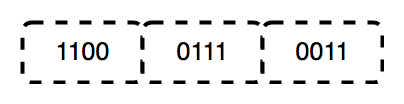
The functions of the physical layer are as follows:
The data link layer is responsible for the node-to-node delivery of the message. The main function of this layer is to make sure data transfer is error-free from one node to another over the physical layer. When a packet arrives in a network, it is the responsibility of the DLL to transmit it to the host using its MAC address.
The Data Link Layer is divided into two sublayers:
The packet received from the Network layer is further divided into frames depending on the frame size of the NIC(Network Interface Card). DLL also encapsulates the Sender and Receiver's MAC address in the header.
The Receiver's MAC address is obtained by placing an ARP(Address Resolution Protocol) request onto the wire asking, “Who has that IP address?” and the destination host will reply with its MAC address.
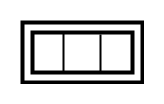
The functions of the Data Link layer are :
The network layer works for the transmission of data from one host to the other located in different networks. It also takes care of packet routing, ie, the selection of the shortest path to transmit the packet from the number of routes available. The sender & receiver's IP addresses are placed in the header by the network layer.
The functions of the Network layer are :
The Internet is a global system of interconnected computer networks that use the standard Internet protocol suite (TCP/IP) to serve billions of users worldwide. It is a network of networks that consists of millions of private, public, academic, business, and government networks of local to global scope that is linked by a broad array of electronic, wireless, and optical networking technologies. The Internet carries an extensive range of information resources and services, such as the interlinked hypertext documents and applications of the World Wide Web (WWW) and the infrastructure to support email.
The World Wide Web (WWW) is an information space where documents and other web resources are identified by Uniform Resource Locators (URLs), interlinked by hypertext links, and accessible via the Internet. English scientist Tim Berners-Lee invented the World Wide Web in 1989. He wrote the first web browser in 1990 while employed at CERN in Switzerland. The browser was released outside CERN in 1991, first to other research institutions starting in January 1991 and to the general public on the Internet in August 1991.
The Internet Protocol (IP) is a protocol, or set of rules, for routing and addressing packets of data so that they can travel across networks and arrive at the correct destination. Data traversing the Internet is divided into smaller pieces called packets.
A database is a collection of related data that represents some aspect of the real world. A database system is designed to be built and populated with data for a certain task.
Database Management System (DBMS) is software for storing and retrieving users' data while considering appropriate security measures. It consists of a group of programs that manipulate the database. The DBMS accepts the request for data from an application and instructs the operating system to provide the specific data. In large systems, a DBMS helps users and other third-party software store and retrieve data.
DBMS allows users to create their databases as per their requirements. The term "DBMS" includes the use of a database and other application programs. It provides an interface between the data and the software application.
Let us see a simple example of a university database. This database maintains information concerning students, courses, and grades in a university environment. The database is organized into five files:
To define DBMS:
Here are the important landmarks from history:
Here are the characteristics and properties of a Database Management System:
Here is the list of some popular DBMS systems:
Cryptography is a technique to secure data and communication. It is a method of protecting information and communications through the use of codes so that only those for whom the information is intended can read and process it. Cryptography is used to protect data in transit, at rest, and in use. The prefix crypt means "hidden" or "secret", and the suffix graphy means "writing".
There are two types of cryptography:
Cryptocurrency is a digital currency in which encryption techniques are used to regulate the generation of units of currency and verify the transfer of funds, operating independently of a central bank. Cryptocurrencies use decentralized control as opposed to centralized digital currency and central banking systems. The decentralized control of each cryptocurrency works through distributed ledger technology, typically a blockchain, that serves as a public financial transaction database. A defining feature of a cryptocurrency, and arguably its most endearing allure, is its organic nature; it is not issued by any central authority, rendering it theoretically immune to government interference or manipulation.
In theoretical computer science and mathematics, the theory of computation is the branch that deals with what problems can be solved on a model of computation using an algorithm, how efficiently they can be solved, or to what degree (eg, approximate solutions versus precise ones). The field is divided into three major branches: automata theory and formal languages, computability theory, and computational complexity theory, which are linked by the question: "What are the fundamental capabilities and limitations of computers?".
Automata theory is the study of abstract machines and automata, as well as the computational problems that can be solved using them. It is a theory in theoretical computer science. The word automata comes from the Greek word αὐτόματος, which means "self-acting, self-willed, self-moving". An automaton (automata in plural) is an abstract self-propelled computing device that follows a predetermined sequence of operations automatically. An automaton with a finite number of states is called a Finite Automaton (FA) or Finite-State Machine (FSM). The figure on the right illustrates a finite-state machine, which is a well-known type of automaton. This automaton consists of states (represented in the figure by circles) and transitions (represented by arrows). As the automaton sees a symbol of input, it makes a transition (or jump) to another state, according to its transition function, which takes the previous state and current input symbol as its arguments.
In logic, mathematics, computer science, and linguistics, a formal language consists of words whose letters are taken from an alphabet and are well-formed according to a specific set of rules.
The alphabet of a formal language consists of symbols, letters, or tokens that concatenate into strings of the language. Each string concatenated from symbols of this alphabet is called a word, and the words that belong to a particular formal language are sometimes called well-formed words or well-formed formulas. A formal language is often defined using formal grammar, such as regular grammar or context-free grammar, which consists of its formation rules.
In computer science, formal languages are used, among others, as the basis for defining the grammar of programming languages and formalized versions of subsets of natural languages in which the words of the language represent concepts that are associated with particular meanings or semantics. In computational complexity theory, decision problems are typically defined as formal languages and complexity classes are defined as the sets of formal languages that can be parsed by machines with limited computational power. In logic and the foundations of mathematics, formal languages are used to represent the syntax of axiomatic systems, and mathematical formalism is the philosophy that all mathematics can be reduced to the syntactic manipulation of formal languages in this way.
Computability theory, also known as recursion theory, is a branch of mathematical logic and computer science that began in the 1930s with the study of computable functions and Turing degrees. Since its inception, the field has expanded to encompass the study of generalized computability and definability. In these areas, computability theory intersects with proof theory and effective descriptive set theory, reflecting its broad and interdisciplinary nature.
In theoretical computer science and mathematics, computational complexity theory focuses on classifying computational problems according to their resource usage and relating these classes to each other. A computational problem is a task solved by a computer. A computation problem is solvable by a mechanical application of mathematical steps, such as an algorithm.
A problem is regarded as inherently difficult if its solution requires significant resources, whatever the algorithm used. The theory formalizes this intuition by introducing mathematical models of computation to study these problems and quantifying their computational complexity, ie, the number of resources needed to solve them, such as time and storage. Other measures of complexity are also used, such as the amount of communication (used in communication complexity), the number of gates in a circuit (used in circuit complexity), and the number of processors (used in parallel computing). One of the roles of computational complexity theory is to determine the practical limits on what computers can and cannot do. The P versus NP problem, one of the seven Millennium Prize Problems, is dedicated to the field of computational complexity.
Closely related fields in theoretical computer science are the analysis of algorithms and computability theory. A key distinction between the analysis of algorithms and computational complexity theory is that the former is devoted to analyzing the number of resources needed by a particular algorithm to solve a problem, whereas the latter asks a more general question about all possible algorithms that could be used to solve the same problem. More precisely, computational complexity theory tries to classify problems that can or cannot be solved with appropriately restricted resources. In turn, imposing restrictions on the available resources is what distinguishes computational complexity from computability theory: the latter theory asks what kinds of problems can, in principle, be solved algorithmically.
DevOps is a set of practices, tools, and cultural philosophies that automate and integrate the processes between software development (Dev) and IT operations (Ops). The primary goal is to foster a culture of collaboration, automate processes across teams, and deliver high-quality software efficiently, reducing the time between committing a change to a system and the change being placed into production.
In essence, DevOps integrates all aspects of development (coding, building, testing, and releasing) with operations (deployment, monitoring, and maintenance) into a unified, automated pipeline. It builds on the principles of Agile development, but extends them into the operational phase of software deployment.
Sifat ? | Yuvraj Chauhan ? | Rajesh kumar halder ? | Ishan Mondal ? | Apoorva08102000 ? | Apoorva .S. Mehta ? |
Imran Biswas ? | Subrata Pramanik | Samuel Favarin | sahooabhipsa10 | Sahil Rao | KK Chowdhury |
Manas Baroi | Aditi ? | Syed Talib Hossain | Jai Mehrotra | Shuvam Bag | Abhijit Turate |
Jayesh Deorukhkar | JC Shankar | Subrata Pramanik | Imam Suyuti | genius_koder | Altaf Shaikh |
Rajdeep Das | Vikash Patel | Arvind Srivastav | Manish Kr Prasad | MOHIT KUMAR KUSHWAHA | DryHitman |
Harsh Kulkarni | Atreay Kukanur | Sree Haran | Auro Saswat Raj | Aiyan Faras | Priyanshi David |
Ishan Mondal | Nikhil Shrivastava | deepshikha2708 | L.RISHIWARDHAN | Rahul RK | Nishant Wankhade |
pritika163 | Anjuman Hasan | Astha Varshney | Gcettbdeveloper | Elston Tan | Shivansh Dengla |
David Daniels | ayushverma14 | Pratik Rai | Yash | pranavyatnalkar | Jeremia Axel |
Akhil Soni | Zahra Shahid | Mihir20K | Aman | Mauricio Allegretti | Bruno-Vasconcellos-Betella |
Febi Arifin | Dineshwar Doddapaneni | Dheeraj_Soni | Ojash Kushwaha | Laleet Borse | Wahaj Raza |
WahajRaza1 | Ravi Lamkoti | The One and Only Uper | AdarshBajpai67 | Deepak Kharah | sairohit360 |
sairohitzl | Raval Jinit | Vovka1759 | Nijin | Avinil Bedarkar | FercueNat |
Yash Khare | Ayush Anand | DharmaWarrior | Hitarth Raval | Wiem Borchani | Kamden Burke |
denschiro | Nishat | Mohammed Faizan Ahmed | Manish Agrahari | Katari Lokeswara rao | Zahra Shahid |
Glenn Turner | Vinayak godse | Satyajeetbh | Paidipelly Dhruvateja | helloausrine | SourabhJoshi209 |
Stefan Taitano | Abu Noman Md. Sakib | Rishi Mathur | Darky001 | himanshu | Kusumita Ghose |
Yashvi Patel | ArshadAriff | ishashukla183 | jhuynh06 ? | Andrew Asche | J. Nathan Allen ? |
Sayed Afnan Khazi | Technic143 ? | Pin Yuan Wang | Bogdan Otava | Vedeesh Dwivedi ? | Tsig |
Brandon Awan ? | Sanya Madre | Steven | Garrett Crowley | Francesco Franco ? | Alexander Little ? |
Subham Maji ? | SK Jiyad ? | exrol ? | Manav Mittal ? | Rathish R ? | Anubhav Kulshreshtha ? |
Sarthak | architO21 ? | Nikhil Kumar Jha | Kundai Chasinda ? | Rohan kaushal ? | Aayush Kumar |
Vladimir Cucu ? | Mohammed Ali Alsakkaf (Binbasri) ? | serv-er ? | Amritanshu Barpanda ? | aheaton22 ? | Masumi Kawasaki ? |
aslezar | Yash Sajwan ? | Abhishek Kumar ? | jakenybo ? | Fangzhou_Jiang ? | Nelson Uprety ? |
Kevin Garfield ? | xaviermonb ? | AryasCodeTreks | khouloud HADDAD AMAMOU | Walter March ? | Nivea Hanley |
nam | Shaan Rehsi ? | mjung1 | Joshua Latham ? | Pietro Bartolocci ? | Naveen Prajapati |
Billy Marcus Wright | Raquel-James | Teddy ASSIH | Md Nayeem ? |







