computer_science
1.0.0

الإنجليزية | الإيطالي | español | فرانسايس | বাংলা | தமிழ் | ગુજરાતી | البرتغالي | हिंदी | తెలుగు | română | العرف | النيبالي | 简体中文
إذا كنت مهتمًا بالمساهمة في هذا المشروع ، فيرجى أخذ لحظة لمراجعة المساهمة. md للحصول على إرشادات مفصلة حول كيفية البدء. مساهماتك موضع تقدير كبير!
علوم الكمبيوتر هي دراسة أجهزة الكمبيوتر والحوسبة وتطبيقاتها النظرية والعملية. يطبق علوم الكمبيوتر مبادئ الرياضيات والهندسة والمنطق على عدد كبير من المشاكل. وتشمل هذه صياغة الخوارزمية ، وتطوير البرمجيات/الأجهزة ، والذكاء الاصطناعي.
الكمبيوتر عبارة عن جهاز مصمم لأداء عمليات رياضية أو منطقية أو معالجة البيانات عالية السرعة. إنها آلة إلكترونية قابلة للبرمجة يمكنها تجميع المعلومات وتخزينها وربطها ومعالجتها بكفاءة.
المنطق المنطقي هو فرع من الرياضيات التي تركز على قيم الحقيقة ، على وجه التحديد صحيحة وكاذبة. يعمل مع نظام ثنائي حيث يمثل 0 خطأ و 1 يمثل صحيحًا. المعروف باسم الجبر المنطقي ، تم تقديم هذا النظام لأول مرة من قبل جورج بول في عام 1854.
| المشغل | اسم | وصف |
|---|---|---|
| ! | لا | ينفي (الفطريات) قيمة المعامل. |
| && | و | إرجاع صحيح إذا كانت كل من المعاملات صحيحة. |
| || | أو | إرجاع صحيح إذا كان معامل واحد على الأقل صحيح. |
| المشغل | اسم | وصف |
|---|---|---|
| () | أقواس | يتيح لك تجميع الكلمات الرئيسية والتحكم في الترتيب الذي سيتم فيه البحث في المصطلحات. |
| "" | علامات اقتباس | يوفر النتائج مع العبارة الدقيقة. |
| * | النجمة | يوفر النتائج التي تحتوي على تباين الكلمات الرئيسية. |
| ⊕ | xor | إرجاع صحيح إذا كانت المعاملات مختلفة |
| ⊽ | ولا | إرجاع صحيح إذا كانت جميع المعاملات خاطئة. |
| ⊼ | ناند | إرجاع خطأ فقط إذا كانت كلتا قيمتين من مدخلاتها صحيحة. |
تتعامل الدوائر الرقمية مع الإشارات المنطقية (1 و 0). هم لبنات البناء للكمبيوتر. إنها المكونات والدوائر المستخدمة لإنشاء وحدات المعالج ووحدات الذاكرة الأساسية لنظام الكمبيوتر.
جداول الحقيقة هي الجداول الرياضية المستخدمة في تصميم الدوائر المنطقية والرقمية. أنها تساعد على رسم وظائف الدائرة. يمكننا استخدامها للمساعدة في تصميم الدوائر الرقمية المعقدة.
تحتوي جداول الحقيقة على عمود واحد لكل متغير إدخال وعمود نهائي واحد يوضح جميع النتائج المحتملة للعملية المنطقية التي يمثلها الجدول.
هناك نوعان من الدوائر الرقمية: توافق وتتابع
عند تصميم دائرة رقمية ، وخاصة تلك المعقدة. من المهم الاستفادة من أدوات الجبر المنطقية للمساعدة في عملية التصميم (مثال: خريطة كارنو). من المهم أيضًا تقسيم كل شيء إلى دوائر أصغر وفحص جدول الحقيقة اللازم لتلك الدائرة الأصغر. لا تحاول معالجة الدائرة بأكملها في وقت واحد ، وقم بتفكيكها وتوضع القطع معًا تدريجياً.
أنظمة الأرقام هي أنظمة رياضية للتعبير عن الأرقام. يتكون نظام الأرقام من مجموعة من الرموز المستخدمة لتمثيل الأرقام ومجموعة من القواعد لمعالجة تلك الرموز. تسمى الرموز المستخدمة في نظام الأرقام الأرقام.
Binary عبارة عن نظام أرقام قاعدة 2 ، تم اختراعه بواسطة Gottfried Leibniz ، ويتألف من رقمين فقط: 0 و 1. هذا النظام أساسي لجميع التعليمات البرمجية الثنائية ، والذي يتم استخدامه لترميز البيانات الرقمية ، بما في ذلك تعليمات معالج الكمبيوتر. في الثنائي ، تمثل الأرقام الحالات: 0 يتوافق مع "OFF" ، و 1 يتوافق مع "ON".
في الترانزستورات ، يشير "0" إلى تدفق الكهرباء ، في حين أن "1" يدل على أن الكهرباء تتدفق. يمكّن هذا التمثيل المادي للأرقام أجهزة الكمبيوتر من إجراء الحسابات والعمليات بكفاءة.
تظل الثنائية اللغة الأساسية لأجهزة الكمبيوتر وتستخدم في الإلكترونيات والأجهزة لعدة أسباب رئيسية:
وحدة المعالجة المركزية (CPU) هي الجزء الأكثر أهمية في أي جهاز كمبيوتر. ترسل وحدة المعالجة المركزية إشارات للتحكم في الأجزاء الأخرى من الكمبيوتر ، تقريبًا مثل كيفية تحكم الدماغ في الجسم. وحدة المعالجة المركزية هي آلة إلكترونية تعمل على قائمة بأشياء الكمبيوتر التي يجب القيام بها ، تسمى التعليمات. يقرأ قائمة التعليمات ويعمل (ينفذ) كل واحد بالترتيب. قائمة الإرشادات التي يمكن أن تقوم بها وحدة المعالجة المركزية هي برنامج كمبيوتر. يمكن لوحدة المعالجة المركزية معالجة أكثر من تعليمات في وقت واحد على الأقسام التي تسمى "النوى". قد تقوم وحدة المعالجة المركزية مع أربعة نوى بمعالجة أربعة برامج في وقت واحد. وحدة المعالجة المركزية نفسها مصنوعة من ثلاثة مكونات رئيسية. هم:
السجلات هي كميات صغيرة من الذاكرة عالية السرعة الموجودة داخل وحدة المعالجة المركزية. السجلات هي مجموعة من "Flip-Flops" (دائرة تستخدم لتخزين 1 بت من الذاكرة). يتم استخدامها من قبل المعالج لتخزين كميات صغيرة من البيانات المطلوبة أثناء المعالجة. قد تحتوي وحدة المعالجة المركزية على عدة مجموعات من السجلات التي تسمى "النوى". يساعد التسجيل أيضًا في العمليات الحسابية والمنطقية.
العمليات الحسابية هي حسابات رياضية تقوم بها وحدة المعالجة المركزية على البيانات العددية المخزنة في السجلات. وتشمل هذه العمليات إضافة ، الطرح ، الضرب ، والقسمة. العمليات المنطقية هي حسابات منطقية تقوم بها وحدة المعالجة المركزية على البيانات الثنائية المخزنة في السجلات. تتضمن هذه العمليات مقارنات (مثل الاختبار إذا كانت قيمتان متساوية) والعمليات المنطقية (على سبيل المثال ، أو ، لا).
تعد السجلات ضرورية لأداء هذه العمليات لأنها تسمح لوحدة المعالجة المركزية بالوصول بسرعة إلى كميات صغيرة من البيانات ومعالجتها. من خلال تخزين البيانات التي يتم الوصول إليها بشكل متكرر في السجلات ، يمكن لوحدة المعالجة المركزية تجنب العملية الأبطأ لاسترداد البيانات من الذاكرة.
قد يتم تخزين كميات أكبر من البيانات في ذاكرة التخزين المؤقت (وضوحا باسم "Cash") ، وهي ذاكرة سريعة جدًا تقع على نفس الدائرة المتكاملة مثل السجلات. يتم استخدام ذاكرة التخزين المؤقت للبيانات التي يتم الوصول إليها بشكل متكرر مع تشغيل البرنامج. يمكن تخزين كميات أكبر من البيانات في ذاكرة الوصول العشوائي. يرمز ذاكرة الوصول العشوائي إلى ذاكرة الوصول العشوائي ، وهو نوع من الذاكرة يحمل البيانات والتعليمات التي تم نقلها من تخزين القرص حتى يحتاج المعالج.
ذاكرة التخزين المؤقت هي مكون كمبيوتر يستند إلى رقاقة يجعل استرداد البيانات من ذاكرة الكمبيوتر أكثر كفاءة. إنه بمثابة منطقة تخزين مؤقتة بحيث يمكن لمعالج الكمبيوتر استرداد البيانات بسهولة. تتوفر منطقة التخزين المؤقتة هذه ، المعروفة باسم ذاكرة التخزين المؤقت ، بسهولة أكبر للمعالج من مصدر الذاكرة الرئيسي للكمبيوتر ، وعادة ما يكون شكل من أشكال DRAM.
تسمى ذاكرة ذاكرة التخزين المؤقت أحيانًا ذاكرة وحدة المعالجة المركزية (وحدة المعالجة المركزية) لأنها عادة ما يتم دمجها مباشرة في شريحة وحدة المعالجة المركزية أو وضعها على شريحة منفصلة تحتوي على حافلة منفصلة مع وحدة المعالجة المركزية. لذلك ، يمكن الوصول إلى المعالج بشكل أكبر وقادرة على زيادة الكفاءة لأنه قريب جسديًا من المعالج.
لكي تكون على مقربة من المعالج ، يجب أن تكون ذاكرة ذاكرة التخزين المؤقت أصغر بكثير من الذاكرة الرئيسية. وبالتالي ، لديها مساحة تخزين أقل. إنها أيضًا أغلى من الذاكرة الرئيسية ، لأنها شريحة أكثر تعقيدًا تعطي أداءً أعلى.
ما يضحى في الحجم والسعر ، فإنه يعوض عن السرعة. تعمل ذاكرة التخزين المؤقت أسرع من 10 إلى 100 مرة من ذاكرة الوصول العشوائي ، والتي تتطلب فقط عدد قليل من النانو ثانية للرد على طلب وحدة المعالجة المركزية.
اسم الأجهزة الفعلية التي يتم استخدامها لذاكرة ذاكرة التخزين المؤقت هي ذاكرة الوصول العشوائي العالي السرعة (SRAM). اسم الجهاز المستخدم في الذاكرة الرئيسية للكمبيوتر هو ذاكرة الوصول العشوائي الديناميكي (DRAM).
لا ينبغي الخلط بين ذاكرة التخزين المؤقت وذاكرة التخزين المؤقت الأوسع نطاقًا. ذاكرة التخزين المؤقت هي متاجر بيانات مؤقتة يمكن أن توجد في كل من الأجهزة والبرامج. تشير ذاكرة التخزين المؤقت إلى مكون الأجهزة المحدد الذي يسمح لأجهزة الكمبيوتر بإنشاء ذاكرة التخزين المؤقت على مستويات مختلفة من الشبكة. ذاكرة التخزين المؤقت عبارة عن جهاز أو برنامج يستخدم لتخزين شيء ما ، عادةً البيانات ، مؤقتًا في بيئة الحوسبة.
ذاكرة الوصول العشوائي (ذاكرة الوصول العشوائي) هي نموذج من ذاكرة الكمبيوتر التي يمكن قراءتها وتغييرها بأي ترتيب ، عادةً ما تستخدم لتخزين بيانات العمل ورمز الجهاز. يتيح جهاز ذاكرة الوصول العشوائي قراءة عناصر البيانات أو كتابته بنفس القدر تقريبًا بغض النظر عن الموقع الفعلي للبيانات داخل الذاكرة ، على عكس وسائط تخزين البيانات المباشرة الأخرى (مثل الأقراص الصلبة ، CD-RWs ، DVD-RWs و MENTIC MEANTACT SPEATES ، حيث يتنوع الوقت المطلوب لقراءة وكتابة عناصر البيانات بشكل كبير على تحديد المواقع الفيزيائية.
في علوم الكمبيوتر ، تعليمات هي عملية واحدة للمعالج المحدد بواسطة مجموعة تعليم المعالج. برنامج الكمبيوتر هو قائمة بالإرشادات التي تخبر الكمبيوتر بما يجب القيام به. يتم إنجاز كل ما يفعله الكمبيوتر باستخدام برنامج الكمبيوتر. البرامج التي يتم تخزينها في ذكرى الكمبيوتر ("البرمجة الداخلية") تدع الكمبيوتر يفعل شيئًا تلو الآخر ، حتى مع فترات راحة بينهما.
لغة البرمجة هي أي مجموعة من القواعد التي تقوم بتحويل السلاسل ، أو عناصر البرنامج الرسومية في حالة لغات البرمجة المرئية ، إلى أنواع مختلفة من مخرجات رمز الجهاز. لغات البرمجة هي نوع واحد من لغة الكمبيوتر المستخدمة في برمجة الكمبيوتر لتنفيذ الخوارزميات.
غالبًا ما تنقسم لغات البرمجة إلى فئتين عريضتين:
هناك أيضا العديد من نماذج البرمجة المختلفة. نماذج البرمجة هي طرق أو أنماط مختلفة يمكن فيها تنظيم برنامج معين أو لغة برمجة. يتكون كل نموذج من بعض الهياكل والميزات والآراء حول كيفية معالجة مشاكل البرمجة الشائعة.
نماذج البرمجة ليست لغات أو أدوات. لا يمكنك "بناء" أي شيء بنموذج. إنها أشبه بمجموعة من المثل العليا والإرشادات التي وافق عليها الكثير من الناس وتبعوها وتوسيعها. لغات البرمجة ليست دائمًا مرتبطة بنموذج معين. هناك لغات تم تصميمها مع وضع نموذج معين في الاعتبار ولديها ميزات تسهل هذا النوع من البرمجة أكثر من غيرها (هاسكل والبرمجة الوظيفية مثال جيد). ولكن هناك أيضًا لغات "متعددة البارديج" التي يمكنك من خلالها تكييف الكود الخاص بك لتناسب نموذجًا معينًا أو غيره (جافا سكريبت وبيثون أمثلة جيدة).
نوع البيانات ، في البرمجة ، هو تصنيف يحدد نوع القيمة المتغير ونوع العمليات الرياضية أو العلائقية أو المنطقية التي يمكن تطبيقها دون التسبب في خطأ.
أنواع البيانات البدائية هي أنواع البيانات الأساسية في لغة البرمجة. إنها لبنات بناء أنواع البيانات الأكثر تعقيدًا. يتم تعريف أنواع البيانات البدائية مسبقًا بواسطة لغة البرمجة ويتم تسميتها بواسطة كلمة رئيسية محجوزة.
تُعرف أنواع البيانات غير المحددة أيضًا بأنواع البيانات المرجعية. يتم إنشاؤها بواسطة المبرمج ولا يتم تعريفها بواسطة لغة البرمجة. وتسمى أنواع البيانات غير المحددة أيضًا أنواع البيانات المركبة لأنها تتكون من أنواع أخرى.
في برمجة الكمبيوتر ، فإن البيان عبارة عن وحدة نحوية من لغة البرمجة الضرورية التي تعبر عن بعض الإجراءات التي سيتم تنفيذها. يتم تشكيل برنامج مكتوب في مثل هذه اللغة من خلال تسلسل واحد أو أكثر. قد يكون للبيان مكونات داخلية (على سبيل المثال ، التعبيرات). هناك نوعان رئيسيان من العبارات في أي لغة برمجة ضرورية لبناء منطق الرمز.
هناك نوعان من البيانات الشرطية بشكل رئيسي:
هناك ثلاثة أنواع من الحلقات بشكل رئيسي:
الوظيفة هي كتلة من العبارات التي تؤدي مهمة محددة. تقبل الوظائف البيانات ، ومعالجةها ، وإرجاع نتيجة أو تنفيذها. تتم كتابة الوظائف في المقام الأول لدعم مفهوم إعادة الاستخدام. بمجرد كتابة وظيفة ، يمكن استدعاؤها بسهولة دون الحاجة إلى تكرار نفس الرمز.
تستخدم اللغات الوظيفية المختلفة بناء جملة مختلف لكتابة وظائف.
اقرأ المزيد عن الوظائف هنا
في علوم الكمبيوتر ، هي بنية البيانات هي تنسيق بيانات وإدارة وتخزين يتيح الوصول والتعديل الفعالين. بتعبير أدق ، بنية البيانات هي مجموعة من قيم البيانات ، والعلاقات بينها ، والوظائف أو العمليات التي يمكن تطبيقها على البيانات.
الخوارزميات هي مجموعات الخطوات اللازمة لإكمال الحساب. إنهم في صميم ما تفعله أجهزتنا ، وهذا ليس مفهومًا جديدًا. منذ تطوير الرياضيات نفسها ، كانت هناك حاجة إلى خوارزميات لمساعدتنا في إكمال المهام بشكل أكثر كفاءة ، ولكن اليوم سنلقي نظرة على مشكلات حوسبة حديثة مثل الفرز وإظهار كيف جعلناها أكثر كفاءة حتى تتمكن من العثور على اتجاهات طيار أو خريطة رخيصة بسهولة إلى Winterfell أو مطعم أو شيء ما.
يقدّر التعقيد الزمني للخوارزمية كم من الوقت ستستخدم الخوارزمية لبعض المدخلات. الفكرة هي تمثيل الكفاءة كدالة هي معلمة حجم الإدخال. من خلال حساب التعقيد الزمني ، يمكننا تحديد ما إذا كانت الخوارزمية سريعة بما يكفي دون تنفيذها.
يشير تعقيد الفضاء إلى إجمالي كمية مساحة الذاكرة التي تستخدمها الخوارزمية/البرنامج ، بما في ذلك مساحة قيم الإدخال للتنفيذ. حساب المساحة التي تشغلها المتغيرات في خوارزمية/برنامج لتحديد تعقيد الفضاء.
الفرز هو عملية ترتيب قائمة العناصر بترتيب معين. على سبيل المثال ، إذا كان لديك قائمة بالأسماء ، فقد ترغب في فرزها أبجديًا. بدلاً من ذلك ، إذا كان لديك قائمة بالأرقام ، فقد ترغب في وضعها من أجل الأصغر إلى الأكبر. يعد الفرز مهمة مشتركة ، وهي مهمة يمكننا القيام بها بعدة طرق مختلفة.
البحث هو خوارزمية للعثور على عنصر مستهدف معين داخل الحاوية. تم تصميم خوارزميات البحث للتحقق من عنصر أو استرداد عنصر من أي بنية بيانات حيث يتم تخزينها.
تعتبر الأوتار واحدة من أكثر هياكل البيانات المستخدمة وأهمها في البرمجة ، ويحتوي هذا المستودع على عدد قليل من الخوارزميات الأكثر استخدامًا التي تساعد في البحث بشكل أسرع في تحسين الكود لدينا.
البحث الرسم البياني هو عملية البحث من خلال رسم بياني للعثور على عقدة معينة. الرسم البياني هو بنية بيانات تتكون من مجموعة محدودة (وربما قابلة للتغيير) من القمم أو العقد أو النقاط ، إلى جانب مجموعة من الأزواج غير المرتبة من هذه القمم لرسم بياني غير موجه أو مجموعة من الأزواج المطلوبة للحصول على رسم بياني موجه. تُعرف هذه الأزواج باسم الحواف أو الأقواس أو الخطوط لرسم بياني غير موجه ، وكأسهم ، أو حواف موجهة ، أو أقواس موجهة ، أو خطوط موجهة لرسم بياني موجه. قد تكون الرؤوس جزءًا من بنية الرسم البياني أو قد تكون كيانات خارجية ممثلة بمؤشرات أو مراجع عدد صحيح. الرسوم البيانية هي واحدة من أكثر هياكل البيانات فائدة للعديد من التطبيقات في العالم الحقيقي. يتم استخدام الرسوم البيانية لنمذجة العلاقات الزوجية بين الكائنات. على سبيل المثال ، شبكة مسار شركة الطيران هي رسم بياني تكون فيه المدن هي القمم ، وطرق الطيران هي الحواف. يتم استخدام الرسوم البيانية أيضًا لتمثيل الشبكات. يمكن تصميم الإنترنت كرسوم بيانية تكون فيها أجهزة الكمبيوتر هي القمم ، والروابط بين أجهزة الكمبيوتر هي الحواف. يتم استخدام الرسوم البيانية أيضًا على الشبكات الاجتماعية مثل LinkedIn و Facebook. يتم استخدام الرسوم البيانية لتمثيل العديد من التطبيقات في العالم الحقيقي: شبكات الكمبيوتر ، وتصميم الدوائر ، والجدولة الطيران على سبيل المثال لا الحصر.
البرمجة الديناميكية هي طريقة تحسين رياضية وطريقة برمجة الكمبيوتر. طور ريتشارد بيلمان الطريقة في الخمسينيات ووجد تطبيقات في العديد من المجالات ، من هندسة الفضاء إلى الاقتصاد. في كلا السياقين ، يشير إلى تبسيط مشكلة معقدة عن طريق تقسيمها إلى مشكلات فرعية أبسط بطريقة متكررة. على الرغم من أنه لا يمكن تفكيك بعض مشاكل القرار بهذه الطريقة ، إلا أن القرارات التي تمتد عدة نقاط في الوقت المناسب تنفجر بشكل متكرر. وبالمثل ، في علوم الكمبيوتر ، إذا كان يمكن حل مشكلة على النحو الأمثل عن طريق تقسيمها إلى مشكلات فرعية ثم إيجاد الحلول المثلى للمشاكل الفرعية ، فإنها تحتوي على بنية أساسية مثالية. البرمجة الديناميكية هي إحدى الطرق لحل المشكلات مع هذه الخصائص. تسمى عملية تحطيم مشكلة معقدة إلى مشكلات فرعية أبسط "الفجوة والقهر".
خوارزميات الجشع هي فئة بسيطة وبديهية من الخوارزميات التي يمكن استخدامها لإيجاد الحل الأمثل لبعض مشاكل التحسين. يطلق عليهم الجشع ، في كل خطوة ، يقومون بالاختيار الذي يبدو أفضل في تلك اللحظة. هذا يعني أن الخوارزميات الجشع لا تضمن إرجاع الحل الأمثل عالميًا ، ولكن بدلاً من ذلك اتخاذ خيارات مثالية محليًا على أمل إيجاد أمثل عالمي. تستخدم الخوارزميات الجشع لمشاكل التحسين. يمكن حل مشكلة التحسين باستخدام الجشع إذا كانت المشكلة تحتوي على الخاصية التالية: في كل خطوة ، يمكننا اتخاذ خيار يبدو أفضل في الوقت الحالي ، ونحصل على الحل الأمثل للمشكلة الكاملة.
التراجع هو تقنية خوارزمية لحل المشكلات بشكل متكرر من خلال محاولة بناء حل بشكل تدريجي ، قطعة واحدة في وقت واحد ، تزيل تلك الحلول التي تفشل في تلبية قيود المشكلة في أي وقت (حسب الوقت ، هنا ، يشار إلى الوقت المنقلب حتى الوصول إلى أي مستوى من شجرة البحث).
الفرع والمردود هو تقنية عامة لحل مشاكل التحسين التوافقي. إنها تقنية تعداد منهجية تقلل من عدد حلول المرشح باستخدام بنية المشكلة للقضاء على حلول المرشح التي لا يمكن أن تكون مثالية.
تعقيد الوقت : يتم تعريفه على أنه عدد المرات من المتوقع أن يتم تنفيذ مجموعة تعليمات معينة بدلاً من إجمالي الوقت المستغرق. نظرًا لأن الوقت هو ظاهرة تابعة ، فقد يختلف تعقيد الوقت على بعض العوامل الخارجية مثل سرعة المعالج ، والمترجم المستخدم ، إلخ.
تعقيد الفضاء : إنه إجمالي مساحة الذاكرة التي يستهلكها البرنامج لتنفيذها.
يتم حساب كلاهما كدالة لحجم الإدخال (N). يتم التعبير عن التعقيد الزمني للخوارزمية في تدوين كبير O.
تعتمد كفاءة الخوارزمية على هاتين المعلمتين.
أنواع تعقيد الوقت:
بعض التعقيدات الزمنية المشتركة هي:
س (1) : هذا يدل على الوقت المستمر. o (1) يعني عادة أن الخوارزمية سيكون لها وقت ثابت بغض النظر عن حجم الإدخال. خرائط التجزئة هي أمثلة مثالية للوقت المستمر.
o (log n) : هذا يدل على الوقت اللوغاريتمي. o (log n) يعني الانخفاض مع كل مثيل للعمليات. يعد البحث عن عناصر في أشجار البحث الثنائية (BSTS) مثالًا جيدًا على الوقت اللوغاريتمي.
س (ن) : هذا يدل على الوقت الخطي. س (ن) تعني أن الأداء يتناسب بشكل مباشر مع حجم المدخلات. بعبارات بسيطة ، سيكون عدد المدخلات والوقت المستغرق لتنفيذ تلك المدخلات متناسبة. البحث الخطي في المصفوفات هو مثال رائع على تعقيد الوقت الخطي.
o (n*n) : هذا يدل على الوقت التربيعي. o (n^2) يعني أن الأداء يتناسب بشكل مباشر مع مربع المدخلات التي تم أخذها. وبسيطة ، فإن الوقت المستغرق للتنفيذ سوف يستغرق مربعًا تقريبًا حجم الإدخال. الحلقات المتداخلة هي أمثلة مثالية لتعقيد الوقت التربيعي.
o (n log n) : هذا يدل على تعقيد الوقت متعدد الحدود. o (n log n) يعني أن الأداء هو أوقات O (log n) ، (وهو التعقيد الأسوأ). ومن الأمثلة الجيدة تقسيم الخوارزميات مثل دمج نوع الدمج. تقسم هذه الخوارزمية أولاً المجموعة ، التي تستغرق وقتًا في السجل n) ، ثم القهر والفرز من خلال المجموعة ، والتي تأخذ وقتًا في الوقت الذي يستغرقه الوقت.
| خوارزمية | تعقيد الوقت | تعقيد الفضاء | ||
|---|---|---|---|---|
| أفضل | متوسط | أسوأ | أسوأ | |
| نوع الاختيار | ω (n^2) | θ (n^2) | س (ن^2) | س (1) |
| نوع الفقاعة | Ω (ن) | θ (n^2) | س (ن^2) | س (1) |
| نوع الإدراج | Ω (ن) | θ (n^2) | س (ن^2) | س (1) |
| نوع الكومة | ω (N log (n)) | θ (n log (n)) | o (n log (n)) | س (1) |
| نوع سريع | ω (N log (n)) | θ (n log (n)) | س (ن^2) | على) |
| دمج الفرز | ω (N log (n)) | θ (n log (n)) | o (n log (n)) | على) |
| نوع دلو | ω (n +k) | θ (n +k) | س (ن^2) | على) |
| فرز راديكس | Ω (NK) | θ (NK) | س (NK) | o (n + k) |
| فرز العد | ω (n +k) | θ (n +k) | o (n +k) | نعم) |
| فرز قذيفة | ω (N log (n)) | θ (n log (n)) | س (ن^2) | س (1) |
| تيم فرز | Ω (ن) | θ (n log (n)) | o (n log (n)) | على) |
| نوع الشجرة | ω (N log (n)) | θ (n log (n)) | س (ن^2) | على) |
| نوع المكعب | Ω (ن) | θ (n log (n)) | o (n log (n)) | على) |
| خوارزمية | تعقيد الوقت | ||
|---|---|---|---|
| أفضل | متوسط | أسوأ | |
| البحث الخطي | س (1) | على) | على) |
| البحث الثنائي | س (1) | س (logn) | س (logn) |
كان آلان تورينج (من مواليد 23 يونيو 1912 ، لندن ، إنجلز - في 7 يونيو 1954 ، ويلمسلو ، شيشاير) عالم رياضيات وعلم اللغة الإنجليزي. درس في جامعة كامبريدج ومعهد برينستون للدراسة المتقدمة. في ورقته المنوية لعام 1936 "على الأرقام الحسابية" ، أثبت أنه لا يمكن أن توجد أي طريقة خوارزمية عالمية لتحديد الحقيقة في الرياضيات وأن الرياضيات ستحتوي دائمًا على مقترحات غير معروفة (على عكسها غير معروفة). هذه الورقة قدمت أيضا آلة تورينج. لقد كان يعتقد أن أجهزة الكمبيوتر ستكون في النهاية قادرة على التفكير في تفكير لا يمكن تمييزها عن اختبار الإنسان واقترح اختبارًا بسيطًا (انظر اختبار تورينج) لتقييم هذه القدرة. من المعترف به على نطاق واسع أوراقه حول هذا الموضوع كأساس للبحث في الذكاء الاصطناعي. لقد قام بعمل قيمة في التشفير خلال الحرب العالمية الثانية ، حيث لعب دورًا مهمًا في كسر رمز اللغز الذي تستخدمه ألمانيا للاتصالات الإذاعية. بعد الحرب ، درس في جامعة مانشستر وبدأ العمل على ما يعرف الآن باسم الذكاء الاصطناعي. في خضم هذا العمل الرائد ، تم العثور على تورينج ميتًا في سريره ، تسممه بالسيانيد. اتبعت وفاته اعتقاله لعمل مثلي الجنس (ثم جريمة) وعقوبة 12 شهرًا من العلاج الهرموني.
بعد حملة عامة في عام 2009 ، قدم رئيس الوزراء البريطاني جوردون براون اعتذارًا رسميًا رسميًا نيابة عن الحكومة البريطانية من أجل طريقة مروعة Turing. منحت الملكة إليزابيث الثانية العفو بعد وفاته في عام 2013. يستخدم مصطلح "قانون آلان تورينج" بشكل غير رسمي للإشارة إلى قانون عام 2017 في المملكة المتحدة والذي حذر الرجال العفو بأثر رجعي أو أدينوا بموجب التشريعات التاريخية التي أوضحت الأفعال المثلية.
يتمتع Turing بإرث واسع النطاق مع تماثيل له والعديد من الأشياء التي سميت باسمه ، بما في ذلك جائزة سنوية لابتكارات علوم الكمبيوتر. يظهر على Note Bank of England 50 جنيهًا إسترلينيًا ، والذي تم إصداره في 23 يونيو 2021 ، ليتزامن مع عيد ميلاده. سلسلة بي بي سي 2019 ، كما صوت من قبل الجمهور ، أطلق عليه اسم أعظم شخص في القرن العشرين.
هندسة البرمجيات هي فرع علوم الكمبيوتر التي تتعامل مع تصميم تطبيقات البرامج وتطويرها واختبارها وصيانتها. يطبق مهندسو البرمجيات المبادئ الهندسية ومعرفة لغات البرمجة لإنشاء حلول البرمجيات للمستخدمين النهائيين.
دعونا نلقي نظرة على التعريفات المختلفة لهندسة البرمجيات:
يعرف المهندسون الناجحون كيفية استخدام لغات البرمجة المناسبة والمنصات والبنية لتطوير كل شيء من ألعاب الكمبيوتر إلى أنظمة التحكم في الشبكة. بالإضافة إلى بناء أنظمتهم ، يقوم مهندسو البرمجيات أيضًا باختبار البرامج وتحسينها وصيانتها التي صممها مهندسون آخرون.
في هذا الدور ، قد تتضمن مهامك اليومية ما يلي:
تتضمن عملية هندسة البرمجيات عدة مراحل ، بما في ذلك جمع المتطلبات والتصميم والتنفيذ والاختبار والصيانة. باتباع نهج منضبط لتطوير البرمجيات ، يمكن لمهندسي البرمجيات إنشاء برامج عالية الجودة تلبي احتياجات مستخدميها.
المرحلة الأولى من هندسة البرمجيات هي جمع المتطلبات. في هذه المرحلة ، يعمل مهندس البرمجيات مع العميل لتحديد المتطلبات الوظيفية وغير الوظيفية للبرنامج. تصف المتطلبات الوظيفية ما يجب أن يفعله البرنامج ، في حين أن المتطلبات غير الوظيفية تصف مدى جودة ذلك. يعد جمع المتطلبات مرحلة حرجة ، حيث تضع الأساس لعملية تطوير البرمجيات بأكملها.
بعد جمع المتطلبات ، المرحلة التالية هي التصميم. في هذه المرحلة ، يقوم مهندس البرمجيات بإنشاء خطة مفصلة لعمارة البرنامج ووظائفه. تتضمن هذه الخطة وثيقة تصميم البرمجيات التي تحدد بنية البرنامج وسلوكه وتفاعلاته مع الأنظمة الأخرى. يعد مستند تصميم البرامج ضروريًا لأنه يعمل بمخطط لمرحلة التنفيذ.
مرحلة التنفيذ هي المكان الذي يقوم فيه مهندس البرمجيات بإنشاء الكود الفعلي للبرنامج. هذا هو المكان الذي يتم فيه تحويل وثيقة التصميم إلى برامج عمل. تتضمن مرحلة التنفيذ كتابة التعليمات البرمجية وتجميعها واختبارها لضمان تلبية المتطلبات المحددة في وثيقة التصميم.
الاختبار هو مرحلة حرجة في هندسة البرمجيات. في هذه المرحلة ، يتحقق مهندس البرمجيات للتأكد من أن وظائف البرنامج بشكل صحيح ، يمكن الاعتماد عليها وسهلة الاستخدام. يتضمن ذلك عدة أنواع من الاختبارات ، بما في ذلك اختبار الوحدة ، واختبار التكامل ، واختبار النظام. يضمن الاختبار أن يفي البرنامج بالمتطلبات والوظائف كما هو متوقع.
المرحلة النهائية من هندسة البرمجيات هي الصيانة. في هذه المرحلة ، يقوم مهندس البرمجيات بإجراء تغييرات على البرنامج لتصحيح الأخطاء أو إضافة ميزات جديدة أو تحسين أدائه. الصيانة هي عملية مستمرة تستمر طوال عمر البرنامج.
يستخرج علم البيانات رؤى قيمة من البيانات الفوضوية في كثير من الأحيان من خلال تطبيق علوم الكمبيوتر والإحصاء ومعرفة المجال قيد النظر. تتضمن أمثلة استخدام علوم البيانات استخلاص معنويات العملاء من سجلات الاتصال أو شراء أنظمة التوصية المستمدة من سجلات المبيعات.
دائرة متكاملة أو دائرة متكاملة متكاملة (يشار إليها أيضًا باسم IC أو شريحة أو رقاقة) هي مجموعة من الدوائر الإلكترونية على قطعة واحدة مسطحة واحدة (أو "رقاقة" من مادة أشباه الموصلات ، وعادة ما تكون السيليكون. تدمج العديد من MOSFETs الصغيرة (الترانزستورات الميدانية للمعادن-أكسيد-أكسيد الموصلات) في شريحة صغيرة. ينتج عن ذلك دوائر هي أوامر ذات حجم أصغر وأسرع وأقل تكلفة من تلك التي تم إنشاؤها من المكونات الإلكترونية المنفصلة. لقد ضمنت قدرة الإنتاج الضخم لـ IC وموثوقيتها ونهج المباني على تصميم الدوائر المتكاملة التبني السريع للـ ICs الموحدة بدلاً من الترانزستورات المنفصلة. ICs are now used in virtually all electronic equipment and have revolutionized the world of electronics. Computers, mobile phones, and other home appliances are now inextricable parts of the structure of modern societies, made possible by the small size and low cost of ICs such as modern computer processors and microcontrollers.
Very-large-scale integration was made practical by technological advancements in metal–oxide–silicon (MOS) semiconductor device fabrication. Since their origins in the 1960s, the size, speed, and capacity of chips have progressed enormously, driven by technical advances that fit more and more MOS transistors on chips of the same size – a modern chip may have many billions of MOS transistors in an area the size of a human fingernail. These advances, roughly following Moore's law, make today's computer chips possess millions of times the capacity and thousands of times the speed of the computer chips of the early 1970s.
ICs have two main advantages over discrete circuits: cost and performance. The cost is low because the chips, with all their components, are printed as a unit by photolithography rather than being constructed one transistor at a time. Furthermore, packaged ICs use much less material than discrete circuits. Performance is high because the IC's components switch quickly and consume comparatively little power because of their small size and proximity. The main disadvantage of ICs is the high cost of designing them and fabricating the required photomasks. This high initial cost means ICs are only commercially viable when high production volumes are anticipated.
Modern electronic component distributors often further sub-categorize integrated circuits:
Object Oriented Programming is a fundamental programming paradigm that is based on the concepts of objects and data.
It is the standard way of code that every programmer has to abide by for better readability and reusability of the code.
Read more about these concepts of OOP here
In computer science, functional programming is a programming paradigm where programs are constructed by applying and composing functions. It is a declarative programming paradigm in which function definitions are trees of expressions that map values to other values, rather than a sequence of imperative statements which update the running state of the program.
In functional programming, functions are treated as first-class citizens, meaning that they can be bound to names (including local identifiers), passed as arguments, and returned from other functions, just as any other data type can. This allows programs to be written in a declarative and composable style, where small functions are combined in a modular manner.
Functional programming is sometimes treated as synonymous with purely functional programming, a subset of functional programming which treats all functions as deterministic mathematical functions, or pure functions. When a pure function is called with some given arguments, it will always return the same result, and cannot be affected by any mutable state or other side effects. This is in contrast with impure procedures, common in imperative programming, which can have side effects (such as modifying the program's state or taking input from a user). Proponents of purely functional programming claim that by restricting side effects, programs can have fewer bugs, be easier to debug and test, and be more suited to formal verification procedures.
Functional programming has its roots in academia, evolving from the lambda calculus, a formal system of computation based only on functions. Functional programming has historically been less popular than imperative programming, but many functional languages are seeing use today in industry and education.
Some examples of functional programming languages are:
Functional programming is derived historically from the lambda calculus . Lambda calculus is a framework developed by Alonzo Church to study computations with functions. It is often called "the smallest programming language in the world." It provides a definition of what is computable and what is not. It is equivalent to a Turing machine in its computational ability and anything computable by the lambda calculus, just like anything computable by a Turing machine, is computable. It provides a theoretical framework for describing functions and their evaluations.
Some essential concepts of functional programming are:
Pure functions : These functions have two main properties. First, they always produce the same output for the same arguments irrespective of anything else. Secondly, they have no side effects. ie they do not modify any arguments or local/global variables or input/output streams. The latter property is called immutability . The pure function's only result is the value it returns. They are deterministic. Programs done using functional programming are easy to debug because they have no side effects or hidden I/O. Pure functions also make it easier to write parallel/concurrent applications. When code is written in this style, a smart compiler can do many things- it can parallelize the instructions, wait to evaluate results until needed and memorize the results since the results never change as long as the input doesn't change. Here is a simple example of a pure function in Python:
 def sum ( x , y ): # sum is a function taking x and y as arguments
    return x + y  # returns x + y without changing the value
Recursion : There are no "for" or "while" loops in pure functional programming languages. Iteration is implemented through recursion. Recursive functions repeatedly call themselves until a base case is reached. Here is a simple example of a recursion function in C:
 int fib ( n ) {
  if ( n <= 1 )
    return 1 ;
   else
     return ( fib ( n - 1 ) + fib ( n - 2 ));
}
Referential transparency : In functional programs, variables once defined do not change their value throughout the program. Functional programs do not have assignment statements. If we have to store some value, we define a new variable instead. This eliminates any chance of side effects because any variable can be replaced with its actual value at any point of the execution. The state of any variable is constant at any instant. مثال:
x = x + 1 # this changed the value assigned to the variable x
         # Therefore, the expression is NOT referentially transparent
Functions are first-class and can be higher order : First class functions are treated as first-class variables. The first class variables can be passed to functions as parameters, can be returned from functions or stored in data structures.
A combination of function applications may be defined using a LISP form called funcall , which takes as arguments a function and a series of arguments and applies that function to those arguments:
( defun filter (list-of-elements test)
    ( cond (( null list-of-elements) nil )
          (( funcall test ( car list-of-elements))
            ( cons ( car list-of-elements)
                (filter ( cdr list-of-elements)
                      test)))
           ( t (filter ( cdr list-of-elements)
                       test))))
The function filter applies the test to the first element of the list. If the test returns non-nil, it conses the element onto the result of filter applied to the cdr of the list; otherwise, it just returns the filtered cdr. This function may be used with different predicates passed in as parameters to perform a variety of filtering tasks:
> (filter ' ( 1 3 -9 5 -2 -7 6 ) #' plusp ) ; filter out all negative numbers output: (1 3 5 6)
> (filter ' ( 1 2 3 4 5 6 7 8 9 ) #' evenp ) ; filter out all odd numbersoutput: (2 4 6 8)
وهلم جرا.
Variables are immutable : In functional programming, we can't modify a variable after it's been initialized. We can create new variables- but we can't modify existing variables, and this really helps to maintain the state throughout the runtime of a program. Once we create a variable and set its value, we can have full confidence knowing that the value of that variable will never change.
An operating system (or OS for short) acts as an intermediary between a computer user and computer hardware. The purpose of an operating system is to provide an environment in which a user can execute programs conveniently and efficiently. An operating system is software that manages computer hardware. The hardware must provide appropriate mechanisms to ensure the correct operation of the computer system and to prevent user programs from interfering with the proper operation of the system. An even more common definition is that the operating system is the one program running at all times on the computer (usually called the kernel), with all else being application programs.
Operating systems can be viewed from two viewpoints: resource managers and extended machines. In the resource-manager view, the operating system's job is to manage the different parts of the system efficiently. In the extended-machine view, the job of the system is to provide the users with abstractions that are more con- convenient to use than the actual machine. These include processes, address spaces, and files. Operating systems have a long history, from when they replaced the operator to modern multiprogramming systems. Highlights include early batch systems, multiprogramming systems, and personal computer systems. Since operating systems interact closely with the hardware, some knowledge of computer hardware is useful for understanding them. Computers are built up of processors, memories, and I/O devices. These parts are connected by buses. The basic concepts on which all operating systems are built are processes, memory management, I/O management, the file system, and security. The heart of any operating system is the set of system calls that it can handle. These tell what the operating system does.
The operating system manages all the pieces of a complex system. Modern computers consist of processors, memories, timers, disks, mice, network interfaces, printers, and a wide variety of other devices. In the bottom-up view, the job of the operating system is to provide for an orderly and controlled allocation of the processors, memories, and I/O devices among the various programs wanting them. Modern operating systems allow multiple programs to be in memory and run simultaneously. Imagine what would happen if three programs running on some computer all tried to print their output simultaneously on the same printer. The result would be utter chaos. The operating system can bring order to the potential chaos by buffering all the output destined for the printer on the disk. When one program is finished, the operating system can then copy its output from the disk file where it has been stored for the printer, while at the same time, the other program can continue generating more output, oblivious to the fact that the output is not going to the printer (yet). When a computer (or network) has more than one user, the need to manage and protect the memory, I/O devices, and other resources even more since the users might otherwise interfere with one another. In addition, users often need to share not only hardware but also information (files, databases, etc.). In short, this view of the operating system holds that its primary task is to keep track of which programs are using which resource, to grant resource requests, to account for usage and to mediate conflicting requests from different programs and users.
The architecture of most computers at the machine-language level is primitive and awkward to program, especially for input/output. To make this point more concrete, consider modern SATA (Serial ATA) hard disks used on most computers. What a programmer would have to know to use the disk. Since then, the interface has been revised multiple times and is more complicated than it was in 2007. No sane programmer would want to deal with this disk at the hardware level. Instead, a piece of software called a disk driver deals with the hardware and provides an interface to read and write disk blocks, without getting into the details. Operating systems contain many drivers for controlling I/O devices. But even this level is much too low for most applications. For this reason, all operating systems provide yet another layer of abstraction for using disks: files. Using this abstraction, programs can create, write, and read files without dealing with the messy details of how the hardware works. This abstraction is the key to managing all this complexity. Good abstractions turn a nearly impossible task into two manageable ones. The first is defining and implementing the abstractions. The second is using these abstractions to solve the problem at hand.
First Generation (1945-55) : Little progress was achieved in building digital computers after Babbage's disastrous efforts until the World War II era. At Iowa State University, Professor John Atanasoff and his graduate student Clifford Berry created what is today recognized as the first operational digital computer. Konrad Zuse in Berlin constructed the Z3 computer using electromechanical relays around the same time. The Mark I was created by Howard Aiken at Harvard, the Colossus by a team of scientists at Bletchley Park in England, and the ENIAC by William Mauchley and his doctoral student J. Presper Eckert at the University of Pennsylvania in 1944.
Second Generation (1955-65) : The transistor's invention in the middle of the 1950s drastically altered the situation. Computers became dependable enough that they could be manufactured and sold to paying customers with the assumption that they would keep working long enough to conduct some meaningful job. Mainframes, as these machines are now known, were kept locked up in huge, particularly air-conditioned computer rooms, with teams of qualified operators to manage them. Only huge businesses, significant government entities, or institutions could afford the price tag of several million dollars.
Third Generation (1965-80) : In comparison to second-generation computers, which were constructed from individual transistors, the IBM 360 was the first major computer line to employ (small-scale) ICs (Integrated Circuits). As a result, it offered a significant price/performance benefit. It was an instant hit, and all the other big manufacturers quickly embraced the concept of a family of interoperable computers. All software, including the OS/360 operating system, was supposed to be compatible with all models in the original design. It had to run on massive systems, which frequently replaced 7094s for heavy computation and weather forecasting, and tiny systems, which frequently merely replaced 1401s for transferring cards to tape. Both systems with few peripherals and systems with many peripherals needed to function well with it. It had to function both in professional and academic settings. Above all, it had to be effective for each of these many applications.
Fourth Generation (1980-Present) : The personal computer era began with the creation of LSI (Large Scale Integration) circuits, processors with thousands of transistors on a square centimeter of silicon. Although personal computers, originally known as microcomputers, did not change significantly in architecture from minicomputers of the PDP-11 class, they did differ significantly in price.
Fifth Generation (1990-Present) : People have yearned for a portable communication gadget ever since detective Dick Tracy in the 1940s comic strip began conversing with his "two-way radio wristwatch." In 1946, a real mobile phone made its debut, and it weighed about 40 kilograms. The first real portable phone debuted in the 1970s and was incredibly lightweight at about one kilogram. It was jokingly referred to as "the brick." Soon, everyone was clamoring for one.
Mainframe OS : At the high end are the operating systems for mainframes, those room-sized computers still found in major corporate data centres. These computers differ from personal computers in terms of their I/O capacity. A mainframe with 1000 disks and millions of gigabytes of data is not unusual; a personal computer with these specifications would be the envy of its friends. Mainframes are also making some- a thing of a comeback as high-end Web servers, servers for large-scale electronic commerce sites, and servers for business-to-business transactions. The operating systems for mainframes are heavily oriented toward processing many jobs at once, most of which need prodigious amounts of I/O. They typically offer three kinds of services: batch, transaction processing, and timesharing
Server OS : One level down is the server operating systems. They run on servers, which are either very large personal computers, workstations, or even mainframes. They serve multiple users at once over a network and allow the users to share hardware and software resources. Servers can provide print service, file service, or Web service. Internet providers run many server machines to support their customers, and Websites use servers to store Web pages and handle incoming requests. Typical server operating systems are Solaris, FreeBSD, Linux, and Windows Server 201x.
Multiprocessor OS : An increasingly common way to get major-league computing power is to connect multiple CPUs into a single system. Depending on precisely how they are connected and what is shared, these systems are called parallel computers, multi-computers, or multiprocessors. They need special operating systems, but often these are variations on the server operating systems, with special features for communication, connectivity, and consistency.
Personal Computer OS : The next category is the personal computer operating system. Modern ones all support multiprogramming, often with dozens of programs started up at boot time. Their job is to provide good support to a single user. They are widely used for word processing, spreadsheets, games, and Internet access. Common examples are Linux, FreeBSD, Windows 7, Windows 8, and Apple's OS X. Personal computer operating systems are so widely known that probably little introduction is needed. Many people are not even aware that other kinds exist.
Embedded OS : Embedded systems run on computers that control devices that are not generally considered computers and do not accept user-installed software. Typical examples are microwave ovens, TV sets, cars, DVD recorders, traditional phones, and MP3 players. The main property distinguishing embedded systems from handhelds is the certainty that no untrusted software will ever run on them. You cannot download new applications to your microwave oven—all the software is in ROM. This means there is no need for protection between applications, simplifying design. Systems such as Embedded Linux, QNX and VxWorks is popular in this domain.
Smart Card OS : The smallest operating systems run on credit-card-sized smart card devices with CPU chips. They have very severe processing power and memory constraints. Some are powered by contacts in the reader into which they are inserted, but contactless smart cards are inductively powered, greatly limiting what they can do. Some can handle only a single function, such as electronic payments, but others can handle multiple functions. Often these are proprietary systems. Some smart cards are Java oriented. This means that the ROM on the smart card holds an interpreter for the Java Virtual Machine (JVM). Java applets (small programs) are downloaded to the card and are interpreted by the JVM interpreter. Some of these cards can handle multiple Java applets at the same time, leading to multiprogramming and the need to schedule them. Resource management and protection also become an issue when two or more applets are present simultaneously. These issues must be handled by the (usually extremely primitive) operating system present on the card.
The term memory refers to the component within your computer that allows short-term data access. You may recognize this component as DRAM or dynamic random-access memory. Your computer performs many operations by accessing data stored in its short-term memory. Some examples of such operations include editing a document, loading applications, and browsing the Internet. The speed and performance of your system depend on the amount of memory that is installed on your computer.
If you have a desk and a filing cabinet, the desk represents your computer's memory. Items you need to use immediately are kept on your desk for easy access. However, not much can be stored on a desk due to its size limitations.
Whereas memory refers to the location of short-term data, storage is the component within your computer that allows you to store and access data long-term. Usually, storage comes in the form of a solid-state drive or a hard drive. Storage houses your applications, operating system, and files indefinitely. Computers need to read and write information from the storage system, so the storage speed determines how fast your system can boot up, load, and access what you've saved.
While the desk represents the computer's memory, the filing cabinet represents your computer's storage. It holds items that need to be saved and stored but is not necessarily needed for immediate access. The size of the filing cabinet means that it can hold many things.
An important distinction between memory and storage is that memory clears when the computer is turned off. On the other hand, storage remains intact no matter how often you shut off your computer. Therefore, in the desk and filing cabinet analogy, any files left on your desk will be thrown away when you leave the office. Everything in your filing cabinet will remain.
At the heart of computer systems lies memory, the space where programs run and data is stored. But what happens when the programs you're running and the data you're working with exceed the physical capacity of your computer's memory? This is where virtual memory steps in, acting as a smart extension to your computer's memory and enhancing its capabilities.
Definition and Purpose of Virtual Memory:
Virtual memory is a memory management technique employed by operating systems to overcome the limitations of physical memory (RAM). It creates an illusion for software applications that they have access to a larger amount of memory than what is physically installed on the computer. In essence, it enables programs to utilize memory space beyond the confines of the computer's physical RAM.
The primary purpose of virtual memory is to enable efficient multitasking and the execution of larger programs, all while maintaining the responsiveness of the system. It achieves this by creating a seamless interaction between the physical RAM and secondary storage devices, like the hard drive or SSD.
How Virtual Memory Extends Available Physical Memory:
Think of virtual memory as a bridge that connects your computer's RAM and its secondary storage (disk drives). When you run a program, parts of it are loaded into the faster physical memory (RAM). However, not all parts of the program may be used immediately.
Virtual memory exploits this situation by moving sections of the program that aren't actively being used from RAM to the secondary storage, creating more room in RAM for the parts that are actively in use. This process is transparent to the user and the running programs. When the moved parts are needed again, they are swapped back into RAM, while other less active parts may be moved to the secondary storage.
This dynamic swapping of data in and out of physical memory is managed by the operating system. It allows programs to run even if they're larger than the available RAM, as the operating system intelligently decides what data needs to be in RAM for optimal performance.
In summary, virtual memory acts as a virtualization layer that extends the available physical memory by temporarily transferring parts of programs and data between the RAM and secondary storage. This process ensures that the computer can handle larger tasks and numerous programs simultaneously, all while maintaining efficient performance and responsiveness.
In computing, a file system or filesystem (often abbreviated to fs) is a method and data structure the operating system uses to control how data is stored and retrieved. Without a file system, data placed in a storage medium would be one large body of data with no way to tell where one piece of data stopped and the next began or where any piece of data was located when it was time to retrieve it. By separating the data into pieces and giving each piece a name, the data is easily isolated and identified. Taking its name from how a paper-based data management system is named, each data group is called a "file". The structure and logic rules used to manage the groups of data and their names are called a "file system."
There are many kinds of file systems, each with unique structure and logic, properties of speed, flexibility, security, size, and more. Some file systems have been designed to be used for specific applications. For example, the ISO 9660 file system is designed specifically for optical discs.
File systems can be used on many types of storage devices using various media. As of 2019, hard disk drives have been key storage devices and are projected to remain so for the foreseeable future. Other kinds of media that are used include SSDs, magnetic tapes, and optical discs. In some cases, such as with tmpfs, the computer's main memory (random-access memory, RAM) creates a temporary file system for short-term use.
Some file systems are used on local data storage devices; others provide file access via a network protocol (for example, NFS, SMB, or 9P clients). Some file systems are "virtual", meaning that the supplied "files" (called virtual files) are computed on request (such as procfs and sysfs) or are merely a mapping into a different file system used as a backing store. The file system manages access to both the content of files and the metadata about those files. It is responsible for arranging storage space; reliability, efficiency, and tuning with regard to the physical storage medium are important design considerations.
A file system stores and organizes data and can be thought of as a type of index for all the data contained in a storage device. These devices can include hard drives, optical drives, and flash drives.
File systems specify conventions for naming files, including the maximum number of characters in a name, which characters can be used, and, in some systems, how long the file name suffix can be. In many file systems, file names are not case-sensitive.
Along with the file itself, file systems contain information such as the file's size and its attributes, location, and hierarchy in the directory in the metadata. Metadata can also identify free blocks of available storage on the drive and how much space is available.
A file system also includes a format to specify the path to a file through the structure of directories. A file is placed in a directory -- or a folder in Windows OS -- or subdirectory at the desired place in the tree structure. PC and mobile OSes have file systems in which files are placed in a hierarchical tree structure.
Before files and directories are created on the storage medium, partitions should be put into place. A partition is a region of the hard disk or other storage that the OS manages separately. One file system is contained in the primary partition, and some OSes allow for multiple partitions on one disk. In this situation, if one file system gets corrupted, the data in a different partition will be safe.
There are several types of file systems, all with different logical structures and properties, such as speed and size. The type of file system can differ by OS and the needs of that OS. Microsoft Windows, Mac OS X, and Linux are the three most common PC operating systems. Mobile OSes include Apple iOS and Google Android.
Major file systems include the following:
File allocation table (FAT) is supported by Microsoft Windows OS. FAT is considered simple and reliable and modeled after legacy file systems. FAT was designed in 1977 for floppy disks but was later adapted for hard disks. While efficient and compatible with most current OSes, FAT cannot match the performance and scalability of more modern file systems.
Global file system (GFS) is a file system for the Linux OS, and it is a shared disk file system. GFS offers direct access to shared block storage and can be used as a local file system.
GFS2 is an updated version with features not included in the original GFS, such as an updated metadata system. Under the GNU General Public License terms, both the GFS and GFS2 file systems are available as free software.
Hierarchical file system (HFS) was developed for use with Mac operating systems. HFS can also be called Mac OS Standard, succeeded by Mac OS Extended. Originally introduced in 1985 for floppy and hard disks, HFS replaced the original Macintosh file system. It can also be used on CD-ROMs.
The NT file system -- also known as the New Technology File System (NTFS) -- is the default file system for Windows products from Windows NT 3.1 OS onward. Improvements from the previous FAT file system include better metadata support, performance, and use of disk space. NTFS is also supported in the Linux OS through a free, open-source NTFS driver. Mac OSes have read-only support for NTFS.
Universal Disk Format (UDF) is a vendor-neutral file system for optical media and DVDs. UDF replaces the ISO 9660 file system and is the official file system for DVD video and audio, as chosen by the DVD Forum.
Cloud computing is a type of Internet-based computing that provides shared computer processing resources and data to computers and other devices on demand. It also allows authorized users and systems to access applications and data from any location with an internet connection.
It is a model for enabling ubiquitous, convenient, on-demand network access to a shared pool of configurable computing resources (eg, networks, servers, storage, applications, and services) that can be rapidly provisioned and released with minimal management effort or service provider interaction.
Cloud computing is a big shift from how businesses think about IT resources. Here are seven common reasons organizations are turning to cloud computing services:
Cloud computing eliminates the capital expense of buying hardware and software and setting up and running on-site data centers—the racks of servers, the round-the-clock electricity for power and cooling, and the IT experts for managing the infrastructure. It adds up fast.
Most cloud computing services are provided self-service and on demand, so even vast amounts of computing resources can be provisioned in minutes, typically with just a few mouse clicks, giving businesses a lot of flexibility and taking the pressure off capacity planning.
The benefits of cloud computing services include the ability to scale elastically. In cloud speak, that means delivering the right amount of IT resources—for example, more or less computing power, storage, and bandwidth—right when it is needed and from the right geographic location.
On-site data centers typically require a lot of "racking and stacking"—hardware setup, software patching, and other time-consuming IT management chores. Cloud computing removes the need for many of these tasks, so IT teams can spend time on achieving more important business goals.
The biggest cloud computing services run on a worldwide network of secure data centers, which are regularly upgraded to the latest generation of fast and efficient computing hardware. This offers several benefits over a single corporate data center, including reduced network latency for applications and greater economies of scale.
Cloud computing makes data backup, disaster recovery, and business continuity easier and less expensive because data can be mirrored at multiple redundant sites on the cloud provider's network.
Many cloud providers offer a broad set of policies, technologies, and controls that strengthen your security posture overall, helping protect your data, apps, and infrastructure from potential threats.
Machine learning is the practice of teaching a computer to learn. The concept uses pattern recognition, as well as other forms of predictive algorithms, to make judgments on incoming data. This field is closely related to artificial intelligence and computational statistics.
In this, machine learning models are trained with labelled data sets, which allow the models to learn and grow more accurately over time. For example, an algorithm would be trained with pictures of dogs and other things, all labelled by humans, and the machine would learn ways to identify pictures of dogs on its own. Supervised machine learning is the most common type used today.
Practical applications of Supervised Learning –
In Unsupervised machine learning, a program looks for patterns in unlabeled data. Unsupervised machine learning can find patterns or trends that people aren't explicitly looking for. For example, an unsupervised machine learning program could look through online sales data and identify different types of clients making purchases.
Practical applications of unsupervised Learning
The disadvantage of supervised learning is that it requires hand-labelling by ML specialists or data scientists and requires a high cost to process. Unsupervised learning also has a limited spectrum for its applications. To overcome these drawbacks of supervised learning and unsupervised learning algorithms, the concept of Semi-supervised learning is introduced. Typically, this combination contains a very small amount of labelled data and a large amount of unlabelled data. The basic procedure involved is that first, the programmer will cluster similar data using an unsupervised learning algorithm and then use the existing labelled data to label the rest of the unlabelled data.
Practical applications of Semi-Supervised Learning –
This trains machines through trial and error to take the best action by establishing a reward system. Reinforcement learning can train models to play games or train autonomous vehicles to drive by telling the machine when it made the right decisions, which helps it learn over time what actions it should take.
Practical applications of Reinforcement Learning -
Natural language processing is a field of machine learning in which machines learn to understand natural language as spoken and written by humans instead of the data and numbers normally used to program computers. This allows machines to recognize the language, understand it, and respond to it, as well as create new text and translate between languages. Natural language processing enables familiar technology like chatbots and digital assistants like Siri or Alexa.
Practical applications of NLP:
Neural networks are a commonly used, specific class of machine learning algorithms. Artificial neural networks are modelled on the human brain, in which thousands or millions of processing nodes are interconnected and organized into layers.
In an artificial neural network, cells, or nodes, are connected, with each cell processing inputs and producing an output that is sent to other neurons. Labeled data moves through the nodes or cells, with each cell performing a different function. In a neural network trained to identify whether a picture contains a cat or not, the different nodes would assess the information and arrive at an output that indicates whether a picture features a cat.
Practical applications of Neural Networks:
Deep learning networks are advanced neural networks with multiple layers. These layered networks can process vast amounts of data and adjust the "weights" of each connection within the network. For example, in an image recognition system, certain layers of the neural network might detect individual facial features like eyes, nose, or mouth. Another layer would then analyze whether these features are arranged in a way that identifies a face.
Practical applications of Deep Learning:
Web Technology refers to the various tools and techniques that are utilized in the process of communication between different types of devices over the Internet. A web browser is used to access web pages. Web browsers can be defined as programs that display text, data, pictures, animation, and video on the Internet. Hyperlinked resources on the World Wide Web can be accessed using software interfaces provided by Web browsers.
The part of a website where the user interacts directly is termed the front end. It is also referred to as the 'client side' of the application.
The backend is the server side of a website. It is part of the website that users cannot see and interact with. It is the portion of software that does not come in direct contact with the users. It is used to store and arrange data.
A computer network is a set of computers sharing resources located on or provided by network nodes. Computers use common communication protocols over digital interconnections to communicate with each other. These interconnections are made up of telecommunication network technologies based on physically wired, optical, and wireless radio-frequency methods that may be arranged in a variety of network topologies.
The nodes of a computer network can include personal computers, servers, networking hardware, or other specialized or general-purpose hosts. They are identified by network addresses and may have hostnames. Hostnames serve as memorable labels for the nodes, rarely changed after the initial assignment. Network addresses serve for locating and identifying the nodes by communication protocols such as the Internet Protocol.
Computer networks may be classified by many criteria, including the transmission medium used to carry signals, bandwidth, communications protocols to organize network traffic, the network size, the topology, traffic control mechanism, and organizational intent.
There are two primary types of computer networking:
OSI stands for Open Systems Interconnection . It was developed by ISO – ' International Organization for Standardization 'in the year 1984. It is a 7-layer architecture with each layer having specific functionality to perform. All these seven layers work collaboratively to transmit the data from one person to another across the globe.
The lowest layer of the OSI reference model is the physical layer. It is responsible for the actual physical connection between the devices. The physical layer contains information in the form of bits. It is responsible for transmitting individual bits from one node to the next. When receiving data, this layer will get the signal received and convert it into 0s and 1s and send them to the Data Link layer, which will put the frame back together.
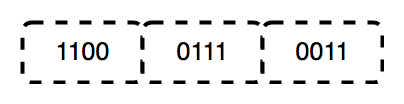
The functions of the physical layer are as follows:
The data link layer is responsible for the node-to-node delivery of the message. The main function of this layer is to make sure data transfer is error-free from one node to another over the physical layer. When a packet arrives in a network, it is the responsibility of the DLL to transmit it to the host using its MAC address.
The Data Link Layer is divided into two sublayers:
The packet received from the Network layer is further divided into frames depending on the frame size of the NIC(Network Interface Card). DLL also encapsulates the Sender and Receiver's MAC address in the header.
The Receiver's MAC address is obtained by placing an ARP(Address Resolution Protocol) request onto the wire asking, “Who has that IP address?” and the destination host will reply with its MAC address.
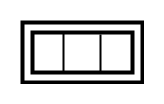
The functions of the Data Link layer are :
The network layer works for the transmission of data from one host to the other located in different networks. It also takes care of packet routing, ie, the selection of the shortest path to transmit the packet from the number of routes available. The sender & receiver's IP addresses are placed in the header by the network layer.
The functions of the Network layer are :
The Internet is a global system of interconnected computer networks that use the standard Internet protocol suite (TCP/IP) to serve billions of users worldwide. It is a network of networks that consists of millions of private, public, academic, business, and government networks of local to global scope that is linked by a broad array of electronic, wireless, and optical networking technologies. The Internet carries an extensive range of information resources and services, such as the interlinked hypertext documents and applications of the World Wide Web (WWW) and the infrastructure to support email.
The World Wide Web (WWW) is an information space where documents and other web resources are identified by Uniform Resource Locators (URLs), interlinked by hypertext links, and accessible via the Internet. English scientist Tim Berners-Lee invented the World Wide Web in 1989. He wrote the first web browser in 1990 while employed at CERN in Switzerland. The browser was released outside CERN in 1991, first to other research institutions starting in January 1991 and to the general public on the Internet in August 1991.
The Internet Protocol (IP) is a protocol, or set of rules, for routing and addressing packets of data so that they can travel across networks and arrive at the correct destination. Data traversing the Internet is divided into smaller pieces called packets.
A database is a collection of related data that represents some aspect of the real world. A database system is designed to be built and populated with data for a certain task.
Database Management System (DBMS) is software for storing and retrieving users' data while considering appropriate security measures. It consists of a group of programs that manipulate the database. The DBMS accepts the request for data from an application and instructs the operating system to provide the specific data. In large systems, a DBMS helps users and other third-party software store and retrieve data.
DBMS allows users to create their databases as per their requirements. The term "DBMS" includes the use of a database and other application programs. It provides an interface between the data and the software application.
Let us see a simple example of a university database. This database maintains information concerning students, courses, and grades in a university environment. The database is organized into five files:
To define DBMS:
Here are the important landmarks from history:
Here are the characteristics and properties of a Database Management System:
Here is the list of some popular DBMS systems:
Cryptography is a technique to secure data and communication. It is a method of protecting information and communications through the use of codes so that only those for whom the information is intended can read and process it. Cryptography is used to protect data in transit, at rest, and in use. The prefix crypt means "hidden" or "secret", and the suffix graphy means "writing".
There are two types of cryptography:
Cryptocurrency is a digital currency in which encryption techniques are used to regulate the generation of units of currency and verify the transfer of funds, operating independently of a central bank. Cryptocurrencies use decentralized control as opposed to centralized digital currency and central banking systems. The decentralized control of each cryptocurrency works through distributed ledger technology, typically a blockchain, that serves as a public financial transaction database. A defining feature of a cryptocurrency, and arguably its most endearing allure, is its organic nature; it is not issued by any central authority, rendering it theoretically immune to government interference or manipulation.
In theoretical computer science and mathematics, the theory of computation is the branch that deals with what problems can be solved on a model of computation using an algorithm, how efficiently they can be solved, or to what degree (eg, approximate solutions versus precise ones). The field is divided into three major branches: automata theory and formal languages, computability theory, and computational complexity theory, which are linked by the question: "What are the fundamental capabilities and limitations of computers?".
Automata theory is the study of abstract machines and automata, as well as the computational problems that can be solved using them. It is a theory in theoretical computer science. The word automata comes from the Greek word αὐτόματος, which means "self-acting, self-willed, self-moving". An automaton (automata in plural) is an abstract self-propelled computing device that follows a predetermined sequence of operations automatically. An automaton with a finite number of states is called a Finite Automaton (FA) or Finite-State Machine (FSM). The figure on the right illustrates a finite-state machine, which is a well-known type of automaton. This automaton consists of states (represented in the figure by circles) and transitions (represented by arrows). As the automaton sees a symbol of input, it makes a transition (or jump) to another state, according to its transition function, which takes the previous state and current input symbol as its arguments.
In logic, mathematics, computer science, and linguistics, a formal language consists of words whose letters are taken from an alphabet and are well-formed according to a specific set of rules.
The alphabet of a formal language consists of symbols, letters, or tokens that concatenate into strings of the language. Each string concatenated from symbols of this alphabet is called a word, and the words that belong to a particular formal language are sometimes called well-formed words or well-formed formulas. A formal language is often defined using formal grammar, such as regular grammar or context-free grammar, which consists of its formation rules.
In computer science, formal languages are used, among others, as the basis for defining the grammar of programming languages and formalized versions of subsets of natural languages in which the words of the language represent concepts that are associated with particular meanings or semantics. In computational complexity theory, decision problems are typically defined as formal languages and complexity classes are defined as the sets of formal languages that can be parsed by machines with limited computational power. In logic and the foundations of mathematics, formal languages are used to represent the syntax of axiomatic systems, and mathematical formalism is the philosophy that all mathematics can be reduced to the syntactic manipulation of formal languages in this way.
Computability theory, also known as recursion theory, is a branch of mathematical logic and computer science that began in the 1930s with the study of computable functions and Turing degrees. Since its inception, the field has expanded to encompass the study of generalized computability and definability. In these areas, computability theory intersects with proof theory and effective descriptive set theory, reflecting its broad and interdisciplinary nature.
In theoretical computer science and mathematics, computational complexity theory focuses on classifying computational problems according to their resource usage and relating these classes to each other. A computational problem is a task solved by a computer. A computation problem is solvable by a mechanical application of mathematical steps, such as an algorithm.
A problem is regarded as inherently difficult if its solution requires significant resources, whatever the algorithm used. The theory formalizes this intuition by introducing mathematical models of computation to study these problems and quantifying their computational complexity, ie, the number of resources needed to solve them, such as time and storage. Other measures of complexity are also used, such as the amount of communication (used in communication complexity), the number of gates in a circuit (used in circuit complexity), and the number of processors (used in parallel computing). One of the roles of computational complexity theory is to determine the practical limits on what computers can and cannot do. The P versus NP problem, one of the seven Millennium Prize Problems, is dedicated to the field of computational complexity.
Closely related fields in theoretical computer science are the analysis of algorithms and computability theory. A key distinction between the analysis of algorithms and computational complexity theory is that the former is devoted to analyzing the number of resources needed by a particular algorithm to solve a problem, whereas the latter asks a more general question about all possible algorithms that could be used to solve the same problem. More precisely, computational complexity theory tries to classify problems that can or cannot be solved with appropriately restricted resources. In turn, imposing restrictions on the available resources is what distinguishes computational complexity from computability theory: the latter theory asks what kinds of problems can, in principle, be solved algorithmically.
DevOps is a set of practices, tools, and cultural philosophies that automate and integrate the processes between software development (Dev) and IT operations (Ops). The primary goal is to foster a culture of collaboration, automate processes across teams, and deliver high-quality software efficiently, reducing the time between committing a change to a system and the change being placed into production.
In essence, DevOps integrates all aspects of development (coding, building, testing, and releasing) with operations (deployment, monitoring, and maintenance) into a unified, automated pipeline. It builds on the principles of Agile development, but extends them into the operational phase of software deployment.
Sifat ؟ | Yuvraj Chauhan ؟ | Rajesh kumar halder ؟ | Ishan Mondal ؟ | Apoorva08102000 ؟ | Apoorva .S. Mehta ؟ |
Imran Biswas ؟ | Subrata Pramanik | Samuel Favarin | sahooabhipsa10 | Sahil Rao | KK Chowdhury |
Manas Baroi | Aditi ؟ | Syed Talib Hossain | Jai Mehrotra | Shuvam Bag | Abhijit Turate |
Jayesh Deorukhkar | JC Shankar | Subrata Pramanik | Imam Suyuti | genius_koder | Altaf Shaikh |
Rajdeep Das | Vikash Patel | Arvind Srivastav | Manish Kr Prasad | MOHIT KUMAR KUSHWAHA | DryHitman |
Harsh Kulkarni | Atreay Kukanur | Sree Haran | Auro Saswat Raj | Aiyan Faras | Priyanshi David |
Ishan Mondal | Nikhil Shrivastava | deepshikha2708 | L.RISHIWARDHAN | Rahul RK | Nishant Wankhade |
pritika163 | Anjuman Hasan | Astha Varshney | Gcettbdeveloper | Elston Tan | Shivansh Dengla |
David Daniels | ayushverma14 | Pratik Rai | ياش | pranavyatnalkar | Jeremia Axel |
Akhil Soni | Zahra Shahid | Mihir20K | أمان | Mauricio Allegretti | Bruno-Vasconcellos-Betella |
Febi Arifin | Dineshwar Doddapaneni | Dheeraj_Soni | Ojash Kushwaha | Laleet Borse | Wahaj Raza |
WahajRaza1 | Ravi Lamkoti | The One and Only Uper | AdarshBajpai67 | Deepak Kharah | sairohit360 |
sairohitzl | Raval Jinit | Vovka1759 | Nijin | Avinil Bedarkar | FercueNat |
Yash Khare | Ayush Anand | DharmaWarrior | Hitarth Raval | Wiem Borchani | Kamden Burke |
denschiro | Nishat | Mohammed Faizan Ahmed | Manish Agrahari | Katari Lokeswara rao | Zahra Shahid |
Glenn Turner | Vinayak godse | Satyajeetbh | Paidipelly Dhruvateja | helloausrine | SourabhJoshi209 |
Stefan Taitano | Abu Noman Md. Sakib | Rishi Mathur | Darky001 | himanshu | Kusumita Ghose |
Yashvi Patel | ArshadAriff | ishashukla183 | jhuynh06 ؟ | Andrew Asche | J. Nathan Allen ؟ |
Sayed Afnan Khazi | Technic143 ؟ | Pin Yuan Wang | Bogdan Otava | Vedeesh Dwivedi ؟ | Tsig |
Brandon Awan ؟ | Sanya Madre | ستيفن | Garrett Crowley | Francesco Franco ؟ | Alexander Little ؟ |
Subham Maji ؟ | SK Jiyad ؟ | exrol ؟ | Manav Mittal ؟ | Rathish R ؟ | Anubhav Kulshreshtha ؟ |
Sarthak | architO21 ؟ | Nikhil Kumar Jha | Kundai Chasinda ؟ | Rohan kaushal ؟ | Aayush Kumar |
Vladimir Cucu ؟ | Mohammed Ali Alsakkaf (Binbasri) ؟ | serv-er ؟ | Amritanshu Barpanda ؟ | aheaton22 ؟ | Masumi Kawasaki ؟ |
aslezar | Yash Sajwan ؟ | Abhishek Kumar ؟ | jakenybo ؟ | Fangzhou_Jiang ؟ | Nelson Uprety ؟ |
Kevin Garfield ؟ | xaviermonb ؟ | AryasCodeTreks | khouloud HADDAD AMAMOU | Walter March ؟ | Nivea Hanley |
نام | Shaan Rehsi ؟ | mjung1 | Joshua Latham ؟ | Pietro Bartolocci ؟ | Naveen Prajapati |
Billy Marcus Wright | Raquel-James | Teddy ASSIH | Md Nayeem ؟ |







