Yoopta Editor
v4.9.3

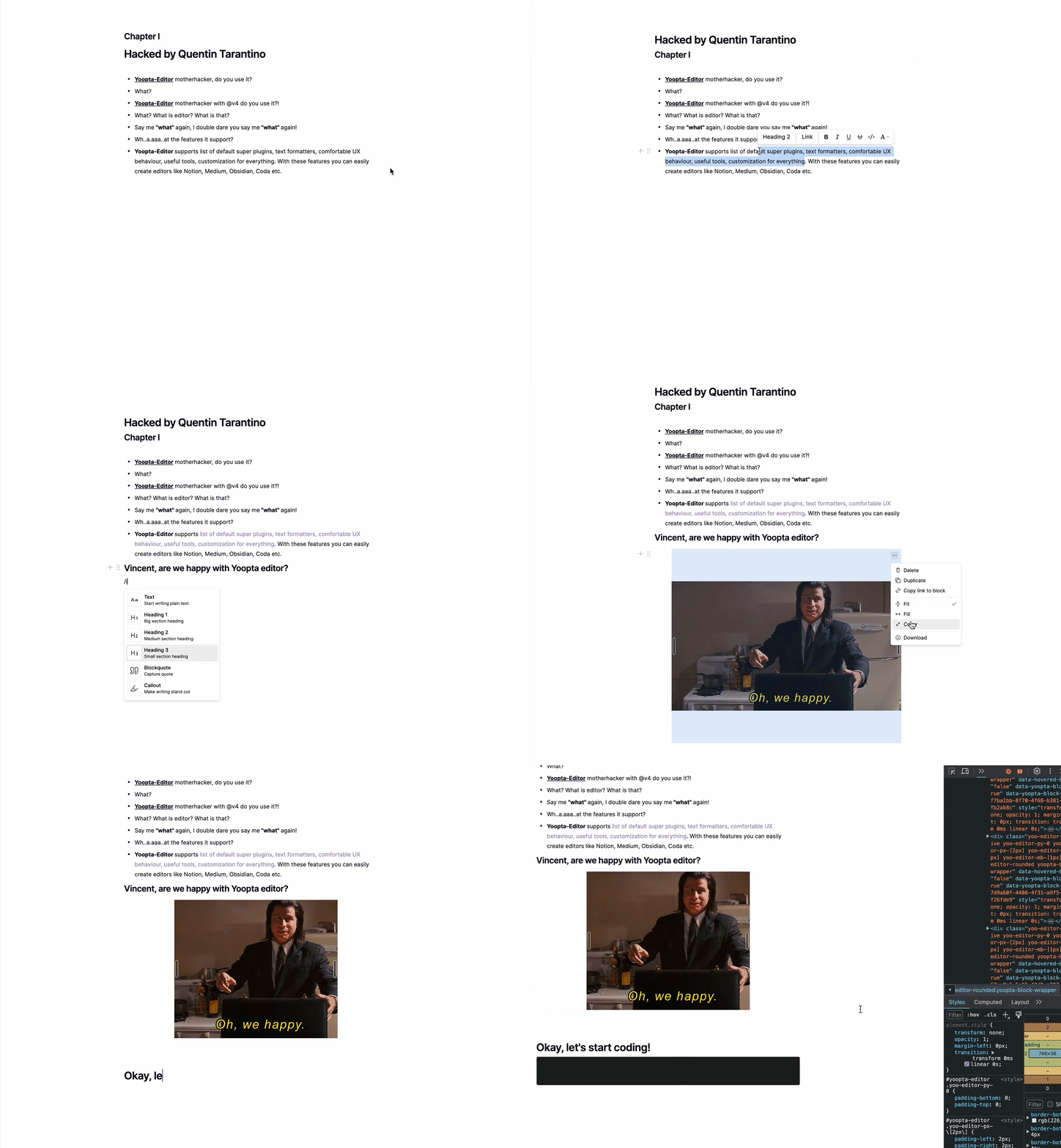
Yoopta-Editor는 React Apps 용으로 구축 된 무료 오픈 소스 리치 텍스트 편집기입니다. 개념, 크래프트, 코다, 중형 등으로 강력하고 사용자 친화적 인 편집기를 구축 할 수있는 기능이 가득합니다.
Yoopta 편집자를 사용하면 필요한 내용에 맞게 모든 것을 사용자 정의 할 수 있습니다. 모양을 조정하고, 멋진 기능을 추가하거나, 완전히 사용자 정의 사용자 인터페이스를 만들고 싶으십니까? 괜찮아요. Yoopta Editor는 모든 작업을 수행 할 수있는 유연성을 제공하여 프로젝트에 완벽한 도구를 쉽게 만들 수 있도록합니다. 이 모든 것이 사용자 정의 가능하고 확장 가능하며 설정하기 쉽습니다!
핵심
플러그인
도구
점수
먼저 하나 이상의 플러그인으로 피어 종속성 및 Yoopta Core 패키지를 설치하십시오.
 # # slate, slate-react, react, react-dom - peer dependencies
# # @yoopta/editor - core package
yarn add slate slate-react @yoopta/editor @yoopta/paragraph
# or
npm install slate slate-react @yoopta/editor @yoopta/paragraphCore Package에서 가져 오기 @yoopta/편집기 편집자 구성 요소 및 기능을 작성하여 편집기 인스턴스를 생성합니다.
 import YooptaEditor , { createYooptaEditor } from '@yoopta/editor' ;

const plugins = [ ... ] ;

export default function Editor ( ) {
  const editor = useMemo ( ( ) => createYooptaEditor ( ) , [ ] ) ;
   const [ value , setValue ] = useState < YooptaContentValue > ( ) ;

  const onChange = ( value : YooptaContentValue , options : YooptaOnChangeOptions ) => {
    setValue ( value ) ;
  } ;

  return (
    < div >
      < YooptaEditor
        editor = { editor }
        plugins = { plugins }
        value = { value }
        onChange = { onChange }
      />
    </ div >
  ) ;
}
Yooptaeditor 구성 요소에 사용 가능한 소품
 type YooptaEditor = {
  /* editor instance */
  editor : YooEditor ;
  /* list of plugins */
  plugins : YooptaPlugin [ ] ;
  /* list of marks */
  marks ?: YooptaMark < any > [ ] ;
  /* Value. [Default] - undefined */
  value ?: YooptaContentValue ;
  /* Change handler  */
  onChange ?: ( value : YooptaContentValue , options : YooptaOnChangeOptions ) => void ;
  /* autoFocus. [Default] - true */
  autoFocus ?: boolean ;
  /* className - class name */
  className ?: string ;
  /* These props define the area for the selection box.
  Good practice - passing parent element.
  [Default] - document */
  selectionBoxRoot ?: HTMLElement | React . MutableRefObject < HTMLElement | null > | false ;
  children ?: React . ReactNode ;
  /* Props for tools. You can get access to any passed tools using `useTools` hook from @yoopta/editor  */
  tools ?: Partial < Tools > ;
  placeholder ?: string ;
  readOnly ?: boolean ;
  /* Width. [Default] - 400px. Will be DEPRECATED, use style object  */
  width ?: number | string ;
  /* Style CSS Object. [Default] - { width: '400px', paddingBottom: '100px' } */
  style ?: number | string ;
  /* Id for your editor instance. Can be useful for multiple editors */
  id ?: number | string ;
} ;다음은 사용 가능한 플러그인 목록입니다
 import YooptaEditor , { createYooptaEditor } from '@yoopta/editor' ;
import Paragraph from '@yoopta/paragraph' ;
import Blockquote from '@yoopta/blockquote' ;

const plugins = [ Paragraph , Blockquote ] ;

export default function Editor ( ) {
  const editor = useMemo ( ( ) => createYooptaEditor ( ) , [ ] ) ;
  const [ value , setValue ] = useState < YooptaContentValue > ( ) ;
  const onChange = ( value : YooptaContentValue , options : YooptaOnChangeOptions ) => {
    setValue ( value ) ;
  } ;

  return (
    < div >
      < YooptaEditor
        editor = { editor }
        placeholder = "Type text.."
        value = { value }
        onChange = { onChange }
        // here we go
        plugins = { plugins }
      />
    </ div >
  ) ;
}
플러그인으로 코드를 확인하십시오
Yoopta 편집자는 편집자와 함께 일할 때 도움이되는 유용한 도구를 제공합니다.
다음은 사용 가능한 도구 목록입니다
도구로 코드를 확인하십시오
 // IMPORT TOOLS
import LinkTool , { DefaultLinkToolRender } from '@yoopta/link-tool' ;
import ActionMenu , { DefaultActionMenuRender } from '@yoopta/action-menu-list' ;
import Toolbar , { DefaultToolbarRender } from '@yoopta/toolbar' ;

// Tools should be defined outside component
const TOOLS = {
  Toolbar : {
    tool : Toolbar ,
    render : DefaultToolbarRender ,
  } ,
  ActionMenu : {
    tool : ActionMenu ,
    render : DefaultActionMenuRender ,
  } ,
  LinkTool : {
    tool : LinkTool ,
    render : DefaultLinkToolRender ,
  } ,
} ;

export default function Editor ( ) {
  const editor = useMemo ( ( ) => createYooptaEditor ( ) , [ ] ) ;
  const [ value , setValue ] = useState < YooptaContentValue > ( ) ;
  const onChange = ( value : YooptaContentValue , options : YooptaOnChangeOptions ) => {
    setValue ( value ) ;
  } ;

  return (
    < div >
      < YooptaEditor
        editor = { editor }
        plugins = { plugins }
        placeholder = "Type text.."
        value = { value }
        onChange = { onChange }
        // here we go
        tools = { TOOLS }
      />
    </ div >
  ) ;
}마크는 간단한 텍스트 형식입니다
다음은 @yoopta/marks 패키지에서 사용 가능한 마크 목록입니다.
 // IMPORT MARKS
import { Bold , Italic , CodeMark , Underline , Strike , Highlight } from '@yoopta/marks' ;

const MARKS = [ Bold , Italic , CodeMark , Underline , Strike , Highlight ] ;

export default function Editor ( ) {
  const editor = useMemo ( ( ) => createYooptaEditor ( ) , [ ] ) ;
   const [ value , setValue ] = useState < YooptaContentValue > ( ) ;

  const onChange = ( value : YooptaContentValue , options : YooptaOnChangeOptions ) => {
    setValue ( value ) ;
  } ;

  return (
    < div >
      < YooptaEditor
        editor = { editor }
        placeholder = "Type text.."
        plugins = { plugins }
        value = { value }
        onChange = { onChange }
        tools = { TOOLS }
        // here we go
        marks = { MARKS }
      />
    </ div >
  ) ;
}
마크로 코드를 확인하십시오
프로젝트에서 Yoopta 편집자를 활용하는 유용한 예를 아래에서 찾으십시오. 이 예제는 신속하게 시작하여 편집자를 필요에 맞게 통합하고 사용자 정의하는 것이 얼마나 쉬운 지 보여줍니다.
좋아, 가자!
Yoopta 편집기가 프로젝트에 유용하고 가치있는 것을 발견하면 Github 의이 Repo ️ Star에 제공함으로써 귀하의 지원을 보여 주도록 친절하게 요청합니다. 당신의 감사는 나에게 많은 것을 의미하며 커뮤니티의 편집자를 계속 성장시키고 개선하는 데 도움이됩니다. ?
이봐! 이 프로젝트가 유용하거나 업무에 도움이된다면 지속적인 개선 및 개발을 보장하기 위해이를 지원하는 것을 고려하십시오. 귀하의 기부금은 프로젝트를 계속 유지하고 더 많은 시간과 자원을 유지하고 유지하는 데 투자 할 수 있도록 도와줍니다.
프로젝트를 지원할 수 있습니다.
크든 작은 모든 기여는 감사하며 프로젝트를 유지하고 흥미로운 새로운 기능을 추가하는 데 도움이됩니다. 지원해 주셔서 감사합니다!
 packages/
├── core - core components of the editor
├── marks - text marks
├── plugins - editor plugin extensions
├── tools - tools packages
└── development - developer playground
Yoopta Editor를 지원할 준비가 되었다면 다음과 같은 방법이 있습니다.
Yoopta 편집자는 MIT 라이센스에 따라 릴리스됩니다. 프로젝트를 위해 자유롭게 사용하고 수정하십시오.






