Yoopta Editor
v4.9.3

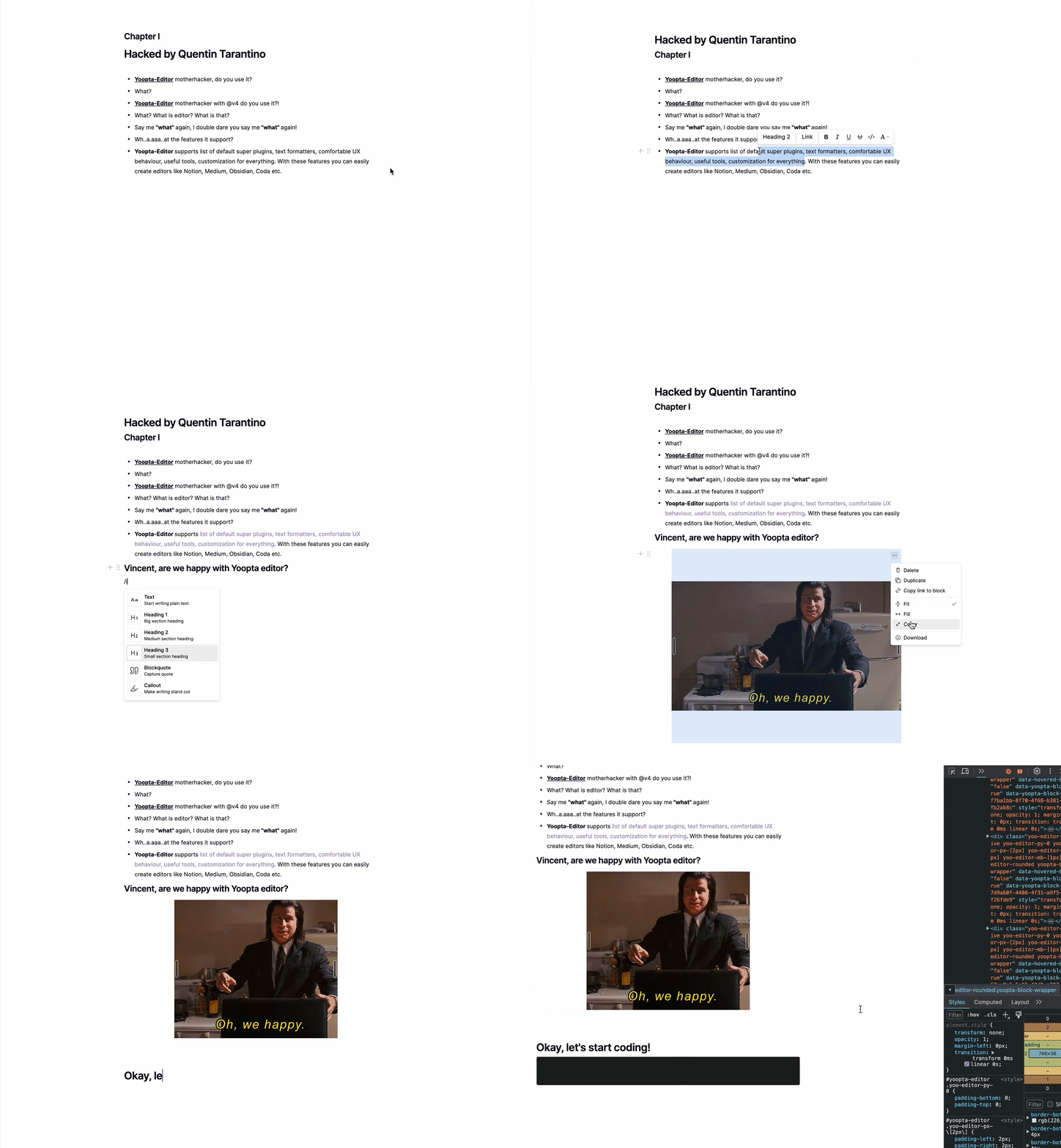
Yoopta-Editorは、Reactアプリ向けに構築された無料のオープンソースリッチテキストエディターです。概念、クラフト、コーダ、メディアなどと同じくらい強力でユーザーフレンドリーなエディターを構築できる機能が満載です。
Yoopta-Editorを使用すると、必要なものに正確にフィットするようにすべてをカスタマイズできます。外観を微調整したり、クールな機能を追加したり、完全にカスタムユーザーインターフェイスを作成したりしたいですか?問題ない。 Yoopta-Editorは、すべてを実行する柔軟性を提供するため、プロジェクトに最適なツールを簡単に作成できます。これらはすべて、カスタマイズ可能で、拡張可能で、セットアップが簡単です!
コア
プラグイン
ツール
マーク
まず、少なくとも1つのプラグインを使用して、ピア依存関係とYooptaコアパッケージをインストールします
 # # slate, slate-react, react, react-dom - peer dependencies
# # @yoopta/editor - core package
yarn add slate slate-react @yoopta/editor @yoopta/paragraph
# or
npm install slate slate-react @yoopta/editor @yoopta/paragraphコアパッケージからインポート@yoopta/editorエディターコンポーネントと機能エディターインスタンスを作成する
 import YooptaEditor , { createYooptaEditor } from '@yoopta/editor' ;

const plugins = [ ... ] ;

export default function Editor ( ) {
  const editor = useMemo ( ( ) => createYooptaEditor ( ) , [ ] ) ;
   const [ value , setValue ] = useState < YooptaContentValue > ( ) ;

  const onChange = ( value : YooptaContentValue , options : YooptaOnChangeOptions ) => {
    setValue ( value ) ;
  } ;

  return (
    < div >
      < YooptaEditor
        editor = { editor }
        plugins = { plugins }
        value = { value }
        onChange = { onChange }
      />
    </ div >
  ) ;
}
yooptaeditorコンポーネント用の利用可能な小道具
 type YooptaEditor = {
  /* editor instance */
  editor : YooEditor ;
  /* list of plugins */
  plugins : YooptaPlugin [ ] ;
  /* list of marks */
  marks ?: YooptaMark < any > [ ] ;
  /* Value. [Default] - undefined */
  value ?: YooptaContentValue ;
  /* Change handler  */
  onChange ?: ( value : YooptaContentValue , options : YooptaOnChangeOptions ) => void ;
  /* autoFocus. [Default] - true */
  autoFocus ?: boolean ;
  /* className - class name */
  className ?: string ;
  /* These props define the area for the selection box.
  Good practice - passing parent element.
  [Default] - document */
  selectionBoxRoot ?: HTMLElement | React . MutableRefObject < HTMLElement | null > | false ;
  children ?: React . ReactNode ;
  /* Props for tools. You can get access to any passed tools using `useTools` hook from @yoopta/editor  */
  tools ?: Partial < Tools > ;
  placeholder ?: string ;
  readOnly ?: boolean ;
  /* Width. [Default] - 400px. Will be DEPRECATED, use style object  */
  width ?: number | string ;
  /* Style CSS Object. [Default] - { width: '400px', paddingBottom: '100px' } */
  style ?: number | string ;
  /* Id for your editor instance. Can be useful for multiple editors */
  id ?: number | string ;
} ;これが利用可能なプラグインのリストです
 import YooptaEditor , { createYooptaEditor } from '@yoopta/editor' ;
import Paragraph from '@yoopta/paragraph' ;
import Blockquote from '@yoopta/blockquote' ;

const plugins = [ Paragraph , Blockquote ] ;

export default function Editor ( ) {
  const editor = useMemo ( ( ) => createYooptaEditor ( ) , [ ] ) ;
  const [ value , setValue ] = useState < YooptaContentValue > ( ) ;
  const onChange = ( value : YooptaContentValue , options : YooptaOnChangeOptions ) => {
    setValue ( value ) ;
  } ;

  return (
    < div >
      < YooptaEditor
        editor = { editor }
        placeholder = "Type text.."
        value = { value }
        onChange = { onChange }
        // here we go
        plugins = { plugins }
      />
    </ div >
  ) ;
}
プラグインを使用してコードを確認してください
Yoopta-Editorは、編集者と協力するときに役立つ便利なツールを提供します
これが利用可能なツールのリストです
ツールを使用してコードを確認してください
 // IMPORT TOOLS
import LinkTool , { DefaultLinkToolRender } from '@yoopta/link-tool' ;
import ActionMenu , { DefaultActionMenuRender } from '@yoopta/action-menu-list' ;
import Toolbar , { DefaultToolbarRender } from '@yoopta/toolbar' ;

// Tools should be defined outside component
const TOOLS = {
  Toolbar : {
    tool : Toolbar ,
    render : DefaultToolbarRender ,
  } ,
  ActionMenu : {
    tool : ActionMenu ,
    render : DefaultActionMenuRender ,
  } ,
  LinkTool : {
    tool : LinkTool ,
    render : DefaultLinkToolRender ,
  } ,
} ;

export default function Editor ( ) {
  const editor = useMemo ( ( ) => createYooptaEditor ( ) , [ ] ) ;
  const [ value , setValue ] = useState < YooptaContentValue > ( ) ;
  const onChange = ( value : YooptaContentValue , options : YooptaOnChangeOptions ) => {
    setValue ( value ) ;
  } ;

  return (
    < div >
      < YooptaEditor
        editor = { editor }
        plugins = { plugins }
        placeholder = "Type text.."
        value = { value }
        onChange = { onChange }
        // here we go
        tools = { TOOLS }
      />
    </ div >
  ) ;
}マークは単純なテキスト形式です
@yoopta/marksパッケージから利用可能なマークのリストは次のとおりです
 // IMPORT MARKS
import { Bold , Italic , CodeMark , Underline , Strike , Highlight } from '@yoopta/marks' ;

const MARKS = [ Bold , Italic , CodeMark , Underline , Strike , Highlight ] ;

export default function Editor ( ) {
  const editor = useMemo ( ( ) => createYooptaEditor ( ) , [ ] ) ;
   const [ value , setValue ] = useState < YooptaContentValue > ( ) ;

  const onChange = ( value : YooptaContentValue , options : YooptaOnChangeOptions ) => {
    setValue ( value ) ;
  } ;

  return (
    < div >
      < YooptaEditor
        editor = { editor }
        placeholder = "Type text.."
        plugins = { plugins }
        value = { value }
        onChange = { onChange }
        tools = { TOOLS }
        // here we go
        marks = { MARKS }
      />
    </ div >
  ) ;
}
マークでコードを確認してください
あなたのプロジェクトでYoopta-Editorを利用する以下の有用な例を見つけてください。これらの例は、迅速に開始し、エディターをニーズに合わせてカスタマイズすることがどれほど簡単かを示すのに役立ちます。
さて、行こう!
Yoopta-Editorがプロジェクトに役立つ価値があると思う場合は、GitHubでこのレポピアーに提供することで、サポートをお願いします。あなたの感謝は私にとって大きな意味があり、私が成長し、コミュニティの編集者を改善し続けるのを助けます。 ?
ちょっと、そこ!このプロジェクトが有用であるか、それがあなたの仕事に役立つ場合は、継続的な改善と開発を確保するためにそれをサポートすることを検討してください。あなたの寄付は、プロジェクトを生かし続け、より多くの時間とリソースを維持と強化に投資できるようになります。
プロジェクトをサポートできます。
大小を問わず、あらゆる貢献が高く評価されており、プロジェクトを維持し、エキサイティングな新機能を追加するのに役立ちます。ご支援ありがとうございます!
 packages/
├── core - core components of the editor
├── marks - text marks
├── plugins - editor plugin extensions
├── tools - tools packages
└── development - developer playground
Yoopta-Editorをサポートする準備ができている場合は、これができる方法です。
Yoopta-EditorはMITライセンスの下でリリースされます。プロジェクトに使用して変更してください。






