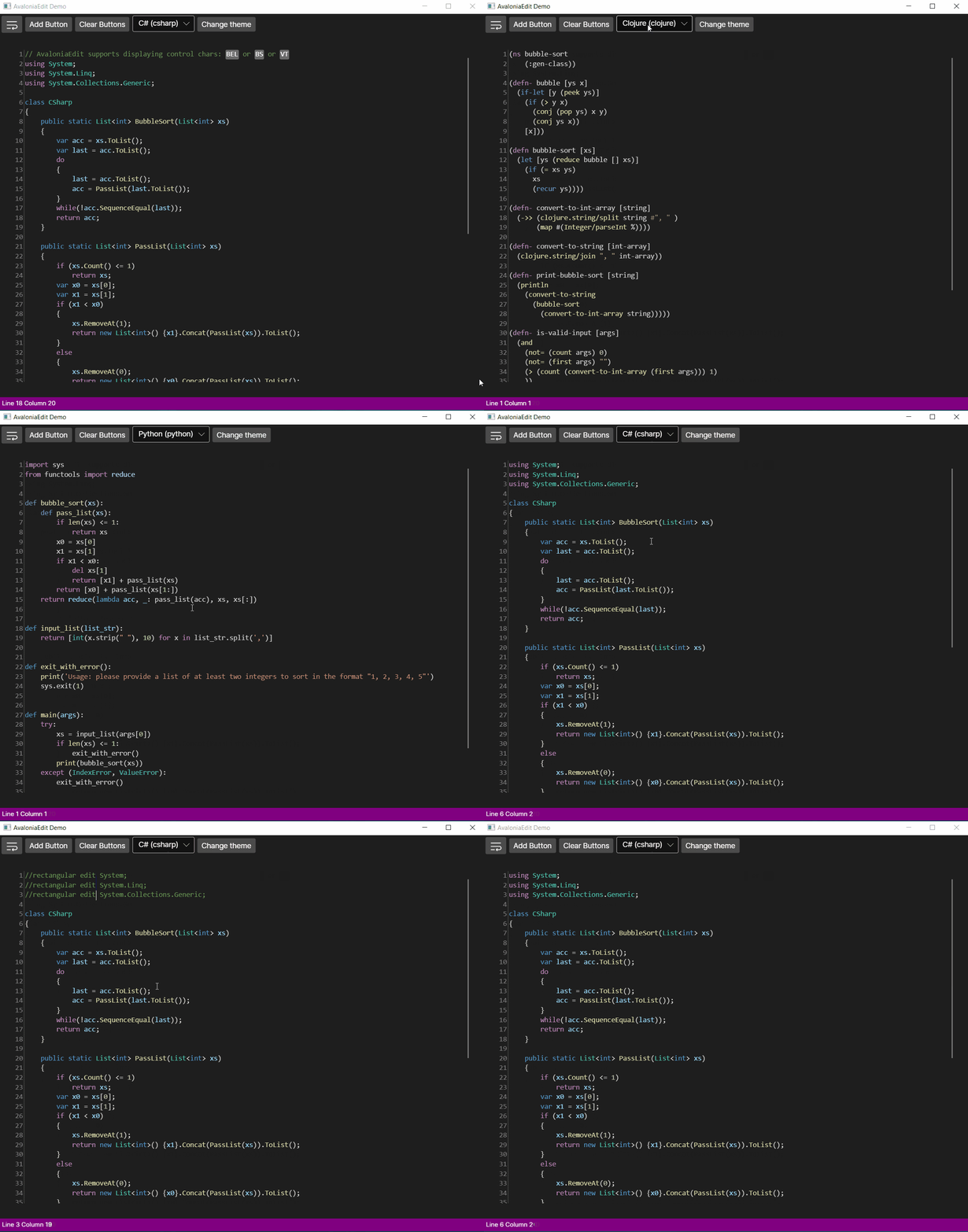
AvaloniaEdit
11.1.0

이 프로젝트는 Avalonia의 WPF 기반 텍스트 편집기 인 Avalonedit의 항구입니다.
Avaloniedit는 다음과 같은 기능을 지원합니다.
그리고 많은, 더 많은 것!
AvaloniaEdit는 현재 2 개의 패키지로 구성됩니다
<PackageReference Include="Avalonia.AvaloniaEdit" Version="xyzt" />App.xaml 에 필요한 스타일을 <Application.Styles> 에 포함시킵니다.0.10.xy 기반 버전을 사용하는 경우 <StyleInclude Source="avares://AvaloniaEdit/AvaloniaEdit.xaml" /> 포함하십시오.11.xy 기반 버전 인 경우 <StyleInclude Source="avares://AvaloniaEdit/Themes/Fluent/AvaloniaEdit.xaml" /> 포함하십시오< Window xmlns = " https://github.com/avaloniaui "
...
xmlns : AvaloniaEdit = " clr-namespace:AvaloniaEdit;assembly=AvaloniaEdit "
...>
...
< AvaloniaEdit : TextEditor Text = " Hello AvaloniaEdit! "
ShowLineNumbers = " True "
FontFamily = " Cascadia Code,Consolas,Menlo,Monospace " />
...
</ Window >데모 응용 프로그램을 참조로 볼 수 있습니다.
우선, TextMatesharp에서 지원하는 문법을 사용하려면 다음 패키지를 설치해야합니다.
또는 자신의 문법을 지원하려면 AvaloniaEdit.textMate 패키지를 설치하고 IREGESTRIONOPTIONS 인터페이스를 구현하면 현재 가장 쉬운 방법입니다.
 //First of all you need to have a reference for your TextEditor for it to be used inside AvaloniaEdit.TextMate project.
var _textEditor = this . FindControl < TextEditor > ( "Editor" ) ;

//Here we initialize RegistryOptions with the theme we want to use.
var  _registryOptions = new RegistryOptions ( ThemeName . DarkPlus ) ;

//Initial setup of TextMate.
var _textMateInstallation = _textEditor . InstallTextMate ( _registryOptions ) ;

//Here we are getting the language by the extension and right after that we are initializing grammar with this language.
//And that's all ?, you are ready to use AvaloniaEdit with syntax highlighting!
_textMateInstallation . SetGrammar ( _registryOptions . GetScopeByLanguageId ( _registryOptions . GetLanguageByExtension ( ".cs" ) . Id ) ) ;