AvaloniaEdit
11.1.0

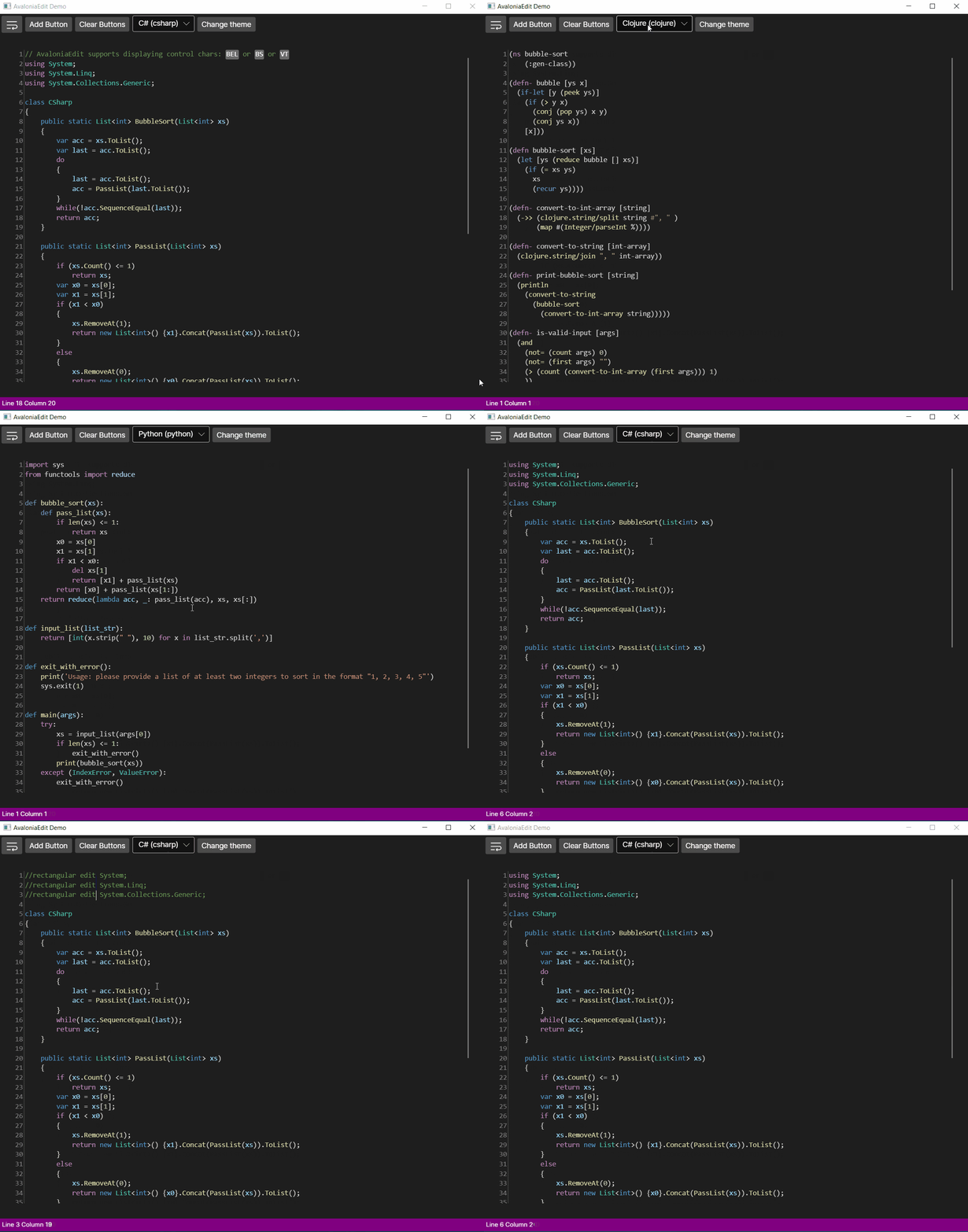
هذا المشروع عبارة عن ميناء من Avalonedit ، وهو محرر نصوص قائم على WPF لـ Avalonia.
يدعم AvaloniAedit ميزات مثل:
والكثير ، الكثير!
يتكون AvaloniAedit حاليًا من 2 حزمة
<PackageReference Include="Avalonia.AvaloniaEdit" Version="xyzt" /><Application.Styles> في App.xaml الخاص بك:0.10.xy ، قم بتضمين <StyleInclude Source="avares://AvaloniaEdit/AvaloniaEdit.xaml" />11.xy ، فقم بتضمين <StyleInclude Source="avares://AvaloniaEdit/Themes/Fluent/AvaloniaEdit.xaml" />< Window xmlns = " https://github.com/avaloniaui "
...
xmlns : AvaloniaEdit = " clr-namespace:AvaloniaEdit;assembly=AvaloniaEdit "
...>
...
< AvaloniaEdit : TextEditor Text = " Hello AvaloniaEdit! "
ShowLineNumbers = " True "
FontFamily = " Cascadia Code,Consolas,Menlo,Monospace " />
...
</ Window >يمكنك رؤية التطبيق التجريبي كمرجع.
بادئ ذي بدء ، إذا كنت ترغب في استخدام القواعد التي تدعمها TextMatesharp ، فيجب تثبيت الحزم التالية:
بدلاً من ذلك ، إذا كنت ترغب في دعم القواعد الخاصة بك ، فأنت بحاجة فقط إلى تثبيت حزمة AvaloniAedit.textmate ، وتنفيذ واجهة IregistryOptions ، فهذه هي أسهل طريقة في حال كنت ترغب في استخدام AvaloniAdit مع مجموعة من القواعد المختلفة من TextMateshrammars.
 //First of all you need to have a reference for your TextEditor for it to be used inside AvaloniaEdit.TextMate project.
var _textEditor = this . FindControl < TextEditor > ( "Editor" ) ;

//Here we initialize RegistryOptions with the theme we want to use.
var  _registryOptions = new RegistryOptions ( ThemeName . DarkPlus ) ;

//Initial setup of TextMate.
var _textMateInstallation = _textEditor . InstallTextMate ( _registryOptions ) ;

//Here we are getting the language by the extension and right after that we are initializing grammar with this language.
//And that's all ?, you are ready to use AvaloniaEdit with syntax highlighting!
_textMateInstallation . SetGrammar ( _registryOptions . GetScopeByLanguageId ( _registryOptions . GetLanguageByExtension ( ".cs" ) . Id ) ) ;