wifimenu
1.0.0

NetworkManager 및 런처를 사용하여 Wi-Fi 네트워크에 연결하는 Bash 스크립트.
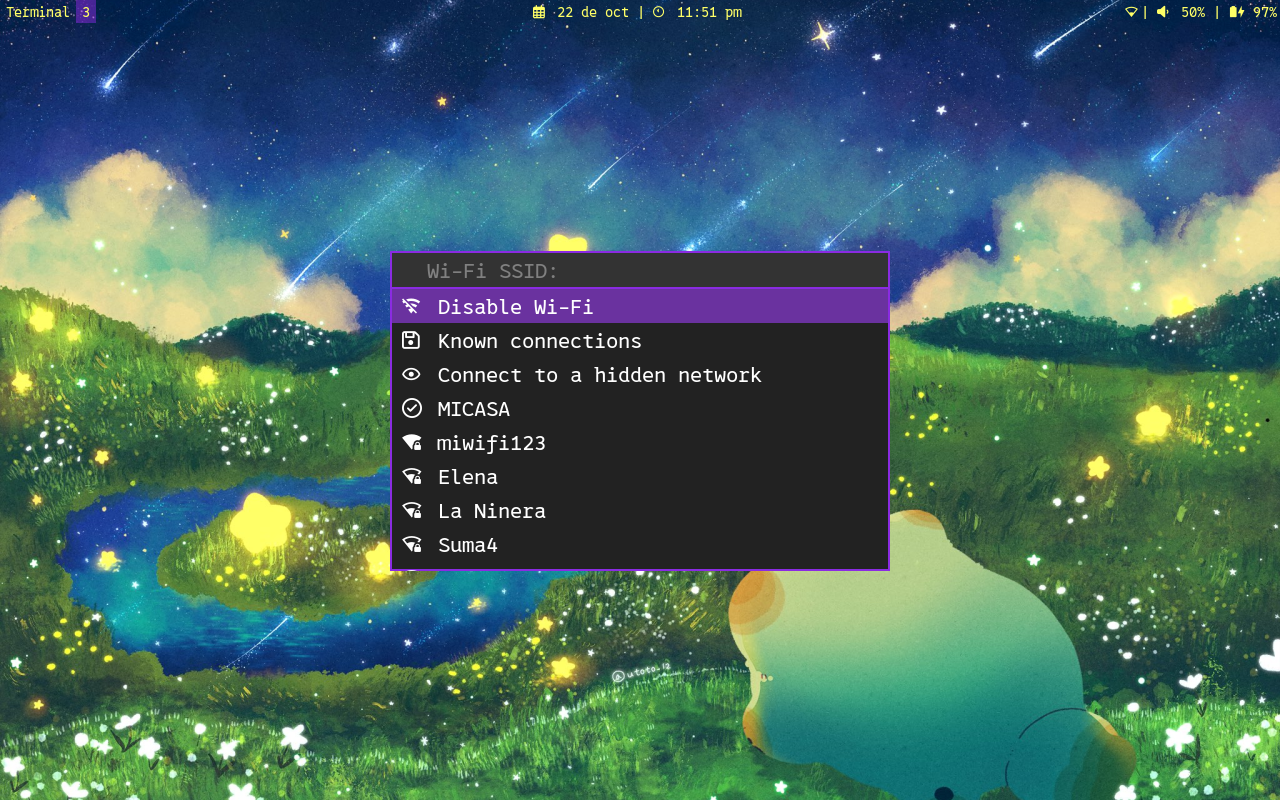
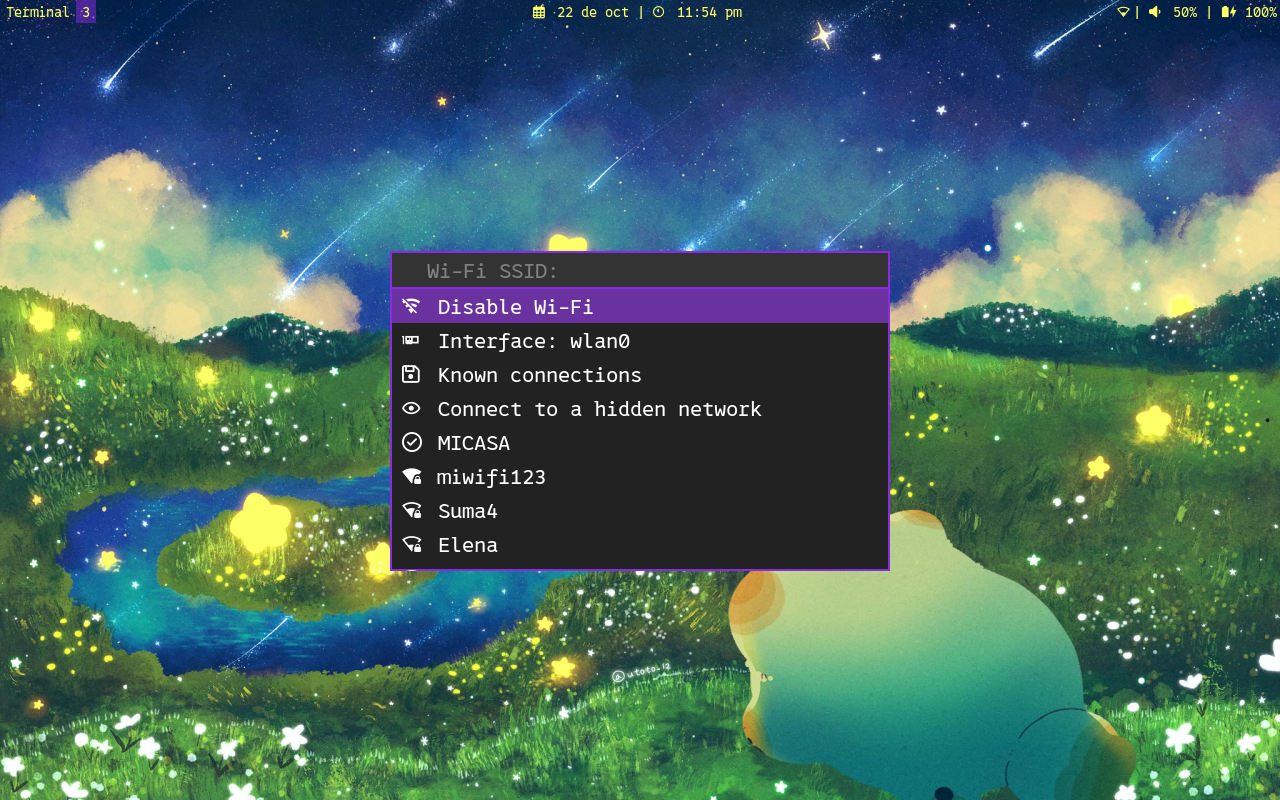
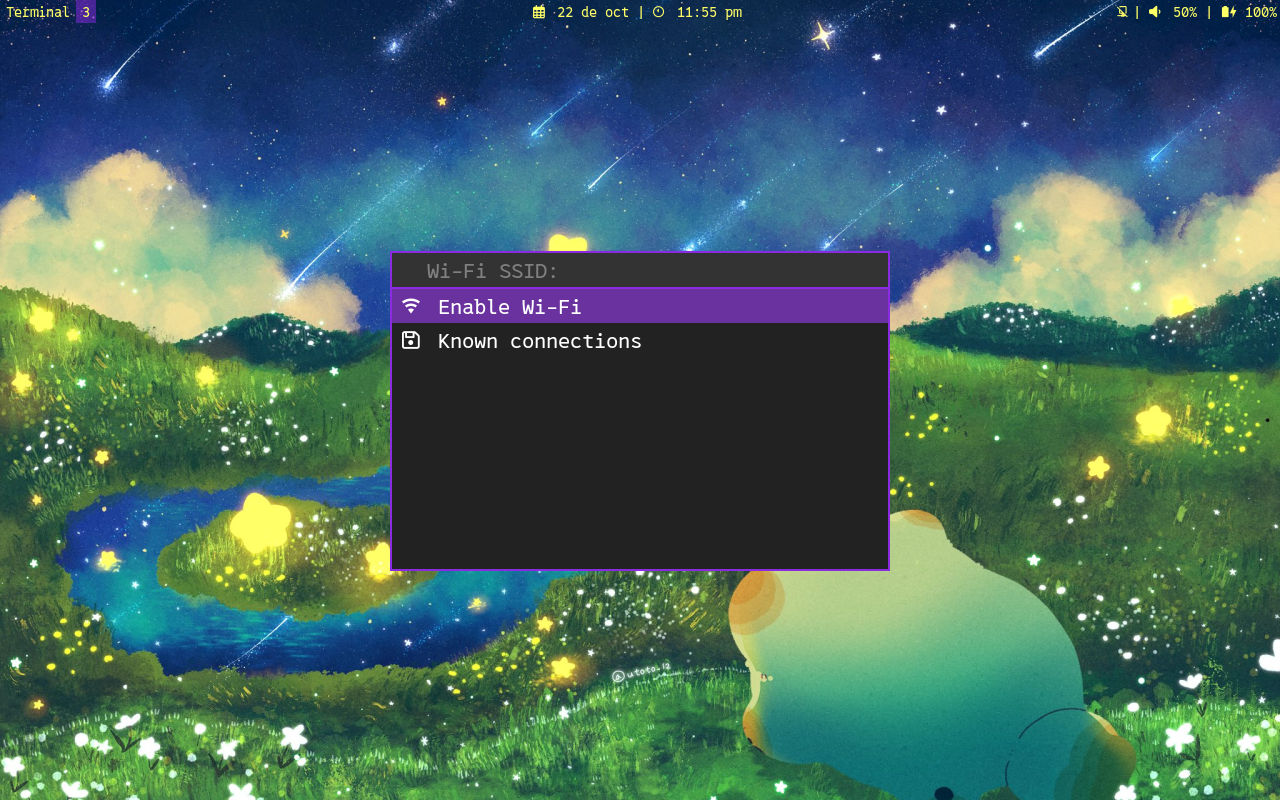
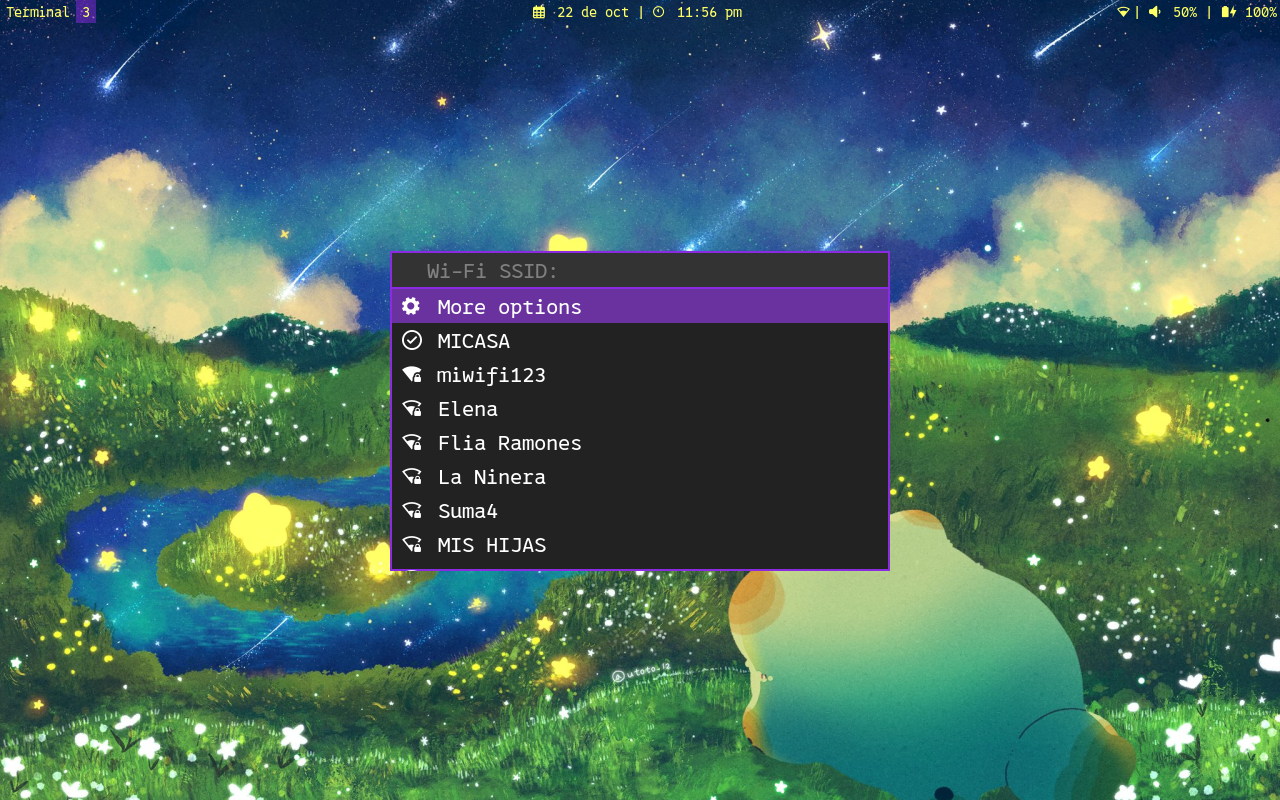
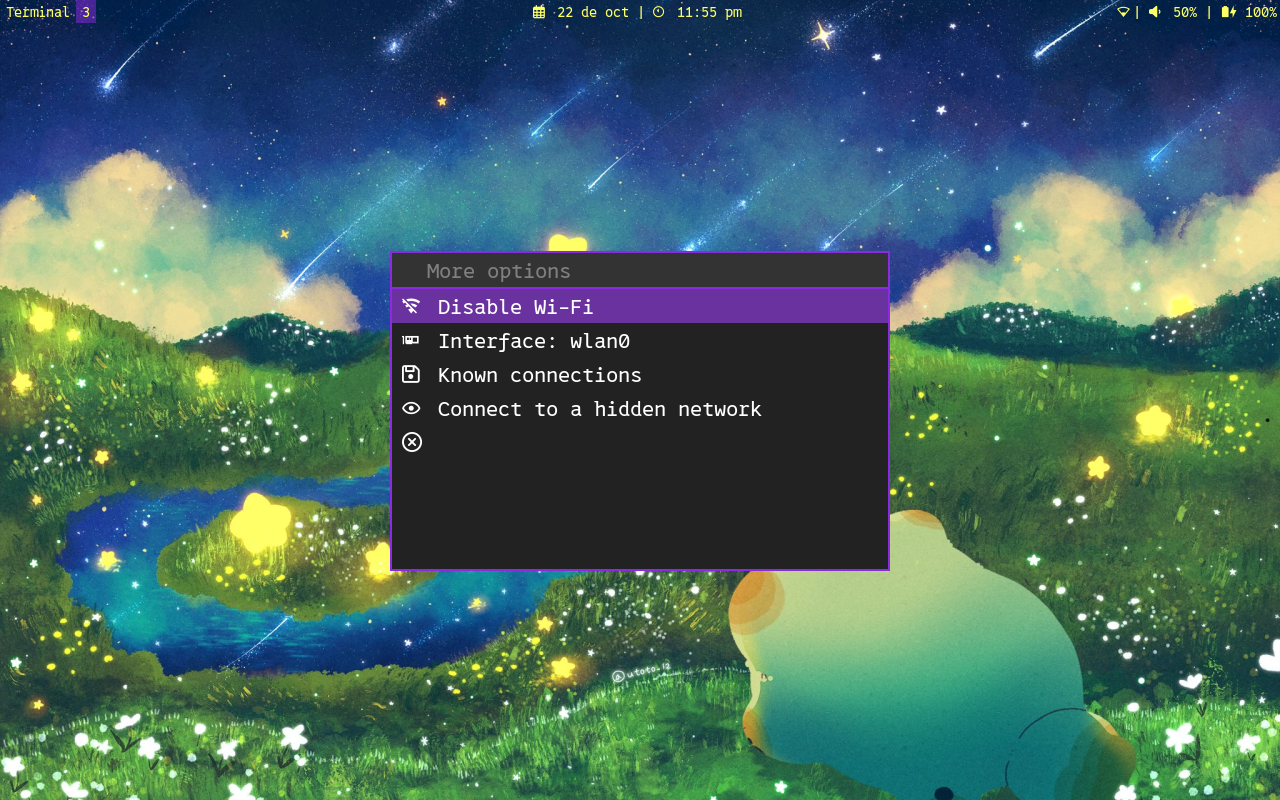
위의 스크린 샷의 런처 스타일에는 포함되지 않습니다.
다음 파일은 해당 순서로 제공됩니다. 파일 중 하나가 발견되면 다음 파일을 검색하지 않습니다.
변수 program_name basename $0 으로 설정됩니다.
스크립트를 업데이트 할 때 수정을 잃지 않도록 구성 파일에서 프로그램을 수정할 수 있습니다. 명령 줄 옵션은이 파일을 덮어 씁니다.
관심있는 일부 변수는 다음과 같습니다.
변수가 설정되어 있다는 것은 값이 할당 된 값 (모든 값)을 의미합니다. 예를 들어:
launcher= ' rofi '    # It's set
submenu=1          # It's set
wireguard=         # It's not set
구성 파일에서 다음 변수를 변경하여 텍스트를 변환 할 수 있습니다.
tr_scanning_networks= ' Scanning networks '
tr_scanning_networks_complete= ' Scanning completed '
tr_submenu_message= ' More options '
tr_disable_message= ' Disable Wi-Fi '
tr_enable_message= ' Enable Wi-Fi '
tr_interface_message= ' Interface: '
tr_known_connections_message= ' Known connections '
tr_autoconnect_message= ' Autoconnect '
tr_ipv4_config_message= ' DHCP configuration '
tr_dns4_message= ' DNS IPv4 '
tr_ipv6_config_message= ' IPv6 configuration '
tr_dns6_message= ' DNS IPv6 '
tr_autoip_message= ' Automatic IP configuration '
tr_autodns_message= ' Automatic DNS '
tr_address_message= ' Addresses '
tr_gateway_message= ' Gateway: '
tr_forget_message= ' Forget connection '
tr_wireguard_message= ' Wireguard connections '
tr_wireguard_enable_message= ' Enable VPN '
tr_rename_connection_message= ' Rename connection '
tr_hidden_message= ' Connect to a hidden network '

tr_main_menu_prompt= ' Wi-Fi SSID: '
tr_select_interface_prompt= ' Interface to use: '
tr_ask_password_prompt= ' Password: '
tr_menu_dns_prompt= ' New DNS: '
tr_menu_dns_sure_prompt_1= ' Remove DNS '
tr_menu_dns_sure_prompt_2= ' ? '
tr_menu_ip_config_addresses_prompt= ' address1/CIDR_mask,address2/CIDR_mask,... '
tr_menu_ip_config_gateway_prompt= ' New gateway: '
tr_menu_addresses_prompt= ' New address: '
tr_menu_addresses_sure_prompt_1= ' Remove address '
tr_menu_addresses_sure_prompt_2= ' ? '
tr_forget_connection_prompt= ' Connection to forget: '
tr_forget_connection_sure_prompt_1= ' Forget '
tr_forget_connection_sure_prompt_2= ' ? '
tr_rename_connection_prompt= ' New name: '
tr_connect_hidden_prompt= ' Network name: '

tr_notice_connected_summary= ' Connected to network '
tr_notice_disconnected_summary= ' Disconnected from network '
tr_notice_error_summary= ' Connection error '
tr_notice_enable_wifi_summary= ' Wi-Fi enabled '
tr_notice_disable_wifi_summary= ' Wi-Fi disabled '
tr_notice_connected_wifi_body= ' Successful connection to Wi-Fi network '
tr_notice_disconnected_wifi_body= ' Successful disconnection from Wi-Fi network '
tr_notice_error_wifi_connection_body= ' An error occurred while trying to connect to the Wi-Fi network '
tr_notice_error_wifi_disconnection_body= ' An error occurred while trying to disconnect to the Wi-Fi network '
tr_notice_connected_vpn_body= ' Successful connection to VPN '
tr_notice_disconnected_vpn_body= ' Successful disconnection from VPN '
tr_notice_error_vpn_connection_body= ' An error occurred while trying to connect to the VPN '
tr_notice_error_vpn_disconnection_body= ' An error occurred while trying to disconnect to the VPN '
tr_notice_enable_wifi_body= ' Wi-Fi was successfully enabled '
tr_notice_disable_wifi_body= ' Wi-Fi was successfully disabled '
와이어 가드 연결은 이미 존재해야합니다. Wireguard 프로파일 파일을 가져 오려면 : Conf :
sudo nmcli connection import type wireguard file /PATH/TO/FILE.conf /PATH/TO/FILE.conf .conf 와이어 가드 파일의 실제 경로로 바꾸십시오.
NetworkManager의 Wireguard Configuration에 대한 자세한 내용은 https://blogs.gnome.org/thaller/2019/03/15/wireguard-in-networkmanager/를 참조하십시오.
Monero :
8C7q6JRYpehXAWotiHhrnQ4PuVKnAJZSVQ1pTM8xXXRtUdS9ofAyrLy6chP5SvmKDN2LWvESLME8W897vdQGf4rM4DQchhwPayPal :
Wifimenu는 무료 소프트웨어입니다. Free Software Foundation, 라이센스의 버전 3 또는 이후 버전에서 게시 한 GNU 일반 공개 라이센스의 조건에 따라 재분배 및/또는 수정할 수 있습니다.
Wifimenu는 유용하지만 보증이 없다는 희망으로 배포됩니다. 상업성 또는 특정 목적에 대한 적합성에 대한 묵시적 보증조차 없습니다. 자세한 내용은 GNU 일반 공개 라이센스를 참조하십시오.
이 프로그램과 함께 GNU 일반 공개 라이센스 사본을 받았어야합니다. 그렇지 않은 경우 https://www.gnu.org/licenses/를 참조하십시오.





