wifimenu
1.0.0

ネットワークマネージャーとランチャーを使用してWi-Fiネットワークに接続するBASHスクリプト。
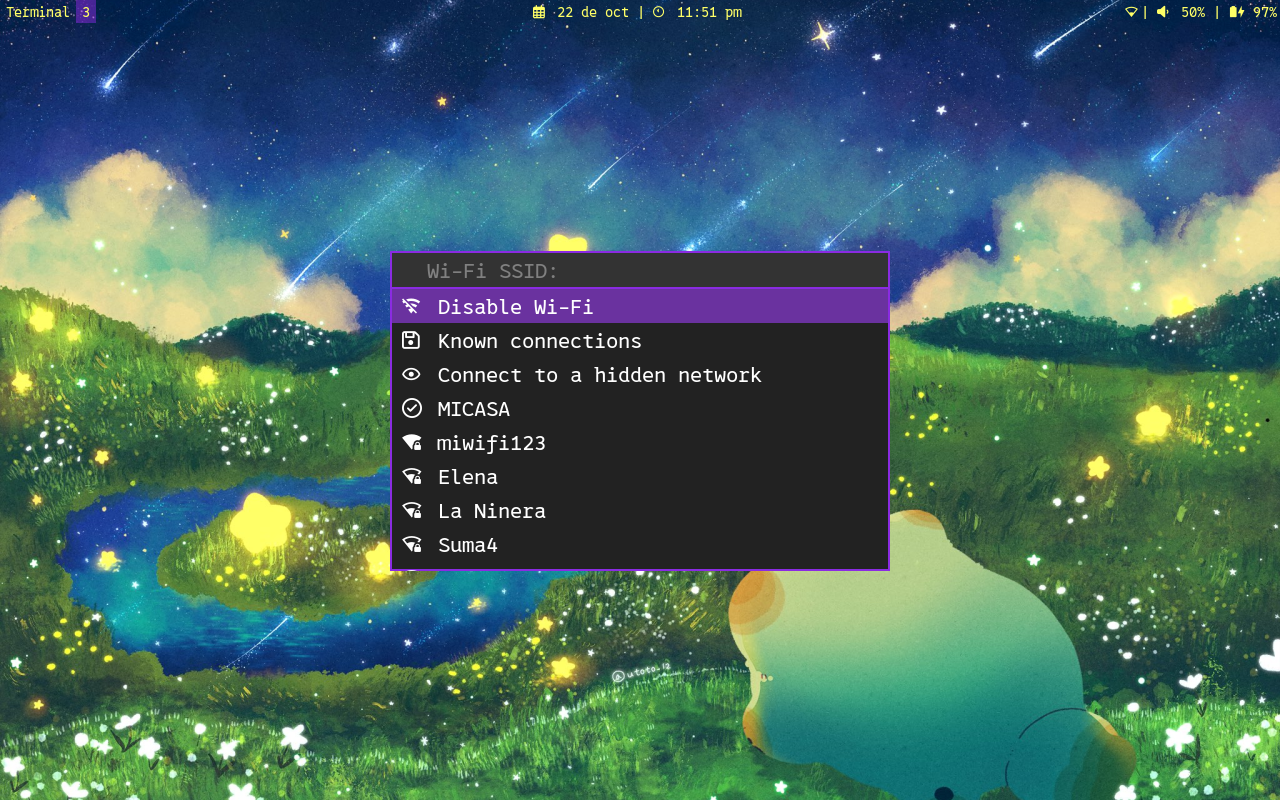
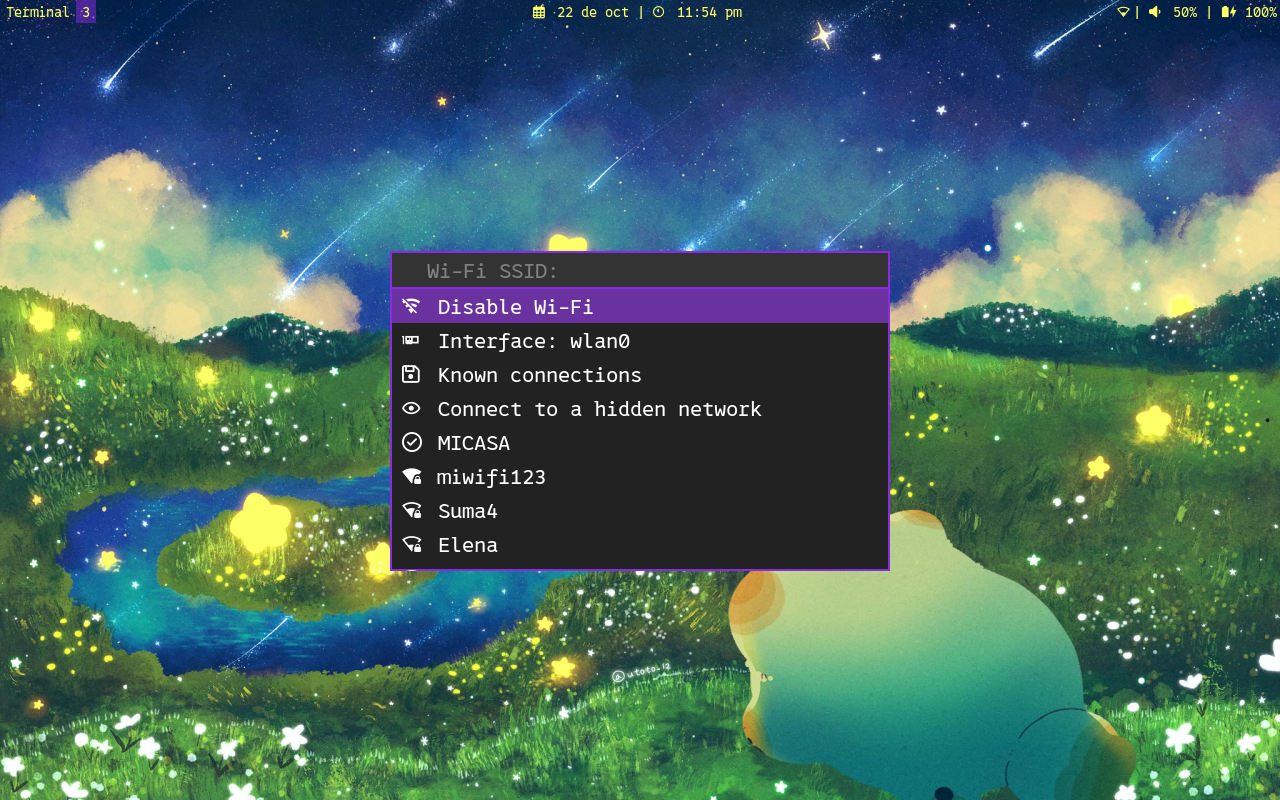
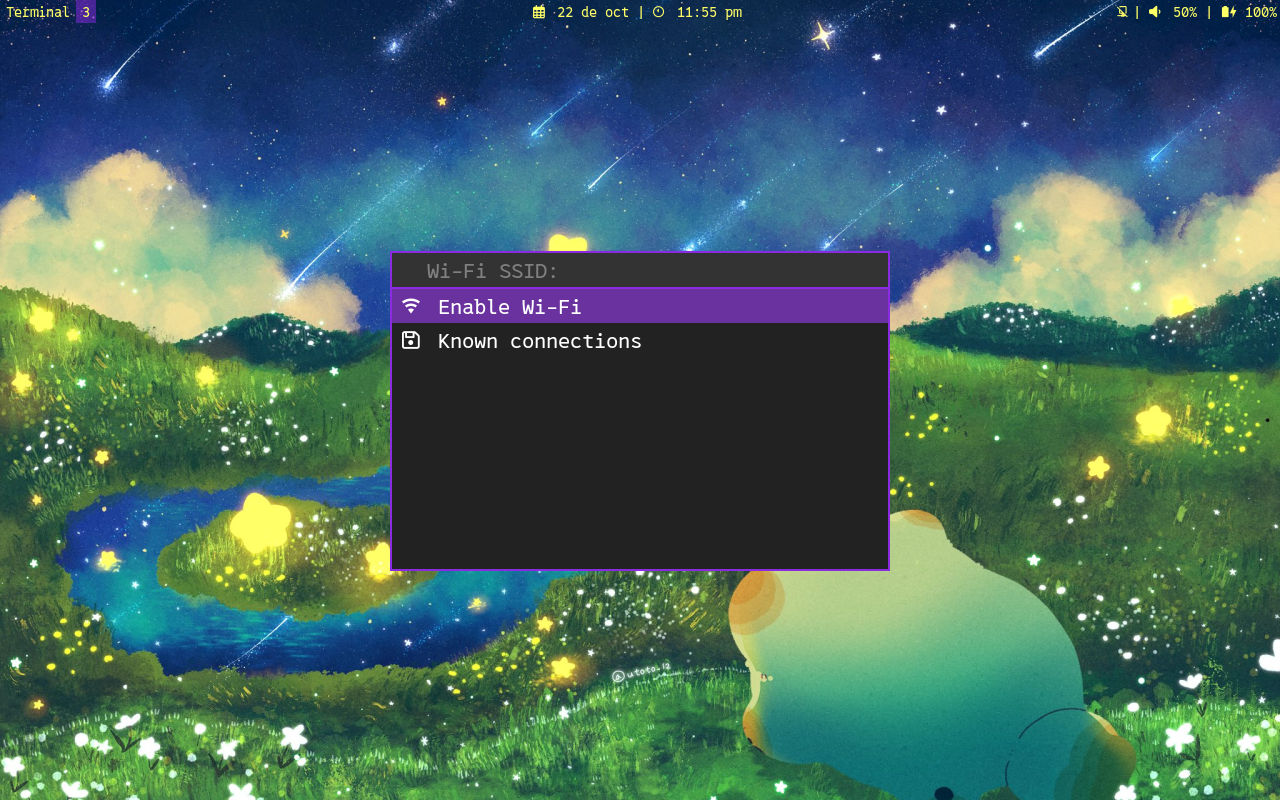
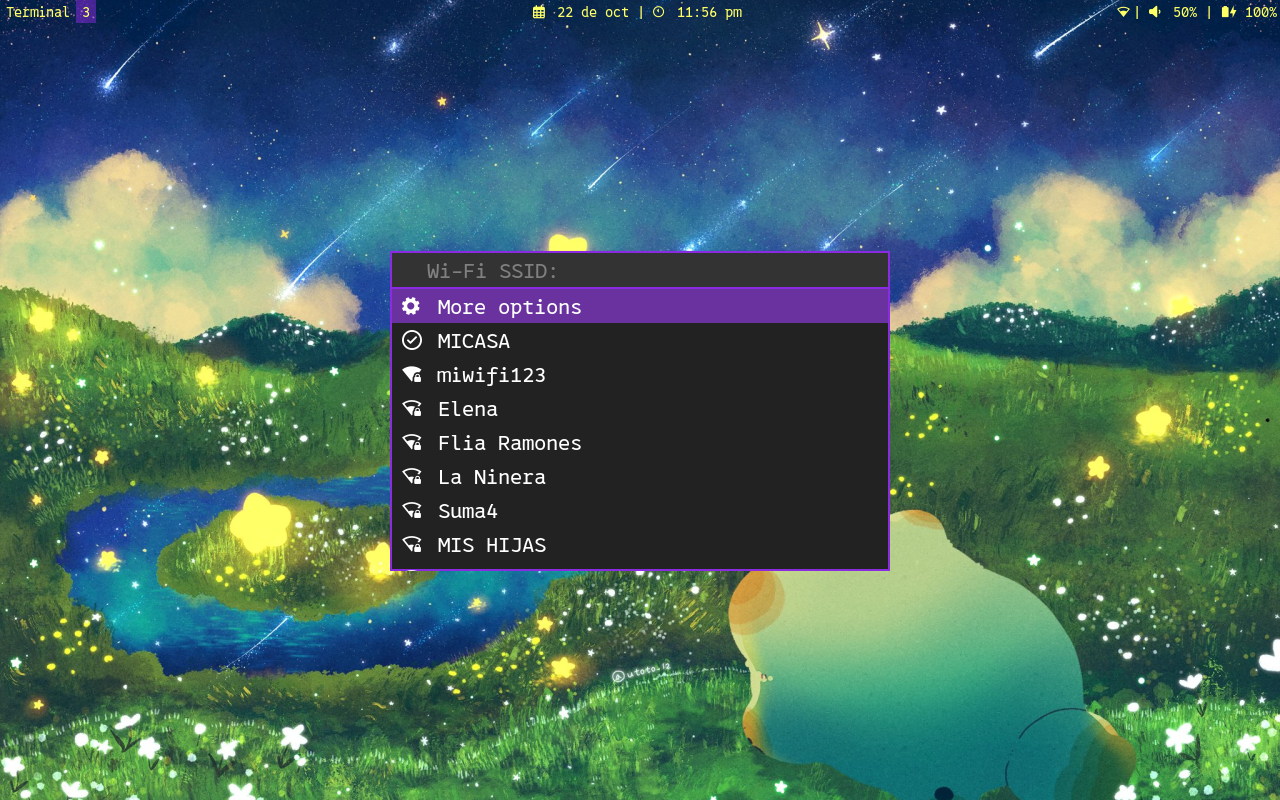
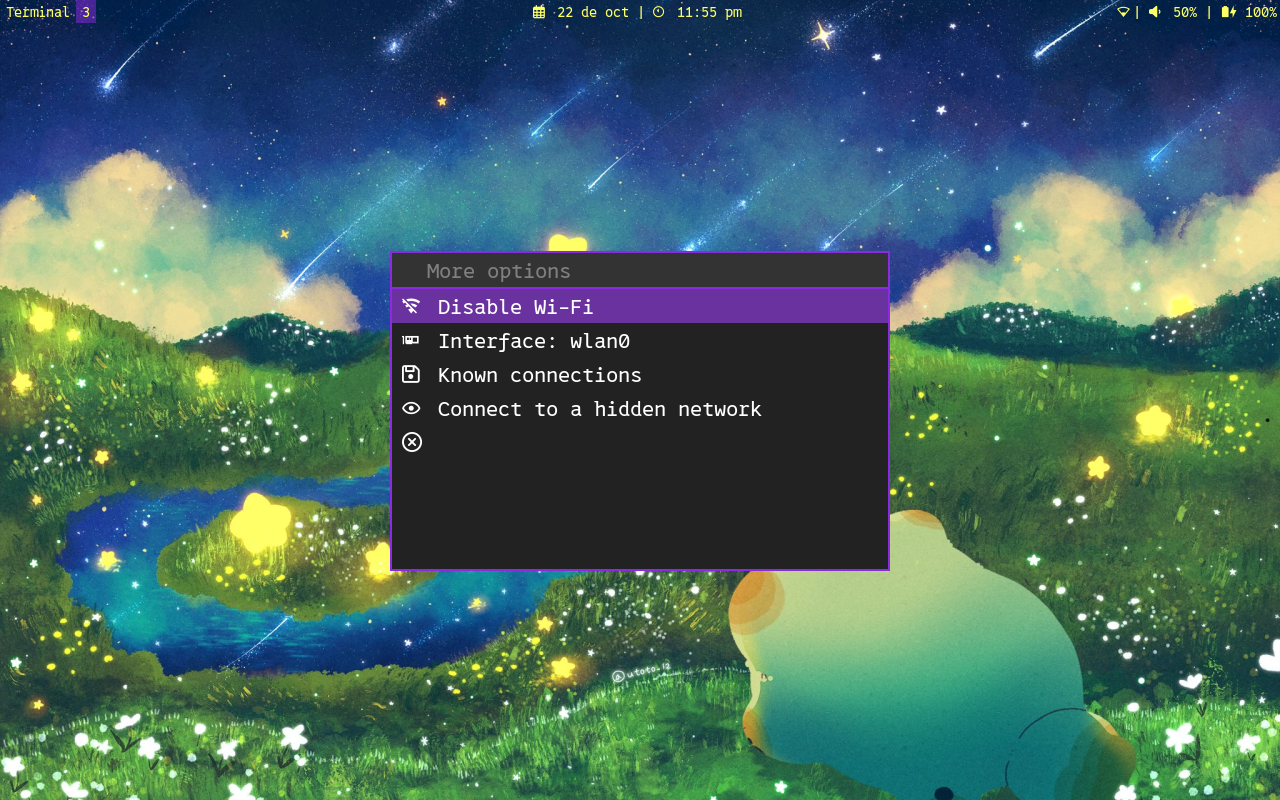
上記のスクリーンショットのランチャースタイルには含まれていません。
次のファイルは、対応する順序で調達されます。ファイルの1つが見つかった場合、次のファイルは検索されません。
Variable program_nameはbasename $0に設定されています。
プログラムの変更は、スクリプトを更新するときに変更を失わないように、構成ファイルで作成できます。コマンドラインオプションこのファイルを上書きします。
関心のあるいくつかの変数は次のとおりです。
変数が設定されていることは、それがそれに割り当てられた値(任意の値)を持っていることを意味します。例えば:
launcher= ' rofi '    # It's set
submenu=1          # It's set
wireguard=         # It's not set
次の変数を構成ファイルで変更して、テキストを変換できます。
tr_scanning_networks= ' Scanning networks '
tr_scanning_networks_complete= ' Scanning completed '
tr_submenu_message= ' More options '
tr_disable_message= ' Disable Wi-Fi '
tr_enable_message= ' Enable Wi-Fi '
tr_interface_message= ' Interface: '
tr_known_connections_message= ' Known connections '
tr_autoconnect_message= ' Autoconnect '
tr_ipv4_config_message= ' DHCP configuration '
tr_dns4_message= ' DNS IPv4 '
tr_ipv6_config_message= ' IPv6 configuration '
tr_dns6_message= ' DNS IPv6 '
tr_autoip_message= ' Automatic IP configuration '
tr_autodns_message= ' Automatic DNS '
tr_address_message= ' Addresses '
tr_gateway_message= ' Gateway: '
tr_forget_message= ' Forget connection '
tr_wireguard_message= ' Wireguard connections '
tr_wireguard_enable_message= ' Enable VPN '
tr_rename_connection_message= ' Rename connection '
tr_hidden_message= ' Connect to a hidden network '

tr_main_menu_prompt= ' Wi-Fi SSID: '
tr_select_interface_prompt= ' Interface to use: '
tr_ask_password_prompt= ' Password: '
tr_menu_dns_prompt= ' New DNS: '
tr_menu_dns_sure_prompt_1= ' Remove DNS '
tr_menu_dns_sure_prompt_2= ' ? '
tr_menu_ip_config_addresses_prompt= ' address1/CIDR_mask,address2/CIDR_mask,... '
tr_menu_ip_config_gateway_prompt= ' New gateway: '
tr_menu_addresses_prompt= ' New address: '
tr_menu_addresses_sure_prompt_1= ' Remove address '
tr_menu_addresses_sure_prompt_2= ' ? '
tr_forget_connection_prompt= ' Connection to forget: '
tr_forget_connection_sure_prompt_1= ' Forget '
tr_forget_connection_sure_prompt_2= ' ? '
tr_rename_connection_prompt= ' New name: '
tr_connect_hidden_prompt= ' Network name: '

tr_notice_connected_summary= ' Connected to network '
tr_notice_disconnected_summary= ' Disconnected from network '
tr_notice_error_summary= ' Connection error '
tr_notice_enable_wifi_summary= ' Wi-Fi enabled '
tr_notice_disable_wifi_summary= ' Wi-Fi disabled '
tr_notice_connected_wifi_body= ' Successful connection to Wi-Fi network '
tr_notice_disconnected_wifi_body= ' Successful disconnection from Wi-Fi network '
tr_notice_error_wifi_connection_body= ' An error occurred while trying to connect to the Wi-Fi network '
tr_notice_error_wifi_disconnection_body= ' An error occurred while trying to disconnect to the Wi-Fi network '
tr_notice_connected_vpn_body= ' Successful connection to VPN '
tr_notice_disconnected_vpn_body= ' Successful disconnection from VPN '
tr_notice_error_vpn_connection_body= ' An error occurred while trying to connect to the VPN '
tr_notice_error_vpn_disconnection_body= ' An error occurred while trying to disconnect to the VPN '
tr_notice_enable_wifi_body= ' Wi-Fi was successfully enabled '
tr_notice_disable_wifi_body= ' Wi-Fi was successfully disabled ' WireGuard接続が既に存在する必要があります。 WireGuardプロファイルfile.confをインポートするには:
sudo nmcli connection import type wireguard file /PATH/TO/FILE.conf .conf wireguardファイルの実際のパスに/PATH/TO/FILE.confを置き換えます。
NetworkManagerのWireGuard構成の詳細については、https://blogs.gnome.org/thaller/2019/03/15/wireguard-in-networkmanager/を参照してください。
モネロ:
8C7q6JRYpehXAWotiHhrnQ4PuVKnAJZSVQ1pTM8xXXRtUdS9ofAyrLy6chP5SvmKDN2LWvESLME8W897vdQGf4rM4DQchhwPayPal:
wifimenuはフリーソフトウェアです。フリーソフトウェア財団、ライセンスのバージョン3、または(オプションで)後のバージョンのいずれかで公開されているGNU General Publicライセンスの条件に基づいて、再配布および/または変更できます。
Wifimenuは、それが有用であることを期待して配布されますが、保証はありません。商品性や特定の目的に対するフィットネスの暗黙の保証さえありません。詳細については、GNU一般公開ライセンスを参照してください。
このプログラムとともに、GNU一般公開ライセンスのコピーを受け取る必要があります。そうでない場合は、https://www.gnu.org/licenses/を参照してください。





