transformers bloom inference
1.0.0

注記
このリポジトリはアーカイブされており、VLLMやTGIのように最近、より効率的なサービングフレームワークがリリースされているため、もはや維持されていません。
このレポは、ブルーム用の高速な推論ソリューションを実行するデモとパッケージを提供します。一部のソリューションには、代わりに対応するリポジトリへのリンクが提供されている場合、独自のリポジトリがあります。
ハギングフェイスをサポートし、生成のための加速とディープスピードの推論をサポートしています。
必要なパッケージをインストールします:
pip install flask flask_api gunicorn pydantic accelerate huggingface_hub > =0.9.0 deepspeed > =0.7.3 deepspeed-mii==0.0.2または、ソースからDeepSpeedをインストールすることもできます。
git clone https://github.com/microsoft/DeepSpeed
cd DeepSpeed
CFLAGS= " -I $CONDA_PREFIX /include/ " LDFLAGS= " -L $CONDA_PREFIX /lib/ " TORCH_CUDA_ARCH_LIST= " 7.0 " DS_BUILD_CPU_ADAM=1 DS_BUILD_AIO=1 DS_BUILD_UTILS=1 pip install -e . --global-option= " build_ext " --global-option= " -j8 " --no-cache -v --disable-pip-version-check
提供されたすべてのスクリプトは、Bloom 176B(FP16/BF16)の8 A100 80GB GPUおよびBloom 176B(INT8)で4 A100 80GB GPUでテストされています。これらのスクリプトは、他のモデルや異なる数のGPUで機能しない場合があります。
DS推論は、DeepSpeed MIIライブラリから借りたロジックを使用して展開されます。
注:DS推論展開がクラッシュすると、GPUメモリが解放されない場合があります。このメモリをターミナルでkillall pythonを実行することで解放できます。
Bloom Quantizedを使用するには、DTYPE = int8を使用します。また、Model_NameをMicrosoft/Bloom-Deepeed-Inference-INT8に変更して、ディープスピードインクレーションを行います。 HF加速の場合、model_nameに変更は必要ありません。
HF AccelerateはLLM.Int8()を使用し、DS-Incencerはトレーニング後の量子化にZeroQuantを使用します。
これは、毎回generate_kwargsを要求します。例:Generate_kwargs =
{ "min_length" : 100 , "max_new_tokens" : 100 , "do_sample" : false }python -m inference_server.cli --model_name bigscience/bloom --model_class AutoModelForCausalLM --dtype bf16 --deployment_framework hf_accelerate --generate_kwargs ' {"min_length": 100, "max_new_tokens": 100, "do_sample": false} 'python -m inference_server.cli --model_name microsoft/bloom-deepspeed-inference-fp16 --model_class AutoModelForCausalLM --dtype fp16 --deployment_framework ds_inference --generate_kwargs ' {"min_length": 100, "max_new_tokens": 100, "do_sample": false} ' <model_name>を使用して、世代サーバーの起動に使用できます。サービング方法は同期であり、ユーザーは前のリクエストが処理されるまでキューで待つ必要があることに注意してください。ファイアサーバーのリクエストの例はここに記載されています。オルタナティブには、ポート5000でジェネレーションサーバーを起動するDockerFileも提供されています。
Interactive UIは、次のコマンドを介して起動して、Generation Serverに接続できます。 UIのデフォルトのURLはhttp://127.0.0.1:5001/です。 model_nameはUIによって使用され、モデルがデコーダーまたはエンコーダーデコーダーモデルであるかどうかを確認します。
python -m ui --model_name bigscience/bloomこのコマンドは、次のUIを起動してGenerationで再生します。安っぽいデザインでごめんなさい。順調に言えば、私のUIスキルはこれまでのところです。 ??? 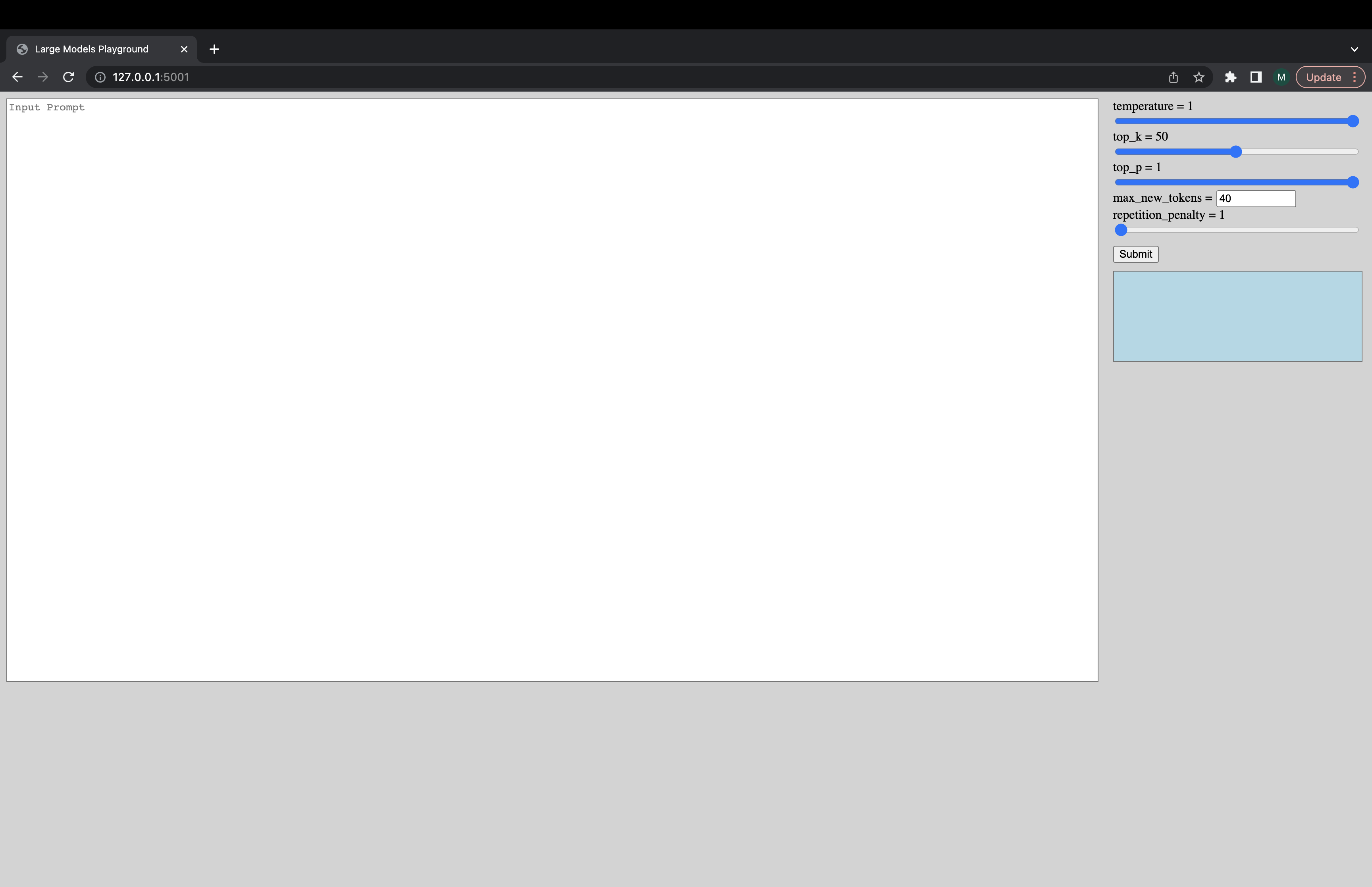
python -m inference_server.benchmark --model_name bigscience/bloom --model_class AutoModelForCausalLM --dtype bf16 --deployment_framework hf_accelerate --benchmark_cycles 5deepspeed --num_gpus 8 --module inference_server.benchmark --model_name bigscience/bloom --model_class AutoModelForCausalLM --dtype fp16 --deployment_framework ds_inference --benchmark_cycles 5または、モデルをより速くロードするには:
deepspeed --num_gpus 8 --module inference_server.benchmark --model_name microsoft/bloom-deepspeed-inference-fp16 --model_class AutoModelForCausalLM --dtype fp16 --deployment_framework ds_inference --benchmark_cycles 5deepspeed --num_gpus 8 --module inference_server.benchmark --model_name bigscience/bloom --model_class AutoModelForCausalLM --dtype bf16 --deployment_framework ds_zero --benchmark_cycles 5動作していないことや他の質問がある場合は、対応するバックエンドで問題を開きます。
バックエンドのみではなくスクリプトのいずれかに特定の問題がある場合は、ここで問題を開き、 @mayank31398をタグ付けしてください。
大規模なバッチ推論をローカルに実行するために開発されたソリューション:
ジャックス:
サーバーモードで使用されるように開発されたソリューション(つまり、さまざまなバッチサイズ、さまざまなリクエストレート)は、ここにあります。これは錆で実装されています。





