imago
1.0.0

Imago adalah perpustakaan manipulasi gambar untuk Common Lisp. Ini mendukung gambar di PNG, PCX, portabel bitmap (.pnm), truevision TGA (.tga) dan format JPEG. Anda dapat membaca gambar dengan imago:read-image dan menulis gambar dengan imago:write-format di mana format adalah salah satu dari png , pcx , pnm , tga atau jpg .
Anda dapat menggunakan perpustakaan libjpeg-turbo yang lebih canggih untuk menangani file jpeg dengan memuat sistem imago/jpeg-turbo . Pastikan libjpeg-turbo diinstal pada sistem Anda. Gunakan imago-jpeg-turbo:read-jpg-turbo dan imago-jpeg-turbo:write-jpg-turbo (atau hanya imago:read-image dan imago:write-image ) untuk menggunakan fungsionalitas ini.
Anda dapat menggunakan pustaka PNGLoad yang lebih maju dan lebih cepat untuk membaca file PNG dengan memuat sistem imago/pngio . Gunakan imago-pngio:read-png (atau hanya imago:read-image ) untuk menggunakan fungsionalitas ini. NB: pngload secara otomatis mengonversi gambar warna yang diindeks ke gambar RGB (atau ARGB). Jika Anda ingin bekerja dengan gambar yang diindeks, gunakan PNG Loader lama sebagai gantinya. Perpustakaan ZPNG (via imago-pngio:write-png ) akan digunakan untuk menyimpan gambar PNG.
Untuk membuat gambar, lihat dokumentasi untuk kelas gambar (seperti imago:rgb-image atau imago:grayscale-image ). Anda perlu membuat instance dari salah satu kelas tersebut dengan lulus :w , :h dan secara opsional :initial-color untuk make-instance . Atau, Anda dapat menggunakan fungsi make-XXX-image dan make-XXX-image-from-pixels :
 ;; Create 100x100 px black grayscale image
(imago:make-grayscale-image 100 100)

;; Create 400x100 px red RGB image
(imago:make-rgb-image 400 100 (imago:make-color 255 0 0))

;; Create 400x100 px half-transparent red RGB image
(imago:make-rgb-image 400 100 (imago:make-color 255 0 0 127))

;; Create an image from an array of pixels
(imago:make-rgb-image-from-pixels
 (make-array '(100 100)
             :element-type 'imago:rgb-pixel
             :initial-element (imago:make-color 0 255 255)))
Sebagian besar contoh diambil dari sini.
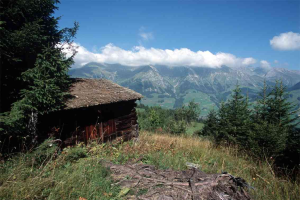
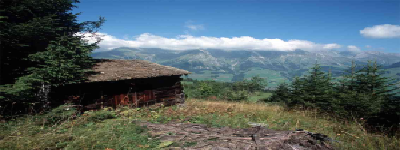
(resize *image* 400 150)
| Asli | Diproses |
|---|---|
 |  |
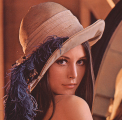
(rotate *image* 45)
| Asli | Diproses |
|---|---|
 | 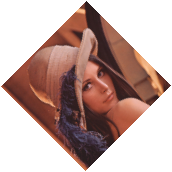 |
(emboss *image* :angle (* pi 0.75) :depth 1.0)
| Asli | Diproses |
|---|---|
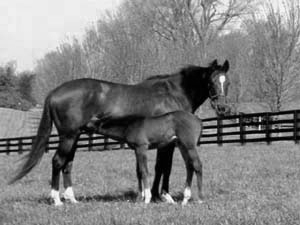 | 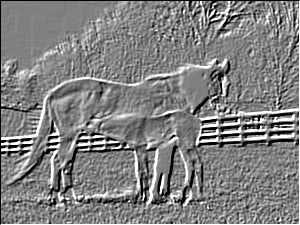 |
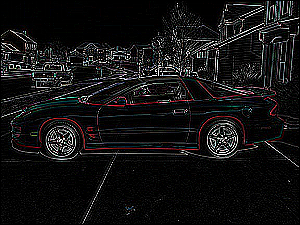
 (let ((kernel #2A((0  0  0  0  0)
                  (0  0  1  0  0)
                  (0  1 -4  1  0)
                  (0  0  1  0  0)
                  (0  0  0  0  0))))
  (convolve *image* kernel 1 0))
| Asli | Diproses |
|---|---|
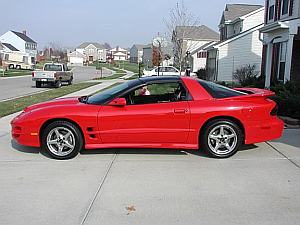 |  |
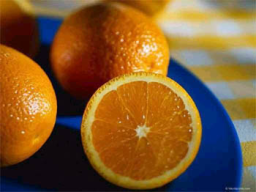
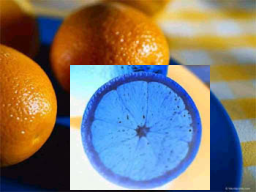
 (do-region-pixels (*image* color x y 70 65 140 125)
  (setf color (invert-color color)))
| Asli | Diproses |
|---|---|
 |  |
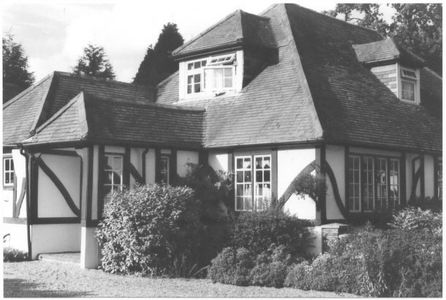
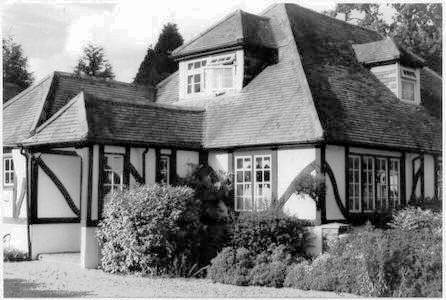
(enhance-contrast *grayscale-image*)
| Asli | Diproses |
|---|---|
 |  |
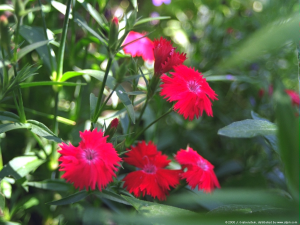
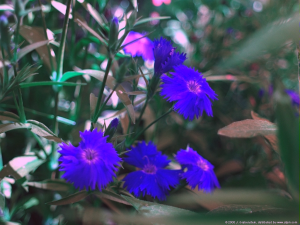
 (do-image-pixels (*image* color x y)
  (multiple-value-bind (r g b) (color-rgb color)
    (setf color (make-color b
                            (floor (* g 0.8))
                            r))))
| Asli | Diproses |
|---|---|
 |  |
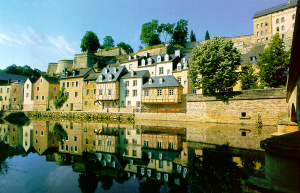
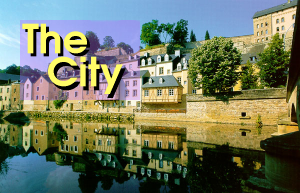
 (let ((operator (default-compose-operator *image1*)))
  (compose nil *image1* *image2* 20 20 operator))
| Asli 1 | Asli 2 | Diproses |
|---|---|---|
 |  |  |
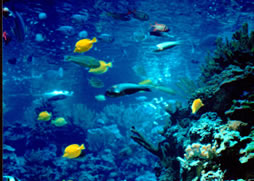
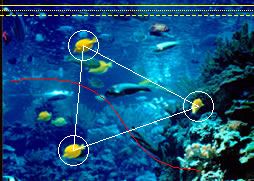
 (let ((points '(83 45 73 150 73 150 198 106 198 106 83 45)))
  (draw-polygon *image* points +white+ :closed t))
(draw-circle *image* 83 45 15 +white+)
(draw-circle *image* 73 150 15 +white+)
(draw-circle *image* 198 106 15 +white+)
(draw-bezier-curve *image* 10 80 150 60 100 170 200 170 +red+)
(draw-line *image* 0 5 254 5 +yellow+)
(draw-line *image* 0 10 254 10 +yellow+ :dash-length 1 :dash-interval 1)
(draw-line *image* 0 15 254 15 +yellow+ :dash-length 4 :dash-interval 2)
| Asli | Diproses |
|---|---|
 |  |
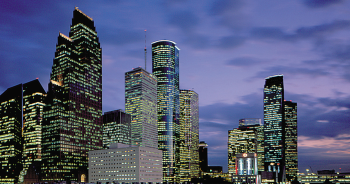
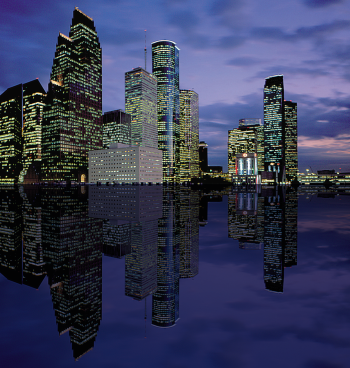
 (defun sea-view (image)
  (let ((image2 (flip nil image :horizontal)))
    (do-image-pixels (image2 color x y)
      (multiple-value-bind (r g b)
          (color-rgb color)
        (setf color (make-color (floor r 3) (floor g 3) (floor b 2)))))
    (let* ((width (image-width image))
           (height (image-height image))
           (result (make-instance (class-of image)
                                  :width width :height (* height 2))))
      (copy result image)
      (copy result image2 :dest-y height)
      result)))
| Asli | Diproses |
|---|---|
 |  |
Contoh ini membutuhkan ular dan sistem operasi array (tersedia di Quicklisp).
 (defpackage components-example
  (:use #:cl
        #:snakes
        #:imago)
  (:export #:convert-to-image))
(in-package :components-example)

(defgenerator generate-colors ()
  (loop while t do
    (yield (make-color (random 256)
                       (random 256)
                       (random 256)))))

(defgenerator black ()
  (yield (make-color 0 0 0)))

(defun convert-to-image (components)
  (declare (type (simple-array fixnum (* *)) components))
  (let ((colors (take (1+ (reduce #'max (aops:flatten components)))
                      (chain (black)
                             (generate-colors))))
        (image (make-array (array-dimensions components)
                           :element-type 'rgb-pixel)))
    (array-operations/utilities:nested-loop (i j)
        (array-dimensions components)
      (setf (aref image i j)
            (nth (aref components i j) colors)))
    (make-instance 'rgb-image :pixels image)))

(in-package :cl-user)
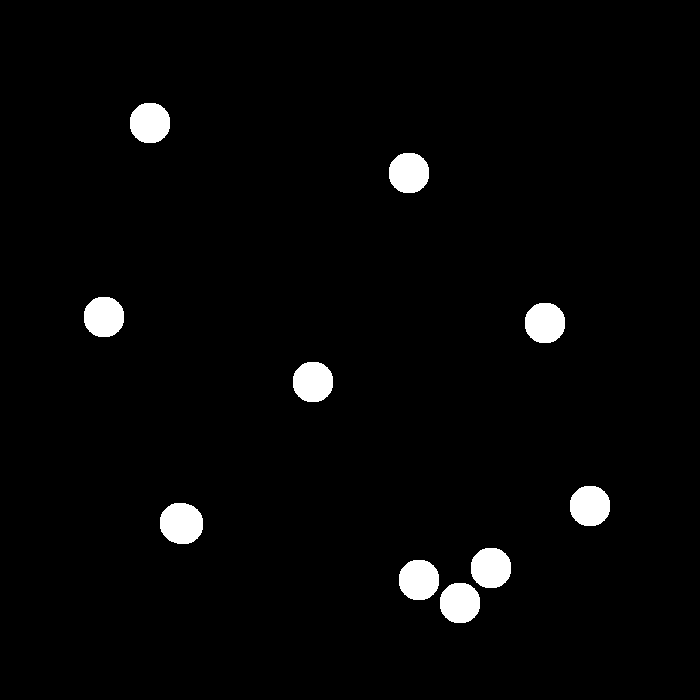
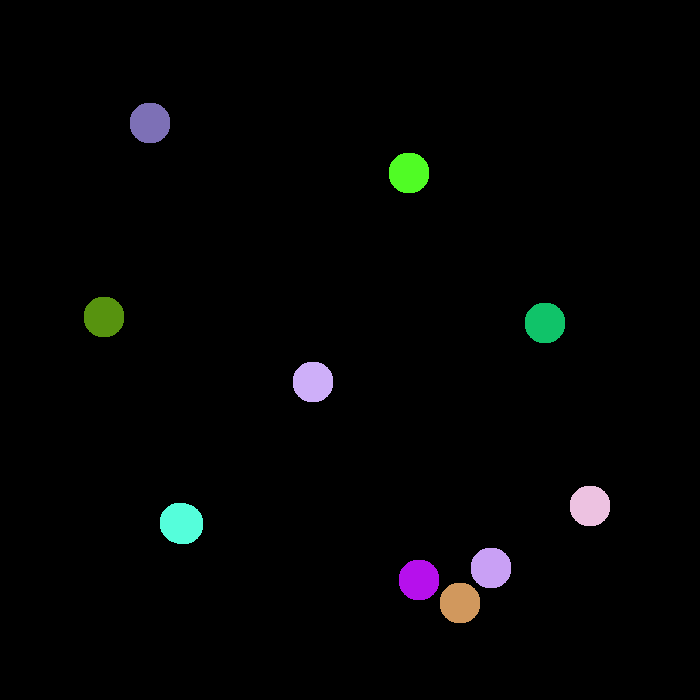
(let* ((image (imago:read-image "~/.quicklisp/local-projects/imago/tests/spheres.png"))
       (components (imago:label-components (imago:convert-to-binary image 1))))
  (components-example:convert-to-image components))
| Asli | Diproses |
|---|---|
 |  |
Menghitung transformasi jarak Euclidean kuadrat (juga transformasi jarak Manhattan tersedia). Contoh ini membutuhkan array-operations .
 (defun edt-image (image)
  (declare (type imago:binary-image image))
  (let* ((dt (imago:distance-transform image :type :edt))
         (max (reduce #'max (aops:flatten dt)))
         (pixels (make-array (array-dimensions dt) :element-type 'imago:grayscale-pixel)))
    (map-into (aops:flatten pixels)
              (lambda (x) (imago:make-gray (floor (* 255 x) max)))
              (aops:flatten dt))
    (make-instance 'imago:grayscale-image :pixels pixels)))

(edt-image original-image)
| Asli | Diproses |
|---|---|
 |  |
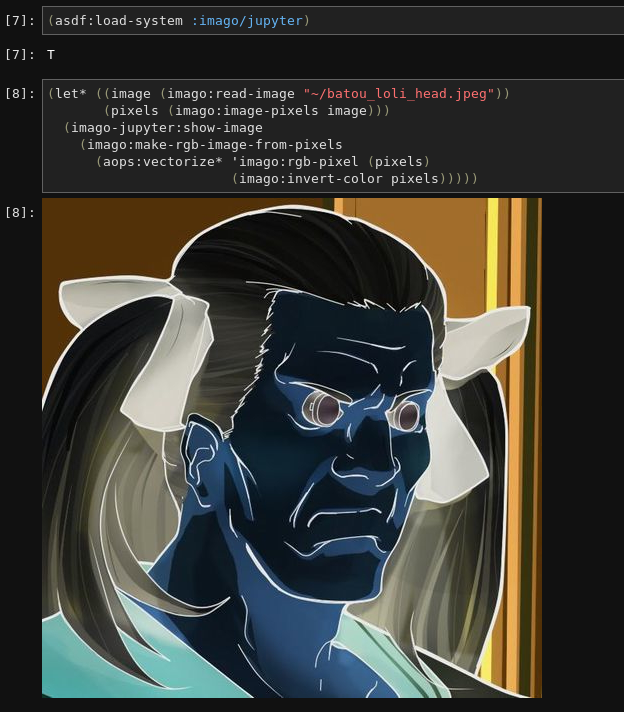
Anda dapat melihat gambar imago di Jupyter dengan menginstal sistem imago/jupyter . Kemudian hubungi imago-jupyter:show-image untuk menampilkan gambar.