google fonts preview
2022-12-03

A script to generate preview images of Google Fonts.
The generated preview images are available for download in the Release section. Or follow the instructions below to generate the preview images yourself.
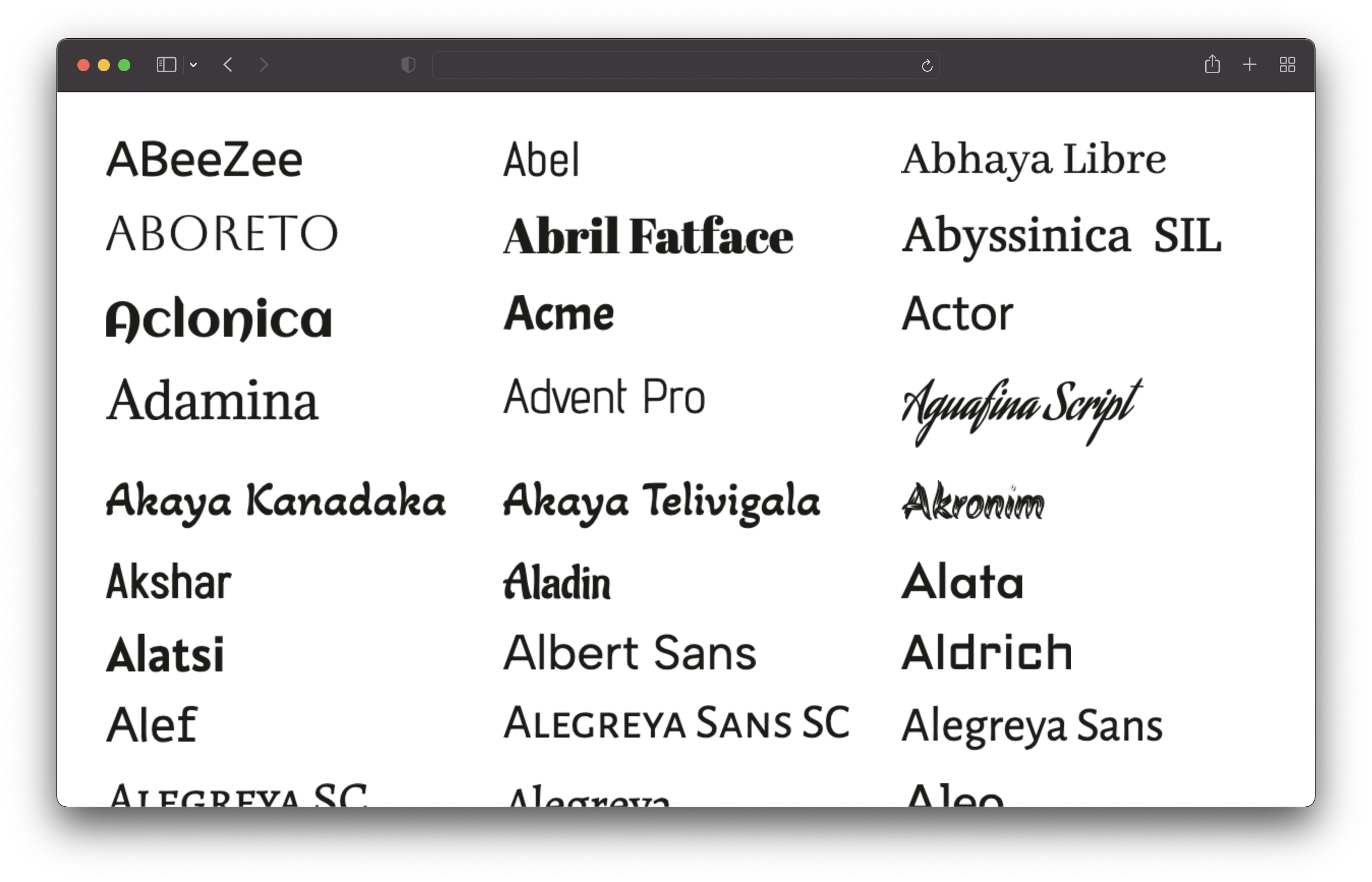
Clone this repository and run the following commands:
# 1. Install dependencies
npm install

# 2. Run the script to generate the preview images
npm run generate
This will fetch all fonts and generate preview images for all of them. This will take a while (~25min on my machine).
The images will be saved in the /output/previews directory.
You need to have Node.js v16 or newer installed.
You can customize the previews by editing the config.json file:
{
  // Text of the preview images.
  // If empty, the font name will be used.
  previewText: "",

  // The text color of the preview text.
  textColor: "#1b1b18",

  // The font size of the preview text.
  // Has to be a valid CSS font-size value.
  fontSize: "48px",

  // The format and file extension of the preview images.
  // Either "png" or "jpeg".
  format: "png",

  // The quality of the preview images (only used for JPEG).
  quality: 100,

  // If the background should be transparent (only used for PNG).
  transparent: true,
}Only sans-serif, serif, display, handwriting and monospace fonts are included. Icon fonts are excluded.








