3DMPPE_POSENET_RELEASE
1.0.0

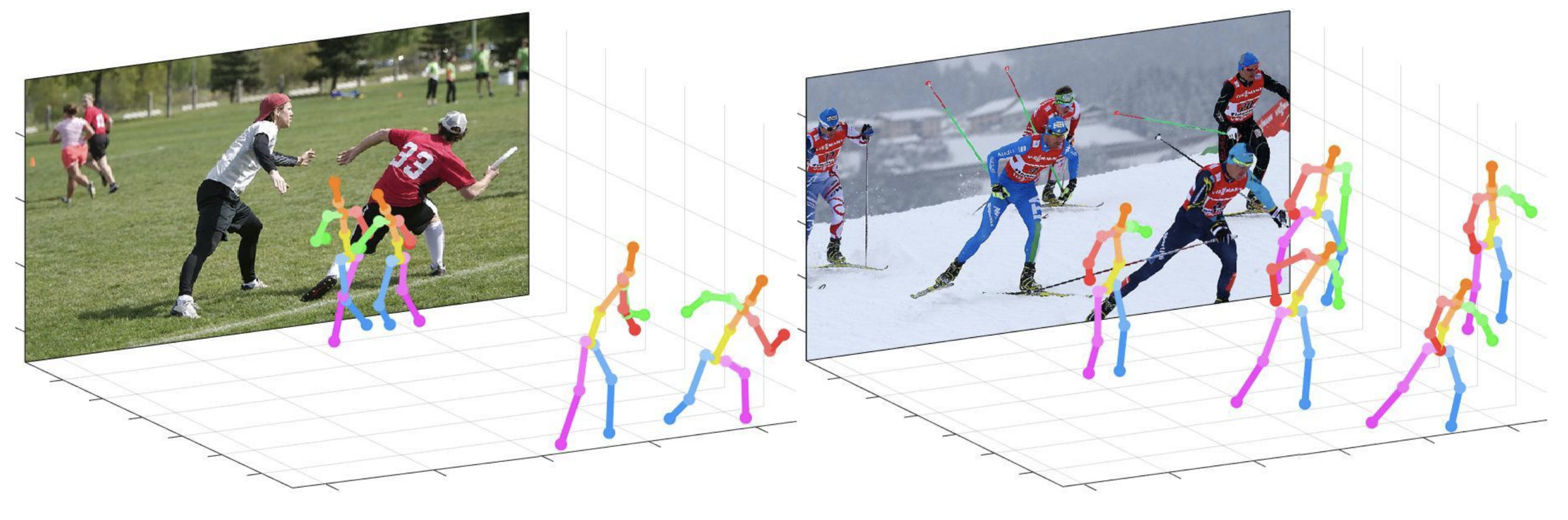
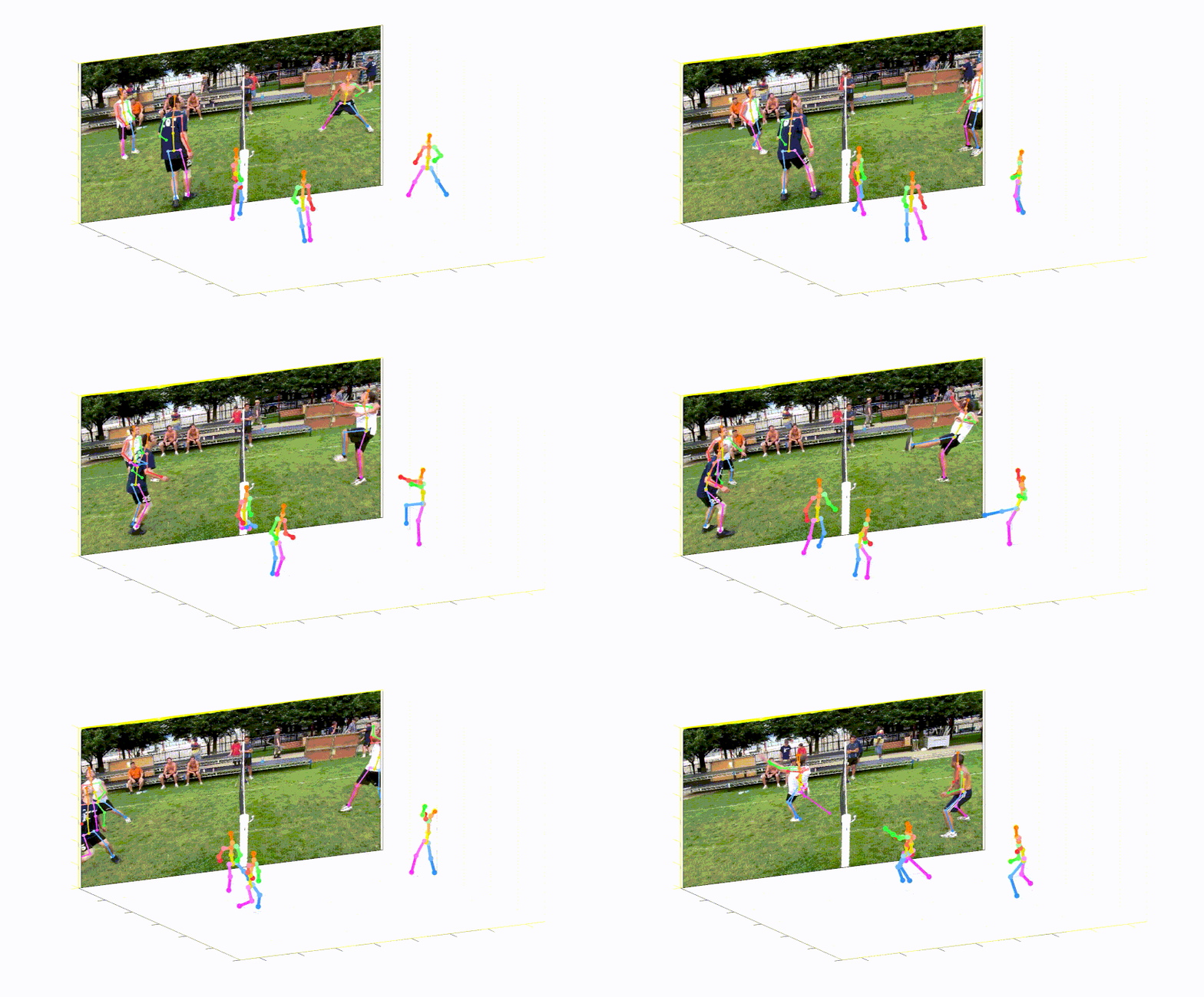
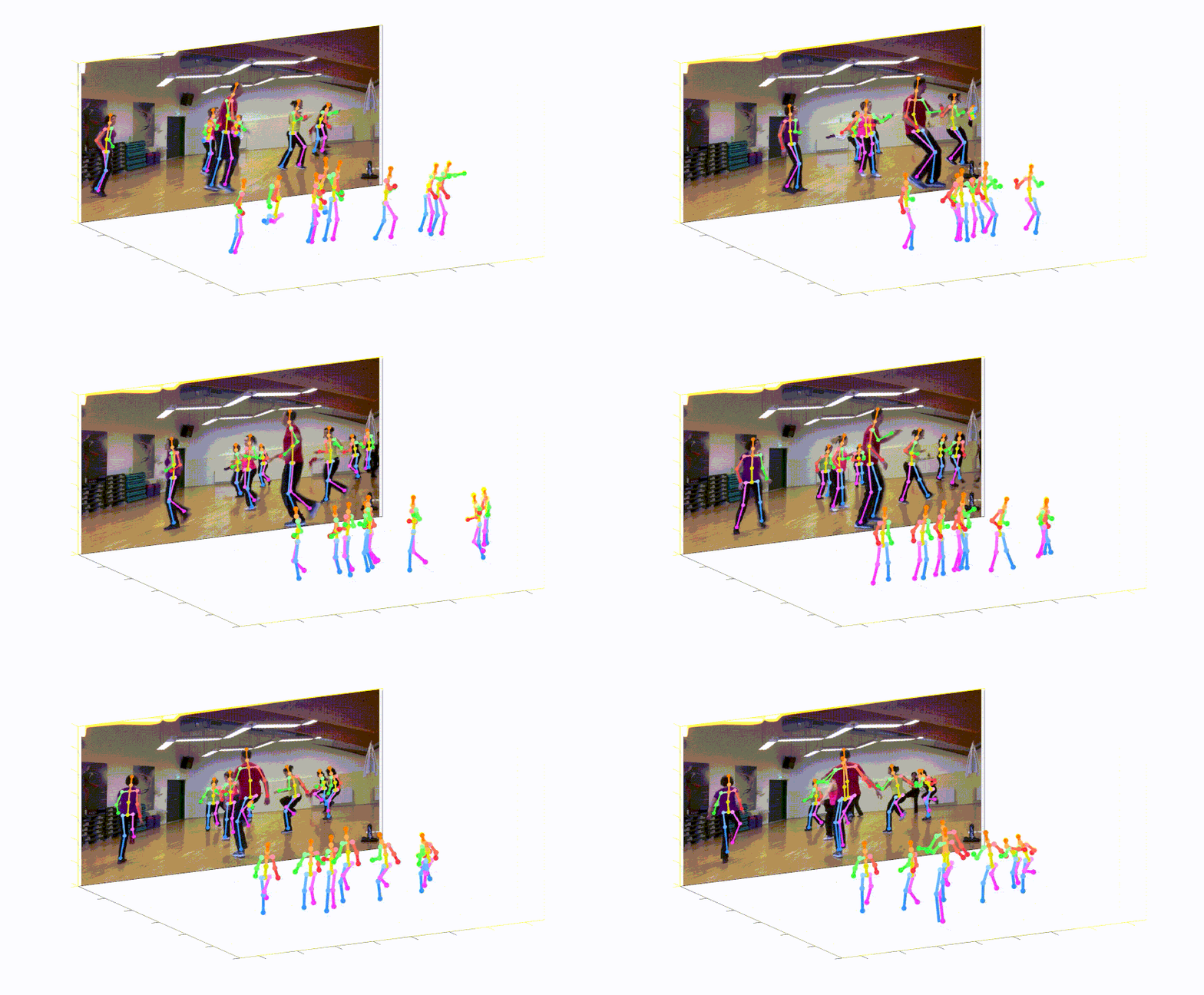
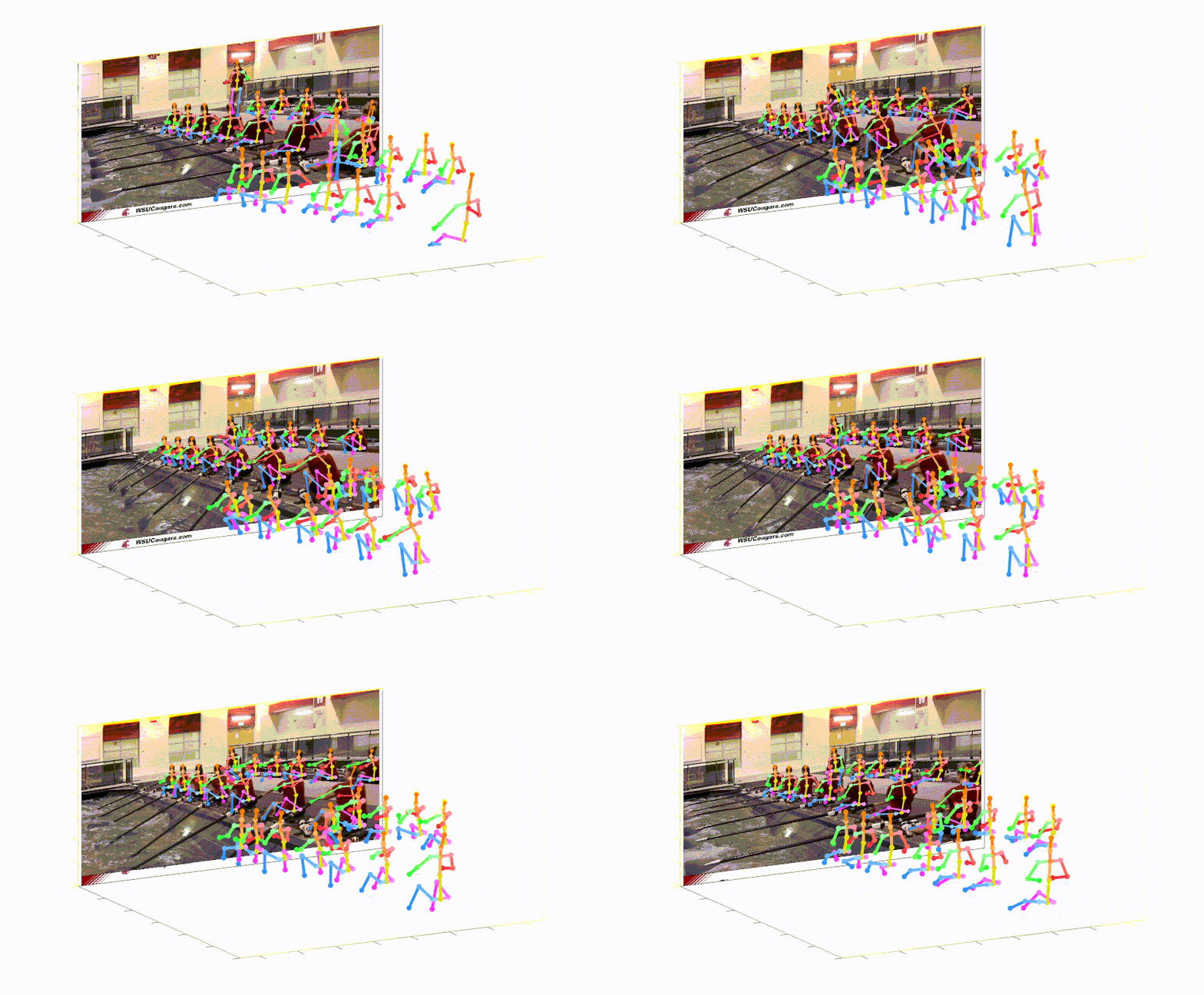
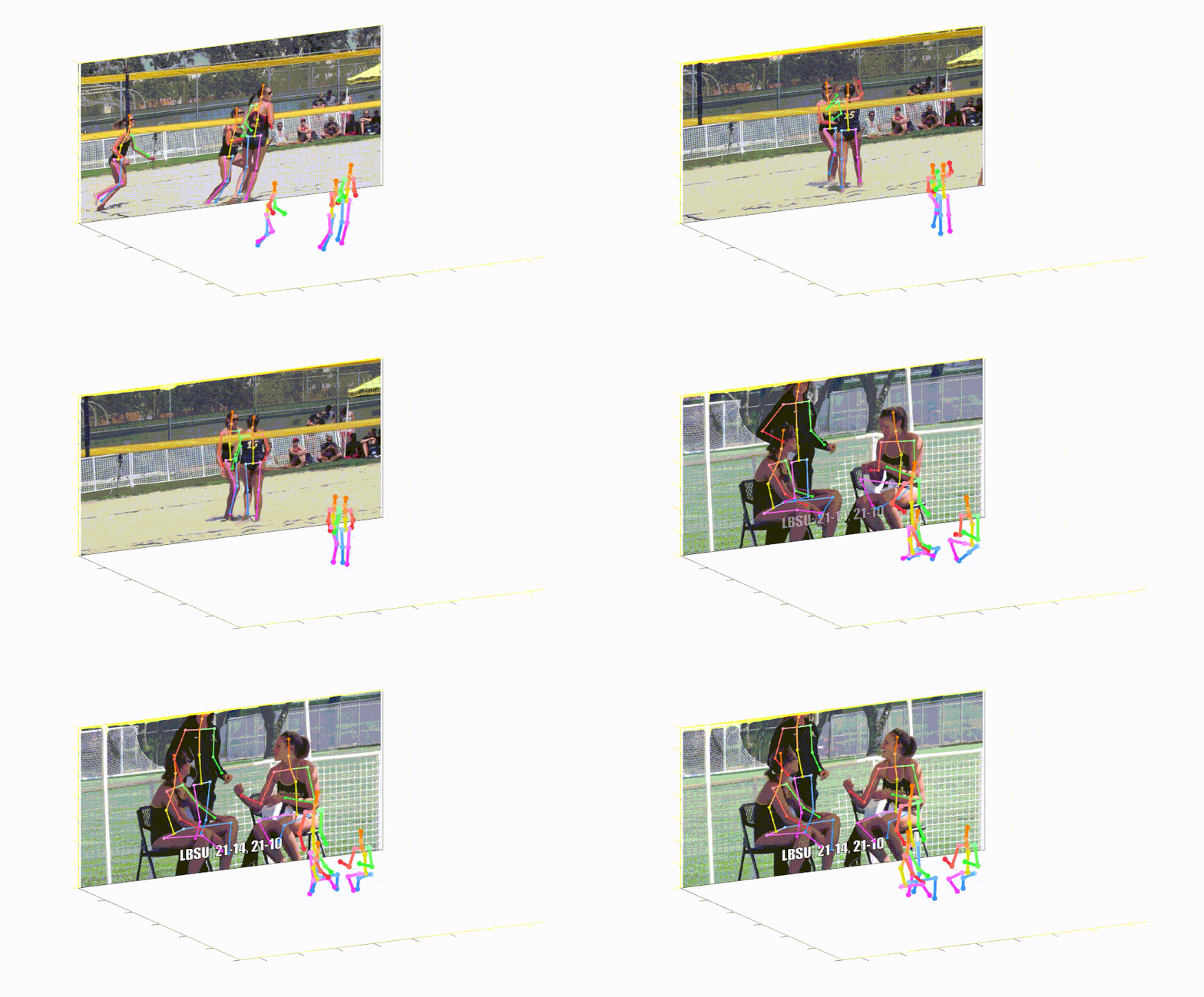
This repo is official PyTorch implementation of Camera Distance-aware Top-down Approach for 3D Multi-person Pose Estimation from a Single RGB Image (ICCV 2019). It contains PoseNet part.
What this repo provides:
This code is tested under Ubuntu 16.04, CUDA 9.0, cuDNN 7.1 environment with two NVIDIA 1080Ti GPUs.
Python 3.6.5 version with Anaconda 3 is used for development.
You can try quick demo at demo folder.
input.jpg and pre-trained snapshot at demo folder.bbox_list at here.root_depth_list at here.python demo.py --gpu 0 --test_epoch 24 if you want to run on gpu 0.output_pose_2d.jpg and new window that shows 3D pose.The ${POSE_ROOT} is described as below.
${POSE_ROOT}
|-- data
|-- demo
|-- common
|-- main
|-- tool
|-- vis
`-- output
data contains data loading codes and soft links to images and annotations directories.demo contains demo codes.common contains kernel codes for 3d multi-person pose estimation system.main contains high-level codes for training or testing the network.tool contains data pre-processing codes. You don't have to run this code. I provide pre-processed data below.vis contains scripts for 3d visualization.output contains log, trained models, visualized outputs, and test result.You need to follow directory structure of the data as below.
${POSE_ROOT}
|-- data
|   |-- Human36M
|   |   |-- bbox_root
|   |   |   |-- bbox_root_human36m_output.json
|   |   |-- images
|   |   |-- annotations
|   |-- MPII
|   |   |-- images
|   |   |-- annotations
|   |-- MSCOCO
|   |   |-- bbox_root
|   |   |   |-- bbox_root_coco_output.json
|   |   |-- images
|   |   |   |-- train2017
|   |   |   |-- val2017
|   |   |-- annotations
|   |-- MuCo
|   |   |-- data
|   |   |   |-- augmented_set
|   |   |   |-- unaugmented_set
|   |   |   |-- MuCo-3DHP.json
|   |-- MuPoTS
|   |   |-- bbox_root
|   |   |   |-- bbox_mupots_output.json
|   |   |-- data
|   |   |   |-- MultiPersonTestSet
|   |   |   |-- MuPoTS-3D.json
To download multiple files from Google drive without compressing them, try this. If you have a problem with 'Download limit' problem when tried to download dataset from google drive link, please try this trick.
* Go the shared folder, which contains files you want to copy to your drive
* Select all the files you want to copy
* In the upper right corner click on three vertical dots and select “make a copy”
* Then, the file is copied to your personal google drive account. You can download it from your personal account.
You need to follow the directory structure of the output folder as below.
${POSE_ROOT}
|-- output
|-- |-- log
|-- |-- model_dump
|-- |-- result
`-- |-- vis
output folder as soft link form is recommended instead of folder form because it would take large storage capacity.log folder contains training log file.model_dump folder contains saved checkpoints for each epoch.result folder contains final estimation files generated in the testing stage.vis folder contains visualized results.$DB_NAME_img_name.py to get image file names in .txt format.preds_2d_kpt_$DB_NAME.mat, preds_3d_kpt_$DB_NAME.mat) in single or multi folder.draw_3Dpose_$DB_NAME.mmain/config.py, you can change settings of the model including dataset to use, network backbone, and input size and so on.In the main folder, run
python train.py --gpu 0-1to train the network on the GPU 0,1.
If you want to continue experiment, run
python train.py --gpu 0-1 --continue--gpu 0,1 can be used instead of --gpu 0-1.
Place trained model at the output/model_dump/.
In the main folder, run
python test.py --gpu 0-1 --test_epoch 20to test the network on the GPU 0,1 with 20th epoch trained model. --gpu 0,1 can be used instead of --gpu 0-1.
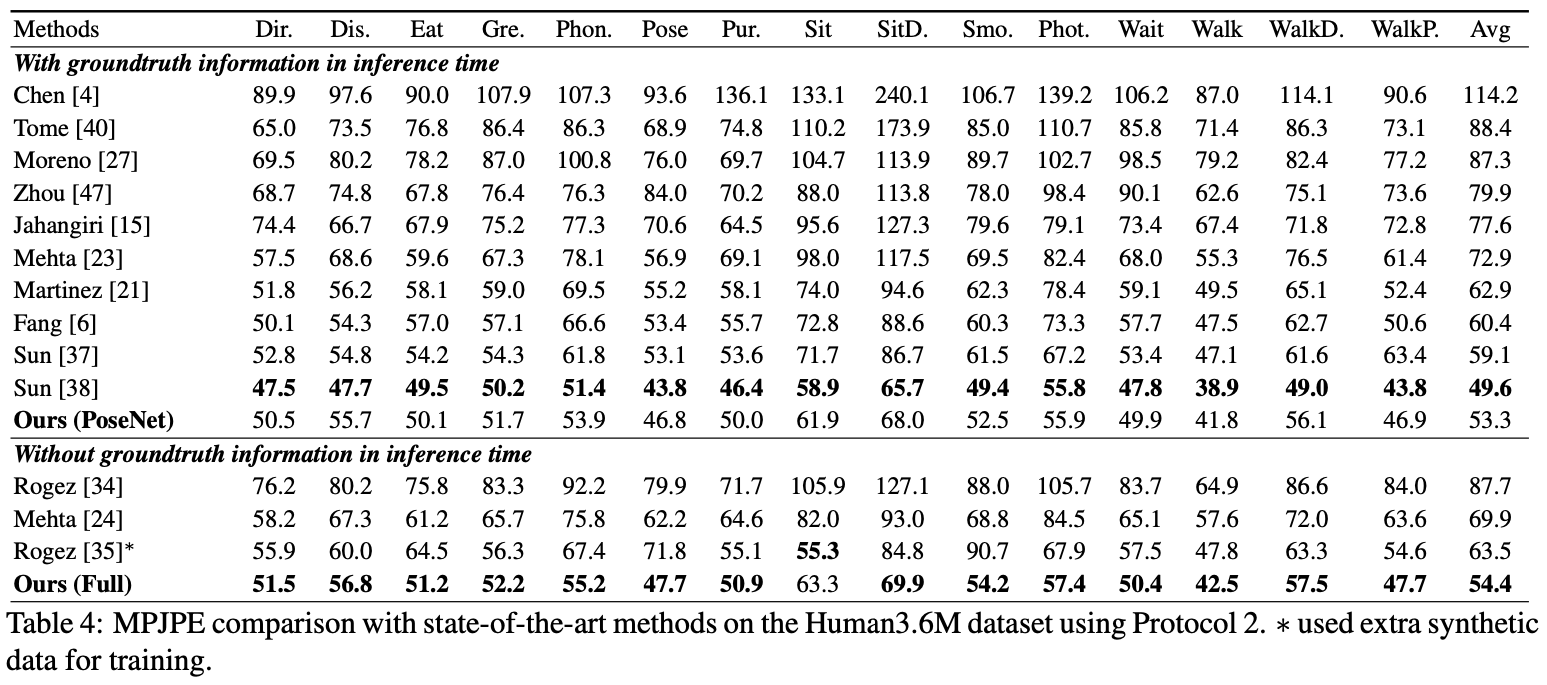
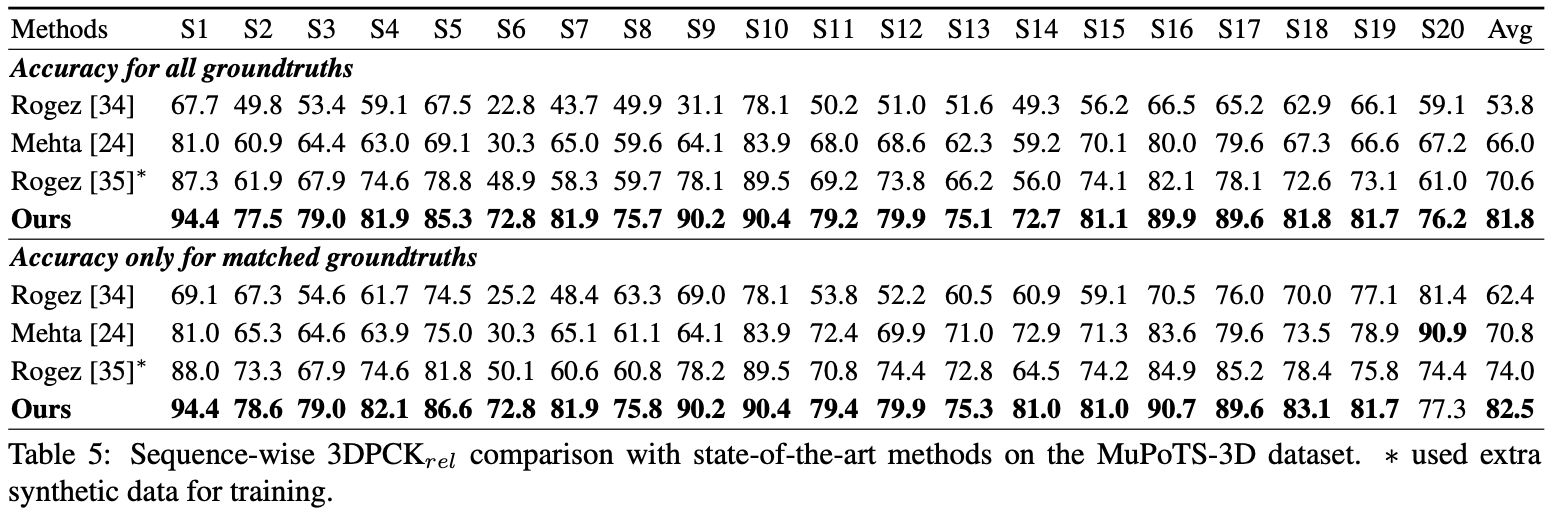
Here I report the performance of the PoseNet.
For the evaluation, you can run test.py or there are evaluation codes in Human36M.
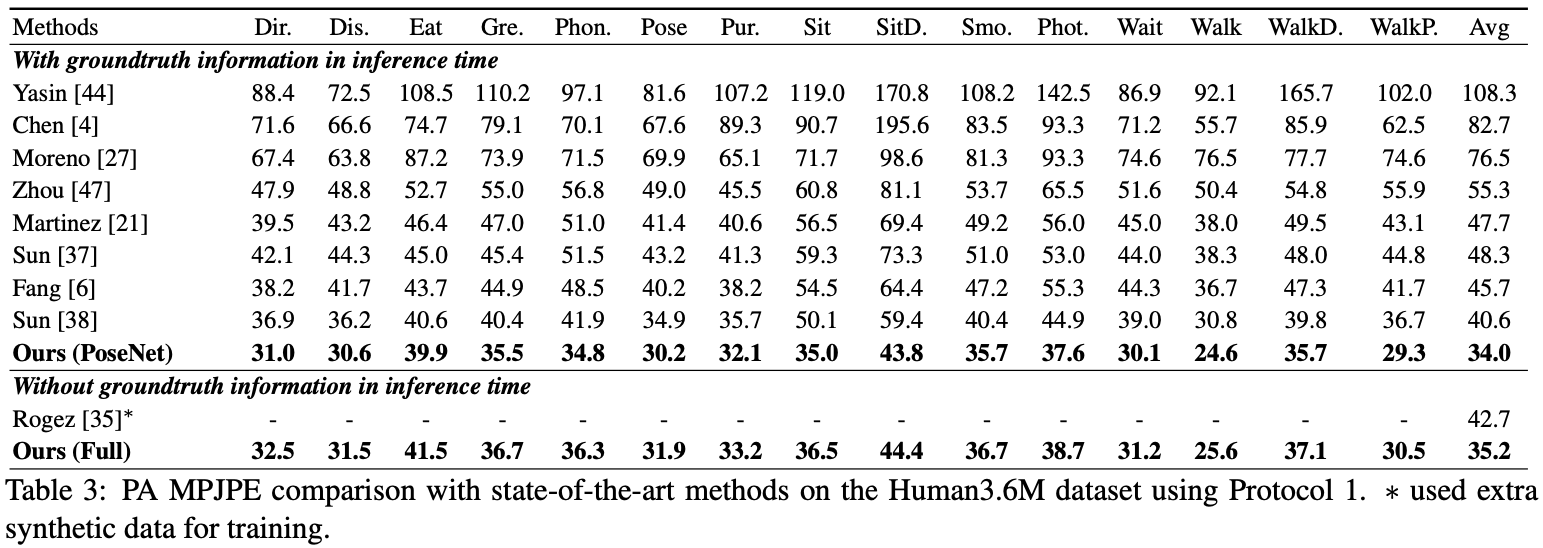
For the evaluation, you can run test.py or there are evaluation codes in Human36M.
For the evaluation, run test.py. After that, move data/MuPoTS/mpii_mupots_multiperson_eval.m in data/MuPoTS/data. Also, move the test result files (preds_2d_kpt_mupots.mat and preds_3d_kpt_mupots.mat) in data/MuPoTS/data. Then run mpii_mupots_multiperson_eval.m with your evaluation mode arguments.
We additionally provide estimated 3D human root coordinates in on the MSCOCO dataset. The coordinates are in 3D camera coordinate system, and focal lengths are set to 1500mm for both x and y axis. You can change focal length and corresponding distance using equation 2 or equation in supplementarial material of my paper.
@InProceedings{Moon_2019_ICCV_3DMPPE,
author = {Moon, Gyeongsik and Chang, Juyong and Lee, Kyoung Mu},
title = {Camera Distance-aware Top-down Approach for 3D Multi-person Pose Estimation from a Single RGB Image},
booktitle = {The IEEE Conference on International Conference on Computer Vision (ICCV)},
year = {2019}
}








