llm app DocumentationAssistant
1.0.0

Welcome to the Langchain Documentation Chat Assistant project! This application aims to provide users with a convenient way to interact with Langchain documentation through a chat interface powered by advanced Generative AI technologies
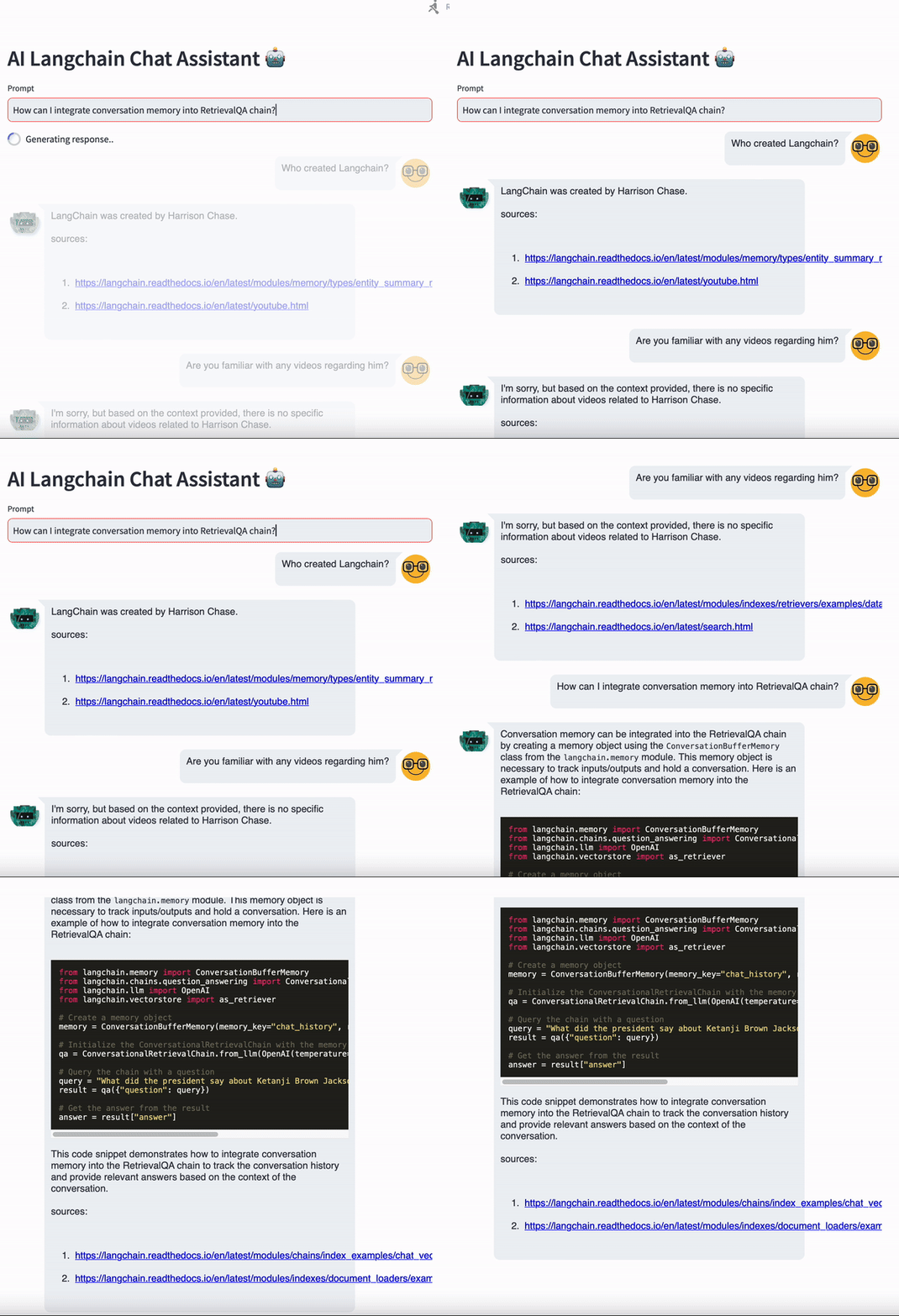
The Langchain ?? Documentation Chat Assistant allows users to ask questions about Langchain, a topic they are studying or curious about, and receive responses from a chatbot. The chatbot's responses are generated based on the information available in the Langchain documentation. To provide transparency and traceability, each response includes a source URL indicating the specific section of the Langchain documentation from which the information was derived.
To get started with the Langchain Documentation Chat Assistant, follow these steps:
Clone the repository to your local machine.
Install Pipenv virtual environment pipenv install and run Pipenv environment pipenv shell. You can check dependencies listed in the Pipfile
Run the following command to download html for a given website. Replace https://langchain.readthedocs.io/en/latest/ with a URL to your website.
wget -r -A.html https://langchain.readthedocs.io/en/latest/
To run this project, you will need to add the following environment variables to your .env file
PINECONE_API_KEY OPENAI_API_KEY
Run the Streamlit application using streamlit run main.py.
Interact with the chatbot by typing your questions or queries into the chat interface.
Contributions to the Langchain Documentation Chat Assistant project are welcome! If you have any suggestions, feature requests, or bug reports, please open an issue on GitHub or submit a pull request with your changes.
https://github.com/hwchase17/chat-langchain-readthedocs
https://github.com/AI-Yash/st-chat
https://js.langchain.com/docs/get_started/introduction
https://github.com/emarco177/documentation-helper






