pynotif
1.0.0

Another Python API for accessing libnotify, along with notification sound support ( with vlc backend ).
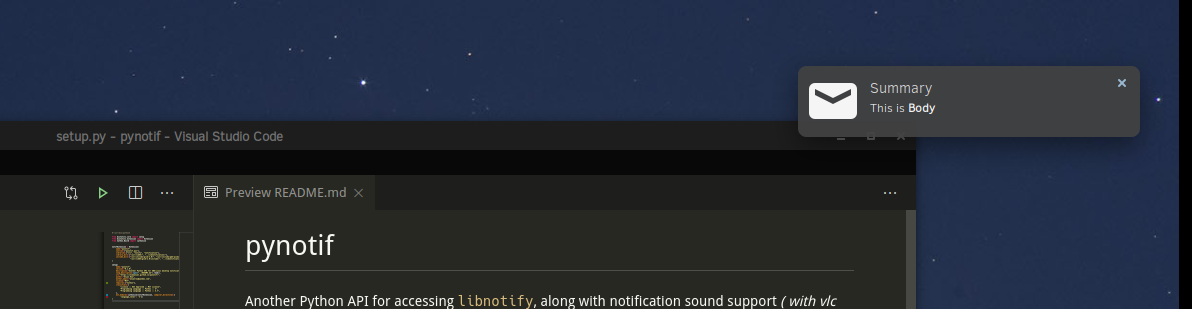
Caution : Well you've to go through a rigorous installation prodecure, which may not be a preferred choice always. But it's pretty assured, you'll get to learn something new.
I'll demonstrate installation procedure on Solus Linux.
gcc, glibc, glibc-devel installed. I'll use gcc 9.3.0.
$ sudo eopkg it gcc, glibc, glibc-devel
$ gcc --version # check versionCython, we'll install pip too. I'm using Python3.7.6.
$ sudo eopkg it python3, python3-devel, pip
$ python3 --version
$ python3 -m pip install --user Cythonlibnotify, libnotify-devel, which will be giving us programmatic interface for talking to libnotify from our C-library.
$ sudo eopkg it libnotify libnotify-devel$ notify-send "Summary" "Body of Notification"vlc, which will be used for playing notification sound, might be helpful for alerting user.
$ sudo eopkg it vlc vlc-develLet's first go to a convenient location in directory hierarchy of your machine, where you can clone this repo & start working.
$ git clone https://github.com/itzmeanjan/pynotif.gitGet into pynotif directory and check content of directories.
$ cd pynotif
$ tree -h
.
├── [4.0K]  libnotification
│   ├── [2.4K]  play_sound.c
│   ├── [  45]  play_sound.h
│   ├── [2.4K]  send_notification.c
│   └── [ 235]  send_notification.h
├── [1.0K]  LICENSE
├── [4.0K]  pynotif
│   ├── [1.5K]  pynotif.pyx
│   └── [1.1K]  setup.py
├── [7.0K]  README.md
├── [4.0K]  sound
│   ├── [ 30K]  button_sound.wav
│   └── [ 29K]  when.mp3
└── [4.0K]  ss
    └── [ 71K]  screenshot.png

4 directories, 11 files
First we're going to libnotification, which is going to be compiled into a static C-library. File names are pretty self-explanatory, for what purpose they serve.
$ cd libnotification
$ ls
play_sound.c  play_sound.h  send_notification.c  send_notification.h
Time to compile each of these C files and generate object code.
$ gcc -c play_sound.c
$ gcc -I /usr/include/glib-2.0/ -I /usr/include/gdk-pixbuf-2.0/ -I /usr/lib64/glib-2.0/include/ -c send_notification.c
Now we need to archive these object files into a static library, which will be invoked from Cython code (*.pyx file).
$ ar rcs libnotification.a play_sound.o send_notification.oAs we've obtained static library, compiled object codes can be removed now. You may consider checking kind of generated static library.
$ rm *.o
$ file libnotification.a
libnotification.a: current ar archive
Now we'll get into pynotif directory, which holds cython code, required for talking to C-library, libnotification.a.
$ cd ../pynotif
$ ls
pynotif.pyx  setup.py
pynotif.pyx holds cython code for interfacing with libnotification.a, which is to be compiled into equivalent C code ( using Cython compiler ). Then we'll build C extension library ( dynamically linked library ), which can be invoked from Python.
$ python3 setup.py build_ext --inplace
Compiling pynotif.pyx because it changed.
[1/1] Cythonizing pynotif.pyx
running build_ext
building 'pynotif' extension
creating build
creating build/temp.linux-x86_64-3.7
x86_64-solus-linux-gcc -pthread -Wno-unused-result -Wsign-compare -DNDEBUG -g -fwrapv -O3 -Wall -mtune=generic -march=x86-64 -g2 -pipe -fPIC -Wformat -Wformat-security -D_FORTIFY_SOURCE=2 -fstack-protector-strong --param ssp-buffer-size=32 -fasynchronous-unwind-tables -ftree-vectorize -feliminate-unused-debug-types -Wall -Wno-error -Wp,-D_REENTRANT -fno-semantic-interposition -O3 -falign-functions=32 -I/usr/include -mtune=generic -march=x86-64 -g2 -pipe -fPIC -Wformat -Wformat-security -D_FORTIFY_SOURCE=2 -fstack-protector-strong --param ssp-buffer-size=32 -fasynchronous-unwind-tables -ftree-vectorize -feliminate-unused-debug-types -Wall -Wno-error -Wp,-D_REENTRANT -fno-semantic-interposition -O3 -falign-functions=32 -fPIC -I/usr/include/glib-2.0/ -I/usr/include/gdk-pixbuf-2.0/ -I/usr/lib64/glib-2.0/include/ -I../libnotification/ -I/usr/include/python3.7m -c pynotif.c -o build/temp.linux-x86_64-3.7/pynotif.o
x86_64-solus-linux-gcc -pthread -shared -Wl,--copy-dt-needed-entries -Wl,-O1 -Wl,-z,relro -Wl,-z,now -Wl,-z,max-page-size=0x1000 -Wl,-Bsymbolic-functions -Wl,--sort-common -Wl,--copy-dt-needed-entries -Wl,-O1 -Wl,-z,relro -Wl,-z,now -Wl,-z,max-page-size=0x1000 -Wl,-Bsymbolic-functions -Wl,--sort-common build/temp.linux-x86_64-3.7/pynotif.o -L/usr/lib64/ -L../libnotification/ -L/usr/lib64 -lvlc -lnotify -lnotification -lpython3.7m -o /home/anjan/Documents/my_programs/still_working/open/pynotif/pynotif/pynotif.cpython-37m-x86_64-linux-gnu.so

$ tree -h
.
├── [4.0K]  build
│   └── [4.0K]  temp.linux-x86_64-3.7
│       └── [203K]  pynotif.o
├── [125K]  pynotif.c
├── [146K]  pynotif.cpython-37m-x86_64-linux-gnu.so
├── [1.5K]  pynotif.pyx
└── [1.1K]  setup.py

2 directories, 5 files
pynotif.*.so is our statically linked shared object, which is of interest. ./build directory & pynotif.c can be deleted. But you might be interested in taking a look at pynotif.c, which is generated C code from pynotif.pyx by Cython compiler.
$ rm build/ pynotif.c -rv
$ file pynotif.cpython-*.so # check it out
Now you can use pynotif, but only from this working directory. Lets check that first.
$ python3
>>> import pynotif
>>> pynotif.__version__
'0.1.0'
>>> pynotif.startNotif(b"My Application")
1
>>> pynotif.sendNotif(b"Summary", b"Body of Notification", 2, 1, b"/path/to/icon/file", b"/path/to/notification/sound/file")
1
>> pynotif.stopNotif()
>>> help()
help > pynotif # shows you API documentation
...
But we want to make it available to all scripts installed on this machine, Don't we ? Then we'll install this library into some standard location.
$ python3 setup.py install --userNow go to $HOME directory & invoke Python3 repl prompt.
$ cd
$ python3
>> import pynotif # and it works as expected
Congratulations, you've successfully built & installed pynotif from C-library. Now use as you wish.
Thanking you





