Multi PDFs_ChatApp_AI Agent
1.0.0

Meet MultiPDF Chat AI App! Chat seamlessly with Multiple PDFs using Langchain, Google Gemini Pro & FAISS Vector DB with Seamless Streamlit Deployment. Get instant, Accurate responses from Awesome Google Gemini OpenSource language Model. Transform your PDF experience now!
The Multi-PDF's Chat Agent is a Streamlit-based web application designed to facilitate interactive conversations with a chatbot. The app allows users to upload multiple PDF documents, extract text information from them, and train a chatbot using this extracted content. Users can then engage in real-time conversations with the chatbot.
Launch App On Streamlit
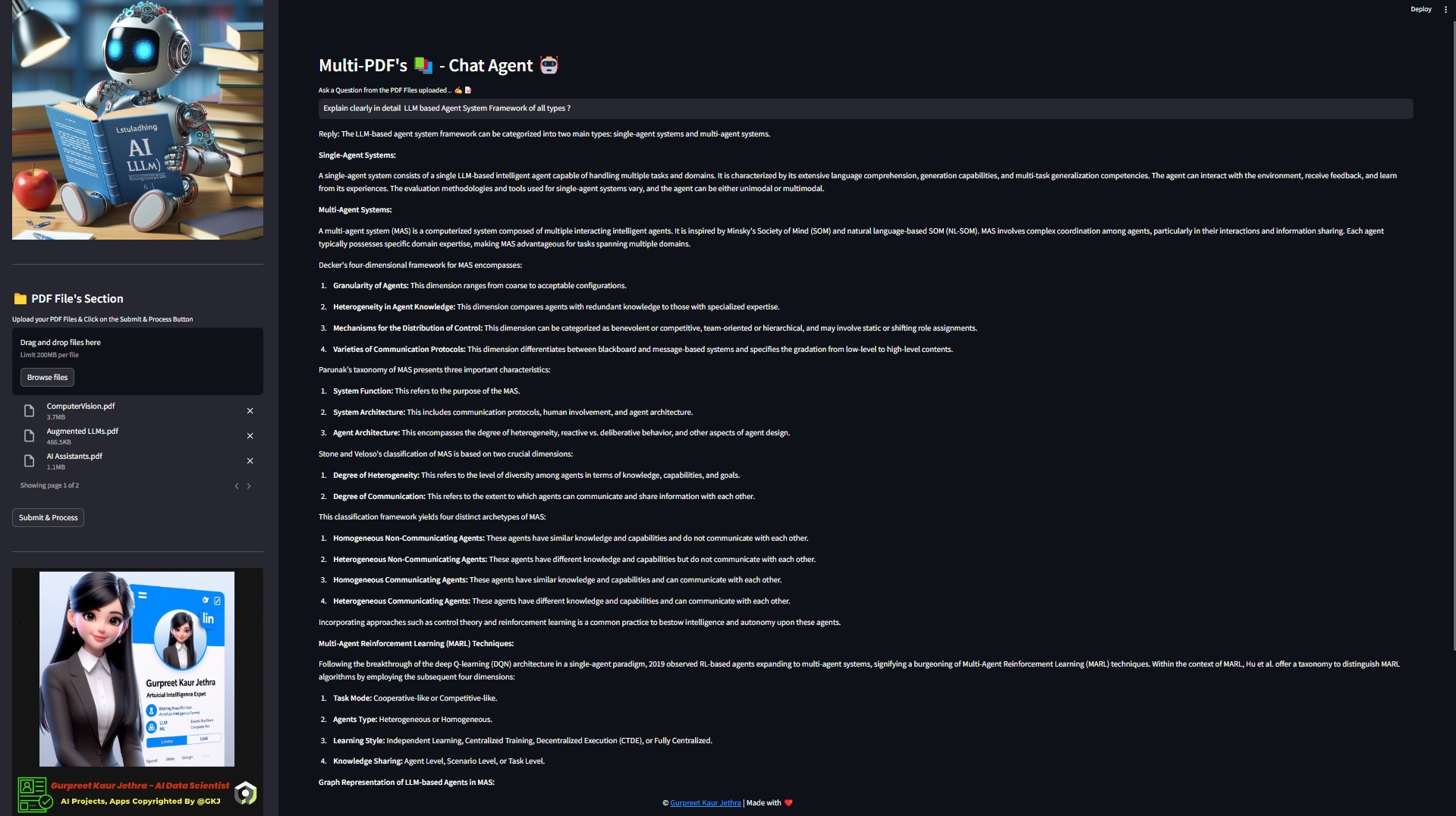
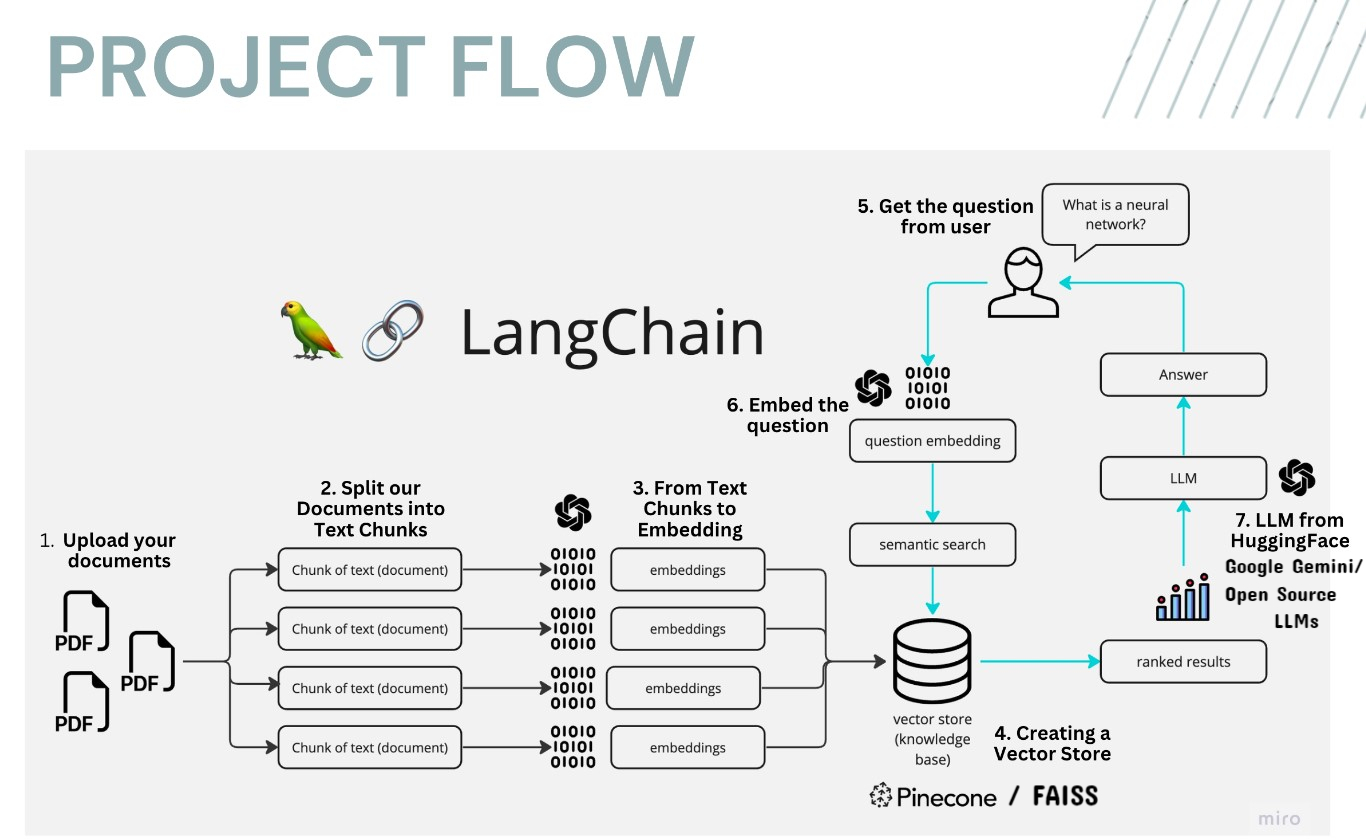
The application follows these steps to provide responses to your questions:
PDF Loading : The app reads multiple PDF documents and extracts their text content.
Text Chunking : The extracted text is divided into smaller chunks that can be processed effectively.
Language Model : The application utilizes a language model to generate vector representations (embeddings) of the text chunks.
Similarity Matching : When you ask a question, the app compares it with the text chunks and identifies the most semantically similar ones.
Response Generation : The selected chunks are passed to the language model, which generates a response based on the relevant content of the PDFs.
Adaptive Chunking: Our Sliding Window Chunking technique dynamically adjusts window size and position for RAG, balancing fine-grained and coarse-grained data access based on data complexity and context.
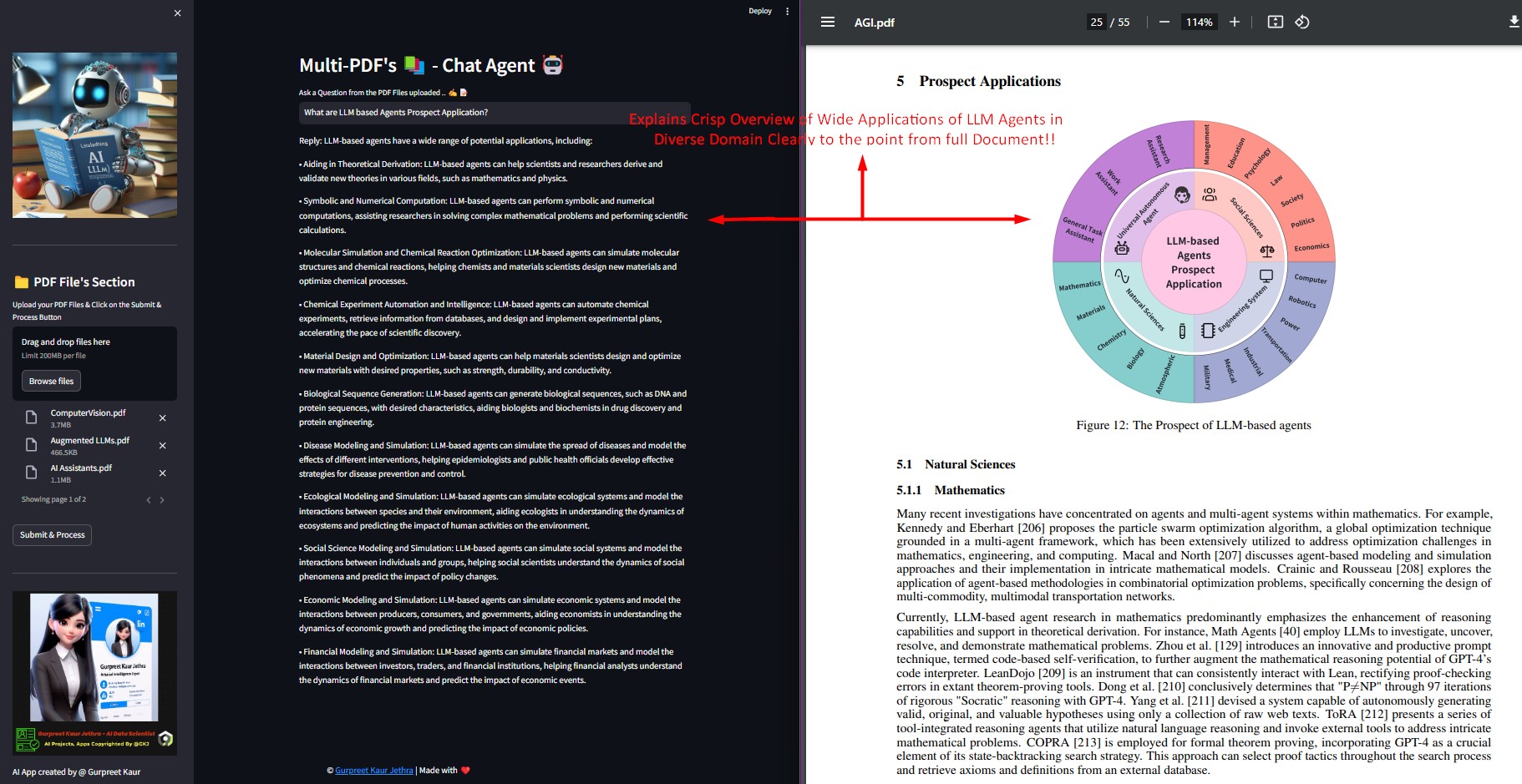
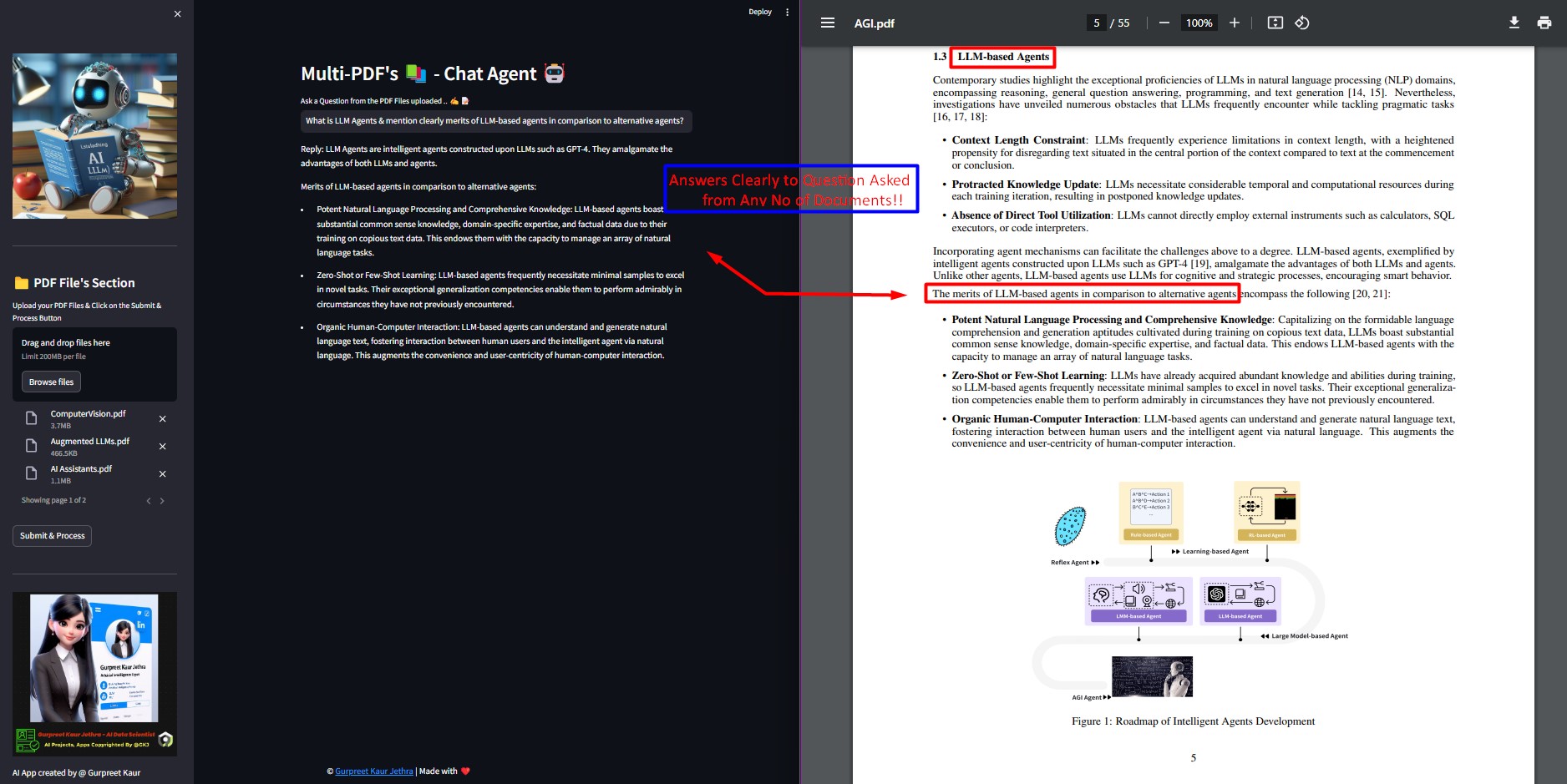
Multi-Document Conversational QA: Supports simple and multi-hop queries across multiple documents simultaneously, breaking the single-document limitation.
File Compatibility: Supports both PDF and TXT file formats.
LLM Model Compatibility: Supports Google Gemini Pro, OpenAI GPT 3, Anthropic Claude, Llama2 and other open-source LLMs.
.env file. This is commonly used to store configuration settings, API keys, and other sensitive information outside of your code.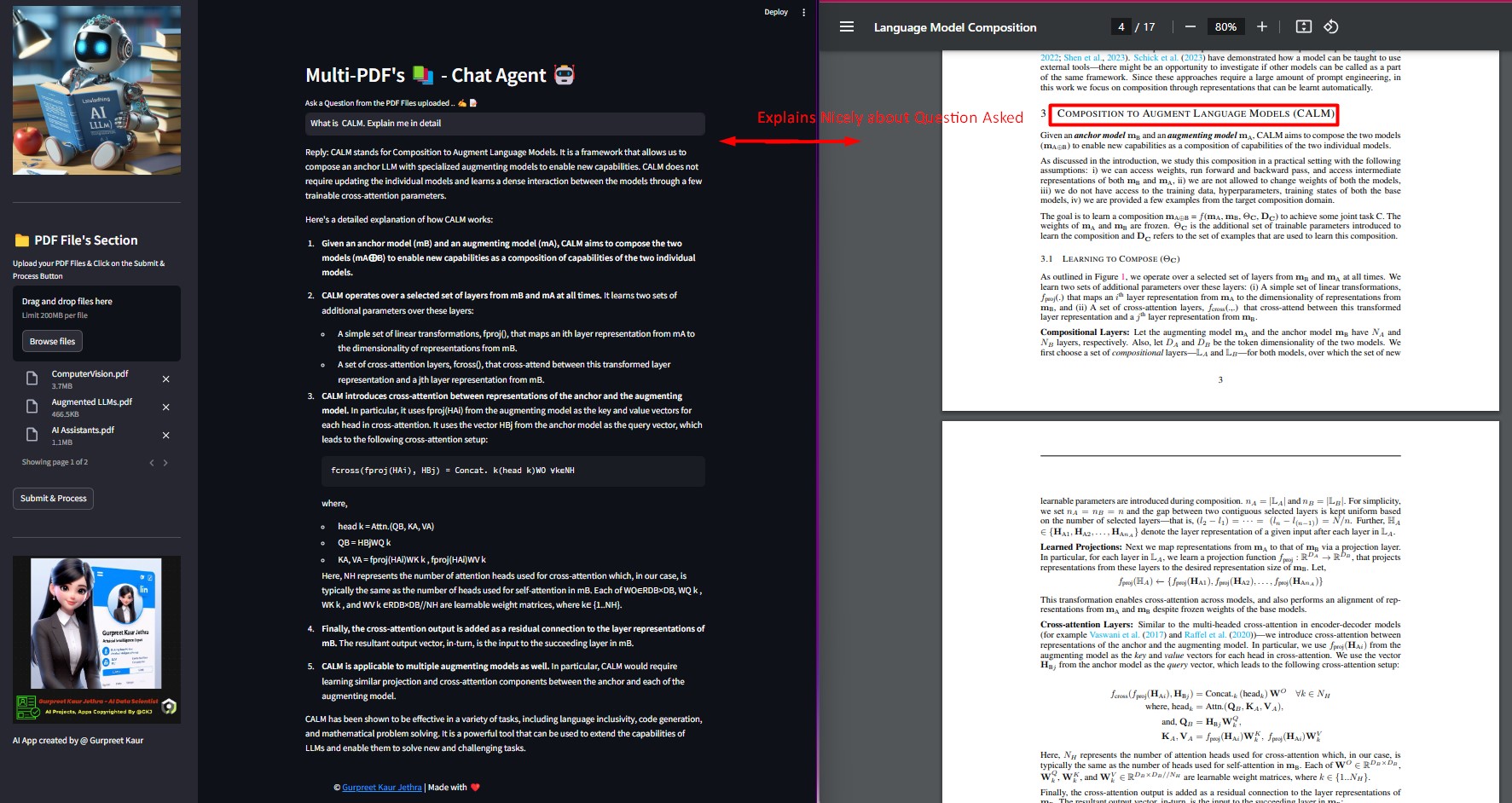
Clone the repository:
git clone https://github.com/GURPREETKAURJETHRA/Multi-PDFs_ChatApp_AI-Agent.git
Install the required Python packages:
pip install -r requirements.txt
Set up your Google API key from https://makersuite.google.com/app/apikey by creating a .env file in the root directory of the project with the following contents:
GOOGLE_API_KEY =<your-api-key-here>
Run the Streamlit app:
streamlit run app.py
To use the Multi-PDF-s ChatApp AI Agent ?, U can have glimpse of look by clicking on this link : Launch App On Streamlit. To run app, fork app and follow the below steps to start using it. Use the sidebar to upload PDF files and train the chatbot. Once trained, you can have conversations with the chatbot by entering questions in the text input field.
In case You want to run & implement project on your system then follow these steps:
.env file (MUST).app.py file using the Streamlit CLI. Execute the following command:
streamlit run app.py
The application will use conversational AI to provide responses based on the content of the uploaded documents. The responses will be displayed in the chat interface.
Distributed under the MIT License. See LICENSE for more information.





