php bing ai
1.2

新功能:在聊天中發送圖像

這是用於Bing AI的非正式PHP客戶端,包括CHAT(GPT-4)和Image Creator(DALL-E) 。
composer require maximerenou/bing-ai
此演示程序同時使用聊天和圖像創建者:
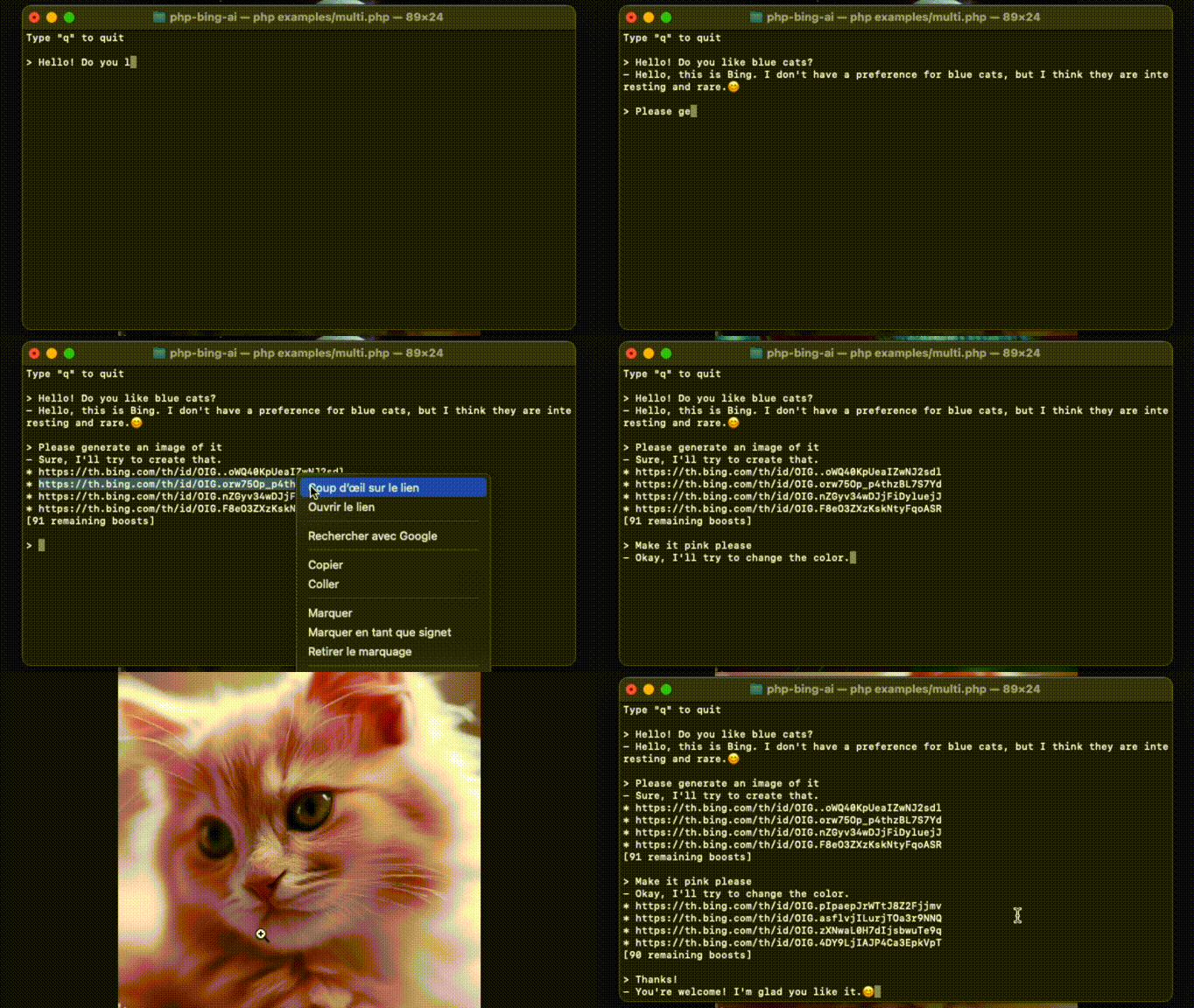
資料來源: examples/multi.php 。
首先,您需要在bing.com上登錄並獲取_U cookie。
❗在使用cookie之前,請確保您向bing聊天發送第一條消息(CAPTCHA旁路)
 use MaximeRenou  BingAI  BingAI ;

// $cookie - your "_U" cookie from bing.com
$ ai = new BingAI ( $ cookie );
$ valid = $ ai -> checkCookie ();演示:克隆此倉庫,編輯和運行examples/chat.php 。
 use MaximeRenou  BingAI  BingAI ;
use MaximeRenou  BingAI  Chat  Prompt ;

// $cookie - your "_U" cookie from bing.com
$ ai = new BingAI ( $ cookie );

$ conversation = $ ai -> createChatConversation ();

// $text - Text-only version of Bing's answer
// $cards - Message objects array
list ( $ text , $ cards ) = $ conversation -> ask ( new Prompt ( " Hello World " ));
$cards包含與Bing AI交換的所有“消息”。它可以是文本(提示或答案),信號,建議,圖像生成請求等。查看Message.php以了解有關其格式的更多信息。
您可以將圖像附加到您的消息:
 $ prompt = new Prompt ( " How cute is this animal? " );
$ prompt -> withImage ( ' /path/to/panda.png ' );
//or: $prompt->withImage($raw_image_data, true);

$ conversation -> ask ( $ prompt , ...);試試看!使用
examples/chat.php在消息末尾鍵入$image。
您可以將函數作為第二個參數,以獲得實時進展:
 // $text - Incomplete text version
// $cards - Incomplete messages fleet
list ( $ final_text , $ final_cards ) = $ conversation -> ask ( $ prompt , function ( $ text , $ cards ) {
    echo $ text ;
}); $ conversation = $ ai -> createChatConversation ()
-> withLocation ( $ latitude , $ longitude , $ radius ) // Optional
-> withPreferences ( ' fr-FR ' , ' fr-FR ' , ' FR ' ); // Optional use MaximeRenou BingAI Chat Tone ;
$ conversation = $ ai -> createChatConversation ()
-> withTone (Tone::Creative); // Optional
// Choices:
// Tone::Balanced (default)
// Tone::Creative
// Tone::Precise如果您想恢復以前的對話,可以檢索其標識符:
 // Get current identifiers
$ identifiers = $ conversation -> getIdentifiers ();

// ...
// Resume conversation with $identifiers parameter, and number of previous questions asked
$ conversation = $ ai -> resumeChatConversation ( $ identifiers , 1 ); $ subject = " Internet memes " ;
$ tone = ' funny ' ;
$ type = ' blog post ' ;
$ length = ' short ' ;
$ prompt = new Prompt ( " Please write a * $ length * * $ type * in a * $ tone * style about ` $ subject `. Please wrap the $ type in a markdown codeblock. " );
$ conversation -> ask ( $ prompt -> withoutCache (), ...)為了防止諸如“我已經寫過[...]”之類的答案,您可以禁用
withoutCache()提示的高速緩存。
bing是限制信息計數。您可以在每次互動後通過調用getRemainingMessages()來監視它。
 $ remaining = $ conversation -> getRemainingMessages ();

if ( $ remaining === 0 ) {
    // You reached the limit
}
每次互動後,您還應該檢查是否已從對話中踢開:
 if ( $ conversation -> kicked ()) {
    // You have been kicked, you should start a new conversation
}
您可以將兩個檢查結合在一起:
 if ( $ conversation -> ended ()) {
    // You reached the limit or have been kicked
}演示:克隆此回購,編輯和運行examples/images.php 。
 use MaximeRenou  BingAI  BingAI ;

// $cookie - your "_U" cookie from bing.com
$ ai = new BingAI ( $ cookie );

$ creator = $ ai -> createImages ( " A 3D teddy bear " );

$ creator -> wait ();

// Finally, get images URLs
if (! $ creator -> hasFailed ()) {
    $ images = $ creator -> getImages ();
}
消耗所有“增強”後,圖像產生可能會變慢。檢查下面的部分,以了解您的剩餘提升。
 $ creator = $ ai -> getImageCreator ();

$ remaining_boosts = $ creator -> getRemainingBoosts (); $ prompt = " A 3D teddy bear " ;
$ creator = $ ai -> createImages ( $ prompt );
$ generation_id = $ creator -> getGenerationId ();
// ...
$ creator = $ ai -> getImageCreator ();
$ creator -> resume ( $ generation_id , $ prompt ); do {
sleep ( 1 );
} while ( $ creator -> isGenerating ());在bing.com之外使用bing ai可能會違反bing條款。使用它自己的風險。 Bing是微軟的商標。







