RasaGPT
1.0.0

Rasagpt是第一個在Rasa和Langchain頂部建立的無頭LLM聊天機器人平台。它是RASA和電報的參考實現,利用Langchain(例如Langchain)進行索引,檢索和上下文注入。
用他們自己的話:
RASA是一個開源(Python)機器學習框架,可自動化基於文本和語音的對話:NLU,對話管理,連接到Slack,Facebook等 - 創建聊天機器人和語音助手
用我的話:
RASA是一個非常受歡迎的(我敢說事實上嗎?),並且可以輕鬆地將聊天機器人框架與內置的NLU ML管道內置,這些管道已過時,並且是LLMS世界中重新構想的聊天機器人框架的概念起點。
Rasagpt開箱即用。許多實施頭痛已經解決,因此您不必這樣做,包括:
背景故事很熟悉。一個朋友遇到了問題。我搜尋了Google和Github,以與RASA集成的LLM進行了不錯的參考實現,但空手而歸。我認為這是一個滿足我好奇心的絕佳機會,兩天后我有了一個概念證明,一周後,這就是我想到的。
配x 警告空器:這遠非生產代碼和迅速注入和一般安全漏洞的盛行。我只是希望有人發現這有用嗎?
入門很容易,只需確保您遇到以下依賴項即可。
配x 配x 配x **注意非麥克斯用戶:**如果您使用的是Linux或Windows,則需要從khalosa/rasa-aarch64:3.5.2更改圖像名稱到rasa/rasa:latestDocker-compose.yml在線上#64和在此處的第1行中的Dockerfile中
 # Get the code
git clone https://github.com/paulpierre/RasaGPT.git
cd RasaGPT

# # Setup the .env file
cp .env-example .env

# Edit your .env file and add all the necessary credentials
make install

# Type "make" to see more options
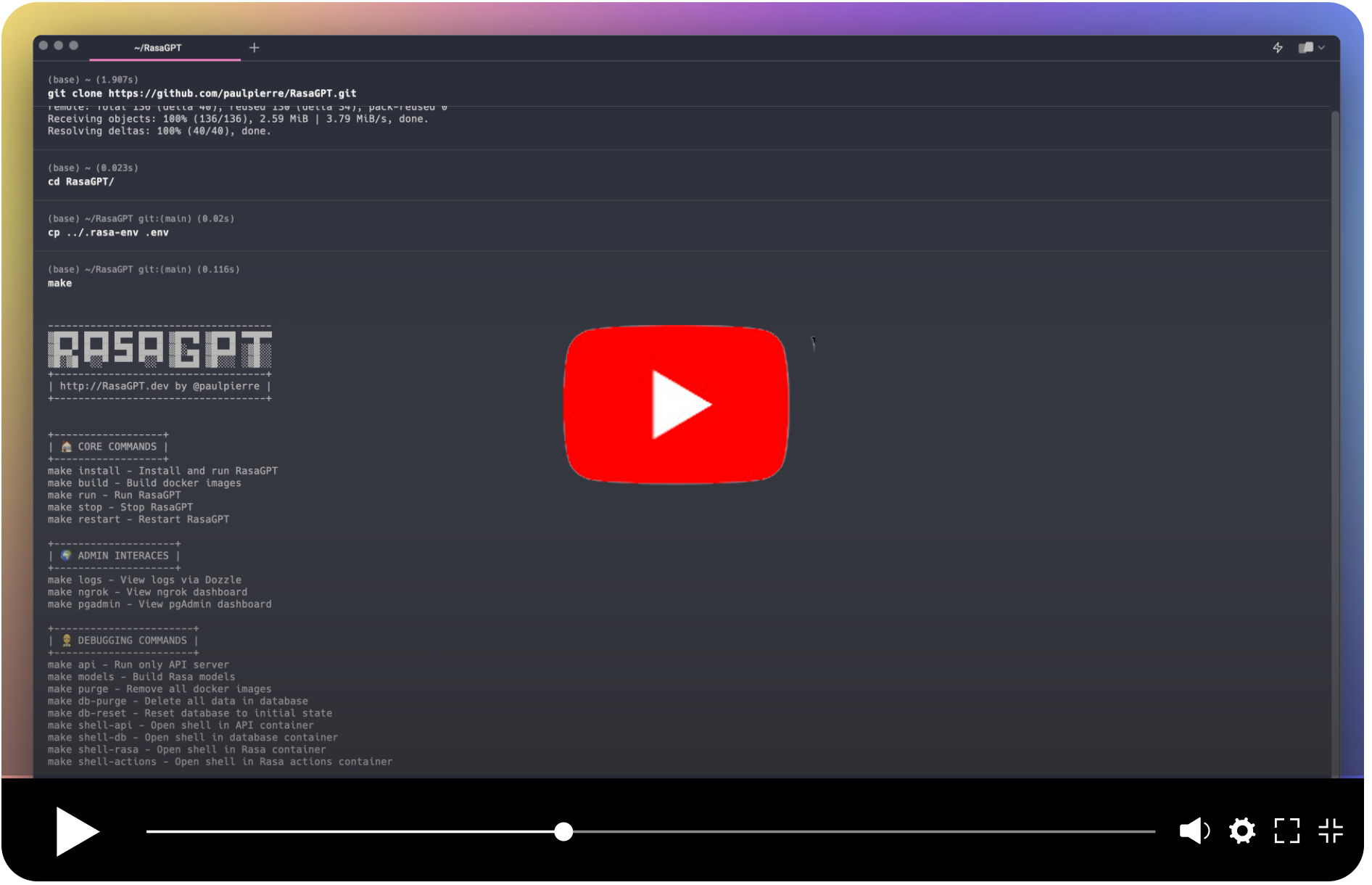
makehttps://t.me/yourbotname訪問您的機器人git clone https://github.com/paulpierre/RasaGPT.git
cd RasaGPT
cp .env-example .env
# Edit your .env file and all the credentials
在任何時候都可以隨意輸入make ,它將顯示選項列表,最有用:調試:
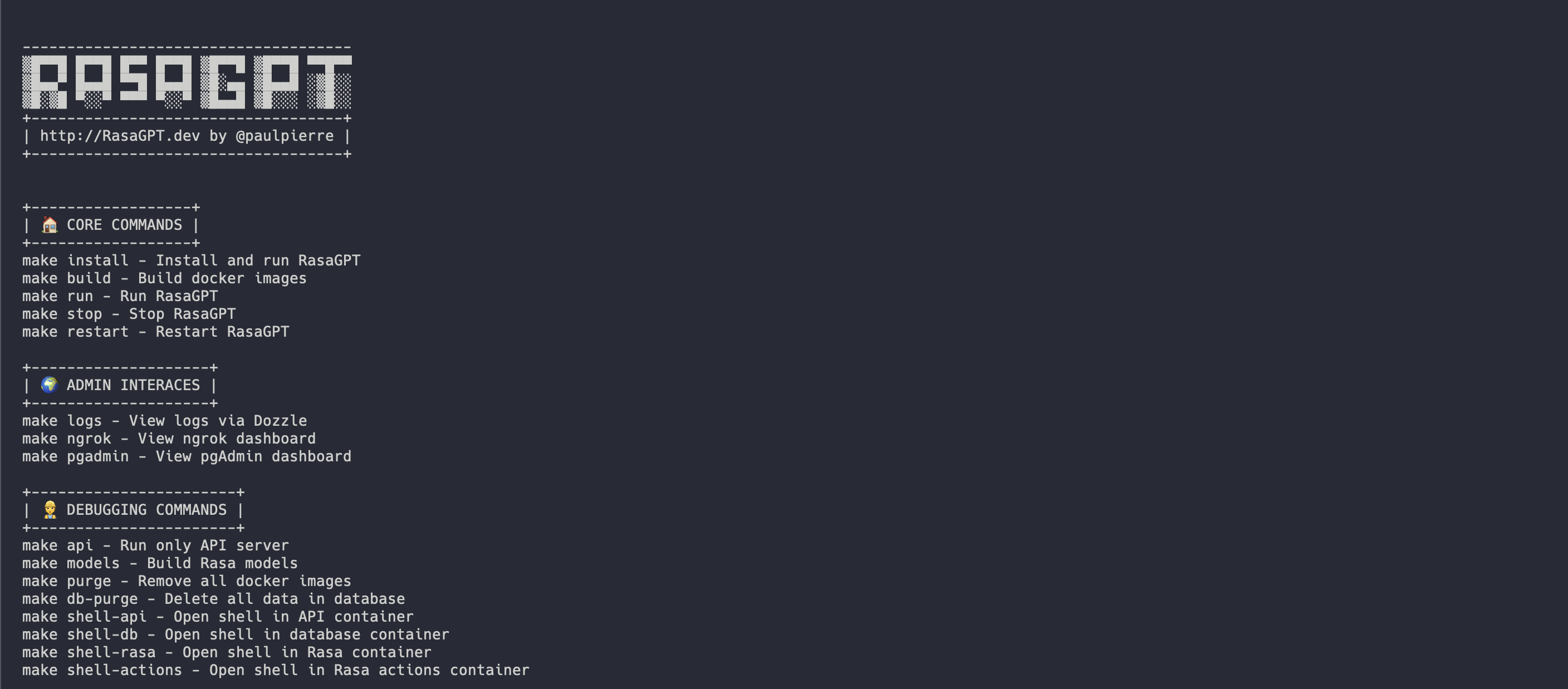
入門最簡單的方法是在根目錄中使用Makefile 。它將按正確的順序安裝和運行Rasagpt的所有服務。
make install

# This will automatically install and run RasaGPT
# After installation, to run again you can simply run

make run如果您希望專注於API頂部開發,則對此進行了單獨的Makefile 。這將為您創建本地虛擬環境。
 # Assuming you are already in the RasaGPT directory
cd app/api
make install

# This will automatically install and run RasaGPT
# After installation, to run again you can simply run

make run
同樣,Enter make查看完整的命令列表
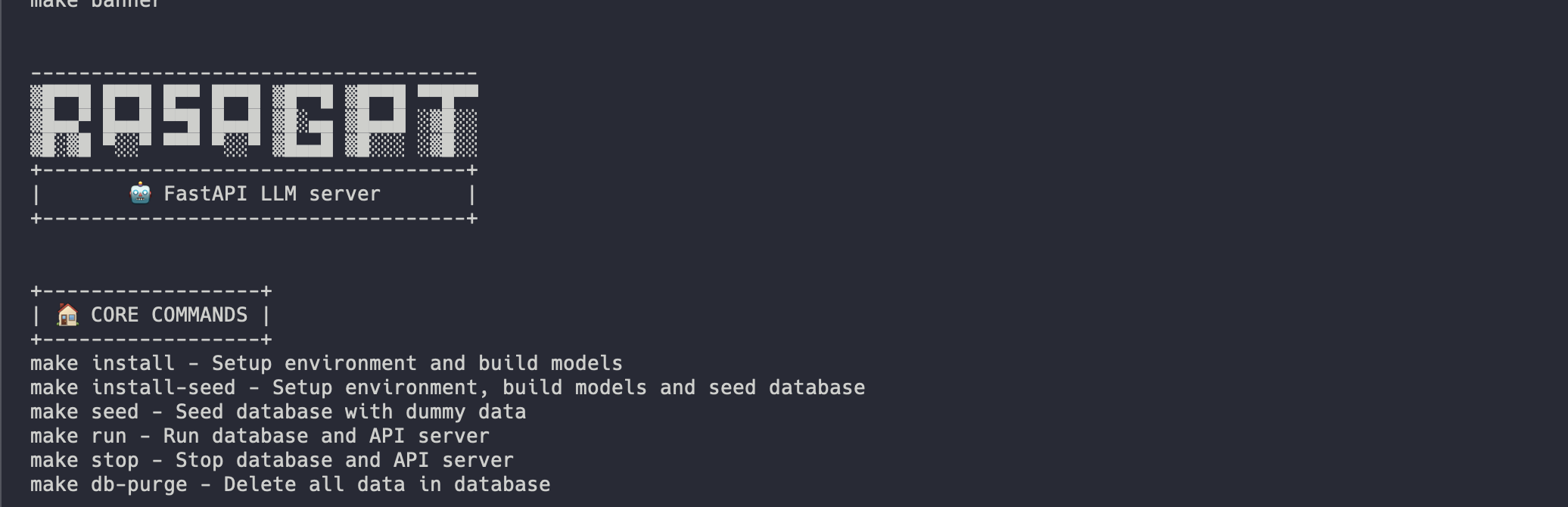
安裝應自動化看起來像這樣:
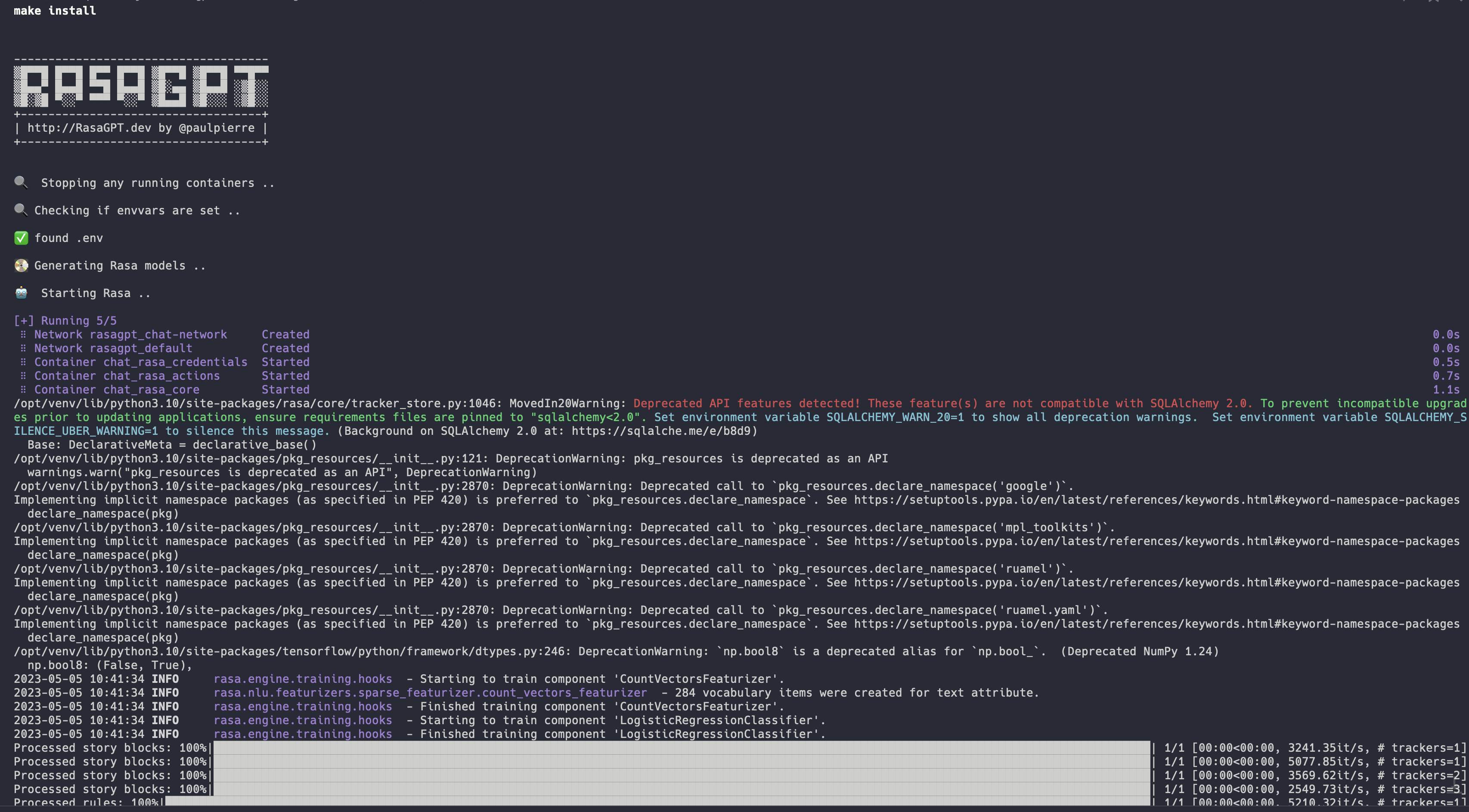
完整安裝日誌:https://app.warp.dev/block/vflua6eue29epk8evvw8kd
Docker的安裝過程在高級別上採取以下步驟
.env可用pgvector初始化數據庫seed.py填充了虛擬數據您可以通過訪問https://t.me/yourbotsname開始與機器人聊天
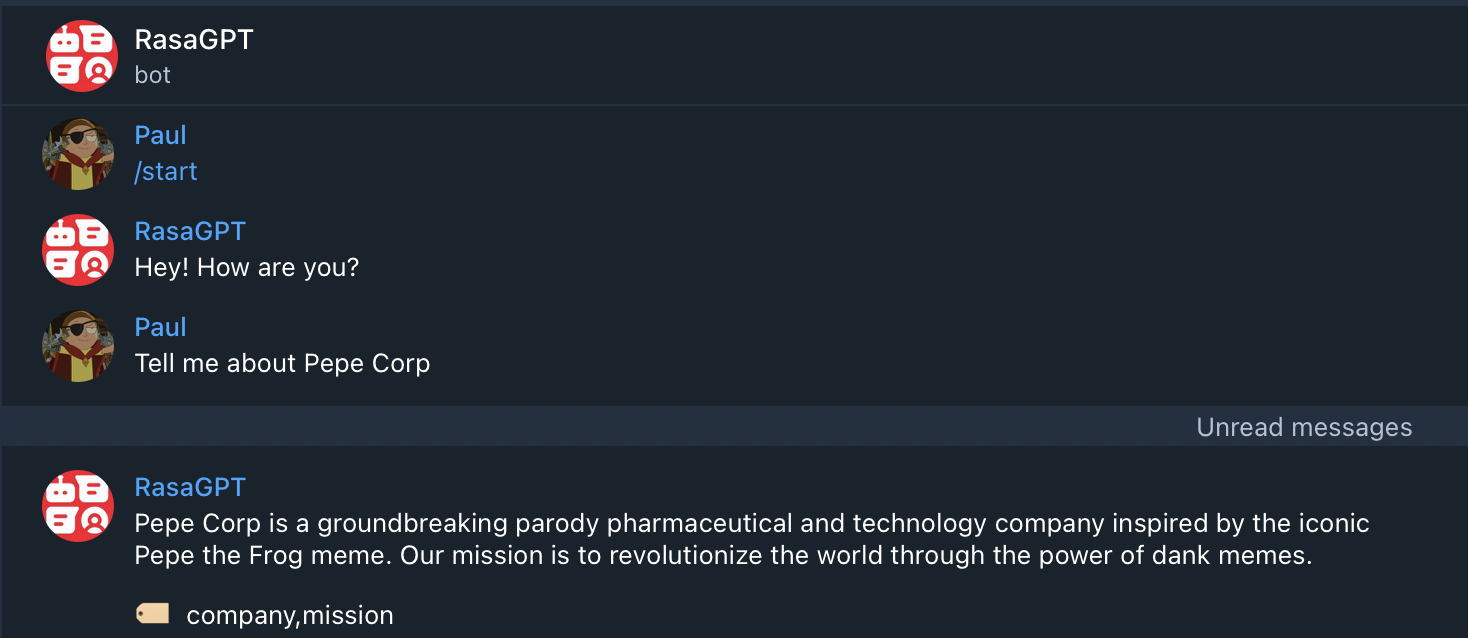
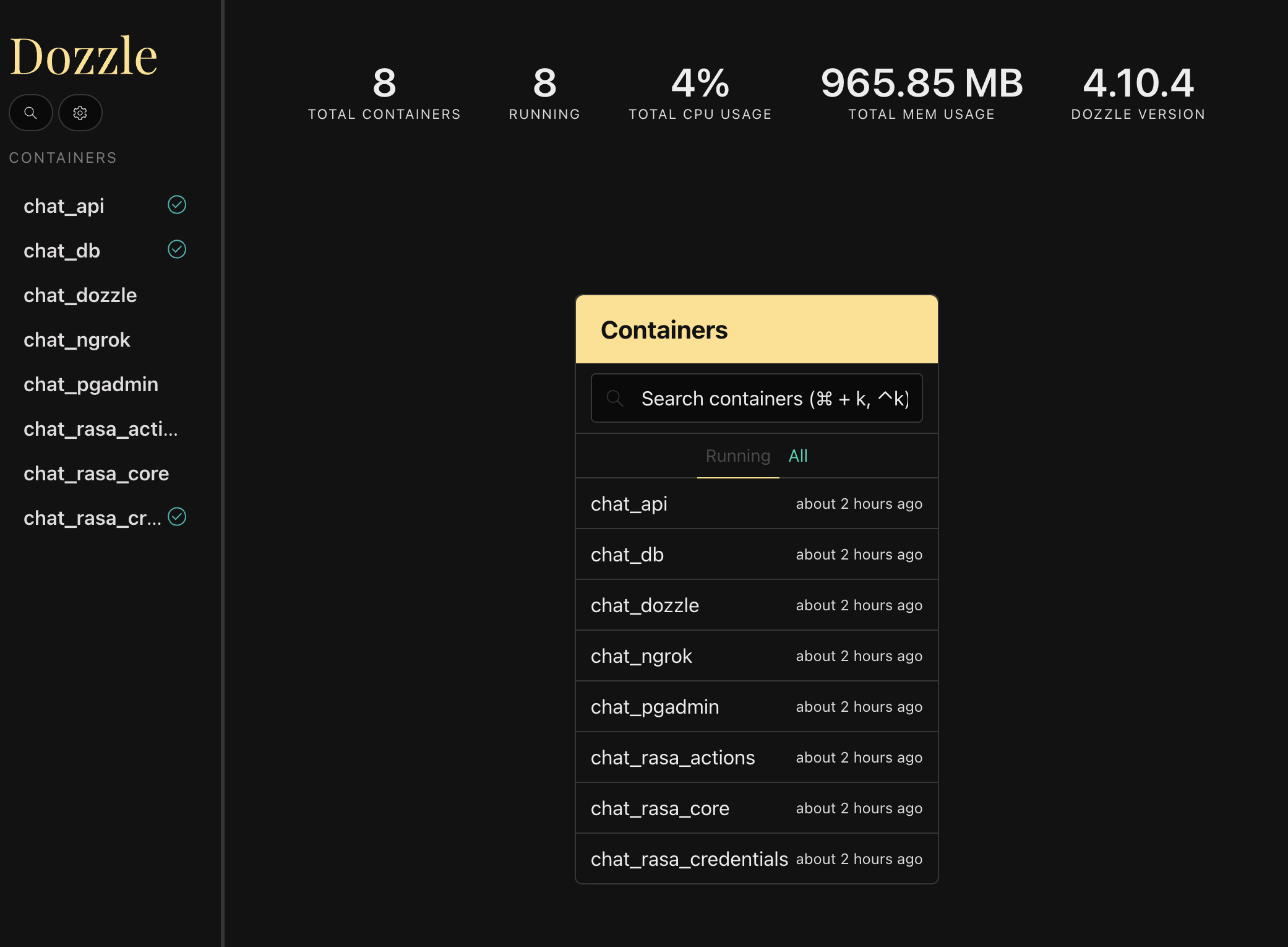
您可以通過訪問https:// localhost:9999/將顯示所有Docker容器的實時日誌來查看所有日誌
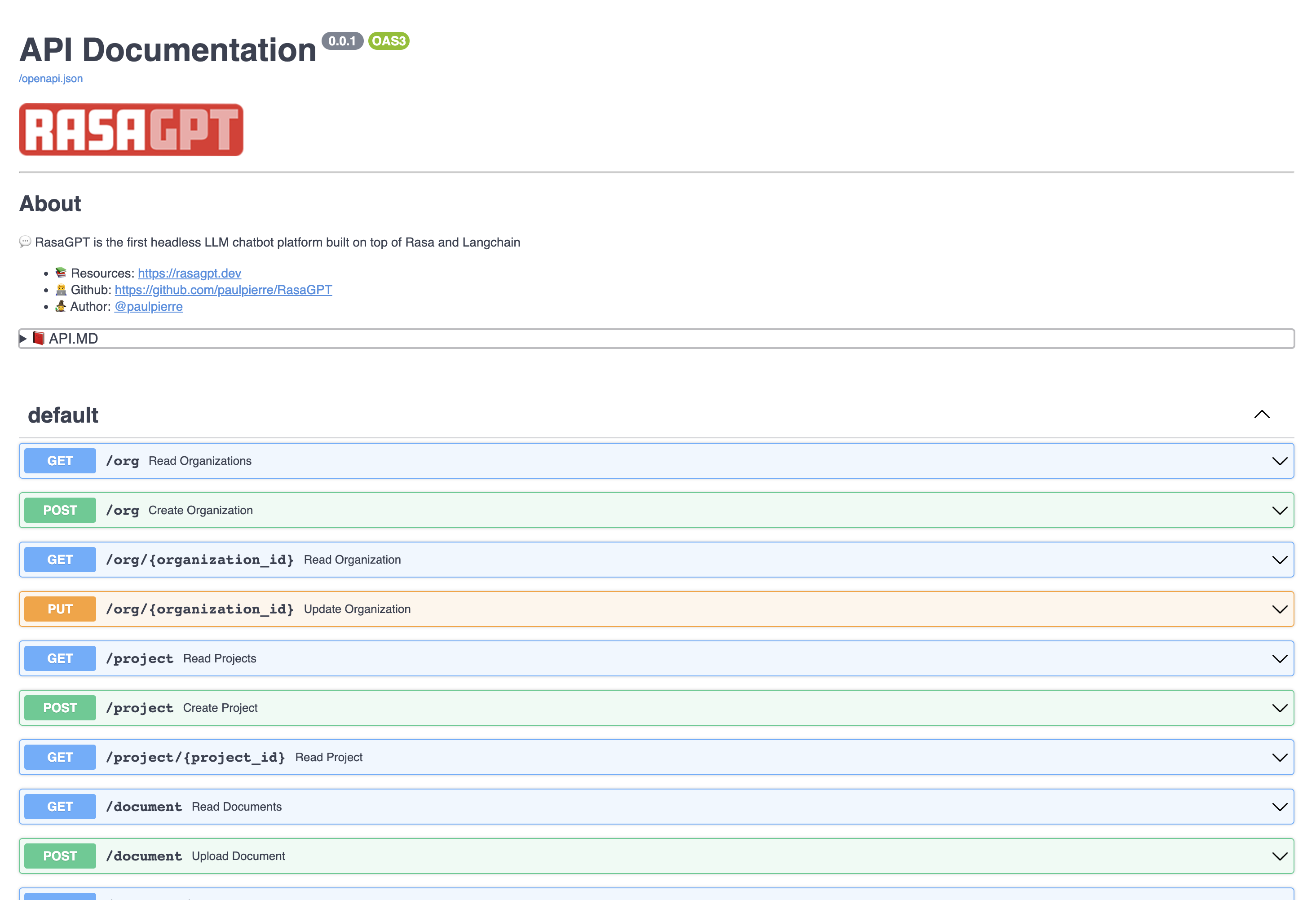
通過訪問https:// localhost:8888/docs查看API端點文檔
在此頁面中,您可以創建和更新實體,並將文檔上傳到知識庫。
該機器人只是概念驗證,尚未被優化用於檢索。目前,它使用1000個字符長度塊來進行索引和基本的歐幾里得距離進行檢索和質量。
您可以在results.md文件中使用bot查看示例命中和錯過。總體而言,I估計指數優化和LLM配置變化可以將輸出質量提高超過70%。
單擊以查看Result.MD中演示數據的問答結果
REST API直截了當,請訪問文檔http:// localhost:8888/docs
以下實體具有基本的CRUD操作並返回JSON
可以將其視為您在SaaS /多租戶世界中的客戶。默認情況下,已提供了一個虛擬組織列表
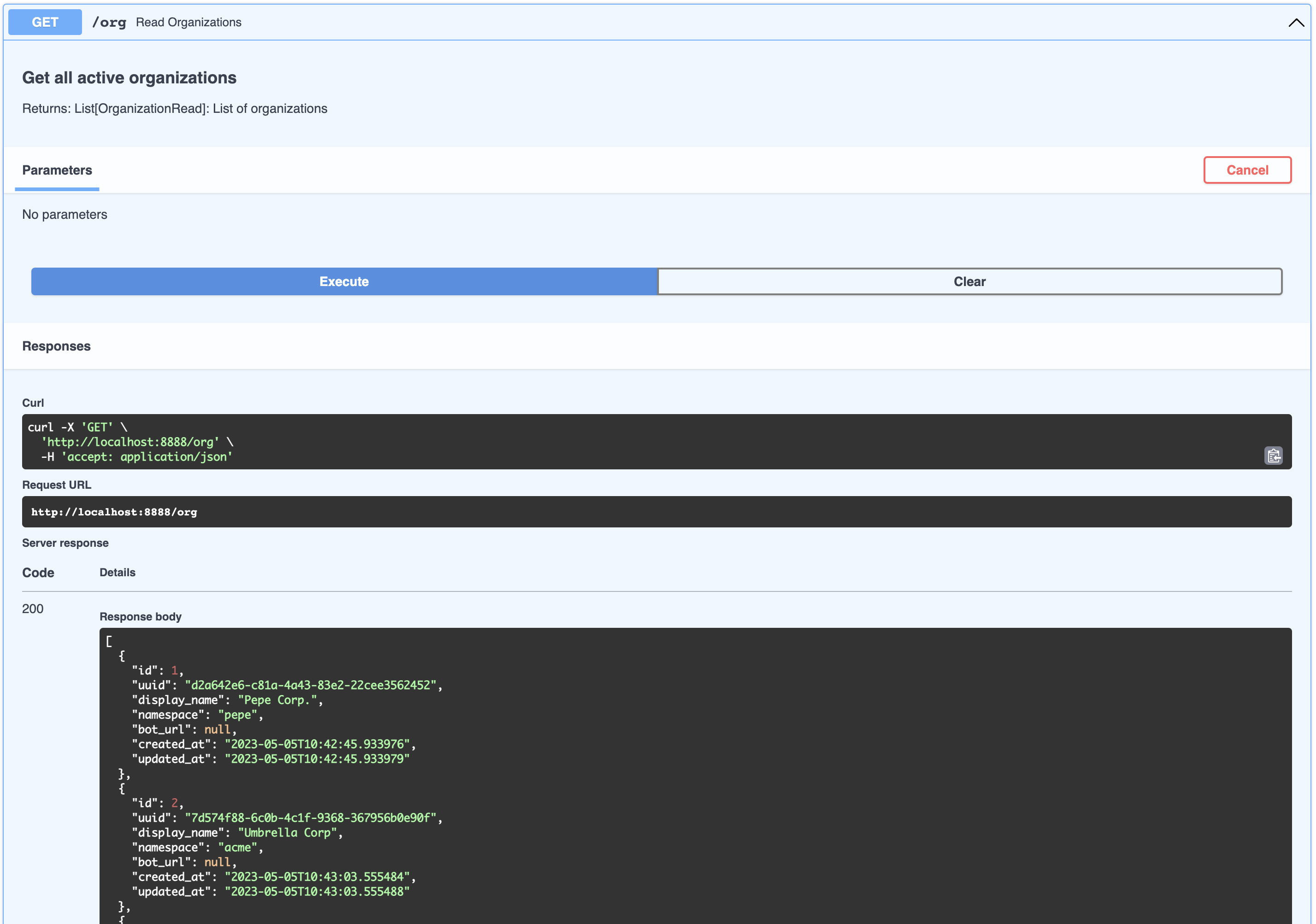
[
  {
    " id " : 1,
    " uuid " : " d2a642e6-c81a-4a43-83e2-22cee3562452 " ,
    " display_name " : " Pepe Corp. " ,
    " namespace " : " pepe " ,
    " bot_url " : null,
    " created_at " : " 2023-05-05T10:42:45.933976 " ,
    " updated_at " : " 2023-05-05T10:42:45.933979 "
  },
  {
    " id " : 2,
    " uuid " : " 7d574f88-6c0b-4c1f-9368-367956b0e90f " ,
    " display_name " : " Umbrella Corp " ,
    " namespace " : " acme " ,
    " bot_url " : null,
    " created_at " : " 2023-05-05T10:43:03.555484 " ,
    " updated_at " : " 2023-05-05T10:43:03.555488 "
  },
  {
    " id " : 3,
    " uuid " : " 65105a15-2ef0-4898-ac7a-8eafee0b283d " ,
    " display_name " : " Cyberdine Systems " ,
    " namespace " : " cyberdine " ,
    " bot_url " : null,
    " created_at " : " 2023-05-05T10:43:04.175424 " ,
    " updated_at " : " 2023-05-05T10:43:04.175428 "
  },
  {
    " id " : 4,
    " uuid " : " b7fb966d-7845-4581-a537-818da62645b5 " ,
    " display_name " : " Bluth Companies " ,
    " namespace " : " bluth " ,
    " bot_url " : null,
    " created_at " : " 2023-05-05T10:43:04.697801 " ,
    " updated_at " : " 2023-05-05T10:43:04.697804 "
  },
  {
    " id " : 5,
    " uuid " : " 9283d017-b24b-4ecd-bf35-808b45e258cf " ,
    " display_name " : " Evil Corp " ,
    " namespace " : " evil " ,
    " bot_url " : null,
    " created_at " : " 2023-05-05T10:43:05.102546 " ,
    " updated_at " : " 2023-05-05T10:43:05.102549 "
  }
]可以將其視為屬於公司的產品。您可以查看屬於類似組織的項目列表:
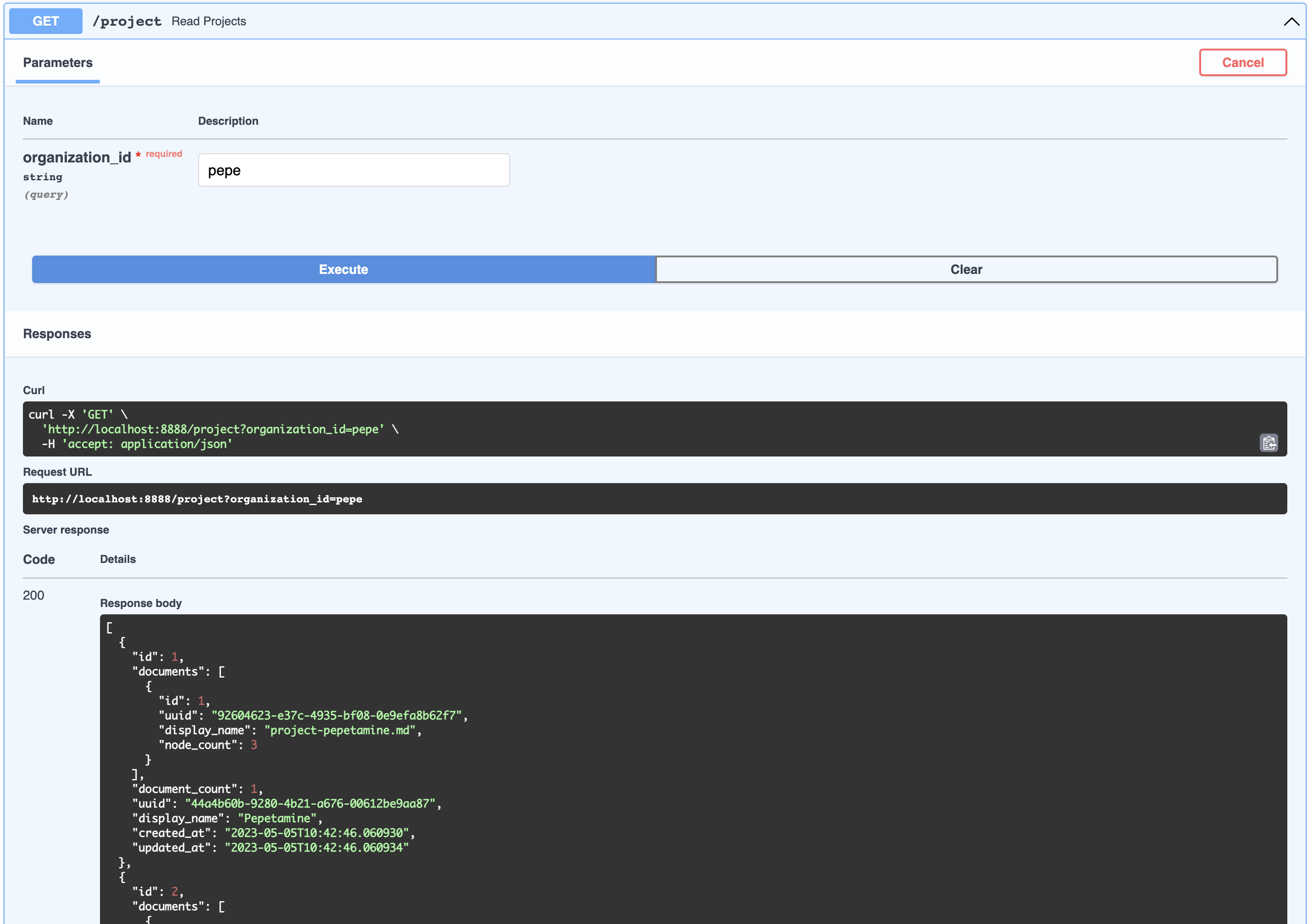
[
  {
    " id " : 1,
    " documents " : [
      {
        " id " : 1,
        " uuid " : " 92604623-e37c-4935-bf08-0e9efa8b62f7 " ,
        " display_name " : " project-pepetamine.md " ,
        " node_count " : 3
      }
    ],
    " document_count " : 1,
    " uuid " : " 44a4b60b-9280-4b21-a676-00612be9aa87 " ,
    " display_name " : " Pepetamine " ,
    " created_at " : " 2023-05-05T10:42:46.060930 " ,
    " updated_at " : " 2023-05-05T10:42:46.060934 "
  },
  {
    " id " : 2,
    " documents " : [
      {
        " id " : 2,
        " uuid " : " b408595a-3426-4011-9b9b-8e260b244f74 " ,
        " display_name " : " project-frogonil.md " ,
        " node_count " : 3
      }
    ],
    " document_count " : 1,
    " uuid " : " 5ba6b812-de37-451d-83a3-8ccccadabd69 " ,
    " display_name " : " Frogonil " ,
    " created_at " : " 2023-05-05T10:42:48.043936 " ,
    " updated_at " : " 2023-05-05T10:42:48.043940 "
  },
  {
    " id " : 3,
    " documents " : [
      {
        " id " : 3,
        " uuid " : " b99d373a-3317-4699-a89e-90897ba00db6 " ,
        " display_name " : " project-kekzal.md " ,
        " node_count " : 3
      }
    ],
    " document_count " : 1,
    " uuid " : " 1be4360c-f06e-4494-bf20-e7c73a56f003 " ,
    " display_name " : " Kekzal " ,
    " created_at " : " 2023-05-05T10:42:49.092675 " ,
    " updated_at " : " 2023-05-05T10:42:49.092678 "
  },
  {
    " id " : 4,
    " documents " : [
      {
        " id " : 4,
        " uuid " : " 94da307b-5993-4ddd-a852-3d8c12f95f3f " ,
        " display_name " : " project-memetrex.md " ,
        " node_count " : 3
      }
    ],
    " document_count " : 1,
    " uuid " : " 1fd7e772-365c-451b-a7eb-4d529b0927f0 " ,
    " display_name " : " Memetrex " ,
    " created_at " : " 2023-05-05T10:42:50.184817 " ,
    " updated_at " : " 2023-05-05T10:42:50.184821 "
  },
  {
    " id " : 5,
    " documents " : [
      {
        " id " : 5,
        " uuid " : " 6deff180-3e3e-4b09-ae5a-6502d031914a " ,
        " display_name " : " project-pepetrak.md " ,
        " node_count " : 4
      }
    ],
    " document_count " : 1,
    " uuid " : " a389eb58-b504-48b4-9bc3-d3c93d2fbeaa " ,
    " display_name " : " PepeTrak " ,
    " created_at " : " 2023-05-05T10:42:51.293352 " ,
    " updated_at " : " 2023-05-05T10:42:51.293355 "
  },
  {
    " id " : 6,
    " documents " : [
      {
        " id " : 6,
        " uuid " : " 2e3c2155-cafa-4c6b-b7cc-02bb5156715b " ,
        " display_name " : " project-memegen.md " ,
        " node_count " : 5
      }
    ],
    " document_count " : 1,
    " uuid " : " cec4154f-5d73-41a5-a764-eaf62fc3db2c " ,
    " display_name " : " MemeGen " ,
    " created_at " : " 2023-05-05T10:42:52.562037 " ,
    " updated_at " : " 2023-05-05T10:42:52.562040 "
  },
  {
    " id " : 7,
    " documents " : [
      {
        " id " : 7,
        " uuid " : " baabcb6f-e14c-4d59-a019-ce29973b9f5c " ,
        " display_name " : " project-neurokek.md " ,
        " node_count " : 5
      }
    ],
    " document_count " : 1,
    " uuid " : " 4a1a0542-e314-4ae7-9961-720c2d092f04 " ,
    " display_name " : " Neuro-kek " ,
    " created_at " : " 2023-05-05T10:42:53.689537 " ,
    " updated_at " : " 2023-05-05T10:42:53.689539 "
  },
  {
    " id " : 8,
    " documents " : [
      {
        " id " : 8,
        " uuid " : " 5be007ec-5c89-4bc4-8bfd-448a3659c03c " ,
        " display_name " : " org-about_the_company.md " ,
        " node_count " : 5
      },
      {
        " id " : 9,
        " uuid " : " c2b3fb39-18c0-4f3e-9c21-749b86942cba " ,
        " display_name " : " org-board_of_directors.md " ,
        " node_count " : 3
      },
      {
        " id " : 10,
        " uuid " : " 41aa81a9-13a9-4527-a439-c2ac0215593f " ,
        " display_name " : " org-company_story.md " ,
        " node_count " : 4
      },
      {
        " id " : 11,
        " uuid " : " 91c59eb8-8c05-4f1f-b09d-fcd9b44b5a20 " ,
        " display_name " : " org-corporate_philosophy.md " ,
        " node_count " : 4
      },
      {
        " id " : 12,
        " uuid " : " 631fc3a9-7f5f-4415-8283-78ff582be483 " ,
        " display_name " : " org-customer_support.md " ,
        " node_count " : 3
      },
      {
        " id " : 13,
        " uuid " : " d4c3d3db-6f24-433e-b2aa-52a70a0af976 " ,
        " display_name " : " org-earnings_fy2023.md " ,
        " node_count " : 5
      },
      {
        " id " : 14,
        " uuid " : " 08dd478b-414b-46c4-95c0-4d96e2089e90 " ,
        " display_name " : " org-management_team.md " ,
        " node_count " : 3
      }
    ],
    " document_count " : 7,
    " uuid " : " 1d2849b4-2715-4dcf-aa68-090a221942ba " ,
    " display_name " : " Pepe Corp. (company) " ,
    " created_at " : " 2023-05-05T10:42:55.258902 " ,
    " updated_at " : " 2023-05-05T10:42:55.258904 "
  }
]這可以將其視為與產品相關的工件,例如常見問題頁面或具有財務報表收益的PDF。您可以查看與組織項目相關的所有文檔:
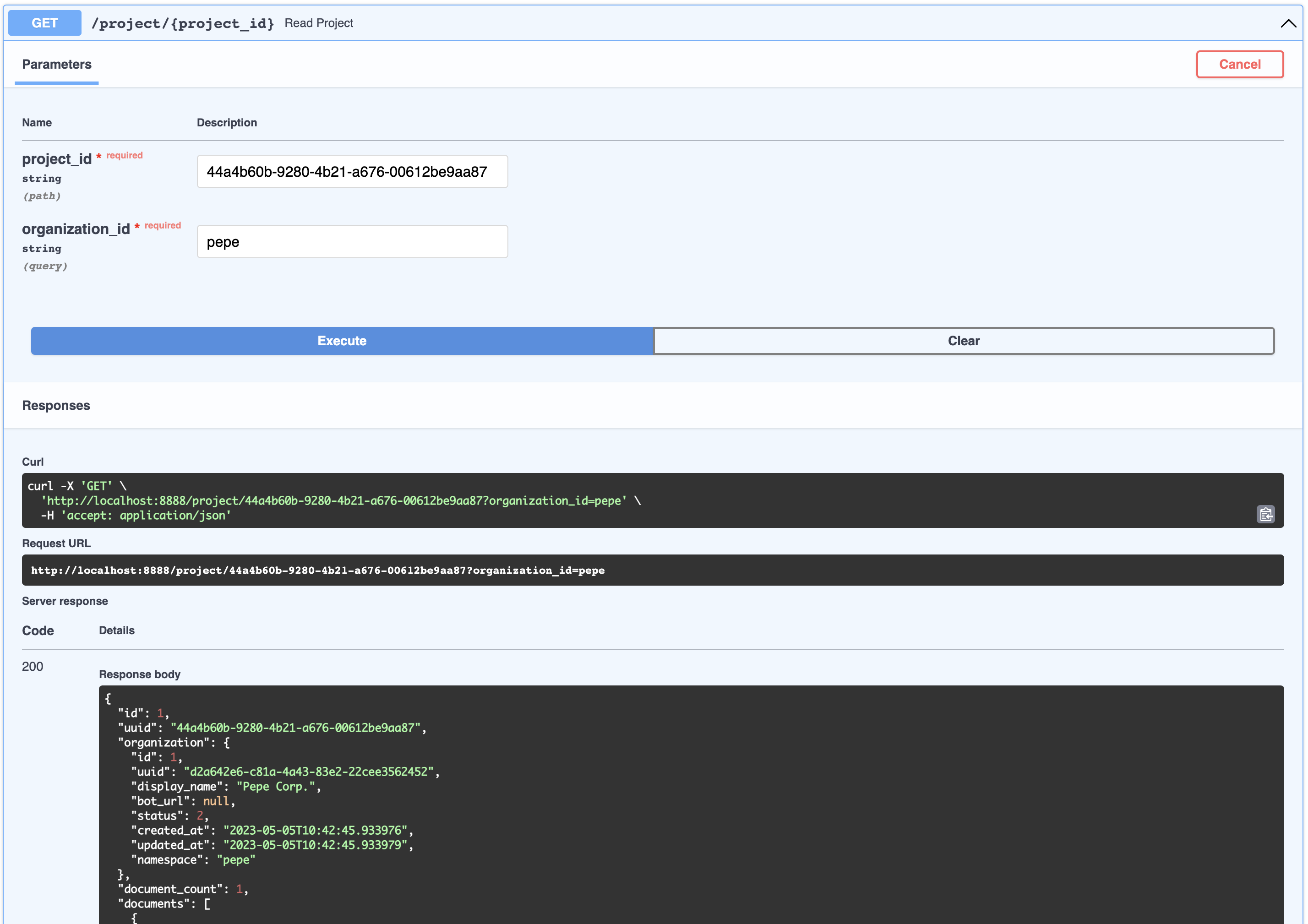
{
  " id " : 1,
  " uuid " : " 44a4b60b-9280-4b21-a676-00612be9aa87 " ,
  " organization " : {
    " id " : 1,
    " uuid " : " d2a642e6-c81a-4a43-83e2-22cee3562452 " ,
    " display_name " : " Pepe Corp. " ,
    " bot_url " : null,
    " status " : 2,
    " created_at " : " 2023-05-05T10:42:45.933976 " ,
    " updated_at " : " 2023-05-05T10:42:45.933979 " ,
    " namespace " : " pepe "
  },
  " document_count " : 1,
  " documents " : [
    {
      " id " : 1,
      " uuid " : " 92604623-e37c-4935-bf08-0e9efa8b62f7 " ,
      " organization_id " : 1,
      " project_id " : 1,
      " display_name " : " project-pepetamine.md " ,
      " url " : " " ,
      "data": "# PepetaminennProduct Name: PepetaminennPurpose: Increases cognitive focus just like the Limitless movienn**How to Use**nnPepetamine is available in the form of rare Pepe-coated tablets. The recommended dosage is one tablet per day, taken orally with a glass of water, preferably while browsing your favorite meme forum for maximum cognitive enhancement. For optimal results, take Pepetamine 30 minutes before engaging in mentally demanding tasks, such as decoding ancient Pepe hieroglyphics or creating your next viral meme masterpiece.nn**Side Effects**nnSome potential side effects of Pepetamine may include:nn1. Uncontrollable laughter and a sudden appreciation for dank memesn2. An inexplicable desire to collect rare Pepesn3. Enhanced meme creation skills, potentially leading to internet famen4. Temporary green skin pigmentation, resembling the legendary Pepe himselfn5. Spontaneously speaking in "feels good man" languagennWhile most side effects are generally harmless, consult your memologist if side effects persist or become bothersome.nn**Precautions**nnBefore taking Pepetamine, please consider the following precautions:nn1. Do not use Pepetamine if you have a known allergy to rare Pepes or dank memes.n2. Pepetamine may not be suitable for individuals with a history of humor deficiency or meme intolerance.n3. Exercise caution when driving or operating heavy machinery, as Pepetamine may cause sudden fits of laughter or intense meme ideation.nn**Interactions**nnPepetamine may interact with other substances, including:nn1. Normie supplements: Combining Pepetamine with normie supplements may result in meme conflicts and a decreased sense of humor.n2. Caffeine: The combination of Pepetamine and caffeine may cause an overload of energy, resulting in hyperactive meme creation and potential internet overload.nnConsult your memologist if you are taking any other medications or substances to ensure compatibility with Pepetamine.nn**Overdose**nnIn case of an overdose, symptoms may include:nn1. Uncontrollable meme creationn2. Delusions of grandeur as the ultimate meme lordn3. Time warps into the world of PepennIf you suspect an overdose, contact your local meme emergency service or visit the nearest meme treatment facility. Remember, the key to enjoying Pepetamine is to use it responsibly, and always keep in mind the wise words of our legendary Pepe: "Feels good man."",
      " hash " : " fdee6da2b5441080dd78e7850d3d2e1403bae71b9e0526b9dcae4c0782d95a78 " ,
      " version " : 1,
      " status " : 2,
      " created_at " : " 2023-05-05T10:42:46.755428 " ,
      " updated_at " : " 2023-05-05T10:42:46.755431 "
    }
  ],
  " display_name " : " Pepetamine " ,
  " created_at " : " 2023-05-05T10:42:46.060930 " ,
  " updated_at " : " 2023-05-05T10:42:46.060934 "
}儘管這並未在API中暴露,但節點是嵌入生成的文檔的一部分。節點用於檢索搜索和上下文注入。一個節點屬於文檔。
用戶代表與機器人交談的人。用戶不一定屬於組織或產品,但是在下面的聊天中捕獲了這種關係。
不通過API暴露,但這代表了用戶和機器人之間的問題和答案。這些對像中的每一個都可以通過自動生成的session_id靈活識別。聊天會議包含可用於培訓和優化的豐富元數據。通過/chat端點通過 /聊天端的聊天實際上與組織相關聯(用於多租戶安全目的)
/webhooks/{channel}/webhook情況而FallbackClassifier閾值rasa-credentials進行更新action_gpt_fallback Action,該操作將觸發我們的操作服務器out_of_scope地方action_gpt_fallbackActionGPTFallback類定義和表達我們的動作的地方。方法name返回我們為上述目的定義的動作rasa train通過CLI完成。運行時,這是為您自動make install的rasa run運行rasa run actions分開運行rasa-credentials服務為您處理此過程。 Ngrok作為服務運行,一旦準備就緒rasa-credentials致電本地Ngrok API檢索隧道URL並更新credentials.yml 。actions.py中運行的後備動作。 pgvector是Postgres的插件,並自動安裝了您的存儲和計算矢量數據類型。我們之所以擁有自己的實現,是因為Langchain PGVECTOR類不靈活地適應我們的模式,我們希望靈活性。
/docker-entry-initdb.d中的任何文件都可以運行。在Postgres Dockerfile中,我們複製create_db.sh ,為我們的數據庫創建數據庫和用戶models命令中,我們在API容器中運行型號。enable_vector方法啟用數據庫中的PGVECTOR擴展index.json的文件中,則將數據索引。GPTSimpleVectorIndex來查找相關數據並將其註入提示。out_of_scope action_gpt_fallbackActionGPTFallback函數將調用FastAPI API服務器通常,只需訪問http:// localhost:9999/
始終通過NGrok和Telegram匹配檢查您的Webhook是否。只需通過
curl -sS " https://api.telegram.org/bot<your-bot-secret-token>/getWebhookInfo " | json_pp..應該返回此:
{
    " ok " : true,
    " result " : {
        " url " : " https://b280-04-115-40-112.ngrok-free.app/webhooks/telegram/webhook " ,
        " has_custom_certificate " : false,
        " pending_update_count " : 0,
        " max_connections " : 40,
        " ip_address " : " 1.2.3.4 "
    }
} ..哪個應該匹配您的credentials.yml
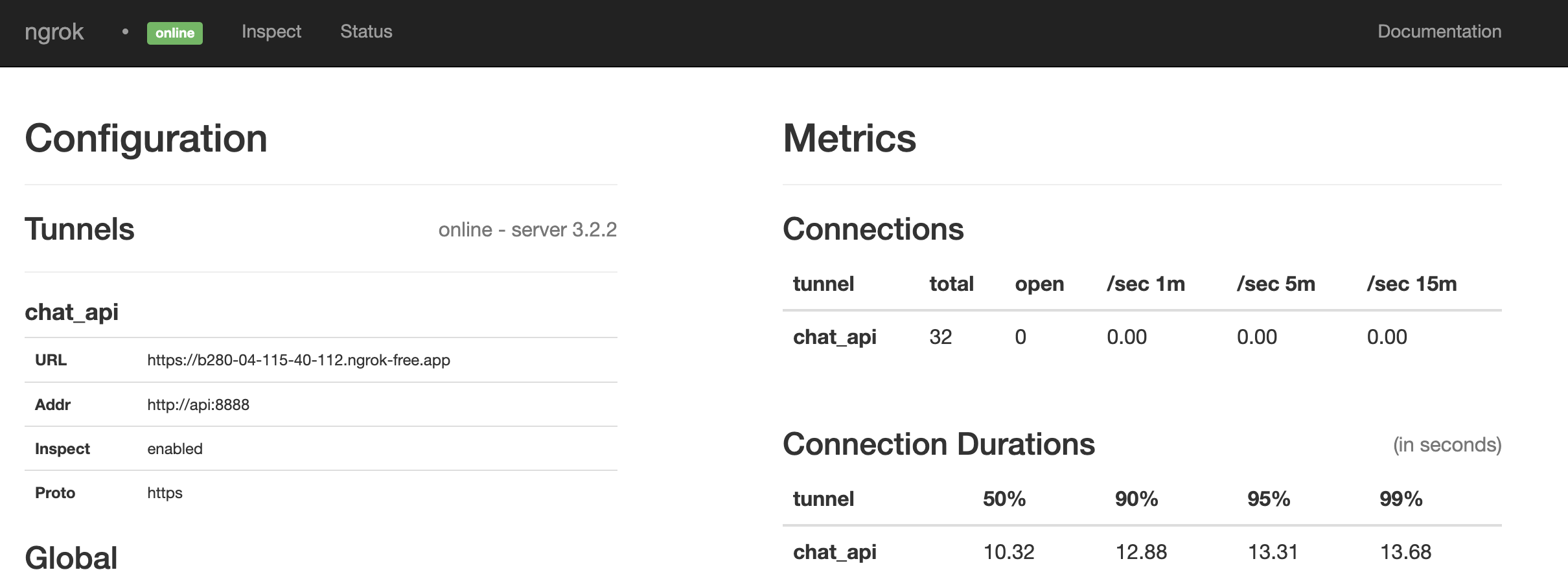
看起來這是一場比賽。如果沒有,請通過運行重新啟動所有內容:
make restart@paulpierre在Twitter上隨意進行HMU。
恭喜,您所有的基地都屬於我們! kthxbye
版權(C)2023 Paul Pierre。特此免費授予任何獲得此軟件副本和相關文檔文件副本(“軟件”)的人,以無限制處理該軟件,包括無限制的使用權,複製,修改,修改,合併的權利,發布,分發,轉銷和/或出售軟件的副本,並允許提供該軟件的人,但要遵守以下條件:上述版權通知和此許可通知應包含在所有副本中或軟件的大部分部分。該軟件是“按原樣”提供的,沒有任何形式的明示或暗示保證,包括但不限於適銷性,特定目的的適用性和不侵權的保證。 IN NO EVENT SHALL THE AUTHORS OR COPYRIGHT HOLDERS BE LIABLE FOR ANY CLAIM, DAMAGES OR OTHER LIABILITY, WHETHER IN AN ACTION OF CONTRACT, TORT OR OTHERWISE, ARISING FROM, OUT OF OR IN CONNECTION WITH THE SOFTWARE OR THE USE OR OTHER DEALINGS IN THE軟體.





