RasaGPT
1.0.0

Rasagpt는 Rasa와 Langchain 위에 제작 된 최초의 Headless LLM Chatbot 플랫폼입니다. 보일러 플레이트 및 인덱싱, 검색 및 컨텍스트 주입을 위해 Langchain과 같은 LLM 라이브러리를 사용하여 RASA 및 Telegram의 기준 구현입니다.
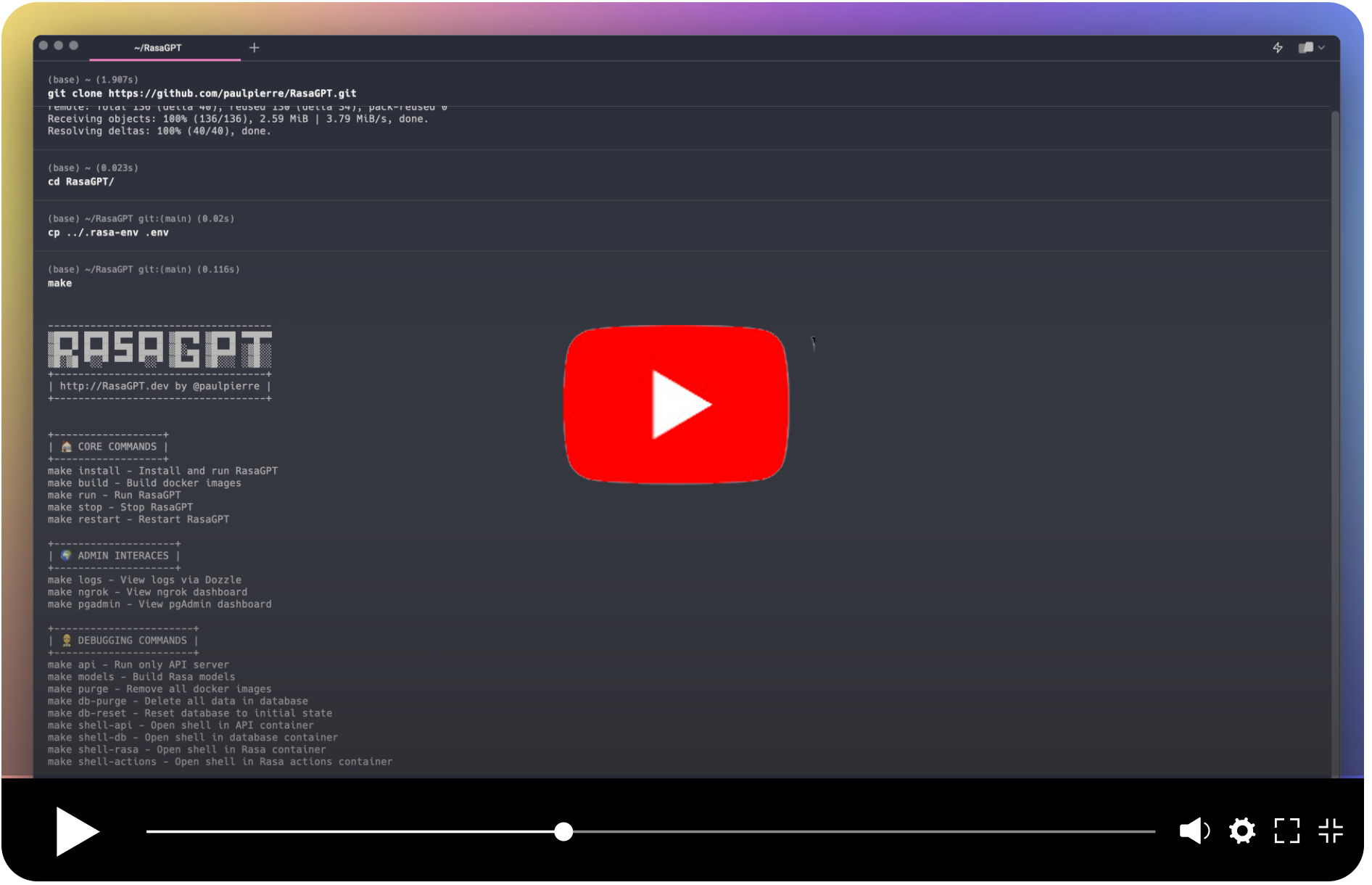
그들 자신의 말로 :
RASA는 텍스트 및 음성 기반 대화를 자동화하기위한 오픈 소스 (Python) 머신 러닝 프레임 워크입니다 : NLU, 대화 관리, Slack, Facebook 등의 연결- 챗봇 및 음성 보조원 만들기
내 말로 :
RASA는 매우 인기가 있으며 (사실상 말해 주는가?) 쓸모없는 NLU ML 파이프 라인과 LLM의 세계에서 재구성 된 챗봇 프레임 워크에 대한 개념적 출발점을 구축 한 챗봇 프레임 워크를 사용하기 쉽습니다.
Rasagpt는 상자 밖으로 작동합니다. 많은 구현 두통이 분류되어 다음을 포함하여 필요하지 않습니다.
배경 이야기는 친숙합니다. 친구가 문제로 나에게왔다. LLM의 RASA와 통합 된 적절한 참조 구현을 위해 Google과 Github를 닦았지만 빈손으로 나타났습니다. 나는 이것이 호기심을 만족시킬 수있는 좋은 기회라고 생각했고 2 일 후에 나는 개념 증명을 가지고 있었고, 일주일 후에 이것은 내가 생각해 낸 것입니다.
켈 주의 사항 : 이것은 생산 코드와는 거리가 멀고 신속한 주입 및 일반적인 보안 취약점으로 인해 발생합니다. 누군가 이것이 이것이 유용하다고 생각하기를 바랍니다.
시작하는 것은 쉽습니다. 아래의 종속성을 충족해야합니다.
켈 켈 켈 ** 메카 코스 사용자가 아닌 사람들 : ** Linux 또는 Windows를 사용하는 경우khalosa/rasa-aarch64:3.5.2에서rasa/rasa:latest#64 그리고 여기에서 1 행에서 Dockerfile의 행동에서 여기
 # Get the code
git clone https://github.com/paulpierre/RasaGPT.git
cd RasaGPT

# # Setup the .env file
cp .env-example .env

# Edit your .env file and add all the necessary credentials
make install

# Type "make" to see more options
makehttps://t.me/yourbotname 통해 항상 봇에 액세스 할 수 있습니다.git clone https://github.com/paulpierre/RasaGPT.git
cd RasaGPT
cp .env-example .env
# Edit your .env file and all the credentials
모든 시점에서 make 입력하면 자유롭게 입력하면 옵션 목록이 표시되며 대부분 디버깅에 유용합니다.
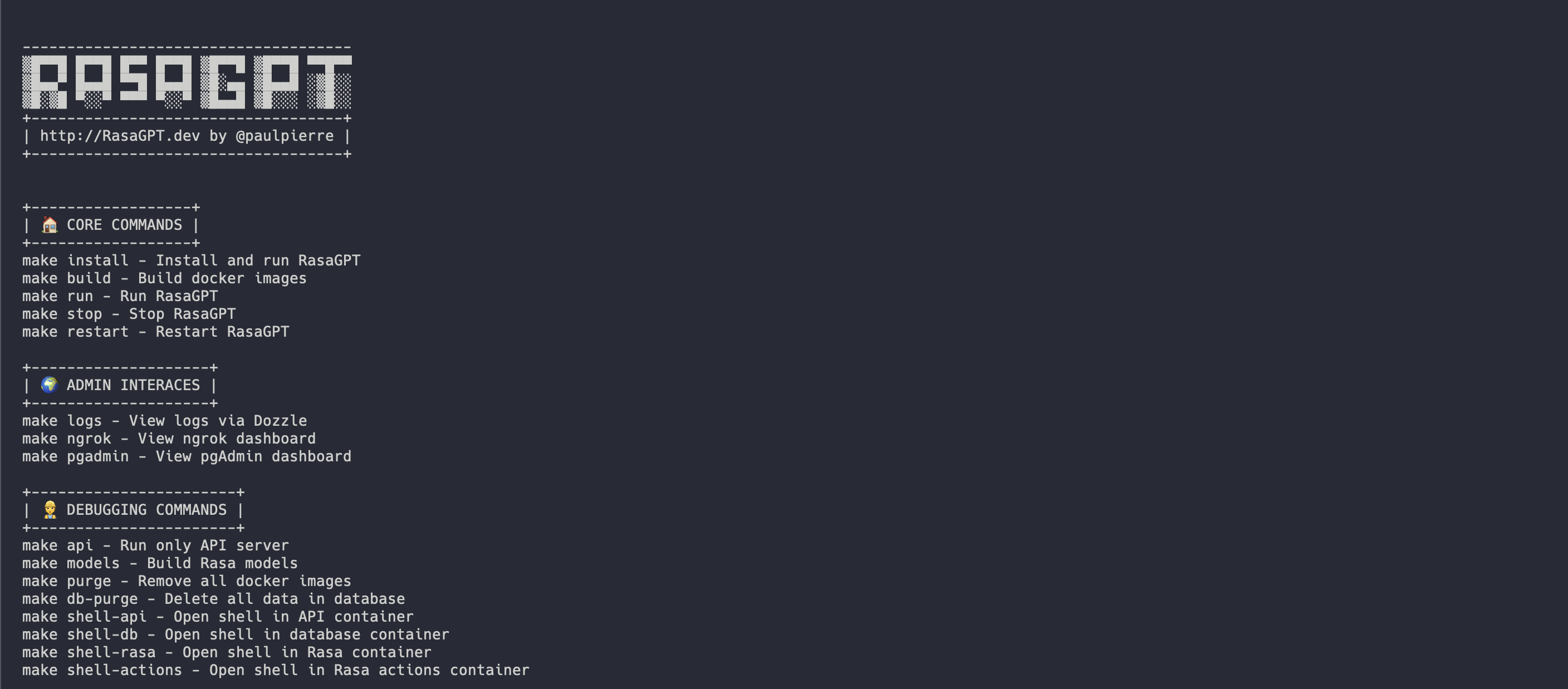
시작하는 가장 쉬운 방법은 루트 디렉토리에서 Makefile 사용하는 것입니다. Rasagpt의 모든 서비스를 올바른 순서로 설치하고 실행합니다.
make install

# This will automatically install and run RasaGPT
# After installation, to run again you can simply run

make run 이것은 API 위에 개발에 집중하려면 별도의 Makefile 만들어졌습니다. 이것은 당신을위한 로컬 가상 환경을 만듭니다.
 # Assuming you are already in the RasaGPT directory
cd app/api
make install

# This will automatically install and run RasaGPT
# After installation, to run again you can simply run

make run
마찬가지로, 전체 명령 목록을 보려면 make 입력하십시오.
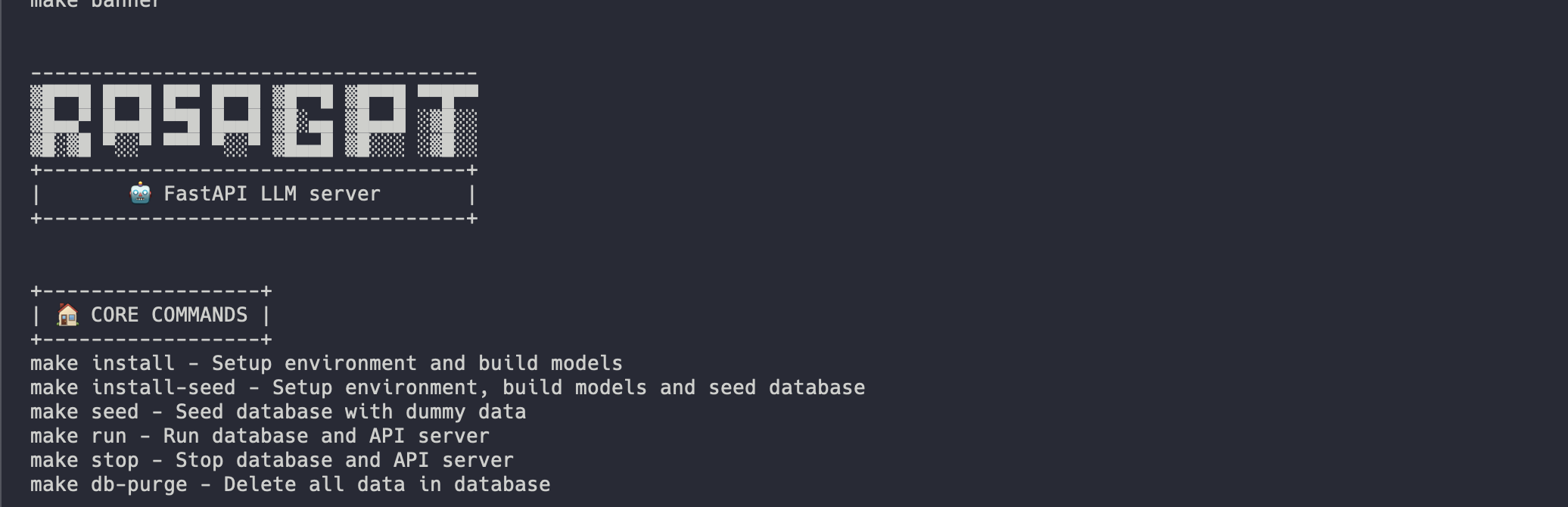
설치는 다음과 같아야합니다.
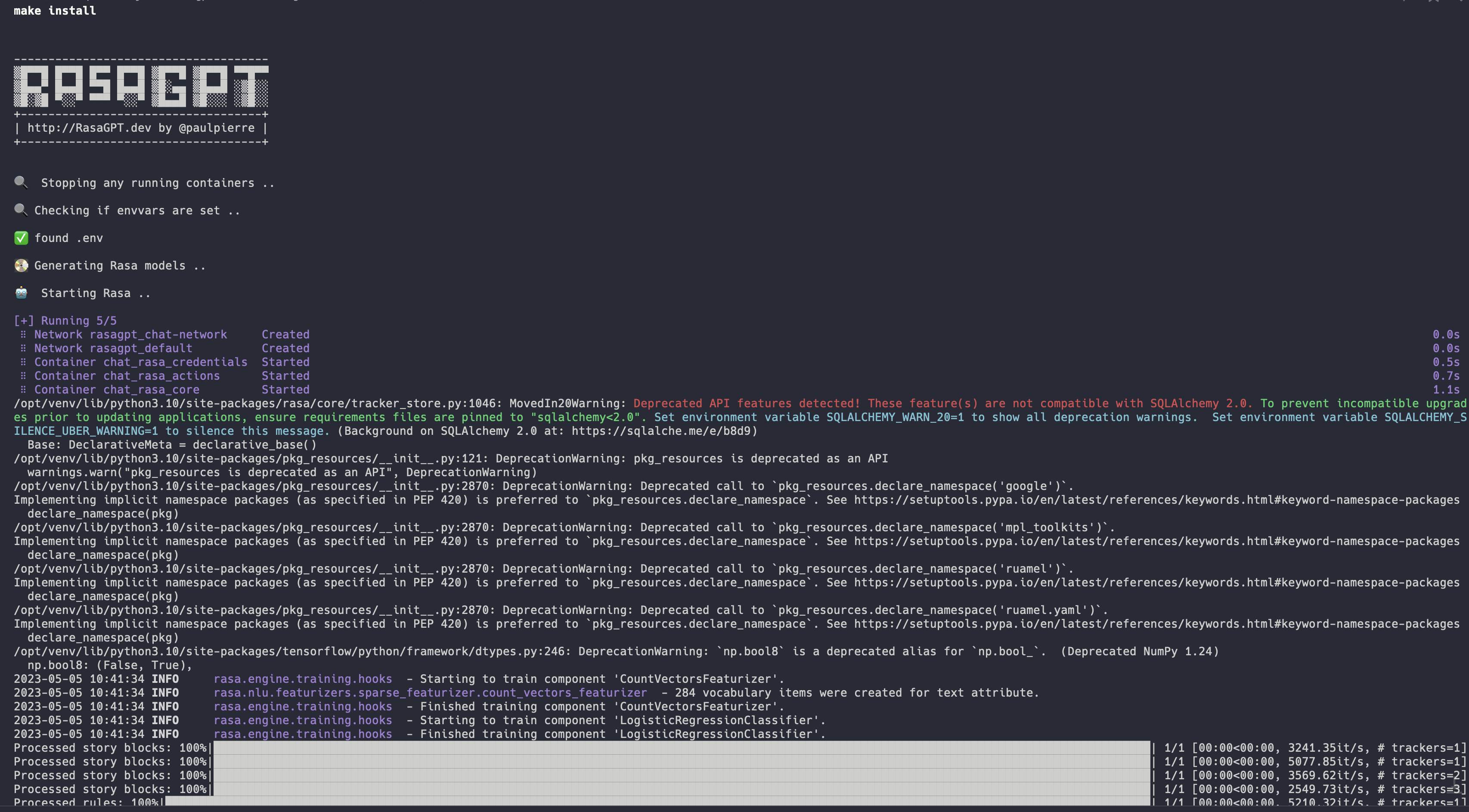
전체 설치 로그 : https://app.warp.dev/block/vflua6eue29epk8evvw8kd
Docker의 설치 프로세스는 다음 단계를 높은 수준으로 수행합니다.
.env 사용할 수 있는지 확인하십시오pgvector 로 초기화됩니다seed.py 를 통해 더미 데이터로 채워져 있습니다https://t.me/yourbotsname을 방문하여 봇으로 채팅을 시작할 수 있습니다.
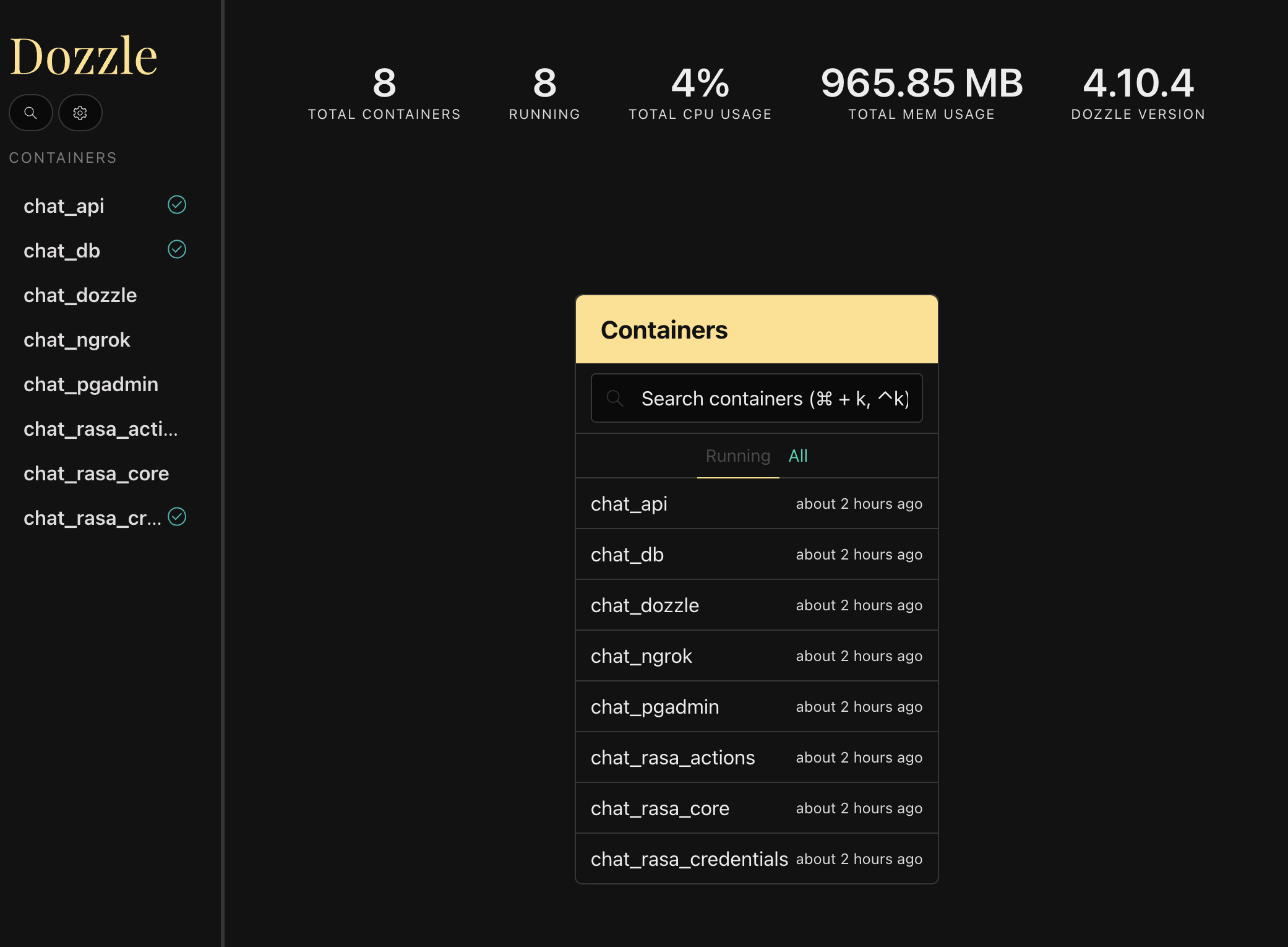
https : // localhost : 9999/를 방문하여 모든 로그를 볼 수 있습니다.
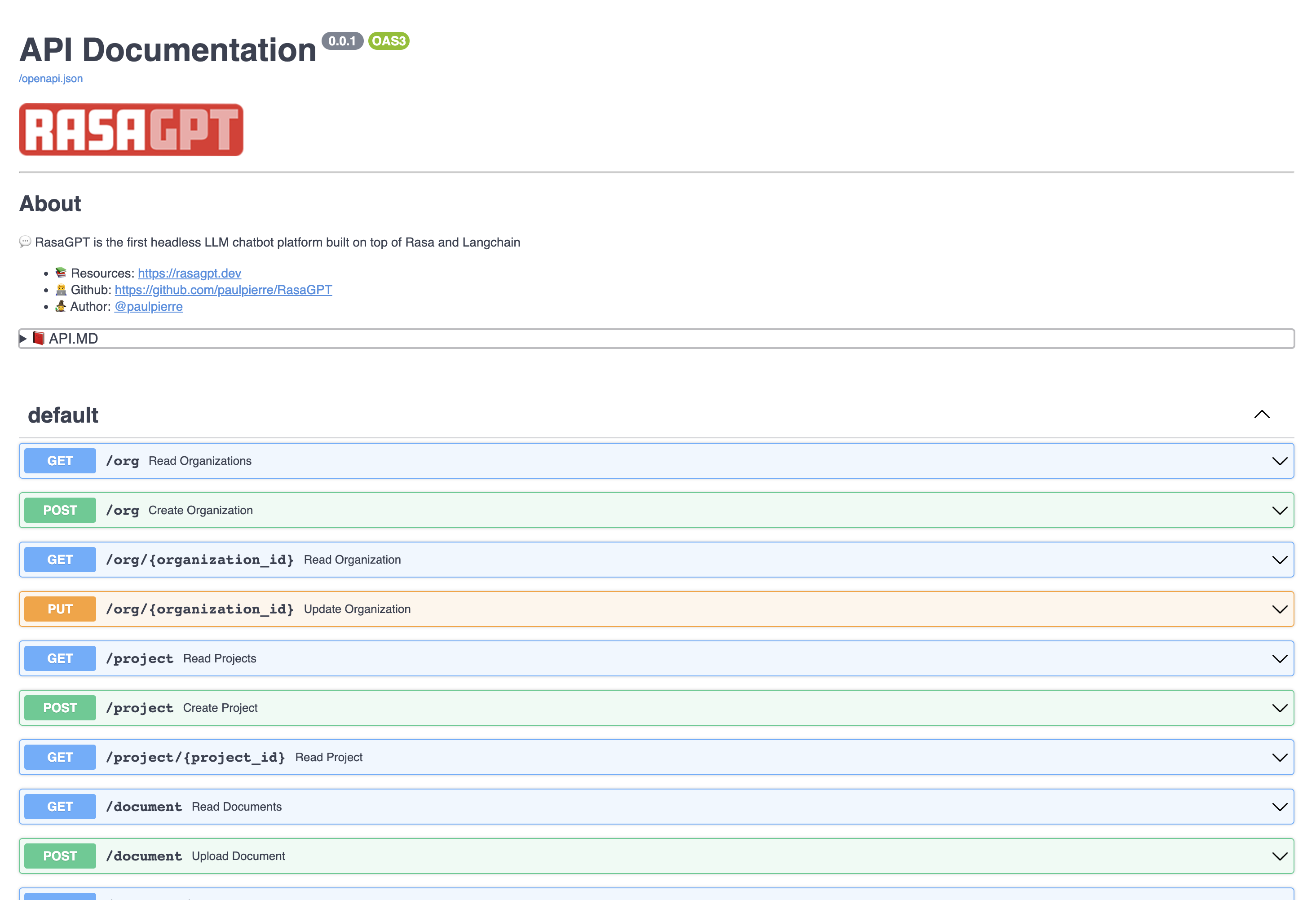
https : // localhost : 8888/docs를 방문하여 API 엔드 포인트 문서를 봅니다
이 페이지에서는 엔티티를 만들고 업데이트 할 수 있으며 문서를 지식 기반에 업로드 할 수 있습니다.
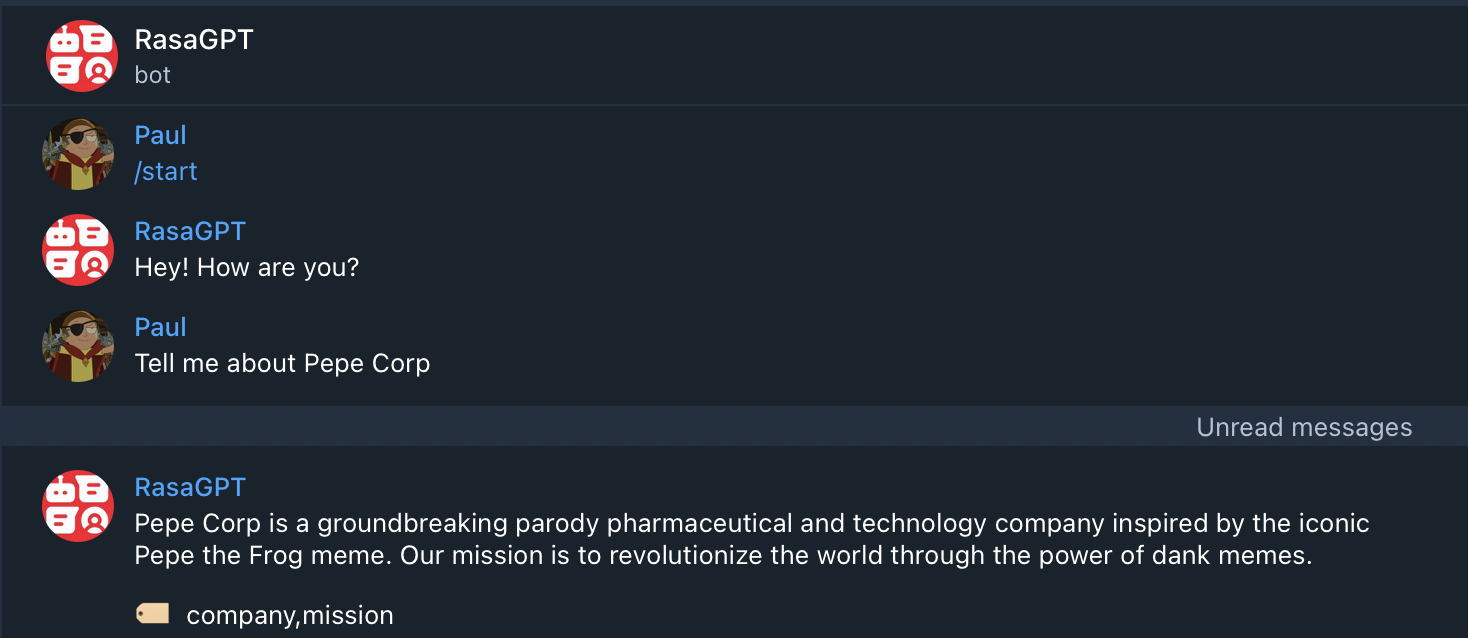
봇은 단지 개념 증명 일뿐 아니라 검색을 위해 최적화되지 않았습니다. 현재 인덱싱을 위해 1000 문자 길이 청킹을 사용하고 검색 및 품질을 위해 기본 유클리드 거리가 히트 또는 미스를 사용합니다.
results.md 파일에서 봇과 함께 예제 적중과 누락을 볼 수 있습니다. 전반적으로 인덱스 최적화를 추정하고 LLM 구성 변경은 출력 품질을 70%이상 증가시킬 수 있습니다.
results.md에서 데모 데이터의 Q & A 결과를 보려면 클릭하십시오.
나머지 API는 간단합니다. 문서를 방문하십시오 http : // localhost : 8888/docs
아래 엔터티에는 기본 CRUD 작업이 있으며 JSON이 반환됩니다.
이것은 SaaS / Multi-Tenant 세계에서 고객 인 회사로 생각할 수 있습니다. 기본적으로 더미 조직 목록이 제공되었습니다.
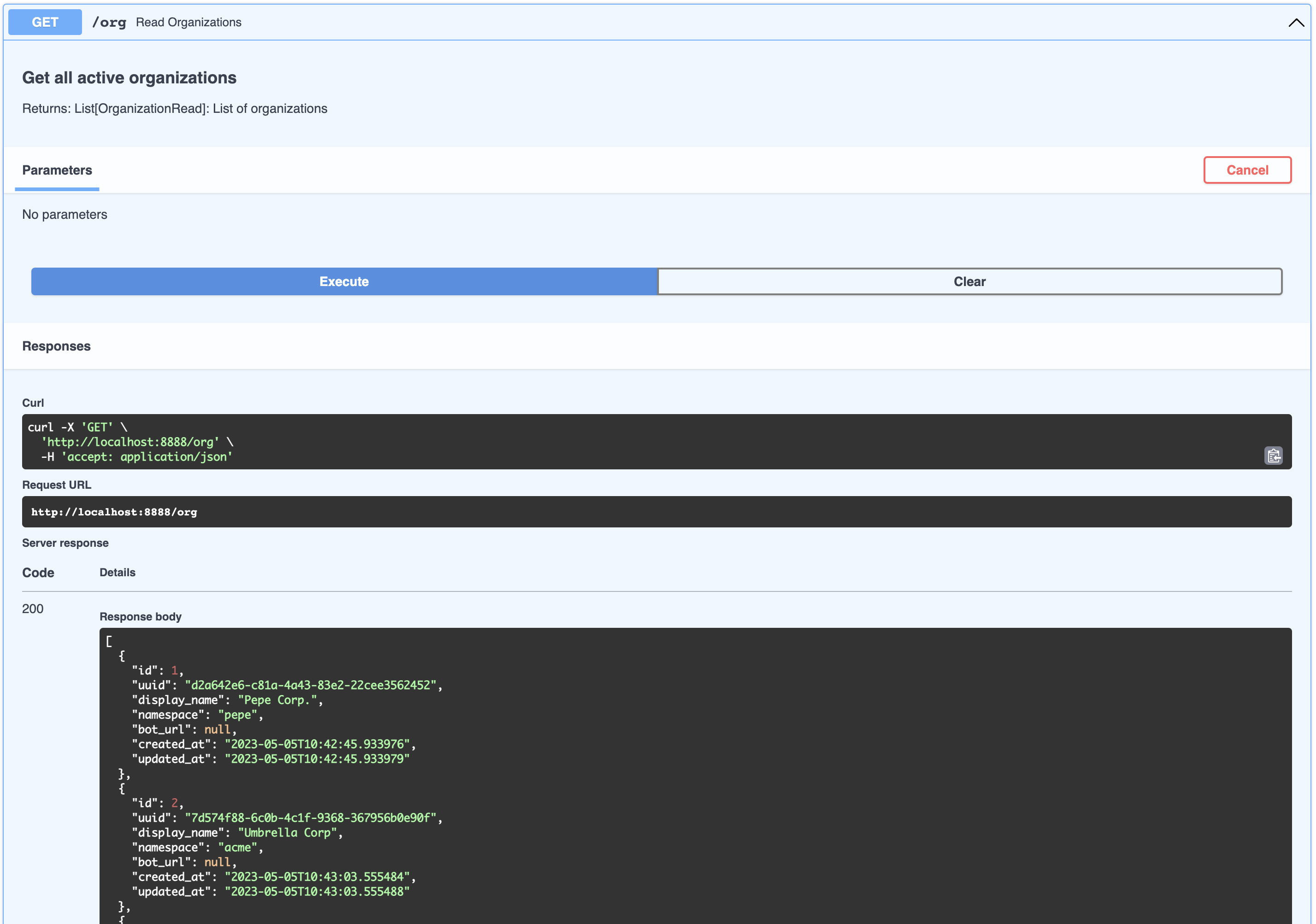
[
  {
    " id " : 1,
    " uuid " : " d2a642e6-c81a-4a43-83e2-22cee3562452 " ,
    " display_name " : " Pepe Corp. " ,
    " namespace " : " pepe " ,
    " bot_url " : null,
    " created_at " : " 2023-05-05T10:42:45.933976 " ,
    " updated_at " : " 2023-05-05T10:42:45.933979 "
  },
  {
    " id " : 2,
    " uuid " : " 7d574f88-6c0b-4c1f-9368-367956b0e90f " ,
    " display_name " : " Umbrella Corp " ,
    " namespace " : " acme " ,
    " bot_url " : null,
    " created_at " : " 2023-05-05T10:43:03.555484 " ,
    " updated_at " : " 2023-05-05T10:43:03.555488 "
  },
  {
    " id " : 3,
    " uuid " : " 65105a15-2ef0-4898-ac7a-8eafee0b283d " ,
    " display_name " : " Cyberdine Systems " ,
    " namespace " : " cyberdine " ,
    " bot_url " : null,
    " created_at " : " 2023-05-05T10:43:04.175424 " ,
    " updated_at " : " 2023-05-05T10:43:04.175428 "
  },
  {
    " id " : 4,
    " uuid " : " b7fb966d-7845-4581-a537-818da62645b5 " ,
    " display_name " : " Bluth Companies " ,
    " namespace " : " bluth " ,
    " bot_url " : null,
    " created_at " : " 2023-05-05T10:43:04.697801 " ,
    " updated_at " : " 2023-05-05T10:43:04.697804 "
  },
  {
    " id " : 5,
    " uuid " : " 9283d017-b24b-4ecd-bf35-808b45e258cf " ,
    " display_name " : " Evil Corp " ,
    " namespace " : " evil " ,
    " bot_url " : null,
    " created_at " : " 2023-05-05T10:43:05.102546 " ,
    " updated_at " : " 2023-05-05T10:43:05.102549 "
  }
]이것은 회사에 속하는 제품으로 생각할 수 있습니다. SO와 같은 조직에 속하는 프로젝트 목록을 볼 수 있습니다.
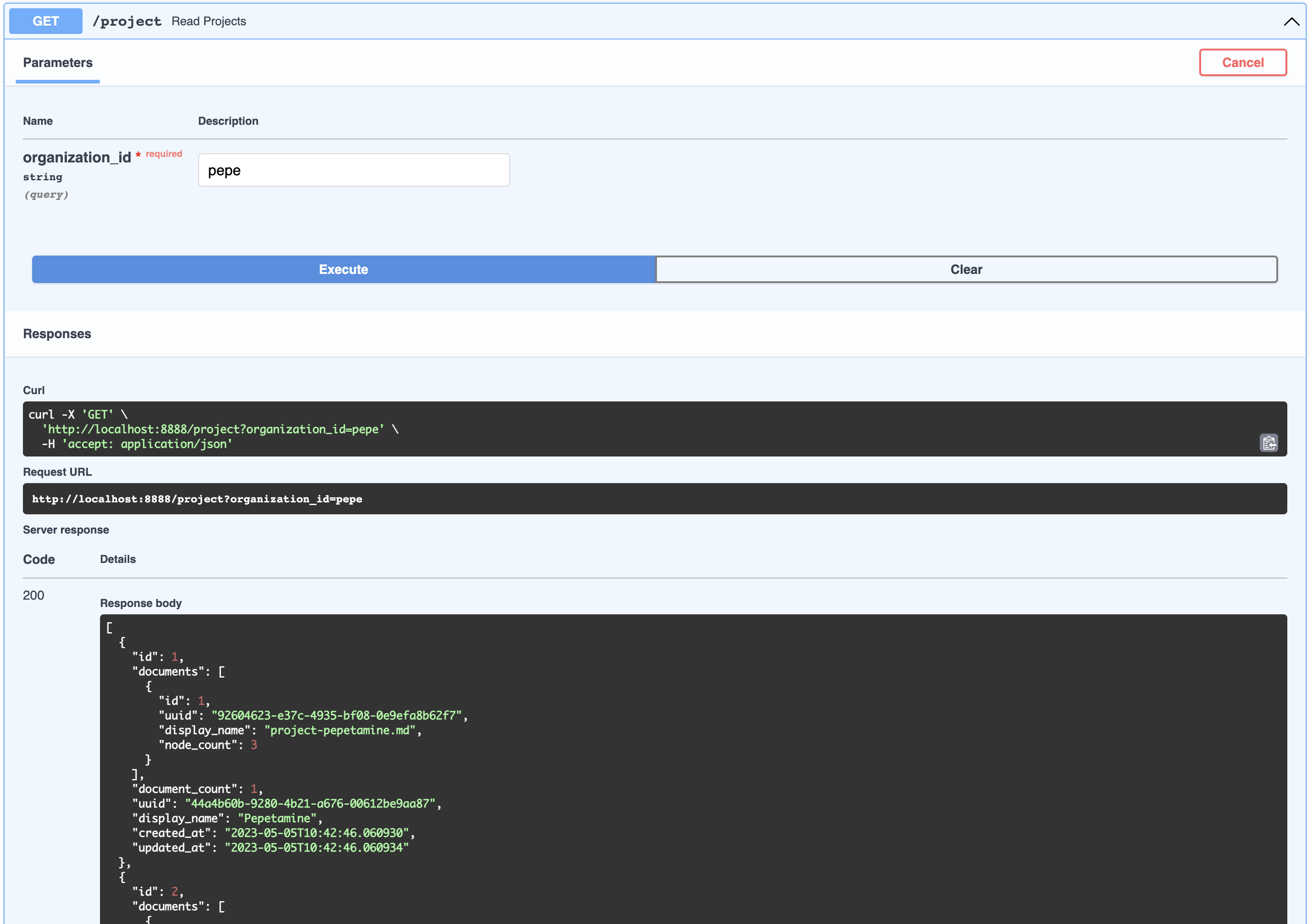
[
  {
    " id " : 1,
    " documents " : [
      {
        " id " : 1,
        " uuid " : " 92604623-e37c-4935-bf08-0e9efa8b62f7 " ,
        " display_name " : " project-pepetamine.md " ,
        " node_count " : 3
      }
    ],
    " document_count " : 1,
    " uuid " : " 44a4b60b-9280-4b21-a676-00612be9aa87 " ,
    " display_name " : " Pepetamine " ,
    " created_at " : " 2023-05-05T10:42:46.060930 " ,
    " updated_at " : " 2023-05-05T10:42:46.060934 "
  },
  {
    " id " : 2,
    " documents " : [
      {
        " id " : 2,
        " uuid " : " b408595a-3426-4011-9b9b-8e260b244f74 " ,
        " display_name " : " project-frogonil.md " ,
        " node_count " : 3
      }
    ],
    " document_count " : 1,
    " uuid " : " 5ba6b812-de37-451d-83a3-8ccccadabd69 " ,
    " display_name " : " Frogonil " ,
    " created_at " : " 2023-05-05T10:42:48.043936 " ,
    " updated_at " : " 2023-05-05T10:42:48.043940 "
  },
  {
    " id " : 3,
    " documents " : [
      {
        " id " : 3,
        " uuid " : " b99d373a-3317-4699-a89e-90897ba00db6 " ,
        " display_name " : " project-kekzal.md " ,
        " node_count " : 3
      }
    ],
    " document_count " : 1,
    " uuid " : " 1be4360c-f06e-4494-bf20-e7c73a56f003 " ,
    " display_name " : " Kekzal " ,
    " created_at " : " 2023-05-05T10:42:49.092675 " ,
    " updated_at " : " 2023-05-05T10:42:49.092678 "
  },
  {
    " id " : 4,
    " documents " : [
      {
        " id " : 4,
        " uuid " : " 94da307b-5993-4ddd-a852-3d8c12f95f3f " ,
        " display_name " : " project-memetrex.md " ,
        " node_count " : 3
      }
    ],
    " document_count " : 1,
    " uuid " : " 1fd7e772-365c-451b-a7eb-4d529b0927f0 " ,
    " display_name " : " Memetrex " ,
    " created_at " : " 2023-05-05T10:42:50.184817 " ,
    " updated_at " : " 2023-05-05T10:42:50.184821 "
  },
  {
    " id " : 5,
    " documents " : [
      {
        " id " : 5,
        " uuid " : " 6deff180-3e3e-4b09-ae5a-6502d031914a " ,
        " display_name " : " project-pepetrak.md " ,
        " node_count " : 4
      }
    ],
    " document_count " : 1,
    " uuid " : " a389eb58-b504-48b4-9bc3-d3c93d2fbeaa " ,
    " display_name " : " PepeTrak " ,
    " created_at " : " 2023-05-05T10:42:51.293352 " ,
    " updated_at " : " 2023-05-05T10:42:51.293355 "
  },
  {
    " id " : 6,
    " documents " : [
      {
        " id " : 6,
        " uuid " : " 2e3c2155-cafa-4c6b-b7cc-02bb5156715b " ,
        " display_name " : " project-memegen.md " ,
        " node_count " : 5
      }
    ],
    " document_count " : 1,
    " uuid " : " cec4154f-5d73-41a5-a764-eaf62fc3db2c " ,
    " display_name " : " MemeGen " ,
    " created_at " : " 2023-05-05T10:42:52.562037 " ,
    " updated_at " : " 2023-05-05T10:42:52.562040 "
  },
  {
    " id " : 7,
    " documents " : [
      {
        " id " : 7,
        " uuid " : " baabcb6f-e14c-4d59-a019-ce29973b9f5c " ,
        " display_name " : " project-neurokek.md " ,
        " node_count " : 5
      }
    ],
    " document_count " : 1,
    " uuid " : " 4a1a0542-e314-4ae7-9961-720c2d092f04 " ,
    " display_name " : " Neuro-kek " ,
    " created_at " : " 2023-05-05T10:42:53.689537 " ,
    " updated_at " : " 2023-05-05T10:42:53.689539 "
  },
  {
    " id " : 8,
    " documents " : [
      {
        " id " : 8,
        " uuid " : " 5be007ec-5c89-4bc4-8bfd-448a3659c03c " ,
        " display_name " : " org-about_the_company.md " ,
        " node_count " : 5
      },
      {
        " id " : 9,
        " uuid " : " c2b3fb39-18c0-4f3e-9c21-749b86942cba " ,
        " display_name " : " org-board_of_directors.md " ,
        " node_count " : 3
      },
      {
        " id " : 10,
        " uuid " : " 41aa81a9-13a9-4527-a439-c2ac0215593f " ,
        " display_name " : " org-company_story.md " ,
        " node_count " : 4
      },
      {
        " id " : 11,
        " uuid " : " 91c59eb8-8c05-4f1f-b09d-fcd9b44b5a20 " ,
        " display_name " : " org-corporate_philosophy.md " ,
        " node_count " : 4
      },
      {
        " id " : 12,
        " uuid " : " 631fc3a9-7f5f-4415-8283-78ff582be483 " ,
        " display_name " : " org-customer_support.md " ,
        " node_count " : 3
      },
      {
        " id " : 13,
        " uuid " : " d4c3d3db-6f24-433e-b2aa-52a70a0af976 " ,
        " display_name " : " org-earnings_fy2023.md " ,
        " node_count " : 5
      },
      {
        " id " : 14,
        " uuid " : " 08dd478b-414b-46c4-95c0-4d96e2089e90 " ,
        " display_name " : " org-management_team.md " ,
        " node_count " : 3
      }
    ],
    " document_count " : 7,
    " uuid " : " 1d2849b4-2715-4dcf-aa68-090a221942ba " ,
    " display_name " : " Pepe Corp. (company) " ,
    " created_at " : " 2023-05-05T10:42:55.258902 " ,
    " updated_at " : " 2023-05-05T10:42:55.258904 "
  }
]이것은 FAQ 페이지와 같은 제품과 관련된 인공물 또는 재무 제표 수입이있는 PDF로 생각할 수 있습니다. 조직의 프로젝트와 관련된 모든 문서를 볼 수 있습니다.
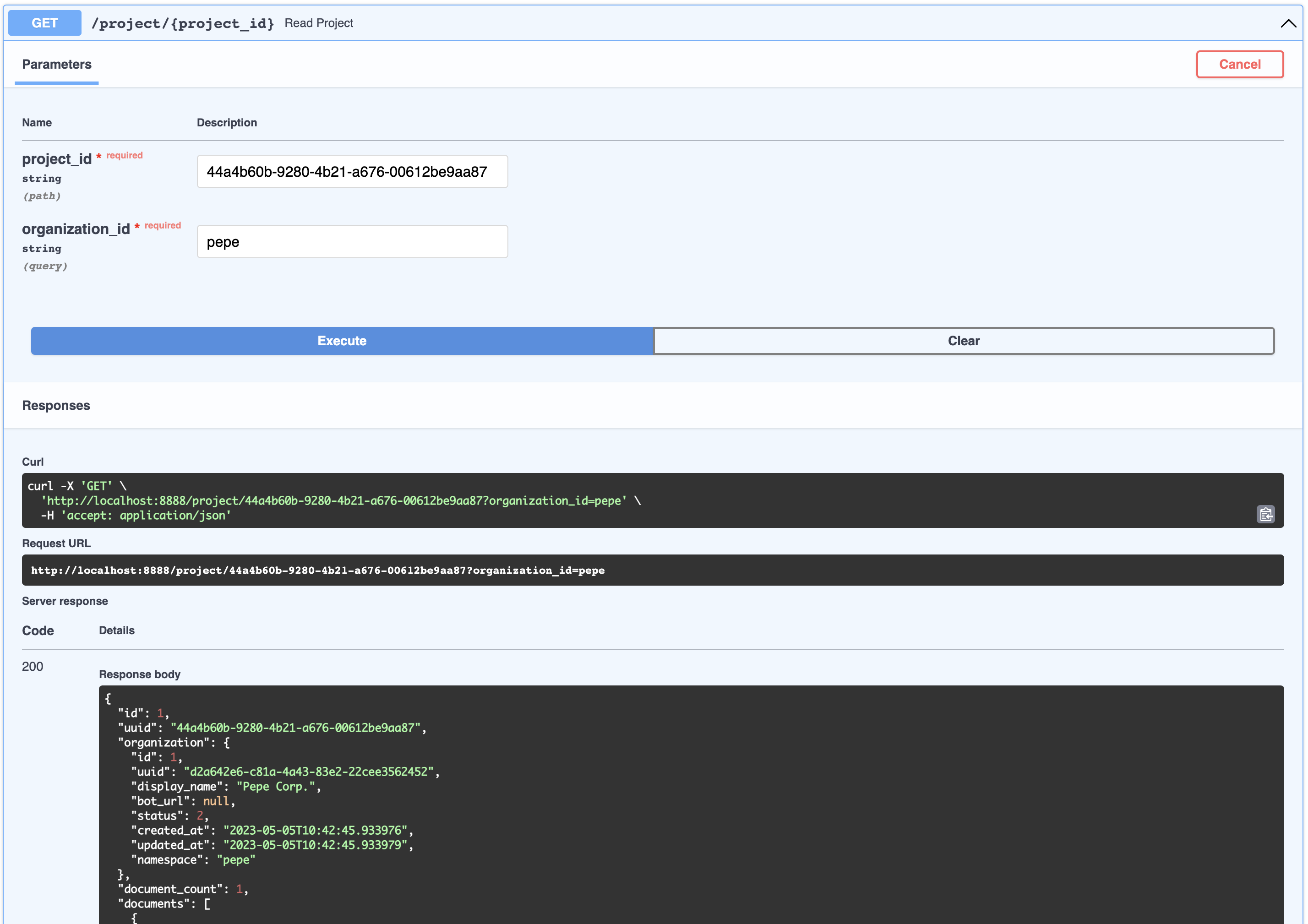
{
  " id " : 1,
  " uuid " : " 44a4b60b-9280-4b21-a676-00612be9aa87 " ,
  " organization " : {
    " id " : 1,
    " uuid " : " d2a642e6-c81a-4a43-83e2-22cee3562452 " ,
    " display_name " : " Pepe Corp. " ,
    " bot_url " : null,
    " status " : 2,
    " created_at " : " 2023-05-05T10:42:45.933976 " ,
    " updated_at " : " 2023-05-05T10:42:45.933979 " ,
    " namespace " : " pepe "
  },
  " document_count " : 1,
  " documents " : [
    {
      " id " : 1,
      " uuid " : " 92604623-e37c-4935-bf08-0e9efa8b62f7 " ,
      " organization_id " : 1,
      " project_id " : 1,
      " display_name " : " project-pepetamine.md " ,
      " url " : " " ,
      "data": "# PepetaminennProduct Name: PepetaminennPurpose: Increases cognitive focus just like the Limitless movienn**How to Use**nnPepetamine is available in the form of rare Pepe-coated tablets. The recommended dosage is one tablet per day, taken orally with a glass of water, preferably while browsing your favorite meme forum for maximum cognitive enhancement. For optimal results, take Pepetamine 30 minutes before engaging in mentally demanding tasks, such as decoding ancient Pepe hieroglyphics or creating your next viral meme masterpiece.nn**Side Effects**nnSome potential side effects of Pepetamine may include:nn1. Uncontrollable laughter and a sudden appreciation for dank memesn2. An inexplicable desire to collect rare Pepesn3. Enhanced meme creation skills, potentially leading to internet famen4. Temporary green skin pigmentation, resembling the legendary Pepe himselfn5. Spontaneously speaking in "feels good man" languagennWhile most side effects are generally harmless, consult your memologist if side effects persist or become bothersome.nn**Precautions**nnBefore taking Pepetamine, please consider the following precautions:nn1. Do not use Pepetamine if you have a known allergy to rare Pepes or dank memes.n2. Pepetamine may not be suitable for individuals with a history of humor deficiency or meme intolerance.n3. Exercise caution when driving or operating heavy machinery, as Pepetamine may cause sudden fits of laughter or intense meme ideation.nn**Interactions**nnPepetamine may interact with other substances, including:nn1. Normie supplements: Combining Pepetamine with normie supplements may result in meme conflicts and a decreased sense of humor.n2. Caffeine: The combination of Pepetamine and caffeine may cause an overload of energy, resulting in hyperactive meme creation and potential internet overload.nnConsult your memologist if you are taking any other medications or substances to ensure compatibility with Pepetamine.nn**Overdose**nnIn case of an overdose, symptoms may include:nn1. Uncontrollable meme creationn2. Delusions of grandeur as the ultimate meme lordn3. Time warps into the world of PepennIf you suspect an overdose, contact your local meme emergency service or visit the nearest meme treatment facility. Remember, the key to enjoying Pepetamine is to use it responsibly, and always keep in mind the wise words of our legendary Pepe: "Feels good man."",
      " hash " : " fdee6da2b5441080dd78e7850d3d2e1403bae71b9e0526b9dcae4c0782d95a78 " ,
      " version " : 1,
      " status " : 2,
      " created_at " : " 2023-05-05T10:42:46.755428 " ,
      " updated_at " : " 2023-05-05T10:42:46.755431 "
    }
  ],
  " display_name " : " Pepetamine " ,
  " created_at " : " 2023-05-05T10:42:46.060930 " ,
  " updated_at " : " 2023-05-05T10:42:46.060934 "
}이것은 API에 노출되지는 않지만 노드는 임베드가 생성되는 문서의 덩어리입니다. 노드는 컨텍스트 주입뿐만 아니라 검색 검색에 사용됩니다. 노드는 문서에 속합니다.
사용자는 봇과 대화하는 사람을 나타냅니다. 사용자는 반드시 조직이나 제품에 속하지 않지만이 관계는 아래 채팅에서 포착됩니다.
API를 통해 노출되지는 않지만 이는 사용자와 봇 사이의 질문과 답변을 나타냅니다. 이러한 각 객체는 자동으로 생성되는 session_id 에 의해 유연하게 식별 될 수 있습니다. 채팅 세션에는 교육 및 최적화에 사용할 수있는 풍부한 메타 데이터가 포함되어 있습니다. /chat 엔드 포인트를 통한 채팅 세션은 실제로 조직과 관련이 있습니다 (다중 테넌트 보안 목적)
/webhooks/{channel}/webhook 통해 Fastapi 서버입니다.FallbackClassifier 임계 값을 설정하는 것입니다rasa-credentials 에 의해 업데이트됩니다.action_gpt_fallback action을 추가하여 Actions 서버를 트리거합니다.out_of_scopeaction_gpt_fallback 을 트리거해야합니다.ActionGPTFallback 클래스를 통해 행동을 정의하고 표현합니다. 메소드 name 위의 의도에 대해 정의한 조치를 반환합니다.rasa train 와 함께 CLI를 통해 수행 할 수있는 교육을 받아야합니다. make install 때 자동으로 완료됩니다.rasa run 통해 실행되어야합니다.rasa run actions 과 별도로 실행해야합니다. rasa-credentials 서비스는이 프로세스를 처리합니다. Ngrok은 서비스로 실행되며, 일단 준비되면 rasa-credentials 로컬 NGROK API를 호출하여 터널 URL을 검색하고 credentials.yml 을 업데이트하고 RASA를 다시 시작합니다.actions.py 에서 실행되는 폴백 액션으로 이동합니다. pgvector 는 Postgres 용 플러그인이며 자동으로 설치하여 벡터 데이터 유형을 저장하고 계산할 수 있습니다. Langchain PGVector 클래스는 스키마에 적응할 수 없으며 유연성을 원하기 때문에 자체 구현이 있습니다.
/docker-entry-initdb.d 데이터베이스가 초기화되지 않은 경우 실행됩니다. Postgres DockerFile에서는 데이터베이스의 DB와 사용자를 생성하는 create_db.sh 복사합니다.models 명령에서는 모델에서 테이블을 만드는 API 컨테이너에서 Models.py를 실행합니다.enable_vector 메소드는 데이터베이스의 PGVector 확장을 가능하게합니다. index.json 이라는 파일에 저장된 경우 데이터가 색인화됩니다.GPTSimpleVectorIndex 사용하여 관련 데이터를 찾아 프롬프트에 주입합니다.out_of_scope 와 일치하고 규칙을 기준으로 action_gpt_fallback 작업을 트리거합니다.ActionGPTFallback 함수는 FastApi API 서버를 호출합니다.일반적으로 http : // localhost : 9999/로 이동하여 Docker 컨테이너 로그를 확인하십시오.
Ngrok 및 Telegram Match와 함께 웹 후크를 항상 확인하십시오. 이것을 간단히 수행하십시오
curl -sS " https://api.telegram.org/bot<your-bot-secret-token>/getWebhookInfo " | json_pp.. 반환해야합니다.
{
    " ok " : true,
    " result " : {
        " url " : " https://b280-04-115-40-112.ngrok-free.app/webhooks/telegram/webhook " ,
        " has_custom_certificate " : false,
        " pending_update_count " : 0,
        " max_connections " : 40,
        " ip_address " : " 1.2.3.4 "
    }
}
.. credentials.yml 의 URL과 일치해야하거나 Ngrok Admin UI http : // localhost : 4040/status를 방문해야합니다.
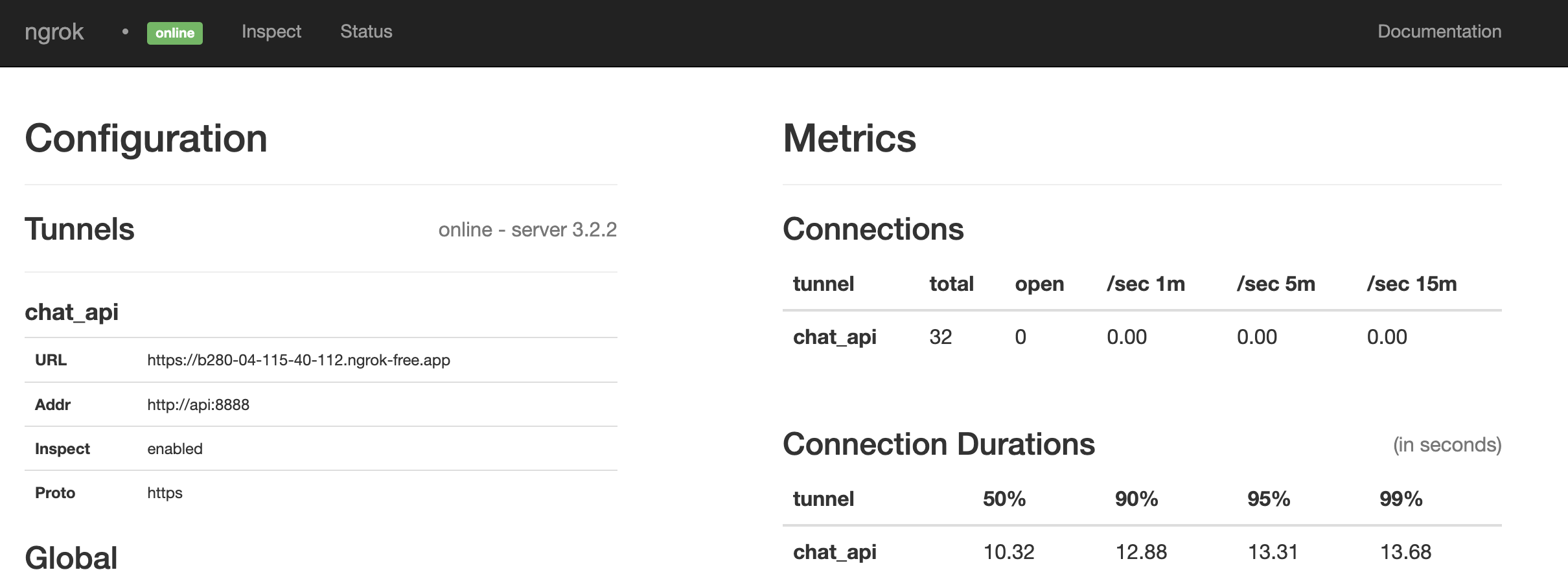
경기 인 것 같습니다. 그렇지 않은 경우 실행을 통해 모든 것을 다시 시작하십시오.
make restart@paulpierre 을 통해 트위터에서 HMU를 자유롭게하십시오.
축하합니다, 당신의 모든 기지는 우리에게 속합니다! kthxbye
저작권 (C) 2023 Paul Pierre. 이에 따라이 소프트웨어 및 관련 문서 파일 ( "소프트웨어")의 사본을 얻는 사람에게 허가가 부여되어 제한없이 소프트웨어를 처리하여 사용, 복사, 수정, 병합을 포함하여 제한없이 소프트웨어를 처리합니다. , 소프트웨어의 사본을 게시, 배포, 해변 및/또는 판매하고, 다음 조건에 따라 소프트웨어에 제공되도록 소프트웨어를 제공하는 사람을 허용합니다. 위의 저작권 통지 및이 권한 통지는 포함되어야합니다. 소프트웨어의 모든 사본 또는 상당 부분에서. 이 소프트웨어는 상업성, 특정 목적에 대한 적합성 및 비 침해에 대한 보증을 포함하여 명시 적 또는 묵시적 보증없이 "그대로"제공됩니다. 어떠한 경우에도 저자 또는 저작권 보유자는 계약, 불법 행위 또는 기타, 소프트웨어 또는 사용 또는 기타 거래와 관련하여 계약, 불법 행위 또는 기타의 행동에 관계없이 청구, 손해 또는 기타 책임에 대해 책임을지지 않아야합니다. 소프트웨어.





