RasaGPT
1.0.0

RasaGPT is the first headless LLM chatbot platform built on top of Rasa and Langchain. It is boilerplate and a reference implementation of Rasa and Telegram utilizing an LLM library like Langchain for indexing, retrieval and context injection.
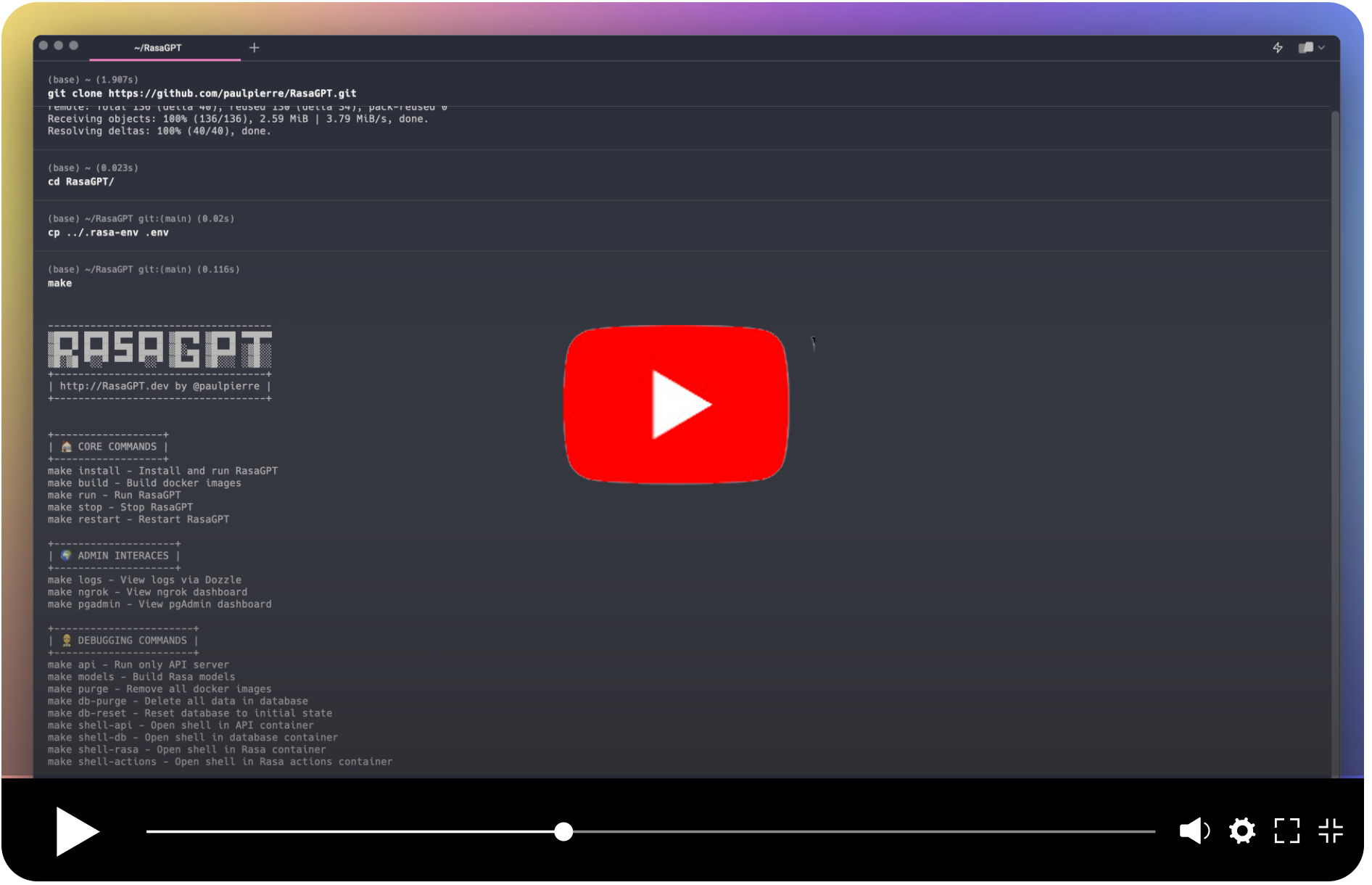
In their own words:
Rasa is an open source (Python) machine learning framework to automate text- and voice-based conversations: NLU, dialogue management, connect to Slack, Facebook, and more - Create chatbots and voice assistants
In my words:
Rasa is a very popular (dare I say de facto?) and easy-enough to use chatbot framework with built in NLU ML pipelines that are obsolete and a conceptual starting point for a reimagined chatbot framework in a world of LLMs.
RasaGPT works out of the box. A lot of the implementing headaches were sorted out so you don’t have to, including:
The backstory is familiar. A friend came to me with a problem. I scoured Google and Github for a decent reference implementation of LLM’s integrated with Rasa but came up empty-handed. I figured this to be a great opportunity to satiate my curiosity and 2 days later I had a proof of concept, and a week later this is what I came up with.
️ Caveat emptor: This is far from production code and rife with prompt injection and general security vulnerabilities. I just hope someone finds this useful ?
Getting started is easy, just make sure you meet the dependencies below.
️ ️ ️ ** ATTENTION NON-MACOS USERS: ** If you are using Linux or Windows, you will need to change the image name fromkhalosa/rasa-aarch64:3.5.2torasa/rasa:latestin docker-compose.yml on line #64 and in the actions Dockerfile on line #1 here
# Get the code
git clone https://github.com/paulpierre/RasaGPT.git
cd RasaGPT

## Setup the .env file
cp .env-example .env

# Edit your .env file and add all the necessary credentials
make install

# Type "make" to see more options
makehttps://t.me/yourbotname
git clone https://github.com/paulpierre/RasaGPT.git
cd RasaGPT
cp .env-example .env

# Edit your .env file and all the credentials
At any point feel free to just type in make and it will display the list of options, mostly useful for debugging:
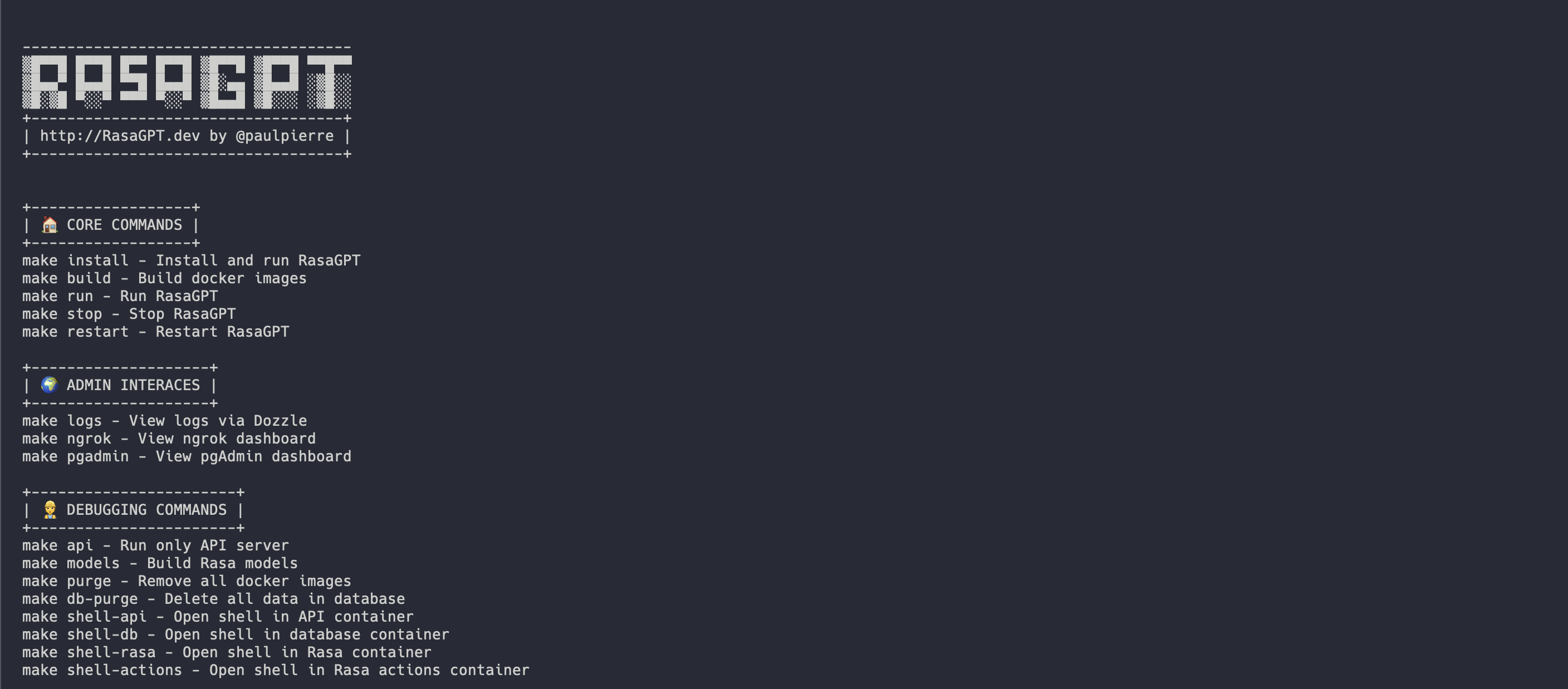
The easiest way to get started is using the Makefile in the root directory. It will install and run all the services for RasaGPT in the correct order.
make install

# This will automatically install and run RasaGPT
# After installation, to run again you can simply run

make runThis is useful if you wish to focus on developing on top of the API, a separate Makefile was made for this. This will create a local virtual environment for you.
# Assuming you are already in the RasaGPT directory
cd app/api
make install

# This will automatically install and run RasaGPT
# After installation, to run again you can simply run

make run
Similarly, enter make to see a full list of commands
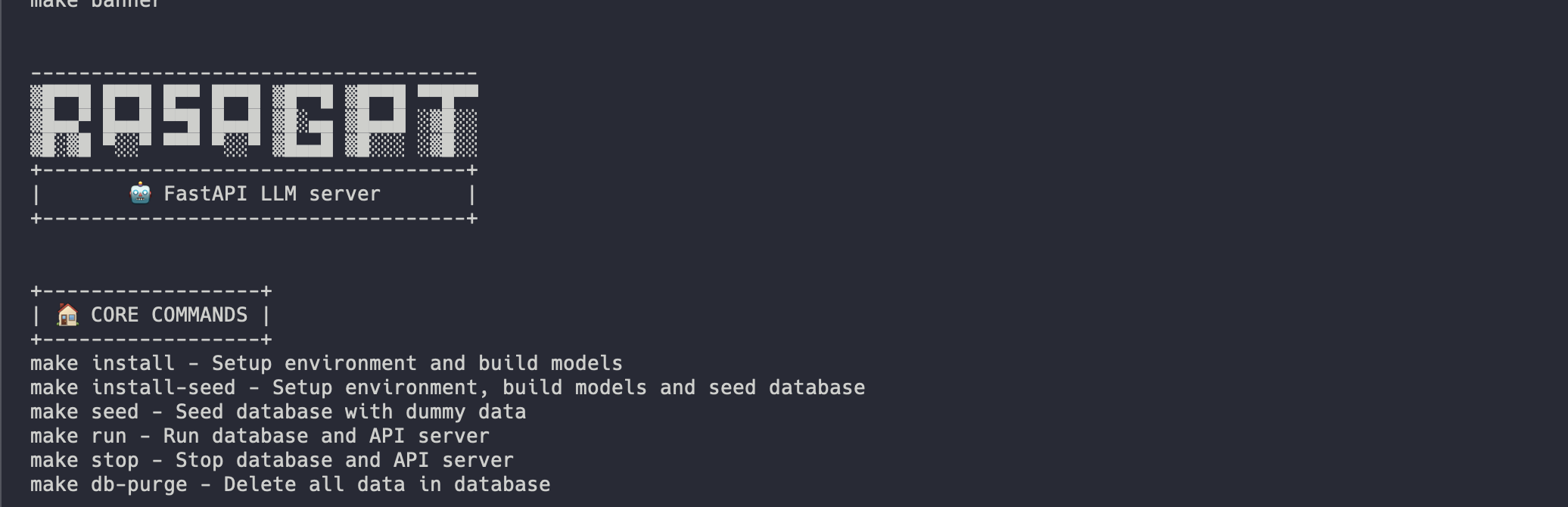
Installation should be automated should look like this:
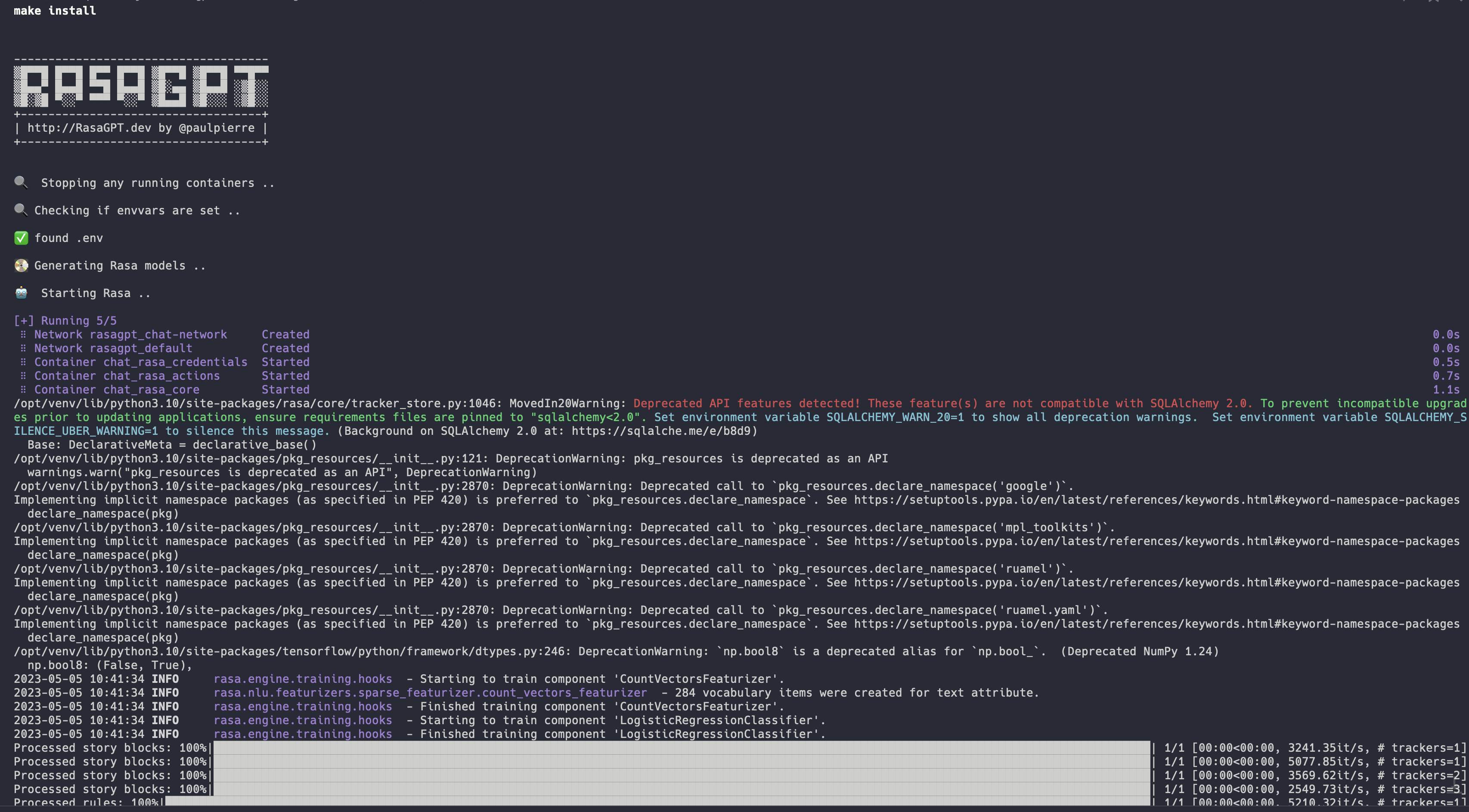
Full installation log: https://app.warp.dev/block/vflua6Eue29EPk8EVvW8Kd
The installation process for Docker takes the following steps at a high level
.env availablepgvector
seed.py
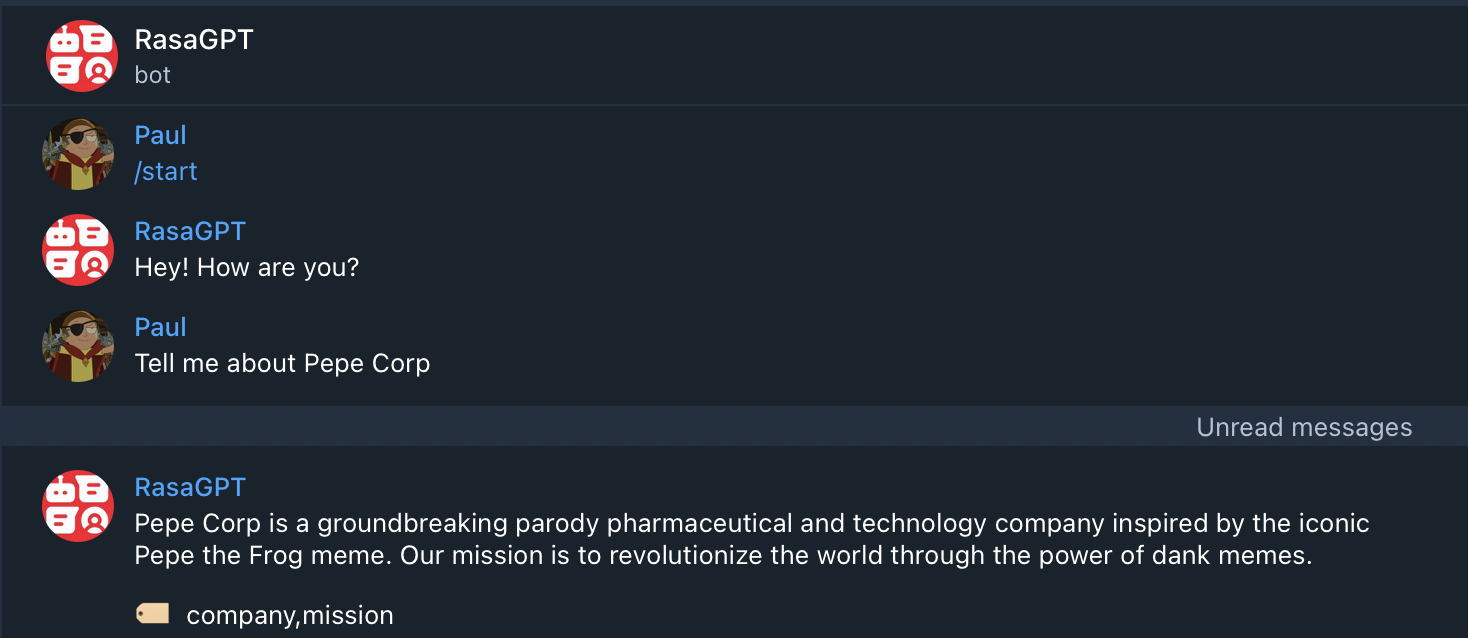
You can start chatting with your bot by visiting https://t.me/yourbotsname
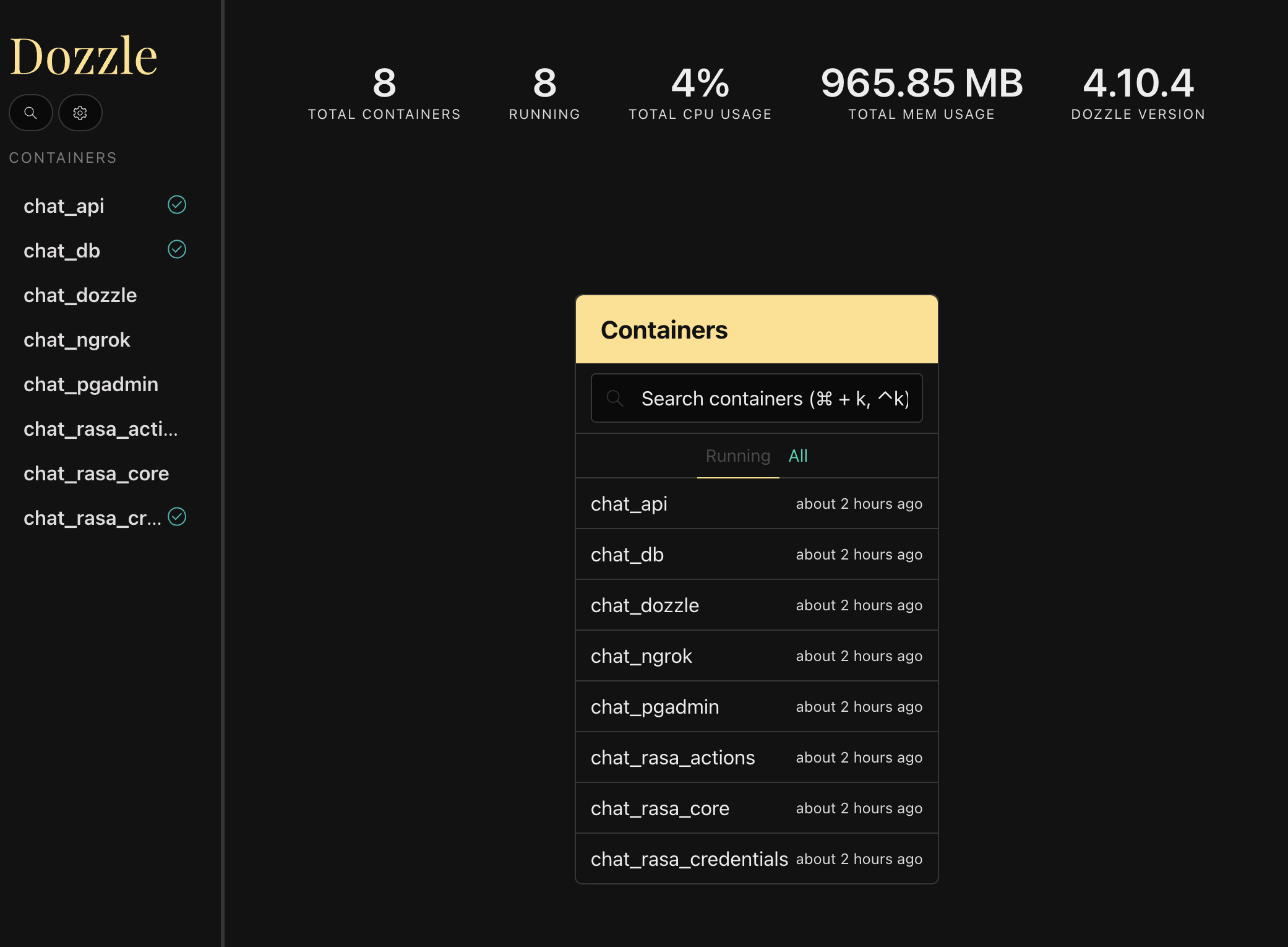
You can view all of the log by visiting https://localhost:9999/ which will displaying real-time logs of all the docker containers
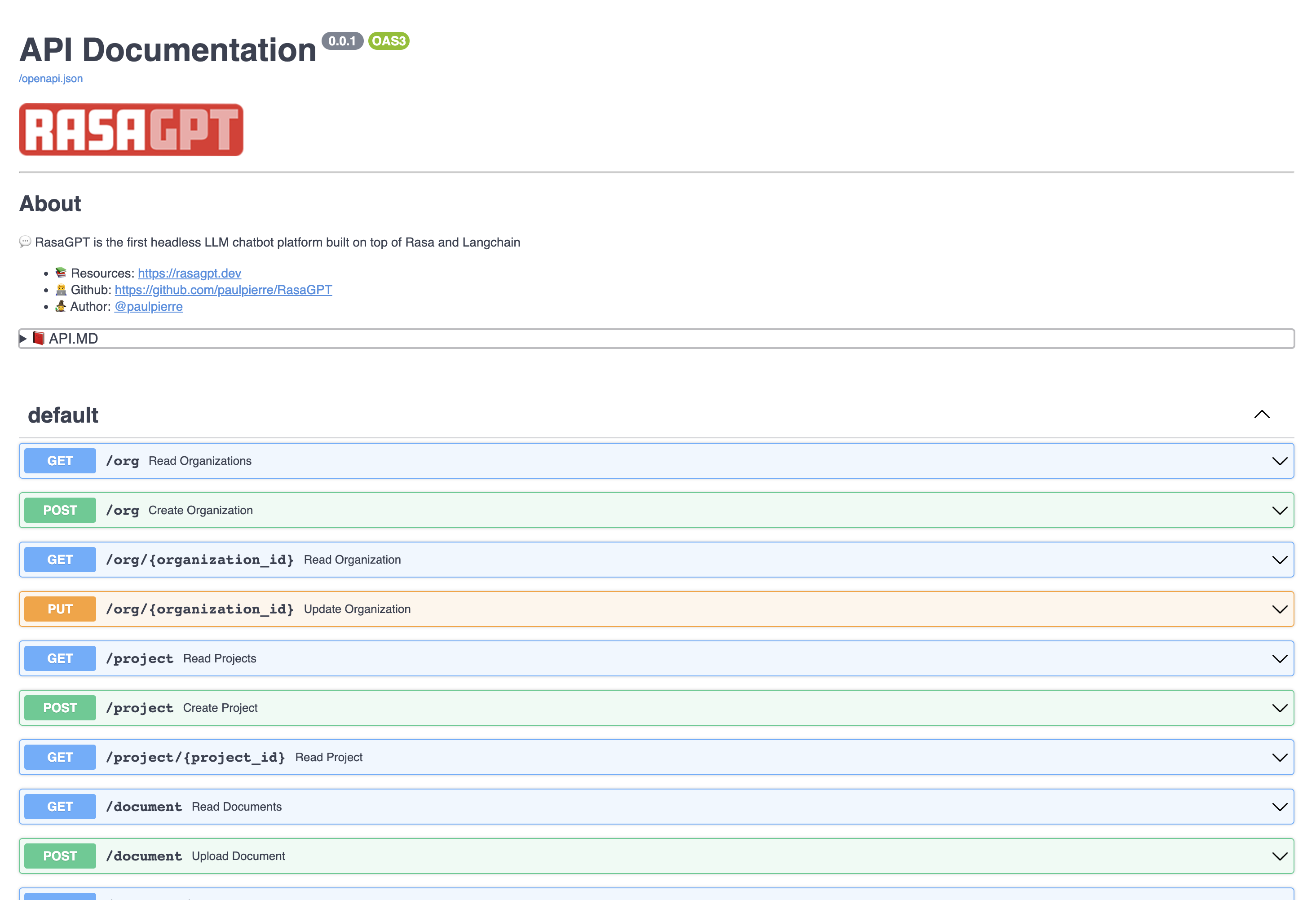
View the API endpoint docs by visiting https://localhost:8888/docs
In this page you can create and update entities, as well as upload documents to the knowledge base.
The bot is just a proof-of-concept and has not been optimized for retrieval. It currently uses 1000 character length chunking for indexing and basic euclidean distance for retrieval and quality is hit or miss.
You can view example hits and misses with the bot in the RESULTS.MD file. Overall I estimate index optimization and LLM configuration changes can increase output quality by more than 70%.
Click to see the Q&A results of the demo data in RESULTS.MD
The REST API is straight forward, please visit the documentation http://localhost:8888/docs
The entities below have basic CRUD operations and return JSON
This can be thought of as a company that is your client in a SaaS / multi-tenant world. By default a list of dummy organizations have been provided
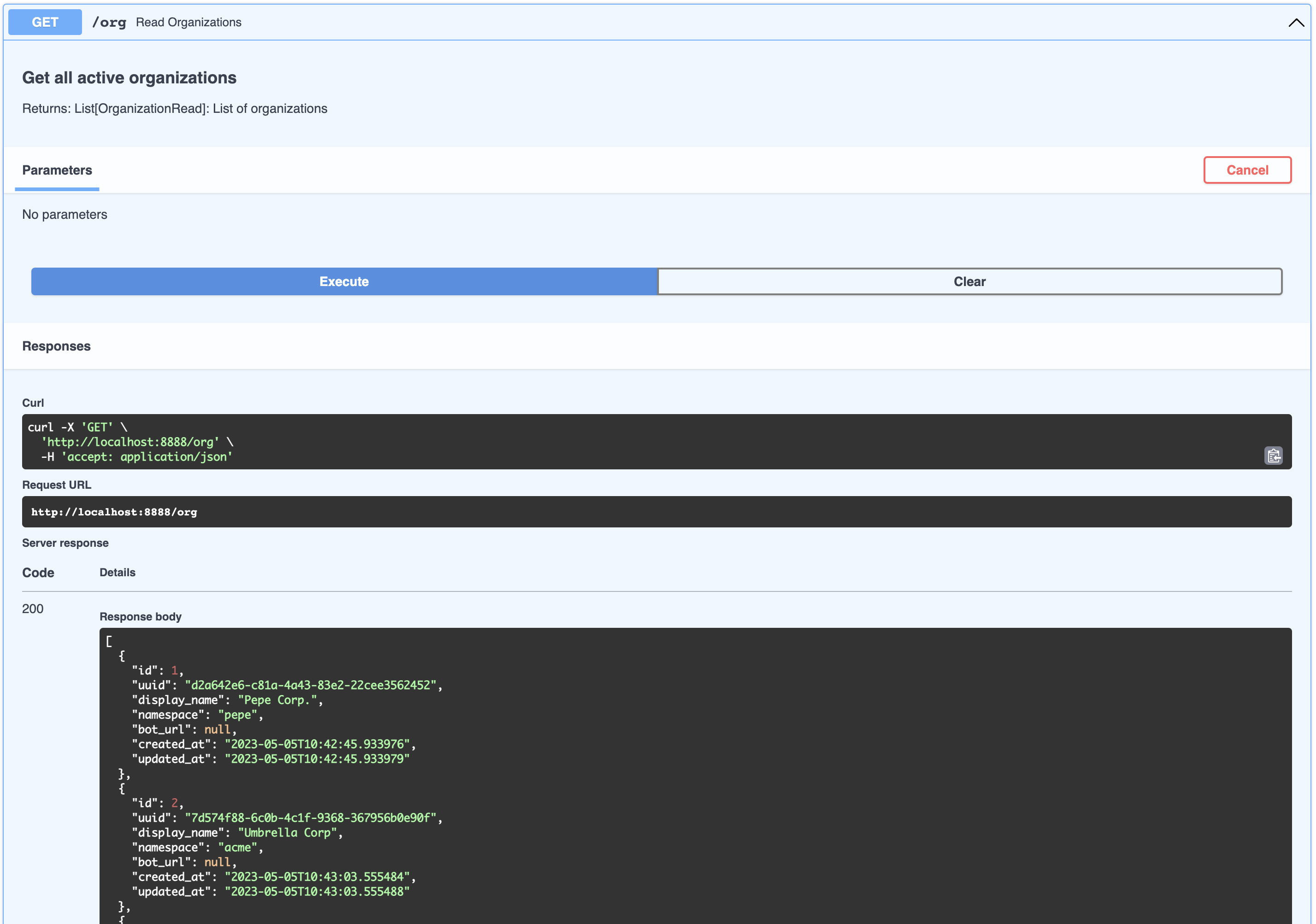
[
  {
    "id": 1,
    "uuid": "d2a642e6-c81a-4a43-83e2-22cee3562452",
    "display_name": "Pepe Corp.",
    "namespace": "pepe",
    "bot_url": null,
    "created_at": "2023-05-05T10:42:45.933976",
    "updated_at": "2023-05-05T10:42:45.933979"
  },
  {
    "id": 2,
    "uuid": "7d574f88-6c0b-4c1f-9368-367956b0e90f",
    "display_name": "Umbrella Corp",
    "namespace": "acme",
    "bot_url": null,
    "created_at": "2023-05-05T10:43:03.555484",
    "updated_at": "2023-05-05T10:43:03.555488"
  },
  {
    "id": 3,
    "uuid": "65105a15-2ef0-4898-ac7a-8eafee0b283d",
    "display_name": "Cyberdine Systems",
    "namespace": "cyberdine",
    "bot_url": null,
    "created_at": "2023-05-05T10:43:04.175424",
    "updated_at": "2023-05-05T10:43:04.175428"
  },
  {
    "id": 4,
    "uuid": "b7fb966d-7845-4581-a537-818da62645b5",
    "display_name": "Bluth Companies",
    "namespace": "bluth",
    "bot_url": null,
    "created_at": "2023-05-05T10:43:04.697801",
    "updated_at": "2023-05-05T10:43:04.697804"
  },
  {
    "id": 5,
    "uuid": "9283d017-b24b-4ecd-bf35-808b45e258cf",
    "display_name": "Evil Corp",
    "namespace": "evil",
    "bot_url": null,
    "created_at": "2023-05-05T10:43:05.102546",
    "updated_at": "2023-05-05T10:43:05.102549"
  }
]This can be thought of as a product that belongs to a company. You can view the list of projects that belong to an organizations like so:
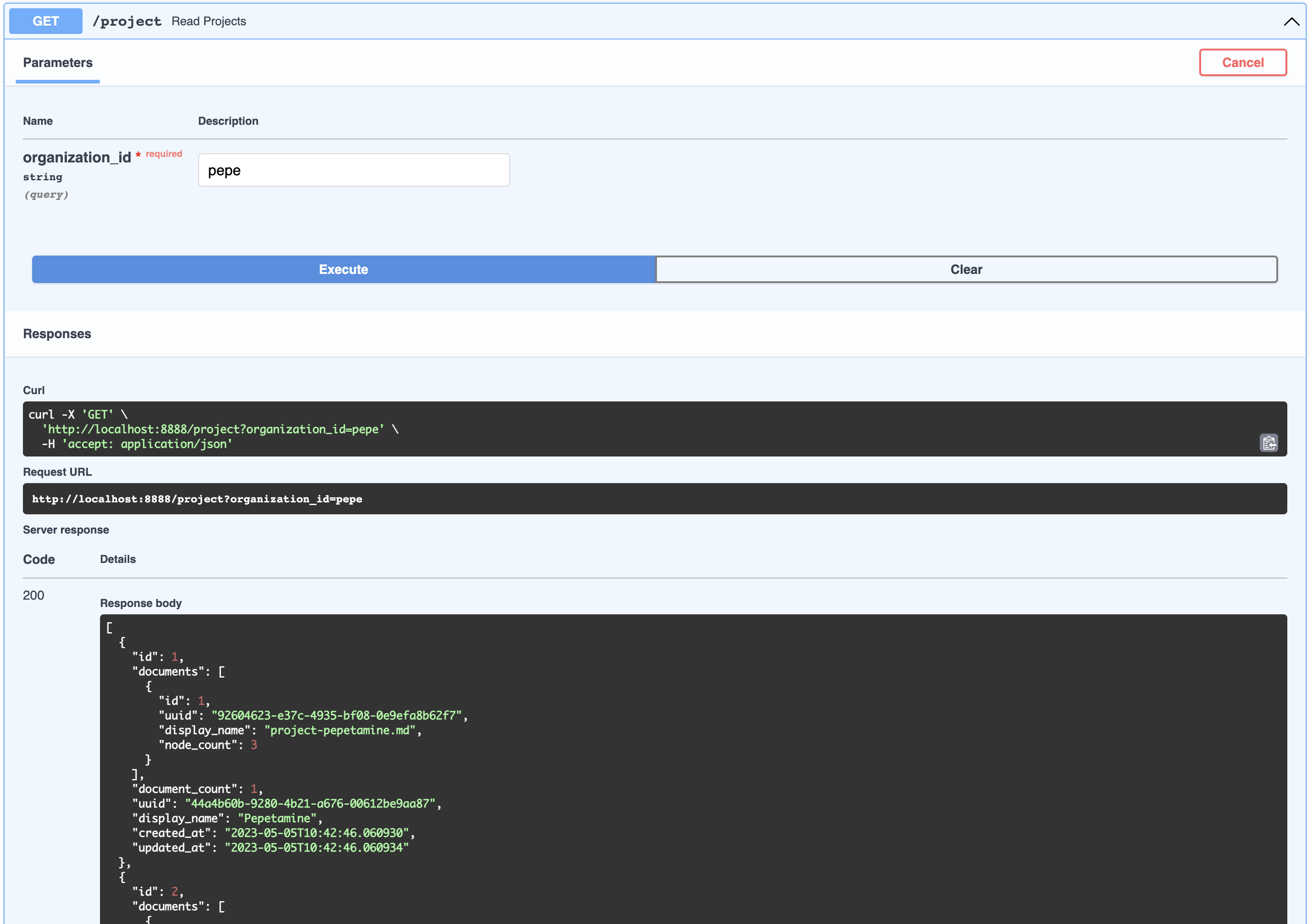
[
  {
    "id": 1,
    "documents": [
      {
        "id": 1,
        "uuid": "92604623-e37c-4935-bf08-0e9efa8b62f7",
        "display_name": "project-pepetamine.md",
        "node_count": 3
      }
    ],
    "document_count": 1,
    "uuid": "44a4b60b-9280-4b21-a676-00612be9aa87",
    "display_name": "Pepetamine",
    "created_at": "2023-05-05T10:42:46.060930",
    "updated_at": "2023-05-05T10:42:46.060934"
  },
  {
    "id": 2,
    "documents": [
      {
        "id": 2,
        "uuid": "b408595a-3426-4011-9b9b-8e260b244f74",
        "display_name": "project-frogonil.md",
        "node_count": 3
      }
    ],
    "document_count": 1,
    "uuid": "5ba6b812-de37-451d-83a3-8ccccadabd69",
    "display_name": "Frogonil",
    "created_at": "2023-05-05T10:42:48.043936",
    "updated_at": "2023-05-05T10:42:48.043940"
  },
  {
    "id": 3,
    "documents": [
      {
        "id": 3,
        "uuid": "b99d373a-3317-4699-a89e-90897ba00db6",
        "display_name": "project-kekzal.md",
        "node_count": 3
      }
    ],
    "document_count": 1,
    "uuid": "1be4360c-f06e-4494-bf20-e7c73a56f003",
    "display_name": "Kekzal",
    "created_at": "2023-05-05T10:42:49.092675",
    "updated_at": "2023-05-05T10:42:49.092678"
  },
  {
    "id": 4,
    "documents": [
      {
        "id": 4,
        "uuid": "94da307b-5993-4ddd-a852-3d8c12f95f3f",
        "display_name": "project-memetrex.md",
        "node_count": 3
      }
    ],
    "document_count": 1,
    "uuid": "1fd7e772-365c-451b-a7eb-4d529b0927f0",
    "display_name": "Memetrex",
    "created_at": "2023-05-05T10:42:50.184817",
    "updated_at": "2023-05-05T10:42:50.184821"
  },
  {
    "id": 5,
    "documents": [
      {
        "id": 5,
        "uuid": "6deff180-3e3e-4b09-ae5a-6502d031914a",
        "display_name": "project-pepetrak.md",
        "node_count": 4
      }
    ],
    "document_count": 1,
    "uuid": "a389eb58-b504-48b4-9bc3-d3c93d2fbeaa",
    "display_name": "PepeTrak",
    "created_at": "2023-05-05T10:42:51.293352",
    "updated_at": "2023-05-05T10:42:51.293355"
  },
  {
    "id": 6,
    "documents": [
      {
        "id": 6,
        "uuid": "2e3c2155-cafa-4c6b-b7cc-02bb5156715b",
        "display_name": "project-memegen.md",
        "node_count": 5
      }
    ],
    "document_count": 1,
    "uuid": "cec4154f-5d73-41a5-a764-eaf62fc3db2c",
    "display_name": "MemeGen",
    "created_at": "2023-05-05T10:42:52.562037",
    "updated_at": "2023-05-05T10:42:52.562040"
  },
  {
    "id": 7,
    "documents": [
      {
        "id": 7,
        "uuid": "baabcb6f-e14c-4d59-a019-ce29973b9f5c",
        "display_name": "project-neurokek.md",
        "node_count": 5
      }
    ],
    "document_count": 1,
    "uuid": "4a1a0542-e314-4ae7-9961-720c2d092f04",
    "display_name": "Neuro-kek",
    "created_at": "2023-05-05T10:42:53.689537",
    "updated_at": "2023-05-05T10:42:53.689539"
  },
  {
    "id": 8,
    "documents": [
      {
        "id": 8,
        "uuid": "5be007ec-5c89-4bc4-8bfd-448a3659c03c",
        "display_name": "org-about_the_company.md",
        "node_count": 5
      },
      {
        "id": 9,
        "uuid": "c2b3fb39-18c0-4f3e-9c21-749b86942cba",
        "display_name": "org-board_of_directors.md",
        "node_count": 3
      },
      {
        "id": 10,
        "uuid": "41aa81a9-13a9-4527-a439-c2ac0215593f",
        "display_name": "org-company_story.md",
        "node_count": 4
      },
      {
        "id": 11,
        "uuid": "91c59eb8-8c05-4f1f-b09d-fcd9b44b5a20",
        "display_name": "org-corporate_philosophy.md",
        "node_count": 4
      },
      {
        "id": 12,
        "uuid": "631fc3a9-7f5f-4415-8283-78ff582be483",
        "display_name": "org-customer_support.md",
        "node_count": 3
      },
      {
        "id": 13,
        "uuid": "d4c3d3db-6f24-433e-b2aa-52a70a0af976",
        "display_name": "org-earnings_fy2023.md",
        "node_count": 5
      },
      {
        "id": 14,
        "uuid": "08dd478b-414b-46c4-95c0-4d96e2089e90",
        "display_name": "org-management_team.md",
        "node_count": 3
      }
    ],
    "document_count": 7,
    "uuid": "1d2849b4-2715-4dcf-aa68-090a221942ba",
    "display_name": "Pepe Corp. (company)",
    "created_at": "2023-05-05T10:42:55.258902",
    "updated_at": "2023-05-05T10:42:55.258904"
  }
]This can be thought of as an artifact related to a product, like an FAQ page or a PDF with financial statement earnings. You can view all the Documents associated with an Organization’s Project like so:
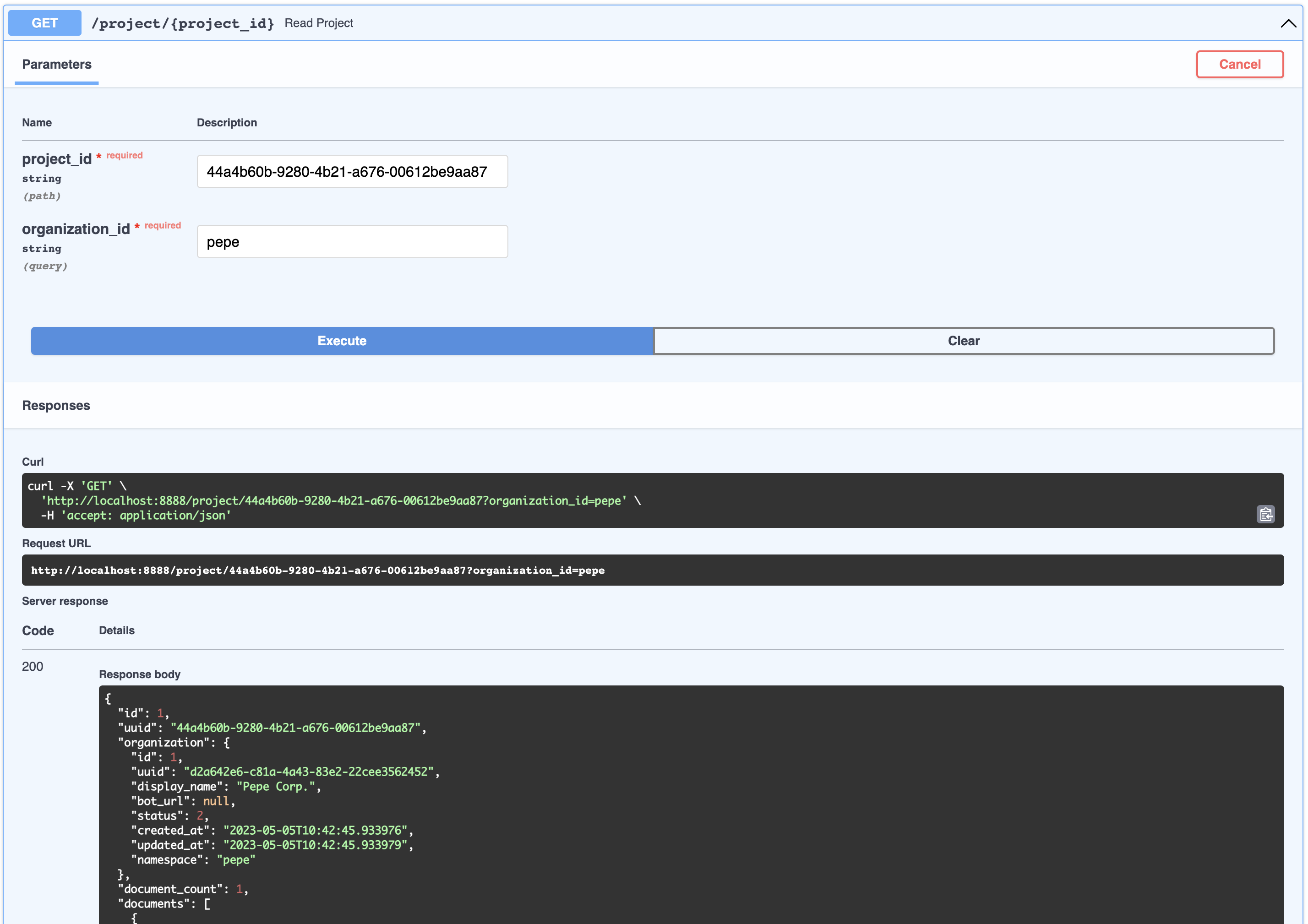
{
  "id": 1,
  "uuid": "44a4b60b-9280-4b21-a676-00612be9aa87",
  "organization": {
    "id": 1,
    "uuid": "d2a642e6-c81a-4a43-83e2-22cee3562452",
    "display_name": "Pepe Corp.",
    "bot_url": null,
    "status": 2,
    "created_at": "2023-05-05T10:42:45.933976",
    "updated_at": "2023-05-05T10:42:45.933979",
    "namespace": "pepe"
  },
  "document_count": 1,
  "documents": [
    {
      "id": 1,
      "uuid": "92604623-e37c-4935-bf08-0e9efa8b62f7",
      "organization_id": 1,
      "project_id": 1,
      "display_name": "project-pepetamine.md",
      "url": "",
      "data": "# PepetaminennProduct Name: PepetaminennPurpose: Increases cognitive focus just like the Limitless movienn**How to Use**nnPepetamine is available in the form of rare Pepe-coated tablets. The recommended dosage is one tablet per day, taken orally with a glass of water, preferably while browsing your favorite meme forum for maximum cognitive enhancement. For optimal results, take Pepetamine 30 minutes before engaging in mentally demanding tasks, such as decoding ancient Pepe hieroglyphics or creating your next viral meme masterpiece.nn**Side Effects**nnSome potential side effects of Pepetamine may include:nn1. Uncontrollable laughter and a sudden appreciation for dank memesn2. An inexplicable desire to collect rare Pepesn3. Enhanced meme creation skills, potentially leading to internet famen4. Temporary green skin pigmentation, resembling the legendary Pepe himselfn5. Spontaneously speaking in "feels good man" languagennWhile most side effects are generally harmless, consult your memologist if side effects persist or become bothersome.nn**Precautions**nnBefore taking Pepetamine, please consider the following precautions:nn1. Do not use Pepetamine if you have a known allergy to rare Pepes or dank memes.n2. Pepetamine may not be suitable for individuals with a history of humor deficiency or meme intolerance.n3. Exercise caution when driving or operating heavy machinery, as Pepetamine may cause sudden fits of laughter or intense meme ideation.nn**Interactions**nnPepetamine may interact with other substances, including:nn1. Normie supplements: Combining Pepetamine with normie supplements may result in meme conflicts and a decreased sense of humor.n2. Caffeine: The combination of Pepetamine and caffeine may cause an overload of energy, resulting in hyperactive meme creation and potential internet overload.nnConsult your memologist if you are taking any other medications or substances to ensure compatibility with Pepetamine.nn**Overdose**nnIn case of an overdose, symptoms may include:nn1. Uncontrollable meme creationn2. Delusions of grandeur as the ultimate meme lordn3. Time warps into the world of PepennIf you suspect an overdose, contact your local meme emergency service or visit the nearest meme treatment facility. Remember, the key to enjoying Pepetamine is to use it responsibly, and always keep in mind the wise words of our legendary Pepe: "Feels good man."",
      "hash": "fdee6da2b5441080dd78e7850d3d2e1403bae71b9e0526b9dcae4c0782d95a78",
      "version": 1,
      "status": 2,
      "created_at": "2023-05-05T10:42:46.755428",
      "updated_at": "2023-05-05T10:42:46.755431"
    }
  ],
  "display_name": "Pepetamine",
  "created_at": "2023-05-05T10:42:46.060930",
  "updated_at": "2023-05-05T10:42:46.060934"
}Although this is not exposed in the API, a node is a chunk of a document which embeddings get generated for. Nodes are used for retrieval search as well as context injection. A node belongs to a document.
A user represents the person talking to a bot. Users do not necessarily belong to an org or product, but this relationship is captured in ChatSession below.
Not exposed via API, but this represent a question and answer between the User and a bot. Each of these objects can be flexibly identified by a session_id which gets automatically generated. Chat Sessions contain rich metadata that can be used for training and optimization. ChatSessions via the /chat endpoint ARE in fact associated with organization (for multi-tenant security purposes)
/webhooks/{channel}/webhook
FallbackClassifier thresholdrasa-credentials via app/rasa-credentials/main.pyaction_gpt_fallback action which will trigger our actions serverout_of_scope
action_gpt_fallback
ActionGPTFallback class. The method name returns the action we defined for our intent aboverasa train . This is done automatically for you when you run make install
rasa run after trainingrasa run actions
rasa-credentials service takes care of this process for you. Ngrok runs as a service, once it is ready rasa-credentials calls the local ngrok API to retrieve the tunnel URL and updates the credentials.yml file and restarts Rasa for youactions.py
pgvector is a plugin for Postgres and automatically installed enabling your to store and calculate vector data types. We have our own implementation because the Langchain PGVector class is not flexible to adapt to our schema and we want flexibility.
/docker-entry-initdb.d get run if the database has not been initialized. In the postgres Dockerfile we copy create_db.sh which creates the db and user for our databasemodels command in the Makefile, we run the models.py in the API container which creates the tables from the models.enable_vector method enables the pgvector extension in the databaseindex.json
GPTSimpleVectorIndex to find the relevant data and injects it into a prompt.out_of_scope, based on rules.yml it will trigger the action_gpt_fallback actionActionGPTFallback function will then call the FastAPI API serverIn general, check your docker container logs by simply going to http://localhost:9999/
Always check that your webhooks with ngrok and Telegram match. Simply do this by
curl -sS "https://api.telegram.org/bot<your-bot-secret-token>/getWebhookInfo" | json_pp.. should return this:
{
    "ok": true,
    "result": {
        "url": "https://b280-04-115-40-112.ngrok-free.app/webhooks/telegram/webhook",
        "has_custom_certificate": false,
        "pending_update_count": 0,
        "max_connections": 40,
        "ip_address": "1.2.3.4"
    }
}
.. which should match the URL in your credentials.yml file or visit the Ngrok admin UI http://localhost:4040/status
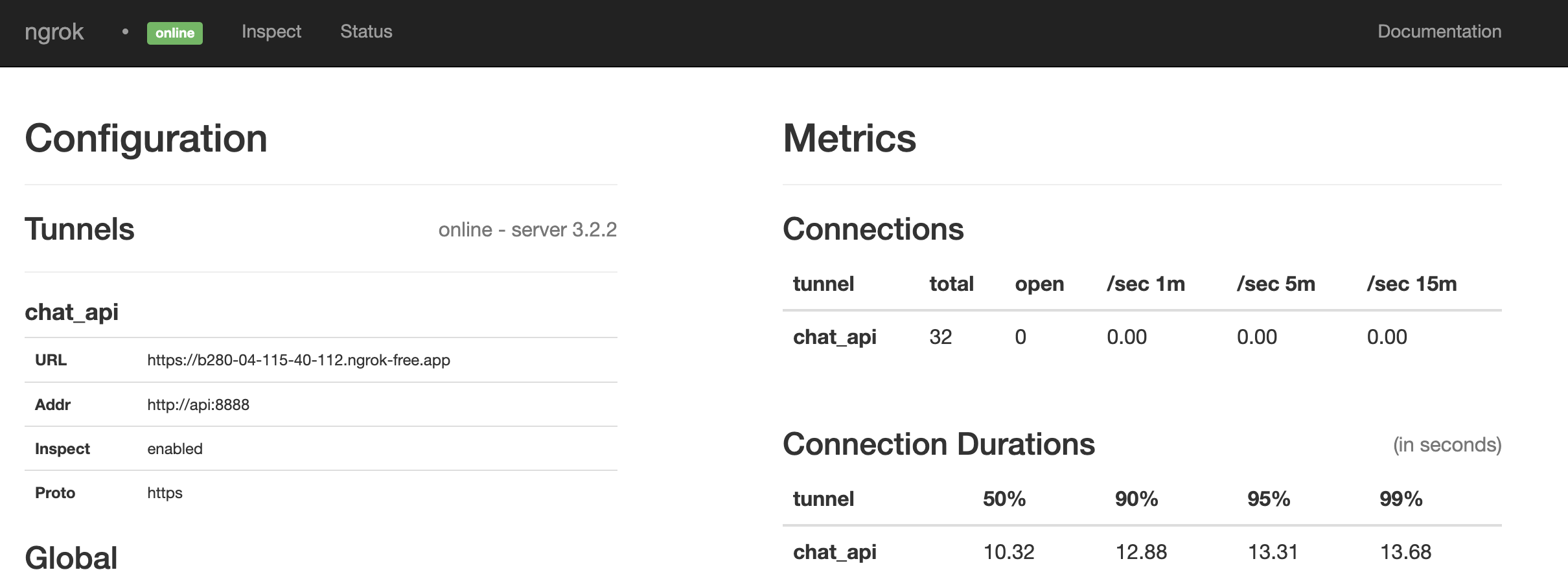
Looks like it is a match. If not, restart everything by running:
make restart@paulpierre`
Congratulations, all your base are belong to us! kthxbye
Copyright (c) 2023 Paul Pierre. Permission is hereby granted, free of charge, to any person obtaining a copy of this software and associated documentation files (the “Software”), to deal in the Software without restriction, including without limitation the rights to use, copy, modify, merge, publish, distribute, sublicense, and/or sell copies of the Software, and to permit persons to whom the Software is furnished to do so, subject to the following conditions: The above copyright notice and this permission notice shall be included in all copies or substantial portions of the Software. THE SOFTWARE IS PROVIDED “AS IS”, WITHOUT WARRANTY OF ANY KIND, EXPRESS OR IMPLIED, INCLUDING BUT NOT LIMITED TO THE WARRANTIES OF MERCHANTABILITY, FITNESS FOR A PARTICULAR PURPOSE AND NON-INFRINGEMENT. IN NO EVENT SHALL THE AUTHORS OR COPYRIGHT HOLDERS BE LIABLE FOR ANY CLAIM, DAMAGES OR OTHER LIABILITY, WHETHER IN AN ACTION OF CONTRACT, TORT OR OTHERWISE, ARISING FROM, OUT OF OR IN CONNECTION WITH THE SOFTWARE OR THE USE OR OTHER DEALINGS IN THE SOFTWARE.





