RasaGPT
1.0.0

Rasagpt是第一个在Rasa和Langchain顶部建立的无头LLM聊天机器人平台。它是RASA和电报的参考实现,利用Langchain(例如Langchain)进行索引,检索和上下文注入。
用他们自己的话:
RASA是一个开源(Python)机器学习框架,可自动化基于文本和语音的对话:NLU,对话管理,连接到Slack,Facebook等 - 创建聊天机器人和语音助手
用我的话:
RASA是一个非常受欢迎的(我敢说事实上吗?),并且可以轻松地将聊天机器人框架与内置的NLU ML管道内置,这些管道已过时,并且是LLMS世界中重新构想的聊天机器人框架的概念起点。
Rasagpt开箱即用。许多实施头痛已经解决,因此您不必这样做,包括:
背景故事很熟悉。一个朋友遇到了问题。我搜寻了Google和Github,以与RASA集成的LLM进行了不错的参考实现,但空手而归。我认为这是一个满足我好奇心的绝佳机会,两天后我有了一个概念证明,一周后,这就是我想到的。
配x 警告空器:这远非生产代码和迅速注入和一般安全漏洞的盛行。我只是希望有人发现这有用吗?
入门很容易,只需确保您遇到以下依赖项即可。
配x 配x 配x **注意非麦克斯用户:**如果您使用的是Linux或Windows,则需要从khalosa/rasa-aarch64:3.5.2更改图像名称到rasa/rasa:latestDocker-compose.yml在线上#64和在此处的第1行中的Dockerfile中
 # Get the code
git clone https://github.com/paulpierre/RasaGPT.git
cd RasaGPT

# # Setup the .env file
cp .env-example .env

# Edit your .env file and add all the necessary credentials
make install

# Type "make" to see more options
makehttps://t.me/yourbotname访问您的机器人git clone https://github.com/paulpierre/RasaGPT.git
cd RasaGPT
cp .env-example .env
# Edit your .env file and all the credentials
在任何时候都可以随意输入make ,它将显示选项列表,最有用:调试:
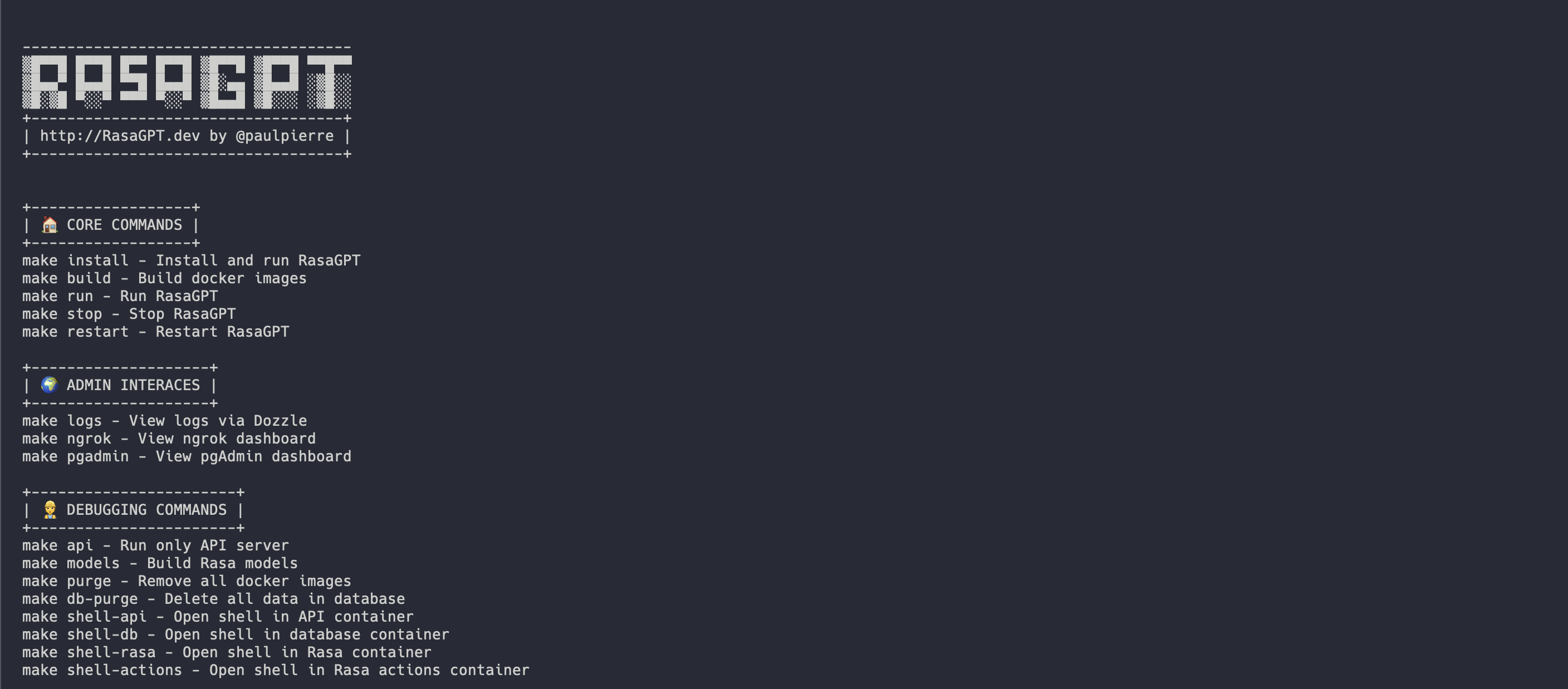
入门最简单的方法是在根目录中使用Makefile 。它将按正确的顺序安装和运行Rasagpt的所有服务。
make install

# This will automatically install and run RasaGPT
# After installation, to run again you can simply run

make run如果您希望专注于API顶部开发,则对此进行了单独的Makefile 。这将为您创建本地虚拟环境。
 # Assuming you are already in the RasaGPT directory
cd app/api
make install

# This will automatically install and run RasaGPT
# After installation, to run again you can simply run

make run
同样,Enter make查看完整的命令列表
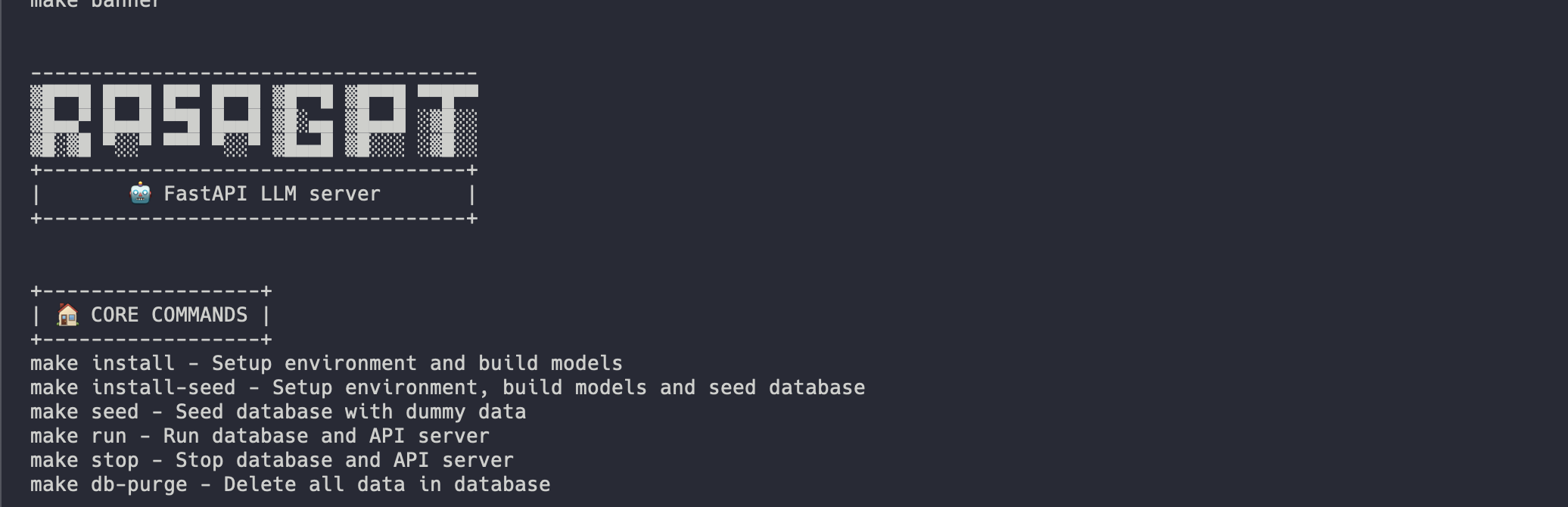
安装应自动化看起来像这样:
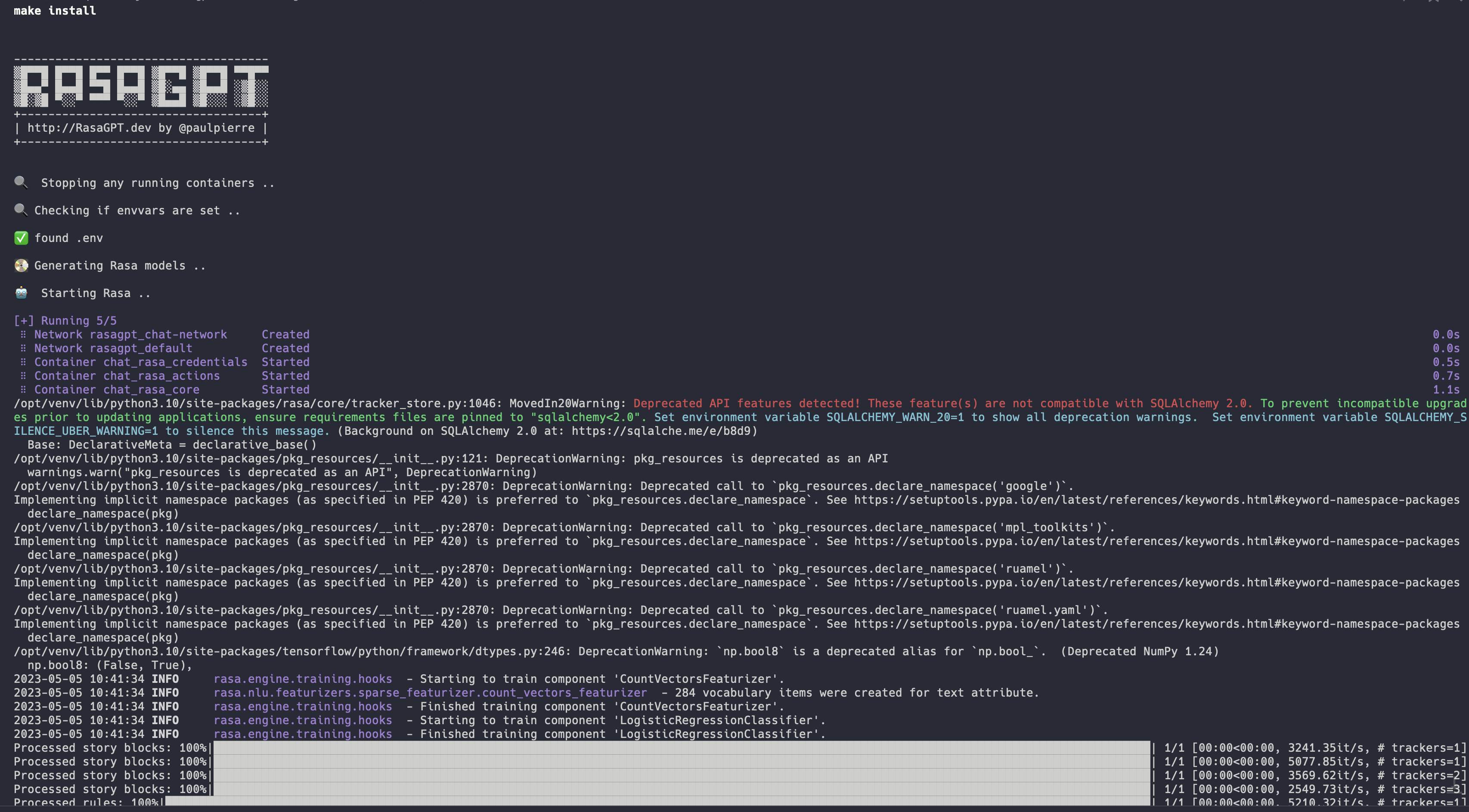
完整安装日志:https://app.warp.dev/block/vflua6eue29epk8evvw8kd
Docker的安装过程在高级别上采取以下步骤
.env可用pgvector初始化数据库seed.py填充了虚拟数据您可以通过访问https://t.me/yourbotsname开始与机器人聊天
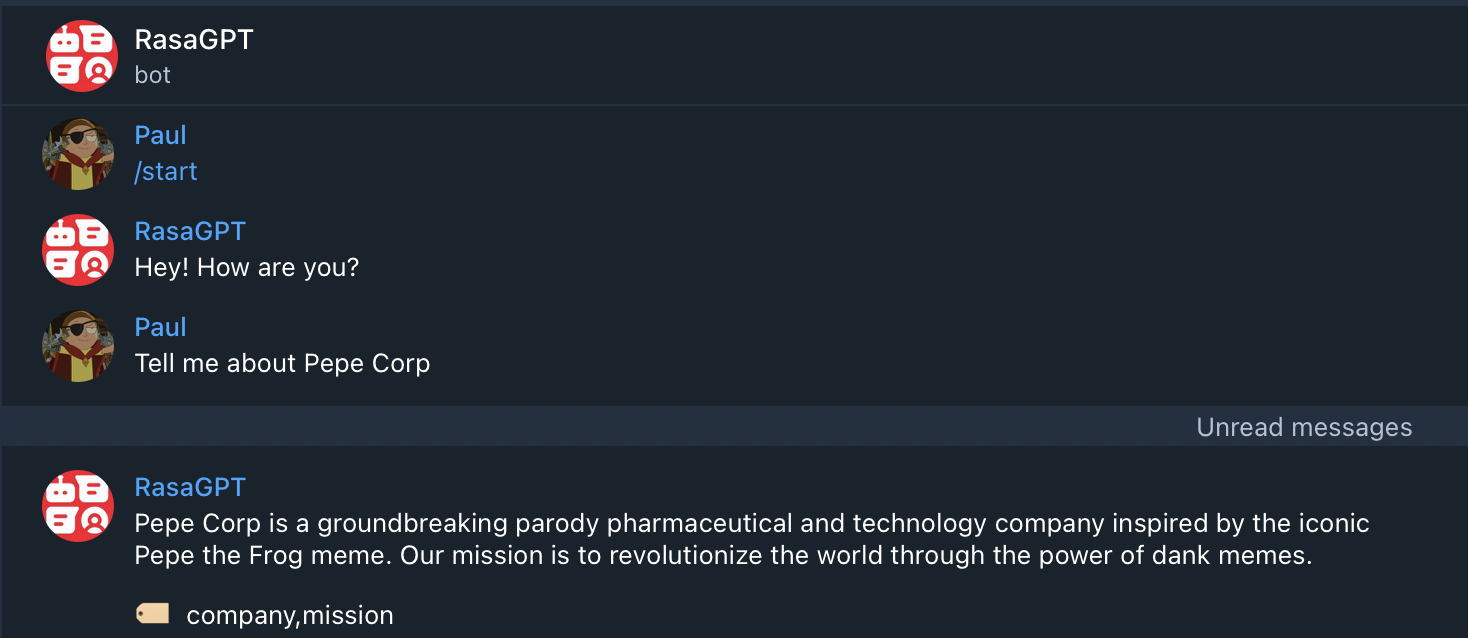
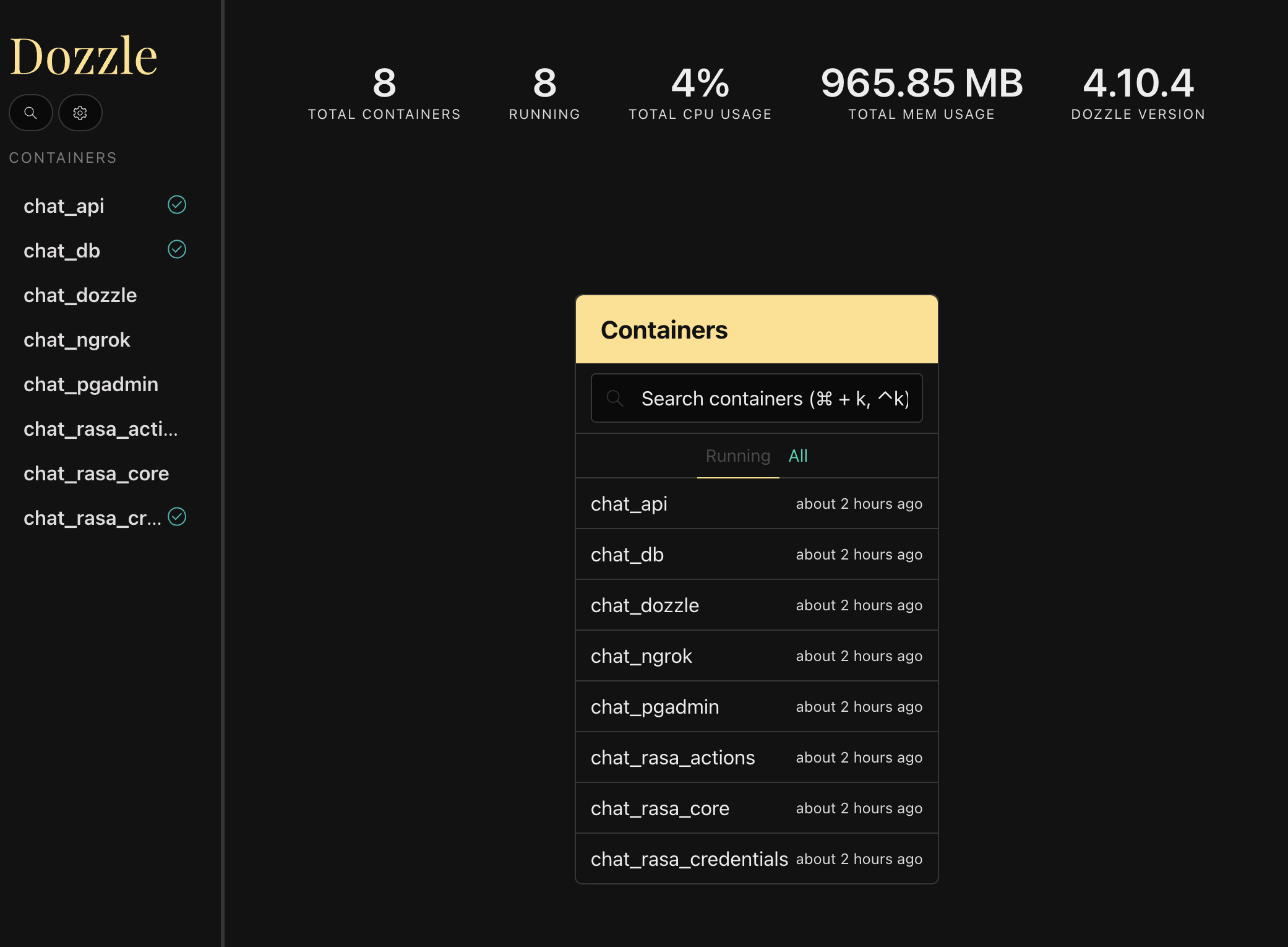
您可以通过访问https:// localhost:9999/将显示所有Docker容器的实时日志来查看所有日志
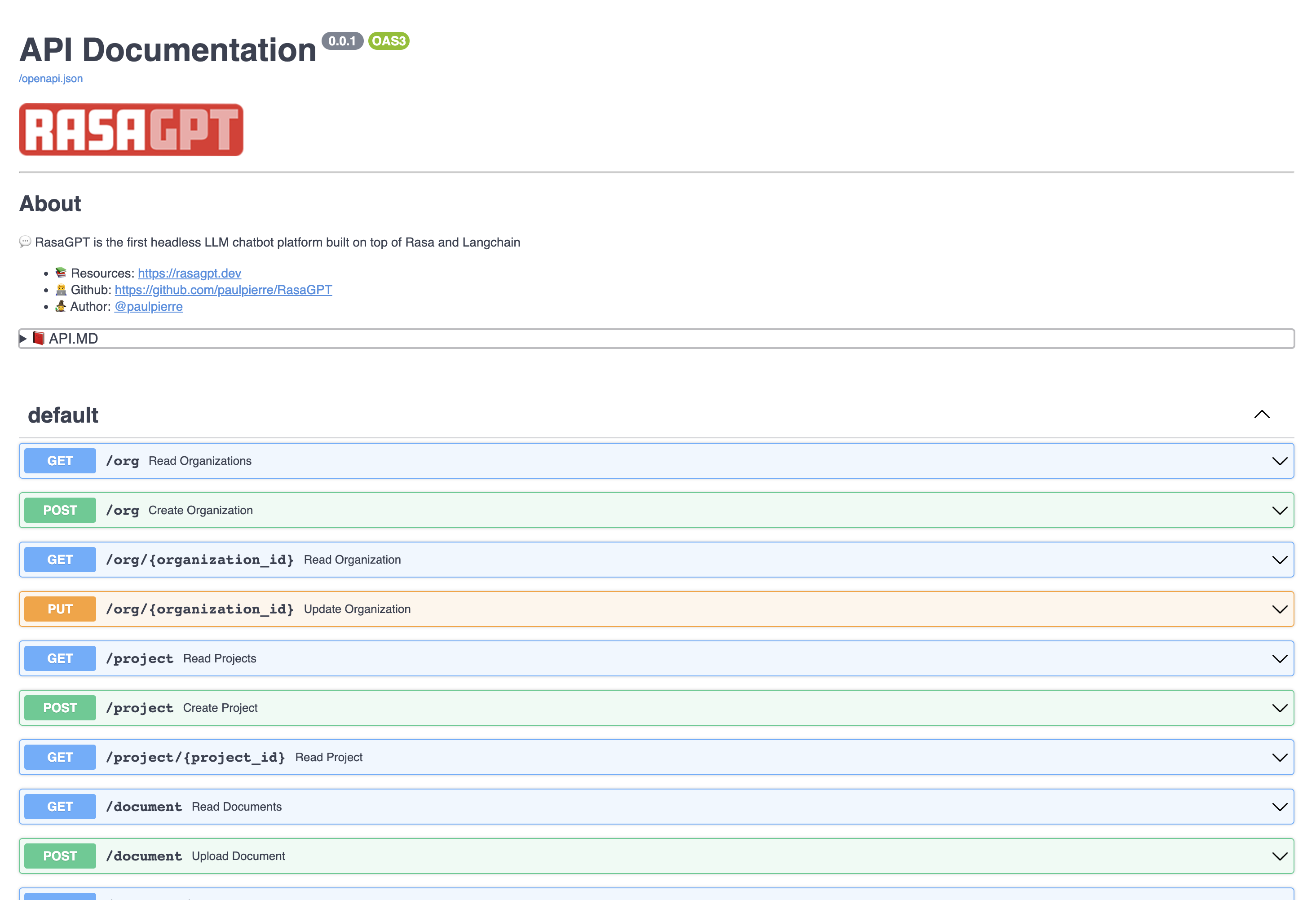
通过访问https:// localhost:8888/docs查看API端点文档
在此页面中,您可以创建和更新实体,并将文档上传到知识库。
该机器人只是概念验证,尚未被优化用于检索。目前,它使用1000个字符长度块来进行索引和基本的欧几里得距离进行检索和质量。
您可以在results.md文件中使用bot查看示例命中和错过。总体而言,I估计指数优化和LLM配置变化可以将输出质量提高超过70%。
单击以查看Result.MD中演示数据的问答结果
REST API直截了当,请访问文档http:// localhost:8888/docs
以下实体具有基本的CRUD操作并返回JSON
可以将其视为您在SaaS /多租户世界中的客户。默认情况下,已提供了一个虚拟组织列表
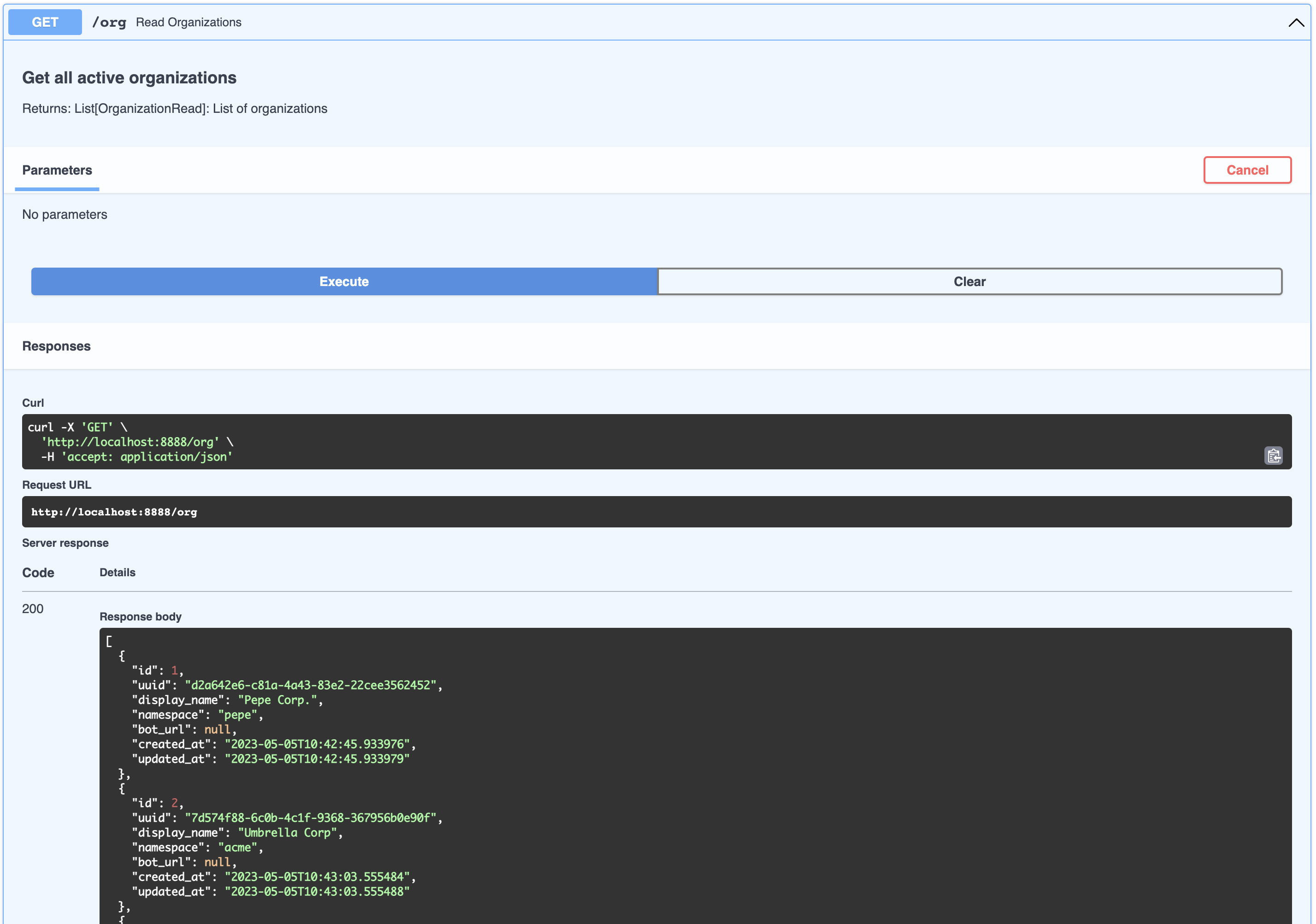
[
  {
    " id " : 1,
    " uuid " : " d2a642e6-c81a-4a43-83e2-22cee3562452 " ,
    " display_name " : " Pepe Corp. " ,
    " namespace " : " pepe " ,
    " bot_url " : null,
    " created_at " : " 2023-05-05T10:42:45.933976 " ,
    " updated_at " : " 2023-05-05T10:42:45.933979 "
  },
  {
    " id " : 2,
    " uuid " : " 7d574f88-6c0b-4c1f-9368-367956b0e90f " ,
    " display_name " : " Umbrella Corp " ,
    " namespace " : " acme " ,
    " bot_url " : null,
    " created_at " : " 2023-05-05T10:43:03.555484 " ,
    " updated_at " : " 2023-05-05T10:43:03.555488 "
  },
  {
    " id " : 3,
    " uuid " : " 65105a15-2ef0-4898-ac7a-8eafee0b283d " ,
    " display_name " : " Cyberdine Systems " ,
    " namespace " : " cyberdine " ,
    " bot_url " : null,
    " created_at " : " 2023-05-05T10:43:04.175424 " ,
    " updated_at " : " 2023-05-05T10:43:04.175428 "
  },
  {
    " id " : 4,
    " uuid " : " b7fb966d-7845-4581-a537-818da62645b5 " ,
    " display_name " : " Bluth Companies " ,
    " namespace " : " bluth " ,
    " bot_url " : null,
    " created_at " : " 2023-05-05T10:43:04.697801 " ,
    " updated_at " : " 2023-05-05T10:43:04.697804 "
  },
  {
    " id " : 5,
    " uuid " : " 9283d017-b24b-4ecd-bf35-808b45e258cf " ,
    " display_name " : " Evil Corp " ,
    " namespace " : " evil " ,
    " bot_url " : null,
    " created_at " : " 2023-05-05T10:43:05.102546 " ,
    " updated_at " : " 2023-05-05T10:43:05.102549 "
  }
]可以将其视为属于公司的产品。您可以查看属于类似组织的项目列表:
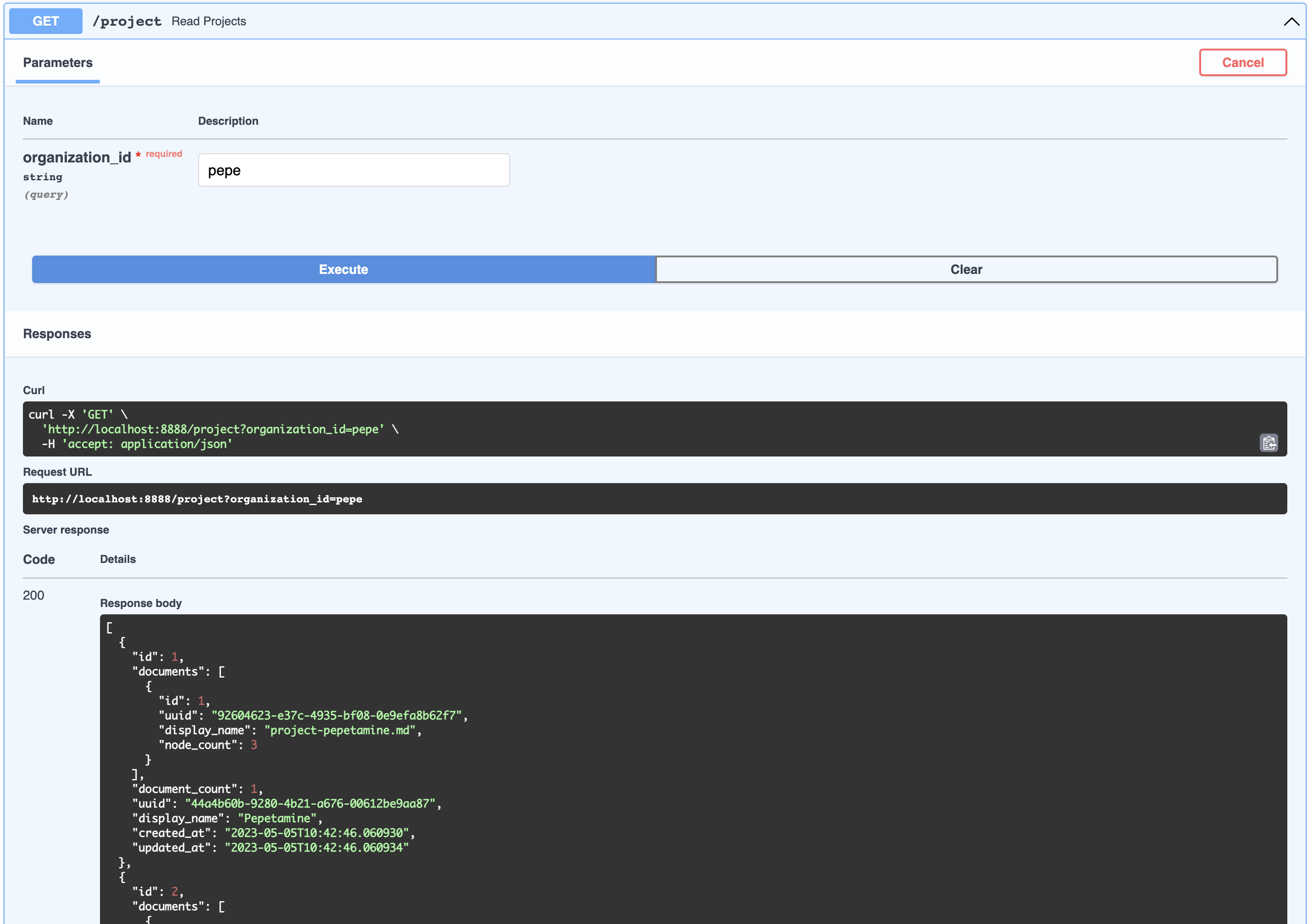
[
  {
    " id " : 1,
    " documents " : [
      {
        " id " : 1,
        " uuid " : " 92604623-e37c-4935-bf08-0e9efa8b62f7 " ,
        " display_name " : " project-pepetamine.md " ,
        " node_count " : 3
      }
    ],
    " document_count " : 1,
    " uuid " : " 44a4b60b-9280-4b21-a676-00612be9aa87 " ,
    " display_name " : " Pepetamine " ,
    " created_at " : " 2023-05-05T10:42:46.060930 " ,
    " updated_at " : " 2023-05-05T10:42:46.060934 "
  },
  {
    " id " : 2,
    " documents " : [
      {
        " id " : 2,
        " uuid " : " b408595a-3426-4011-9b9b-8e260b244f74 " ,
        " display_name " : " project-frogonil.md " ,
        " node_count " : 3
      }
    ],
    " document_count " : 1,
    " uuid " : " 5ba6b812-de37-451d-83a3-8ccccadabd69 " ,
    " display_name " : " Frogonil " ,
    " created_at " : " 2023-05-05T10:42:48.043936 " ,
    " updated_at " : " 2023-05-05T10:42:48.043940 "
  },
  {
    " id " : 3,
    " documents " : [
      {
        " id " : 3,
        " uuid " : " b99d373a-3317-4699-a89e-90897ba00db6 " ,
        " display_name " : " project-kekzal.md " ,
        " node_count " : 3
      }
    ],
    " document_count " : 1,
    " uuid " : " 1be4360c-f06e-4494-bf20-e7c73a56f003 " ,
    " display_name " : " Kekzal " ,
    " created_at " : " 2023-05-05T10:42:49.092675 " ,
    " updated_at " : " 2023-05-05T10:42:49.092678 "
  },
  {
    " id " : 4,
    " documents " : [
      {
        " id " : 4,
        " uuid " : " 94da307b-5993-4ddd-a852-3d8c12f95f3f " ,
        " display_name " : " project-memetrex.md " ,
        " node_count " : 3
      }
    ],
    " document_count " : 1,
    " uuid " : " 1fd7e772-365c-451b-a7eb-4d529b0927f0 " ,
    " display_name " : " Memetrex " ,
    " created_at " : " 2023-05-05T10:42:50.184817 " ,
    " updated_at " : " 2023-05-05T10:42:50.184821 "
  },
  {
    " id " : 5,
    " documents " : [
      {
        " id " : 5,
        " uuid " : " 6deff180-3e3e-4b09-ae5a-6502d031914a " ,
        " display_name " : " project-pepetrak.md " ,
        " node_count " : 4
      }
    ],
    " document_count " : 1,
    " uuid " : " a389eb58-b504-48b4-9bc3-d3c93d2fbeaa " ,
    " display_name " : " PepeTrak " ,
    " created_at " : " 2023-05-05T10:42:51.293352 " ,
    " updated_at " : " 2023-05-05T10:42:51.293355 "
  },
  {
    " id " : 6,
    " documents " : [
      {
        " id " : 6,
        " uuid " : " 2e3c2155-cafa-4c6b-b7cc-02bb5156715b " ,
        " display_name " : " project-memegen.md " ,
        " node_count " : 5
      }
    ],
    " document_count " : 1,
    " uuid " : " cec4154f-5d73-41a5-a764-eaf62fc3db2c " ,
    " display_name " : " MemeGen " ,
    " created_at " : " 2023-05-05T10:42:52.562037 " ,
    " updated_at " : " 2023-05-05T10:42:52.562040 "
  },
  {
    " id " : 7,
    " documents " : [
      {
        " id " : 7,
        " uuid " : " baabcb6f-e14c-4d59-a019-ce29973b9f5c " ,
        " display_name " : " project-neurokek.md " ,
        " node_count " : 5
      }
    ],
    " document_count " : 1,
    " uuid " : " 4a1a0542-e314-4ae7-9961-720c2d092f04 " ,
    " display_name " : " Neuro-kek " ,
    " created_at " : " 2023-05-05T10:42:53.689537 " ,
    " updated_at " : " 2023-05-05T10:42:53.689539 "
  },
  {
    " id " : 8,
    " documents " : [
      {
        " id " : 8,
        " uuid " : " 5be007ec-5c89-4bc4-8bfd-448a3659c03c " ,
        " display_name " : " org-about_the_company.md " ,
        " node_count " : 5
      },
      {
        " id " : 9,
        " uuid " : " c2b3fb39-18c0-4f3e-9c21-749b86942cba " ,
        " display_name " : " org-board_of_directors.md " ,
        " node_count " : 3
      },
      {
        " id " : 10,
        " uuid " : " 41aa81a9-13a9-4527-a439-c2ac0215593f " ,
        " display_name " : " org-company_story.md " ,
        " node_count " : 4
      },
      {
        " id " : 11,
        " uuid " : " 91c59eb8-8c05-4f1f-b09d-fcd9b44b5a20 " ,
        " display_name " : " org-corporate_philosophy.md " ,
        " node_count " : 4
      },
      {
        " id " : 12,
        " uuid " : " 631fc3a9-7f5f-4415-8283-78ff582be483 " ,
        " display_name " : " org-customer_support.md " ,
        " node_count " : 3
      },
      {
        " id " : 13,
        " uuid " : " d4c3d3db-6f24-433e-b2aa-52a70a0af976 " ,
        " display_name " : " org-earnings_fy2023.md " ,
        " node_count " : 5
      },
      {
        " id " : 14,
        " uuid " : " 08dd478b-414b-46c4-95c0-4d96e2089e90 " ,
        " display_name " : " org-management_team.md " ,
        " node_count " : 3
      }
    ],
    " document_count " : 7,
    " uuid " : " 1d2849b4-2715-4dcf-aa68-090a221942ba " ,
    " display_name " : " Pepe Corp. (company) " ,
    " created_at " : " 2023-05-05T10:42:55.258902 " ,
    " updated_at " : " 2023-05-05T10:42:55.258904 "
  }
]这可以将其视为与产品相关的工件,例如常见问题页面或具有财务报表收益的PDF。您可以查看与组织项目相关的所有文档:
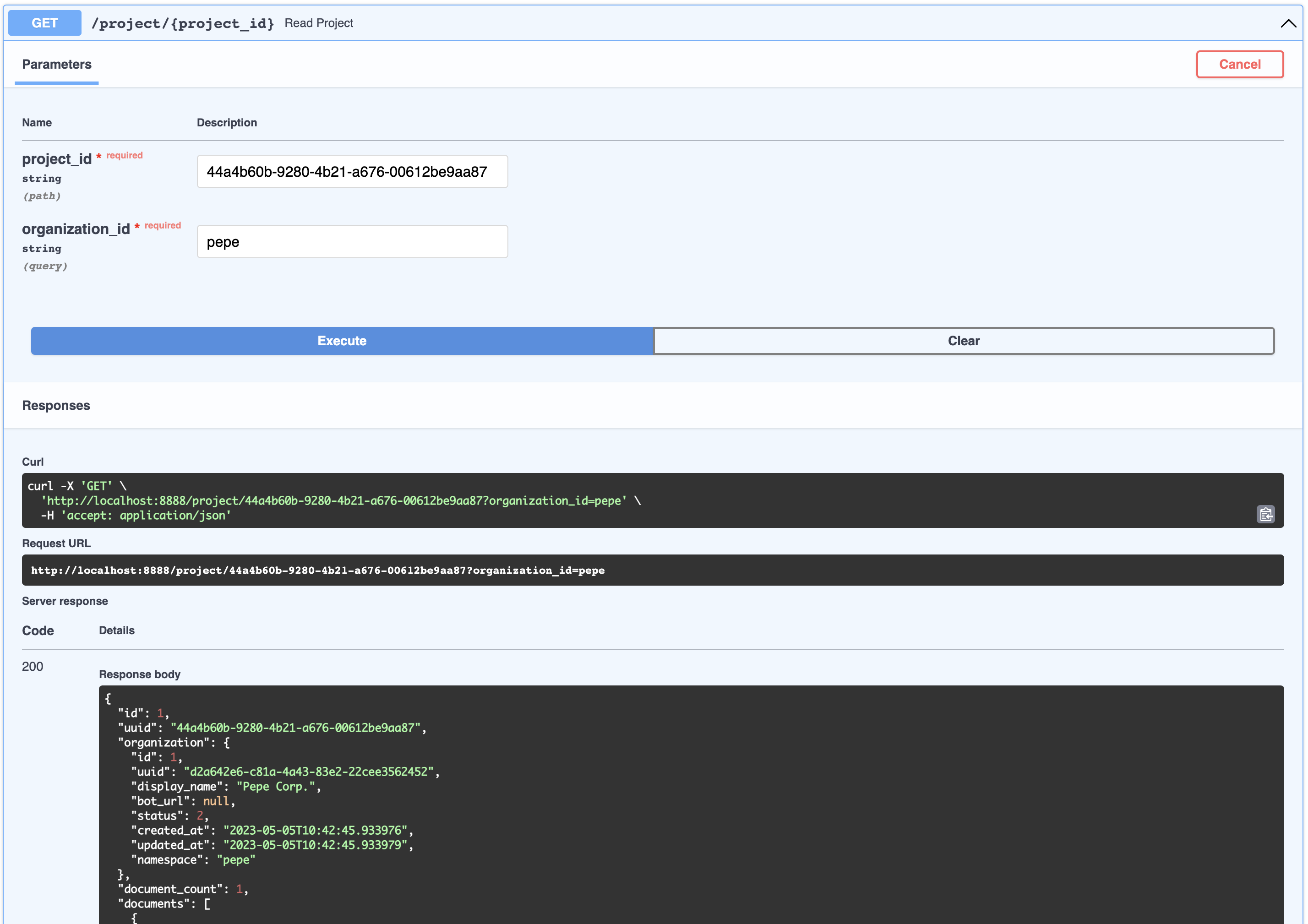
{
  " id " : 1,
  " uuid " : " 44a4b60b-9280-4b21-a676-00612be9aa87 " ,
  " organization " : {
    " id " : 1,
    " uuid " : " d2a642e6-c81a-4a43-83e2-22cee3562452 " ,
    " display_name " : " Pepe Corp. " ,
    " bot_url " : null,
    " status " : 2,
    " created_at " : " 2023-05-05T10:42:45.933976 " ,
    " updated_at " : " 2023-05-05T10:42:45.933979 " ,
    " namespace " : " pepe "
  },
  " document_count " : 1,
  " documents " : [
    {
      " id " : 1,
      " uuid " : " 92604623-e37c-4935-bf08-0e9efa8b62f7 " ,
      " organization_id " : 1,
      " project_id " : 1,
      " display_name " : " project-pepetamine.md " ,
      " url " : " " ,
      "data": "# PepetaminennProduct Name: PepetaminennPurpose: Increases cognitive focus just like the Limitless movienn**How to Use**nnPepetamine is available in the form of rare Pepe-coated tablets. The recommended dosage is one tablet per day, taken orally with a glass of water, preferably while browsing your favorite meme forum for maximum cognitive enhancement. For optimal results, take Pepetamine 30 minutes before engaging in mentally demanding tasks, such as decoding ancient Pepe hieroglyphics or creating your next viral meme masterpiece.nn**Side Effects**nnSome potential side effects of Pepetamine may include:nn1. Uncontrollable laughter and a sudden appreciation for dank memesn2. An inexplicable desire to collect rare Pepesn3. Enhanced meme creation skills, potentially leading to internet famen4. Temporary green skin pigmentation, resembling the legendary Pepe himselfn5. Spontaneously speaking in "feels good man" languagennWhile most side effects are generally harmless, consult your memologist if side effects persist or become bothersome.nn**Precautions**nnBefore taking Pepetamine, please consider the following precautions:nn1. Do not use Pepetamine if you have a known allergy to rare Pepes or dank memes.n2. Pepetamine may not be suitable for individuals with a history of humor deficiency or meme intolerance.n3. Exercise caution when driving or operating heavy machinery, as Pepetamine may cause sudden fits of laughter or intense meme ideation.nn**Interactions**nnPepetamine may interact with other substances, including:nn1. Normie supplements: Combining Pepetamine with normie supplements may result in meme conflicts and a decreased sense of humor.n2. Caffeine: The combination of Pepetamine and caffeine may cause an overload of energy, resulting in hyperactive meme creation and potential internet overload.nnConsult your memologist if you are taking any other medications or substances to ensure compatibility with Pepetamine.nn**Overdose**nnIn case of an overdose, symptoms may include:nn1. Uncontrollable meme creationn2. Delusions of grandeur as the ultimate meme lordn3. Time warps into the world of PepennIf you suspect an overdose, contact your local meme emergency service or visit the nearest meme treatment facility. Remember, the key to enjoying Pepetamine is to use it responsibly, and always keep in mind the wise words of our legendary Pepe: "Feels good man."",
      " hash " : " fdee6da2b5441080dd78e7850d3d2e1403bae71b9e0526b9dcae4c0782d95a78 " ,
      " version " : 1,
      " status " : 2,
      " created_at " : " 2023-05-05T10:42:46.755428 " ,
      " updated_at " : " 2023-05-05T10:42:46.755431 "
    }
  ],
  " display_name " : " Pepetamine " ,
  " created_at " : " 2023-05-05T10:42:46.060930 " ,
  " updated_at " : " 2023-05-05T10:42:46.060934 "
}尽管这并未在API中暴露,但节点是嵌入生成的文档的一部分。节点用于检索搜索和上下文注入。一个节点属于文档。
用户代表与机器人交谈的人。用户不一定属于组织或产品,但是在下面的聊天中捕获了这种关系。
不通过API暴露,但这代表了用户和机器人之间的问题和答案。这些对象中的每一个都可以通过自动生成的session_id灵活识别。聊天会议包含可用于培训和优化的丰富元数据。通过/chat端点通过 /聊天端的聊天实际上与组织相关联(用于多租户安全目的)
/webhooks/{channel}/webhook情况而FallbackClassifier阈值rasa-credentials进行更新action_gpt_fallback Action,该操作将触发我们的操作服务器out_of_scope地方action_gpt_fallbackActionGPTFallback类定义和表达我们的动作的地方。方法name返回我们为上述目的定义的动作rasa train通过CLI完成。运行时,这是为您自动make install的rasa run运行rasa run actions分开运行rasa-credentials服务为您处理此过程。 Ngrok作为服务运行,一旦准备就绪rasa-credentials致电本地Ngrok API检索隧道URL并更新credentials.yml 。actions.py中运行的后备动作。 pgvector是Postgres的插件,并自动安装了您的存储和计算矢量数据类型。我们之所以拥有自己的实现,是因为Langchain PGVECTOR类不灵活地适应我们的模式,我们希望灵活性。
/docker-entry-initdb.d中的任何文件都可以运行。在Postgres Dockerfile中,我们复制create_db.sh ,为我们的数据库创建数据库和用户models命令中,我们在API容器中运行型号。enable_vector方法启用数据库中的PGVECTOR扩展index.json的文件中,则将数据索引。GPTSimpleVectorIndex来查找相关数据并将其注入提示。out_of_scope action_gpt_fallbackActionGPTFallback函数将调用FastAPI API服务器通常,只需访问http:// localhost:9999/
始终通过NGrok和Telegram匹配检查您的Webhook是否。只需通过
curl -sS " https://api.telegram.org/bot<your-bot-secret-token>/getWebhookInfo " | json_pp..应该返回此:
{
    " ok " : true,
    " result " : {
        " url " : " https://b280-04-115-40-112.ngrok-free.app/webhooks/telegram/webhook " ,
        " has_custom_certificate " : false,
        " pending_update_count " : 0,
        " max_connections " : 40,
        " ip_address " : " 1.2.3.4 "
    }
} ..哪个应该匹配您的credentials.yml
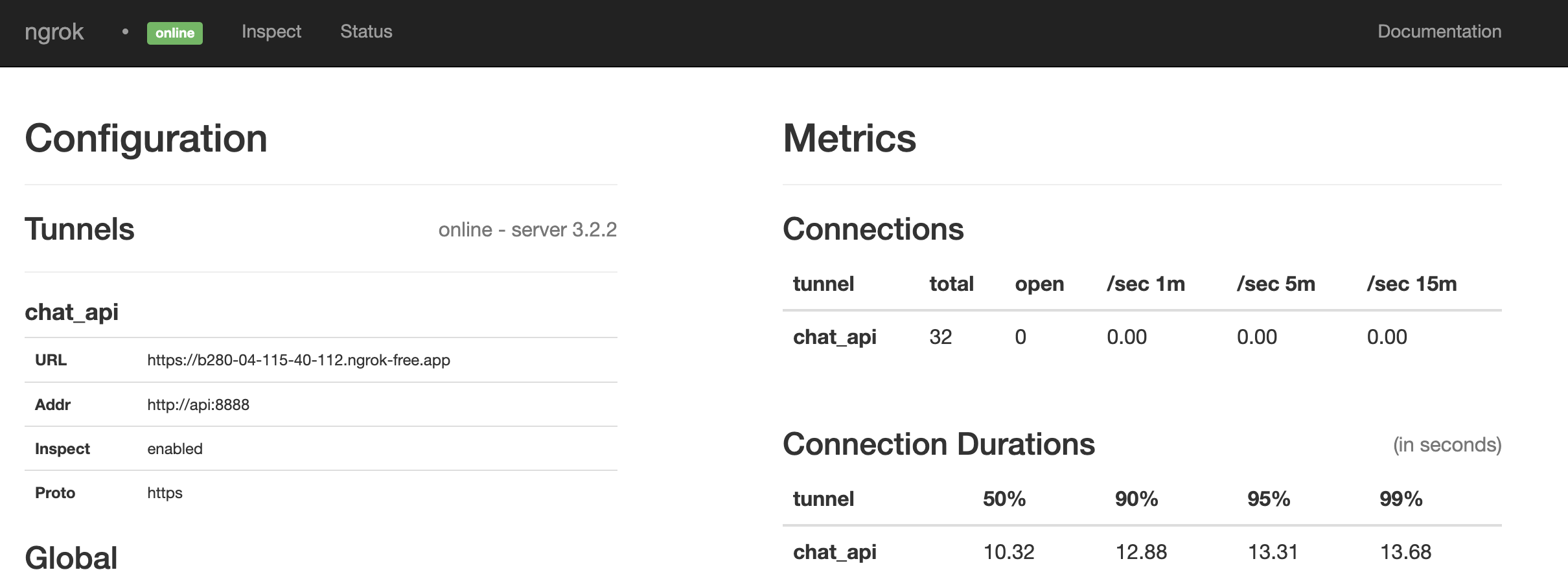
看起来这是一场比赛。如果没有,请通过运行重新启动所有内容:
make restart@paulpierre在Twitter上随意进行HMU。
恭喜,您所有的基地都属于我们! kthxbye
版权(C)2023 Paul Pierre。特此免费授予任何获得此软件副本和相关文档文件副本(“软件”)的人,以无限制处理该软件,包括无限制的使用权,复制,修改,修改,合并的权利,发布,分发,分配和/或出售软件的副本,并允许提供该软件的人,但要遵守以下条件:上述版权通知和此许可通知应包含在所有条件下该软件的副本或大量部分。该软件是“按原样”提供的,没有任何形式的明示或暗示保证,包括但不限于适销性,特定目的的适用性和不侵权的保证。在任何情况下,作者或版权持有人均不应对任何索赔,损害赔偿或其他责任责任,无论是在合同,侵权或其他方面的诉讼中,与软件或与软件或使用或其他交易有关的诉讼或其他责任软件。





