RasaGPT
1.0.0

Rasagpt เป็นแพลตฟอร์ม LLM Chatbot ที่ไม่มีหัวแรกที่สร้างขึ้นบน Rasa และ Langchain มันเป็นหม้อต้มและการใช้งานอ้างอิงของ RASA และ Telegram โดยใช้ไลบรารี LLM เช่น Langchain สำหรับการจัดทำดัชนีการดึงและการฉีดบริบท
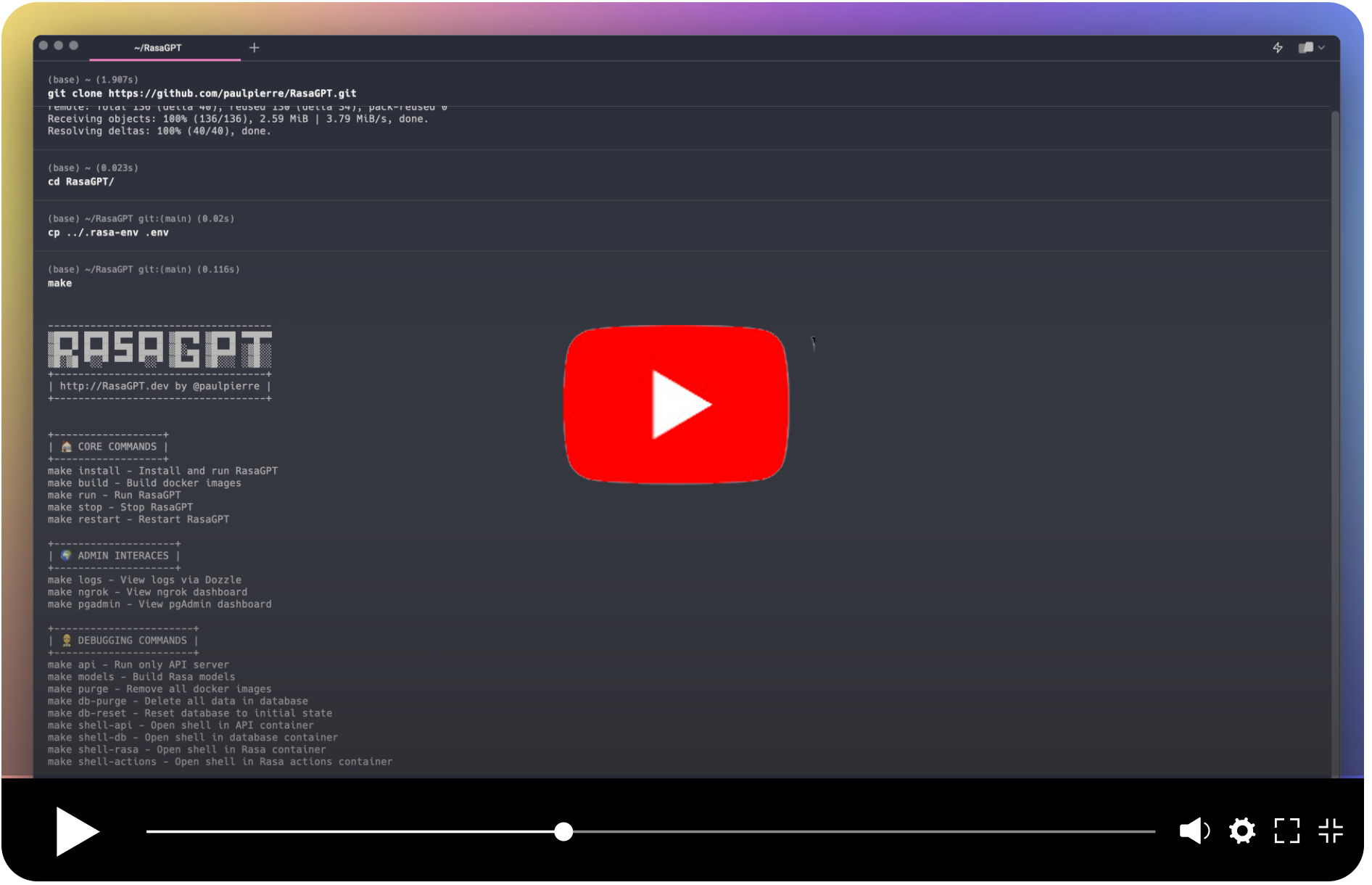
ในคำพูดของพวกเขาเอง:
RASA เป็นกรอบการเรียนรู้ของเครื่องโอเพนซอร์ส (Python) เพื่อให้การสนทนาแบบข้อความและเสียงโดยอัตโนมัติ: NLU, การจัดการบทสนทนา, เชื่อมต่อกับ Slack, Facebook และอื่น ๆ
ในคำพูดของฉัน:
Rasa เป็นที่นิยมมาก (กล้าพูดจริง ๆ ) และง่ายดายที่จะใช้กรอบ Chatbot กับท่อส่ง NLU ML ที่สร้างขึ้นมาแล้วและเป็นจุดเริ่มต้นแนวคิดสำหรับกรอบ Chatbot ที่ได้รับการปรับปรุงใหม่ในโลกของ LLM
Rasagpt ทำงานนอกกรอบ อาการปวดหัวในการใช้งานจำนวนมากถูกแยกออกดังนั้นคุณไม่จำเป็นต้องรวมถึง:
backstory คุ้นเคย เพื่อนมาหาฉันพร้อมกับปัญหา ฉันขัดขืน Google และ GitHub สำหรับการใช้งานอ้างอิงที่ดีของ LLM ที่รวมเข้ากับ RASA แต่มามือเปล่า ฉันคิดว่าสิ่งนี้เป็นโอกาสที่ดีในการปรนเปรอความอยากรู้อยากเห็นของฉันและอีก 2 วันต่อมาฉันมีข้อพิสูจน์แนวคิดและอีกหนึ่งสัปดาห์ต่อมานี่คือสิ่งที่ฉันคิดขึ้นมา
Caveat Emptor: นี่ยังห่างไกลจากรหัสการผลิตและมากมายด้วยการฉีดทันทีและช่องโหว่ความปลอดภัยทั่วไป ฉันแค่หวังว่าจะมีคนพบว่ามีประโยชน์?
การเริ่มต้นใช้งานเป็นเรื่องง่ายเพียงให้แน่ใจว่าคุณได้พบกับการพึ่งพาด้านล่าง
** ความสนใจผู้ใช้ที่ไม่ใช่ Macos: ** หากคุณใช้ Linux หรือ Windows คุณจะต้องเปลี่ยนชื่อภาพจาก khalosa/rasa-aarch64:3.5.2เป็นrasa/rasa:latestใน Docker-compose.yml On Line #64 และในการกระทำ DockerFile On Line #1 ที่นี่
 # Get the code
git clone https://github.com/paulpierre/RasaGPT.git
cd RasaGPT

# # Setup the .env file
cp .env-example .env

# Edit your .env file and add all the necessary credentials
make install

# Type "make" to see more options
makehttps://t.me/yourbotnamegit clone https://github.com/paulpierre/RasaGPT.git
cd RasaGPT
cp .env-example .env
# Edit your .env file and all the credentials
ไม่ว่าจะด้วยการพิมพ์ของ make เท่านั้นและจะแสดงรายการตัวเลือกส่วนใหญ่มีประโยชน์สำหรับการดีบัก:
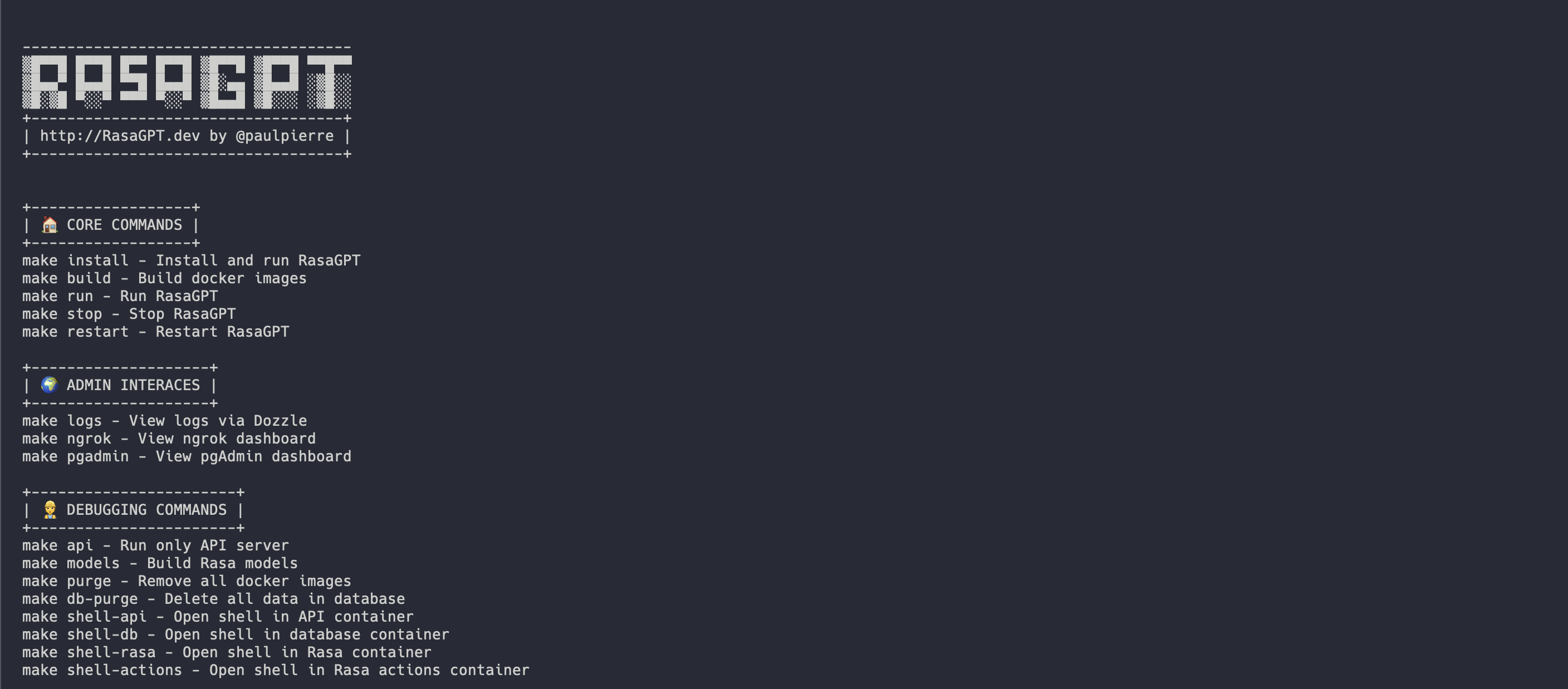
วิธีที่ง่ายที่สุดในการเริ่มต้นคือการใช้ Makefile ในไดเรกทอรีราก มันจะติดตั้งและเรียกใช้บริการทั้งหมดสำหรับ rasagpt ตามลำดับที่ถูกต้อง
make install

# This will automatically install and run RasaGPT
# After installation, to run again you can simply run

make run สิ่งนี้มีประโยชน์หากคุณต้องการมุ่งเน้นไปที่การพัฒนาที่ด้านบนของ API จะมีการสร้าง Makefile แยกต่างหากสำหรับสิ่งนี้ สิ่งนี้จะสร้างสภาพแวดล้อมเสมือนจริงสำหรับคุณ
 # Assuming you are already in the RasaGPT directory
cd app/api
make install

# This will automatically install and run RasaGPT
# After installation, to run again you can simply run

make run
ในทำนองเดียวกันให้ป้อน make เพื่อดูรายการคำสั่งทั้งหมด
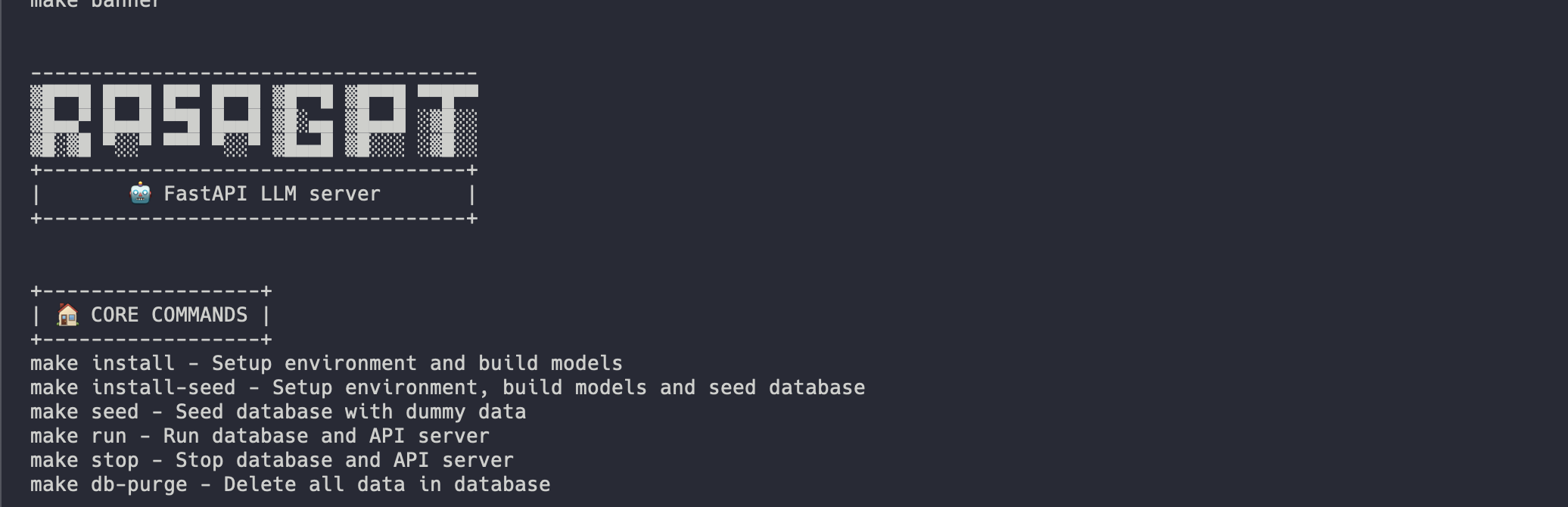
การติดตั้งควรเป็นไปโดยอัตโนมัติควรมีลักษณะเช่นนี้:
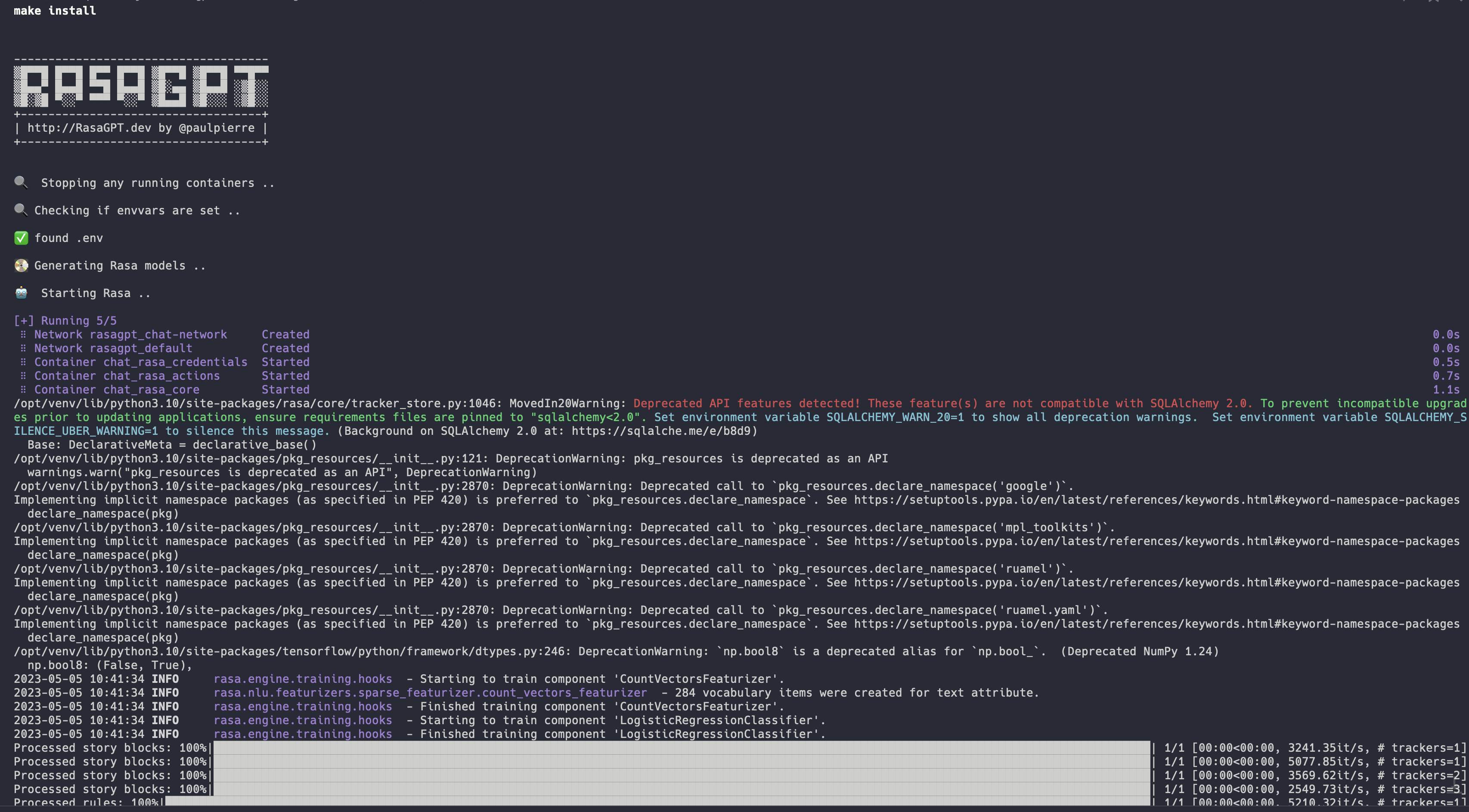
บันทึกการติดตั้งแบบเต็ม: https://app.warp.dev/block/vflua6eue29epk8evw8kd
กระบวนการติดตั้งสำหรับ Docker จะทำตามขั้นตอนต่อไปนี้ในระดับสูง
.env พร้อมใช้งานpgvectorseed.pyคุณสามารถเริ่มแชทกับบอทของคุณได้โดยไปที่ https://t.me/yourbotsname
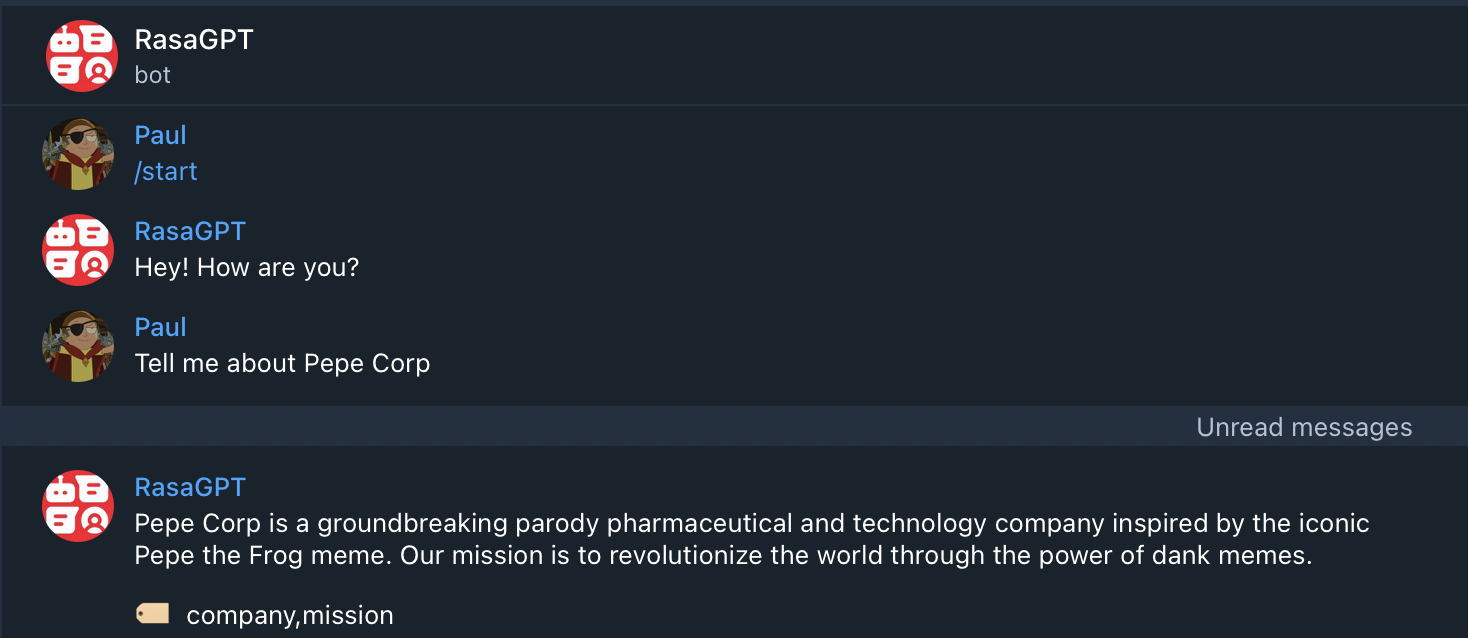
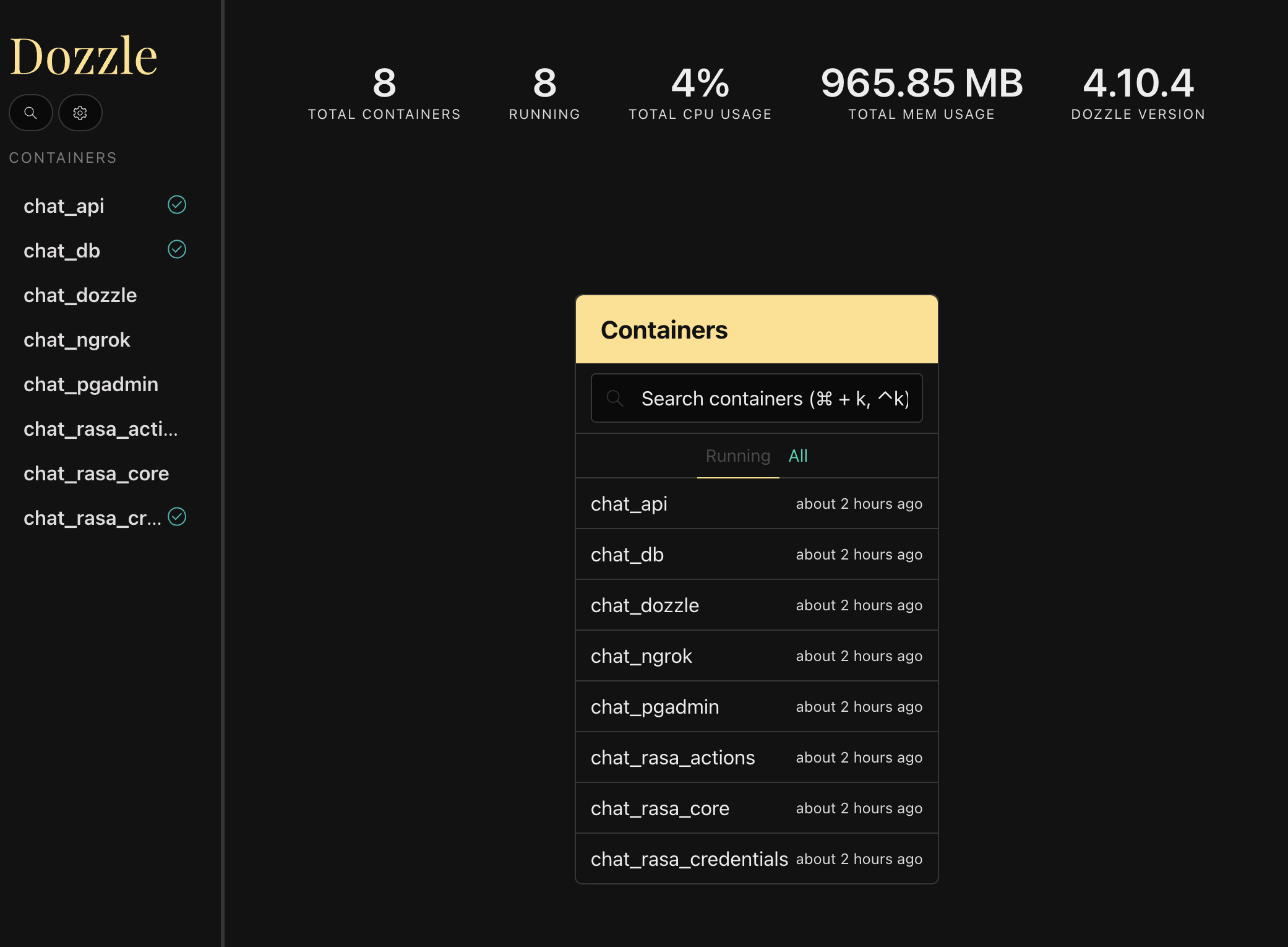
คุณสามารถดูบันทึกทั้งหมดได้โดยไปที่ https: // localhost: 9999/ซึ่งจะแสดงบันทึกแบบเรียลไทม์ของคอนเทนเนอร์ Docker ทั้งหมด
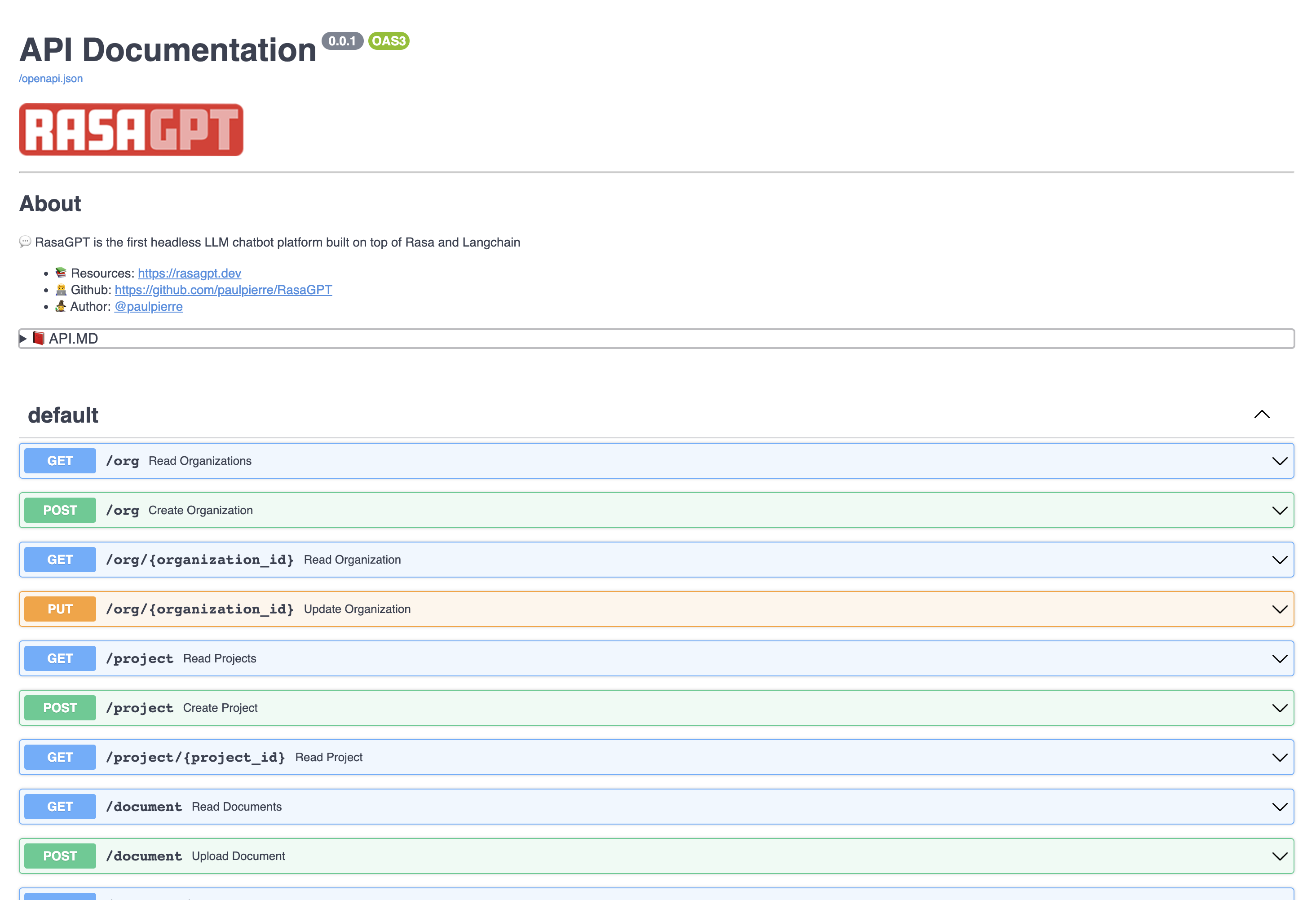
ดูเอกสารปลายทาง API โดยไปที่ https: // localhost: 8888/เอกสาร
ในหน้านี้คุณสามารถสร้างและอัปเดตเอนทิตีรวมถึงอัปโหลดเอกสารไปยังฐานความรู้
บอทเป็นเพียงการพิสูจน์แนวคิดและไม่ได้รับการปรับให้เหมาะสมสำหรับการดึงข้อมูล ปัจจุบันใช้การใช้ความยาวอักขระ 1,000 ตัวสำหรับการจัดทำดัชนีและระยะทางยุคลิดพื้นฐานสำหรับการดึงและคุณภาพได้รับการโจมตีหรือพลาด
คุณสามารถดูตัวอย่างฮิตและพลาดกับบอทในไฟล์ผลลัพธ์ โดยรวมแล้วฉันประเมินการเพิ่มประสิทธิภาพดัชนีและการเปลี่ยนแปลงการกำหนดค่า LLM สามารถเพิ่มคุณภาพเอาต์พุตมากกว่า 70%
คลิกเพื่อดูผลลัพธ์ถามตอบของข้อมูลการสาธิตในผลลัพธ์ md
ส่วนที่เหลือ API ตรงไปตรงมากรุณาเยี่ยมชมเอกสาร http: // localhost: 8888/เอกสาร
เอนทิตีด้านล่างมีการดำเนินการ CRUD ขั้นพื้นฐานและส่งคืน JSON
สิ่งนี้สามารถคิดได้ว่าเป็น บริษัท ที่เป็นลูกค้าของคุณในโลก SaaS / ผู้เช่าหลายคน โดยค่าเริ่มต้นมีรายการขององค์กรจำลอง
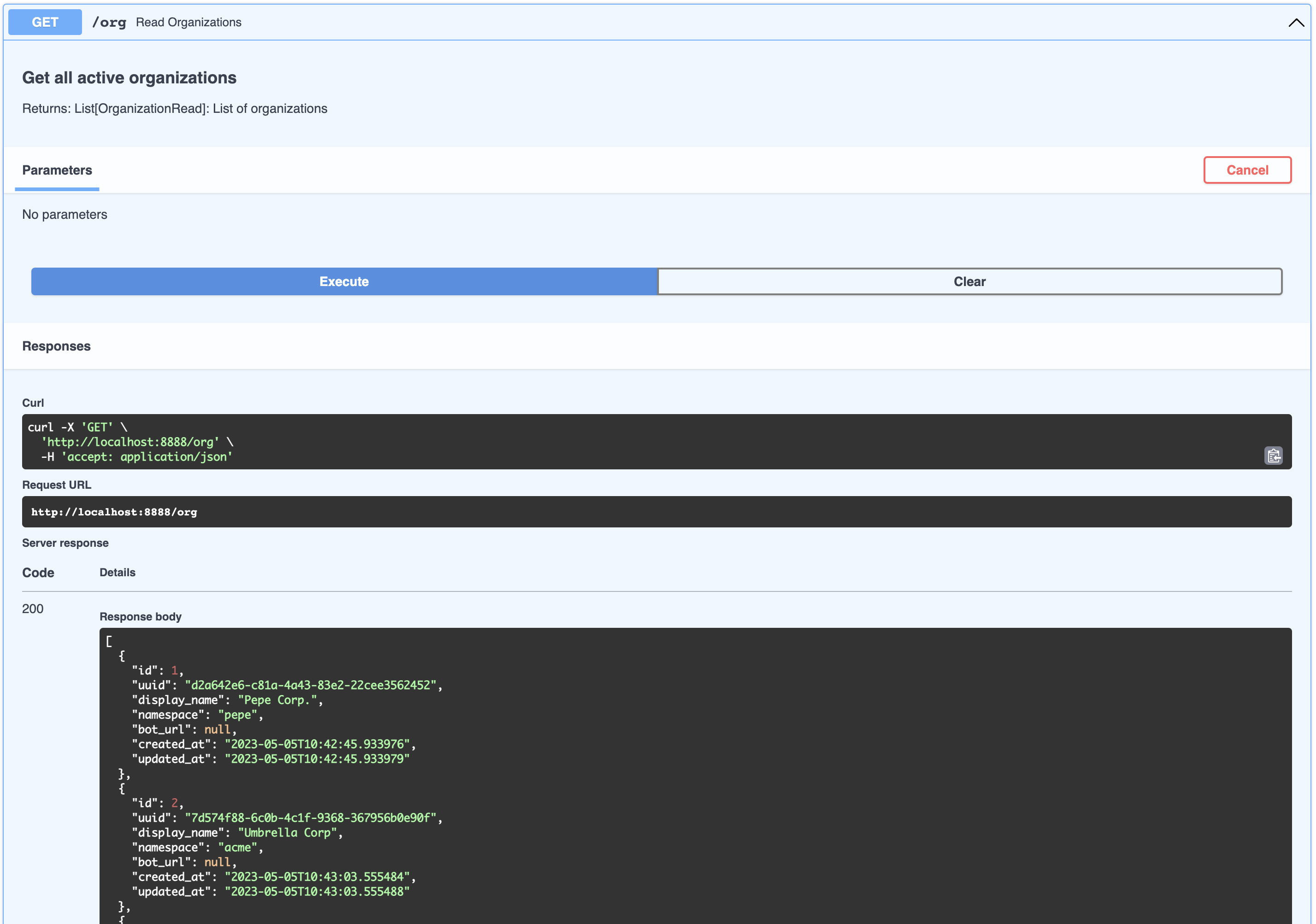
[
  {
    " id " : 1,
    " uuid " : " d2a642e6-c81a-4a43-83e2-22cee3562452 " ,
    " display_name " : " Pepe Corp. " ,
    " namespace " : " pepe " ,
    " bot_url " : null,
    " created_at " : " 2023-05-05T10:42:45.933976 " ,
    " updated_at " : " 2023-05-05T10:42:45.933979 "
  },
  {
    " id " : 2,
    " uuid " : " 7d574f88-6c0b-4c1f-9368-367956b0e90f " ,
    " display_name " : " Umbrella Corp " ,
    " namespace " : " acme " ,
    " bot_url " : null,
    " created_at " : " 2023-05-05T10:43:03.555484 " ,
    " updated_at " : " 2023-05-05T10:43:03.555488 "
  },
  {
    " id " : 3,
    " uuid " : " 65105a15-2ef0-4898-ac7a-8eafee0b283d " ,
    " display_name " : " Cyberdine Systems " ,
    " namespace " : " cyberdine " ,
    " bot_url " : null,
    " created_at " : " 2023-05-05T10:43:04.175424 " ,
    " updated_at " : " 2023-05-05T10:43:04.175428 "
  },
  {
    " id " : 4,
    " uuid " : " b7fb966d-7845-4581-a537-818da62645b5 " ,
    " display_name " : " Bluth Companies " ,
    " namespace " : " bluth " ,
    " bot_url " : null,
    " created_at " : " 2023-05-05T10:43:04.697801 " ,
    " updated_at " : " 2023-05-05T10:43:04.697804 "
  },
  {
    " id " : 5,
    " uuid " : " 9283d017-b24b-4ecd-bf35-808b45e258cf " ,
    " display_name " : " Evil Corp " ,
    " namespace " : " evil " ,
    " bot_url " : null,
    " created_at " : " 2023-05-05T10:43:05.102546 " ,
    " updated_at " : " 2023-05-05T10:43:05.102549 "
  }
]สิ่งนี้สามารถคิดว่าเป็นผลิตภัณฑ์ที่เป็นของ บริษัท คุณสามารถดูรายการโครงการที่เป็นขององค์กรเช่น So:
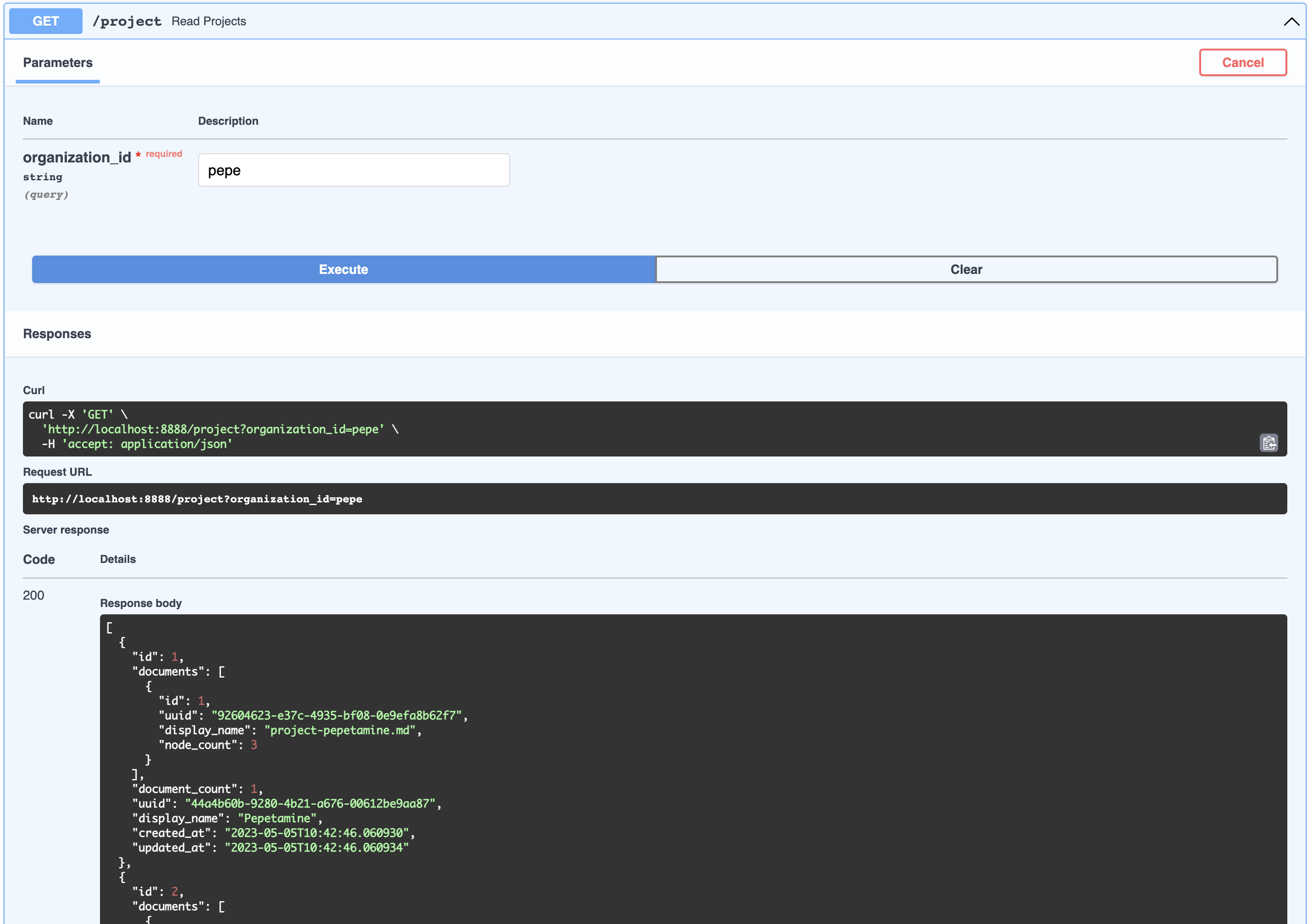
[
  {
    " id " : 1,
    " documents " : [
      {
        " id " : 1,
        " uuid " : " 92604623-e37c-4935-bf08-0e9efa8b62f7 " ,
        " display_name " : " project-pepetamine.md " ,
        " node_count " : 3
      }
    ],
    " document_count " : 1,
    " uuid " : " 44a4b60b-9280-4b21-a676-00612be9aa87 " ,
    " display_name " : " Pepetamine " ,
    " created_at " : " 2023-05-05T10:42:46.060930 " ,
    " updated_at " : " 2023-05-05T10:42:46.060934 "
  },
  {
    " id " : 2,
    " documents " : [
      {
        " id " : 2,
        " uuid " : " b408595a-3426-4011-9b9b-8e260b244f74 " ,
        " display_name " : " project-frogonil.md " ,
        " node_count " : 3
      }
    ],
    " document_count " : 1,
    " uuid " : " 5ba6b812-de37-451d-83a3-8ccccadabd69 " ,
    " display_name " : " Frogonil " ,
    " created_at " : " 2023-05-05T10:42:48.043936 " ,
    " updated_at " : " 2023-05-05T10:42:48.043940 "
  },
  {
    " id " : 3,
    " documents " : [
      {
        " id " : 3,
        " uuid " : " b99d373a-3317-4699-a89e-90897ba00db6 " ,
        " display_name " : " project-kekzal.md " ,
        " node_count " : 3
      }
    ],
    " document_count " : 1,
    " uuid " : " 1be4360c-f06e-4494-bf20-e7c73a56f003 " ,
    " display_name " : " Kekzal " ,
    " created_at " : " 2023-05-05T10:42:49.092675 " ,
    " updated_at " : " 2023-05-05T10:42:49.092678 "
  },
  {
    " id " : 4,
    " documents " : [
      {
        " id " : 4,
        " uuid " : " 94da307b-5993-4ddd-a852-3d8c12f95f3f " ,
        " display_name " : " project-memetrex.md " ,
        " node_count " : 3
      }
    ],
    " document_count " : 1,
    " uuid " : " 1fd7e772-365c-451b-a7eb-4d529b0927f0 " ,
    " display_name " : " Memetrex " ,
    " created_at " : " 2023-05-05T10:42:50.184817 " ,
    " updated_at " : " 2023-05-05T10:42:50.184821 "
  },
  {
    " id " : 5,
    " documents " : [
      {
        " id " : 5,
        " uuid " : " 6deff180-3e3e-4b09-ae5a-6502d031914a " ,
        " display_name " : " project-pepetrak.md " ,
        " node_count " : 4
      }
    ],
    " document_count " : 1,
    " uuid " : " a389eb58-b504-48b4-9bc3-d3c93d2fbeaa " ,
    " display_name " : " PepeTrak " ,
    " created_at " : " 2023-05-05T10:42:51.293352 " ,
    " updated_at " : " 2023-05-05T10:42:51.293355 "
  },
  {
    " id " : 6,
    " documents " : [
      {
        " id " : 6,
        " uuid " : " 2e3c2155-cafa-4c6b-b7cc-02bb5156715b " ,
        " display_name " : " project-memegen.md " ,
        " node_count " : 5
      }
    ],
    " document_count " : 1,
    " uuid " : " cec4154f-5d73-41a5-a764-eaf62fc3db2c " ,
    " display_name " : " MemeGen " ,
    " created_at " : " 2023-05-05T10:42:52.562037 " ,
    " updated_at " : " 2023-05-05T10:42:52.562040 "
  },
  {
    " id " : 7,
    " documents " : [
      {
        " id " : 7,
        " uuid " : " baabcb6f-e14c-4d59-a019-ce29973b9f5c " ,
        " display_name " : " project-neurokek.md " ,
        " node_count " : 5
      }
    ],
    " document_count " : 1,
    " uuid " : " 4a1a0542-e314-4ae7-9961-720c2d092f04 " ,
    " display_name " : " Neuro-kek " ,
    " created_at " : " 2023-05-05T10:42:53.689537 " ,
    " updated_at " : " 2023-05-05T10:42:53.689539 "
  },
  {
    " id " : 8,
    " documents " : [
      {
        " id " : 8,
        " uuid " : " 5be007ec-5c89-4bc4-8bfd-448a3659c03c " ,
        " display_name " : " org-about_the_company.md " ,
        " node_count " : 5
      },
      {
        " id " : 9,
        " uuid " : " c2b3fb39-18c0-4f3e-9c21-749b86942cba " ,
        " display_name " : " org-board_of_directors.md " ,
        " node_count " : 3
      },
      {
        " id " : 10,
        " uuid " : " 41aa81a9-13a9-4527-a439-c2ac0215593f " ,
        " display_name " : " org-company_story.md " ,
        " node_count " : 4
      },
      {
        " id " : 11,
        " uuid " : " 91c59eb8-8c05-4f1f-b09d-fcd9b44b5a20 " ,
        " display_name " : " org-corporate_philosophy.md " ,
        " node_count " : 4
      },
      {
        " id " : 12,
        " uuid " : " 631fc3a9-7f5f-4415-8283-78ff582be483 " ,
        " display_name " : " org-customer_support.md " ,
        " node_count " : 3
      },
      {
        " id " : 13,
        " uuid " : " d4c3d3db-6f24-433e-b2aa-52a70a0af976 " ,
        " display_name " : " org-earnings_fy2023.md " ,
        " node_count " : 5
      },
      {
        " id " : 14,
        " uuid " : " 08dd478b-414b-46c4-95c0-4d96e2089e90 " ,
        " display_name " : " org-management_team.md " ,
        " node_count " : 3
      }
    ],
    " document_count " : 7,
    " uuid " : " 1d2849b4-2715-4dcf-aa68-090a221942ba " ,
    " display_name " : " Pepe Corp. (company) " ,
    " created_at " : " 2023-05-05T10:42:55.258902 " ,
    " updated_at " : " 2023-05-05T10:42:55.258904 "
  }
]สิ่งนี้สามารถคิดได้ว่าเป็นสิ่งประดิษฐ์ที่เกี่ยวข้องกับผลิตภัณฑ์เช่นหน้าคำถามที่พบบ่อยหรือ PDF ที่มีรายได้งบการเงิน คุณสามารถดูเอกสารทั้งหมดที่เกี่ยวข้องกับโครงการขององค์กรได้เช่น So:
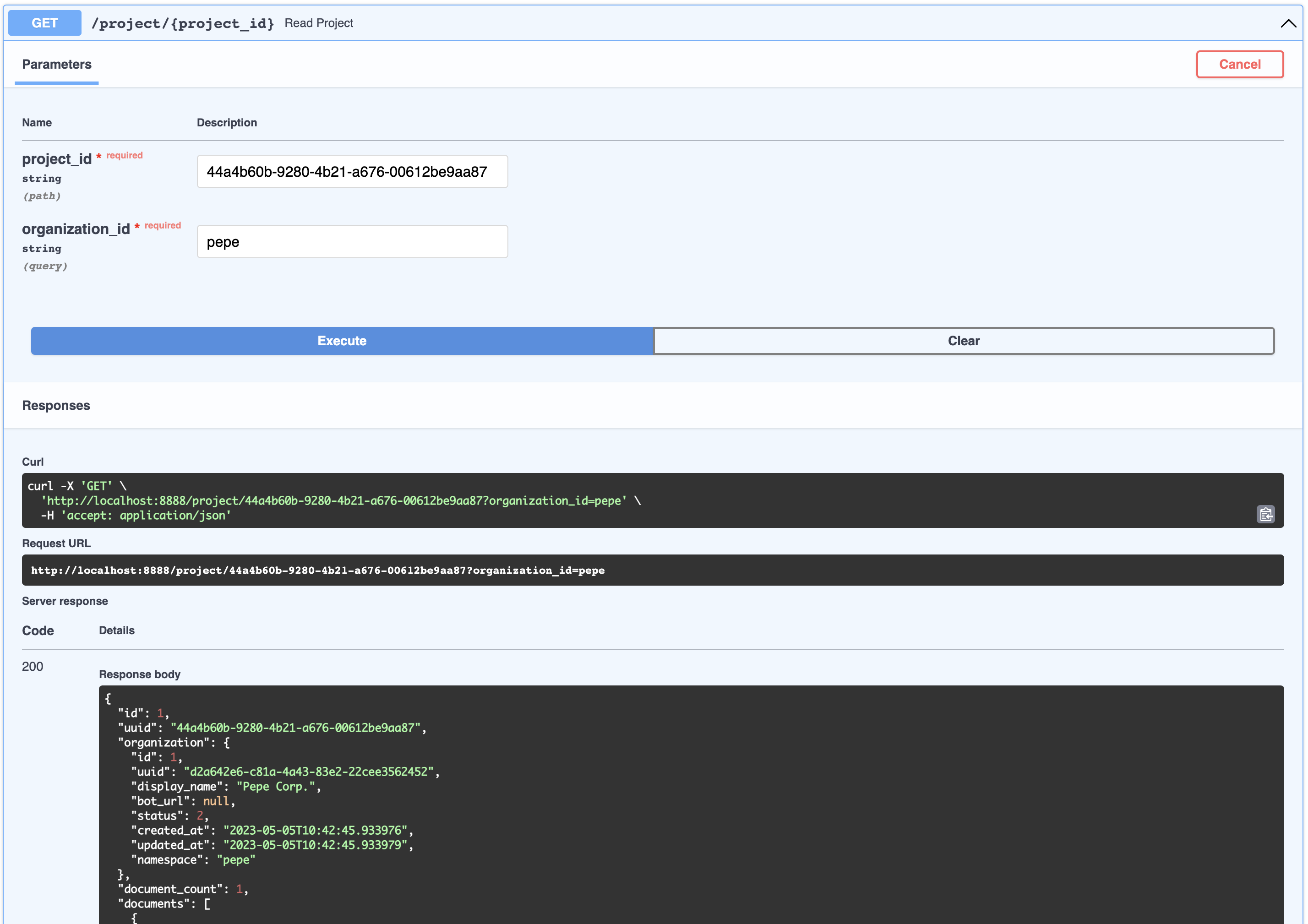
{
  " id " : 1,
  " uuid " : " 44a4b60b-9280-4b21-a676-00612be9aa87 " ,
  " organization " : {
    " id " : 1,
    " uuid " : " d2a642e6-c81a-4a43-83e2-22cee3562452 " ,
    " display_name " : " Pepe Corp. " ,
    " bot_url " : null,
    " status " : 2,
    " created_at " : " 2023-05-05T10:42:45.933976 " ,
    " updated_at " : " 2023-05-05T10:42:45.933979 " ,
    " namespace " : " pepe "
  },
  " document_count " : 1,
  " documents " : [
    {
      " id " : 1,
      " uuid " : " 92604623-e37c-4935-bf08-0e9efa8b62f7 " ,
      " organization_id " : 1,
      " project_id " : 1,
      " display_name " : " project-pepetamine.md " ,
      " url " : " " ,
      "data": "# PepetaminennProduct Name: PepetaminennPurpose: Increases cognitive focus just like the Limitless movienn**How to Use**nnPepetamine is available in the form of rare Pepe-coated tablets. The recommended dosage is one tablet per day, taken orally with a glass of water, preferably while browsing your favorite meme forum for maximum cognitive enhancement. For optimal results, take Pepetamine 30 minutes before engaging in mentally demanding tasks, such as decoding ancient Pepe hieroglyphics or creating your next viral meme masterpiece.nn**Side Effects**nnSome potential side effects of Pepetamine may include:nn1. Uncontrollable laughter and a sudden appreciation for dank memesn2. An inexplicable desire to collect rare Pepesn3. Enhanced meme creation skills, potentially leading to internet famen4. Temporary green skin pigmentation, resembling the legendary Pepe himselfn5. Spontaneously speaking in "feels good man" languagennWhile most side effects are generally harmless, consult your memologist if side effects persist or become bothersome.nn**Precautions**nnBefore taking Pepetamine, please consider the following precautions:nn1. Do not use Pepetamine if you have a known allergy to rare Pepes or dank memes.n2. Pepetamine may not be suitable for individuals with a history of humor deficiency or meme intolerance.n3. Exercise caution when driving or operating heavy machinery, as Pepetamine may cause sudden fits of laughter or intense meme ideation.nn**Interactions**nnPepetamine may interact with other substances, including:nn1. Normie supplements: Combining Pepetamine with normie supplements may result in meme conflicts and a decreased sense of humor.n2. Caffeine: The combination of Pepetamine and caffeine may cause an overload of energy, resulting in hyperactive meme creation and potential internet overload.nnConsult your memologist if you are taking any other medications or substances to ensure compatibility with Pepetamine.nn**Overdose**nnIn case of an overdose, symptoms may include:nn1. Uncontrollable meme creationn2. Delusions of grandeur as the ultimate meme lordn3. Time warps into the world of PepennIf you suspect an overdose, contact your local meme emergency service or visit the nearest meme treatment facility. Remember, the key to enjoying Pepetamine is to use it responsibly, and always keep in mind the wise words of our legendary Pepe: "Feels good man."",
      " hash " : " fdee6da2b5441080dd78e7850d3d2e1403bae71b9e0526b9dcae4c0782d95a78 " ,
      " version " : 1,
      " status " : 2,
      " created_at " : " 2023-05-05T10:42:46.755428 " ,
      " updated_at " : " 2023-05-05T10:42:46.755431 "
    }
  ],
  " display_name " : " Pepetamine " ,
  " created_at " : " 2023-05-05T10:42:46.060930 " ,
  " updated_at " : " 2023-05-05T10:42:46.060934 "
}แม้ว่าสิ่งนี้จะไม่ได้รับการเปิดเผยใน API แต่โหนดเป็นก้อนของเอกสารที่ฝังตัวถูกสร้างขึ้น โหนดจะใช้สำหรับการค้นหาการค้นหาเช่นเดียวกับการฉีดบริบท โหนดเป็นของเอกสาร
ผู้ใช้แสดงถึงบุคคลที่พูดคุยกับบอท ผู้ใช้ไม่จำเป็นต้องเป็นขององค์กรหรือผลิตภัณฑ์ แต่ความสัมพันธ์นี้ถูกจับในการแชทด้านล่าง
ไม่เปิดเผยผ่าน API แต่นี่เป็นตัวแทนของคำถามและคำตอบระหว่างผู้ใช้และบอท แต่ละวัตถุเหล่านี้สามารถระบุได้อย่างยืดหยุ่นโดย session_id ซึ่งได้รับการสร้างโดยอัตโนมัติ เซสชันแชทมีข้อมูลเมตาที่หลากหลายที่สามารถใช้สำหรับการฝึกอบรมและการเพิ่มประสิทธิภาพ ChatSessions ผ่านจุดสิ้นสุดของ /chat เป็นจริงที่เกี่ยวข้องกับองค์กร (เพื่อจุดประสงค์ด้านความปลอดภัยของผู้เช่าหลายคน)
/webhooks/{channel}/webhookFallbackClassifierrasa-credentials ผ่านแอพ/rasa-credentials/main.pyaction_gpt_fallback ซึ่งจะกระตุ้นเซิร์ฟเวอร์การกระทำของเราout_of_scopeaction_gpt_fallbackActionGPTFallback name วิธีส่งคืนการกระทำที่เรากำหนดไว้สำหรับความตั้งใจของเราข้างต้นrasa train สิ่งนี้จะทำโดยอัตโนมัติสำหรับคุณเมื่อคุณเรียกใช้ make installrasa run หลังการฝึกอบรมrasa run actions rasa-credentials ดูแลกระบวนการนี้สำหรับคุณ Ngrok ทำงานเป็นบริการเมื่อพร้อม rasa-credentials เรียก Ngrok API ท้องถิ่นเพื่อดึง URL Tunnel และอัปเดตไฟล์ credentials.yml และรีสตาร์ท RASA ให้คุณactions.py pgvector เป็นปลั๊กอินสำหรับ postgres และติดตั้งโดยอัตโนมัติทำให้คุณสามารถจัดเก็บและคำนวณประเภทข้อมูลเวกเตอร์ เรามีการใช้งานของเราเองเนื่องจากคลาส Langchain PgVector ไม่ยืดหยุ่นในการปรับตัวเข้ากับสคีมาของเราและเราต้องการความยืดหยุ่น
/docker-entry-initdb.d รับรันหากฐานข้อมูลไม่ได้เริ่มต้น ใน postgres dockerfile เราคัดลอก create_db.sh ซึ่งสร้าง DB และผู้ใช้สำหรับฐานข้อมูลของเราmodels ใน MakeFile เราเรียกใช้โมเดล py ในคอนเทนเนอร์ API ซึ่งสร้างตารางจากรุ่นenable_vector ช่วยให้ส่วนขยาย pgvector ในฐานข้อมูล index.jsonGPTSimpleVectorIndex พื้นฐานเพื่อค้นหาข้อมูลที่เกี่ยวข้องและฉีดเข้าไปในพรอมต์out_of_scope ตาม Rules.yml มันจะกระตุ้นการกระทำของ action_gpt_fallbackActionGPTFallback จะเรียกเซิร์ฟเวอร์ Fastapi APIโดยทั่วไปตรวจสอบบันทึกคอนเทนเนอร์ Docker ของคุณโดยเพียงไปที่ http: // localhost: 9999/
ตรวจสอบเสมอว่า webhooks ของคุณกับ Ngrok และ Telegram Match เพียงทำสิ่งนี้โดย
curl -sS " https://api.telegram.org/bot<your-bot-secret-token>/getWebhookInfo " | json_pp.. ควรส่งคืนสิ่งนี้:
{
    " ok " : true,
    " result " : {
        " url " : " https://b280-04-115-40-112.ngrok-free.app/webhooks/telegram/webhook " ,
        " has_custom_certificate " : false,
        " pending_update_count " : 0,
        " max_connections " : 40,
        " ip_address " : " 1.2.3.4 "
    }
}
.. ซึ่งควรตรงกับ URL ในไฟล์ credentials.yml ของคุณหรือเยี่ยมชม Ngrok Admin UI http: // localhost: 4040/สถานะ
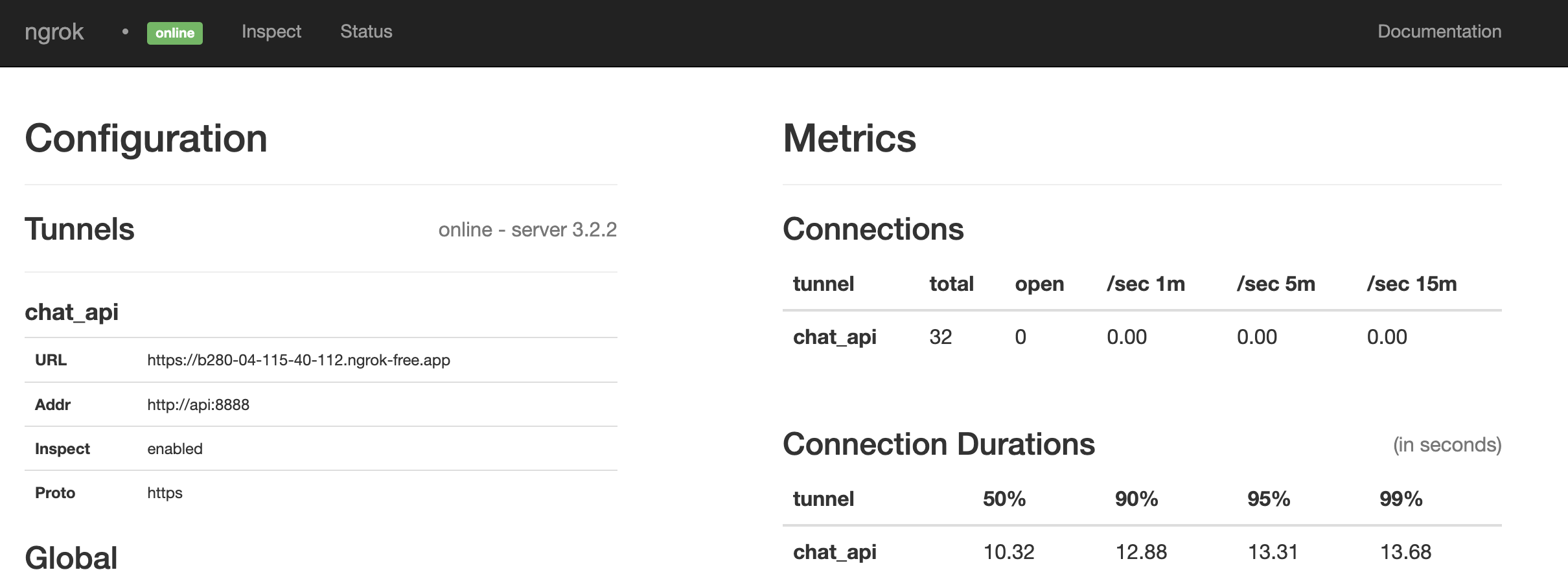
ดูเหมือนว่ามันจะตรงกัน ถ้าไม่รีสตาร์ททุกอย่างด้วยการวิ่ง:
make restart@paulpierre `
ขอแสดงความยินดีฐานทั้งหมดของคุณเป็นของเรา! Kthxbye
ลิขสิทธิ์ (c) 2023 Paul Pierre ได้รับอนุญาตโดยไม่เสียค่าใช้จ่ายสำหรับบุคคลใด ๆ ที่ได้รับสำเนาซอฟต์แวร์นี้และไฟล์เอกสารที่เกี่ยวข้อง (“ ซอฟต์แวร์”) เพื่อจัดการในซอฟต์แวร์โดยไม่มีการ จำกัด รวมถึง แต่ไม่ จำกัด เฉพาะสิทธิ์ในการใช้คัดลอกแก้ไขผสาน , เผยแพร่, แจกจ่าย, sublicense, และ/หรือขายสำเนาของซอฟต์แวร์และเพื่ออนุญาตให้บุคคลที่ซอฟต์แวร์ได้รับการตกแต่งให้ทำเช่นนั้นภายใต้เงื่อนไขดังต่อไปนี้: ประกาศลิขสิทธิ์ข้างต้นและการแจ้งเตือนนี้จะต้องเป็น รวมอยู่ในสำเนาทั้งหมดหรือส่วนสำคัญของซอฟต์แวร์ ซอฟต์แวร์มีให้“ ตามสภาพ” โดยไม่มีการรับประกันใด ๆ ไม่ว่าโดยชัดแจ้งหรือโดยนัยรวมถึง แต่ไม่ จำกัด เพียงการรับประกันความสามารถในการค้าการออกกำลังกายสำหรับวัตถุประสงค์เฉพาะและการไม่ละเมิด ไม่ว่าในกรณีใดผู้เขียนหรือผู้ถือลิขสิทธิ์จะต้องรับผิดชอบต่อการเรียกร้องความเสียหายหรือความรับผิดอื่น ๆ ไม่ว่าจะเป็นการกระทำของสัญญาการละเมิดหรืออื่น ๆ ซอฟต์แวร์.





