FastPitchFormant
v1.0.0

pytorch的实现fastpitchformant:基于源过滤器的语音合成的分解建模。
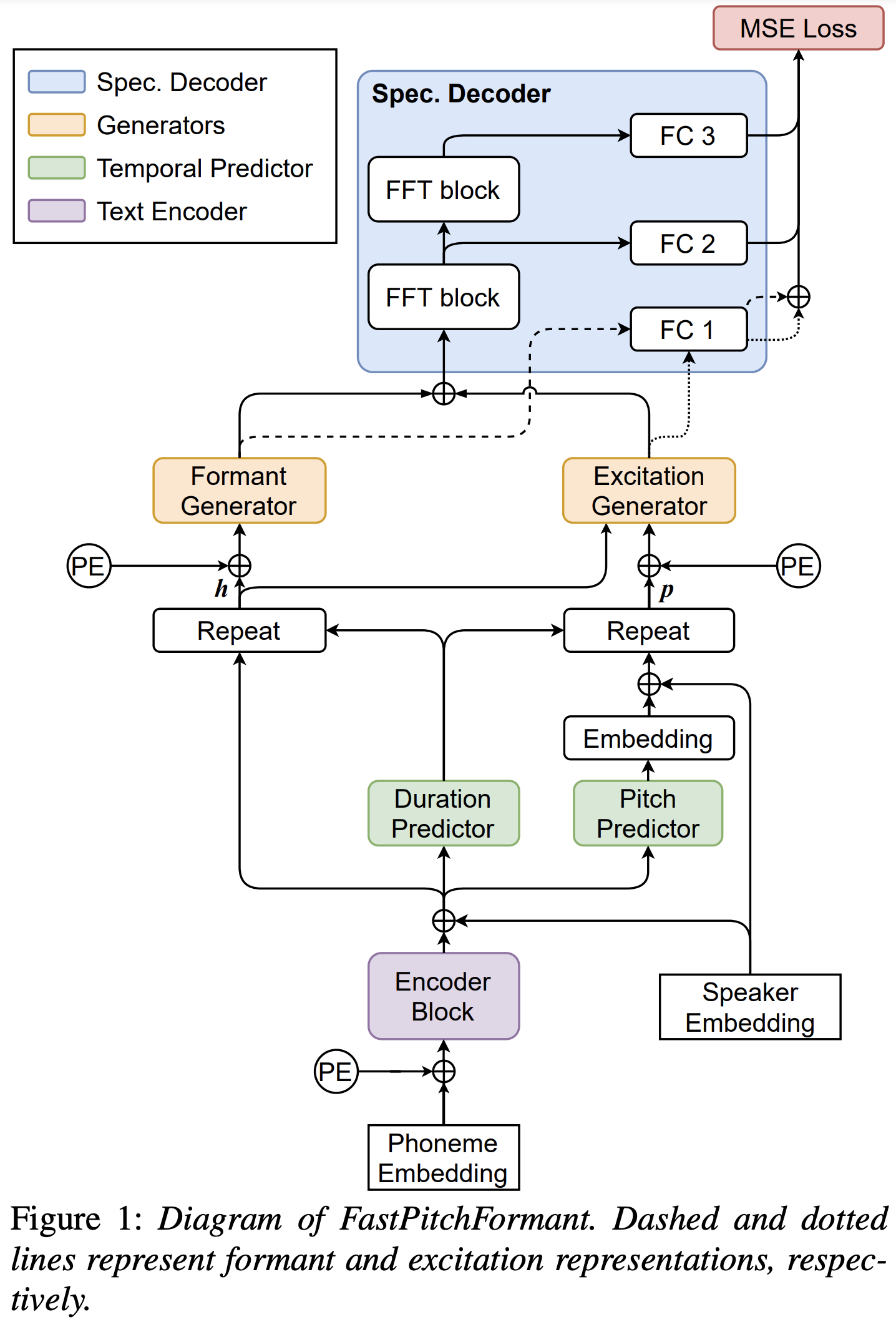
您可以使用
pip3 install -r requirements.txt
您必须下载验证的型号,并将它们放入output/ckpt/LJSpeech/ 。
对于英语单扬声器TTS,运行
python3 synthesize.py --text "YOUR_DESIRED_TEXT" --restore_step 600000 --mode single -p config/LJSpeech/preprocess.yaml -m config/LJSpeech/model.yaml -t config/LJSpeech/train.yaml
生成的话语将放入output/result/ 。
也支持批次推理,尝试
python3 synthesize.py --source preprocessed_data/LJSpeech/val.txt --restore_step 600000 --mode batch -p config/LJSpeech/preprocess.yaml -m config/LJSpeech/model.yaml -t config/LJSpeech/train.yaml
综合preprocessed_data/LJSpeech/val.txt中的所有话语
可以通过指定所需的音高/能量/持续时间比来控制综合话语的音调/口语速率。例如,人们可以将口语率提高20%,并使音调降低20%
python3 synthesize.py --text "YOUR_DESIRED_TEXT" --restore_step 600000 --mode single -p config/LJSpeech/preprocess.yaml -m config/LJSpeech/model.yaml -t config/LJSpeech/train.yaml --duration_control 0.8 --pitch_control 0.8
支持的数据集是
首先,运行
python3 prepare_align.py config/LJSpeech/preprocess.yaml
用于一些准备工作。
如本文所述,蒙特利尔强制对准器(MFA)用于获得话语和音素序列之间的比对。这里提供了LJSpeech数据集的对齐。您必须在preprocessed_data/LJSpeech/TextGrid/中解压缩文件。
之后,通过
python3 preprocess.py config/LJSpeech/preprocess.yaml
或者,您可以自己对齐语料库。下载官方MFA软件包并运行
./montreal-forced-aligner/bin/mfa_align raw_data/LJSpeech/ lexicon/librispeech-lexicon.txt english preprocessed_data/LJSpeech
或者
./montreal-forced-aligner/bin/mfa_train_and_align raw_data/LJSpeech/ lexicon/librispeech-lexicon.txt preprocessed_data/LJSpeech
对齐语料库,然后运行预处理脚本。
python3 preprocess.py config/LJSpeech/preprocess.yaml
培训您的模型
python3 train.py -p config/LJSpeech/preprocess.yaml -m config/LJSpeech/model.yaml -t config/LJSpeech/train.yaml
使用
tensorboard --logdir output/log/LJSpeech
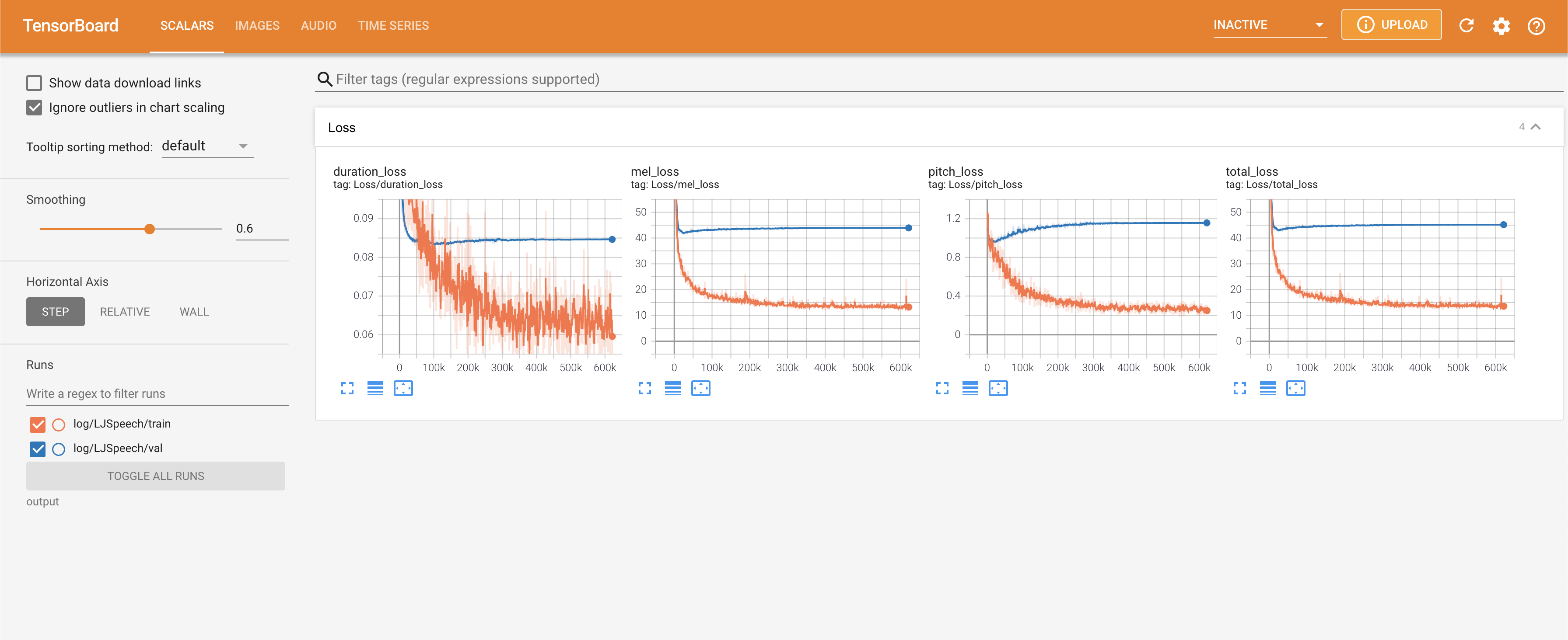
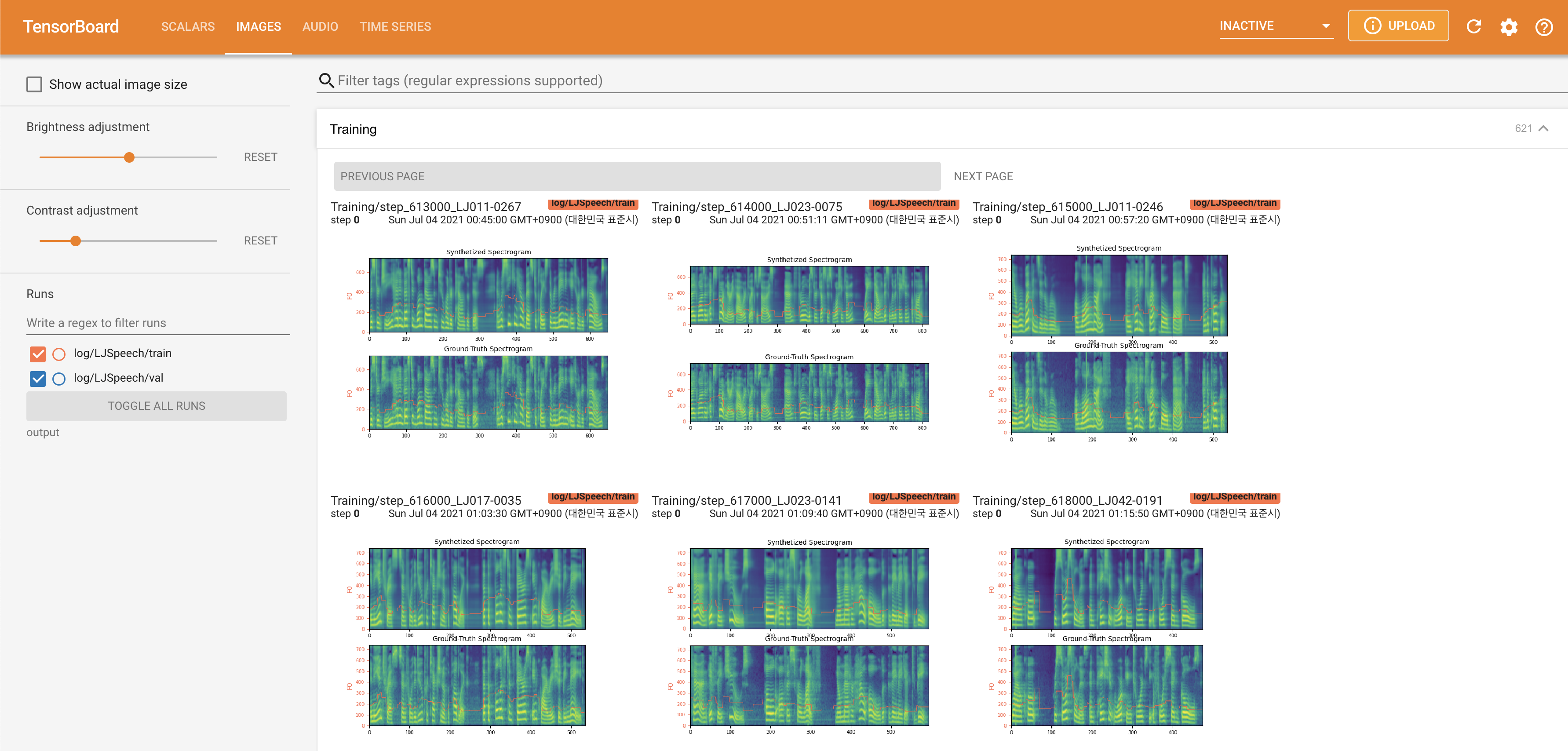
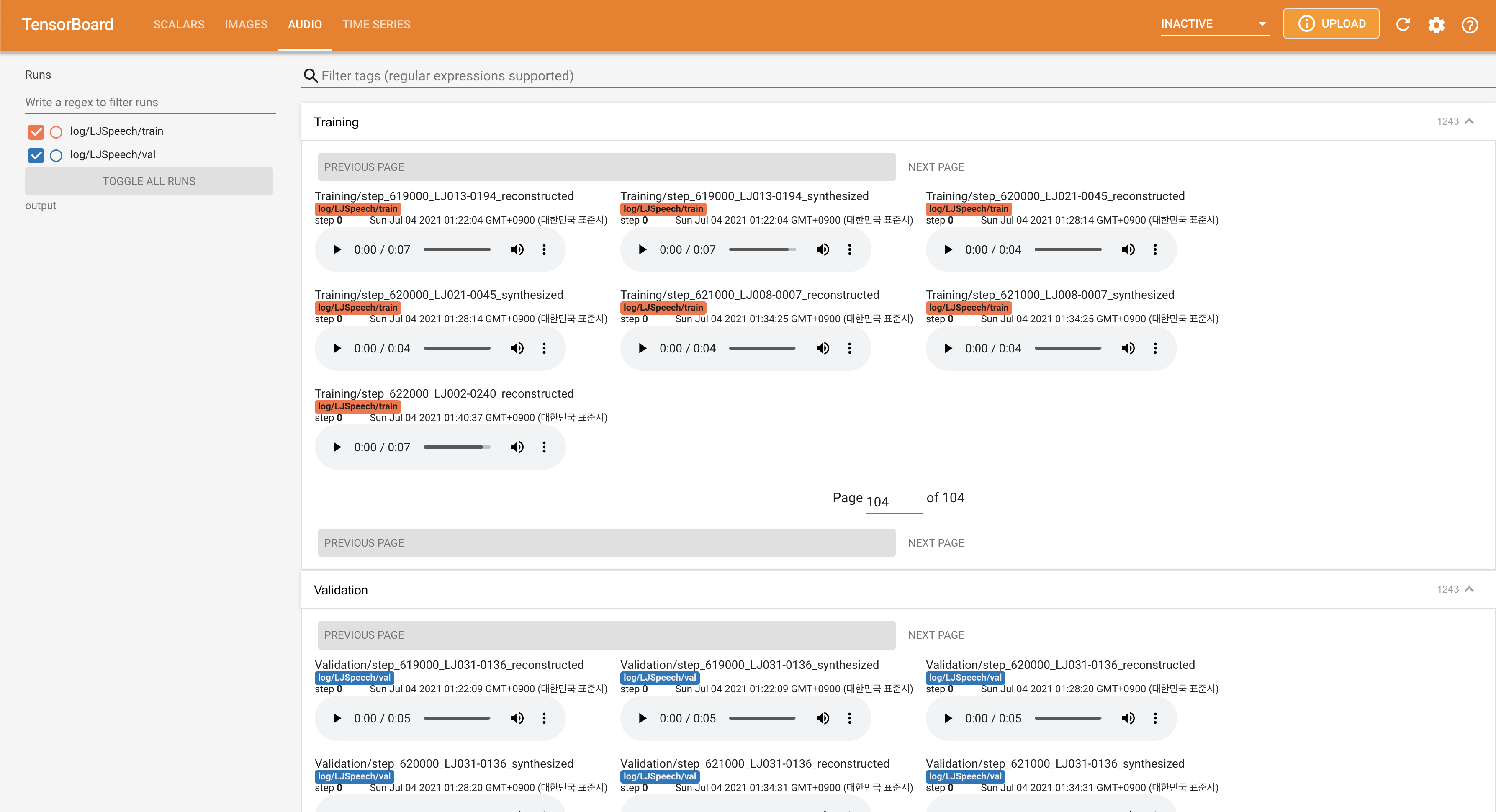
在您的本地主机上提供张板。显示了损耗曲线,合成的MEL光谱图和音频。
normalization设置为False ./config/LJSpeech/preprocess.yaml @misc{lee2021fastpitchformant,
author = {Lee, Keon},
title = {FastPitchFormant},
year = {2021},
publisher = {GitHub},
journal = {GitHub repository},
howpublished = {url{https://github.com/keonlee9420/FastPitchFormant}}
}







