FastPitchFormant
v1.0.0

FastPitchFormantのPytorch実装:SOURCE-FILTERベースの分解モデリング用の音声合成。
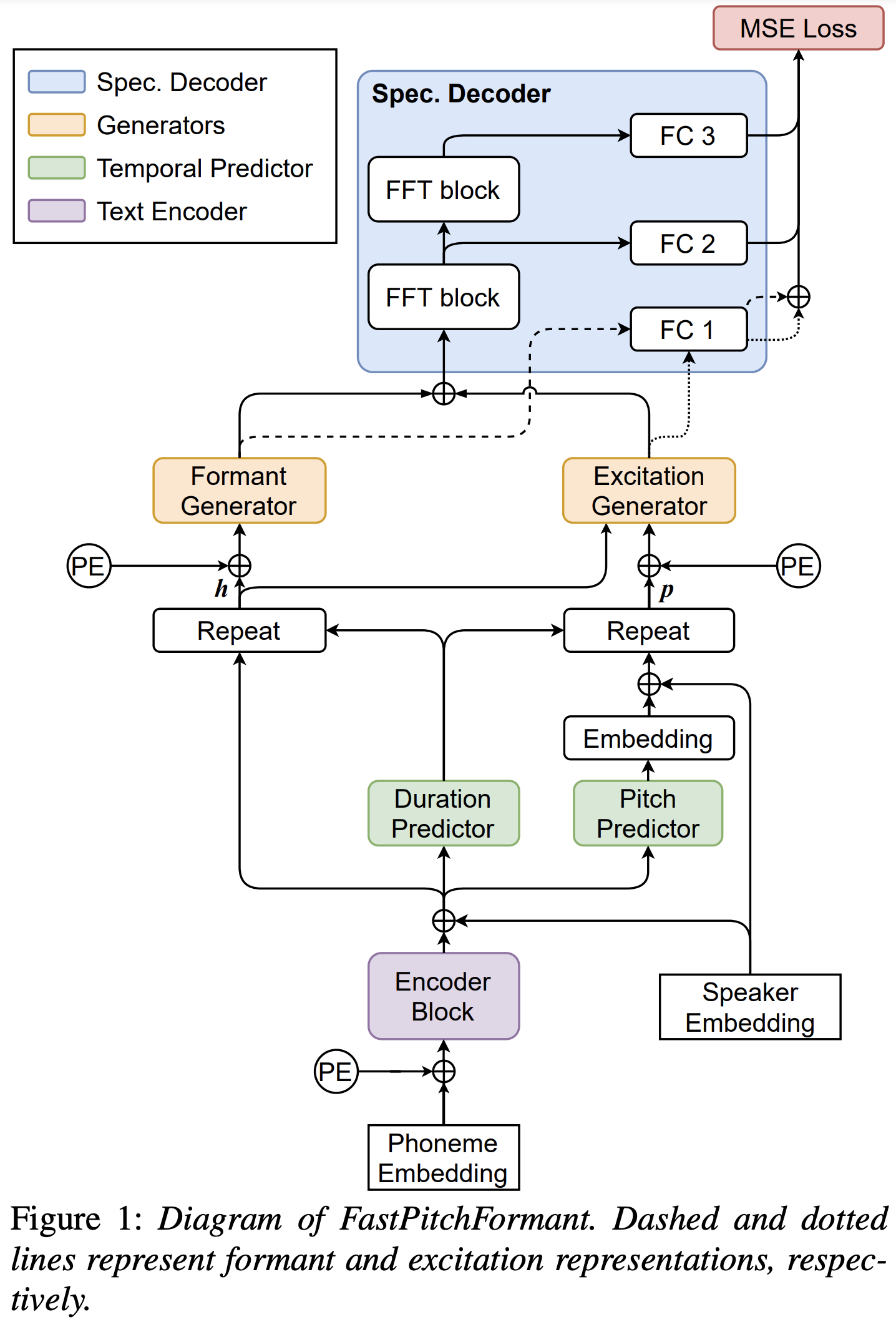
Python依存関係をインストールできます
pip3 install -r requirements.txt
事前に保護されたモデルをダウンロードして、それらをoutput/ckpt/LJSpeech/に配置する必要があります。
英語の単一スピーカーTTSの場合、実行します
python3 synthesize.py --text "YOUR_DESIRED_TEXT" --restore_step 600000 --mode single -p config/LJSpeech/preprocess.yaml -m config/LJSpeech/model.yaml -t config/LJSpeech/train.yaml
生成された発話はoutput/result/に配置されます。
バッチ推論もサポートされています
python3 synthesize.py --source preprocessed_data/LJSpeech/val.txt --restore_step 600000 --mode batch -p config/LJSpeech/preprocess.yaml -m config/LJSpeech/model.yaml -t config/LJSpeech/train.yaml
preprocessed_data/LJSpeech/val.txtのすべての発話を合成する
合成された発話のピッチ/スピーキングレートは、目的のピッチ/エネルギー/持続時間比を指定することで制御できます。たとえば、発言率を20%上げてピッチを20%減らすことができます
python3 synthesize.py --text "YOUR_DESIRED_TEXT" --restore_step 600000 --mode single -p config/LJSpeech/preprocess.yaml -m config/LJSpeech/model.yaml -t config/LJSpeech/train.yaml --duration_control 0.8 --pitch_control 0.8
サポートされているデータセットは次のとおりです
まず、実行します
python3 prepare_align.py config/LJSpeech/preprocess.yaml
いくつかの準備のために。
論文で説明されているように、モントリオールの強制Aligner(MFA)を使用して、発話と音素シーケンスの間のアライメントを取得します。 ljspeechデータセットのアライメントはここで提供されます。 preprocessed_data/LJSpeech/TextGrid/でファイルを解凍する必要があります。
その後、前処理スクリプトを実行します
python3 preprocess.py config/LJSpeech/preprocess.yaml
あるいは、自分でコーパスを揃えることができます。公式のMFAパッケージをダウンロードして実行します
./montreal-forced-aligner/bin/mfa_align raw_data/LJSpeech/ lexicon/librispeech-lexicon.txt english preprocessed_data/LJSpeech
または
./montreal-forced-aligner/bin/mfa_train_and_align raw_data/LJSpeech/ lexicon/librispeech-lexicon.txt preprocessed_data/LJSpeech
コーパスを整列させてから、プリプロセッシングスクリプトを実行します。
python3 preprocess.py config/LJSpeech/preprocess.yaml
モデルを訓練します
python3 train.py -p config/LJSpeech/preprocess.yaml -m config/LJSpeech/model.yaml -t config/LJSpeech/train.yaml
使用
tensorboard --logdir output/log/LJSpeech
LocalHostでTensorboardを提供します。損失曲線、合成されたメルスペクトルグラム、およびオーディオが表示されます。
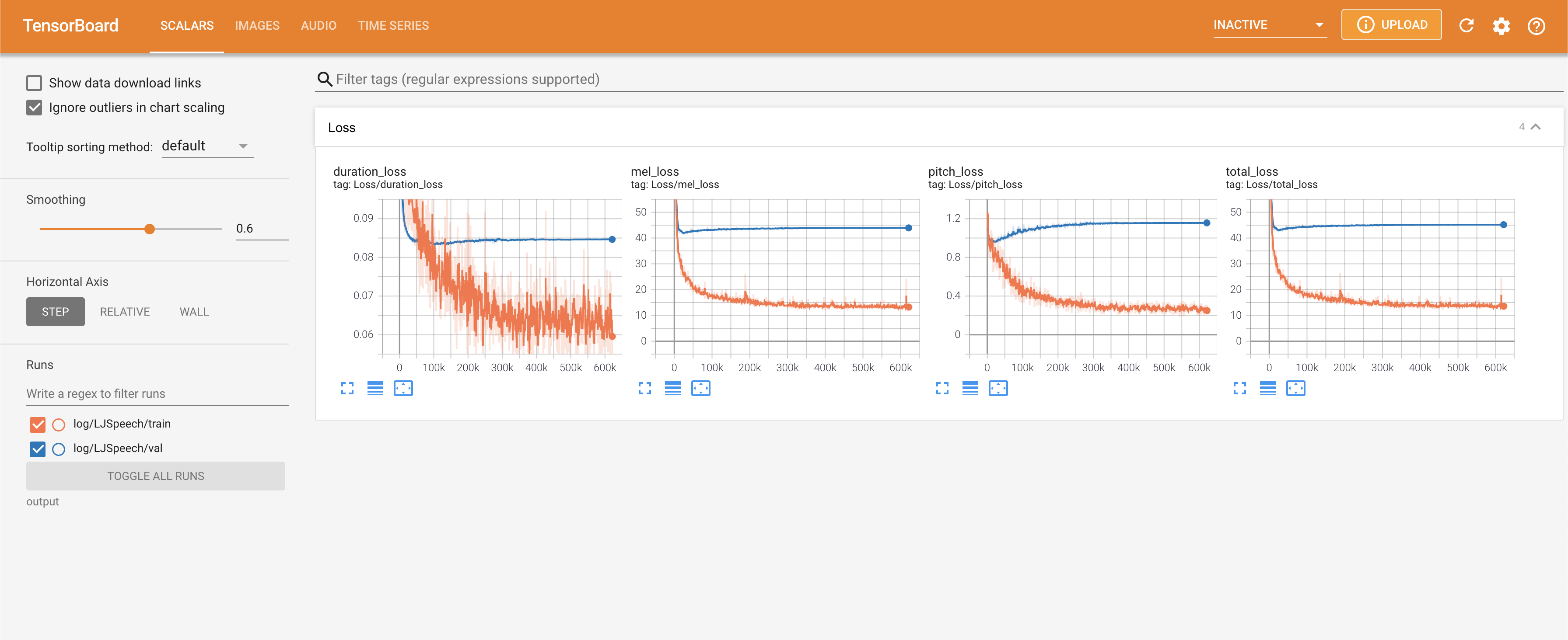
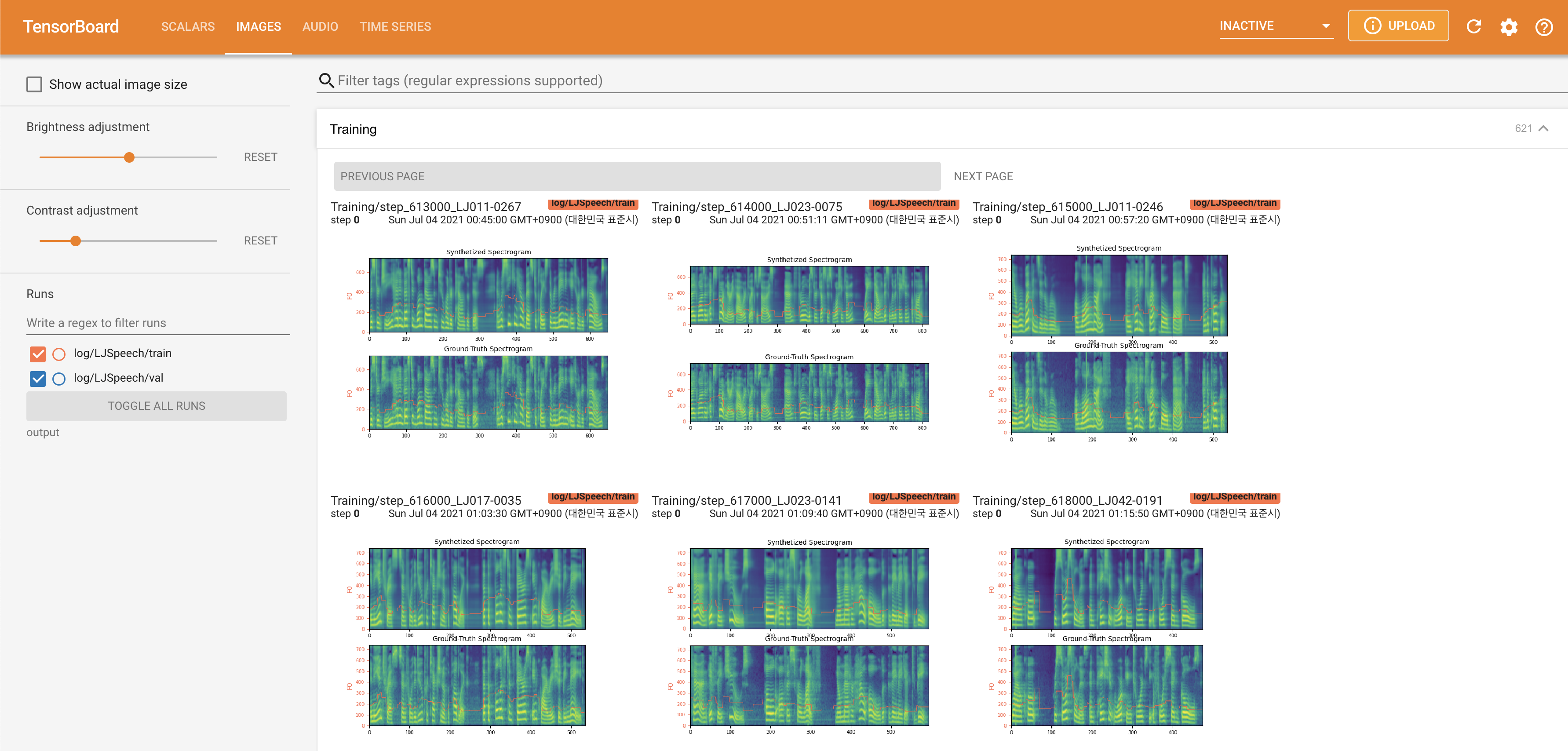
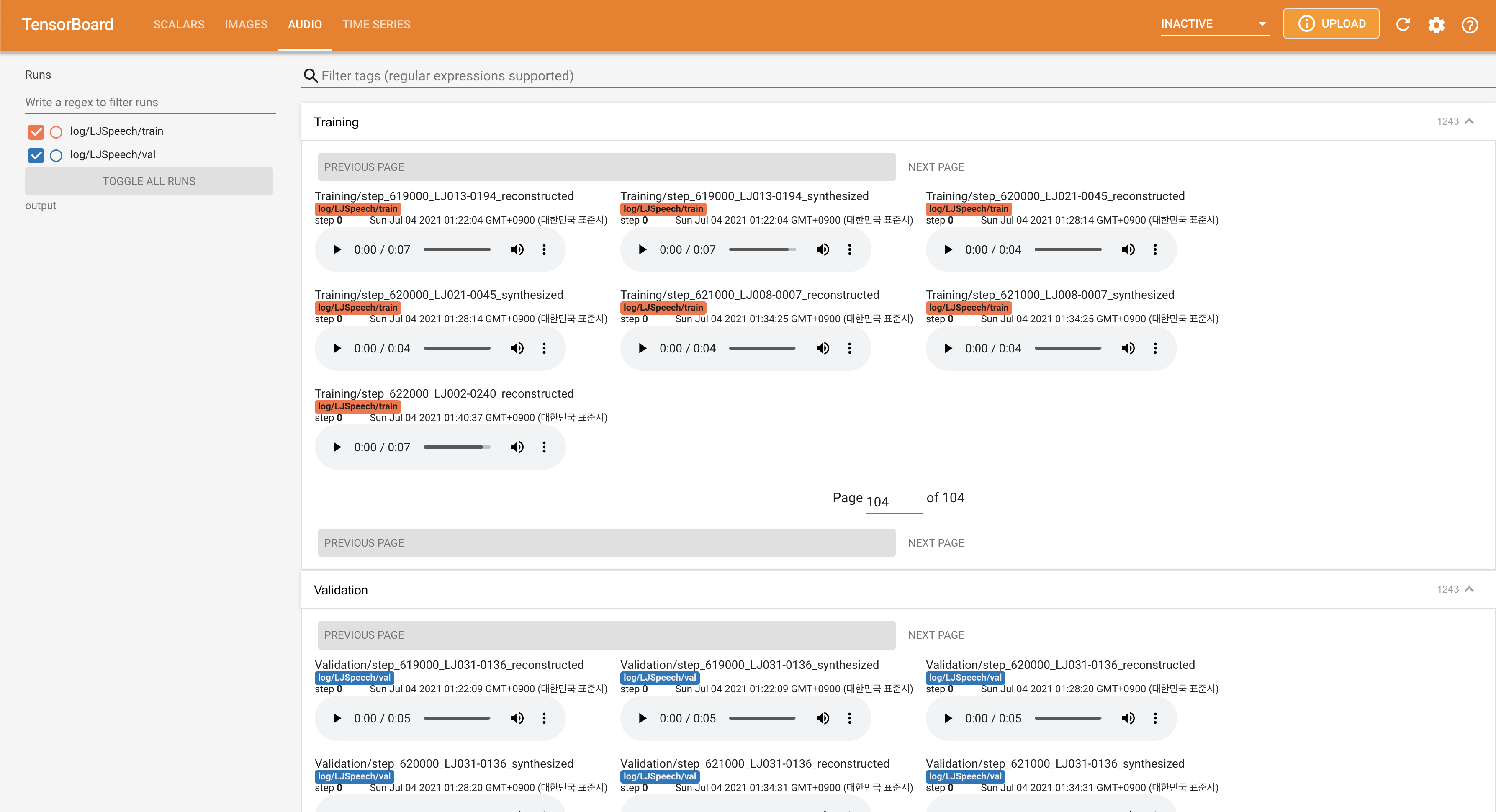
./config/LJSpeech/preprocess.yaml ljspeech/preprocess.yamlのFalseにnormalization設定することができます。 @misc{lee2021fastpitchformant,
author = {Lee, Keon},
title = {FastPitchFormant},
year = {2021},
publisher = {GitHub},
journal = {GitHub repository},
howpublished = {url{https://github.com/keonlee9420/FastPitchFormant}}
}







