ruby_whatsapp_sdk
1.0.0

SDK提供了一组操作和类来使用WhatsApp API。发送贴纸,消息,音频,视频,位置,反应和回复消息,或者只需通过几个步骤通过此库询问电话号码!
检查Rails上的Ruby WhatsApp示例存储库,该存储库使用此库发送消息。
将此行添加到您的应用程序的gemfile:
gem 'whatsapp_sdk'然后执行:
$ bundle
或自行安装:
$ gem install whatsapp_sdk
有三个主要资源, Messages , Media和PhoneNumbers 。 Messages允许用户发送任何消息(文本,音频,位置,视频,图像等)。 Media允许用户管理媒体, Phone Numbers使客户能够查询关联的电话号码。
要使用Messages , Media或PhoneNumbers ,您需要初始化包含验证信息的Client 。有两种方法可以做到。
 # config/initializers/whatsapp_sdk.rb
WhatsappSdk . configure do | config |
  config . access_token = ACCESS_TOKEN
  config . api_version = API_VERSION
  config . logger = Logger . new ( STDOUT ) # optional, Faraday logger to attach
  config . logger_options = { bodies : true } # optional, they are all valid logger_options for Faraday
end
笔记:
Client实例: # without
client = WhatsappSdk :: Api :: Client . new ( "<ACCESS TOKEN>" ) # replace this with a valid access token
# OR optionally use a logger, api_version and
logger = Logger . new ( STDOUT )
logger_options = { bodies : true }
client = WhatsappSdk :: Api :: Client . new ( "<ACCESS TOKEN>" , "<API VERSION>" , logger , logger_options ) 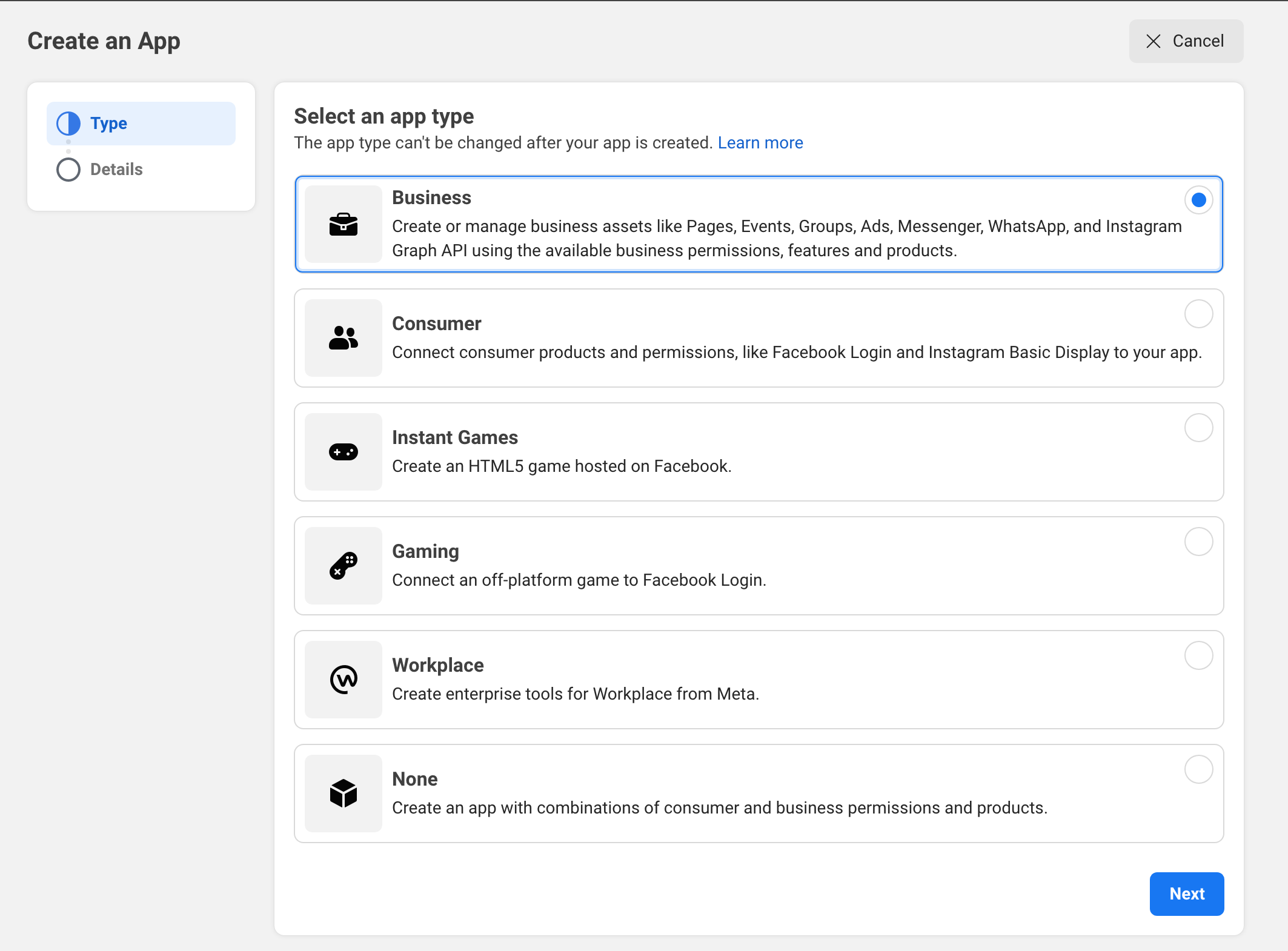
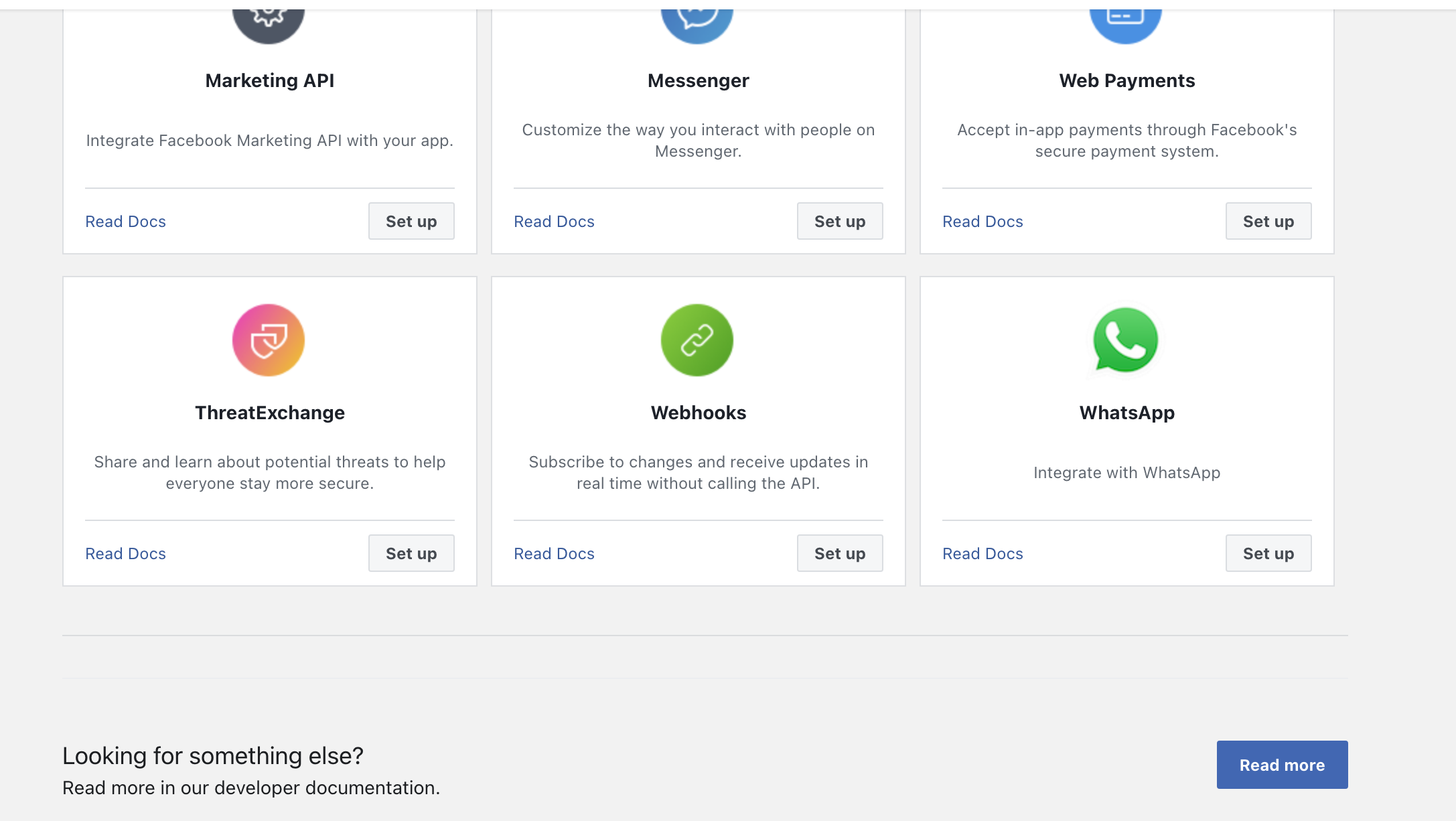
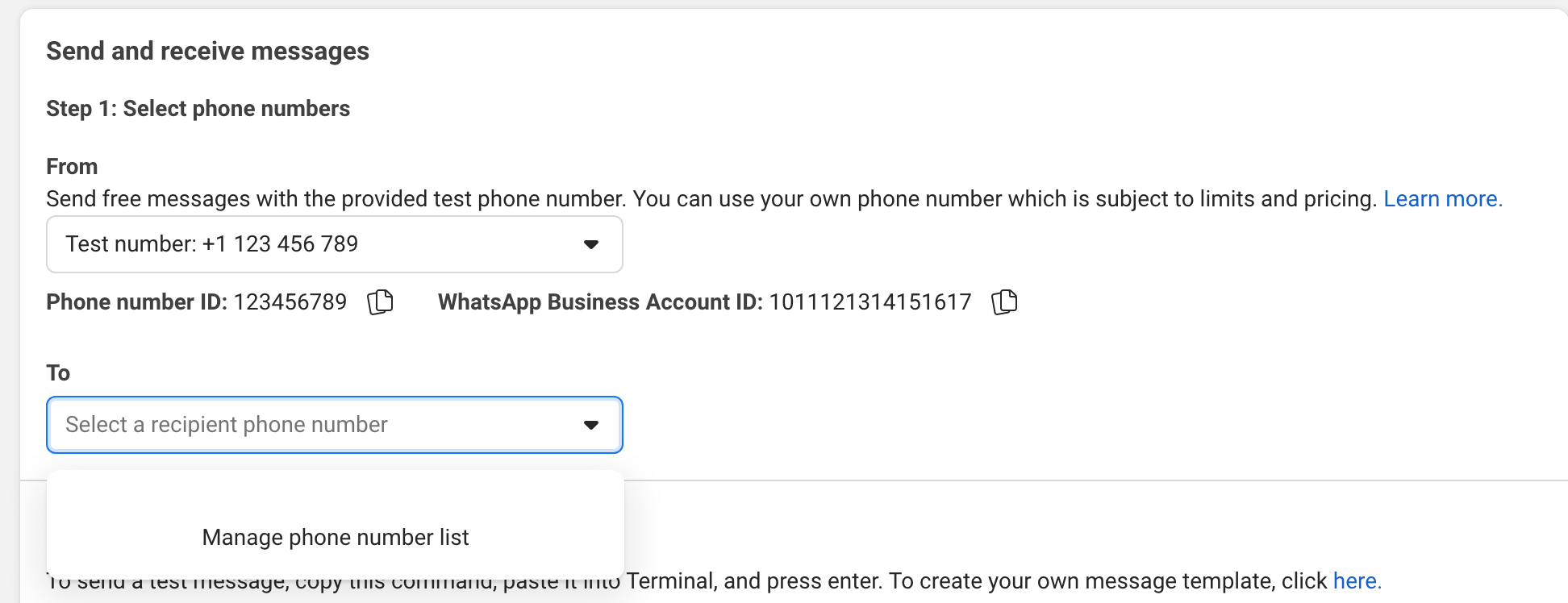
尝试在UI中向您的手机发送消息。
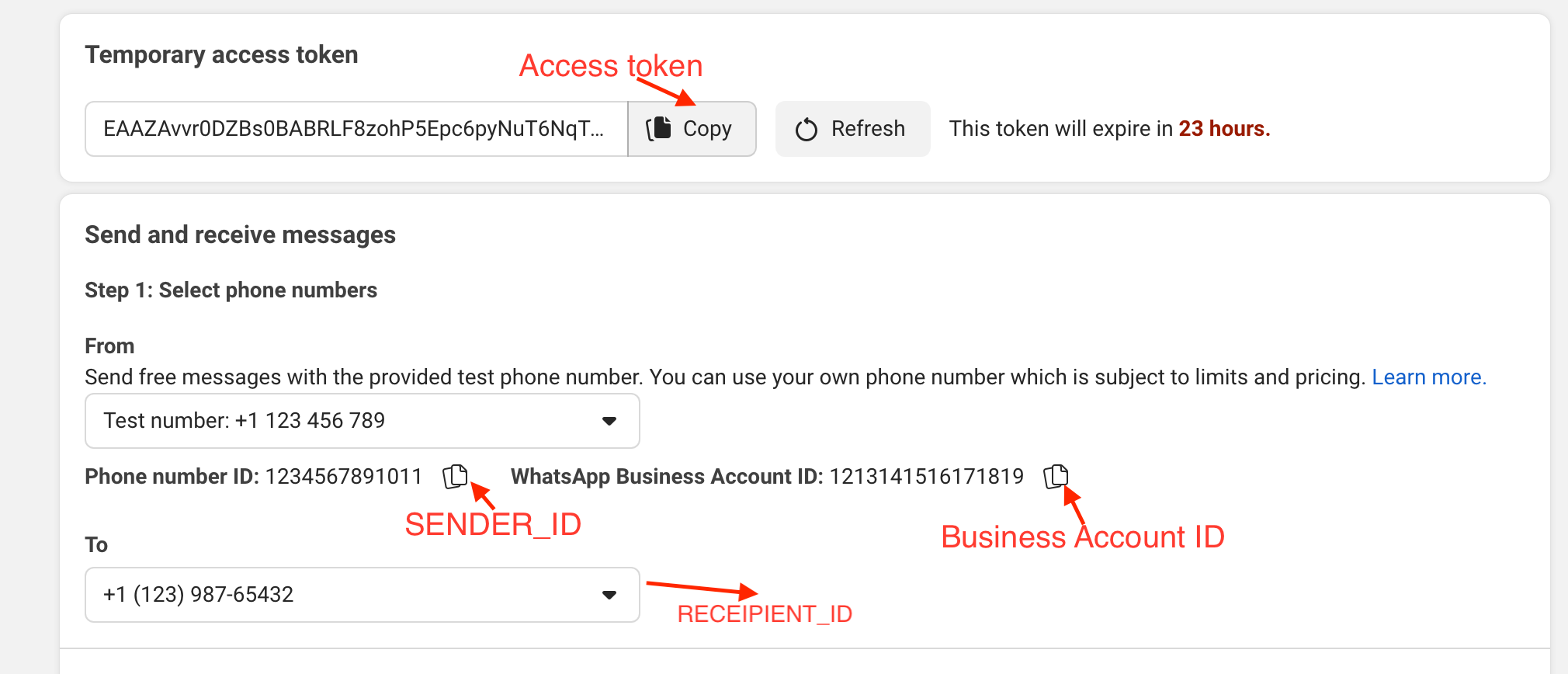
例子:
gem install whatsapp_sdk宝石。irb打开IRB终端require "whatsapp_sdk"ACCESS_TOKEN , SENDER_ID , BUSINESS_ID和RECIPIENT_NUMBER 。 ACCESS_TOKEN = "EAAZAvvr0DZBs0BABRLF8zohP5Epc6pyNu"
BUSINESS_ID = 1213141516171819
SENDER_ID = 1234567891011
RECIPIENT_NUMBER = 12398765432 WhatsappSdk . configure do | config |
config . access_token = ACCESS_TOKEN
end电话号码API
registered_number = client . phone_numbers . registered_number ( SENDER_ID )消息API
 message_sent = client . messages . send_text ( sender_id : SENDER_ID , recipient_number : RECIPIENT_NUMBER ,
                                      message : "Hey there! it's Whatsapp Ruby SDK" )
检查示例.RB文件以获取更多示例。
 client = WhatsappSdk :: Api :: Client . new ( "<ACCESS TOKEN>" ) # replace this with a valid access token

client . phone_numbers . register_number ( SENDER_ID , 123456 ) # register the phone number to uplaod media and send message from.

# send a text and a location
client . messages . send_text ( sender_id : SENDER_ID , recipient_number : RECIPIENT_NUMBER , message : "Hey there! it's Whatsapp Ruby SDK" )

client . messages . send_location ( sender_id : SENDER_ID , recipient_number : RECIPIENT_NUMBER , longitude : - 75.6898604 , latitude : 45.4192206 , name : "Ignacio" , address : "My house" )

# upload a photo and send it
image = client . media . upload ( sender_id : SENDER_ID , file_path : "test/fixtures/assets/whatsapp.png" , type : "image/png" ) image = client . media . get ( media_id : uploaded_media . id )
client . messages . send_image ( sender_id : SENDER_ID , recipient_number : RECIPIENT_NUMBER , image_id : image . id )

# upload a sticker and send it
sticker = client . media . upload ( sender_id : SENDER_ID , file_path : "test/fixtures/assets/sticker.webp" , type : "image/webp" )
client . messages . send_sticker ( sender_id : SENDER_ID , recipient_number : RECIPIENT_NUMBER , sticker_id : sticker . id ) # Get list of templates
client . templates . list ( business_id : BUSINESS_ID )
# Get Message Template Namespace
# The message template namespace is required to send messages using the message templates.
client . templates . get_message_template_namespace ( business_id : BUSINESS_ID )
# Create a template
client . templates . create (
business_id : BUSINESS_ID , name : "seasonal_promotion" , language : "en_US" , category : "MARKETING" ,
components_json : components_json , allow_category_change : true
)
# Delete a template
client . templates . delete ( business_id : BUSINESS_ID , name : "my_name" ) # delete by name # Get the details of your business
client . business_profiles . get ( phone_number_id )
# Update the details of your business
client . business_profiles . update ( phone_number_id : SENDER_ID , params : { about : "A very cool business" } ) # Get the list of phone numbers registered
client . phone_numbers . list ( business_id )
# Get the a phone number by id
client . phone_numbers . get ( phone_number_id )
# Register a phone number
client . phone_numbers . register_number ( phone_number_id , pin )
# Deregister a phone number
client . phone_numbers . deregister_number ( phone_number_id ) # Upload a media
client . media . upload ( sender_id : SENDER_ID , file_path : "tmp/whatsapp.png" , type : "image/png" )
# Get a media
media = client . media . get ( media_id : MEDIA_ID )
# Download media
client . media . download ( url : MEDIA_URL , file_path : 'tmp/downloaded_whatsapp.png' , media_type : "image/png" )
# Delete a media
client . media . delete ( media_id : MEDIA_ID ) # Send a text message
client . messages . send_text ( sender_id : 1234 , recipient_number : 112345678 , message : "hola" )
# Read a message
client . messages . read_message ( sender_id : 1234 , message_id : "wamid.HBgLMTM0M12345678910=" )
# Note: To get the `message_id` you can set up [Webhooks](https://developers.facebook.com/docs/whatsapp/cloud-api/webhooks/components) that will listen and fire an event when a message is received.
# Send a reaction to message
# To send a reaction to a message, you need to obtain the message id and look for the emoji's unicode you want to use.
client . messages . send_reaction ( sender_id : 123_123 , recipient_number : 56_789 , message_id : "12345" , emoji : " u{1f550} " )
client . messages . send_reaction ( sender_id : 123_123 , recipient_number : 56_789 , message_id : "12345" , emoji : "⛄️" )
# Reply to a message
# To reply to a message, just include the id of the message in the `client.messages` methods. For example, to reply to a text message include the following:
client . messages . send_text ( sender_id : 123_123 , recipient_number : 56_789 , message : "I'm a reply" , message_id : "wamid.1234" )
# Send a location message
client . messages . send_location (
sender_id : 123123 , recipient_number : 56789 ,
longitude : 45.4215 , latitude : 75.6972 , name : "nacho" , address : "141 cooper street"
)
# Send an image message
# It uses a link or an image_id.
# with a link
client . messages . send_image ( sender_id : 123123 , recipient_number : 56789 , link : "image_link" , caption : "Ignacio Chiazzo Profile" )
# with an image id
client . messages . send_image ( sender_id : 123123 , recipient_number : 56789 , image_id : "1234" , caption : "Ignacio Chiazzo Profile" )
# Send an audio message
# It uses a link or an audio_id.
# with a link
client . messages . send_audio ( sender_id : 123123 , recipient_number : 56789 , link : "audio_link" )
# with an audio id
client . messages . send_audio ( sender_id : 123123 , recipient_number : 56789 , audio_id : "1234" )
# Send a document message
# It uses a link or a document_id.
# with a link
client . messages . send_document ( sender_id : 123123 , recipient_number : 56789 , link : "document_link" , caption : "Ignacio Chiazzo" )
# with a document id
client . messages . send_document ( sender_id : 123123 , recipient_number : 56789 , document_id : "1234" , caption : "Ignacio Chiazzo" )
# Note, you can specify the filename via argument [`filename`](https://developers.facebook.com/docs/whatsapp/cloud-api/reference/messages).
# Send a sticker message
# It could use a link or a sticker_id.
# with a link
client . messages . send_sticker ( sender_id : 123123 , recipient_number : 56789 , link : "link" )
# with a sticker_id
client . messages . send_sticker ( sender_id : 123123 , recipient_number : 56789 , sticker_id : "1234" )
# Send contacts message
# To send a contact, you need to create a Contact instance object that contain objects embedded like `addresses`, `birthday`, `emails`, `name`, `org`. See this [guide](/test/contact_helper.rb) to learn how to create contacts objects.
client . messages . send_contacts ( sender_id : 123123 , recipient_number : 56789 , contacts : [ create_contact ( params ) ] )
# Alternatively, you could pass a plain json like this:
client . messages . send_contacts ( sender_id : 123123 , recipient_number : 56789 , contacts_json : { ... } )
# Send a template message
# WhatsApp message templates are specific message formats that businesses use to send out notifications or customer care messages to people that have opted in to notifications. Messages can include appointment reminders, shipping information, issue resolution or payment updates.
# Before sending a message template, you need to create one. visit the [Official API Documentation](https://developers.facebook.com/docs/whatsapp/cloud-api/guides/send-message-templates) currency = WhatsappSdk :: Resource :: Currency . new ( code : "USD" , amount : 1000 , fallback_value : "1000" )
date_time = WhatsappSdk :: Resource :: DateTime . new ( fallback_value : "2020-01-01T00:00:00Z" )
media_component = WhatsappSdk :: Resource :: MediaComponent . new ( type : "image" , link : "http(s)://URL" )
location = WhatsappSdk :: Resource :: Location . new (
latitude : 25.779510 , longitude : - 80.338631 , name : "miami store" , address : "820 nw 87th ave, miami, fl"
)
parameter_image = WhatsappSdk :: Resource :: ParameterObject . new ( type : "image" , image : media_component )
parameter_text = WhatsappSdk :: Resource :: ParameterObject . new ( type : "text" , text : "TEXT_STRING" )
parameter_currency = WhatsappSdk :: Resource :: ParameterObject . new ( type : "currency" , currency : currency )
parameter_date_time = WhatsappSdk :: Resource :: ParameterObject . new ( type : "date_time" , date_time : date_time )
parameter_location = WhatsappSdk :: Resource :: ParameterObject . new ( type : "location" , location : location )
header_component = WhatsappSdk :: Resource :: Component . new ( type : "header" , parameters : [ parameter_image ] )
body_component = WhatsappSdk :: Resource :: Component . new (
type : "body" ,
parameters : [ parameter_text , parameter_currency , parameter_date_time ]
)
button_component1 = WhatsappSdk :: Resource :: Component . new (
type : "button" ,
index : 0 ,
sub_type : "quick_reply" ,
parameters : [
WhatsappSdk :: Resource :: ButtonParameter . new ( type : "payload" , payload : "PAYLOAD" )
]
)
button_component2 = WhatsappSdk :: Resource :: Component . new (
type : "button" ,
index : 1 ,
sub_type : "quick_reply" ,
parameters : [
WhatsappSdk :: Resource :: ButtonParameter . new ( type : "payload" , payload : "PAYLOAD" )
]
)
location_component = WhatsappSdk :: Resource :: Component . new ( type : "header" , parameters : [ parameter_location ] )
client . messages . send_template (
sender_id : 12_345 , recipient_number : 12345678 , name : "hello_world" , language : "en_US" , components : [ ... ]
)另外,您可以通过这样的简单JSON:
client . messages . send_template ( sender_id : 12_345 , recipient_number : 12345678 , name : "hello_world" , language : "en_US" , components_json : [ { ... } ] )发送交互式消息访问官方API文档
 interactive_header = WhatsappSdk :: Resource :: InteractiveHeader . new ( type : "text" , text : "I am the header!" )
interactive_body = WhatsappSdk :: Resource :: InteractiveBody . new ( text : "I am the body!" )
interactive_footer = WhatsappSdk :: Resource :: InteractiveFooter . new ( text : "I am the footer!" )
interactive_action = WhatsappSdk :: Resource :: InteractiveAction . new ( type : "list_message" )

interactive_action . button = "I am the button CTA"

interactive_section_1 = WhatsappSdk :: Resource :: InteractiveActionSection . new ( title : "I am the section 1" )
interactive_section_1_row_1 = WhatsappSdk :: Resource :: InteractiveActionSectionRow . new (
  title : "I am the row 1 title" ,
  id : "section_1_row_1" ,
  description : "I am the optional section 1 row 1 description"
)
interactive_section_1 . add_row ( interactive_section_1_row_1 )
interactive_action . add_section ( interactive_section_1 )

interactive_list_messages = WhatsappSdk :: Resource :: Interactive . new (
  type : "list" ,
  header : interactive_header ,
  body : interactive_body ,
  footer : interactive_footer ,
  action : interactive_action
)

client . messages . send_interactive_list_messages (
  sender_id : SENDER_ID , recipient_number : RECIPIENT_NUMBER ,
  interactive : interactive_list_messages
)
另外,您可以通过这样的简单JSON:
 client . messages . send_interactive_list_messages (
  sender_id : 12_345 , recipient_number : 1234567890
  interactive_json : { ... }
) interactive_header = WhatsappSdk :: Resource :: InteractiveHeader . new ( type : "text" , text : "I am the header!" )
interactive_body = WhatsappSdk :: Resource :: InteractiveBody . new ( text : "I am the body!" )
interactive_footer = WhatsappSdk :: Resource :: InteractiveFooter . new ( text : "I am the footer!" )
interactive_action = WhatsappSdk :: Resource :: InteractiveAction . new ( type : "reply_button" )
interactive_reply_button_1 = WhatsappSdk :: Resource :: InteractiveActionReplyButton . new (
title : "I am the reply button 1" ,
id : "button_1"
)
interactive_action . add_reply_button ( interactive_reply_button_1 )
interactive_reply_button_2 = WhatsappSdk :: Resource :: InteractiveActionReplyButton . new (
title : "I am the reply button 2" ,
id : "button_2"
)
interactive_action . add_reply_button ( interactive_reply_button_2 )
interactive_reply_buttons = WhatsappSdk :: Resource :: Interactive . new (
type : "reply_button" ,
header : interactive_header ,
body : interactive_body ,
footer : interactive_footer ,
action : interactive_action
)
client . messages . send_interactive_reply_buttons (
sender_id : 12_345 , recipient_number : 1234567890 ,
interactive : interactive_reply_buttons
)替代方案,您可以通过这样的简单JSON:
 client . messages . send_interactive_reply_buttons (
  sender_id : 12_345 , recipient_number : 1234567890
  interactive_json : { ... }
)如果API返回错误,则会提高异常WhatsappSdk::Api::Responses::HttpResponseError 。该对象包含云API返回的信息。有关潜在错误的更多信息,请检查正式文档。
访问带有示例的示例文件,以在单个文件中调用API。
如果您尝试直接发送短信而没有在元控制面板中创建和批准的消息模板,则无法与其他人聊天。但是,如果您之前收到消息,则可以发送消息。
如果API响应仍然是success ,但是该消息未传递:
v.14 API版本。注意:有时消息会延迟;请参阅元文档。
检查回购后,运行bin/setup以安装依赖关系。然后,运行rake test以运行测试。
运行“ Bundle Exec Rake rake install”以将此宝石安装到本地计算机上。要发布新版本,请在version.rb中更新版本号,然后运行bundle exec rake release ,该版本将为版本创建一个git标签,推送git consits and tags,然后将.gem文件推到rubygems.org。
rake testsrb tcbundle exec rubocop要更新云API版本,更新了lib/whatsapp_sdk/api/api_configuration.rb中的版本。检查云API更换件中的API udpates。
欢迎在https://github.com/ignacio-chiazzo/ruby_whatsapp_sdk上的GitHub上的错误报告和拉动请求,该项目旨在是一个安全,热情的协作空间,预计贡献者有望遵守贡献者的行为代码。
如果您希望在GEM中实现一个功能,请打开一个问题,我们将尽快查看。
您想贡献并不确定从哪里开始吗?在Twitter上ping我,我会帮助您!
检查贡献文件。
根据MIT许可证的条款,该宝石可作为开源。







