ruby_whatsapp_sdk
1.0.0

SDK предоставляет набор операций и классов для использования API WhatsApp. Отправляйте наклейки, сообщения, аудио, видео, местоположения, реагировать и ответьте на сообщения или просто попросите телефонные номера через эту библиотеку через несколько шагов!
Проверьте репозиторий Ruby на Rails WhatsApp , который использует эту библиотеку для отправки сообщений.
Добавьте эту строку в Gemfile вашего приложения:
gem 'whatsapp_sdk'А затем выполнить:
$ bundle
Или установите его самостоятельно как:
$ gem install whatsapp_sdk
Существует три основных ресурса, Messages , Media и PhoneNumbers . Messages позволяют пользователям отправлять любое сообщение (текст, аудио, местоположение, видео, изображение и т. Д.). Media позволяет пользователям управлять медиа, а Phone Numbers позволяют клиентам запросить связанные номера телефонов.
Чтобы использовать Messages , Media или PhoneNumbers , вам необходимо инициализировать Client , содержащего информацию AUTH. Есть два способа сделать это.
 # config/initializers/whatsapp_sdk.rb
WhatsappSdk . configure do | config |
  config . access_token = ACCESS_TOKEN
  config . api_version = API_VERSION
  config . logger = Logger . new ( STDOUT ) # optional, Faraday logger to attach
  config . logger_options = { bodies : true } # optional, they are all valid logger_options for Faraday
end
Примечания:
Client : # without
client = WhatsappSdk :: Api :: Client . new ( "<ACCESS TOKEN>" ) # replace this with a valid access token
# OR optionally use a logger, api_version and
logger = Logger . new ( STDOUT )
logger_options = { bodies : true }
client = WhatsappSdk :: Api :: Client . new ( "<ACCESS TOKEN>" , "<API VERSION>" , logger , logger_options ) 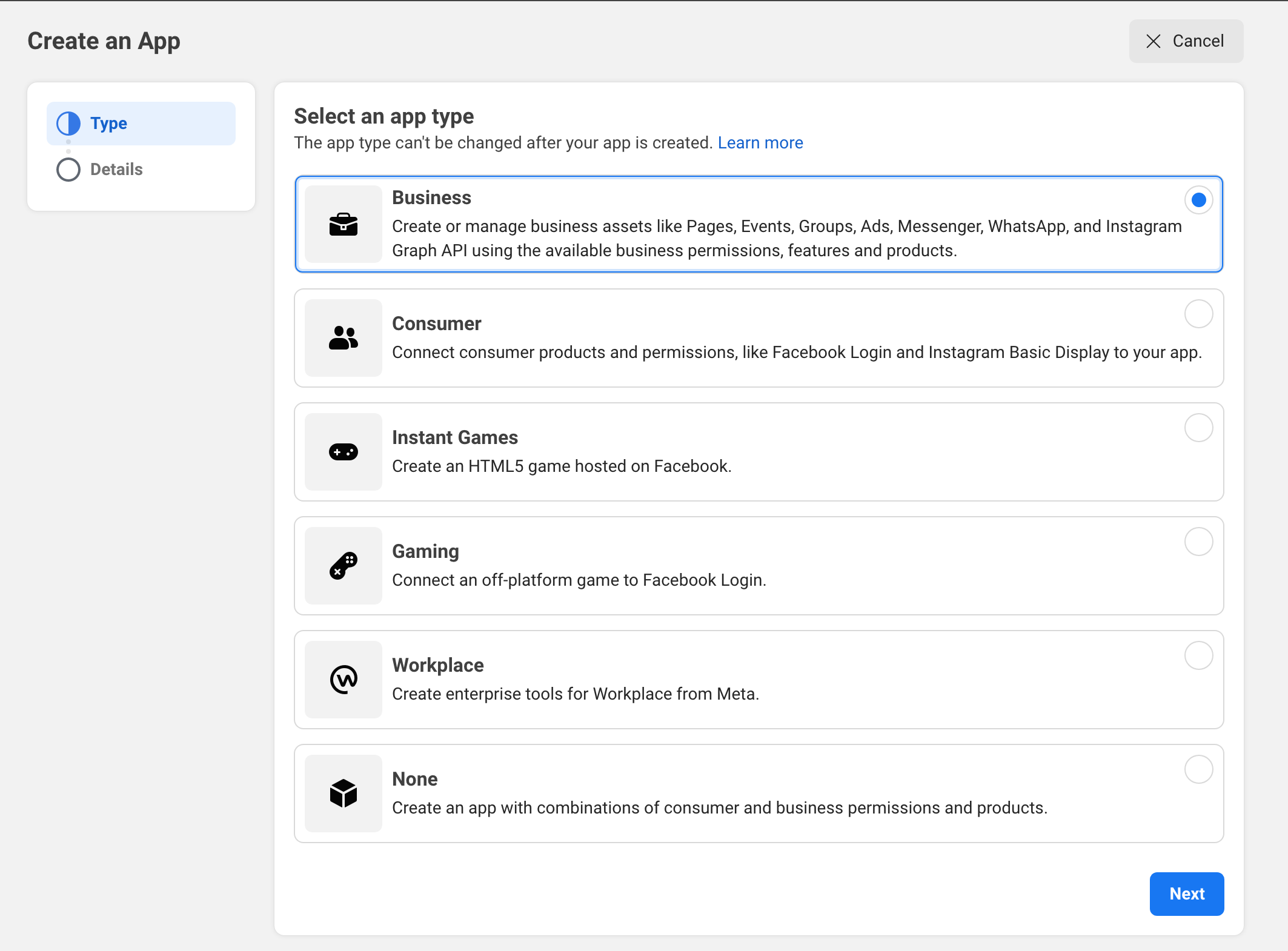
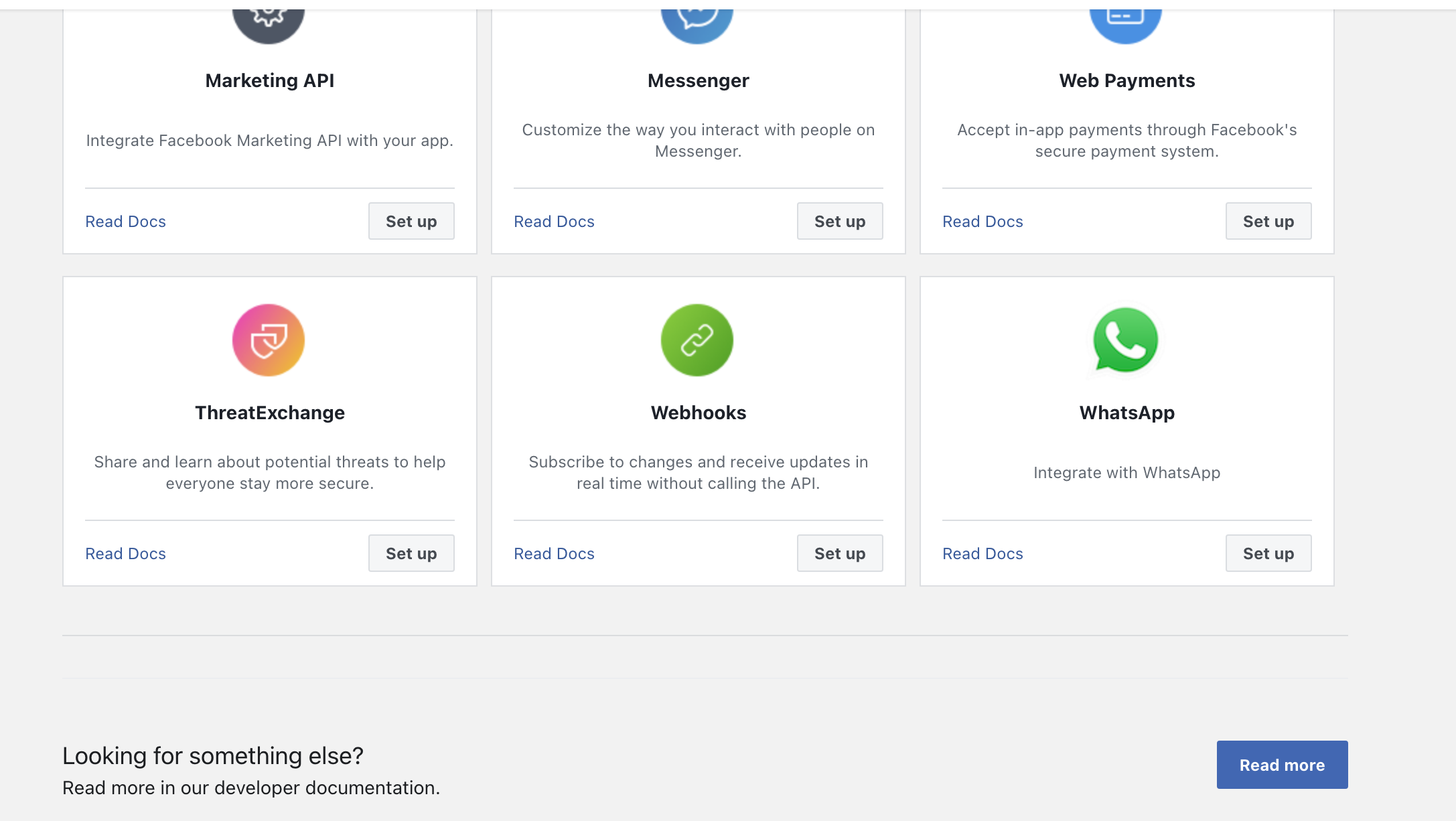
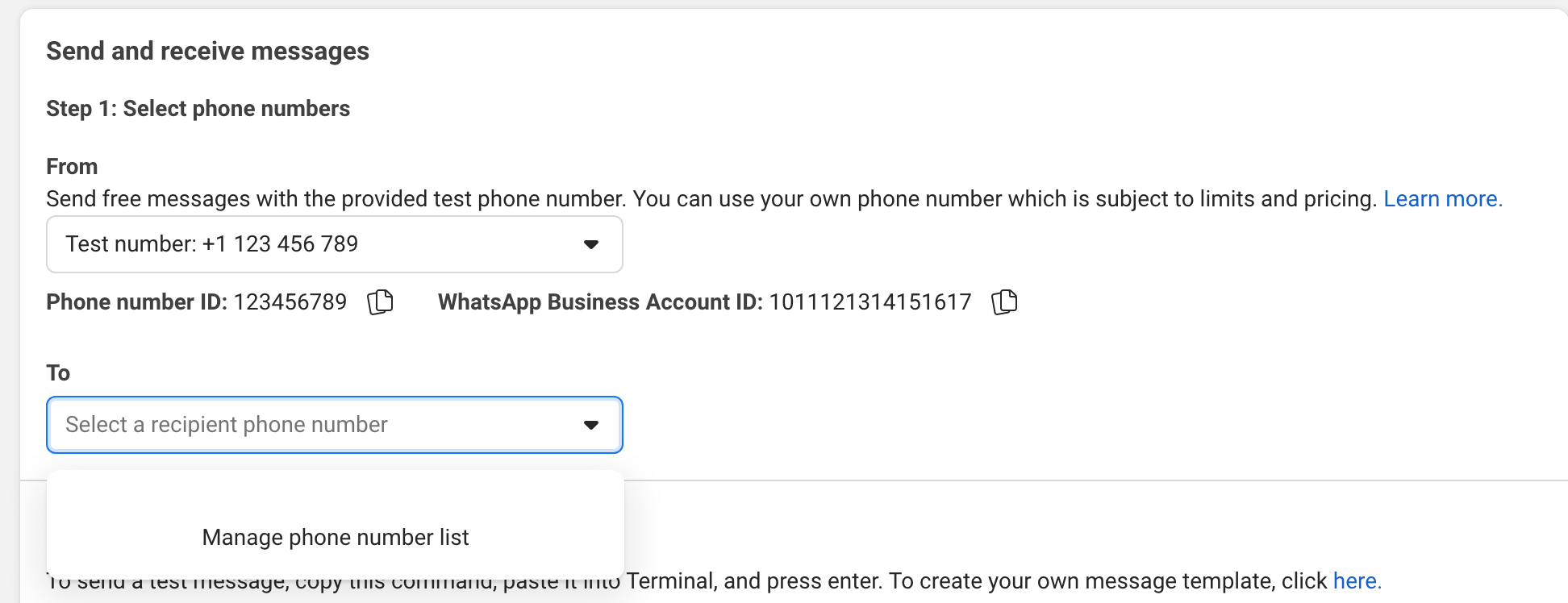
Попробуйте отправить сообщение на ваш телефон в пользовательском интерфейсе.
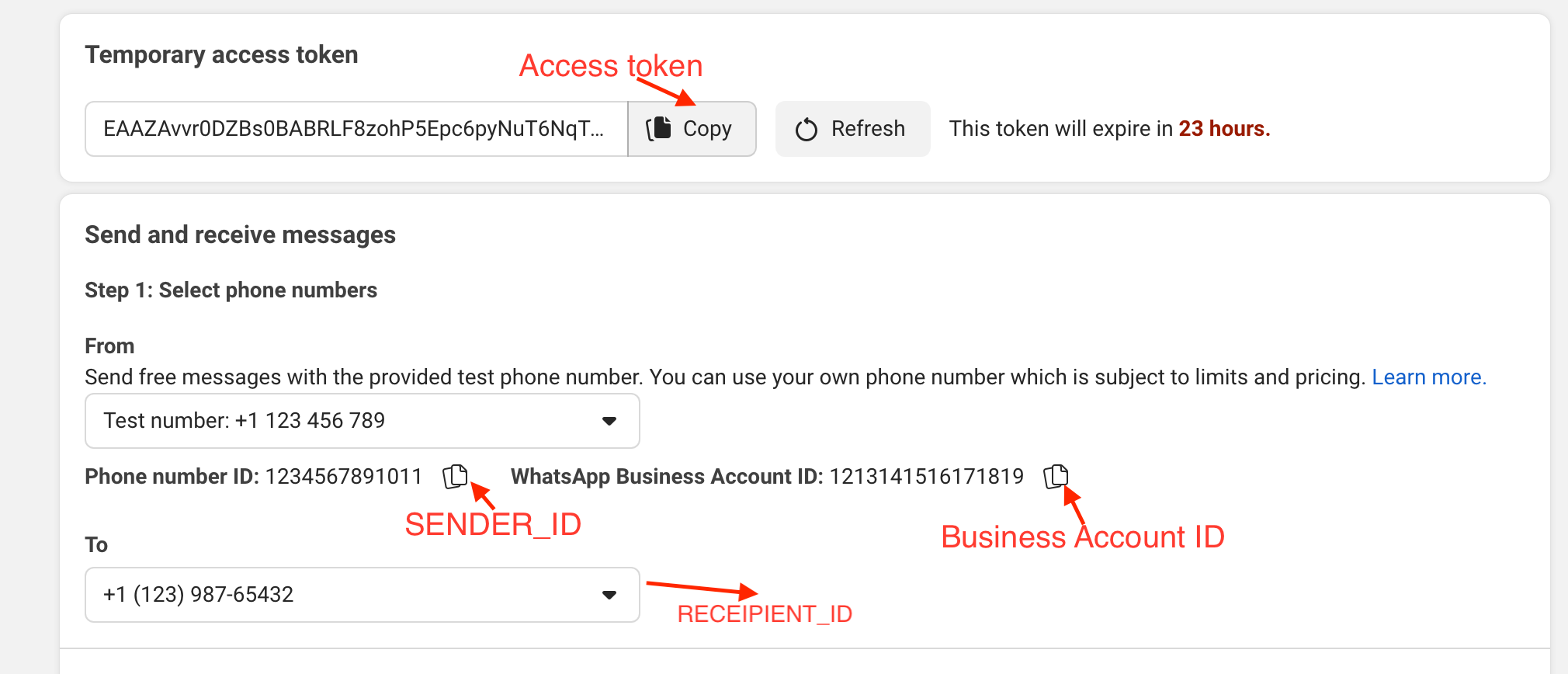
Пример:
gem install whatsapp_sdk в драгоценный камень.irbrequire "whatsapp_sdk"ACCESS_TOKEN , SENDER_ID , BUSINESS_ID и RECIPIENT_NUMBER в переменных. ACCESS_TOKEN = "EAAZAvvr0DZBs0BABRLF8zohP5Epc6pyNu"
BUSINESS_ID = 1213141516171819
SENDER_ID = 1234567891011
RECIPIENT_NUMBER = 12398765432 WhatsappSdk . configure do | config |
config . access_token = ACCESS_TOKEN
endТелефонные номера API
registered_number = client . phone_numbers . registered_number ( SENDER_ID )Сообщения API
 message_sent = client . messages . send_text ( sender_id : SENDER_ID , recipient_number : RECIPIENT_NUMBER ,
                                      message : "Hey there! it's Whatsapp Ruby SDK" )
Проверьте файл example.rb для получения дополнительных примеров.
 client = WhatsappSdk :: Api :: Client . new ( "<ACCESS TOKEN>" ) # replace this with a valid access token

client . phone_numbers . register_number ( SENDER_ID , 123456 ) # register the phone number to uplaod media and send message from.

# send a text and a location
client . messages . send_text ( sender_id : SENDER_ID , recipient_number : RECIPIENT_NUMBER , message : "Hey there! it's Whatsapp Ruby SDK" )

client . messages . send_location ( sender_id : SENDER_ID , recipient_number : RECIPIENT_NUMBER , longitude : - 75.6898604 , latitude : 45.4192206 , name : "Ignacio" , address : "My house" )

# upload a photo and send it
image = client . media . upload ( sender_id : SENDER_ID , file_path : "test/fixtures/assets/whatsapp.png" , type : "image/png" ) image = client . media . get ( media_id : uploaded_media . id )
client . messages . send_image ( sender_id : SENDER_ID , recipient_number : RECIPIENT_NUMBER , image_id : image . id )

# upload a sticker and send it
sticker = client . media . upload ( sender_id : SENDER_ID , file_path : "test/fixtures/assets/sticker.webp" , type : "image/webp" )
client . messages . send_sticker ( sender_id : SENDER_ID , recipient_number : RECIPIENT_NUMBER , sticker_id : sticker . id ) # Get list of templates
client . templates . list ( business_id : BUSINESS_ID )
# Get Message Template Namespace
# The message template namespace is required to send messages using the message templates.
client . templates . get_message_template_namespace ( business_id : BUSINESS_ID )
# Create a template
client . templates . create (
business_id : BUSINESS_ID , name : "seasonal_promotion" , language : "en_US" , category : "MARKETING" ,
components_json : components_json , allow_category_change : true
)
# Delete a template
client . templates . delete ( business_id : BUSINESS_ID , name : "my_name" ) # delete by name # Get the details of your business
client . business_profiles . get ( phone_number_id )
# Update the details of your business
client . business_profiles . update ( phone_number_id : SENDER_ID , params : { about : "A very cool business" } ) # Get the list of phone numbers registered
client . phone_numbers . list ( business_id )
# Get the a phone number by id
client . phone_numbers . get ( phone_number_id )
# Register a phone number
client . phone_numbers . register_number ( phone_number_id , pin )
# Deregister a phone number
client . phone_numbers . deregister_number ( phone_number_id ) # Upload a media
client . media . upload ( sender_id : SENDER_ID , file_path : "tmp/whatsapp.png" , type : "image/png" )
# Get a media
media = client . media . get ( media_id : MEDIA_ID )
# Download media
client . media . download ( url : MEDIA_URL , file_path : 'tmp/downloaded_whatsapp.png' , media_type : "image/png" )
# Delete a media
client . media . delete ( media_id : MEDIA_ID ) # Send a text message
client . messages . send_text ( sender_id : 1234 , recipient_number : 112345678 , message : "hola" )
# Read a message
client . messages . read_message ( sender_id : 1234 , message_id : "wamid.HBgLMTM0M12345678910=" )
# Note: To get the `message_id` you can set up [Webhooks](https://developers.facebook.com/docs/whatsapp/cloud-api/webhooks/components) that will listen and fire an event when a message is received.
# Send a reaction to message
# To send a reaction to a message, you need to obtain the message id and look for the emoji's unicode you want to use.
client . messages . send_reaction ( sender_id : 123_123 , recipient_number : 56_789 , message_id : "12345" , emoji : " u{1f550} " )
client . messages . send_reaction ( sender_id : 123_123 , recipient_number : 56_789 , message_id : "12345" , emoji : "⛄️" )
# Reply to a message
# To reply to a message, just include the id of the message in the `client.messages` methods. For example, to reply to a text message include the following:
client . messages . send_text ( sender_id : 123_123 , recipient_number : 56_789 , message : "I'm a reply" , message_id : "wamid.1234" )
# Send a location message
client . messages . send_location (
sender_id : 123123 , recipient_number : 56789 ,
longitude : 45.4215 , latitude : 75.6972 , name : "nacho" , address : "141 cooper street"
)
# Send an image message
# It uses a link or an image_id.
# with a link
client . messages . send_image ( sender_id : 123123 , recipient_number : 56789 , link : "image_link" , caption : "Ignacio Chiazzo Profile" )
# with an image id
client . messages . send_image ( sender_id : 123123 , recipient_number : 56789 , image_id : "1234" , caption : "Ignacio Chiazzo Profile" )
# Send an audio message
# It uses a link or an audio_id.
# with a link
client . messages . send_audio ( sender_id : 123123 , recipient_number : 56789 , link : "audio_link" )
# with an audio id
client . messages . send_audio ( sender_id : 123123 , recipient_number : 56789 , audio_id : "1234" )
# Send a document message
# It uses a link or a document_id.
# with a link
client . messages . send_document ( sender_id : 123123 , recipient_number : 56789 , link : "document_link" , caption : "Ignacio Chiazzo" )
# with a document id
client . messages . send_document ( sender_id : 123123 , recipient_number : 56789 , document_id : "1234" , caption : "Ignacio Chiazzo" )
# Note, you can specify the filename via argument [`filename`](https://developers.facebook.com/docs/whatsapp/cloud-api/reference/messages).
# Send a sticker message
# It could use a link or a sticker_id.
# with a link
client . messages . send_sticker ( sender_id : 123123 , recipient_number : 56789 , link : "link" )
# with a sticker_id
client . messages . send_sticker ( sender_id : 123123 , recipient_number : 56789 , sticker_id : "1234" )
# Send contacts message
# To send a contact, you need to create a Contact instance object that contain objects embedded like `addresses`, `birthday`, `emails`, `name`, `org`. See this [guide](/test/contact_helper.rb) to learn how to create contacts objects.
client . messages . send_contacts ( sender_id : 123123 , recipient_number : 56789 , contacts : [ create_contact ( params ) ] )
# Alternatively, you could pass a plain json like this:
client . messages . send_contacts ( sender_id : 123123 , recipient_number : 56789 , contacts_json : { ... } )
# Send a template message
# WhatsApp message templates are specific message formats that businesses use to send out notifications or customer care messages to people that have opted in to notifications. Messages can include appointment reminders, shipping information, issue resolution or payment updates.
# Before sending a message template, you need to create one. visit the [Official API Documentation](https://developers.facebook.com/docs/whatsapp/cloud-api/guides/send-message-templates) currency = WhatsappSdk :: Resource :: Currency . new ( code : "USD" , amount : 1000 , fallback_value : "1000" )
date_time = WhatsappSdk :: Resource :: DateTime . new ( fallback_value : "2020-01-01T00:00:00Z" )
media_component = WhatsappSdk :: Resource :: MediaComponent . new ( type : "image" , link : "http(s)://URL" )
location = WhatsappSdk :: Resource :: Location . new (
latitude : 25.779510 , longitude : - 80.338631 , name : "miami store" , address : "820 nw 87th ave, miami, fl"
)
parameter_image = WhatsappSdk :: Resource :: ParameterObject . new ( type : "image" , image : media_component )
parameter_text = WhatsappSdk :: Resource :: ParameterObject . new ( type : "text" , text : "TEXT_STRING" )
parameter_currency = WhatsappSdk :: Resource :: ParameterObject . new ( type : "currency" , currency : currency )
parameter_date_time = WhatsappSdk :: Resource :: ParameterObject . new ( type : "date_time" , date_time : date_time )
parameter_location = WhatsappSdk :: Resource :: ParameterObject . new ( type : "location" , location : location )
header_component = WhatsappSdk :: Resource :: Component . new ( type : "header" , parameters : [ parameter_image ] )
body_component = WhatsappSdk :: Resource :: Component . new (
type : "body" ,
parameters : [ parameter_text , parameter_currency , parameter_date_time ]
)
button_component1 = WhatsappSdk :: Resource :: Component . new (
type : "button" ,
index : 0 ,
sub_type : "quick_reply" ,
parameters : [
WhatsappSdk :: Resource :: ButtonParameter . new ( type : "payload" , payload : "PAYLOAD" )
]
)
button_component2 = WhatsappSdk :: Resource :: Component . new (
type : "button" ,
index : 1 ,
sub_type : "quick_reply" ,
parameters : [
WhatsappSdk :: Resource :: ButtonParameter . new ( type : "payload" , payload : "PAYLOAD" )
]
)
location_component = WhatsappSdk :: Resource :: Component . new ( type : "header" , parameters : [ parameter_location ] )
client . messages . send_template (
sender_id : 12_345 , recipient_number : 12345678 , name : "hello_world" , language : "en_US" , components : [ ... ]
)В качестве альтернативы, вы могли бы пройти как проста, как это:
client . messages . send_template ( sender_id : 12_345 , recipient_number : 12345678 , name : "hello_world" , language : "en_US" , components_json : [ { ... } ] )Отправить интерактивные сообщения Посетите официальную документацию API
 interactive_header = WhatsappSdk :: Resource :: InteractiveHeader . new ( type : "text" , text : "I am the header!" )
interactive_body = WhatsappSdk :: Resource :: InteractiveBody . new ( text : "I am the body!" )
interactive_footer = WhatsappSdk :: Resource :: InteractiveFooter . new ( text : "I am the footer!" )
interactive_action = WhatsappSdk :: Resource :: InteractiveAction . new ( type : "list_message" )

interactive_action . button = "I am the button CTA"

interactive_section_1 = WhatsappSdk :: Resource :: InteractiveActionSection . new ( title : "I am the section 1" )
interactive_section_1_row_1 = WhatsappSdk :: Resource :: InteractiveActionSectionRow . new (
  title : "I am the row 1 title" ,
  id : "section_1_row_1" ,
  description : "I am the optional section 1 row 1 description"
)
interactive_section_1 . add_row ( interactive_section_1_row_1 )
interactive_action . add_section ( interactive_section_1 )

interactive_list_messages = WhatsappSdk :: Resource :: Interactive . new (
  type : "list" ,
  header : interactive_header ,
  body : interactive_body ,
  footer : interactive_footer ,
  action : interactive_action
)

client . messages . send_interactive_list_messages (
  sender_id : SENDER_ID , recipient_number : RECIPIENT_NUMBER ,
  interactive : interactive_list_messages
)
В качестве альтернативы, вы могли бы пройти как проста, как это:
 client . messages . send_interactive_list_messages (
  sender_id : 12_345 , recipient_number : 1234567890
  interactive_json : { ... }
) interactive_header = WhatsappSdk :: Resource :: InteractiveHeader . new ( type : "text" , text : "I am the header!" )
interactive_body = WhatsappSdk :: Resource :: InteractiveBody . new ( text : "I am the body!" )
interactive_footer = WhatsappSdk :: Resource :: InteractiveFooter . new ( text : "I am the footer!" )
interactive_action = WhatsappSdk :: Resource :: InteractiveAction . new ( type : "reply_button" )
interactive_reply_button_1 = WhatsappSdk :: Resource :: InteractiveActionReplyButton . new (
title : "I am the reply button 1" ,
id : "button_1"
)
interactive_action . add_reply_button ( interactive_reply_button_1 )
interactive_reply_button_2 = WhatsappSdk :: Resource :: InteractiveActionReplyButton . new (
title : "I am the reply button 2" ,
id : "button_2"
)
interactive_action . add_reply_button ( interactive_reply_button_2 )
interactive_reply_buttons = WhatsappSdk :: Resource :: Interactive . new (
type : "reply_button" ,
header : interactive_header ,
body : interactive_body ,
footer : interactive_footer ,
action : interactive_action
)
client . messages . send_interactive_reply_buttons (
sender_id : 12_345 , recipient_number : 1234567890 ,
interactive : interactive_reply_buttons
)Альтернатива, вы могли бы пройти как простой JSON, как это:
 client . messages . send_interactive_reply_buttons (
  sender_id : 12_345 , recipient_number : 1234567890
  interactive_json : { ... }
) Если API возвращает ошибку, то исключение WhatsappSdk::Api::Responses::HttpResponseError . Объект содержит информацию, возвращаемую облачным API. Для получения дополнительной информации о потенциальной ошибке проверьте официальную документацию.
Посетите пример файла с примерами, чтобы вызвать API в одном файле.
Если вы попытаетесь отправить текстовое сообщение непосредственно без шаблона сообщений, созданного и одобренного на вашей панели Meta Control, вы не можете начать чат с другими людьми. Но если вы получали сообщение раньше, можно отправить сообщение.
Если ответ API все еще success , но сообщение не доставляется:
v.14 .Примечание: иногда сообщения задерживаются; Смотрите мета -документацию.
После проверки репо, запустите bin/setup для установки зависимостей. Затем запустите rake test , чтобы запустить тесты.
Запустите «Bundle Exec Exece Install», чтобы установить этот драгоценный камень на локальную машину. bundle exec rake release выпустить новую версию, обновите номер версии .gem version.rb .
rake testsrb tcbundle exec rubocop Чтобы обновить версию API Cloud API, обновите версию в lib/whatsapp_sdk/api/api_configuration.rb . Проверьте облачный API -изменение для API UDPATE.
Отчеты об ошибках и запросы на привлечение приветствуются на github по адресу https://github.com/ignacio-chiazzo/ruby_whatsapp_sdk Этот проект предназначен для безопасного, гостеприимного места для сотрудничества, и вкладчики будут придерживаться кода поведения участника.
Если вы хотите, чтобы функция была реализована в драгоценном камне, пожалуйста, откройте проблему, и мы посмотрим, как только сможем.
Вы хотите внести свой вклад и не уверены, с чего начать? Пинг меня в Твиттере, и я вам помогу!
Проверьте файл.
Драгоценный камень доступен в качестве открытого исходного кода в соответствии с условиями лицензии MIT.







