ruby_whatsapp_sdk
1.0.0

يوفر SDK مجموعة من العمليات والفئات لاستخدام واجهة برمجة تطبيقات WhatsApp. أرسل الملصقات والرسائل والصوت ومقاطع الفيديو والمواقع والرد والرد على الرسائل أو فقط اطلب أرقام الهواتف من خلال هذه المكتبة في بضع خطوات!
تحقق من مستودع مثال Ruby on Rails WhatsApp الذي يستخدم هذه المكتبة لإرسال الرسائل.
أضف هذا السطر إلى Gemfile في التطبيق الخاص بك:
gem 'whatsapp_sdk'ثم تنفذ:
$ bundle
أو تثبيته بنفسك على النحو التالي:
$ gem install whatsapp_sdk
هناك ثلاثة موارد أساسية Messages Media والألواح PhoneNumbers . تتيح Messages للمستخدمين إرسال أي رسالة (نص ، صوت ، موقع ، فيديو ، صورة ، إلخ). تتيح Media للمستخدمين إدارة الوسائط ، وتمكن Phone Numbers العملاء من الاستعلام عن أرقام الهواتف المرتبطة بها.
لاستخدام Messages أو Media أو PhoneNumbers ، تحتاج إلى تهيئة Client الذي يحتوي على معلومات مصادقة. هناك طريقتان للقيام بذلك.
 # config/initializers/whatsapp_sdk.rb
WhatsappSdk . configure do | config |
  config . access_token = ACCESS_TOKEN
  config . api_version = API_VERSION
  config . logger = Logger . new ( STDOUT ) # optional, Faraday logger to attach
  config . logger_options = { bodies : true } # optional, they are all valid logger_options for Faraday
end
ملحوظات:
Client : # without
client = WhatsappSdk :: Api :: Client . new ( "<ACCESS TOKEN>" ) # replace this with a valid access token
# OR optionally use a logger, api_version and
logger = Logger . new ( STDOUT )
logger_options = { bodies : true }
client = WhatsappSdk :: Api :: Client . new ( "<ACCESS TOKEN>" , "<API VERSION>" , logger , logger_options ) 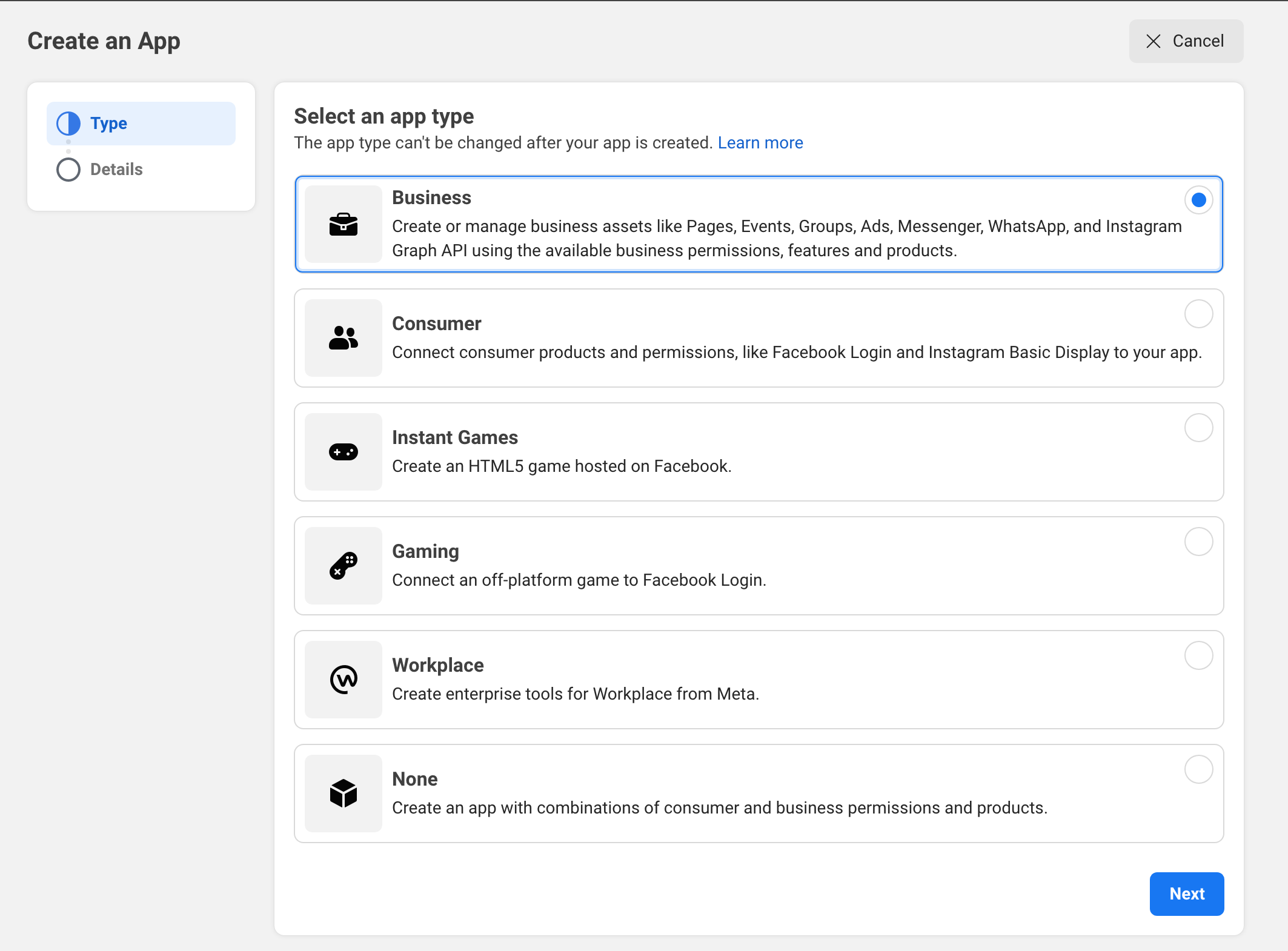
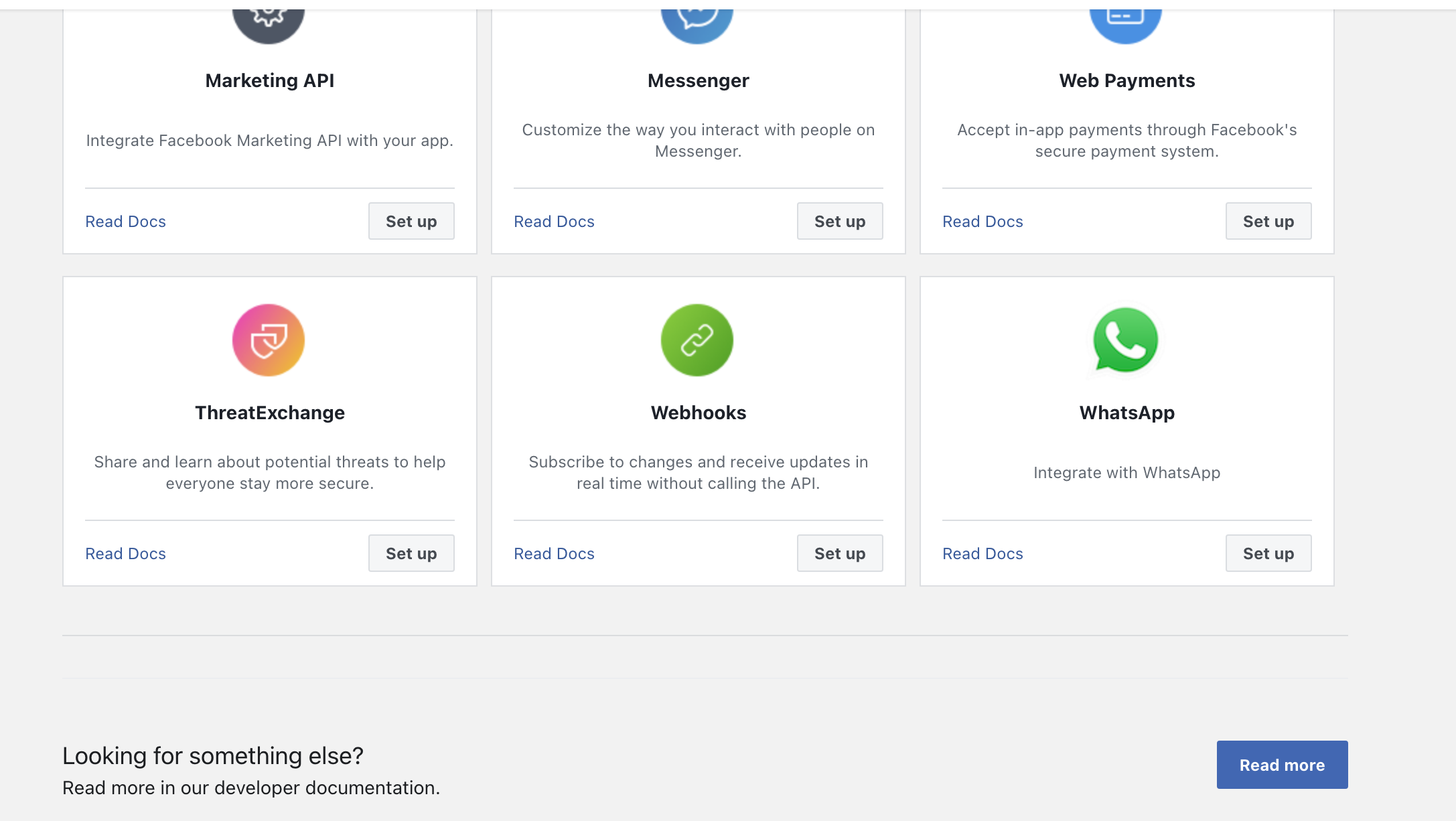
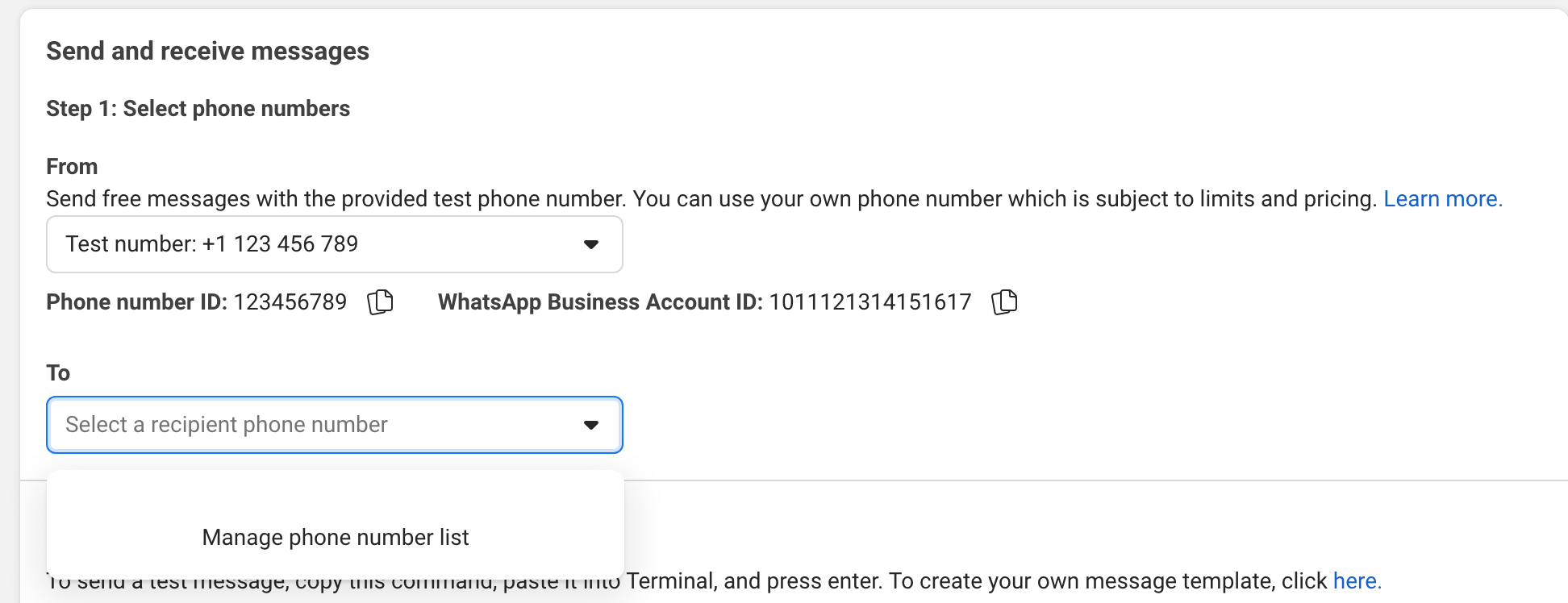
حاول إرسال رسالة إلى هاتفك في واجهة المستخدم.
مثال:
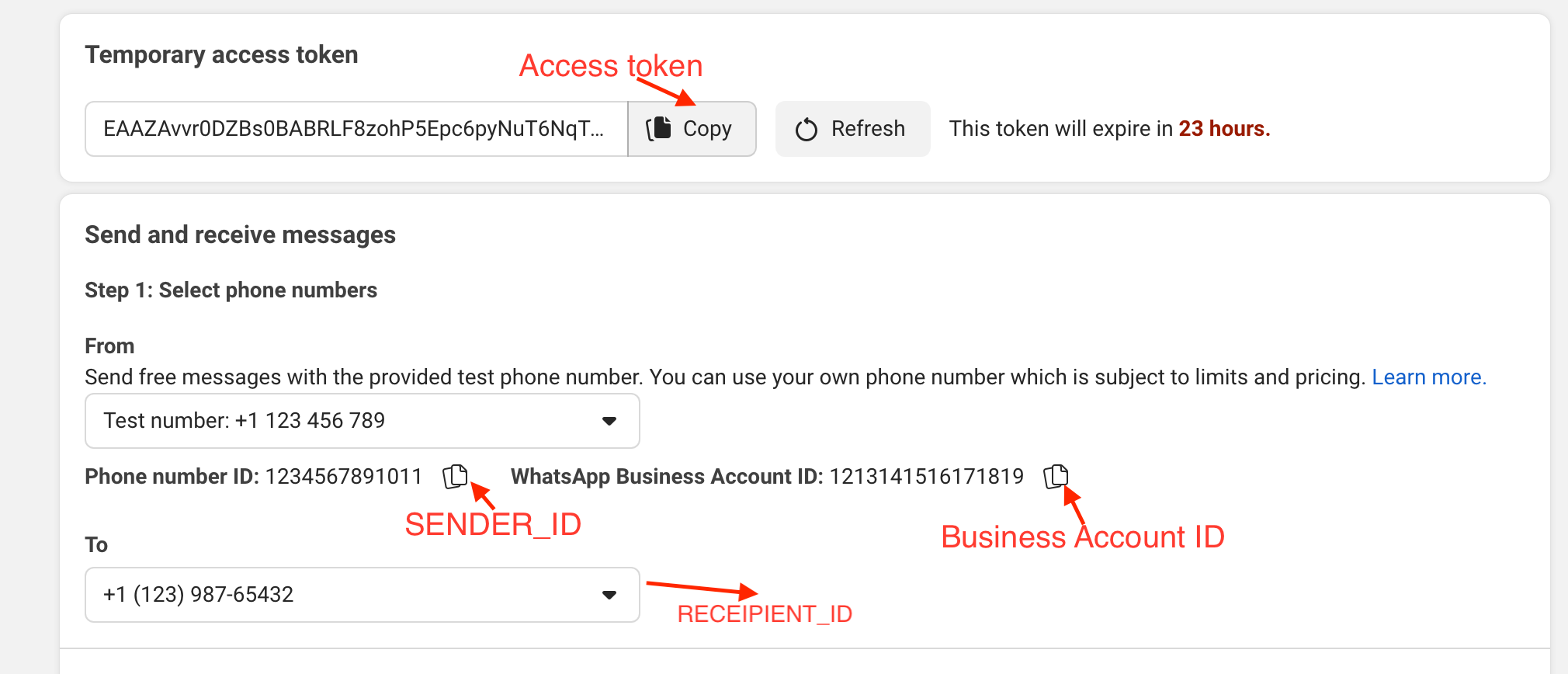
gem install whatsapp_sdk في الأحجار الكريمة.irbrequire "whatsapp_sdk"ACCESS_TOKEN و SENDER_ID و BUSINESS_ID و RECIPIENT_NUMBER في المتغيرات. ACCESS_TOKEN = "EAAZAvvr0DZBs0BABRLF8zohP5Epc6pyNu"
BUSINESS_ID = 1213141516171819
SENDER_ID = 1234567891011
RECIPIENT_NUMBER = 12398765432 WhatsappSdk . configure do | config |
config . access_token = ACCESS_TOKEN
endأرقام الهواتف API
registered_number = client . phone_numbers . registered_number ( SENDER_ID )رسائل API
 message_sent = client . messages . send_text ( sender_id : SENDER_ID , recipient_number : RECIPIENT_NUMBER ,
                                      message : "Hey there! it's Whatsapp Ruby SDK" )
تحقق من ملف example.rb لمزيد من الأمثلة.
 client = WhatsappSdk :: Api :: Client . new ( "<ACCESS TOKEN>" ) # replace this with a valid access token

client . phone_numbers . register_number ( SENDER_ID , 123456 ) # register the phone number to uplaod media and send message from.

# send a text and a location
client . messages . send_text ( sender_id : SENDER_ID , recipient_number : RECIPIENT_NUMBER , message : "Hey there! it's Whatsapp Ruby SDK" )

client . messages . send_location ( sender_id : SENDER_ID , recipient_number : RECIPIENT_NUMBER , longitude : - 75.6898604 , latitude : 45.4192206 , name : "Ignacio" , address : "My house" )

# upload a photo and send it
image = client . media . upload ( sender_id : SENDER_ID , file_path : "test/fixtures/assets/whatsapp.png" , type : "image/png" ) image = client . media . get ( media_id : uploaded_media . id )
client . messages . send_image ( sender_id : SENDER_ID , recipient_number : RECIPIENT_NUMBER , image_id : image . id )

# upload a sticker and send it
sticker = client . media . upload ( sender_id : SENDER_ID , file_path : "test/fixtures/assets/sticker.webp" , type : "image/webp" )
client . messages . send_sticker ( sender_id : SENDER_ID , recipient_number : RECIPIENT_NUMBER , sticker_id : sticker . id ) # Get list of templates
client . templates . list ( business_id : BUSINESS_ID )
# Get Message Template Namespace
# The message template namespace is required to send messages using the message templates.
client . templates . get_message_template_namespace ( business_id : BUSINESS_ID )
# Create a template
client . templates . create (
business_id : BUSINESS_ID , name : "seasonal_promotion" , language : "en_US" , category : "MARKETING" ,
components_json : components_json , allow_category_change : true
)
# Delete a template
client . templates . delete ( business_id : BUSINESS_ID , name : "my_name" ) # delete by name # Get the details of your business
client . business_profiles . get ( phone_number_id )
# Update the details of your business
client . business_profiles . update ( phone_number_id : SENDER_ID , params : { about : "A very cool business" } ) # Get the list of phone numbers registered
client . phone_numbers . list ( business_id )
# Get the a phone number by id
client . phone_numbers . get ( phone_number_id )
# Register a phone number
client . phone_numbers . register_number ( phone_number_id , pin )
# Deregister a phone number
client . phone_numbers . deregister_number ( phone_number_id ) # Upload a media
client . media . upload ( sender_id : SENDER_ID , file_path : "tmp/whatsapp.png" , type : "image/png" )
# Get a media
media = client . media . get ( media_id : MEDIA_ID )
# Download media
client . media . download ( url : MEDIA_URL , file_path : 'tmp/downloaded_whatsapp.png' , media_type : "image/png" )
# Delete a media
client . media . delete ( media_id : MEDIA_ID ) # Send a text message
client . messages . send_text ( sender_id : 1234 , recipient_number : 112345678 , message : "hola" )
# Read a message
client . messages . read_message ( sender_id : 1234 , message_id : "wamid.HBgLMTM0M12345678910=" )
# Note: To get the `message_id` you can set up [Webhooks](https://developers.facebook.com/docs/whatsapp/cloud-api/webhooks/components) that will listen and fire an event when a message is received.
# Send a reaction to message
# To send a reaction to a message, you need to obtain the message id and look for the emoji's unicode you want to use.
client . messages . send_reaction ( sender_id : 123_123 , recipient_number : 56_789 , message_id : "12345" , emoji : " u{1f550} " )
client . messages . send_reaction ( sender_id : 123_123 , recipient_number : 56_789 , message_id : "12345" , emoji : "⛄️" )
# Reply to a message
# To reply to a message, just include the id of the message in the `client.messages` methods. For example, to reply to a text message include the following:
client . messages . send_text ( sender_id : 123_123 , recipient_number : 56_789 , message : "I'm a reply" , message_id : "wamid.1234" )
# Send a location message
client . messages . send_location (
sender_id : 123123 , recipient_number : 56789 ,
longitude : 45.4215 , latitude : 75.6972 , name : "nacho" , address : "141 cooper street"
)
# Send an image message
# It uses a link or an image_id.
# with a link
client . messages . send_image ( sender_id : 123123 , recipient_number : 56789 , link : "image_link" , caption : "Ignacio Chiazzo Profile" )
# with an image id
client . messages . send_image ( sender_id : 123123 , recipient_number : 56789 , image_id : "1234" , caption : "Ignacio Chiazzo Profile" )
# Send an audio message
# It uses a link or an audio_id.
# with a link
client . messages . send_audio ( sender_id : 123123 , recipient_number : 56789 , link : "audio_link" )
# with an audio id
client . messages . send_audio ( sender_id : 123123 , recipient_number : 56789 , audio_id : "1234" )
# Send a document message
# It uses a link or a document_id.
# with a link
client . messages . send_document ( sender_id : 123123 , recipient_number : 56789 , link : "document_link" , caption : "Ignacio Chiazzo" )
# with a document id
client . messages . send_document ( sender_id : 123123 , recipient_number : 56789 , document_id : "1234" , caption : "Ignacio Chiazzo" )
# Note, you can specify the filename via argument [`filename`](https://developers.facebook.com/docs/whatsapp/cloud-api/reference/messages).
# Send a sticker message
# It could use a link or a sticker_id.
# with a link
client . messages . send_sticker ( sender_id : 123123 , recipient_number : 56789 , link : "link" )
# with a sticker_id
client . messages . send_sticker ( sender_id : 123123 , recipient_number : 56789 , sticker_id : "1234" )
# Send contacts message
# To send a contact, you need to create a Contact instance object that contain objects embedded like `addresses`, `birthday`, `emails`, `name`, `org`. See this [guide](/test/contact_helper.rb) to learn how to create contacts objects.
client . messages . send_contacts ( sender_id : 123123 , recipient_number : 56789 , contacts : [ create_contact ( params ) ] )
# Alternatively, you could pass a plain json like this:
client . messages . send_contacts ( sender_id : 123123 , recipient_number : 56789 , contacts_json : { ... } )
# Send a template message
# WhatsApp message templates are specific message formats that businesses use to send out notifications or customer care messages to people that have opted in to notifications. Messages can include appointment reminders, shipping information, issue resolution or payment updates.
# Before sending a message template, you need to create one. visit the [Official API Documentation](https://developers.facebook.com/docs/whatsapp/cloud-api/guides/send-message-templates) currency = WhatsappSdk :: Resource :: Currency . new ( code : "USD" , amount : 1000 , fallback_value : "1000" )
date_time = WhatsappSdk :: Resource :: DateTime . new ( fallback_value : "2020-01-01T00:00:00Z" )
media_component = WhatsappSdk :: Resource :: MediaComponent . new ( type : "image" , link : "http(s)://URL" )
location = WhatsappSdk :: Resource :: Location . new (
latitude : 25.779510 , longitude : - 80.338631 , name : "miami store" , address : "820 nw 87th ave, miami, fl"
)
parameter_image = WhatsappSdk :: Resource :: ParameterObject . new ( type : "image" , image : media_component )
parameter_text = WhatsappSdk :: Resource :: ParameterObject . new ( type : "text" , text : "TEXT_STRING" )
parameter_currency = WhatsappSdk :: Resource :: ParameterObject . new ( type : "currency" , currency : currency )
parameter_date_time = WhatsappSdk :: Resource :: ParameterObject . new ( type : "date_time" , date_time : date_time )
parameter_location = WhatsappSdk :: Resource :: ParameterObject . new ( type : "location" , location : location )
header_component = WhatsappSdk :: Resource :: Component . new ( type : "header" , parameters : [ parameter_image ] )
body_component = WhatsappSdk :: Resource :: Component . new (
type : "body" ,
parameters : [ parameter_text , parameter_currency , parameter_date_time ]
)
button_component1 = WhatsappSdk :: Resource :: Component . new (
type : "button" ,
index : 0 ,
sub_type : "quick_reply" ,
parameters : [
WhatsappSdk :: Resource :: ButtonParameter . new ( type : "payload" , payload : "PAYLOAD" )
]
)
button_component2 = WhatsappSdk :: Resource :: Component . new (
type : "button" ,
index : 1 ,
sub_type : "quick_reply" ,
parameters : [
WhatsappSdk :: Resource :: ButtonParameter . new ( type : "payload" , payload : "PAYLOAD" )
]
)
location_component = WhatsappSdk :: Resource :: Component . new ( type : "header" , parameters : [ parameter_location ] )
client . messages . send_template (
sender_id : 12_345 , recipient_number : 12345678 , name : "hello_world" , language : "en_US" , components : [ ... ]
)بدلاً من ذلك ، يمكنك تمرير json عادي مثل هذا:
client . messages . send_template ( sender_id : 12_345 , recipient_number : 12345678 , name : "hello_world" , language : "en_US" , components_json : [ { ... } ] )إرسال رسائل تفاعلية تفضل بزيارة وثائق API الرسمية
 interactive_header = WhatsappSdk :: Resource :: InteractiveHeader . new ( type : "text" , text : "I am the header!" )
interactive_body = WhatsappSdk :: Resource :: InteractiveBody . new ( text : "I am the body!" )
interactive_footer = WhatsappSdk :: Resource :: InteractiveFooter . new ( text : "I am the footer!" )
interactive_action = WhatsappSdk :: Resource :: InteractiveAction . new ( type : "list_message" )

interactive_action . button = "I am the button CTA"

interactive_section_1 = WhatsappSdk :: Resource :: InteractiveActionSection . new ( title : "I am the section 1" )
interactive_section_1_row_1 = WhatsappSdk :: Resource :: InteractiveActionSectionRow . new (
  title : "I am the row 1 title" ,
  id : "section_1_row_1" ,
  description : "I am the optional section 1 row 1 description"
)
interactive_section_1 . add_row ( interactive_section_1_row_1 )
interactive_action . add_section ( interactive_section_1 )

interactive_list_messages = WhatsappSdk :: Resource :: Interactive . new (
  type : "list" ,
  header : interactive_header ,
  body : interactive_body ,
  footer : interactive_footer ,
  action : interactive_action
)

client . messages . send_interactive_list_messages (
  sender_id : SENDER_ID , recipient_number : RECIPIENT_NUMBER ,
  interactive : interactive_list_messages
)
بدلاً من ذلك ، يمكنك تمرير json عادي مثل هذا:
 client . messages . send_interactive_list_messages (
  sender_id : 12_345 , recipient_number : 1234567890
  interactive_json : { ... }
) interactive_header = WhatsappSdk :: Resource :: InteractiveHeader . new ( type : "text" , text : "I am the header!" )
interactive_body = WhatsappSdk :: Resource :: InteractiveBody . new ( text : "I am the body!" )
interactive_footer = WhatsappSdk :: Resource :: InteractiveFooter . new ( text : "I am the footer!" )
interactive_action = WhatsappSdk :: Resource :: InteractiveAction . new ( type : "reply_button" )
interactive_reply_button_1 = WhatsappSdk :: Resource :: InteractiveActionReplyButton . new (
title : "I am the reply button 1" ,
id : "button_1"
)
interactive_action . add_reply_button ( interactive_reply_button_1 )
interactive_reply_button_2 = WhatsappSdk :: Resource :: InteractiveActionReplyButton . new (
title : "I am the reply button 2" ,
id : "button_2"
)
interactive_action . add_reply_button ( interactive_reply_button_2 )
interactive_reply_buttons = WhatsappSdk :: Resource :: Interactive . new (
type : "reply_button" ,
header : interactive_header ,
body : interactive_body ,
footer : interactive_footer ,
action : interactive_action
)
client . messages . send_interactive_reply_buttons (
sender_id : 12_345 , recipient_number : 1234567890 ,
interactive : interactive_reply_buttons
)بديل ، يمكنك تمرير json عادي مثل هذا:
 client . messages . send_interactive_reply_buttons (
  sender_id : 12_345 , recipient_number : 1234567890
  interactive_json : { ... }
) إذا قام API بإرجاع خطأ ، فسيتم رفع استثناء WhatsappSdk::Api::Responses::HttpResponseError . يحتوي الكائن على معلومات يتم إرجاعها بواسطة Cloud API. لمزيد من المعلومات حول الخطأ المحتمل تحقق من الوثائق الرسمية.
تفضل بزيارة ملف مثال مع أمثلة للاتصال بآبار واجهة برمجة التطبيقات في ملف واحد.
إذا حاولت إرسال رسالة نصية مباشرة دون إنشاء قالب رسالة واعتمادها في لوحة التحكم التعويضية الخاصة بك ، لا يمكنك بدء دردشة مع أشخاص آخرين. ولكن إذا تلقيت رسالة من قبل ، فمن الممكن إرسال رسالة.
إذا كانت استجابة API لا تزال success ، لكن الرسالة لم يتم تسليمها:
v.14 .ملاحظة: في بعض الأحيان تتأخر الرسائل ؛ انظر وثائق التعريف.
بعد التحقق من الريبو ، قم بتشغيل bin/setup لتثبيت التبعيات. ثم ، قم بتشغيل rake test لتشغيل الاختبارات.
قم بتشغيل "Backdle Exec Rake Install" لتثبيت هذه الأحجار الكريمة على جهازك المحلي. لإصدار إصدار جديد ، قم بتحديث رقم الإصدار في version.rb ، ثم قم بتشغيل bundle exec rake release ، والذي سيقوم بإنشاء علامة GIT للإصدار ، و Push Git Commits و Tags ، ودفع ملف .gem إلى rubygems.org.
rake testsrb tcbundle exec rubocop لتحديث إصدار Cloud API ، قم بتحديث الإصدار في lib/whatsapp_sdk/api/api_configuration.rb . تحقق من Cloud API changelog لـ API udpates.
يتم الترحيب بتقارير الأخطاء وطلبات السحب على Github على https://github.com/ignacio-chiazzo/ruby_whatsapp_sdk أن هذا المشروع يهدف إلى أن يكون مساحة آمنة ومرحبًا بالتعاون ، ومن المتوقع أن يلتزم المساهمين بقواعد سلوك العهد المساهم.
إذا كنت تريد تنفيذ ميزة في الأحجار الكريمة ، فالرجاء فتح مشكلة وسنلقي نظرة في أقرب وقت ممكن.
هل تريد المساهمة وغير متأكدة من أين تبدأ؟ Ping Me على Twitter ، وسأساعدك!
تحقق من ملف المساهمة.
الجوهرة متوفرة كمصدر مفتوح بموجب شروط ترخيص معهد ماساتشوستس للتكنولوجيا.







