Font Awesome Swift
1.0.0


ติดตามฉัน: @Vaberer
ฉันชอบ★. อย่าลืม★ห้องสมุดที่สะดวกสบายสุด ๆ นี้
UISegmentedControl & UITabbarItem & UISlider & UIStepper & UITextField สนับสนุน!FONT FONT AWESSION SWIFT LIBRARY สำหรับ iOS ไม่มีไอคอนรูปภาพอีกต่อไป การใช้ฟอนต์ Swift Library นั้นใช้งานง่ายมาก ดูแอพสาธิตซึ่งแสดงไอคอนทั้งหมดและชื่อของพวกเขาหรือเพียงแค่เยี่ยมชม Fontawesome
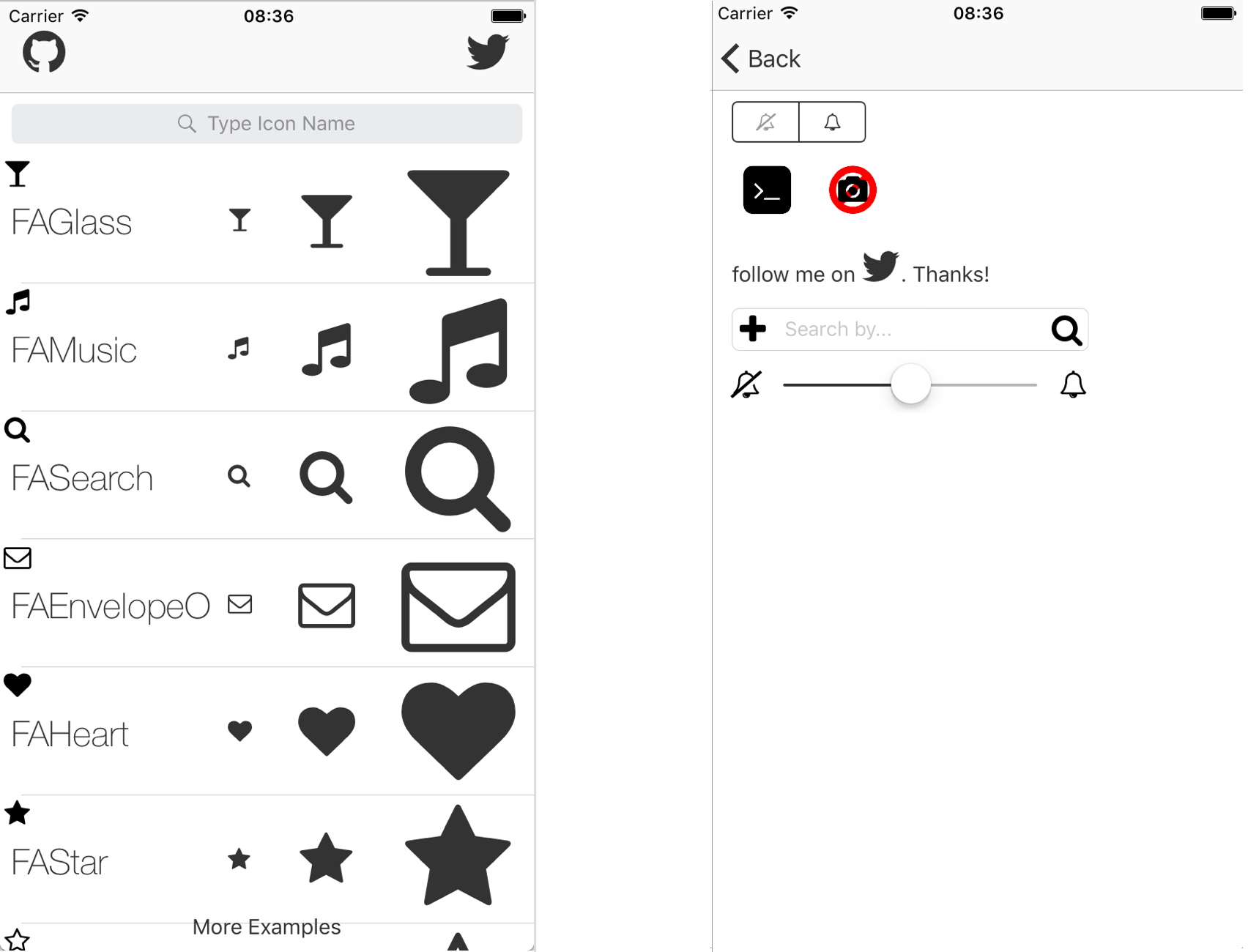
Cocoapods เป็นผู้จัดการการพึ่งพาสำหรับโครงการโกโก้
Cocoapods 0.36 เพิ่มการสนับสนุนสำหรับเฟรมเวิร์กที่รวดเร็วและฝังตัว คุณสามารถติดตั้งด้วยคำสั่งต่อไปนี้:
$ gem install cocoapods ในการรวมตัวอักษรที่ยอดเยี่ยม Swift เข้ากับโครงการ XCode ของคุณโดยใช้ cocoapods ให้ระบุใน Podfile ของคุณ:
 source 'https://github.com/CocoaPods/Specs.git'
platform :ios , '8.0'
use_frameworks!

pod 'Font-Awesome-Swift' , '~> 1.7.2'
จากนั้นเรียกใช้คำสั่งต่อไปนี้:
$ pod installอย่าลืมนำเข้าไปยังไฟล์ Swift ที่คุณต้องการใช้ไลบรารีนี้:
import Font_Awesome_Swift ตรวจสอบสาขา swift-2.2 , swift-2.3 หรือ swift-3
FAIcon.swift และ FontAwesome.ttf ลงในโครงการของคุณFontAwesome.ttf ในโครงการ "Project"> "Target"> "Copy Bundle Resource" วิธีเพิ่มไอคอนง่ายสุด ๆ
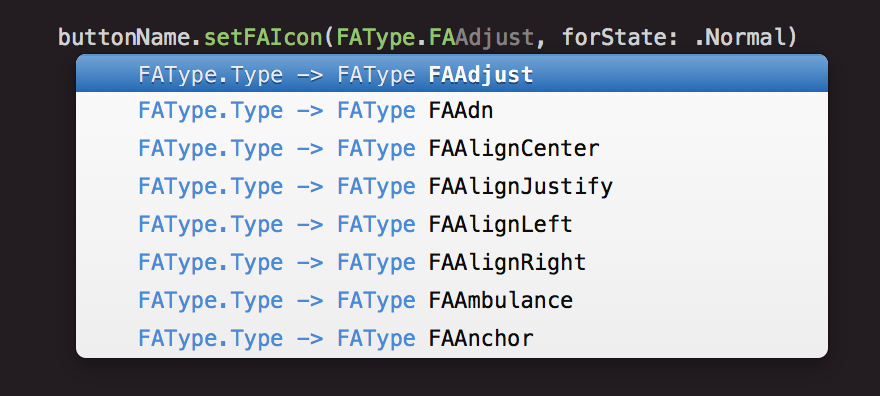
สำหรับภาพซ้อนโปรดดูไอคอนซ้อนกัน
    UIImage . init ( icon : . FATwitter , size : CGSize ( width : 35 , height : 35 ) )

    // Change colors
    UIImage . init ( icon : . FATwitter , size : CGSize ( width : 35 , height : 35 ) , textColor : . red , backgroundColor : . black )

    // Stacked Images With Bigger Background
    UIImage . init ( bgIcon : . FASquareO , bgTextColor : . white , topIcon : . FATwitter , topTextColor : . white , bgLarge : true )
    UIImage . init ( bgIcon : . FACircle , bgTextColor : . black , topIcon : . FAFlag , topTextColor : . white , bgLarge : true )

    // Stacked Images With Smaller Background
    UIImage . init ( bgIcon : . FACamera , bgTextColor : . black , topIcon : . FABan , topTextColor : . red , bgLarge : false )

    // Stacked Images With Bigger Background and Custom Size
UIImage . init ( bgIcon : . FASquare , bgTextColor : . black , topIcon : . FATerminal , topTextColor : . white , bgLarge : true , size : CGSize ( width : 50 , height : 50 ) ) imageView . setFAIconWithName ( icon : . FATwitter , textColor : . blue , backgroundColor : . gray )
imageView . setFAIconWithName ( icon : . FATwitter , textColor : . blue )
    labelName . FAIcon = . FAGithub

    labelName . setFAIcon ( icon : . FAGithub , iconSize : 35 )

    labelName . setFAText ( prefixText : " follow me on " , icon : . FATwitter , postfixText : " . Thanks! " , size : 25 )

    // Bigger icon:
    labelName . setFAText ( prefixText : " follow me on  " , icon : . FATwitter , postfixText : " . Thanks! " , size : 25 , iconSize : 30 )

    labelName . setFAColor ( . red )
    buttonName . setFAIcon ( icon : . FAGithub , forState : . normal )

    // Set icon size
    buttonName . setFAIcon ( icon : . FAGithub , iconSize : 35 , forState : . normal )

    buttonName . setFAText ( prefixText : " follow me on " , icon : . FATwitter , postfixText : " . Thanks! " , size : 25 , forState : . normal )

    // Bigger icon
    buttonName . setFAText ( prefixText : " follow me on " , icon : . FATwitter , postfixText : " . Thanks! " , size : 25 , forState : . normal , iconSize : 30 )

    // Change color:
    buttonName . setFATitleColor ( color : . red , forState : . normal ) )
    // Standard font size
    barName . FAIcon = . FAGithub

    // Custom font size
    barName . setFAIcon ( icon : . FAGithub , iconSize : 35 )

    barName . setFAText ( prefixText : " follow me on " , icon : . FATwitter , postfixText : " . Thanks! " , size : 25 )

barName . tintColor = . red // Right View Icon
textfield . setRightViewFAIcon ( icon : . FASearch , rightViewMode : . always , textColor : . red , backgroundColor : . clear , size : nil )
// Left View Icon
textfield . setLeftViewFAIcon ( icon : . FAPlus , leftViewMode : . always , textColor : . red , backgroundColor : . clear , size : nil ) segmentedControl . setFAIcon ( icon : . FATwitter , forSegmentAtIndex : 0 )
    stepper . setFABackgroundImage ( icon : . FAGithub , forState : . normal )
    stepper . setFAIncrementImage ( icon : . FABellO , forState : . normal )
    stepper . setFADecrementImage ( icon : . FABellSlashO , forState : . normal )
  tabBarController ? . tabBar . items ? . first ? . setFAIcon ( . FATwitter )

  // Options to change selected and unselected color
  tabBarItem . setFAIcon ( icon : . FATwitter , size : nil , textColor : . red , backgroundColor : . black , selectedTextColor : . yellow , selectedBackgroundColor : . white )

  // Options to change selected and unselected color with specific size
  tabBarItem . setFAIcon ( icon : . FATwitter , size : CGSize ( width : 35 , height : 35 ) , textColor : . red , backgroundColor : . black , selectedTextColor : . yellow , selectedBackgroundColor : . white )
  // Change minimum or maximum value image
  slider . setFAMinimumValueImage ( icon : . FABellSlashO )
  slider . setFAMaximumValueImage ( icon : . FABellO )

  // change minimum or maximum value image with a specific size
  slider . setFAMinimumValueImage ( icon : . FABellSlashO , customSize :  CGSize ( width : 35 , height : 35 ) )
  slider . setFAMaximumValueImage ( icon : . FABellO , customSize :  CGSize ( width : 35 , height : 35 ) )
  // Change navigation title
  FATitle = . FATwitter
Patrik Vaberer, [email protected]
Font Awesome Swift มีให้บริการภายใต้ใบอนุญาต MIT ดูไฟล์ใบอนุญาตสำหรับข้อมูลเพิ่มเติม








