Font Awesome Swift
1.0.0


Sígueme: @Vaberer
Me gusta ★. No olvide ★ esta biblioteca súper conveniente.
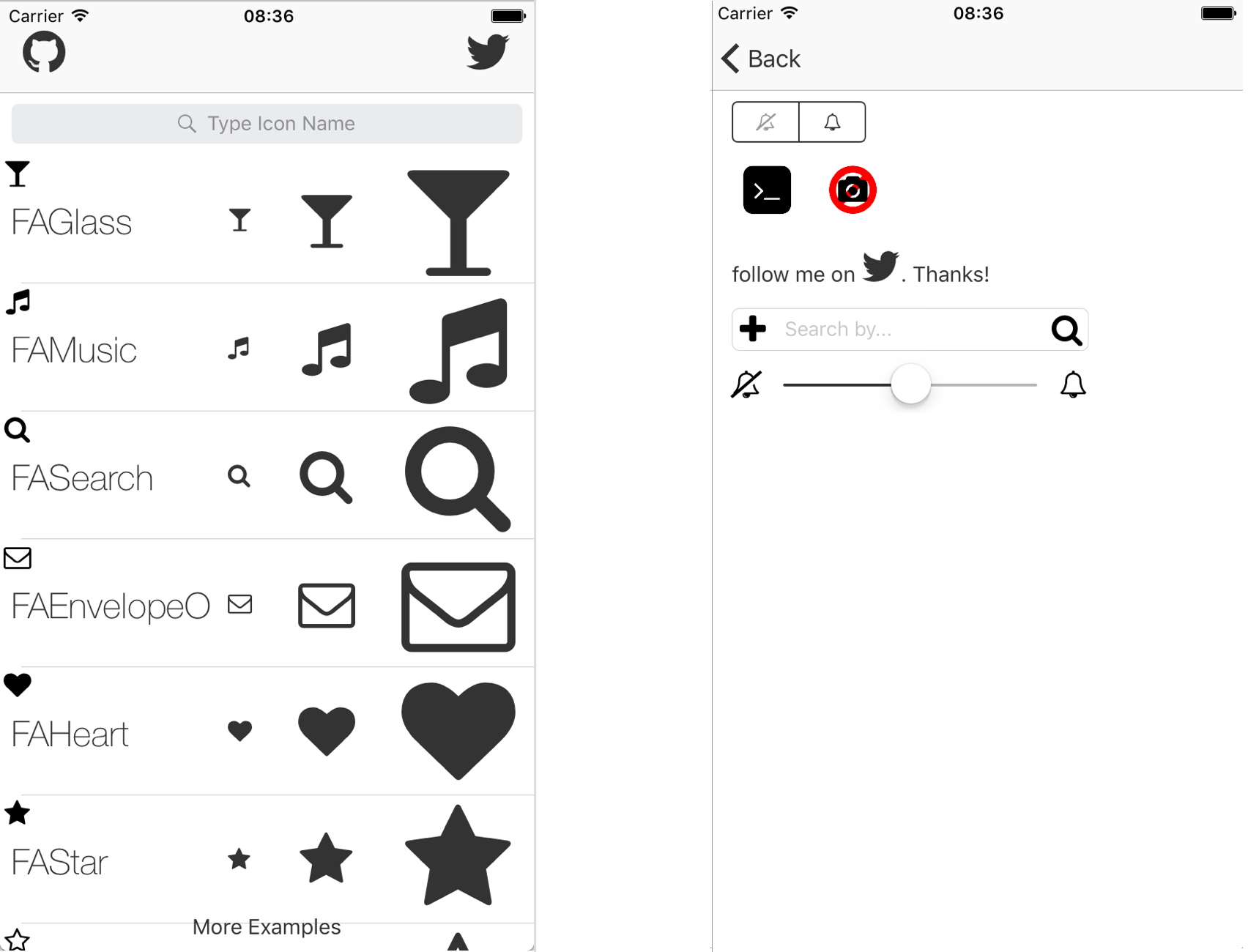
UISegmentedControl & UITabbarItem & UISlider & UIStepper & UITextField SOPORT!FUENT IMPRESIONANTE SWIFT BIRDITY para iOS. Ya no hay iconos de imagen. Usar Font Awesome Swift Biblioteca es muy fácil de usar. Mire la aplicación de demostración que muestra todos los íconos y sus nombres o simplemente visite FontaWeome.
Cocoapods es un gerente de dependencia para proyectos de cacao.
Cocoapods 0.36 agrega soportes para marcos rápidos e integrados. Puede instalarlo con el siguiente comando:
$ gem install cocoapods Para integrar Font Awesome Swift en su proyecto Xcode usando Cocoapods, especifíquelo en su Podfile :
 source 'https://github.com/CocoaPods/Specs.git'
platform :ios , '8.0'
use_frameworks!

pod 'Font-Awesome-Swift' , '~> 1.7.2'
Luego, ejecute el siguiente comando:
$ pod installNo olvide importar a sus archivos Swift donde desea usar esta biblioteca:
import Font_Awesome_Swift Verifique las ramas swift-2.2 , swift-2.3 o swift-3
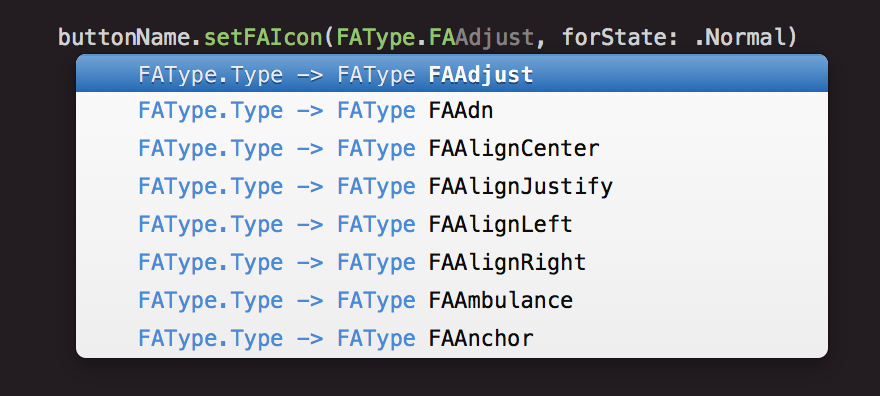
FAIcon.swift y FontAwesome.ttf archivos en su proyectoFontAwesome.ttf en el proyecto, "Proyecto"> "Target"> "Copiar recursos de paquete" Manera súper fácil de cómo agregar un icono.
Para imágenes apiladas, consulte iconos apilados
    UIImage . init ( icon : . FATwitter , size : CGSize ( width : 35 , height : 35 ) )

    // Change colors
    UIImage . init ( icon : . FATwitter , size : CGSize ( width : 35 , height : 35 ) , textColor : . red , backgroundColor : . black )

    // Stacked Images With Bigger Background
    UIImage . init ( bgIcon : . FASquareO , bgTextColor : . white , topIcon : . FATwitter , topTextColor : . white , bgLarge : true )
    UIImage . init ( bgIcon : . FACircle , bgTextColor : . black , topIcon : . FAFlag , topTextColor : . white , bgLarge : true )

    // Stacked Images With Smaller Background
    UIImage . init ( bgIcon : . FACamera , bgTextColor : . black , topIcon : . FABan , topTextColor : . red , bgLarge : false )

    // Stacked Images With Bigger Background and Custom Size
UIImage . init ( bgIcon : . FASquare , bgTextColor : . black , topIcon : . FATerminal , topTextColor : . white , bgLarge : true , size : CGSize ( width : 50 , height : 50 ) ) imageView . setFAIconWithName ( icon : . FATwitter , textColor : . blue , backgroundColor : . gray )
imageView . setFAIconWithName ( icon : . FATwitter , textColor : . blue )
    labelName . FAIcon = . FAGithub

    labelName . setFAIcon ( icon : . FAGithub , iconSize : 35 )

    labelName . setFAText ( prefixText : " follow me on " , icon : . FATwitter , postfixText : " . Thanks! " , size : 25 )

    // Bigger icon:
    labelName . setFAText ( prefixText : " follow me on  " , icon : . FATwitter , postfixText : " . Thanks! " , size : 25 , iconSize : 30 )

    labelName . setFAColor ( . red )
    buttonName . setFAIcon ( icon : . FAGithub , forState : . normal )

    // Set icon size
    buttonName . setFAIcon ( icon : . FAGithub , iconSize : 35 , forState : . normal )

    buttonName . setFAText ( prefixText : " follow me on " , icon : . FATwitter , postfixText : " . Thanks! " , size : 25 , forState : . normal )

    // Bigger icon
    buttonName . setFAText ( prefixText : " follow me on " , icon : . FATwitter , postfixText : " . Thanks! " , size : 25 , forState : . normal , iconSize : 30 )

    // Change color:
    buttonName . setFATitleColor ( color : . red , forState : . normal ) )
    // Standard font size
    barName . FAIcon = . FAGithub

    // Custom font size
    barName . setFAIcon ( icon : . FAGithub , iconSize : 35 )

    barName . setFAText ( prefixText : " follow me on " , icon : . FATwitter , postfixText : " . Thanks! " , size : 25 )

barName . tintColor = . red // Right View Icon
textfield . setRightViewFAIcon ( icon : . FASearch , rightViewMode : . always , textColor : . red , backgroundColor : . clear , size : nil )
// Left View Icon
textfield . setLeftViewFAIcon ( icon : . FAPlus , leftViewMode : . always , textColor : . red , backgroundColor : . clear , size : nil ) segmentedControl . setFAIcon ( icon : . FATwitter , forSegmentAtIndex : 0 )
    stepper . setFABackgroundImage ( icon : . FAGithub , forState : . normal )
    stepper . setFAIncrementImage ( icon : . FABellO , forState : . normal )
    stepper . setFADecrementImage ( icon : . FABellSlashO , forState : . normal )
  tabBarController ? . tabBar . items ? . first ? . setFAIcon ( . FATwitter )

  // Options to change selected and unselected color
  tabBarItem . setFAIcon ( icon : . FATwitter , size : nil , textColor : . red , backgroundColor : . black , selectedTextColor : . yellow , selectedBackgroundColor : . white )

  // Options to change selected and unselected color with specific size
  tabBarItem . setFAIcon ( icon : . FATwitter , size : CGSize ( width : 35 , height : 35 ) , textColor : . red , backgroundColor : . black , selectedTextColor : . yellow , selectedBackgroundColor : . white )
  // Change minimum or maximum value image
  slider . setFAMinimumValueImage ( icon : . FABellSlashO )
  slider . setFAMaximumValueImage ( icon : . FABellO )

  // change minimum or maximum value image with a specific size
  slider . setFAMinimumValueImage ( icon : . FABellSlashO , customSize :  CGSize ( width : 35 , height : 35 ) )
  slider . setFAMaximumValueImage ( icon : . FABellO , customSize :  CGSize ( width : 35 , height : 35 ) )
  // Change navigation title
  FATitle = . FATwitter
Patrik Vaberer, [email protected]
Font Awesome Swift está disponible bajo la licencia MIT. Consulte el archivo de licencia para obtener más información.








