Font Awesome Swift
1.0.0


Suivez-moi: @Vaberer
J'aime ★. N'oubliez pas de ★ cette bibliothèque super pratique.
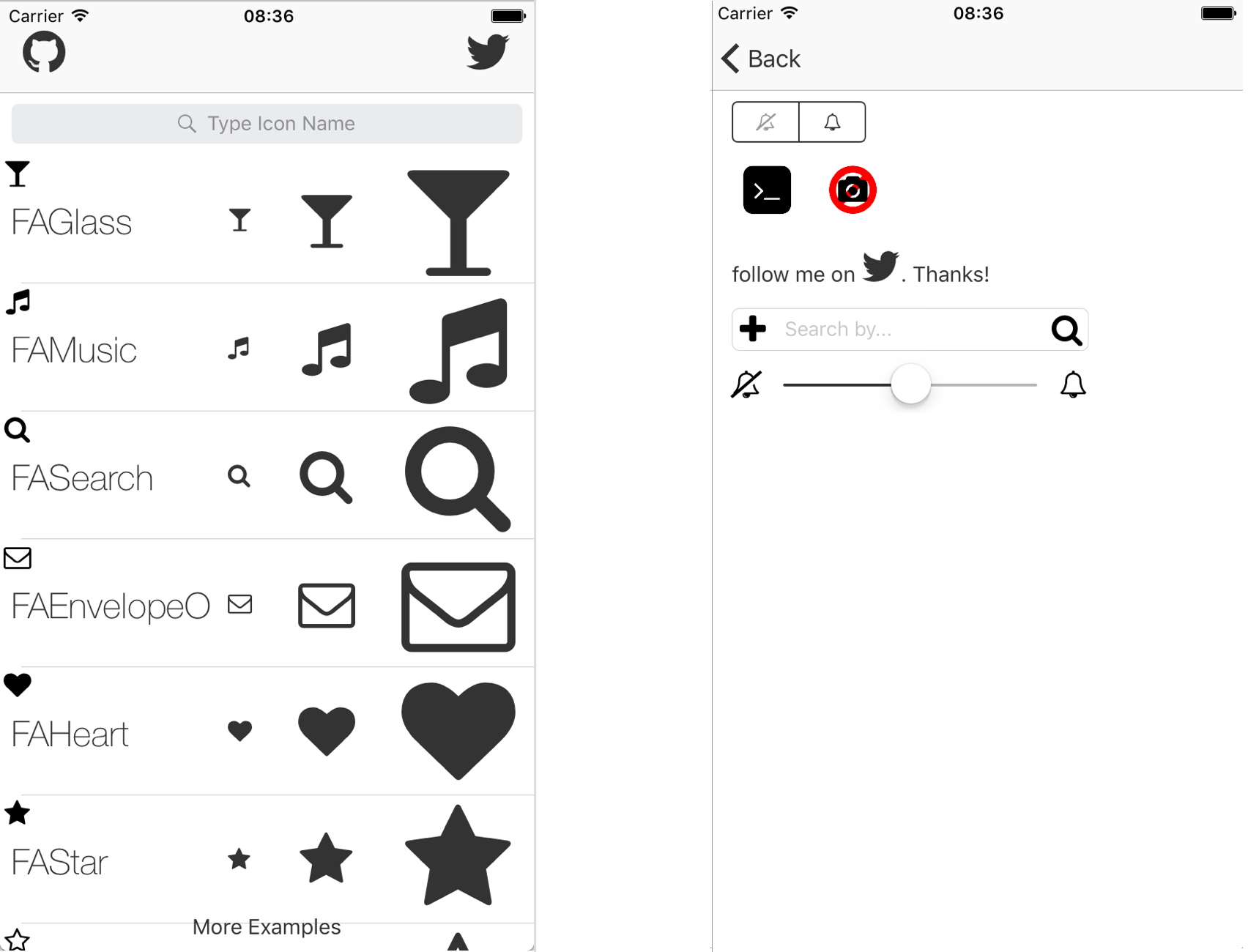
UISegmentedControl & UITabbarItem & UISlider & UIStepper & UITextField Support!Police Awesome Swift Library pour iOS. Plus d'icônes d'image. L'utilisation de la bibliothèque Swift Awesome Font Awesome est très facile à utiliser. Regardez l'application de démonstration qui montre toutes les icônes et leurs noms ou visitez simplement Fontawesome.
Cocoapods est un gestionnaire de dépendances pour les projets de cacao.
Cocoapods 0.36 ajoute des supports pour les cadres Swift et intégrés. Vous pouvez l'installer avec la commande suivante:
$ gem install cocoapods Pour intégrer Font Awesome Swift dans votre projet Xcode à l'aide de cocoapods, spécifiez-le dans votre Podfile :
 source 'https://github.com/CocoaPods/Specs.git'
platform :ios , '8.0'
use_frameworks!

pod 'Font-Awesome-Swift' , '~> 1.7.2'
Ensuite, exécutez la commande suivante:
$ pod installN'oubliez pas d'importer dans vos fichiers Swift où vous souhaitez utiliser cette bibliothèque:
import Font_Awesome_Swift Vérifiez les branches swift-2.2 , swift-2.3 ou swift-3
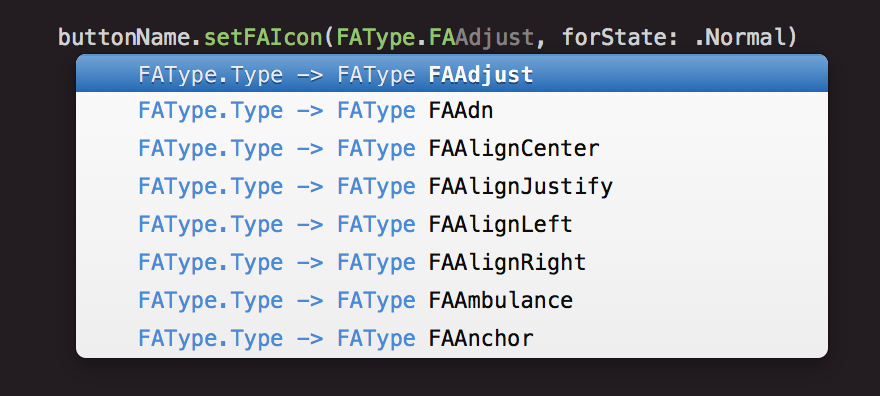
FAIcon.swift et FontAwesome.ttf dans votre projetFontAwesome.ttf dans le projet, "Project"> "Target"> "Copier les ressources du bundle" Moyen super facile comment ajouter une icône.
Pour les images empilées, veuillez vous référer aux icônes empilées
    UIImage . init ( icon : . FATwitter , size : CGSize ( width : 35 , height : 35 ) )

    // Change colors
    UIImage . init ( icon : . FATwitter , size : CGSize ( width : 35 , height : 35 ) , textColor : . red , backgroundColor : . black )

    // Stacked Images With Bigger Background
    UIImage . init ( bgIcon : . FASquareO , bgTextColor : . white , topIcon : . FATwitter , topTextColor : . white , bgLarge : true )
    UIImage . init ( bgIcon : . FACircle , bgTextColor : . black , topIcon : . FAFlag , topTextColor : . white , bgLarge : true )

    // Stacked Images With Smaller Background
    UIImage . init ( bgIcon : . FACamera , bgTextColor : . black , topIcon : . FABan , topTextColor : . red , bgLarge : false )

    // Stacked Images With Bigger Background and Custom Size
UIImage . init ( bgIcon : . FASquare , bgTextColor : . black , topIcon : . FATerminal , topTextColor : . white , bgLarge : true , size : CGSize ( width : 50 , height : 50 ) ) imageView . setFAIconWithName ( icon : . FATwitter , textColor : . blue , backgroundColor : . gray )
imageView . setFAIconWithName ( icon : . FATwitter , textColor : . blue )
    labelName . FAIcon = . FAGithub

    labelName . setFAIcon ( icon : . FAGithub , iconSize : 35 )

    labelName . setFAText ( prefixText : " follow me on " , icon : . FATwitter , postfixText : " . Thanks! " , size : 25 )

    // Bigger icon:
    labelName . setFAText ( prefixText : " follow me on  " , icon : . FATwitter , postfixText : " . Thanks! " , size : 25 , iconSize : 30 )

    labelName . setFAColor ( . red )
    buttonName . setFAIcon ( icon : . FAGithub , forState : . normal )

    // Set icon size
    buttonName . setFAIcon ( icon : . FAGithub , iconSize : 35 , forState : . normal )

    buttonName . setFAText ( prefixText : " follow me on " , icon : . FATwitter , postfixText : " . Thanks! " , size : 25 , forState : . normal )

    // Bigger icon
    buttonName . setFAText ( prefixText : " follow me on " , icon : . FATwitter , postfixText : " . Thanks! " , size : 25 , forState : . normal , iconSize : 30 )

    // Change color:
    buttonName . setFATitleColor ( color : . red , forState : . normal ) )
    // Standard font size
    barName . FAIcon = . FAGithub

    // Custom font size
    barName . setFAIcon ( icon : . FAGithub , iconSize : 35 )

    barName . setFAText ( prefixText : " follow me on " , icon : . FATwitter , postfixText : " . Thanks! " , size : 25 )

barName . tintColor = . red // Right View Icon
textfield . setRightViewFAIcon ( icon : . FASearch , rightViewMode : . always , textColor : . red , backgroundColor : . clear , size : nil )
// Left View Icon
textfield . setLeftViewFAIcon ( icon : . FAPlus , leftViewMode : . always , textColor : . red , backgroundColor : . clear , size : nil ) segmentedControl . setFAIcon ( icon : . FATwitter , forSegmentAtIndex : 0 )
    stepper . setFABackgroundImage ( icon : . FAGithub , forState : . normal )
    stepper . setFAIncrementImage ( icon : . FABellO , forState : . normal )
    stepper . setFADecrementImage ( icon : . FABellSlashO , forState : . normal )
  tabBarController ? . tabBar . items ? . first ? . setFAIcon ( . FATwitter )

  // Options to change selected and unselected color
  tabBarItem . setFAIcon ( icon : . FATwitter , size : nil , textColor : . red , backgroundColor : . black , selectedTextColor : . yellow , selectedBackgroundColor : . white )

  // Options to change selected and unselected color with specific size
  tabBarItem . setFAIcon ( icon : . FATwitter , size : CGSize ( width : 35 , height : 35 ) , textColor : . red , backgroundColor : . black , selectedTextColor : . yellow , selectedBackgroundColor : . white )
  // Change minimum or maximum value image
  slider . setFAMinimumValueImage ( icon : . FABellSlashO )
  slider . setFAMaximumValueImage ( icon : . FABellO )

  // change minimum or maximum value image with a specific size
  slider . setFAMinimumValueImage ( icon : . FABellSlashO , customSize :  CGSize ( width : 35 , height : 35 ) )
  slider . setFAMaximumValueImage ( icon : . FABellO , customSize :  CGSize ( width : 35 , height : 35 ) )
  // Change navigation title
  FATitle = . FATwitter
Patrik Vaberer, [email protected]
Font Awesome Swift est disponible sous la licence MIT. Voir le fichier de licence pour plus d'informations.








