Font Awesome Swift
1.0.0


اتبعني: Vaberer
أنا أحب ★. لا تنسى ★ هذه المكتبة المريحة للغاية.
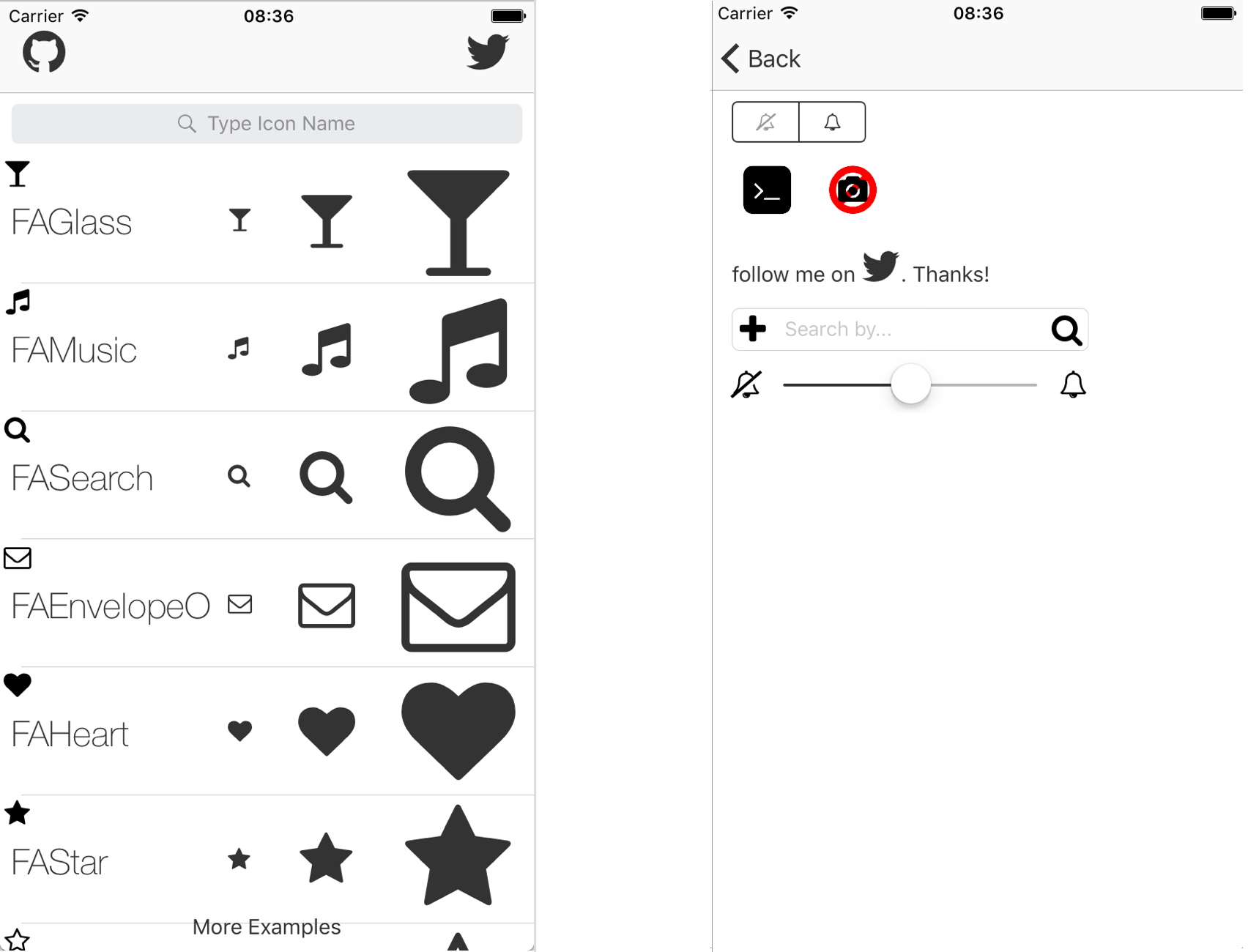
UISegmentedControl & UITabbarItem & UISlider & UIStepper & UITextField !خط مكتبة سويفت رهيبة لنظام التشغيل iOS. لا أيقونات صورة بعد الآن. من السهل جدًا استخدام مكتبة Font Awesome Swift. انظر إلى التطبيق التجريبي الذي يعرض جميع الرموز وأسمائهم أو مجرد زيارة Fontawesome.
Cocoapods هو مدير التبعية لمشاريع الكاكاو.
Cocoapods 0.36 يضيف دعامات للأطر السريعة والمدمجة. يمكنك تثبيته مع الأمر التالي:
$ gem install cocoapods لدمج Font Swift Swift في مشروع Xcode الخاص بك باستخدام Cocoapods ، حدده في Podfile :
 source 'https://github.com/CocoaPods/Specs.git'
platform :ios , '8.0'
use_frameworks!

pod 'Font-Awesome-Swift' , '~> 1.7.2'
ثم ، قم بتشغيل الأمر التالي:
$ pod installلا تنسى الاستيراد إلى ملفاتك السريعة حيث تريد استخدام هذه المكتبة:
import Font_Awesome_Swift تحقق من الفروع swift-2.2 أو swift-2.3 أو swift-3
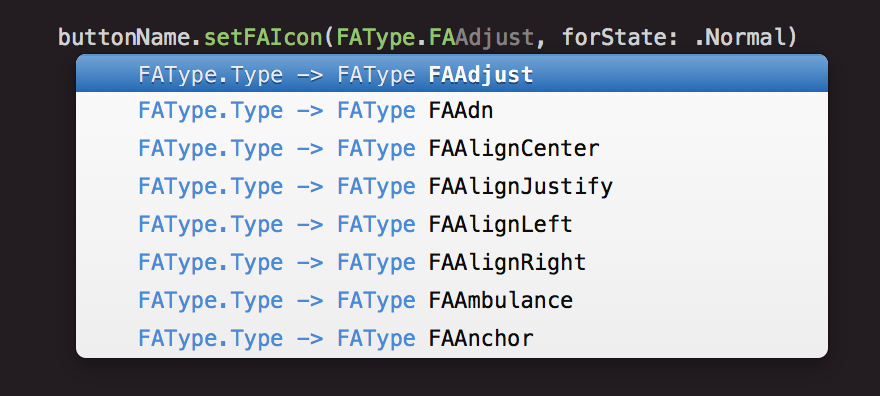
FAIcon.swift و FontAwesome.ttf في مشروعكFontAwesome.ttf في المشروع ، "المشروع"> "الهدف"> "نسخ موارد حزمة" طريقة سهلة للغاية كيفية إضافة رمز.
للصور المكدسة ، يرجى إحالة الرموز المكدسة
    UIImage . init ( icon : . FATwitter , size : CGSize ( width : 35 , height : 35 ) )

    // Change colors
    UIImage . init ( icon : . FATwitter , size : CGSize ( width : 35 , height : 35 ) , textColor : . red , backgroundColor : . black )

    // Stacked Images With Bigger Background
    UIImage . init ( bgIcon : . FASquareO , bgTextColor : . white , topIcon : . FATwitter , topTextColor : . white , bgLarge : true )
    UIImage . init ( bgIcon : . FACircle , bgTextColor : . black , topIcon : . FAFlag , topTextColor : . white , bgLarge : true )

    // Stacked Images With Smaller Background
    UIImage . init ( bgIcon : . FACamera , bgTextColor : . black , topIcon : . FABan , topTextColor : . red , bgLarge : false )

    // Stacked Images With Bigger Background and Custom Size
UIImage . init ( bgIcon : . FASquare , bgTextColor : . black , topIcon : . FATerminal , topTextColor : . white , bgLarge : true , size : CGSize ( width : 50 , height : 50 ) ) imageView . setFAIconWithName ( icon : . FATwitter , textColor : . blue , backgroundColor : . gray )
imageView . setFAIconWithName ( icon : . FATwitter , textColor : . blue )
    labelName . FAIcon = . FAGithub

    labelName . setFAIcon ( icon : . FAGithub , iconSize : 35 )

    labelName . setFAText ( prefixText : " follow me on " , icon : . FATwitter , postfixText : " . Thanks! " , size : 25 )

    // Bigger icon:
    labelName . setFAText ( prefixText : " follow me on  " , icon : . FATwitter , postfixText : " . Thanks! " , size : 25 , iconSize : 30 )

    labelName . setFAColor ( . red )
    buttonName . setFAIcon ( icon : . FAGithub , forState : . normal )

    // Set icon size
    buttonName . setFAIcon ( icon : . FAGithub , iconSize : 35 , forState : . normal )

    buttonName . setFAText ( prefixText : " follow me on " , icon : . FATwitter , postfixText : " . Thanks! " , size : 25 , forState : . normal )

    // Bigger icon
    buttonName . setFAText ( prefixText : " follow me on " , icon : . FATwitter , postfixText : " . Thanks! " , size : 25 , forState : . normal , iconSize : 30 )

    // Change color:
    buttonName . setFATitleColor ( color : . red , forState : . normal ) )
    // Standard font size
    barName . FAIcon = . FAGithub

    // Custom font size
    barName . setFAIcon ( icon : . FAGithub , iconSize : 35 )

    barName . setFAText ( prefixText : " follow me on " , icon : . FATwitter , postfixText : " . Thanks! " , size : 25 )

barName . tintColor = . red // Right View Icon
textfield . setRightViewFAIcon ( icon : . FASearch , rightViewMode : . always , textColor : . red , backgroundColor : . clear , size : nil )
// Left View Icon
textfield . setLeftViewFAIcon ( icon : . FAPlus , leftViewMode : . always , textColor : . red , backgroundColor : . clear , size : nil ) segmentedControl . setFAIcon ( icon : . FATwitter , forSegmentAtIndex : 0 )
    stepper . setFABackgroundImage ( icon : . FAGithub , forState : . normal )
    stepper . setFAIncrementImage ( icon : . FABellO , forState : . normal )
    stepper . setFADecrementImage ( icon : . FABellSlashO , forState : . normal )
  tabBarController ? . tabBar . items ? . first ? . setFAIcon ( . FATwitter )

  // Options to change selected and unselected color
  tabBarItem . setFAIcon ( icon : . FATwitter , size : nil , textColor : . red , backgroundColor : . black , selectedTextColor : . yellow , selectedBackgroundColor : . white )

  // Options to change selected and unselected color with specific size
  tabBarItem . setFAIcon ( icon : . FATwitter , size : CGSize ( width : 35 , height : 35 ) , textColor : . red , backgroundColor : . black , selectedTextColor : . yellow , selectedBackgroundColor : . white )
  // Change minimum or maximum value image
  slider . setFAMinimumValueImage ( icon : . FABellSlashO )
  slider . setFAMaximumValueImage ( icon : . FABellO )

  // change minimum or maximum value image with a specific size
  slider . setFAMinimumValueImage ( icon : . FABellSlashO , customSize :  CGSize ( width : 35 , height : 35 ) )
  slider . setFAMaximumValueImage ( icon : . FABellO , customSize :  CGSize ( width : 35 , height : 35 ) )
  // Change navigation title
  FATitle = . FATwitter
Patrik Vaberer ، [email protected]
Font Awesome Swift متاح تحت رخصة معهد ماساتشوستس للتكنولوجيا. انظر ملف الترخيص لمزيد من المعلومات.








