Font Awesome Swift
1.0.0


날 따르십시오 : @vaberer
나는 ★를 좋아한다. 이 매우 편리한 라이브러리를 ★ 잊지 마십시오.
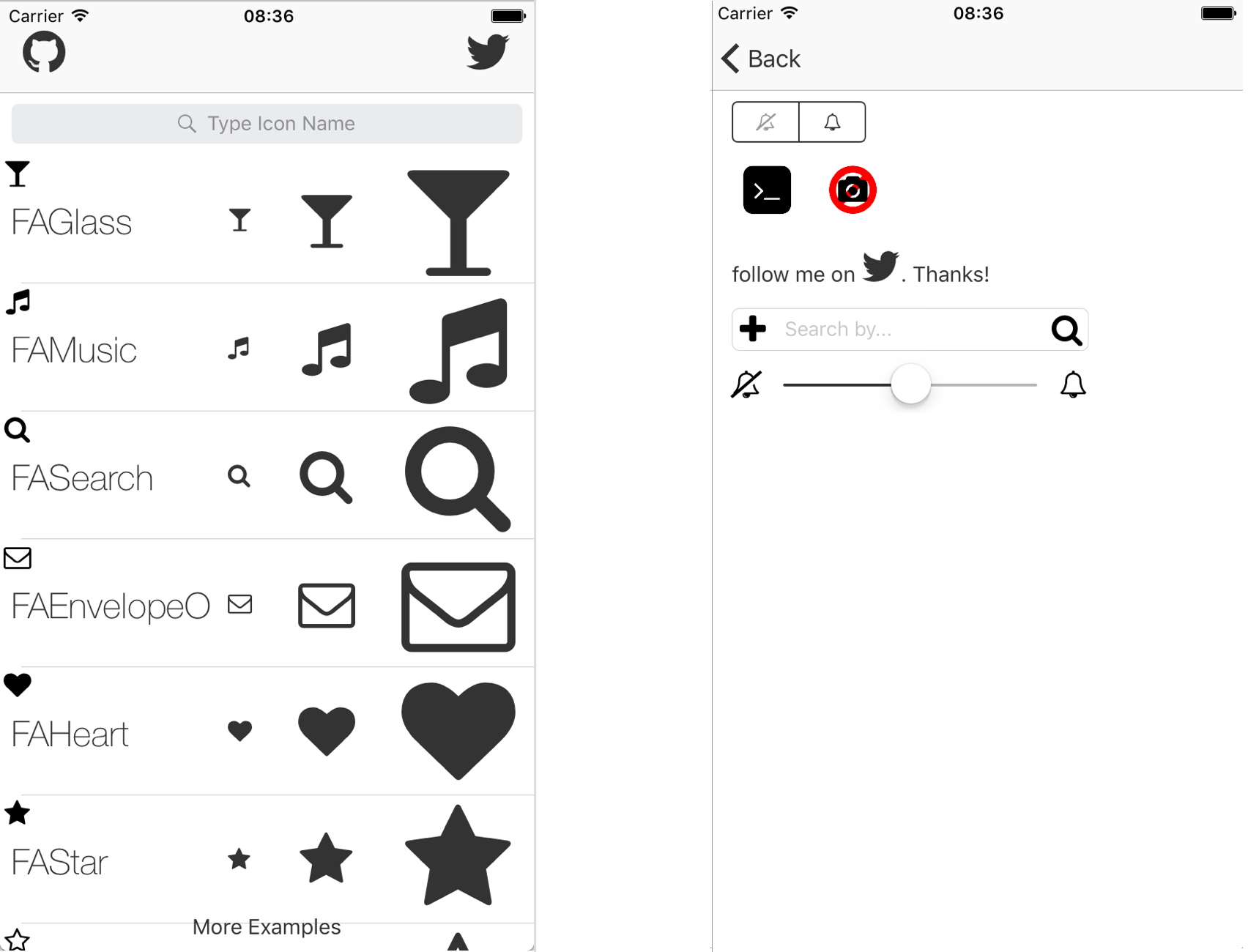
UISegmentedControl & UITabbarItem & UISlider & UIStepper 및 UITextField 지원 추가!iOS 용 굉장한 스위프트 라이브러리. 더 이상 이미지 아이콘이 없습니다. Font Awesome Swift 라이브러리를 사용하는 것은 매우 쉽게 사용하기 쉽습니다. 모든 아이콘과 이름을 보여주는 데모 앱을 보거나 fontawesome을 방문하십시오.
Cocoapods는 코코아 프로젝트의 종속성 관리자입니다.
Cocoapods 0.36은 Swift 및 Embedded Frameworks에 대한지지를 추가합니다. 다음 명령으로 설치할 수 있습니다.
$ gem install cocoapods Cocoapods를 사용하여 Font Awesome Swift를 Xcode 프로젝트에 통합하려면 Podfile 에 지정하십시오.
 source 'https://github.com/CocoaPods/Specs.git'
platform :ios , '8.0'
use_frameworks!

pod 'Font-Awesome-Swift' , '~> 1.7.2'
그런 다음 다음 명령을 실행합니다.
$ pod install이 라이브러리를 사용하려는 신속한 파일로 가져 오는 것을 잊지 마십시오.
import Font_Awesome_Swift swift-2.2 , swift-2.3 또는 swift-3 확인하십시오
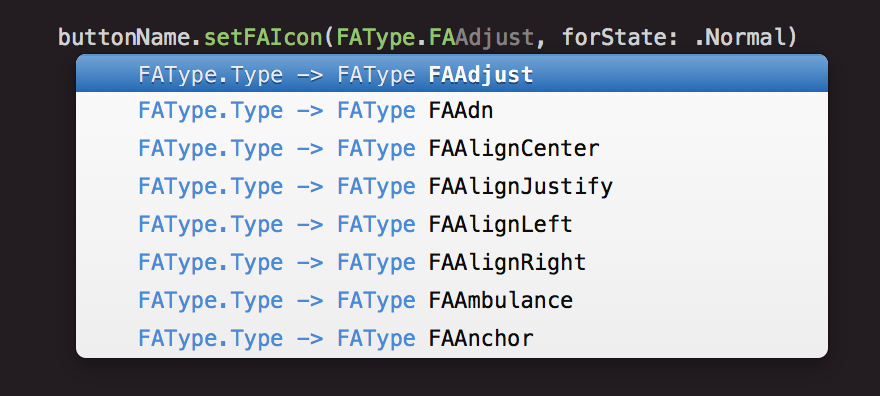
FAIcon.swift 및 FontAwesome.ttf 파일을 프로젝트에 복사하십시오FontAwesome.ttf 가져 오는지 확인하십시오. 아이콘을 추가하는 방법은 매우 쉬운 방법입니다.
쌓인 이미지는 쌓인 아이콘을 참조하십시오
    UIImage . init ( icon : . FATwitter , size : CGSize ( width : 35 , height : 35 ) )

    // Change colors
    UIImage . init ( icon : . FATwitter , size : CGSize ( width : 35 , height : 35 ) , textColor : . red , backgroundColor : . black )

    // Stacked Images With Bigger Background
    UIImage . init ( bgIcon : . FASquareO , bgTextColor : . white , topIcon : . FATwitter , topTextColor : . white , bgLarge : true )
    UIImage . init ( bgIcon : . FACircle , bgTextColor : . black , topIcon : . FAFlag , topTextColor : . white , bgLarge : true )

    // Stacked Images With Smaller Background
    UIImage . init ( bgIcon : . FACamera , bgTextColor : . black , topIcon : . FABan , topTextColor : . red , bgLarge : false )

    // Stacked Images With Bigger Background and Custom Size
UIImage . init ( bgIcon : . FASquare , bgTextColor : . black , topIcon : . FATerminal , topTextColor : . white , bgLarge : true , size : CGSize ( width : 50 , height : 50 ) ) imageView . setFAIconWithName ( icon : . FATwitter , textColor : . blue , backgroundColor : . gray )
imageView . setFAIconWithName ( icon : . FATwitter , textColor : . blue )
    labelName . FAIcon = . FAGithub

    labelName . setFAIcon ( icon : . FAGithub , iconSize : 35 )

    labelName . setFAText ( prefixText : " follow me on " , icon : . FATwitter , postfixText : " . Thanks! " , size : 25 )

    // Bigger icon:
    labelName . setFAText ( prefixText : " follow me on  " , icon : . FATwitter , postfixText : " . Thanks! " , size : 25 , iconSize : 30 )

    labelName . setFAColor ( . red )
    buttonName . setFAIcon ( icon : . FAGithub , forState : . normal )

    // Set icon size
    buttonName . setFAIcon ( icon : . FAGithub , iconSize : 35 , forState : . normal )

    buttonName . setFAText ( prefixText : " follow me on " , icon : . FATwitter , postfixText : " . Thanks! " , size : 25 , forState : . normal )

    // Bigger icon
    buttonName . setFAText ( prefixText : " follow me on " , icon : . FATwitter , postfixText : " . Thanks! " , size : 25 , forState : . normal , iconSize : 30 )

    // Change color:
    buttonName . setFATitleColor ( color : . red , forState : . normal ) )
    // Standard font size
    barName . FAIcon = . FAGithub

    // Custom font size
    barName . setFAIcon ( icon : . FAGithub , iconSize : 35 )

    barName . setFAText ( prefixText : " follow me on " , icon : . FATwitter , postfixText : " . Thanks! " , size : 25 )

barName . tintColor = . red // Right View Icon
textfield . setRightViewFAIcon ( icon : . FASearch , rightViewMode : . always , textColor : . red , backgroundColor : . clear , size : nil )
// Left View Icon
textfield . setLeftViewFAIcon ( icon : . FAPlus , leftViewMode : . always , textColor : . red , backgroundColor : . clear , size : nil ) segmentedControl . setFAIcon ( icon : . FATwitter , forSegmentAtIndex : 0 )
    stepper . setFABackgroundImage ( icon : . FAGithub , forState : . normal )
    stepper . setFAIncrementImage ( icon : . FABellO , forState : . normal )
    stepper . setFADecrementImage ( icon : . FABellSlashO , forState : . normal )
  tabBarController ? . tabBar . items ? . first ? . setFAIcon ( . FATwitter )

  // Options to change selected and unselected color
  tabBarItem . setFAIcon ( icon : . FATwitter , size : nil , textColor : . red , backgroundColor : . black , selectedTextColor : . yellow , selectedBackgroundColor : . white )

  // Options to change selected and unselected color with specific size
  tabBarItem . setFAIcon ( icon : . FATwitter , size : CGSize ( width : 35 , height : 35 ) , textColor : . red , backgroundColor : . black , selectedTextColor : . yellow , selectedBackgroundColor : . white )
  // Change minimum or maximum value image
  slider . setFAMinimumValueImage ( icon : . FABellSlashO )
  slider . setFAMaximumValueImage ( icon : . FABellO )

  // change minimum or maximum value image with a specific size
  slider . setFAMinimumValueImage ( icon : . FABellSlashO , customSize :  CGSize ( width : 35 , height : 35 ) )
  slider . setFAMaximumValueImage ( icon : . FABellO , customSize :  CGSize ( width : 35 , height : 35 ) )
  // Change navigation title
  FATitle = . FATwitter
Patrik Vaberer, [email protected]
Font Awesome Swift는 MIT 라이센스에 따라 제공됩니다. 자세한 내용은 라이센스 파일을 참조하십시오.








