MemeAppFlutter
1.0.0


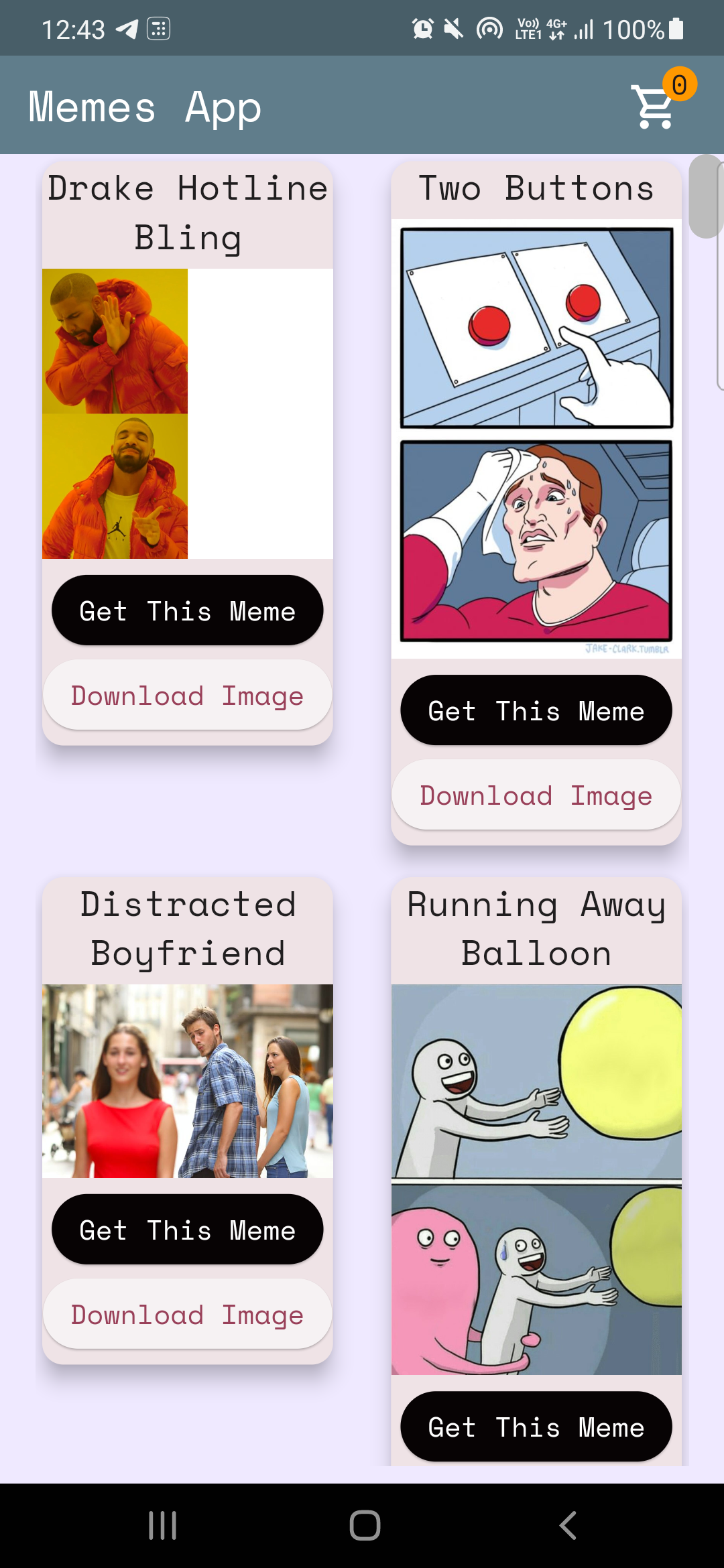
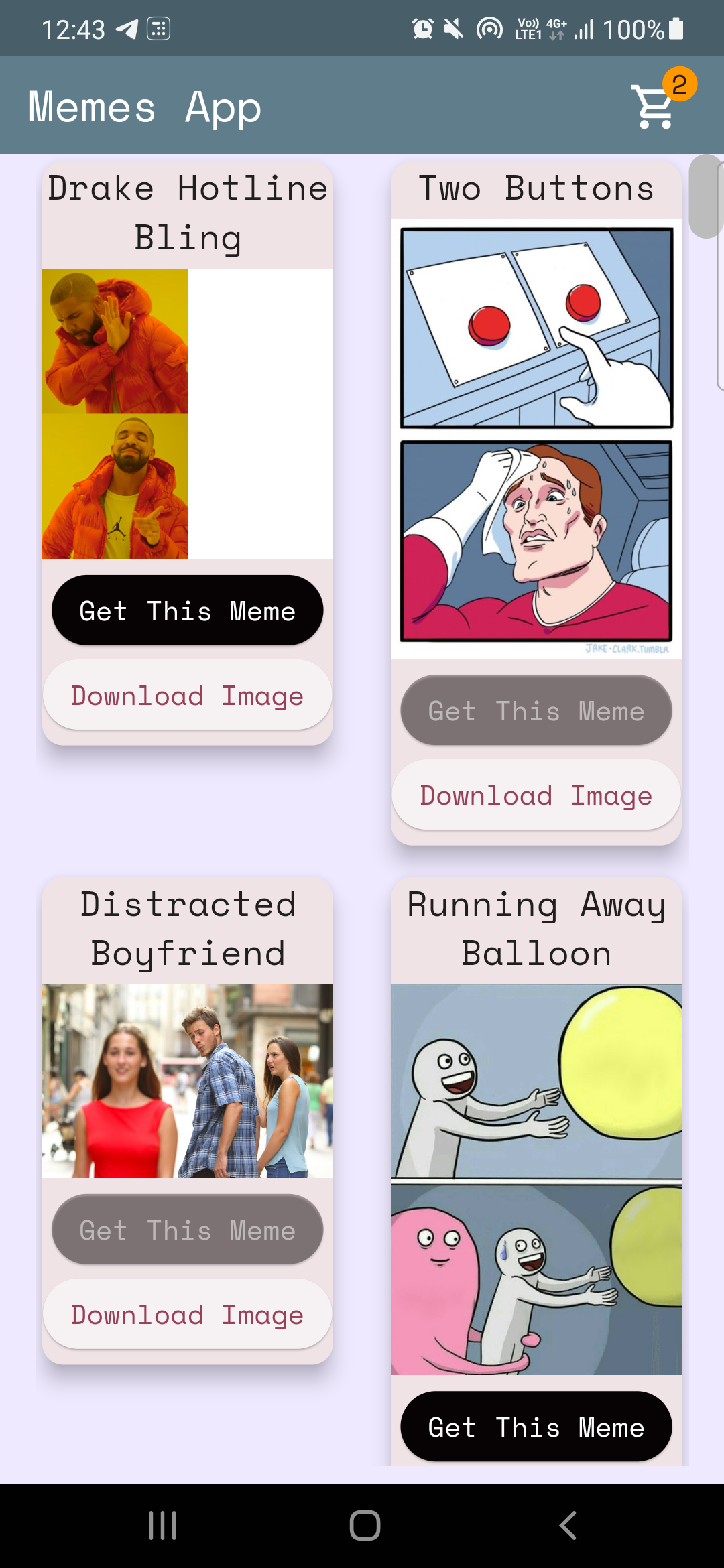
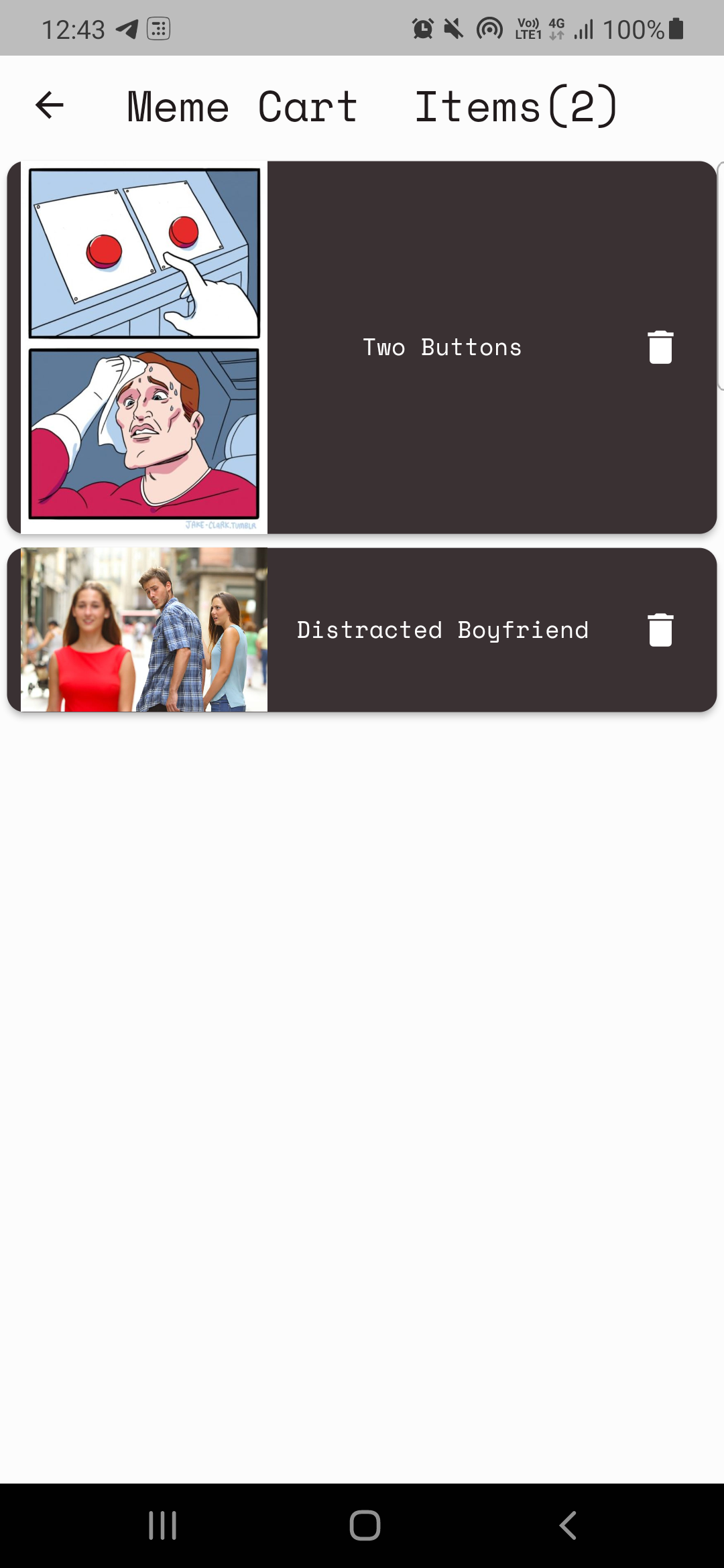
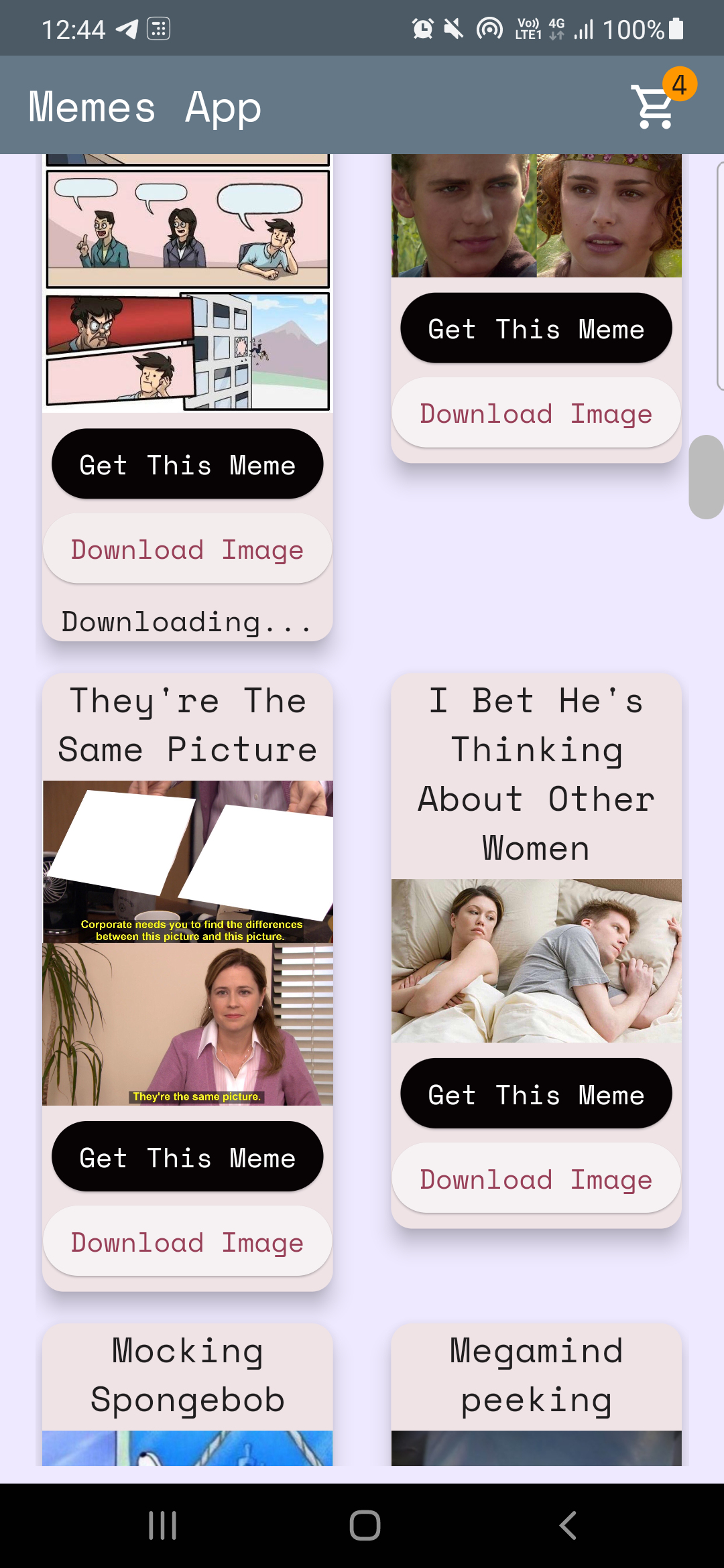
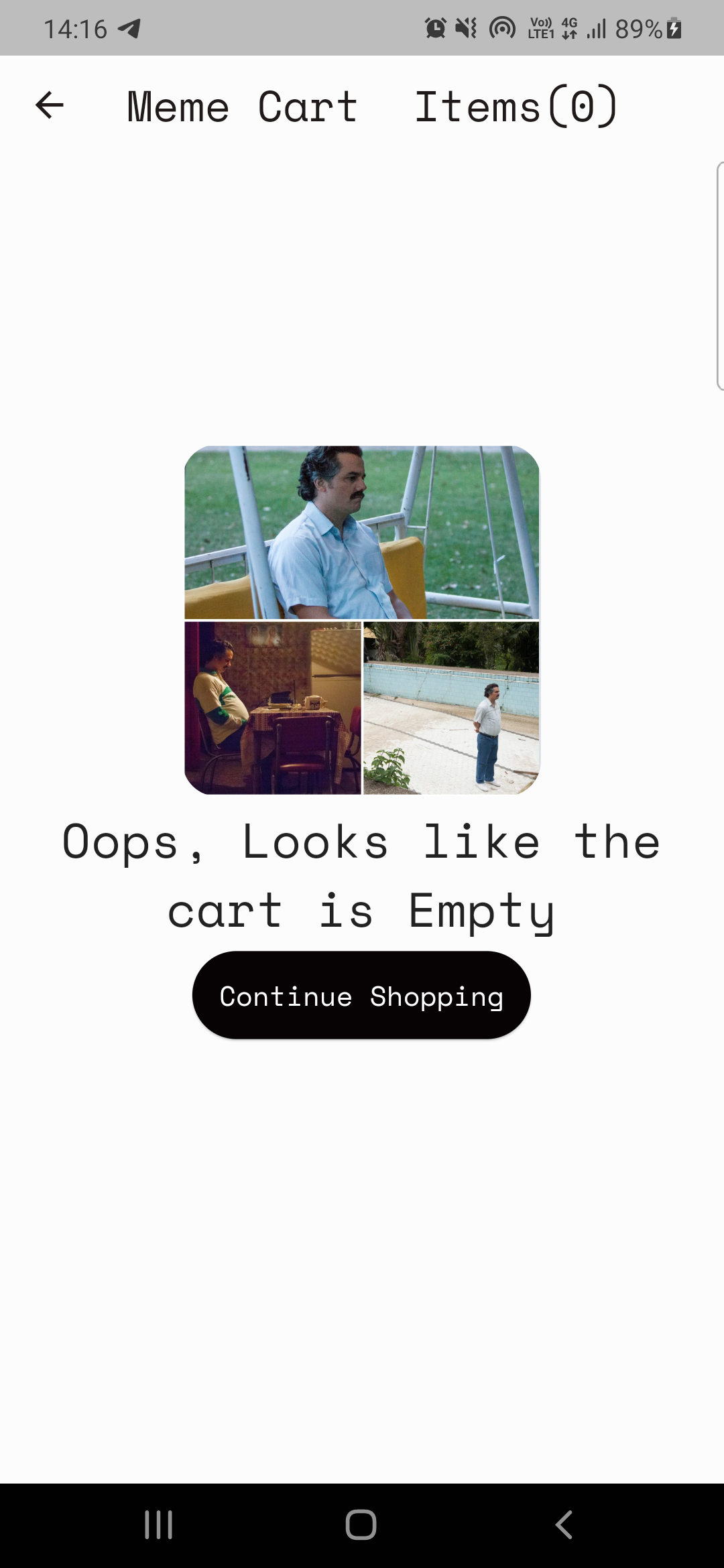
รหัสที่นี่: home_page.dart
แยกวิเคราะห์ข้อมูลจาก memesapi
 Future < MemesModel > getMemesApi () async {
  final response =
      await http. get ( Uri . parse ( "https://api.imgflip.com/get_memes" ));
  var data = jsonDecode (response.body);
  if (response.statusCode == 200 ) {
    return MemesModel . fromJson (data);
  } else {
    return MemesModel . fromJson (data);
  }
} class _HomePageState extends State < HomePage > {
late Future < MemesModel > memes;
@override
void initState () {
super . initState ();
memes = getMemesApi ();
}body : FutureBuilder < MemesModel >(
future : memes,
builder : (context, snapshot) {snapshot.hasData , snapshot.harError )snapshot.hasData แสดง UI มิฉะนั้นถ้า snapshot.hasError แสดงข้อผิดพลาดอื่น ๆ จะแสดงวงกลม progressindicator เช่นขณะรอข้อมูลที่จะดึงข้อมูล DynamicHeightGridView (
crossAxisCount : 2 ,
mainAxisSpacing : 10 ,
crossAxisSpacing : 25 ,
itemCount :
//nullcheck operator
snapshot.hasData ? snapshot.data ! .data ! .memes ! .length : 1 ,
builder : (context, index) {
//data fetched successfully
if (snapshot.hasData) {
//render UI here
} //data couldn't be fetched due to some error
else if (snapshot.hasError) {
return Center (
child : Text ( "Error Occured : ${ snapshot . error }" ),
); //waiting for data to be fetched (just the way youtube videos show circular progressor while buffering)
else {
return const Center (
child : CircularProgressIndicator (
color : Colors .teal,
));
}ผู้ให้บริการเป็นเครื่องมือการจัดการสถานะคุณสามารถอ้างอิงเพิ่มเติมได้ที่นี่: ProviderExample
หมายเหตุ: อาจใช้เวลาในการเข้าใจผู้ให้บริการกรณีของฉันไม่แตกต่างกัน (จำไว้ว่า: ไม่มีอะไรมาข้ามคืนสิ่งดีๆต้องใช้เวลา!)
เรามี 2 ข้อกำหนดพื้นฐานโดยใช้ผู้ให้บริการ
CASE-1: เพิ่ม/ลดค่าเคาน์เตอร์บนไอคอนรถเข็นในหน้าแรก (อ้างอิงภาพด้านบน)
Case-2: การสร้างหน้ารถเข็น
case-1: รหัสตัวนับเพิ่ม/ลดลงที่นี่: cart_counter_provider.dart
 import 'package:flutter/cupertino.dart' ;

class CartCounterProvider extends ChangeNotifier {
  int cartCount;
  CartCounterProvider ({ this .cartCount = 0 });

  int get getCartCount => cartCount;

  void increment () {
    cartCount += 1 ;
    notifyListeners ();
  }

  void decrement () {
    cartCount -= 1 ;
    notifyListeners ();
  }
}
ต่อไปเราจะต้องการผู้ให้บริการเมื่อใด
รหัสที่นี่
context. read < CartCounterProvider >(). increment ();รหัสที่นี่
 //just inside the build method this cartCounter will watch the value of the counter
//button pressed -> increment() method called using provider -> cartCounter watches the value and updates accordingly
int cartCounter = context. watch < CartCounterProvider >().getCartCount;
การใช้การอ่านและดูเป็นวิธีหนึ่งในการทำ อีกอันหนึ่งกำลังใช้อินสแตนซ์ของคลาสผู้ให้บริการที่คุณทำให้หารือเกี่ยวกับวิธีการนี้สำหรับ CASE-2
Case-2: การสร้างหน้ารถเข็น
หมายเหตุ: พยายามกำหนดฟังก์ชันก่อนที่จะใช้งานเสมอ
แผนสำหรับหน้ารถเข็นนั้นง่าย:
คลาสผู้ให้บริการสำหรับการแสดงรถเข็น (MemecartProvider)
รหัส meme_cart_provider.dart
 //read below about CartCardModel first

import 'package:memeapp/models/cart_card_model.dart' ;
import 'package:flutter/cupertino.dart' ;

class MemeCartProvider extends ChangeNotifier {

  //now it's convenient for us to display the memes, we just need a list of CartCardModel!
  //each instance of this class will have the respective id, imageURL, and name of the meme.
  //We just need to traverse and display this list in the cart page, thats it!


  //_cartList will have the id, imageURL, name of only those memes that are added to cart by user
  final List < CartCardModel > _cartList = < CartCardModel > [];

  //memesIdList will only contain the meme ID's which will be used to add/remove memes from the cart
  //also used to prevent duplicates
  List < String > ? memesIdList = < String > [];

  List < CartCardModel > get getCartList => _cartList;
  List < String > ? get getMemesIdList => memesIdList;

  void addItem ( CartCardModel addThisItem) {
    _cartList. add (addThisItem);
    notifyListeners ();
  }

  void removeItem ( String memeId) {
    _cartList. removeWhere ((element) => element.id == memeId);
    memesIdList ! . remove (memeId);
    notifyListeners ();
  }
}CartCardModel CART_CARD_MODEL.DART
 //each instance of this class (CartCardModel) will have the info of id, imageURL, and name.
//it will now be easier to display the memes in the cart page
class CartCardModel {
  String id;
  String ? nameCart;
  String ? imageUrlCart;
  CartCardModel ({
    required this .id,
    this .nameCart,
    this .imageUrlCart,
  });
}
ตอนนี้มันสะดวกสำหรับเราที่จะแสดง memes ในหน้ารถเข็น เราเพียงแค่สำรวจรายการและแสดงรายการตามนั้น
แต่เราจะตรวจสอบให้แน่ใจว่ามีเพียงรายการเหล่านั้นเท่านั้นที่ผู้ใช้เพิ่มเข้ามา ผู้ให้บริการอีกครั้ง!.
รหัส cart_page.dart
  //define an instance of MemeCartProvider class like this inside the build method
   Widget build ( BuildContext context) {
    var memeCartProvider = Provider . of < MemeCartProvider >(context);
รหัสที่นี่
 //wrap the Listview.builder with CONSUMER<MemeCartProvider>
Consumer < MemeCartProvider >(
              builder : (context, value, child) {
                //ListView will traverse CartCardModel list and render memes accordingly
                return ListView . builder (
                  //itemCount is simply the length of the list.
                  itemCount : value.getMemesIdList ! .length,
                  itemBuilder : ((context, index) {
                    object / instance of CartCardModel class using MemeCartProvider
                    CartCardModel cartObject = value.getCartList[index];
รหัสที่นี่
 //render the image using cartObject
 Image . network (
                "${ cartObject . imageUrlCart }" ,
                     width : 140 ,
              ),

 //render the name using cartObject
 Text (
                  //limiting name to 20 characters
                  cartObject.nameCart ! .length > 20
                   ? "${ cartObject . nameCart !. substring ( 0 , 20 )}..."
                   : "${ cartObject . nameCart }" ,
สุดท้าย แต่ไม่ท้ายสุดเราจำเป็นต้องใช้คุณสมบัติการลบ
 onPressed : () {
                   //we will remove the item from the list
                   value. removeItem (cartObject.id);

                   //why this line? you might've guessed it already, if not, dont worry
                   //remember we incrementes the counter value when user added items to the cart
                   //now user is deleting items, hence we need to decreament that counter value too!, right?
                   context. read < CartCounterProvider >(). decrement ();
               },
และ ... นั่นคือห่อ! ฉันหวังว่าสิ่งนี้จะช่วยคุณและคุณได้เรียนรู้สิ่งใหม่ ๆ หากคุณต้องการให้พิจารณาให้ repo นี้ ในกรณีที่คุณมีข้อสงสัยใด ๆ คุณสามารถติดต่อฉันผ่านโซเชียลของฉันได้อย่างแน่นอน
ดีที่สุด?





