MemeAppFlutter
1.0.0

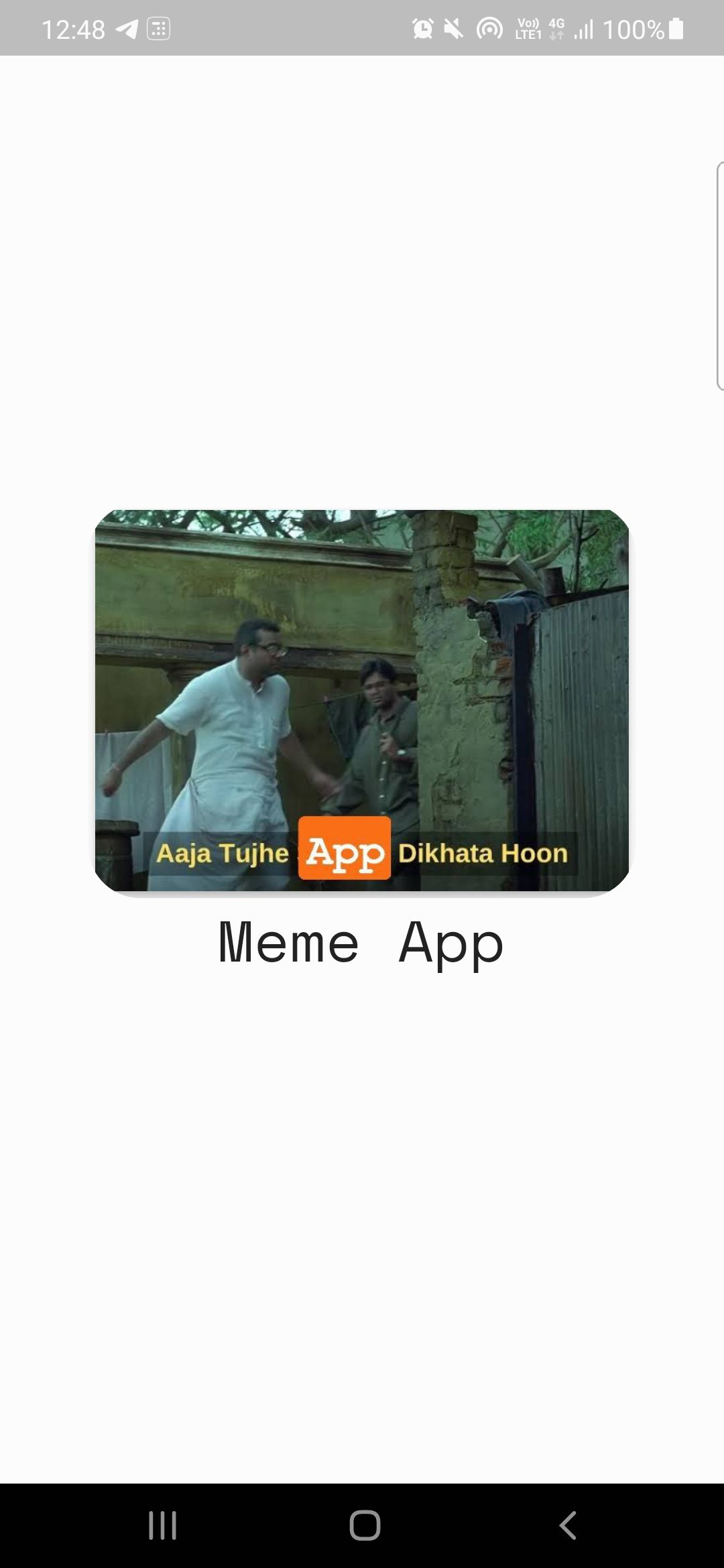
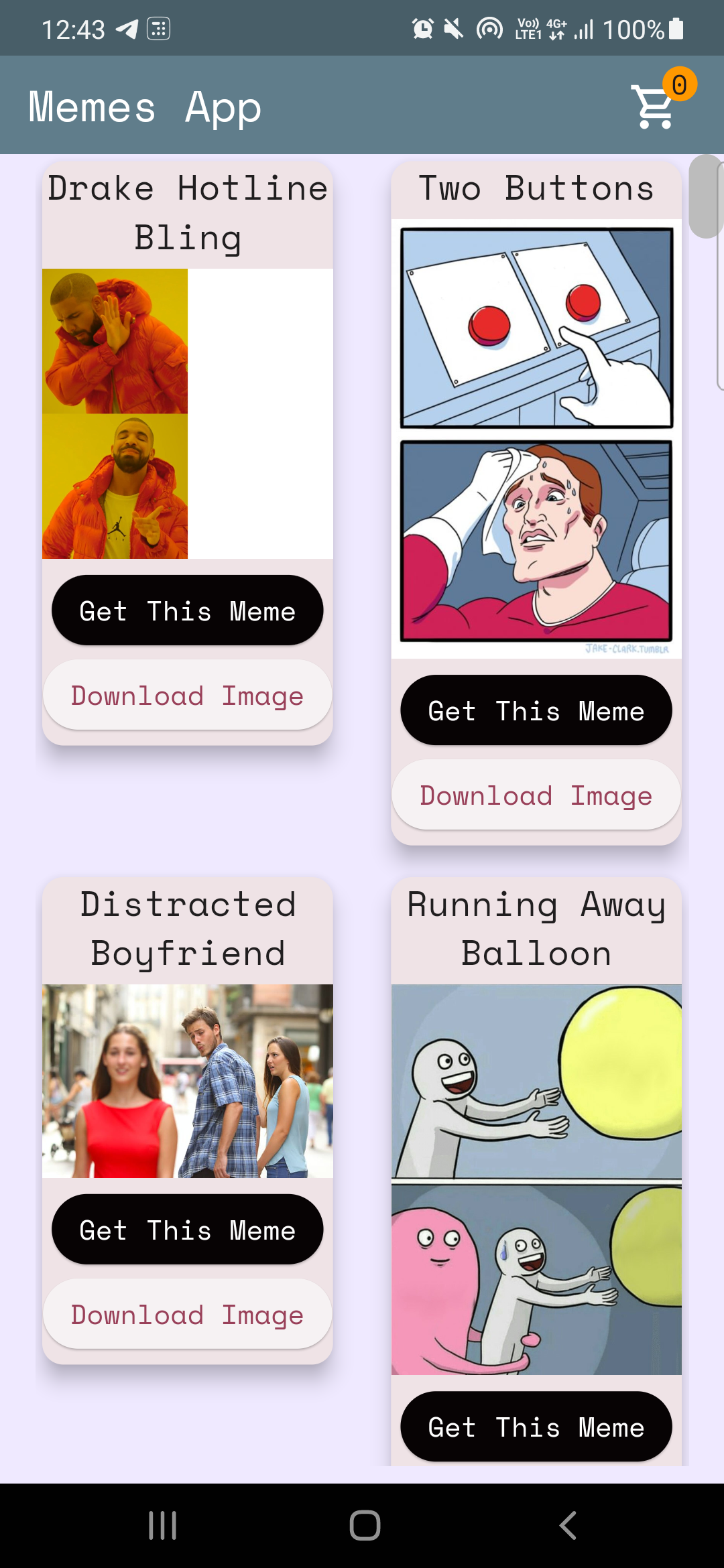
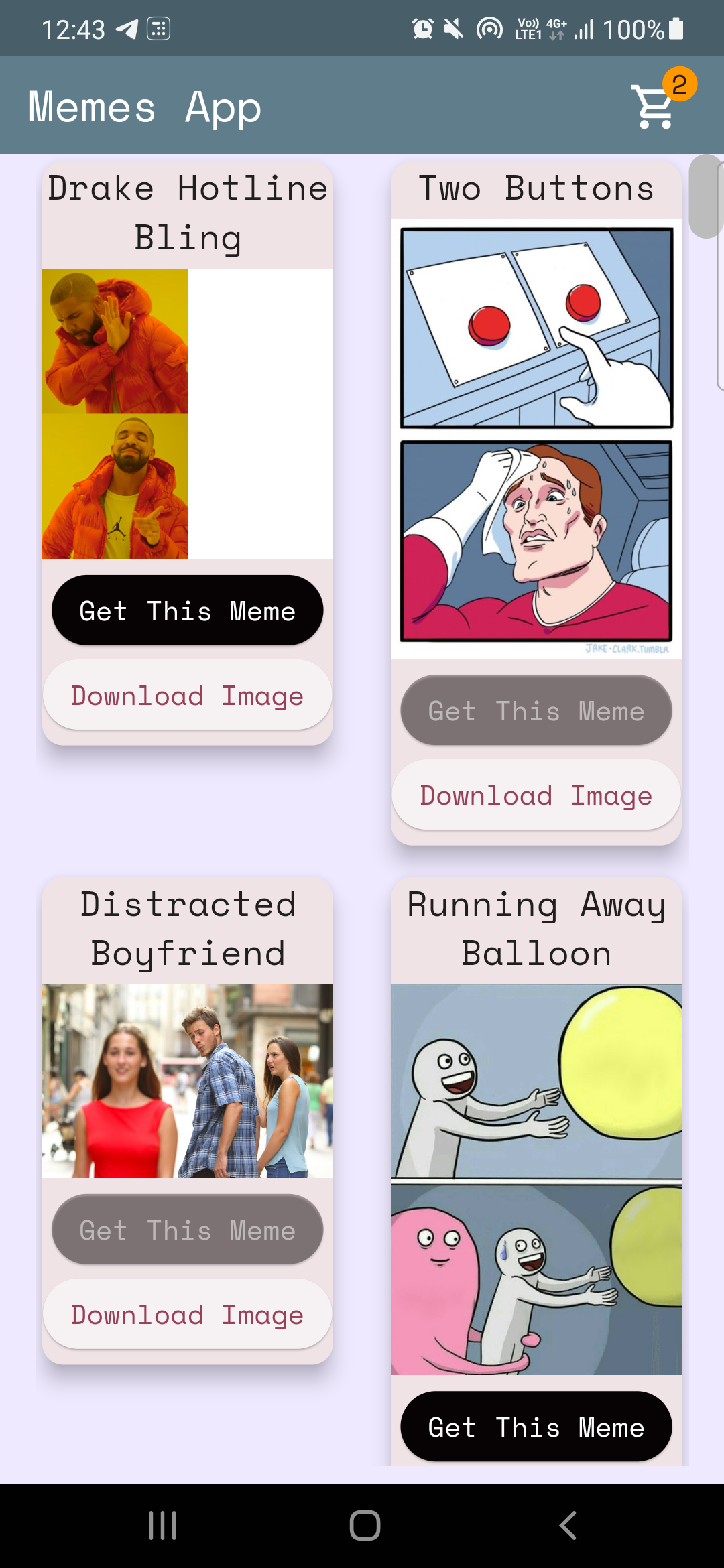
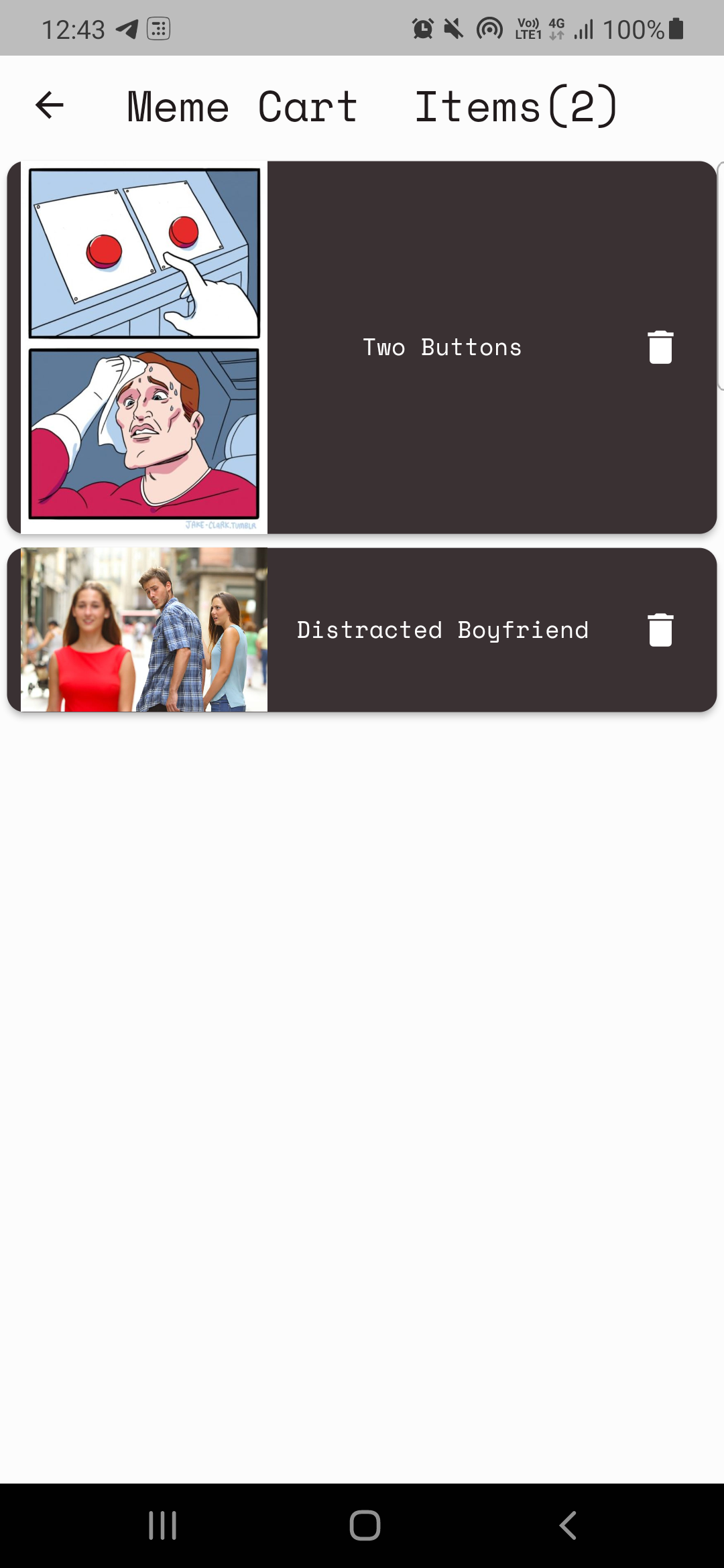
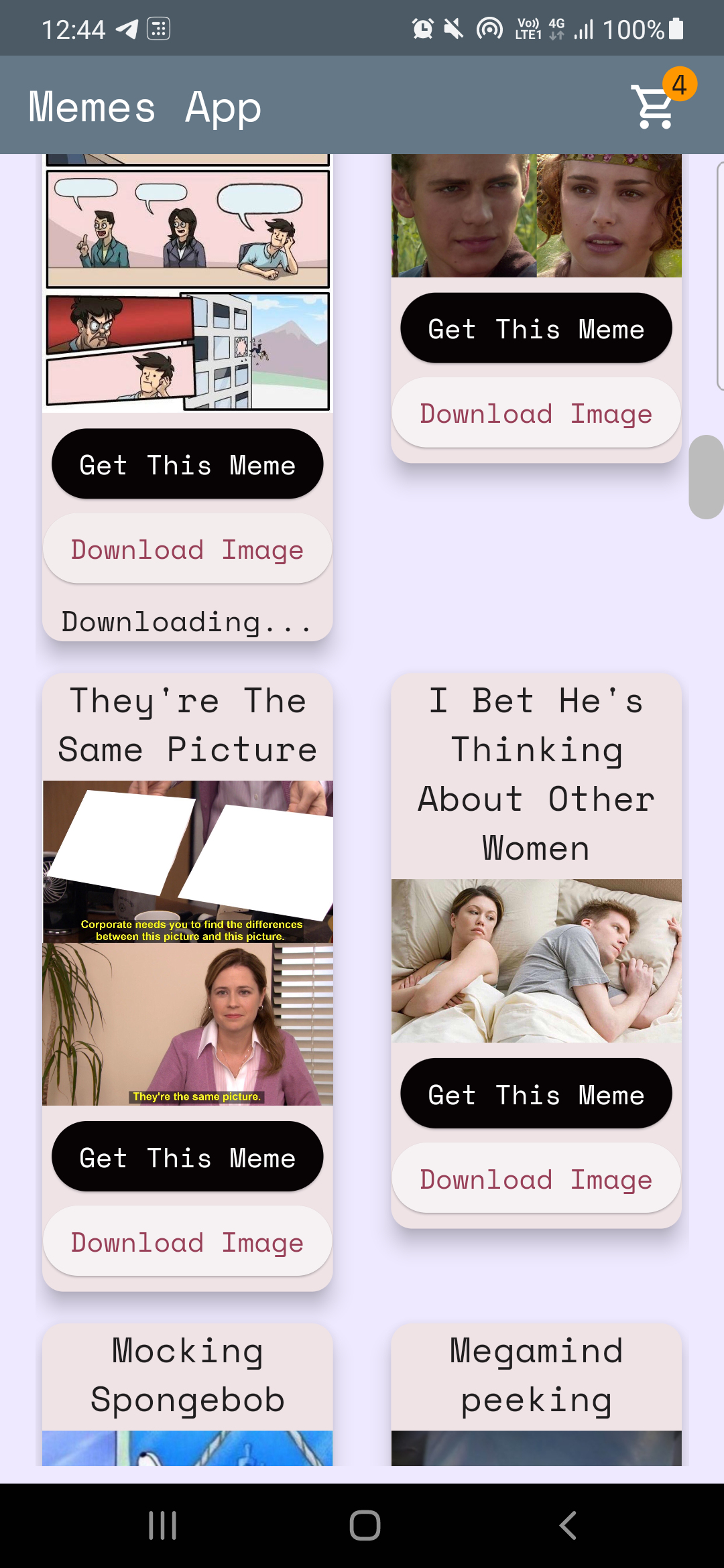
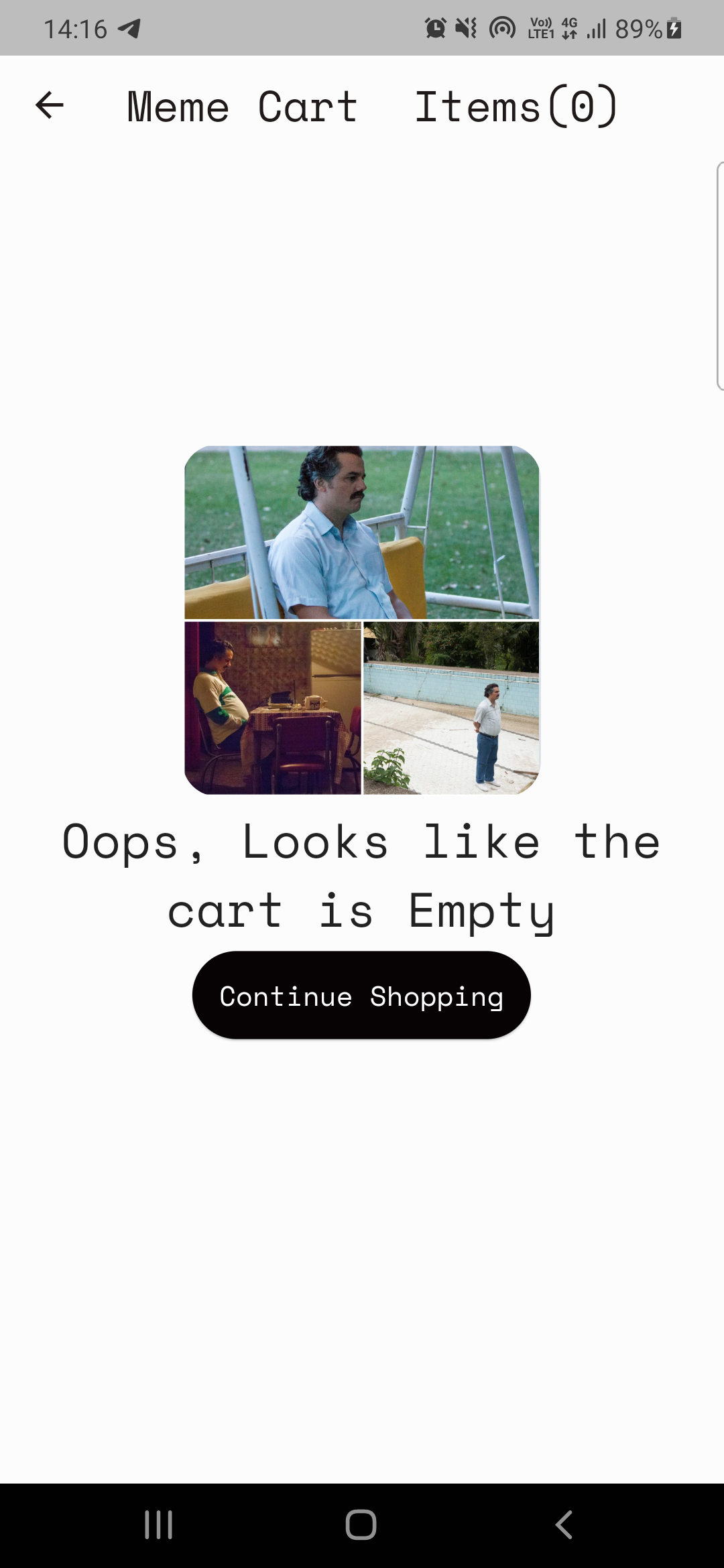
الرمز هنا: home_page.dart
تحليل البيانات من الميزابي
 Future < MemesModel > getMemesApi () async {
  final response =
      await http. get ( Uri . parse ( "https://api.imgflip.com/get_memes" ));
  var data = jsonDecode (response.body);
  if (response.statusCode == 200 ) {
    return MemesModel . fromJson (data);
  } else {
    return MemesModel . fromJson (data);
  }
} class _HomePageState extends State < HomePage > {
late Future < MemesModel > memes;
@override
void initState () {
super . initState ();
memes = getMemesApi ();
}body : FutureBuilder < MemesModel >(
future : memes,
builder : (context, snapshot) {snapshot.hasData ، snapshot.harError )snapshot.hasData بتقديم واجهة المستخدم ، وإلا إذا كانت snapshot.hasError تعرض الخطأ ، وإلا تقدم circularprogressIndicator ، أي أثناء انتظار جلب البيانات. DynamicHeightGridView (
crossAxisCount : 2 ,
mainAxisSpacing : 10 ,
crossAxisSpacing : 25 ,
itemCount :
//nullcheck operator
snapshot.hasData ? snapshot.data ! .data ! .memes ! .length : 1 ,
builder : (context, index) {
//data fetched successfully
if (snapshot.hasData) {
//render UI here
} //data couldn't be fetched due to some error
else if (snapshot.hasError) {
return Center (
child : Text ( "Error Occured : ${ snapshot . error }" ),
); //waiting for data to be fetched (just the way youtube videos show circular progressor while buffering)
else {
return const Center (
child : CircularProgressIndicator (
color : Colors .teal,
));
}المزود هو أداة لإدارة الدولة ، يمكنك الرجوع إلى المزيد عنها هنا: providerexample
ملاحظة: قد يستغرق الأمر في وقت ما لفهم المزود ، لم تكن حالتي مختلفة. (تذكر: لا شيء يأتي بين عشية وضحاها ، أشياء جيدة تستغرق بعض الوقت!)
لدينا 2 متطلبات أساسية باستخدام مزود.
الحالة الأولى: الزيادة/التخلص من قيمة العداد على أيقونة العربة على الصفحة الرئيسية (راجع الصور أعلاه).
الحالة الثانية: بناء صفحة العربة.
الحالة 1: رمز عداد الزيادة/التخلص هنا: cart_counter_provider.dart
 import 'package:flutter/cupertino.dart' ;

class CartCounterProvider extends ChangeNotifier {
  int cartCount;
  CartCounterProvider ({ this .cartCount = 0 });

  int get getCartCount => cartCount;

  void increment () {
    cartCount += 1 ;
    notifyListeners ();
  }

  void decrement () {
    cartCount -= 1 ;
    notifyListeners ();
  }
}
بعد ذلك ، متى سنحتاج إلى المزود؟ ، عندما يتم الضغط على الزر! ، فاكتب الرمز داخل دالة OnPressed () للزر "احصل على هذه الميم"
رمز هنا
context. read < CartCounterProvider >(). increment ();رمز هنا
 //just inside the build method this cartCounter will watch the value of the counter
//button pressed -> increment() method called using provider -> cartCounter watches the value and updates accordingly
int cartCounter = context. watch < CartCounterProvider >().getCartCount;
استخدام القراءة والمشاهدة هو إحدى الطرق للقيام بذلك. آخر يستخدم مثيل فئة المزود التي قمت بها ، دعنا نناقش هذا النهج للحالة الثانية.
الحالة الثانية: بناء صفحة العربة.
ملاحظة: حاول دائمًا تحديد الوظائف السابقة قبل التنفيذ.
خطة صفحة العربة بسيطة:
فئة مزود لعرض العربة (MemecartProvider)
رمز meme_cart_provider.dart
 //read below about CartCardModel first

import 'package:memeapp/models/cart_card_model.dart' ;
import 'package:flutter/cupertino.dart' ;

class MemeCartProvider extends ChangeNotifier {

  //now it's convenient for us to display the memes, we just need a list of CartCardModel!
  //each instance of this class will have the respective id, imageURL, and name of the meme.
  //We just need to traverse and display this list in the cart page, thats it!


  //_cartList will have the id, imageURL, name of only those memes that are added to cart by user
  final List < CartCardModel > _cartList = < CartCardModel > [];

  //memesIdList will only contain the meme ID's which will be used to add/remove memes from the cart
  //also used to prevent duplicates
  List < String > ? memesIdList = < String > [];

  List < CartCardModel > get getCartList => _cartList;
  List < String > ? get getMemesIdList => memesIdList;

  void addItem ( CartCardModel addThisItem) {
    _cartList. add (addThisItem);
    notifyListeners ();
  }

  void removeItem ( String memeId) {
    _cartList. removeWhere ((element) => element.id == memeId);
    memesIdList ! . remove (memeId);
    notifyListeners ();
  }
}cartcardModel Cart_card_model.dart
 //each instance of this class (CartCardModel) will have the info of id, imageURL, and name.
//it will now be easier to display the memes in the cart page
class CartCardModel {
  String id;
  String ? nameCart;
  String ? imageUrlCart;
  CartCardModel ({
    required this .id,
    this .nameCart,
    this .imageUrlCart,
  });
}
الآن مريح بالنسبة لنا لتقديم الميمات في صفحة العربة. نحن ببساطة اجتياز القائمة وعرض العناصر وفقًا لذلك.
ولكن ، كيف نتأكد من أن هذه العناصر التي تم تقديمها فقط والتي أضافها المستخدم؟ مزود هو ، مرة أخرى!.
رمز CART_PAGE.DART
  //define an instance of MemeCartProvider class like this inside the build method
   Widget build ( BuildContext context) {
    var memeCartProvider = Provider . of < MemeCartProvider >(context);
رمز هنا
 //wrap the Listview.builder with CONSUMER<MemeCartProvider>
Consumer < MemeCartProvider >(
              builder : (context, value, child) {
                //ListView will traverse CartCardModel list and render memes accordingly
                return ListView . builder (
                  //itemCount is simply the length of the list.
                  itemCount : value.getMemesIdList ! .length,
                  itemBuilder : ((context, index) {
                    object / instance of CartCardModel class using MemeCartProvider
                    CartCardModel cartObject = value.getCartList[index];
رمز هنا
 //render the image using cartObject
 Image . network (
                "${ cartObject . imageUrlCart }" ,
                     width : 140 ,
              ),

 //render the name using cartObject
 Text (
                  //limiting name to 20 characters
                  cartObject.nameCart ! .length > 20
                   ? "${ cartObject . nameCart !. substring ( 0 , 20 )}..."
                   : "${ cartObject . nameCart }" ,
أخيرًا وليس آخرًا ، نحتاج إلى تنفيذ ميزة الحذف
 onPressed : () {
                   //we will remove the item from the list
                   value. removeItem (cartObject.id);

                   //why this line? you might've guessed it already, if not, dont worry
                   //remember we incrementes the counter value when user added items to the cart
                   //now user is deleting items, hence we need to decreament that counter value too!, right?
                   context. read < CartCounterProvider >(). decrement ();
               },
و ... هذا غلاف! آمل أن يكون هذا ساعدك وتعلمت شيئًا جديدًا. إذا كنت ترغب في ذلك ، فكر في إعطاء هذا الريبو أ. في حال كان لديك أي استفسارات ، يمكنك بالتأكيد الوصول إلي من خلال اجتماعاتي الاجتماعية.
أتمنى لك كل خير؟





