Portfolio Demo 1
1.0.0

ผลงานสร้างโดยใช้ Flutter สำหรับเว็บ
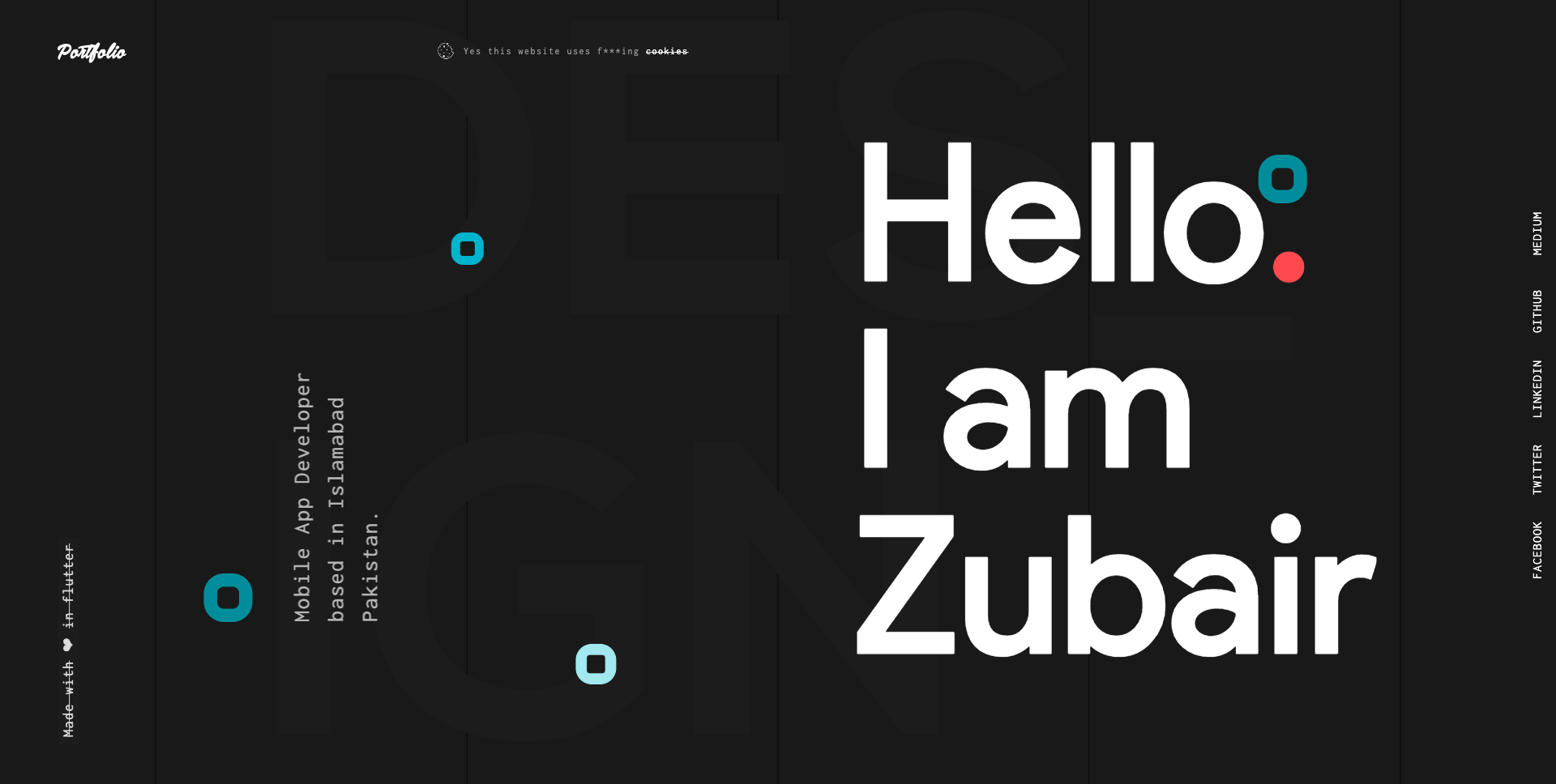
ไปที่ลิงก์ด้านล่างเพื่อเรียนรู้เพิ่มเติมเกี่ยวกับวิธีการสร้างและปรับใช้เว็บแอปพลิเคชันใน Flutter
Flutter for Web: คู่มือที่สมบูรณ์ในการสร้างและเรียกใช้เว็บแอปพลิเคชัน
Flutter for Web: คู่มือที่สมบูรณ์ในการปรับใช้เว็บแอปพลิเคชัน
ขั้นตอนที่ 1:
ดาวน์โหลดหรือโคลน repo นี้โดยใช้ลิงค์ด้านล่าง:
https://github.com/zubairehman/Portfolio-Demo-1.git
ขั้นตอนที่ 2:
ไปที่ Project Root และดำเนินการคำสั่งต่อไปนี้ในคอนโซลเพื่อรับการอ้างอิงที่ต้องการ:
flutter pub get
ขั้นตอนที่ 3:
ในการใช้ Flutter SDK ด้วยตัวอย่าง Flutter_web ให้แน่ใจว่าคุณได้อัพเกรด Flutter เป็นอย่างน้อย v1.5.4 โดยใช้การอัพเกรด Flutter จากเครื่องของคุณ ติดตามลิงค์เพื่อเรียนรู้เพิ่มเติมเกี่ยวกับวิธีกำหนดค่า Flutter สำหรับเว็บ: https://medium.com/@zubairehman.work/flutter-for-web-c75011a41956
ขั้นตอนที่ 4:
ในการเรียกใช้แอปพลิเคชันนี้เพียงพิมพ์คำสั่งต่อไปนี้:
flutter packages pub global run webdev serve
นี่คือโครงสร้างโฟลเดอร์หลักที่ Flutter มีให้
 flutter-app/
|- android
|- build
|- ios
|- lib
|- test
นี่คือโครงสร้างโฟลเดอร์ที่เราใช้ในโครงการนี้
 lib/
|- constants/
|- ui/
|- utils/
|- widgets/
|- main.dart
ตอนนี้ให้ดำน้ำในโฟลเดอร์ LIB ซึ่งมีรหัสหลักสำหรับแอปพลิเคชัน
 1- constants - All the application level constants are defined in this directory with-in their respective files. This directory contains the constants for `theme`, `dimentions`, `api endpoints`, `preferences` and `strings`.
2- ui — Contains all the ui of your project, contains sub directory for each screen.
3- util — Contains the utilities/common functions of your application.
4- widgets — Contains the common widgets for your applications. For example, Button, TextField etc.
5- main.dart - This is the starting point of the application. All the application level configurations are defined in this file i.e, theme, routes, title, orientation etc.
ไดเรกทอรีนี้มีค่าคงที่ระดับแอปพลิเคชันทั้งหมด ไฟล์แยกต่างหากถูกสร้างขึ้นสำหรับแต่ละประเภทตามที่แสดงในตัวอย่างด้านล่าง:
 constants/
|- assets.dart
|- fonts.dart
|- strings.dart
|- text_styles.dart
ไดเรกทอรีนี้มี UI ทั้งหมดของแอปพลิเคชันของคุณ แต่ละหน้าจออยู่ในโฟลเดอร์แยกต่างหากทำให้ง่ายต่อการรวมกลุ่มของไฟล์ที่เกี่ยวข้องกับหน้าจอนั้น วิดเจ็ตเฉพาะหน้าจอทั้งหมดจะถูกวางไว้ในไดเรกทอรี widgets ดังที่แสดงในตัวอย่างด้านล่าง:
 ui/
|- login
   |- login_screen.dart
   |- widgets
      |- login_form.dart
      |- login_button.dart
มีไฟล์ทั่วไปและยูทิลิตี้ที่ใช้ในโครงการ โครงสร้างโฟลเดอร์มีดังนี้:
 utils/
|- encryption
   |- xxtea.dart
|- date
  |- date_time.dart
มีวิดเจ็ตทั่วไปที่ใช้ร่วมกันในหลายหน้าจอ ตัวอย่างเช่นปุ่ม, textfield ฯลฯ
 widgets/
|- app_icon_widget.dart
|- empty_app_bar.dart
|- progress_indicator.dart
นี่คือจุดเริ่มต้นของแอปพลิเคชัน การกำหนดค่าระดับแอปพลิเคชันทั้งหมดถูกกำหนดไว้ในไฟล์นี้เช่นธีมเส้นทางเส้นทางชื่อเรื่องการวางแนว ฯลฯ
 import 'package:flutter_web/material.dart';
import 'package:portfolio/ui/home.dart';

import 'package:portfolio/utils/screen/screen_utils.dart';

void main() {
  runApp(MyApp());
}

class MyApp extends StatelessWidget {

  @override
  Widget build(BuildContext context) {

    return MaterialApp(
      debugShowCheckedModeBanner: false,
      theme: ThemeData(
          brightness: Brightness.light,
          primaryColorBrightness: Brightness.light,
          accentColorBrightness: Brightness.light
      ),
      home: MyAppChild(),
    );
  }
}

class MyAppChild extends StatefulWidget {

  @override
  _MyAppChildState createState() => _MyAppChildState();
}

class _MyAppChildState extends State<MyAppChild> {
  @override
  Widget build(BuildContext context) {
    // instantiating ScreenUtil singleton instance, as this will be used throughout
    // the app to get screen size and other stuff
    ScreenUtil.instance = ScreenUtil.getInstance()..init(context);
    return HomePage();
  }
}
หากคุณชอบงานของฉันอย่าลืมแสดง repo เพื่อแสดงการสนับสนุนของคุณ







