mp4viewer
v0.1.2

O MP4Viewer é um analisador de metadados MP4 (formato de arquivo de mídia Base ISO) escrito no Python. Você pode usá -lo para analisar os metadados dos arquivos MP4 no shell, uma nova janela baseada em GTK ou salvá -lo como um arquivo json. As definições de estruturas usadas no código podem ser encontradas no padrão disponível publicamente (não é mais gratuito para baixar) ISO/IEC 14496-12 - Formato de arquivo de mídia base ISO.
pip install --upgrade mp4viewer

python3 -m mp4viewer [-h] [-o {stdout,gui,json}] [-e] [-c {on,off}] file.mp4./parse.sh [-h] [-o {stdout,gui,json}] [-e] [-c {on,off}] file.mp4 positional arguments:
input_file Location of the ISO bmff file (mp4)
options:
-h, --help show this help message and exit
-o {stdout,gui,json}, --output {stdout,gui,json}
Specify the output format. Please note that pygtk is required for `gui`.
-c {on,off}, --color {on,off}
Toggle colors in console based output; on by default.
-j JSON_PATH, --json JSON_PATH
Path to the json file where the output should be saved. If this is specified, the json output will be generated and written to this file even if the requested output format is not
json. If the output format is json and this argument is not specified, the json object will be written to the current directory using "$PWD/$(basename input_file).mp4viewer.json"
-e, --expand-arrays Do not truncate long arrays
--debug Used for internal debugging
--latex Generate latex-in-markdown for github README
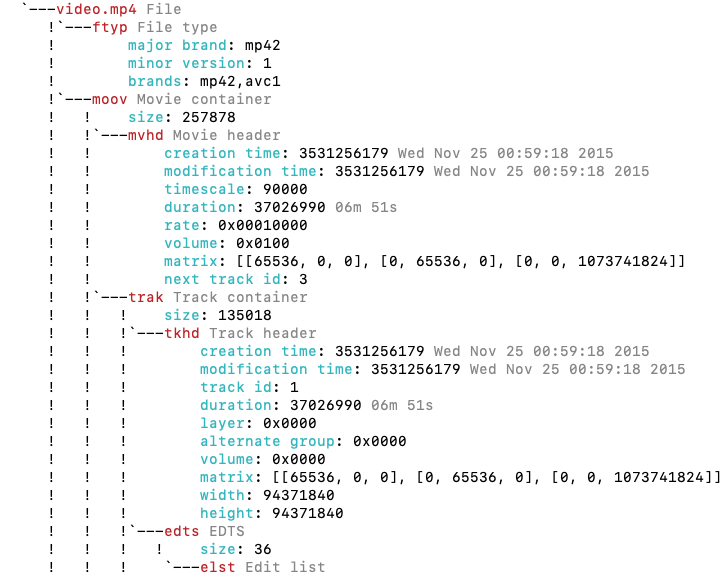
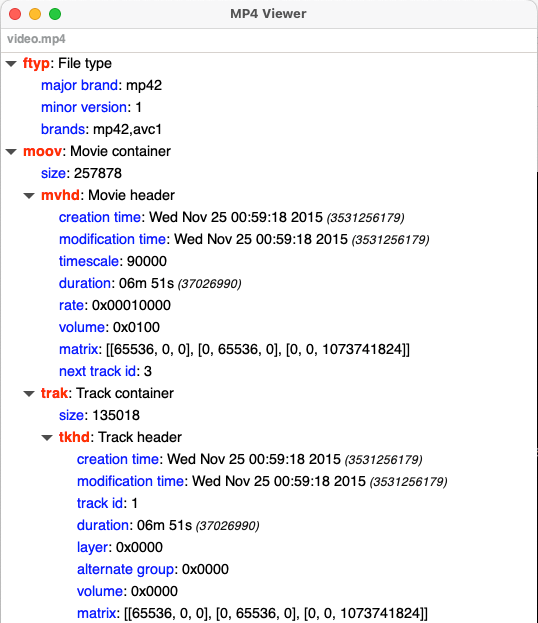
O MP4Viewer usa o GTK no modo gráfico e requer pygtk3 para visualizar os resultados em uma janela. Isso geralmente vem pré -instalado com versões recentes do Ubuntu.
Você pode encontrar ferramentas MP4 mais semelhantes nesta página







