mp4viewer
v0.1.2

MP4Viewerは、Pythonで記述されたMP4メタデータアナライザー(ISOベースメディアファイル形式)です。これを使用して、シェル上のMP4ファイルのメタデータ、新しいGTKベースのウィンドウを分析するか、JSONファイルとして保存できます。コードで使用される構造の定義は、公開されている標準(もうダウンロードすることはできません)ISO/IEC 14496-12 -ISOベースメディアファイル形式。
pip install --upgrade mp4viewer

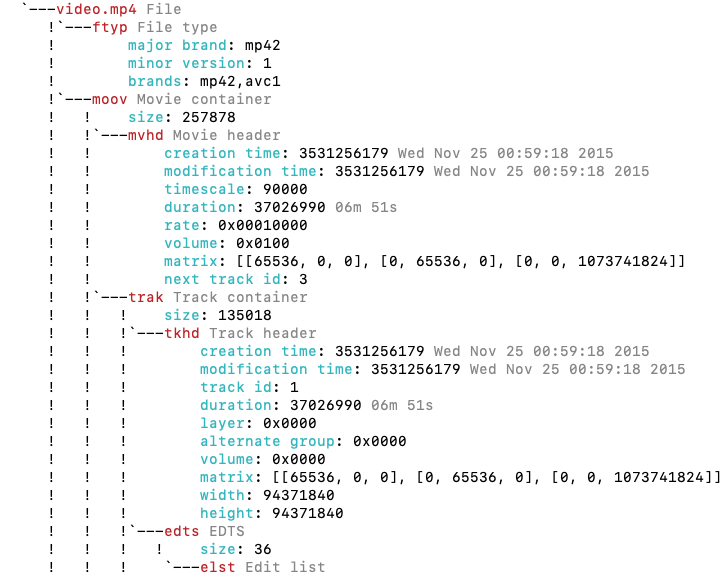
python3 -m mp4viewer [-h] [-o {stdout,gui,json}] [-e] [-c {on,off}] file.mp4./parse.sh [-h] [-o {stdout,gui,json}] [-e] [-c {on,off}] file.mp4 positional arguments:
input_file Location of the ISO bmff file (mp4)
options:
-h, --help show this help message and exit
-o {stdout,gui,json}, --output {stdout,gui,json}
Specify the output format. Please note that pygtk is required for `gui`.
-c {on,off}, --color {on,off}
Toggle colors in console based output; on by default.
-j JSON_PATH, --json JSON_PATH
Path to the json file where the output should be saved. If this is specified, the json output will be generated and written to this file even if the requested output format is not
json. If the output format is json and this argument is not specified, the json object will be written to the current directory using "$PWD/$(basename input_file).mp4viewer.json"
-e, --expand-arrays Do not truncate long arrays
--debug Used for internal debugging
--latex Generate latex-in-markdown for github README
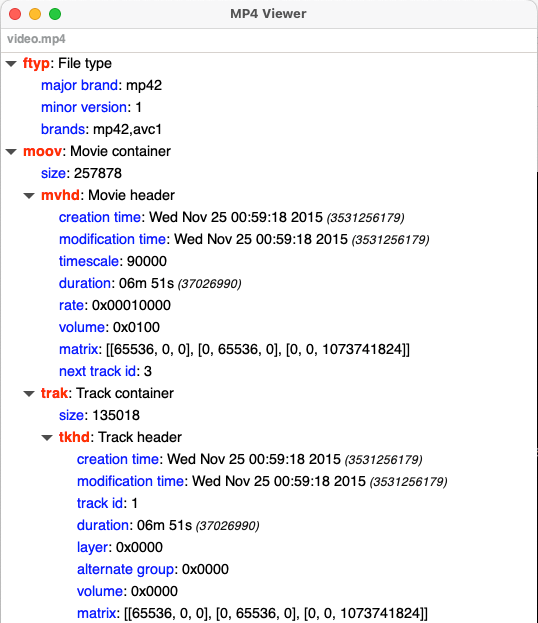
MP4ViewerはグラフィックモードでGTKを使用し、ウィンドウで結果を表示するためにPygtk3を必要とします。これは通常、Ubuntuの最近のバージョンでプリインストールされています。
このページでは、より似たようなMP4ツールを見つけることができます







