mp4viewer
v0.1.2

MP4Viewer est un analyseur de métadonnées MP4 (format de fichier multimédia de base ISO) écrit en python. Vous pouvez l'utiliser pour analyser les métadonnées des fichiers MP4 sur le shell, une nouvelle fenêtre basée sur GTK ou l'enregistrer en tant que fichier JSON. Les définitions des structures utilisées dans le code peuvent être trouvées dans le Norme accessible au public (Il n'est plus gratuit de télécharger) ISO / IEC 14496-12 - Format de fichier multimédia de base ISO.
pip install --upgrade mp4viewer

python3 -m mp4viewer [-h] [-o {stdout,gui,json}] [-e] [-c {on,off}] file.mp4./parse.sh [-h] [-o {stdout,gui,json}] [-e] [-c {on,off}] file.mp4 positional arguments:
input_file Location of the ISO bmff file (mp4)
options:
-h, --help show this help message and exit
-o {stdout,gui,json}, --output {stdout,gui,json}
Specify the output format. Please note that pygtk is required for `gui`.
-c {on,off}, --color {on,off}
Toggle colors in console based output; on by default.
-j JSON_PATH, --json JSON_PATH
Path to the json file where the output should be saved. If this is specified, the json output will be generated and written to this file even if the requested output format is not
json. If the output format is json and this argument is not specified, the json object will be written to the current directory using "$PWD/$(basename input_file).mp4viewer.json"
-e, --expand-arrays Do not truncate long arrays
--debug Used for internal debugging
--latex Generate latex-in-markdown for github README
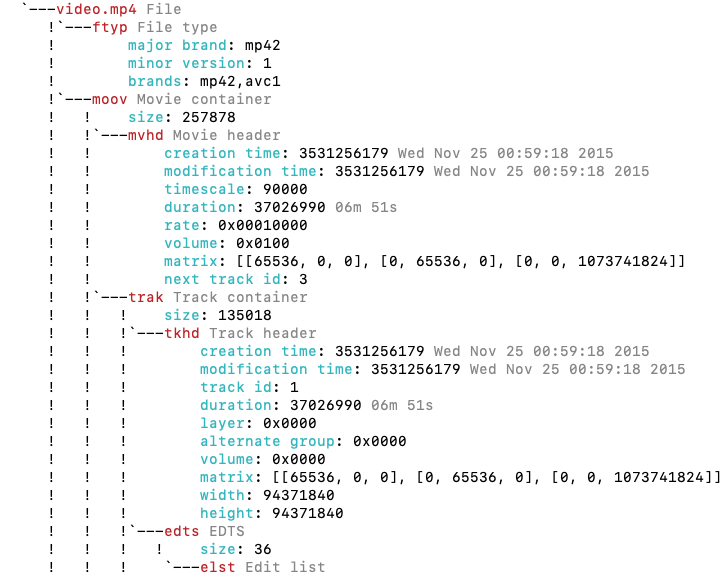
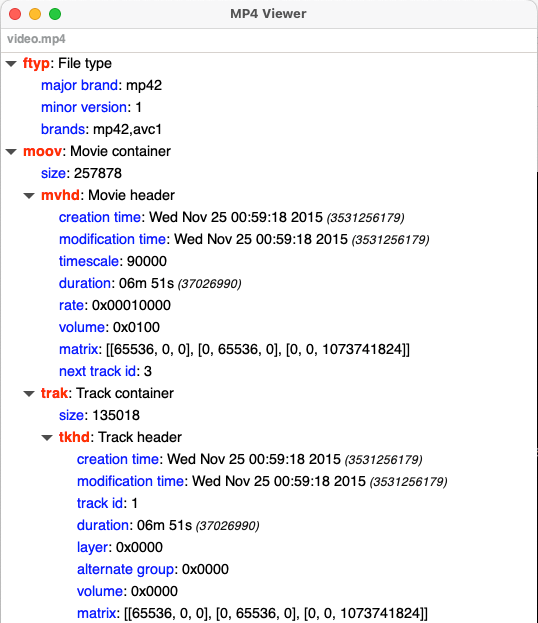
MP4Viewer utilise GTK en mode graphique et nécessite PYGTK3 pour afficher les résultats dans une fenêtre. Cela vient généralement préinstallé avec des versions récentes d'Ubuntu.
Vous pouvez trouver des outils MP4 plus similaires dans cette page







