mp4viewer
v0.1.2

MP4Viewer es un analizador de metadatos MP4 (formato de archivo de medios base ISO) escrito en Python. Puede usarlo para analizar los metadatos de los archivos MP4 en el shell, una nueva ventana basada en GTK, o guardarlo como un archivo JSON. Las definiciones de estructuras utilizadas en el código se pueden encontrar en el Estándar disponible públicamente (ya no es gratuito) ISO/IEC 14496-12 - Formato de archivo de medios de base ISO.
pip install --upgrade mp4viewer

python3 -m mp4viewer [-h] [-o {stdout,gui,json}] [-e] [-c {on,off}] file.mp4./parse.sh [-h] [-o {stdout,gui,json}] [-e] [-c {on,off}] file.mp4 positional arguments:
input_file Location of the ISO bmff file (mp4)
options:
-h, --help show this help message and exit
-o {stdout,gui,json}, --output {stdout,gui,json}
Specify the output format. Please note that pygtk is required for `gui`.
-c {on,off}, --color {on,off}
Toggle colors in console based output; on by default.
-j JSON_PATH, --json JSON_PATH
Path to the json file where the output should be saved. If this is specified, the json output will be generated and written to this file even if the requested output format is not
json. If the output format is json and this argument is not specified, the json object will be written to the current directory using "$PWD/$(basename input_file).mp4viewer.json"
-e, --expand-arrays Do not truncate long arrays
--debug Used for internal debugging
--latex Generate latex-in-markdown for github README
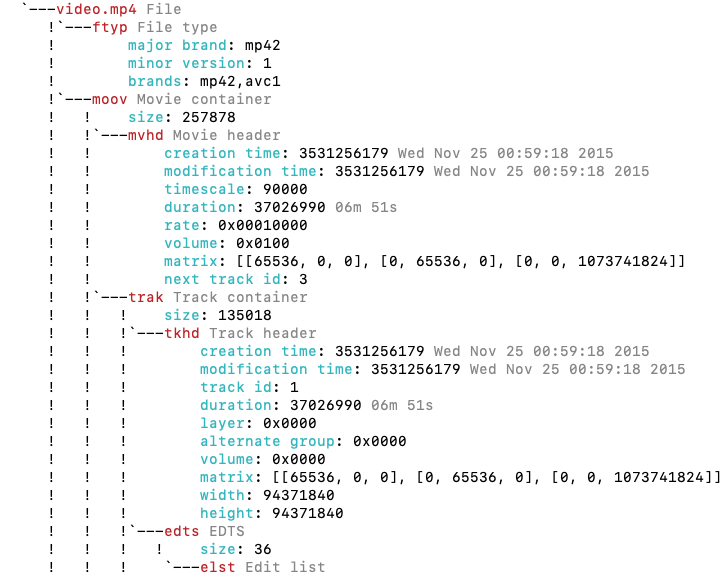
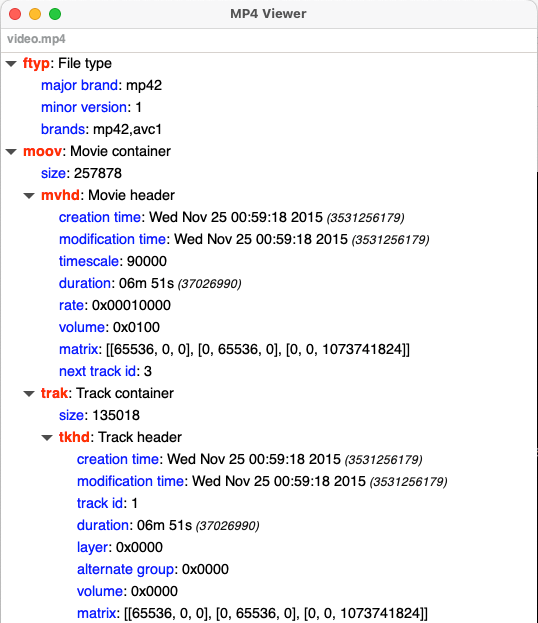
MP4Viewer usa GTK en modo gráfico y requiere PYGTK3 para ver los resultados de la visualización en una ventana. Esto generalmente viene preinstalado con versiones recientes de Ubuntu.
Puede encontrar herramientas MP4 más similares en esta página







