react native custom fonts
1.0.0

기본 빌드에서 관리하는 대신 네트워크 위치를 통해 지정된 동적 글꼴을 사용하십시오!
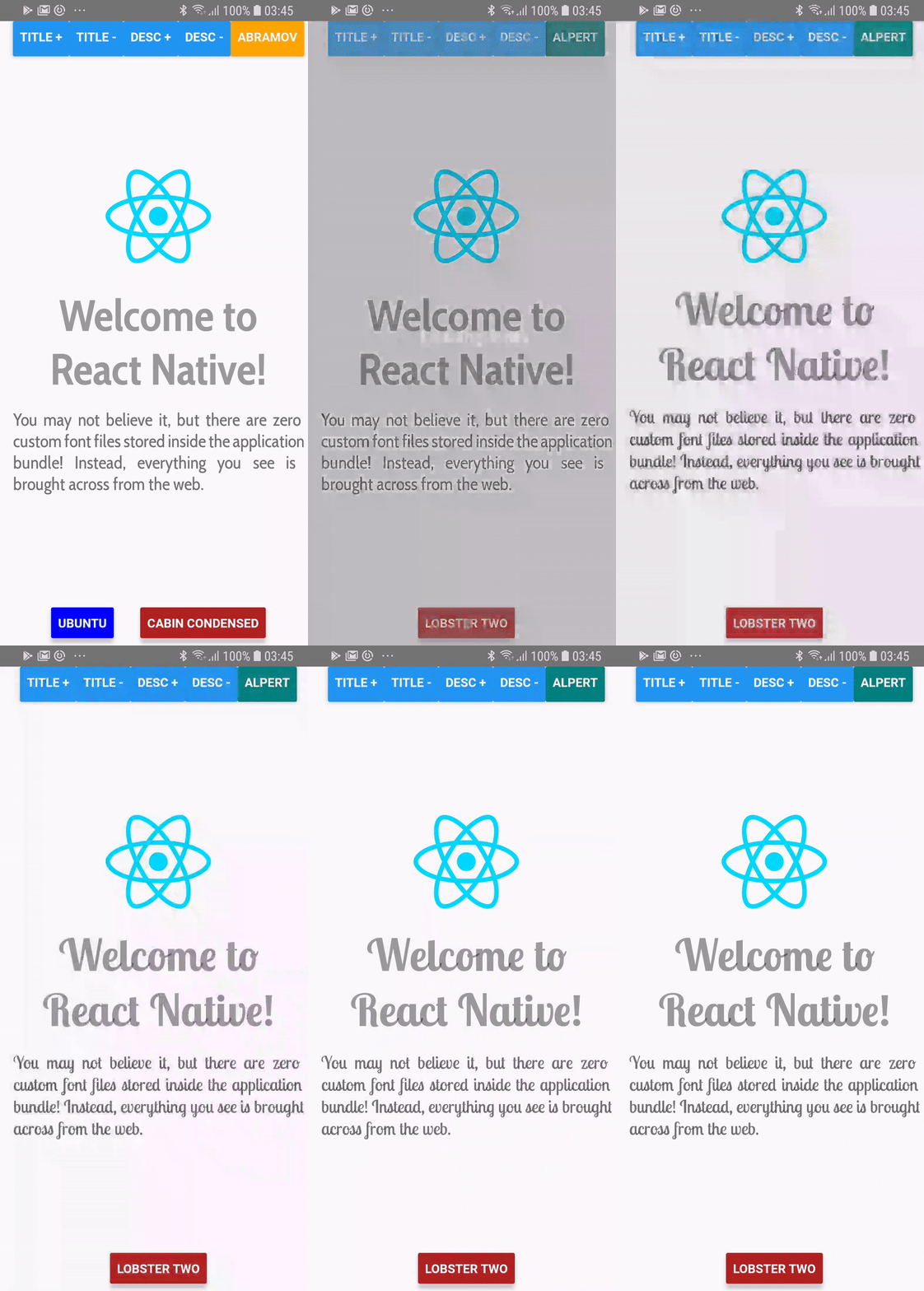
> = 0.60.0
yarn add react-native-custom-fonts # or npm install --save react-native-custom-fonts 그런 다음 앱을 재건하십시오. iOS에서는 앱 /ios 디렉토리에 코코아 pod install 하십시오.
<= 0.59.x
yarn 사용 :
yarn add react-native-custom-fonts
react-native link react-native-custom-fontsfontFaces 배열 소품은 fontFaces 객체로 바뀌 었으며, 키는 앱에서 참조하려는 글꼴 스타일의 이름 입니다.fontFace 사용하려면 useCustomFont(name:String) 호출에 이름을 지정해야합니다. 전체 데모는 예제 프로젝트를 확인하십시오. 디렉토리에 cd 만 있으면 npm 또는 yarn 사용하여 종속성을 설치 한 다음 다음을 사용하여 앱을 실행하십시오.
react-native run-android # run on android
react-native run-ios # run on ios import React from "react" ;
import PropTypes from "prop-types" ;
import { View , Text } from "react-native" ;
import CustomFontsProvider , { useCustomFont } from "react-native-custom-fonts" ;
const fontFaces = {
// XXX: Specify the local name of your font. You'll use this to refer to it via the useCustomFont hook.
'UbuntuBold' : {
uri : 'https://github.com/google/fonts/raw/master/ufl/ubuntu/Ubuntu-Bold.ttf' ,
fontFamily : 'Ubuntu' ,
fontWeight : 'bold' ,
// XXX: You can also specify additional font styling.
color : 'blue' ,
} ,
} ;
const SomeComponent = ( ) => {
// Fetch the desired font by name. When the font has been cached, it will automatically update the View.
const { ... fontProps } = useCustomFont ( 'UbuntuBold' ) ;
return (
< Text
{ ... fontProps }
children = "Hello, world!"
/>
) ;
} ;
export default ( ) => (
< CustomFontsProvider
fontFaces = { fontFaces }
>
< SomeComponent />
</ CustomFontsProvider >
) ; react-native-custom-fonts Text 구성 요소의 ref Prop를 캡처하여 런타임 속성 할당을 만듭니다. 두 가지 방법 중 하나로 심판에 액세스 할 수 있습니다.
참고 문헌을 제공 할 수 있습니다.
 const ref = useRef ( ) ;
const { ... fontProps } = useCustomFont ( 'UbuntuBold' , ref ) ;
return (
  < Text
    ref = { ref }
    { ... fontProps }
  />
) ;
또는 제공된 REF를 사용할 수 있습니다.
 const { ref , ... fontProps } = useCustomFont ( 'UbuntuBold' ) ;
return (
  < Text
    ref = { ref }
    { ... fontProps }
  />
) ; 이 작업도 가능합니다. 호출에서 useCustomFont 로 style 소품을 가져 오십시오.
 const { style , ... fontProps } = useCustomFont ( 'UbuntuBold' ) ;
return (
  < TextInput
    style = { [ style , { fontColor : 'blue' } ] }
    { ... fontProps }
  />
) ; CustomFontsProvider 이것은 CustomFont를 사용하여 ReactNativeCustomFonts.withCustomFont 를 호출 한 모든 어린이를위한 반응 컨텍스트 제공 업체입니다. 어린이에게 원격 글꼴의 캐싱 및 할당을 관리합니다.
| 소품 이름 | 데이터 유형 | 필수의 | 기본 | 설명 |
|---|---|---|---|---|
fontFaces | proptypes.shape ({}) | 거짓 | {} | 원격 글꼴의 구성을 정의합니다. |
fallback | proptypes.shape ({}) | 거짓 | {컬러 : '빨간색', 폰일 : 'Bold'}} | 글꼴 다운로드가 실패 할 때 사용하는 스타일. |
onDownloadDidStart | proptypes.func | 거짓 | () => null | 제공자가 글꼴을 다운로드하기 시작할 때 콜백. |
onDownloadDidEnd | proptypes.func | 거짓 | () => null | 제공자가 글꼴 다운로드를 완료했을 때의 콜백. |
onDownloadDidError | proptypes.func | 거짓 | () => null | 글꼴을 다운로드 할 때 오류가 발생했을 때 호출됩니다. |
당신이 겪는 모든 문제를보고하고, 향상을 추가하려면 풀 요청을 자유롭게 제출하십시오. 변경하려면 master 에서 분기 할 수 있습니다.
MIT








