react native custom fonts
1.0.0

ネイティブビルドでそれらを管理する代わりに、ネットワークの場所を介して指定された動的フォントを使用してください!
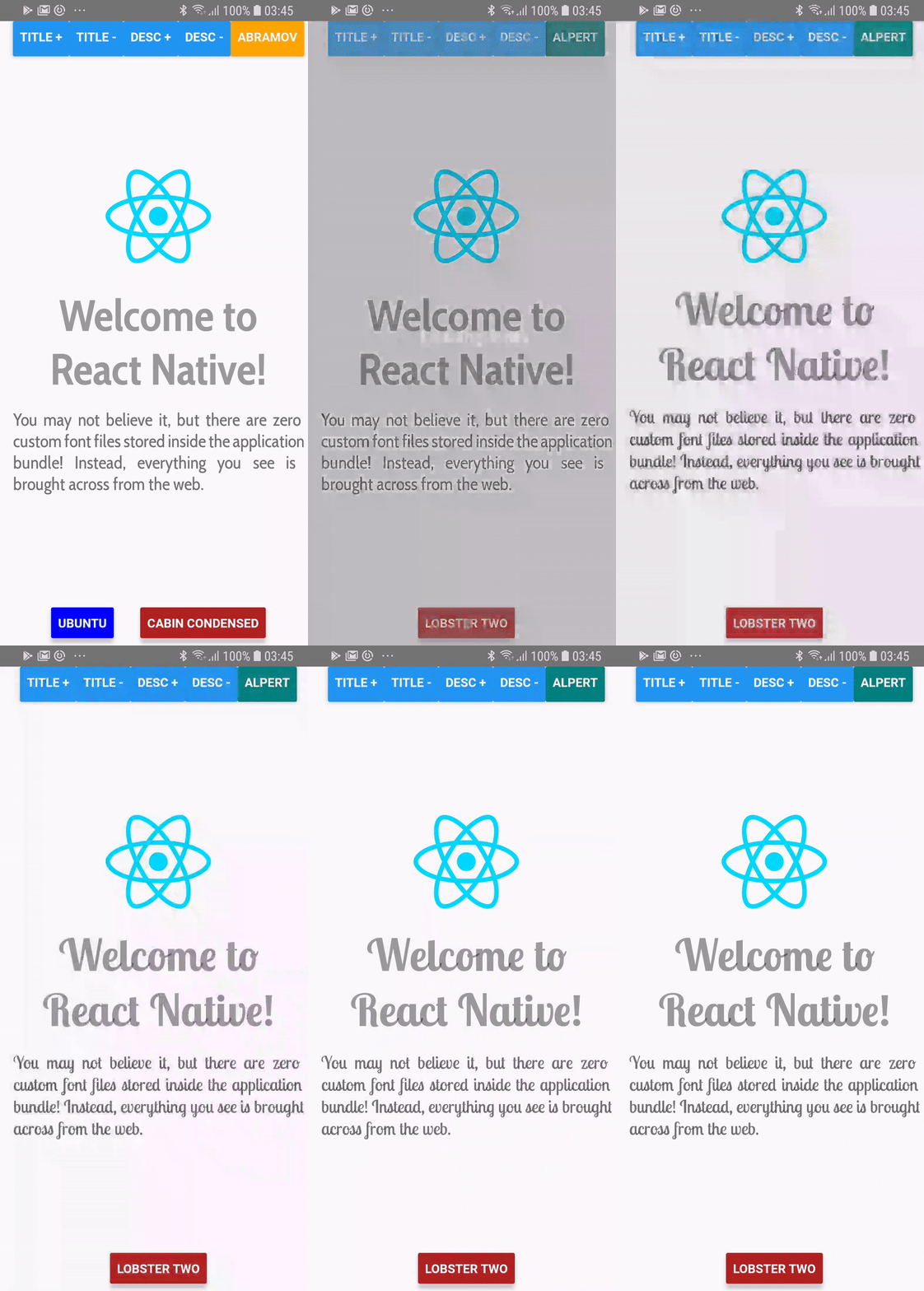
> = 0.60.0
yarn add react-native-custom-fonts # or npm install --save react-native-custom-fonts次に、アプリを再構築します。 iOSでは、アプリ/iosディレクトリにココアpod installください。
<= 0.59.x
yarnの使用:
yarn add react-native-custom-fonts
react-native link react-native-custom-fontsfontFaces配列プロップは、アプリで参照したいフォントスタイルの名前であるfontFacesオブジェクトに変換されています。fontFaceを使用するには、 useCustomFont(name:String)への呼び出しで名前を指定する必要があります。 完全なデモンストレーションについては、Exampleプロジェクトをご覧ください。ディレクトリにcdを使用するだけで、 npmまたはyarnを使用して依存関係をインストールしてから、以下を使用してアプリを実行します。
react-native run-android # run on android
react-native run-ios # run on ios import React from "react" ;
import PropTypes from "prop-types" ;
import { View , Text } from "react-native" ;
import CustomFontsProvider , { useCustomFont } from "react-native-custom-fonts" ;
const fontFaces = {
// XXX: Specify the local name of your font. You'll use this to refer to it via the useCustomFont hook.
'UbuntuBold' : {
uri : 'https://github.com/google/fonts/raw/master/ufl/ubuntu/Ubuntu-Bold.ttf' ,
fontFamily : 'Ubuntu' ,
fontWeight : 'bold' ,
// XXX: You can also specify additional font styling.
color : 'blue' ,
} ,
} ;
const SomeComponent = ( ) => {
// Fetch the desired font by name. When the font has been cached, it will automatically update the View.
const { ... fontProps } = useCustomFont ( 'UbuntuBold' ) ;
return (
< Text
{ ... fontProps }
children = "Hello, world!"
/>
) ;
} ;
export default ( ) => (
< CustomFontsProvider
fontFaces = { fontFaces }
>
< SomeComponent />
</ CustomFontsProvider >
) ; react-native-custom-fonts Textコンポーネントのref Propをキャプチャして、ランタイムプロパティの割り当てを行います。 2つの方法のいずれかで、refにアクセスできます。
refを提供することができます:
 const ref = useRef ( ) ;
const { ... fontProps } = useCustomFont ( 'UbuntuBold' , ref ) ;
return (
  < Text
    ref = { ref }
    { ... fontProps }
  />
) ;または、提供されたREFを使用することもできます:
 const { ref , ... fontProps } = useCustomFont ( 'UbuntuBold' ) ;
return (
  < Text
    ref = { ref }
    { ... fontProps }
  />
) ;これを行うことも可能です。 useCustomFontへの呼び出しからstyle小道具を取得するだけです:
 const { style , ... fontProps } = useCustomFont ( 'UbuntuBold' ) ;
return (
  < TextInput
    style = { [ style , { fontColor : 'blue' } ] }
    { ... fontProps }
  />
) ; CustomFontsProviderこれは、 ReactNativeCustomFonts.withCustomFontへの呼びかけに包まれたすべての子供のReactコンテキストプロバイダーです。子供へのリモートフォントのキャッシュと割り当てを管理します。
| 小道具名 | データ型 | 必須 | デフォルト | 説明 |
|---|---|---|---|---|
fontFaces | proptypes.shape({}) | 間違い | {} | リモートフォントの構成を定義します。 |
fallback | proptypes.shape({}) | 間違い | {color: 'red'、fontweight: 'bold'} | フォントのダウンロードが失敗したときに使用するスタイル。 |
onDownloadDidStart | proptypes.func | 間違い | ()=> null | プロバイダーがフォントフェイスのダウンロードを開始したときのコールバック。 |
onDownloadDidEnd | proptypes.func | 間違い | ()=> null | プロバイダーがフォントフェイスのダウンロードを完了したときのコールバック。 |
onDownloadDidError | proptypes.func | 間違い | ()=> null | フォントフェイスをダウンロードするときにエラーがスローされたときに呼び出されます。 |
出会った問題を報告してください。拡張機能を追加したい場合は、お気軽にプルリクエストを送信してください。変更を加えるには、 masterから分岐するだけです。
mit








