react native custom fonts
1.0.0

استخدم الخطوط الديناميكية المحددة عبر موقع الشبكة ، بدلاً من إدارتها في عمليات الإنشاء الأصلية الخاصة بك!
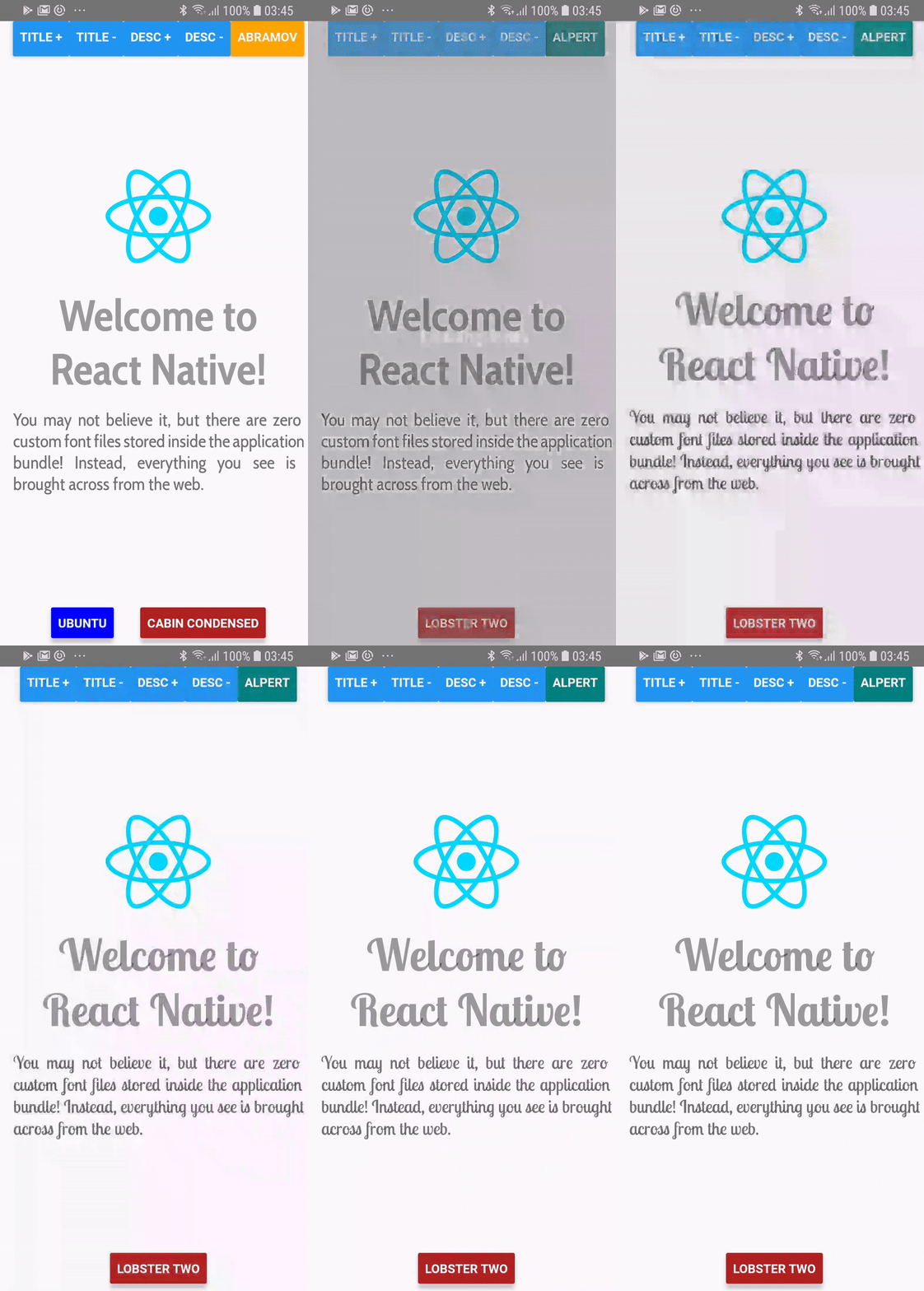
> = 0.60.0
yarn add react-native-custom-fonts # or npm install --save react-native-custom-fonts ثم أعد بناء تطبيقك. على iOS ، تأكد من pod install Cocoapods في دليل التطبيق /ios الخاص بك.
<= 0.59.x
باستخدام yarn :
yarn add react-native-custom-fonts
react-native link react-native-custom-fontsfontFaces إلى كائن fontFaces ، والتي هي مفاتيحها هي أسماء أنماط الخطوط التي ترغب في الإشارة إليها في تطبيقك.fontFace ، يجب عليك تحديد الاسم في مكالمة إلى useCustomFont(name:String) . يرجى مراجعة مشروع المثال للحصول على مظاهرة كاملة. فقط cd في الدليل ، استخدم npm أو yarn لتثبيت التبعيات ، ثم قم بتنفيذ التطبيق باستخدام ما يلي:
react-native run-android # run on android
react-native run-ios # run on ios import React from "react" ;
import PropTypes from "prop-types" ;
import { View , Text } from "react-native" ;
import CustomFontsProvider , { useCustomFont } from "react-native-custom-fonts" ;
const fontFaces = {
// XXX: Specify the local name of your font. You'll use this to refer to it via the useCustomFont hook.
'UbuntuBold' : {
uri : 'https://github.com/google/fonts/raw/master/ufl/ubuntu/Ubuntu-Bold.ttf' ,
fontFamily : 'Ubuntu' ,
fontWeight : 'bold' ,
// XXX: You can also specify additional font styling.
color : 'blue' ,
} ,
} ;
const SomeComponent = ( ) => {
// Fetch the desired font by name. When the font has been cached, it will automatically update the View.
const { ... fontProps } = useCustomFont ( 'UbuntuBold' ) ;
return (
< Text
{ ... fontProps }
children = "Hello, world!"
/>
) ;
} ;
export default ( ) => (
< CustomFontsProvider
fontFaces = { fontFaces }
>
< SomeComponent />
</ CustomFontsProvider >
) ; تلتقط أدوات ref react-native-custom-fonts لمكون Text لجعل تعيين خاصية وقت التشغيل. لا يزال بإمكانك الوصول إلى المرجع ، بإحدى طريقتين:
يمكنك إما توفير المرجع :
 const ref = useRef ( ) ;
const { ... fontProps } = useCustomFont ( 'UbuntuBold' , ref ) ;
return (
  < Text
    ref = { ref }
    { ... fontProps }
  />
) ;
أو يمكنك استخدام المرجع المقدم :
 const { ref , ... fontProps } = useCustomFont ( 'UbuntuBold' ) ;
return (
  < Text
    ref = { ref }
    { ... fontProps }
  />
) ; من الممكن القيام بذلك أيضًا. ما عليك سوى إحضار style الدعامة من الدعوة إلى useCustomFont :
 const { style , ... fontProps } = useCustomFont ( 'UbuntuBold' ) ;
return (
  < TextInput
    style = { [ style , { fontColor : 'blue' } ] }
    { ... fontProps }
  />
) ; CustomFontsProvider هذا هو مزود سياق رد الفعل لجميع الأطفال الذين تم لفها بدعوة إلى ReactNativeCustomFonts.withCustomFont . يدير التخزين المؤقت وتعيين الخطوط البعيدة للأطفال.
| اسم الدعامة | نوع البيانات | مطلوب | تقصير | وصف |
|---|---|---|---|---|
fontFaces | proptypes.shape ({}) | خطأ شنيع | {} | يحدد تكوين الخطوط البعيدة. |
fallback | proptypes.shape ({}) | خطأ شنيع | {color: 'Red' ، fontweight: 'Bold'} | النمط الذي يجب استخدامه عندما يفشل تنزيلات الخط. |
onDownloadDidStart | proptypes.func | خطأ شنيع | () => فارغة | رد الاتصال عندما يبدأ المزود في تنزيل fontfaces. |
onDownloadDidEnd | proptypes.func | خطأ شنيع | () => فارغة | رد الاتصال عندما يكمل المزود تنزيل fontfaces. |
onDownloadDidError | proptypes.func | خطأ شنيع | () => فارغة | استدعاء عندما يتم إلقاء خطأ عند تنزيل fontfaces. |
يرجى الإبلاغ عن أي مشكلات تصادفها ، ولا تتردد في تقديم طلب سحب إذا كنت ترغب في إضافة أي تحسينات. لإجراء أي تغييرات ، يمكنك فقط الفرع من master .
معهد ماساتشوستس للتكنولوجيا








