easy image scraping
1.0.0

인기있는 검색 엔진에서 쿼리로 이미지를 자동으로 스크랩합니다.
사용하기 쉬운 프론트 엔드 사용 또는 스크립트를 사용합니다.
이 코드는 논문 (인용)의 일부이며, 예를 들어 데이터 세트 생성에 관심이있는 경우 프로젝트 페이지를 확인하십시오.
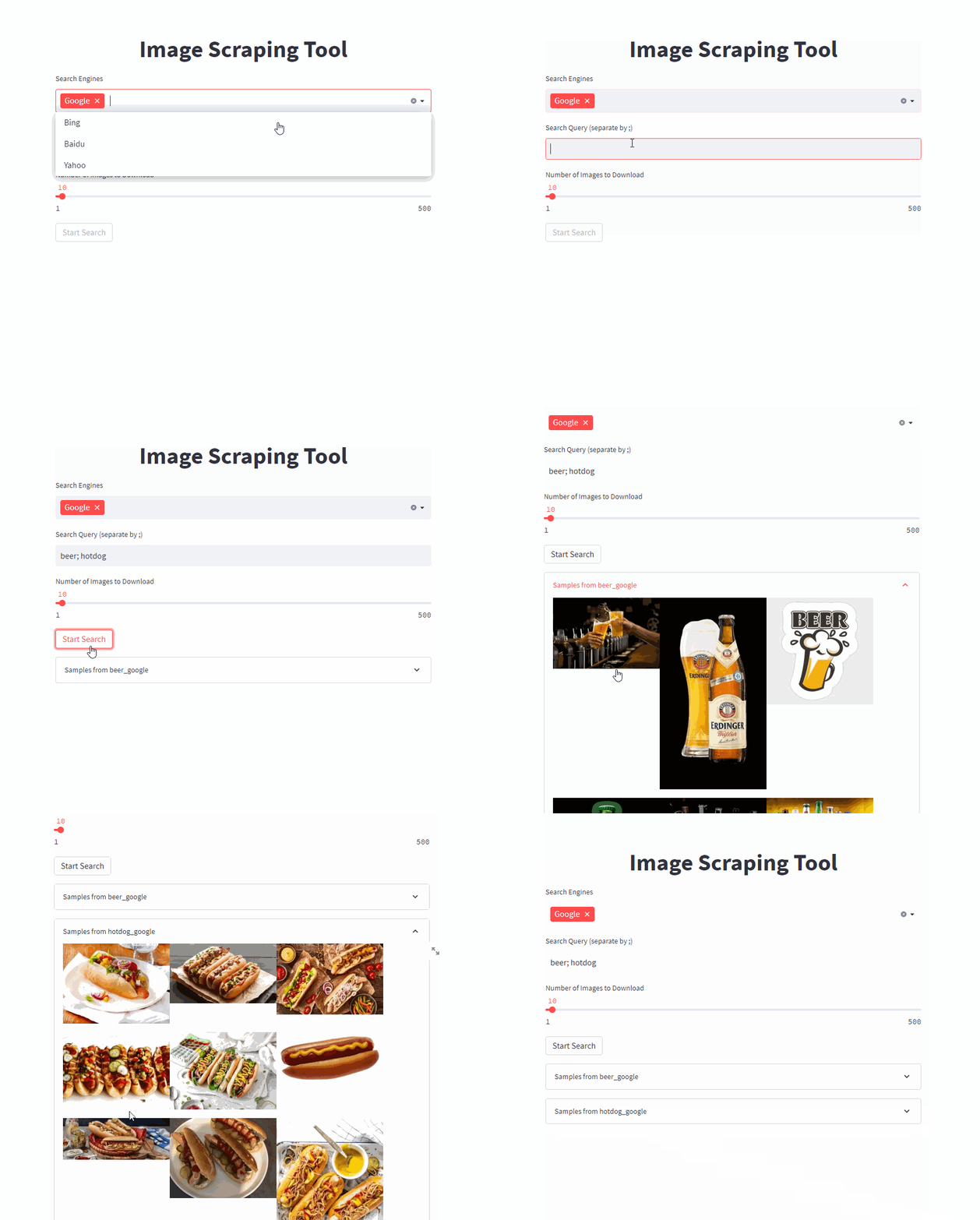
단일 명령으로 프론트 엔드를 시작하십시오 ( /PATH/TO/OUTPUT 원하는 출력 경로로 조정).
docker run -it --rm --name easy_image_scraping --mount type=bind,source=/PATH/TO/OUTPUT,target=/usr/src/app/output -p 5000:5000 ghcr.io/a-nau/easy-image-scraping:latest 쿼리를 입력하고 결과가 output 폴더에 표시 될 때까지 기다리십시오. 웹 응용 프로그램은 또한 다운로드 된 이미지의 미리보기를 보여줍니다.
명령 줄 사용을 시작하십시오
docker run -it --rm --name easy_image_scraping --mount type=bind,source=/PATH/TO/OUTPUT,target=/usr/src/app/output -p 5000:5000 ghcr.io/a-nau/easy-image-scraping:latest bash 단일 키워드를 검색하려면 search_by_keyword.py 조정하고 실행하십시오.
search_terms_eng.txt 파일에 검색어 목록을 작성하십시오.config.py 조정하십시오search_by_keywords_from_files 실행하십시오 이것은 선택 사항입니다. 제공된 컨테이너를 직접 사용할 수도 있습니다.
당신은 또한 이미지를 사용하여 이미지를 만들 수 있습니다
docker build -t easy_image_scraping .사용하여 실행합니다
docker run -it --rm --name easy_image_scraping -p 5000:5000 --mount type=bind,source=/PATH/TO/OUTPUT,target=/usr/src/app/output easy_image_scrapingconda env create -f environment.ymlpip install -r requirements.txt with webdriver . Chrome (
executable_path = "path/to/chrome_diver.exe" , # add this line
options = set_chrome_options ()
) as wd :달리 명시되지 않는 한,이 프로젝트는 MIT 라이센스에 따라 라이센스가 부여됩니다.
이 코드를 과학 연구에 사용하는 경우 인용을 고려하십시오.
@inproceedings{naumannScrapeCutPasteLearn2022,
	title        = {Scrape, Cut, Paste and Learn: Automated Dataset Generation Applied to Parcel Logistics},
	author       = {Naumann, Alexander and Hertlein, Felix and Zhou, Benchun and Dörr, Laura and Furmans, Kai},
	booktitle    = {{{IEEE Conference}} on {{Machine Learning}} and Applications ({{ICMLA}})},
	date         = 2022
}다운로드 한 이미지에 적용될 수있는 저작권 제한 사항에 유의하십시오.







