easy image scraping
1.0.0

從流行的搜索引擎中自動刮擦圖像
使用易於使用的前端或使用腳本。
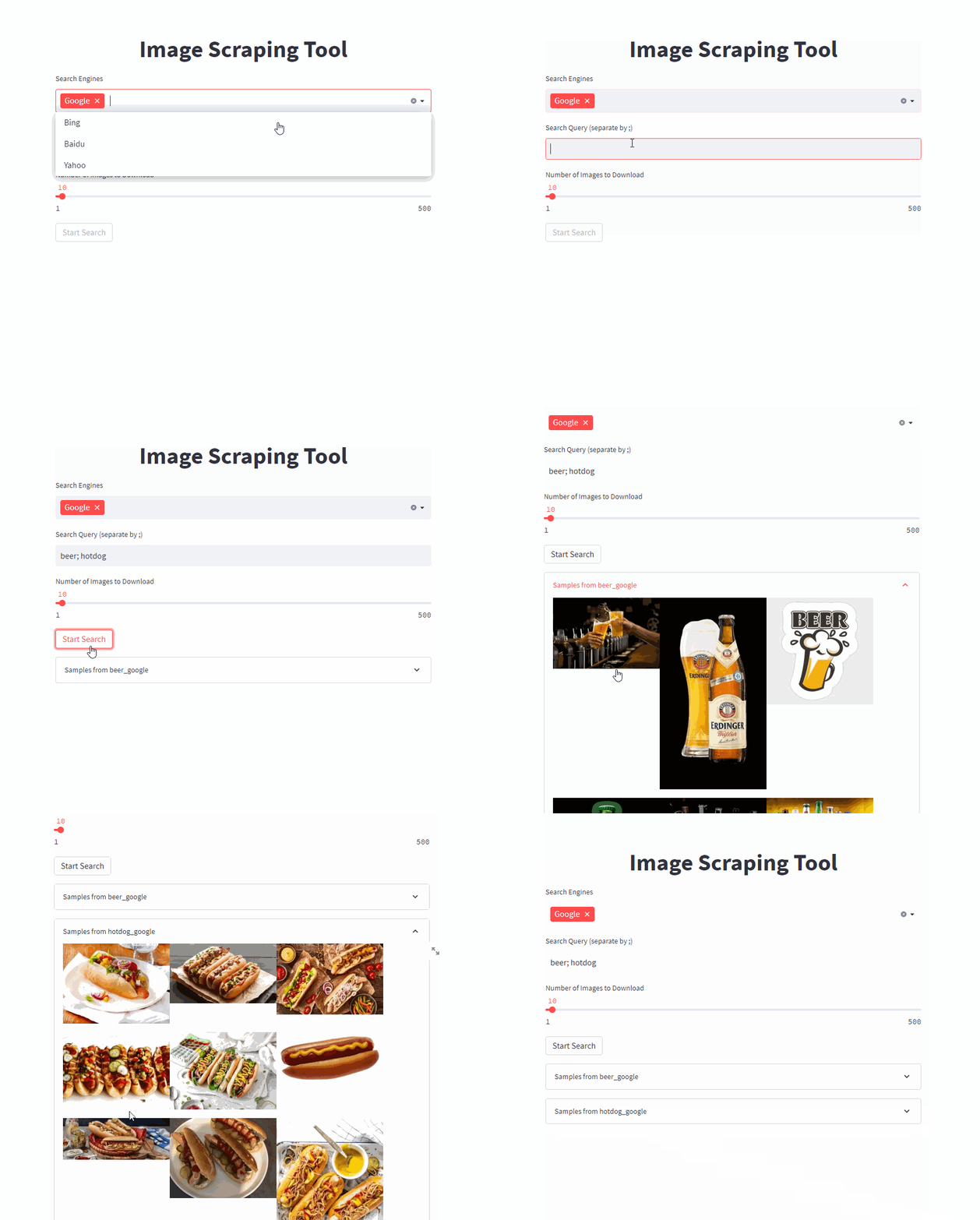
該代碼是論文(引用)的一部分,還要檢查項目頁面,如果您有興趣創建數據集,例如分段。
使用一個命令啟動前端(將/PATH/TO/OUTPUT調整到所需的輸出路徑)
docker run -it --rm --name easy_image_scraping --mount type=bind,source=/PATH/TO/OUTPUT,target=/usr/src/app/output -p 5000:5000 ghcr.io/a-nau/easy-image-scraping:latest輸入查詢,並等待結果在output文件夾中顯示。 Web應用程序還顯示了下載圖像的預覽。
開始使用命令行
docker run -it --rm --name easy_image_scraping --mount type=bind,source=/PATH/TO/OUTPUT,target=/usr/src/app/output -p 5000:5000 ghcr.io/a-nau/easy-image-scraping:latest bash如果您只想搜索單個關鍵字調整併運行search_by_keyword.py
search_terms_eng.txt中寫下搜索項列表。config.py以定義每種語言的搜索引擎search_by_keywords_from_files 這是可選的 - 您也可以直接使用我們提供的容器。
您還可以自己構建圖像
docker build -t easy_image_scraping .通過使用
docker run -it --rm --name easy_image_scraping -p 5000:5000 --mount type=bind,source=/PATH/TO/OUTPUT,target=/usr/src/app/output easy_image_scrapingconda env create -f environment.ymlpip install -r requirements.txt with webdriver . Chrome (
executable_path = "path/to/chrome_diver.exe" , # add this line
options = set_chrome_options ()
) as wd :除非另有說明,否則該項目將根據MIT許可證獲得許可。
如果您使用此代碼進行科學研究,請考慮引用
@inproceedings{naumannScrapeCutPasteLearn2022,
	title        = {Scrape, Cut, Paste and Learn: Automated Dataset Generation Applied to Parcel Logistics},
	author       = {Naumann, Alexander and Hertlein, Felix and Zhou, Benchun and Dörr, Laura and Furmans, Kai},
	booktitle    = {{{IEEE Conference}} on {{Machine Learning}} and Applications ({{ICMLA}})},
	date         = 2022
}請注意可能適用於您下載的圖像的版權限制。







