easy image scraping
1.0.0

ขูดภาพโดยอัตโนมัติด้วยแบบสอบถามของคุณจากเครื่องมือค้นหายอดนิยม
ใช้ส่วนหน้าใช้งานง่ายหรือใช้สคริปต์
รหัสนี้เป็นส่วนหนึ่งของกระดาษ (การอ้างอิง) ตรวจสอบหน้าโครงการหากคุณสนใจในการสร้างชุดข้อมูลสำหรับการแบ่งกลุ่มตัวอย่าง
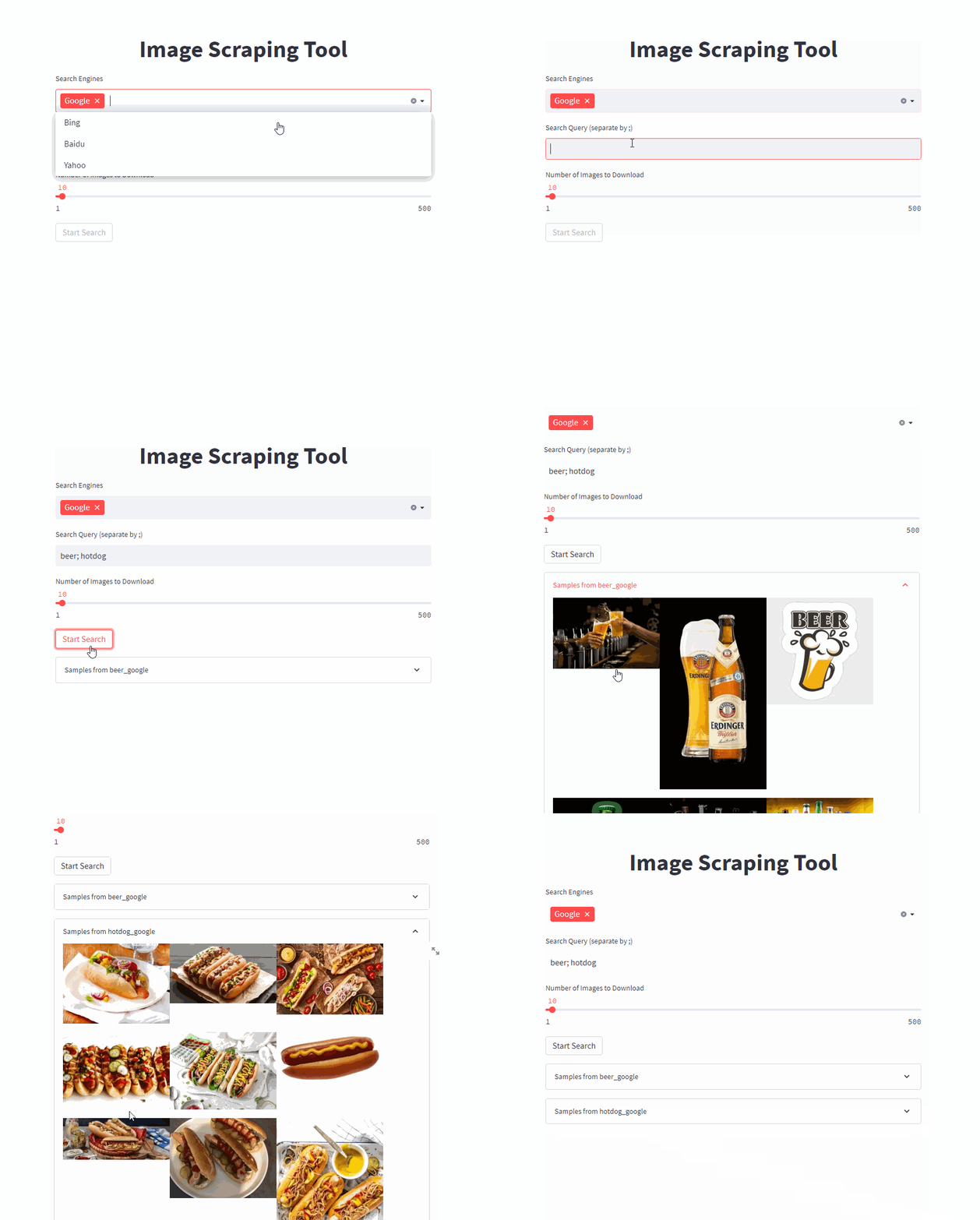
เริ่มต้นปลายด้านหน้าด้วยคำสั่งเดียว (ปรับ /PATH/TO/OUTPUT ไปยังเส้นทางเอาต์พุตที่คุณต้องการ)
docker run -it --rm --name easy_image_scraping --mount type=bind,source=/PATH/TO/OUTPUT,target=/usr/src/app/output -p 5000:5000 ghcr.io/a-nau/easy-image-scraping:latest ป้อนแบบสอบถามของคุณและรอผลลัพธ์ที่จะแสดงในโฟลเดอร์ output เว็บแอปพลิเคชันยังแสดงตัวอย่างของภาพที่ดาวน์โหลด
เริ่มใช้บรรทัดคำสั่งด้วย
docker run -it --rm --name easy_image_scraping --mount type=bind,source=/PATH/TO/OUTPUT,target=/usr/src/app/output -p 5000:5000 ghcr.io/a-nau/easy-image-scraping:latest bash หากคุณต้องการค้นหาคำหลักเดียวปรับและเรียกใช้ search_by_keyword.py
search_terms_eng.txtconfig.py เพื่อกำหนดเครื่องมือค้นหาสำหรับแต่ละภาษาsearch_by_keywords_from_files นี่เป็นทางเลือก - คุณสามารถใช้คอนเทนเนอร์ของเราได้โดยตรง
คุณยังสามารถสร้างภาพด้วยตัวเองโดยใช้
docker build -t easy_image_scraping .รันมันโดยใช้
docker run -it --rm --name easy_image_scraping -p 5000:5000 --mount type=bind,source=/PATH/TO/OUTPUT,target=/usr/src/app/output easy_image_scrapingconda env create -f environment.ymlpip install -r requirements.txt with webdriver . Chrome (
executable_path = "path/to/chrome_diver.exe" , # add this line
options = set_chrome_options ()
) as wd :เว้นแต่จะระบุไว้เป็นอย่างอื่นโครงการนี้ได้รับใบอนุญาตภายใต้ใบอนุญาต MIT
หากคุณใช้รหัสนี้สำหรับการวิจัยทางวิทยาศาสตร์โปรดพิจารณาอ้างถึง
@inproceedings{naumannScrapeCutPasteLearn2022,
	title        = {Scrape, Cut, Paste and Learn: Automated Dataset Generation Applied to Parcel Logistics},
	author       = {Naumann, Alexander and Hertlein, Felix and Zhou, Benchun and Dörr, Laura and Furmans, Kai},
	booktitle    = {{{IEEE Conference}} on {{Machine Learning}} and Applications ({{ICMLA}})},
	date         = 2022
}โปรดระวังข้อ จำกัด ด้านลิขสิทธิ์ที่อาจใช้กับรูปภาพที่คุณดาวน์โหลด







