easy image scraping
1.0.0

人気のある検索エンジンからのクエリで画像を自動的にスクレイプする
使いやすいフロントエンドの使用またはスクリプトを使用します。
このコードは論文の一部(引用)です。また、セグメンテーションなどのデータセットの作成に興味がある場合は、プロジェクトページも確認してください。
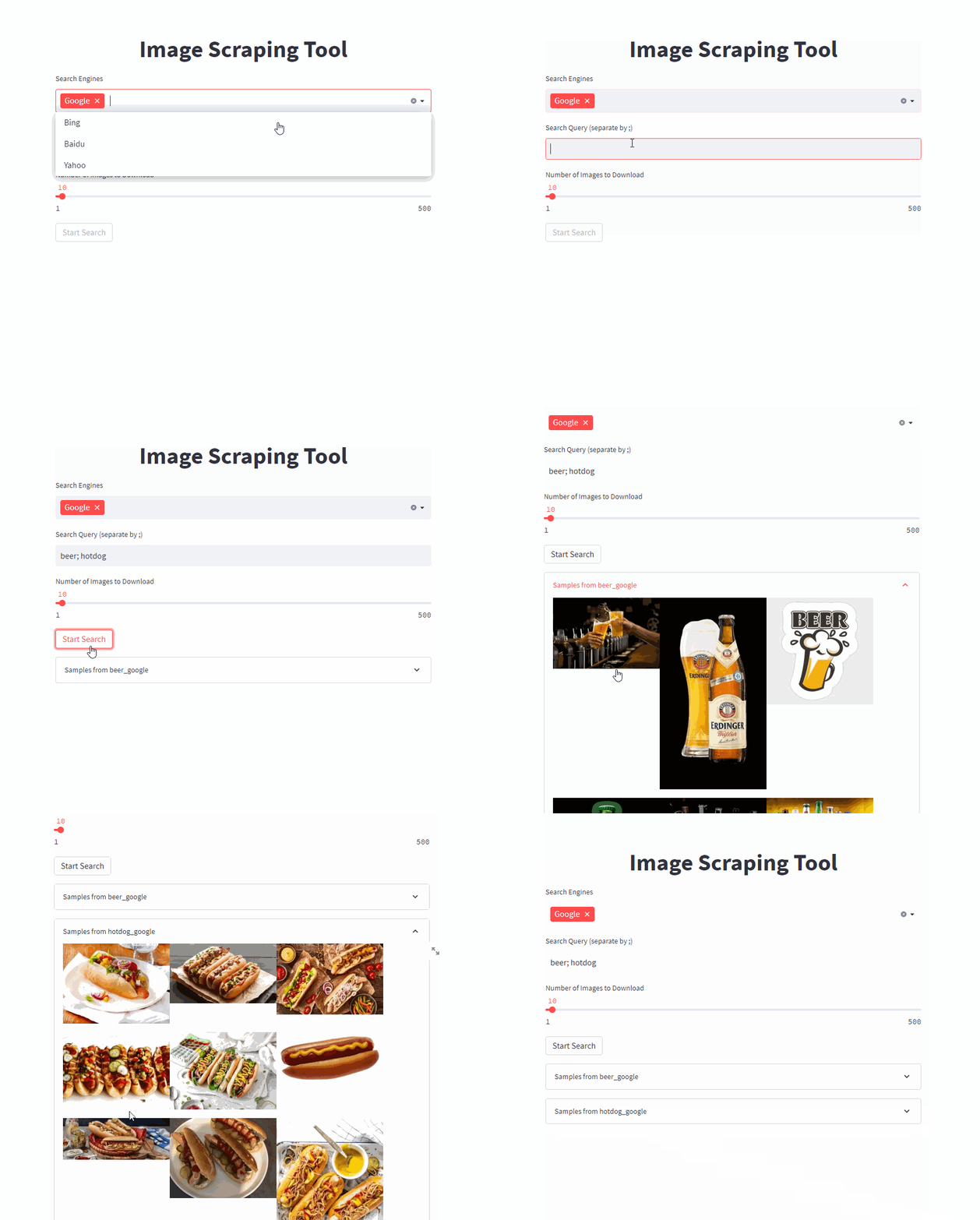
単一のコマンドでフロントエンドを開始します( /PATH/TO/OUTPUT目的の出力パスに調整します)
docker run -it --rm --name easy_image_scraping --mount type=bind,source=/PATH/TO/OUTPUT,target=/usr/src/app/output -p 5000:5000 ghcr.io/a-nau/easy-image-scraping:latestクエリを入力して、 outputフォルダーに結果が表示されるのを待ちます。 Webアプリケーションには、ダウンロードされた画像のプレビューも表示されます。
コマンドラインの使用を開始します
docker run -it --rm --name easy_image_scraping --mount type=bind,source=/PATH/TO/OUTPUT,target=/usr/src/app/output -p 5000:5000 ghcr.io/a-nau/easy-image-scraping:latest bash単一のキーワードを検索したい場合は、 search_by_keyword.pyを調整して実行します
search_terms_eng.txtに検索用語のリストを書きます。config.pyを調整して、各言語の検索エンジンを定義しますsearch_by_keywords_from_filesを実行しますこれはオプションです - 提供されたコンテナを直接使用することもできます。
自分で画像を自分で構築することもできます
docker build -t easy_image_scraping .使用して実行します
docker run -it --rm --name easy_image_scraping -p 5000:5000 --mount type=bind,source=/PATH/TO/OUTPUT,target=/usr/src/app/output easy_image_scrapingconda env create -f environment.ymlpip install -r requirements.txt with webdriver . Chrome (
executable_path = "path/to/chrome_diver.exe" , # add this line
options = set_chrome_options ()
) as wd :特に明記しない限り、このプロジェクトはMITライセンスに基づいてライセンスされています。
このコードを科学研究に使用する場合は、引用を検討してください
@inproceedings{naumannScrapeCutPasteLearn2022,
	title        = {Scrape, Cut, Paste and Learn: Automated Dataset Generation Applied to Parcel Logistics},
	author       = {Naumann, Alexander and Hertlein, Felix and Zhou, Benchun and Dörr, Laura and Furmans, Kai},
	booktitle    = {{{IEEE Conference}} on {{Machine Learning}} and Applications ({{ICMLA}})},
	date         = 2022
}ダウンロードした画像に適用される可能性のある著作権制限に注意してください。







