UnityWebGL LoadingTest
1.3.0

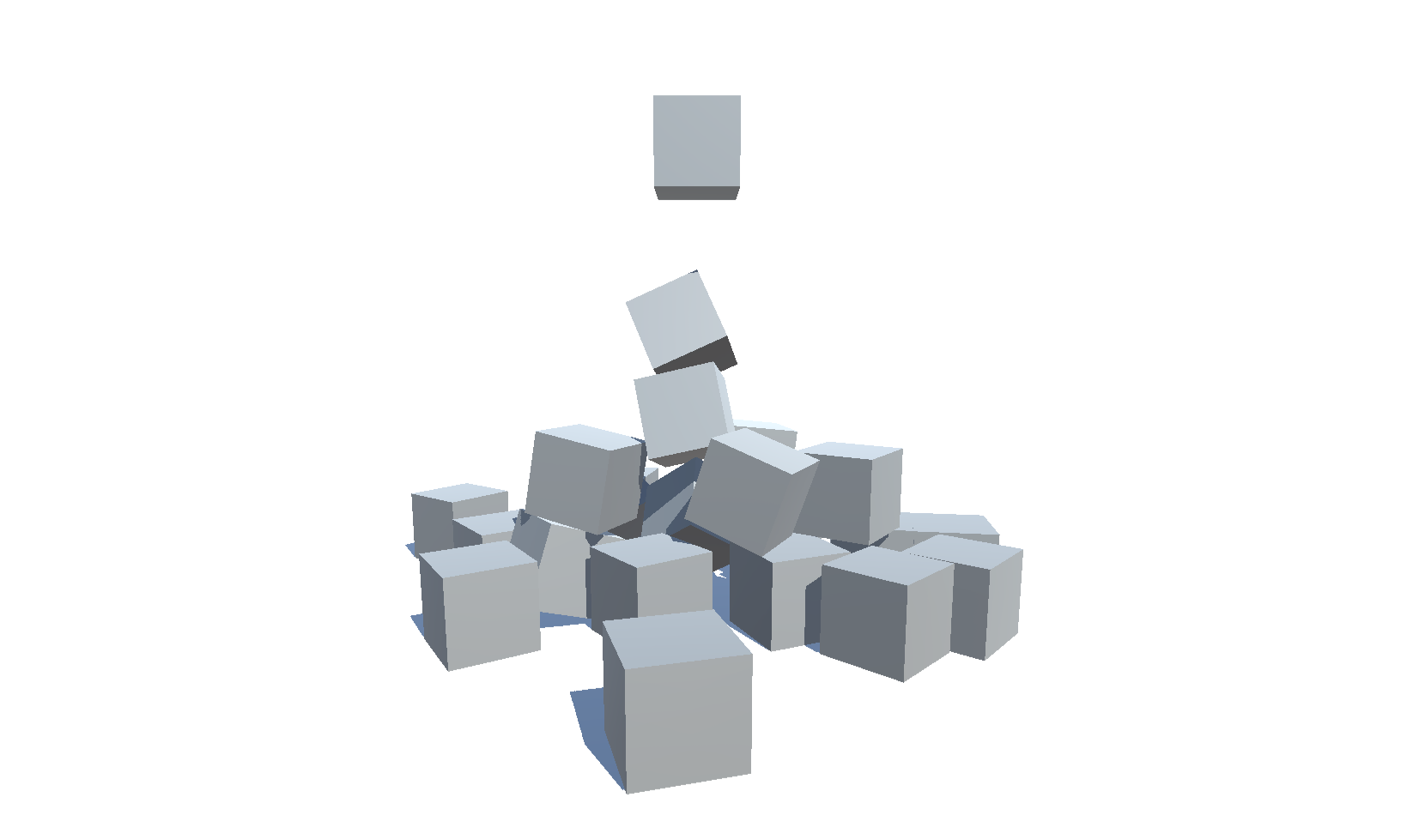
Unity의 WebGL 크기 및 다른 버전 (2018.4-6000.0) 및 설정 테스트 및 설정 테스트
| 버전 | 크기 | 링크 |
|---|---|---|
| 6000.0.25F1 | 3.32 MB | https://deml.io/experiments/unity-webgl/6000.0.25f1-webgl2 |
| 2023.2.20f1 | 3.23 MB | https://deml.io/experiments/unity-webgl/2023.2.20f1-webgl2 |
| 2023.1.20f1 | 3.14 MB | https://deml.io/experiments/unity-webgl/2023.1.20f1-webgl2 |
| 2022.3.50f1 | 3.12 MB | https://deml.io/experiments/unity-webgl/2022.3.50f1-webgl2 |
| 2021.3.45F1 | 2.78 MB | https://deml.io/experiments/unity-webgl/2021.3.45f1-webgl2 |
| 2020.3.48f1 | 2.96MB | https://deml.io/experiments/unity-webgl/2020.3.48f1-webgl2 |
| 버전 | 크기 | 링크 |
|---|---|---|
| 6000.0.25F1 | 2.92 MB | https://deml.io/experiments/unity-webgl/6000.0.25f1-minsize-webgl2 |
| 2023.2.20f1 | 2.85 MB | https://deml.io/experiments/unity-webgl/2023.2.20f1-minsize-webgl2 |
| 2023.1.20f1 | 2.72 MB | https://deml.io/experiments/unity-webgl/2023.1.20f1-minsize-webgl2 |
| 2022.3.50f1 | 2.69 MB | https://deml.io/experiments/unity-webgl/2022.3.50f1-minsize-webgl1 |
| 2021.3.45F1 | 2.74 MB | https://deml.io/experiments/unity-webgl/2021.3.45f1-minsize-webgl1 |
| 2020.3.48f1 | 2.48 MB | https://deml.io/experiments/unity-webgl/2020.3.48f1-minsize-webgl1 |
| 버전 | 크기 | 링크 |
|---|---|---|
| 6000.0.25F1 | 7.82 MB | https://deml.io/experiments/unity-webgl/6000.0.25f1-urp-webgl2 |
| 2023.2.20f1 | 6.87 MB | https://deml.io/experiments/unity-webgl/2023.2.20f1-urp-webgl2 |
| 2023.1.20f1 | 6.25MB | https://deml.io/experiments/unity-webgl/2023.1.20f1-urp-webgl2 |
| 2022.3.50f1 | 5.92 MB | https://deml.io/experiments/unity-webgl/2022.3.50f1-urp-webgl2 |
| 2021.3.45F1 | 6.31 MB | https://deml.io/experiments/unity-webgl/2021.3.45f1-urp-webgl2 |
| 2020.3.48f1 | 5.60 MB | https://deml.io/experiments/unity-webgl/2020.3.48f1-urp-webgl2 |
| 버전 | 크기 | 링크 |
|---|---|---|
| 6000.0.25F1 | 6.05MB | https://deml.io/experiments/unity-webgl/6000.0.25f1-urp-minsize-webgl2 |
| 2023.2.20f1 | 5.30 MB | https://deml.io/experiments/unity-webgl/2023.2.20f1-urp-minsize-webgl2 |
| 2023.1.20f1 | 5.71 MB | https://deml.io/experiments/unity-webgl/2023.1.20f1-urp-minsize-webgl2 |
| 2022.3.50f1 | 4.65MB | https://deml.io/experiments/unity-webgl/2022.3.50f1-urp-minsize-webgl1 |
| 2021.3.45F1 | 6.11 MB | https://deml.io/experiments/unity-webgl/2021.3.45f1-urp-minsize-webgl1 |
| 2020.3.48f1 | 4.86MB | https://deml.io/experiments/unity-webgl/2020.3.48f1-urp-minsize-webgl1 |
| 플랫폼 | 크롬 | 파이어 폭스 | 가장자리 | 원정 여행 | 인터넷 익스플로러 |
|---|---|---|---|---|---|
| Windows 10 | ✔️ | ✔️ | ✔️ | ➖ | |
| 리눅스 | ✔️ | ✔️ | ✔️ | ➖ | ➖ |
| 스코틀랜드 사람 | ✔️ | ✔️ | ✔️ | ✔️ | ➖ |
| 기계적 인조 인간 | ✔️ | ✔️ | ✔️ | ➖ | ➖ |
| iOS | ✔️ | ✔️ | ✔️ | ✔️ | ➖ |
| 안드로이드 스마트 TV | ✔️ | ➖ | ➖ | ➖ | ➖ |
✔️ : 지원 |
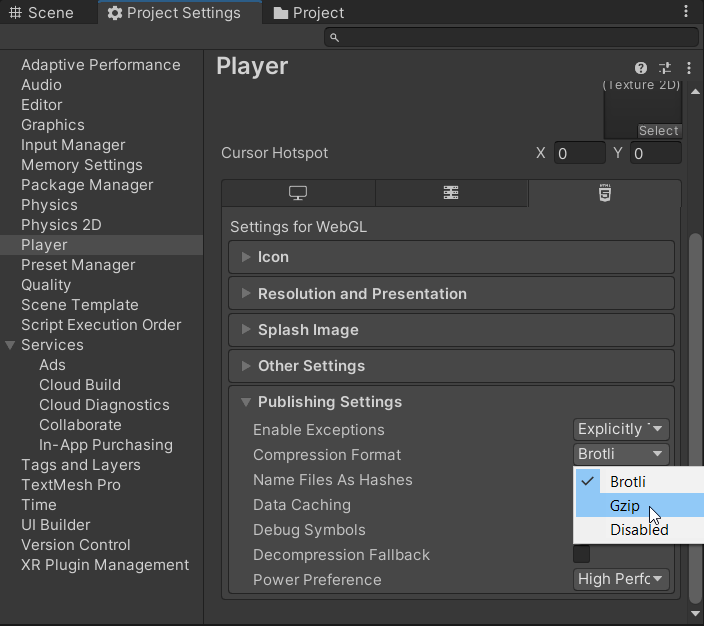
An error occurred running the Unity content on this page. See you browser JavaScript console for more info. The error: Script error. -IOS 16.2와 Firefox 108을 사용하면 2019.4에 더 이상이 문제를 재현 할 수 없었습니다. Unable to parse Build/WEBGL.framework.js.br! This can happen if build compression was enabled but web server hosting the content was misconfigured to not serve the file with HTTP Response Header "Content-Encoding: br" present. Check browser Console and Devtools Network tab to debug.
 Shader error in 'Hidden/Universal/CoreBlit': invalid subscript 'positionCS' at
UnityWebGL-LoadingTest/Library/PackageCache/[email protected]/Runtime/Utilities/Blit.hlsl(92) (on gles)
Compiling Vertex program with DISABLE_TEXTURE2D_X_ARRAY
Platform defines: SHADER_API_DESKTOP UNITY_COLORSPACE_GAMMA UNITY_ENABLE_DETAIL_NORMALMAP UNITY_LIGHTMAP_RGBM_ENCODING UNITY_PBS_USE_BRDF1 UNITY_SPECCUBE_BLENDING UNITY_SPECCUBE_BOX_PROJECTION UNITY_USE_DITHER_MASK_FOR_ALPHABLENDED_SHADOWS
Disabled keywords: BLIT_SINGLE_SLICE SHADER_API_GLES30 UNITY_ASTC_NORMALMAP_ENCODING UNITY_ENABLE_NATIVE_SHADOW_LOOKUPS UNITY_ENABLE_REFLECTION_BUFFERS UNITY_FRAMEBUFFER_FETCH_AVAILABLE UNITY_HALF_PRECISION_FRAGMENT_SHADER_REGISTERS UNITY_HARDWARE_TIER1 UNITY_HARDWARE_TIER2 UNITY_HARDWARE_TIER3 UNITY_LIGHTMAP_DLDR_ENCODING UNITY_LIGHTMAP_FULL_HDR UNITY_LIGHT_PROBE_PROXY_VOLUME UNITY_METAL_SHADOWS_USE_POINT_FILTERING UNITY_NO_DXT5nm UNITY_NO_FULL_STANDARD_SHADER UNITY_NO_SCREENSPACE_SHADOWS UNITY_PBS_USE_BRDF2 UNITY_PBS_USE_BRDF3 UNITY_PRETRANSFORM_TO_DISPLAY_ORIENTATION UNITY_UNIFIED_SHADER_PRECISION_MODEL UNITY_VIRTUAL_TEXTURING


Shader error in 'Hidden/kMotion/CameraMotionVectors': SV_VertexID semantic is not supported on GLES 2.0 at line 11 (on gles)

Compiling Subshader: 0, Pass: , Vertex program with <no keywords>
Platform defines: SHADER_API_DESKTOP UNITY_COLORSPACE_GAMMA UNITY_ENABLE_DETAIL_NORMALMAP UNITY_LIGHTMAP_RGBM_ENCODING UNITY_PBS_USE_BRDF1 UNITY_SPECCUBE_BLENDING UNITY_SPECCUBE_BOX_PROJECTION UNITY_USE_DITHER_MASK_FOR_ALPHABLENDED_SHADOWS
Disabled keywords: SHADER_API_GLES30 UNITY_ASTC_NORMALMAP_ENCODING UNITY_ENABLE_NATIVE_SHADOW_LOOKUPS UNITY_ENABLE_REFLECTION_BUFFERS UNITY_FRAMEBUFFER_FETCH_AVAILABLE UNITY_HALF_PRECISION_FRAGMENT_SHADER_REGISTERS UNITY_HARDWARE_TIER1 UNITY_HARDWARE_TIER2 UNITY_HARDWARE_TIER3 UNITY_LIGHTMAP_DLDR_ENCODING UNITY_LIGHTMAP_FULL_HDR UNITY_LIGHT_PROBE_PROXY_VOLUME UNITY_METAL_SHADOWS_USE_POINT_FILTERING UNITY_NO_DXT5nm UNITY_NO_FULL_STANDARD_SHADER UNITY_NO_SCREENSPACE_SHADOWS UNITY_PBS_USE_BRDF2 UNITY_PBS_USE_BRDF3 UNITY_PRETRANSFORM_TO_DISPLAY_ORIENTATION UNITY_UNIFIED_SHADER_PRECISION_MODEL UNITY_VIRTUAL_TEXTURING
 Texture creation failed. 'ShadowAuto' is not supported for Render usage on this platform. Use 'SystemInfo.IsFormatSupported' C# API to check format support.

NullReferenceException: Object reference not set to an instance of an object.
Tools/Build WebGL/minsize 로 제작되었습니다SizeNoneMaster 이 기능은 2021-11-21이 추가되었으며 해당 날짜부터 시작하는 릴리스에서만 지원됩니다.
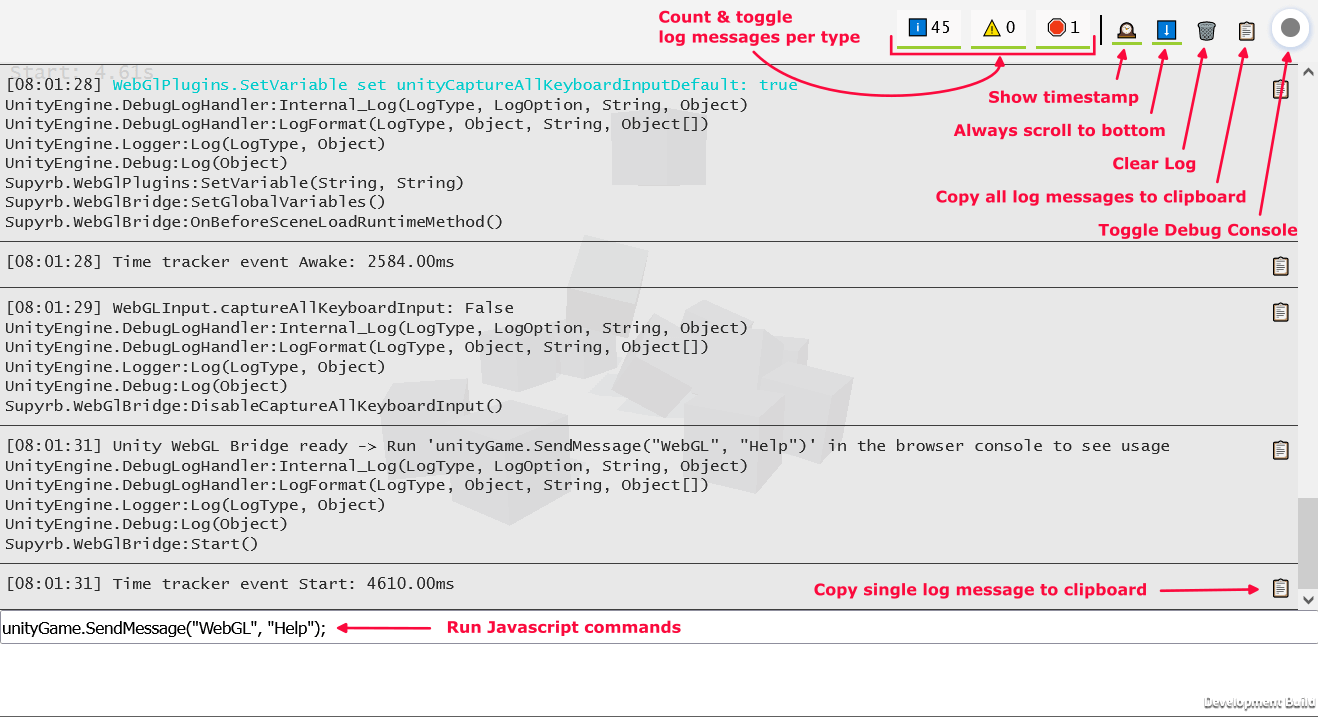
스크립트 WebGlBridge unityGame.SendMessage("WebGL", "COMMAND_NAME",PARAMETER) 통해 브라우저 콘솔에서 호출 할 수있는 쉽게 액세스 할 수있는 GameObject를 추가합니다.
현재 다음 명령을 사용할 수 있습니다.
 runUnityCommand ( "AllocateByteArrayMemory" , int mb ) ; - > Allocate memory to test memory usage and limits
runUnityCommand ( "CheckOnlineStatus" ) ; - > Check if browser is online
runUnityCommand ( "CopyToClipboard" , "string text" ) ; - > Copy text to clipboard
runUnityCommand ( "DeleteAllPlayerPrefs" ) ; - > PlayerPrefs . DeleteAll
runUnityCommand ( "DisableCaptureAllKeyboardInput" ) ; - > Disable unity from consuming all keyboard input
runUnityCommand ( "EnableCaptureAllKeyboardInput" ) ; - > Enable unity from consuming all keyboard input
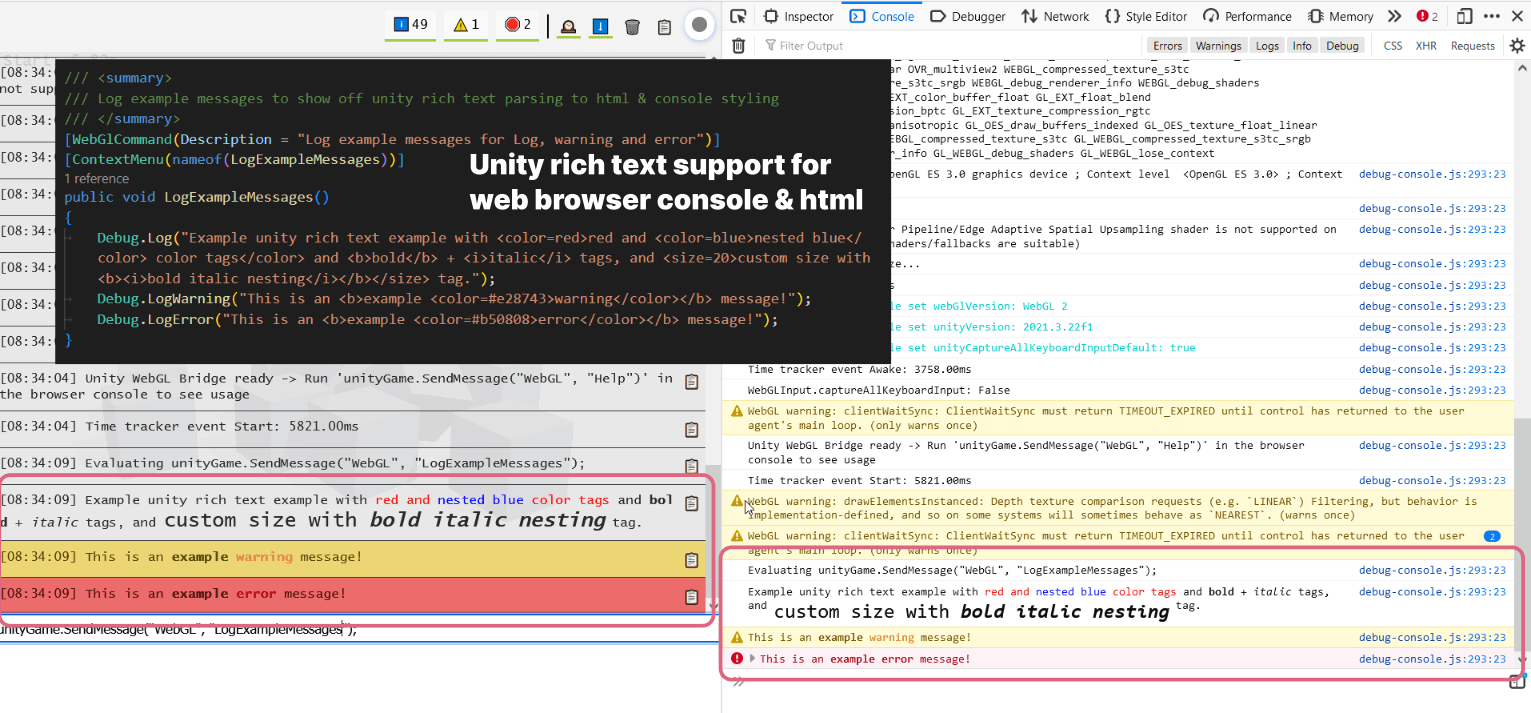
runUnityCommand ( "LogExampleMessages" ) ; - > Log example messages for Log , warning and error
runUnityCommand ( "LogMemory" ) ; - > Logs the current memory
runUnityCommand ( "LogMessage" , "string message" ) ; - > Log a custom message
runUnityCommand ( "LogShaderCompilation" , int enabled ) ; - > GraphicsSettings . logWhenShaderIsCompiled
runUnityCommand ( "LogTextureSupport" ) ; - > Log supported and unsupported texture formats
runUnityCommand ( "LogUserAgent" ) ; - > Log User Agent and isMobileDevice
runUnityCommand ( "ReleaseByteArrayMemory" ) ; - > Release all allocated byte array memory
runUnityCommand ( "SaveScreenshot" ) ; - > Save current screen as PNG
runUnityCommand ( "SaveScreenshotSuperSize" , int superSize ) ; - > Save current screen as PNG with variable super size
runUnityCommand ( "SetApplicationRunInBackground" , int runInBackground ) ; - > Application . runInBackground
runUnityCommand ( "SetApplicationTargetFrameRate" , int targetFrameRate ) ; - > Application . targetFrameRate
runUnityCommand ( "SetTimeFixedDeltaTime" , float fixedDeltaTime ) ; - > Time . fixedDeltaTime
runUnityCommand ( "SetTimeTimeScale" , float timeScale ) ; - > Time . timeScale
runUnityCommand ( "ThrowDictionaryException" ) ; - > Throw a dictionary key not found exception
runUnityCommand ( "ToggleInfoPanel" ) ; - > Toggle develop ui visibility of InfoPanel
runUnityCommand ( "TriggerGarbageCollection" ) ; - > Trigger garbage collection
runUnityCommand ( "UnloadUnusedAssets" ) ; - > Resources . UnloadUnusedAssets runUnityCommand ( "AddSpawner" ) ; - > Add a spawner
runUnityCommand ( "PauseSpawning" ) ; - > Pause spawning of cubes
runUnityCommand ( "RemoveSpawner" ) ; - > Remove a spawner
runUnityCommand ( "ResumeSpawning" ) ; - > Resume spawning of cubes runUnityCommand ( "Help" ) ; - > Log all available commands 이 저장소는 Game.ci를 통한 지속적인 통합을 지원합니다. Unity 라이센스 생성, 프로젝트 구축 및 프로젝트 업그레이드를위한 스크립트가 있습니다.
기본 GitHub 작업 워크 플로는 release.yml입니다. Unity 측면에서 Game.ci의 빌드 스크립트를 기준으로 사용자 정의 빌드 스크립트가 사용됩니다 : buildscript.cs. 이 스크립트는 다음 구문을 통해 GIT 태그를 통해 다른 빌드 로직 정의를 지원합니다. UNITY_VERSION TAG1 TAG2 ... 예 : 2022.2.0f1-urp-webgl2
다음 태그가 지원됩니다.
minsize : 크기로 코드 최적화를 설정하고 예외를 지원하지 않습니다.debug : 내장 디버그 기호와 전체 스택 추적으로 개발 빌드 구축webgl1 : WebGL1을위한 빌드webgl2 : WebGL2를위한 빌드 Unity Upgrade-Unity.yml을 업그레이드하려면 사용됩니다. 업그레이드 및 일부 추가 설정을 정의하여 수동으로 GitHub 작업을 통해 트리거 될 수 있습니다. 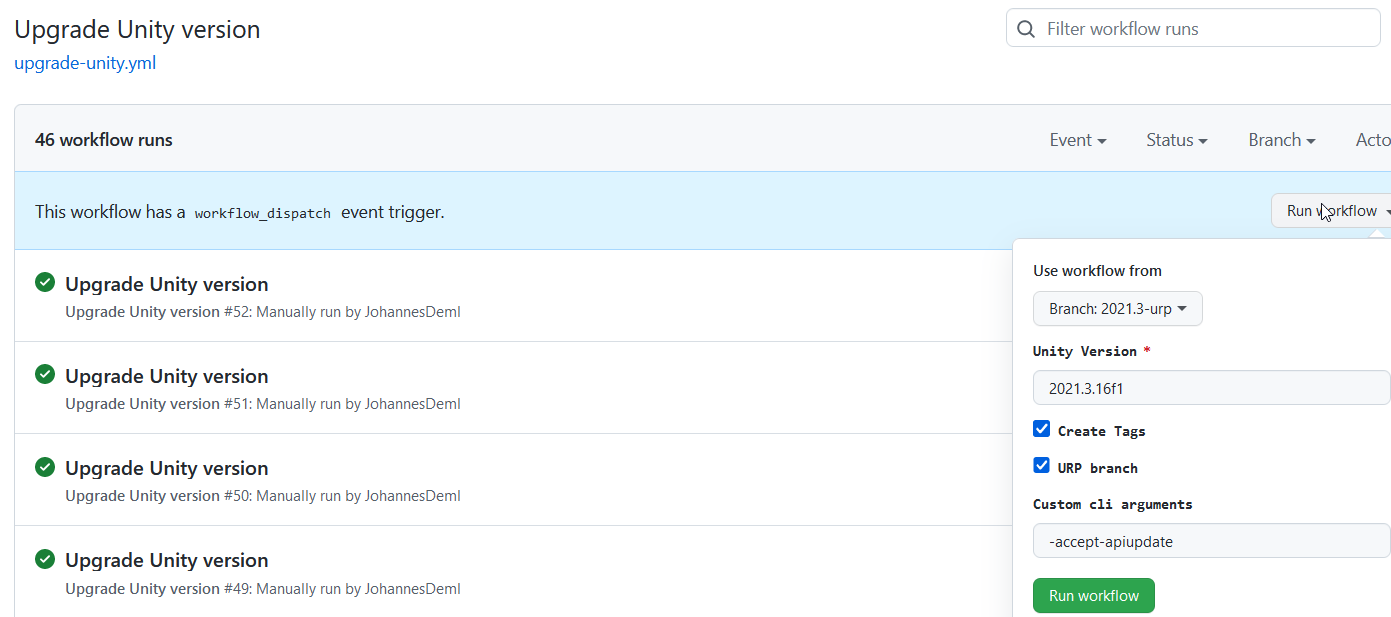 새로 정의 된 Unity 버전과 태그와 함께 자동 빌드를 트리거하여 풀 요청을 만듭니다. 또한 모든 패키지는 최신 버전으로 업데이트됩니다. UnityPackagescripts.cs도 참조하십시오.
여기에는 크기가있는 모든 라이브 빌드 목록을 찾을 수 있습니다 : https://deml.io/experiments/unity-webgl/







